






Droplette
Droplette – helps AI to make work more efficient and simpler.
Tags:AI improves efficiencyWhat is Droplette?
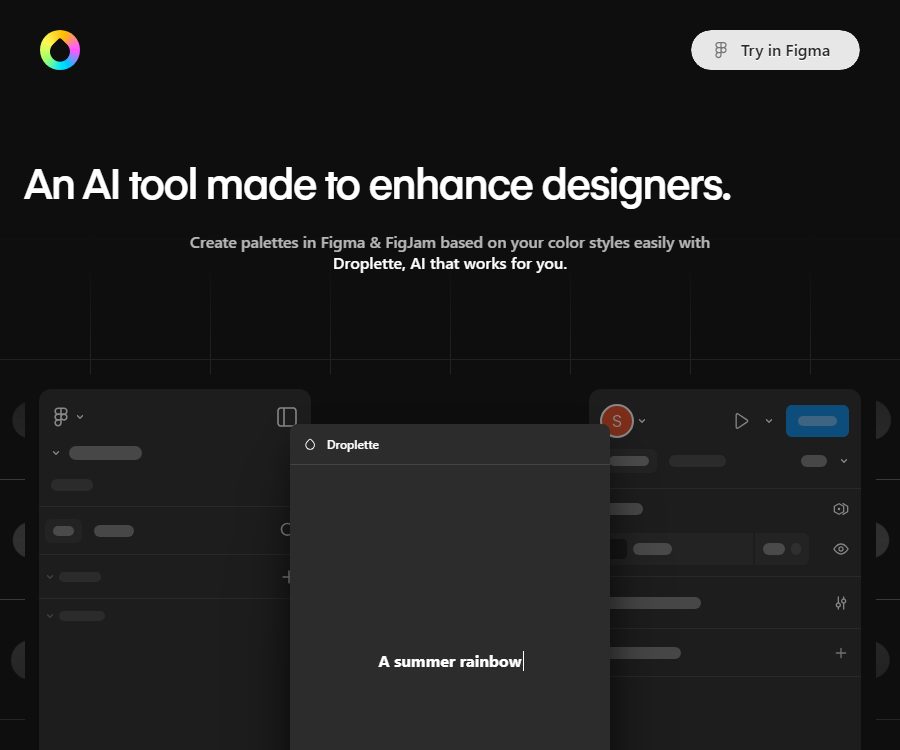
Droplette is a plugin for Figma and FigJam AI created by Relay; it assists designers in creating color palettes based on existing visuals, color styles, and text requirements. It uses GPT-4o to understand the given instructions and generate color schemes – it is not related to any skincare device or app with the same name.
The tool is integrated directly into the color selection process within design files, and its purpose is to enable rapid exploration, organization, and iteration of colors. It does not replace contrast tests, brand reviews, print samples, or the designer’s final judgment.
Main functions
| Functions | Received content | Generate results | Suitable for tasks |
|---|---|---|---|
| AI color palette generation | Natural language description, number of colors, and design context | Color combinations that can still be adjusted | Brand exploration, interface themes, and visual concepts |
| Frame color extraction | The selected frame in Figma or FigJam | Candidate colors identified from the image | Extract color schemes from mood boards, illustrations, or existing designs. |
| Local style synchronization | Local color styles in the file | Palette constrained by existing design systems | Maintain brand consistency and expand the theme color. |
| Color adjustment | The palette has been generated and can be modified by the user. | Versions with adjusted brightness, hue, or combination | Refine interface status colors and visual hierarchy. |
| Retain and regenerate | Satisfied with the color, the color to be replaced, and the new prompt | A new approach that inherits some of the colors | Iterate without overturning all results |
| Multilingual prompts | A textual description of the languages supported by OpenAI | Palette generated based on semantics | Collaboration with non-English speaking teams and across regions |
Extract colors from the design frame.
Users can select one or more frames in Figma or FigJam, allowing the plugin to use the colors present in those frames as a basis for the palette. It is useful for quickly gathering color ideas from mood boards, reference compositions, illustrations, or existing pages.
The extracted colors may still contain accent colors, shadow colors, or subtle variations that are not suitable to be used as system colors. Before use, similar colors should be combined, and primary colors, secondary colors, neutral colors, and status colors should be distinguished.
Connect to local color style
Droplette can read the local color styles in files, enabling the AI to propose new combinations within the existing design system. Teams can use this tool to expand their brand colors, create dark theme versions, or add colors specific to certain events, rather than starting from completely unrelated colors.
The fact that the plugin detects certain styles does not mean that the resulting output will automatically comply with the brand’s guidelines. Designers still need to check the naming, variable structure, color spacing, and the actual way in which the components are used.
Generate and iteratively adjust palettes using text.
Users can describe the brand’s atmosphere, product type, desired mood, season, or colors to be avoided; GPT-4o will convert these textual instructions into color suggestions. The more specific the instructions, the more likely the results will be to meet the desired goals.
- Describe the use cases, such as financial backends, children’s applications, or eco-friendly packaging.
- Specify the brand colors you wish to retain, the number of colors, and the shade preference.
- Specify the hues, saturations, or stereotyped color schemes that should be avoided.
- It indicates the need for a light theme, a dark theme, colors for data charts, or status colors.
- Retain the desired colors first and then generate the remaining areas, thereby reducing unnecessary repetitions.
A single generation usually takes only a few seconds, but the speed can be affected by the number of colors, the complexity of the prompt, as well as the status of the network and OpenAI services. The speed estimates provided on the page do not constitute a guarantee of a fixed response time.
Complete usage tutorial
- Install Droplette in the Figma Community and verify that your current Figma account allows the use of plugins.
- Purchase and activate a one-time license, and save the order confirmation and authorization details.
- Create an API key specific to this plugin in your OpenAI account, and set a usage budget for the corresponding project.
- Enter the key as guided by the plugin; do not paste the key in public files, comments, or team chats.
- Open the target Figma or FigJam file, and select a frame, an existing color, or connect to a local color style.
- Enter the intended color scheme, usage scenario, number of colors, as well as any conditions that must be met or avoided.
- Run the generation process and check the characters of each color, their hierarchy, and their relationship with the existing components.
- Keep the colors that satisfy you, adjust the inappropriate color values, and then use additional suggestions to generate the remaining colors.
- Apply the results to variables, styles, or components, and check the contrast of text, icons, and status in the actual interface.
- Complete the preliminary testing of light and dark backgrounds, color vision differences, display inaccuracies, and the required printed output.
Examples of prompt writing
An effective suggestion should describe the scenario, atmosphere, color palette, and any constraints at the same time; for example, it might be requested to create a five-color scheme for a health management application that is calm, trustworthy, and suitable for a dark-themed interface. It is also possible to require that the existing primary colors be retained, with the other colors being used to indicate successful, warning, and dangerous states.
Do not simply write “attractive” or “high-end” – such terms lack specific criteria that can be used for guidance. If the results are not satisfactory, it is necessary to specify details such as the target audience, the level of brightness and darkness, saturation, the brand’s personality, and the required contrast levels.
Input and output
| Category | Supported content | Precautions |
|---|---|---|
| Design input | Selected frame, image color, local color style | Complex files may contain a large number of approximate colors and irrelevant decorative colors. |
| Text input | Requirements for natural language color coding | It can understand languages supported by OpenAI; the quality of understanding depends on the clarity of the expression. |
| Model input | Color context and prompt content | The specific transmission range and storage methods have not yet been made public. |
| Result output | Adjustable and continuously generable palettes | Finished products that do not pass accessibility or brand compliance checks automatically |
| Design applications | Color workflows in Figma and FigJam files | Variable mapping, component replacement, and delivery specifications still require manual handling. |
Price and usage costs
| Package or version | Price | Billing cycle | Core benefits or quota | Suitable for users |
|---|---|---|---|---|
| Droplette license | Currently 9 dollars | One-time use | Activate the Figma and FigJam plugins; the page displays a $20 marked price as well. | Designers who need to use plugins on a continuous basis |
| OpenAI API usage | Based on the actual usage of the account | Charging by usage | GPT-4o requests are handled by the user’s own OpenAI account. | All generated and iterative users |
The current settlement page shows $9 as a one-time payment; there is no subscription or free trial available. This price may be the pricing applicable during the launch phase, and the currency, taxes, and available payment methods can vary depending on the region or the settlement page.
Purchasing plugins does not include any quota for OpenAI models; users must provide their own API keys and pay additional fees for making calls to these models. Creators say that most users spend between 1 and 3 dollars per month, but this is just an estimate based on typical usage levels – it is not a fixed price, nor is it a guarantee of quota or a limit on costs.
The deadline for refunds, any exceptions, the number of devices covered by the license, rules regarding team sharing, and rules for transferring permissions have not yet been made public. Before making the payment, it is necessary to confirm the final amount on the settlement page and to clarify with the seller any issues related to permissions and refunds that are not clear.
Platforms and available methods
| Platform or method | Status | Explanation |
|---|---|---|
| Figma plugins | Support | Generate, extract, and adjust colors in design files |
| FigJam plugin | Support | It can be used in whiteboard and mood board processes. |
| Independent web page generator | Not confirmed yet | The way to access these products is mainly through plugin installation or purchase. |
| iOS and Android | Not confirmed yet | No native mobile applications with identified owners were found. |
| Browser extensions | Not confirmed yet | No official Chrome extensions were found. |
| Other design platforms | Not confirmed yet | The version of Sketch, Adobe, or Canva has not been confirmed. |
API, GitHub, and open-source status
Droplette requires users to enter their OpenAI API key, but this does not mean that it provides a Droplette API for developers. As of now, there are no product interfaces or official SDKs available for use in external system calls.
| Project | Current status | Explanation |
|---|---|---|
| OpenAI API | It is necessary. | Users must provide their own keys and bear the costs associated with using GPT-4o. |
| Droplette public API | Not confirmed yet | External call documentation is not available. |
| Official SDK | Not confirmed yet | No official development package was found. |
| Official GitHub | Not confirmed yet | No warehouse that corresponds explicitly to the product identity was found. |
| Product source code | Not disclosed | Figma plugins are not the same as open-source software. |
| Open-source license | Not yet made public | There is no verifiable product source code license. |
Privacy, security, and key management
The current product page does not specify whether API keys are stored locally, on the plugin server, or elsewhere; it also does not clarify the exact pathway through which prompt information, color styles, and frame data are transmitted. Based on this, it is not possible to claim that design data is processed only on the local device or that the keys never pass through any third-party systems.
The public pages do not specify the duration for which data is stored, the mechanisms for deleting it, the encryption methods used, a list of sub-processors, or the procedures for handling security incidents. When dealing with unreleased products, confidential brand guidelines, or sensitive projects, it is necessary to confirm these details with the provider before using them.
- Create a separate OpenAI project and dedicated key for the plugin; do not reuse the keys from the production system.
- Set budgets, alerts, and appropriate usage limits in the OpenAI project.
- Do not write the key in the Figma canvas, shared notes, public repositories, or screenshots.
- If a key appears to have been leaked, it should be revoked and recreated immediately, while also checking for any abnormal usage.
- First, use a non-sensitive test file to determine the range of data that the plugin needs to read.
- Replace keys and verify plugin permissions when team members leave, equipment is lost, or a project comes to an end.
- Before using the customer’s materials, verify that the contract permits the processing of such data via AI services.
The product page makes use of lightweight analysis services, but the available public information is not sufficient to reveal the full scope of the analyzed data. The usage levels associated with OpenAI accounts, as well as the rules regarding data retention and processing, must be examined separately under separate service terms.
Copyright, commercial use, and licensing considerations
The current page does not provide complete information regarding the ownership of the copyright for the generated palettes, the permissions for commercial use, and the provisions related to liability in case of infringement. Colors, on their own, are not subject to the same rights as those associated with specific works, brand identifiers, fonts, graphics, and the visual systems of competitors.
- Do not use your competitors’ protected visual systems as a direct target for replication.
- Trademark applications should undergo checks for similar brand color schemes and risks related to industry recognition.
- For customer projects, it is necessary to verify whether the contract permits the use of third-party AI plugins and external models.
- Retain records of manual selection, modification, contrast testing, and approval.
- Before making group purchases, verify whether the license can be used by multiple people, whether it can be transferred, and the number of devices permitted.
- When an exclusive color scheme needs to be guaranteed, it should not be assumed that the AI-generated results will be unique.
Suitable for users and typical use cases
- UI and UX designers: Quickly explore primary colors, secondary colors, and status colors for new products.
- Brand designer: Develops the theme of an event or the color palette for a sub-brand by building on existing color schemes.
- Design system team: Starting from the existing styles, it attempts to introduce a dark theme as well as new color schemes.
- Product team: Determines the color directions based on reference images during the FigJam mood board stage.
- Freelance designer: Reduces the time spent on manual color selection and repeated testing.
- Teaching and workshops: Demonstrating the relationship between text semantics, visual emotions, and color palettes.
Advantages and limitations
Main advantages
- Work directly in Figma and FigJam to reduce the need to copy colors between tools.
- The color of the frame and local styles can be incorporated into the generation process, resulting in a design that is closer to the existing one.
- It allows the desired colors to be retained while the remaining areas are regenerated, facilitating progressive iteration.
- A one-time plugin license does not incur any ongoing subscription fees.
- Natural language prompts lower the barrier to moving from abstract brand descriptions to color drafts.
Main limitations
- An additional OpenAI API key must be obtained, and costs related to model usage will have to be covered.
- The quality of color matching varies depending on the input image, the quality of the style, the details provided for guidance, and the response of the model.
- The generated results do not automatically ensure accessibility, brand compliance, or print consistency.
- There is insufficient public information regarding the privacy policy, data flow, refund policies, and team authorization rules.
- Versions for standalone websites, mobile devices, browser extensions, or other design platforms have not been confirmed.
- The product does not have its source code made public, nor are any official developer APIs or SDKs available.
Summary
Droplette is suitable for designers who wish to quickly extract colors in Figma or FigJam, use GPT-4o to create color palettes, and keep some of the resulting options for further refinement. The price of its one-time license is straightforward, but users still need to manage the OpenAI key, the costs associated with the models, sensitive design data, and the final quality of the visuals on their own.
Frequently Asked Questions
What is Droplette?
It is an AI color-picking plugin for Figma and FigJam; it draws on context from frames and local color styles, and then uses textual instructions to create and adjust color palettes.
Is Droplette related to the skincare product of the same name?
No association has been confirmed. This entry describes a design color-scheme plugin created by Relay; it is not a skincare device or a mobile skincare application.
What is the current price?
The current settlement page shows that the license costs $9 as a one-time payment, with no subscription or free trial available. Taxes, currency, and the final amount shall be as indicated on the actual settlement page.
Are there any other fees to pay after making the purchase?
It is necessary. The plugin uses the user’s own OpenAI API key, and the costs associated with calling GPT-4o are borne by the respective OpenAI account.
Is it necessary to provide an OpenAI API key?
Yes, the current workflow requires users to create and configure their own keys. It is recommended to use separate project keys, and to set up alerts for budget and usage levels.
Which languages are supported for prompts?
You can describe your color preferences in the languages supported by OpenAI. Different languages and the level of detail provided may affect how well the model understands the request and the resulting output.
Can it automatically ensure that the color contrast meets the required standards?
The generated results cannot be considered to have automatically passed the accessibility check. Designers need to test text, icons, status colors, and different backgrounds in the actual interface.
Is the API key stored locally?
The current public page does not specify where the keys are stored or what the complete data flow is. Before working on sensitive projects, it is necessary to consult the provider regarding how the keys, instructions, and design data should be handled.
Does Droplette offer public APIs or SDKs?
It has not been confirmed yet. It will call the OpenAI API, but there are no public Droplette interfaces or official SDKs available for external developers.
Is Droplette open source?
No product source code, officially identified GitHub repository, or open-source license was found. The fact that a plugin relies on external APIs does not mean that the product itself is open source.
Tools similar to Droplette



 Guigong Network Security Registration No. 45132202000164