






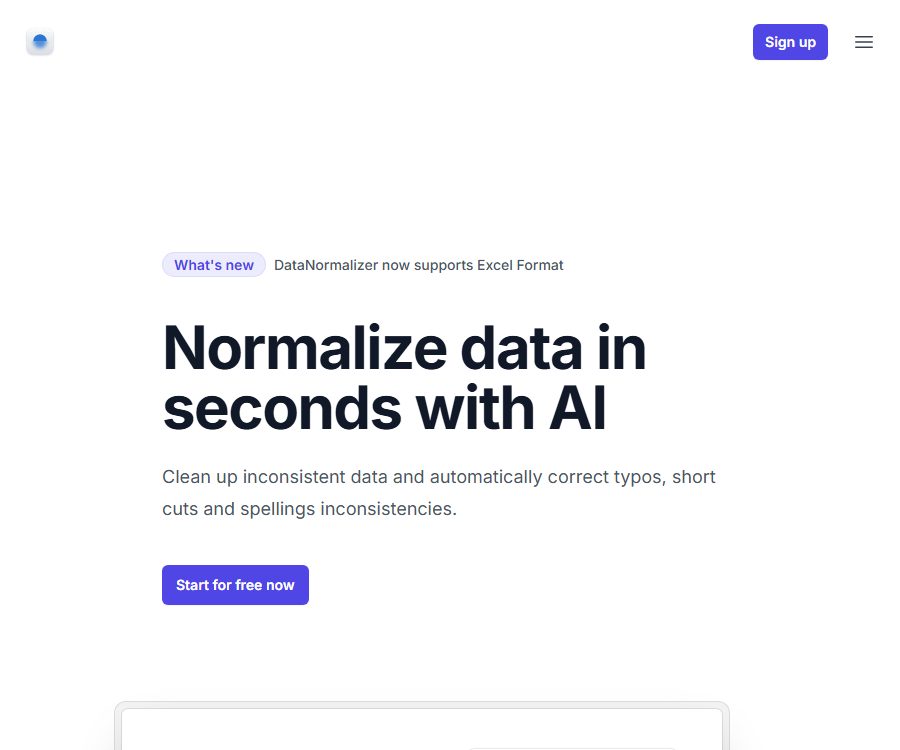
DataNormalizer
DataNormalizer – it enhances the efficiency of AI, making tasks more efficient and simpler to handle.
Tags:AI improves efficiencyWhat is DataNormalizer?
DataNormalizer is an AI-based web tool for data cleaning, used to standardize values in tables that have the same meaning but are written differently into a more consistent format.
It is primarily used to address issues related to spelling, abbreviations, capitalization, synonyms, and number formatting that arise from manual data entry; it is not a tool for modeling databases in accordance with the first, second, or third normal forms.
Main functions
- Spelling correction: It identifies common spelling mistakes in words and attempts to correct those errors to the standard spelling.
- Standardization of abbreviations: Expressions such as Limited and Ltd. are brought into a consistent format, which facilitates grouping, removing duplicates, and conducting statistics.
- Case sensitivity rules: Handle values that differ only in case, such as Apple and APPLE, in order to reduce the number of duplicate categories.
- Synonym normalization: Identify expressions with similar meanings such as Attorney and Lawyer, and provide a unified term for them.
- Format standardization: Addressing differences in punctuation or spelling such as Coop and Co-op.
- Unified digital representation: It identifies different forms of writing the same number such as 1,000, 1000, and 1k, thereby reducing issues related to types and categorization during analysis.
- CSV and Excel: The free tier provides support for CSV files, while paid subscription packages support both CSV and Excel files.
- Free retry in case of errors: The benefits associated with paid credits include the option to run a task again free of charge when an error occurs; however, the criteria for identifying errors, as well as the procedures and limits on the number of retries, have not yet been made public.
Input and output suitable for processing
| Data issues | Input example | Expected processing result | Suitable scenarios |
|---|---|---|---|
| Spelling error | Typographical errors or letter mistakes entered manually | Corrected to a more standard spelling. | Customer list, product categories, supplier table |
| Differences in abbreviations | Full names and abbreviations of company types, positions, or regions | Unify it into the same expression. | CRM deduplication and grouping statistics |
| Differences in case sensitivity | The same name in all uppercase, with the first letter capitalized, or in lowercase. | Consistent case format | Brand, department, and tag fields |
| Differences in synonyms | Categories with similar meanings but different word forms | Merge into the same standard value | Occupational, industry, and topic classifications |
| Differences in digital format | Thousand separators, abbreviations, and regular numbers | Unified digital representation | Preprocessing of fields for scale, sales volume, and amount |
The AI’s selection of “standard values” may not necessarily correspond to the internal dictionary of the company. The original file should be retained after processing, with special attention paid to brand names, technical terms, numbers, and multilingual content.
Usage process
- First, copy the original data as a backup, and remove any personal information, keys, and regulated fields that do not need to be uploaded.
- Save the data to be organized in CSV format; if you need it in Excel format, make sure you have purchased a subscription that includes support for that format.
- Create an account and access the processor, then submit the files that need to be cleaned as indicated on the page.
- Run the standardization task and wait for the system to process spelling, abbreviations, case sensitivity, synonyms, and number formats.
- After obtaining the processing results, compare them column by column with the original files to check whether different entities have been incorrectly merged.
- After verification is successful, import the CRM, analysis tools, or production database; if necessary, use the error retry option to process things again.
Price and points
DataNormalizer calculates the fee for processing based on one point per row. The official website does not specify the validity period of these points, whether renewal is automatic, or what the taxes are; it is necessary to refer to the account settlement details when making a purchase.
| Package or version | Price | Billing cycle | Core benefits or quota | Suitable for users |
|---|---|---|---|---|
| Free | 0 dollars | Free trial | Each file can have up to 25 lines, low processing priority, CSV format | Verify the effectiveness using a small sample size. |
| 1000 points | 12 dollars | Points package; the duration is not yet available. | 1000 lines; no limit on the number of lines per file, fastest processing, CSV and Excel formats, free reprocessing in case of errors | Small lists and one-time tasks |
| 5000 points | 29 dollars | Points package; the duration is not yet available. | 5,000 lines, paid universal benefits | Regularly organize small business tables. |
| 10,000 points | 49 dollars | Points package; the duration is not yet available. | 10,000 lines, paid universal benefits | Medium-scale table cleaning |
| 25,000 points | 99 dollars | Points package; the duration is not yet available. | 25,000 lines, paid universal benefits | Larger CRM or directory data |
| 100,000 points | 249 dollars | Points package; the duration is not yet available. | 100,000 rows, paid universal benefits | High-frequency batch processing team |
| 1,000,000 points | 990 dollars | Points package; the duration is not yet available. | 1,000,000 rows, paid universal benefits | Large-scale corporate cleansing projects |
| Enterprise | Contact sales | Custom quote | The specific capacity, collaboration features, security aspects, and support options have not been made public yet. | Enterprises that require contracts and extensive processing |
| Student discount | Contact the service provider | Qualifications and timelines are not yet available. | For eligible students, the extent of the discount is not disclosed. | For educational and learning purposes |
Notes on points and refunds
- One point is consumed per row; therefore, the number of columns in a file does not determine the amount of points, as it is the number of rows that serves as the main unit for billing.
- The paid plan states that there is no limit on the number of lines; combined with the rule of one point per line, this means there is no limit to the number of lines in a single file, rather than unlimited free processing.
- The official website does not disclose whether points expire, whether they can be transferred between accounts, how points are deducted in case of task failure, or the rules for refunding unused points.
- The option to retry a task free of charge in case of an error does not equate to a guarantee of a refund; when making large purchases, it is necessary to obtain the written rules first.
Suitable for users and typical use cases
- Sales and Operations Team: Standardize the formatting of company names, job titles, industries, and regions in the CRM.
- E-commerce and procurement teams: Organize product categories, supplier names, and manually entered specification fields.
- Market researchers: Combine synonymous answers in questionnaires or lists to reduce duplicate categories in charts.
- Data analyst: Cleans text fields before performing tasks such as filtering, grouping, removing duplicates, and importing into a database.
- Students and small teams: First, use the 25-line free quota to test whether their language and fields are compatible.
Advantages and capabilities boundaries
- The advantage is that it allows handling of various common value differences without the need to write cleaning scripts, and capacity can be purchased on a per-row basis, making cost estimation easier.
- It is more suitable for unifying text and numerical expressions at the value level, and it should not replace database structure design, master data management, or a complete ETL system.
- Synonyms cannot always be safely combined; for example, brand names, legal entities, medical terms, and product models can refer to different entities even if they differ by just a few characters.
- The free version can process only 25 lines per file, making it suitable for testing rather than working with full-scale production data.
- The public page does not specify the supported languages, maximum file size, number of columns, concurrent tasks, accuracy rate, or service level.
Platform, API, and open-source status
| Project | Current confirmation status | Explanation |
|---|---|---|
| Web version | Confirmed | After registration, go to the processor using a Google or email account. |
| CSV | Confirmed | Both free and paid plans are listed. |
| Excel | Confirmed | The list of supported paid point packages is shown. |
| API, SDK, integration | Not yet made public | No official development documentation or connectors were found. |
| GitHub and open-source licenses | Not yet made public | It cannot be determined that the product is open source. |
| iOS, Android, desktop, browser extensions | Not yet made public | Currently, the web version is the main one. |
Privacy, security, and commercial considerations
- No verifiable privacy policy, terms of service, security guidelines, data retention period, or deletion procedure was found this time.
- The authorities have not specified whether the uploaded files are used for model training, whether they are shared with AI suppliers, the location where they are processed, the encryption methods employed, or the timing of their deletion after the task is completed.
- Refunds, the validity period of points, the conditions for rerunning tasks in case of errors, as well as rights to output and commercial use licenses, are also not fully disclosed.
- The name of the operating company and its legal registration details have not been made public; before placing an order, it is necessary to obtain a contract, a data processing agreement, a list of sub-processors, and relevant support commitments.
- Until the above matters are confirmed, it is not appropriate to upload identification documents, medical records, financial data, customer secrets, or other sensitive information.
Frequently Asked Questions
Can DataNormalizer be used for free?
A free trial is available; each file can have up to 25 lines, the processing priority is low, and only CSV format is supported.
How much data can one integral handle?
The official website calculates the points on a per-line basis; the number of columns in a file is not taken into account as a factor in point calculation.
Does DataNormalizer support Excel?
Supported, but Excel is included in the paid subscription package; the free version only provides CSV.
Can it carry out database normalization design?
It cannot be understood as a function that has been confirmed; it is used to standardize the values in table fields, and it is not responsible for designing the structure of relational database tables.
Are APIs or open-source code provided?
No official API, SDK, GitHub repository, or open-source license was identified in this case; therefore, it cannot be determined that programmatic integration or open-sourcing of the product is supported.
Is it safe to upload sensitive data?
The authorities have not yet provided sufficient information regarding privacy, security, and data retention. Sensitive or regulated data should be considered for upload only after a written contract and relevant handling rules are in place.
Tools similar to DataNormalizer



 Guigong Network Security Registration No. 45132202000164