






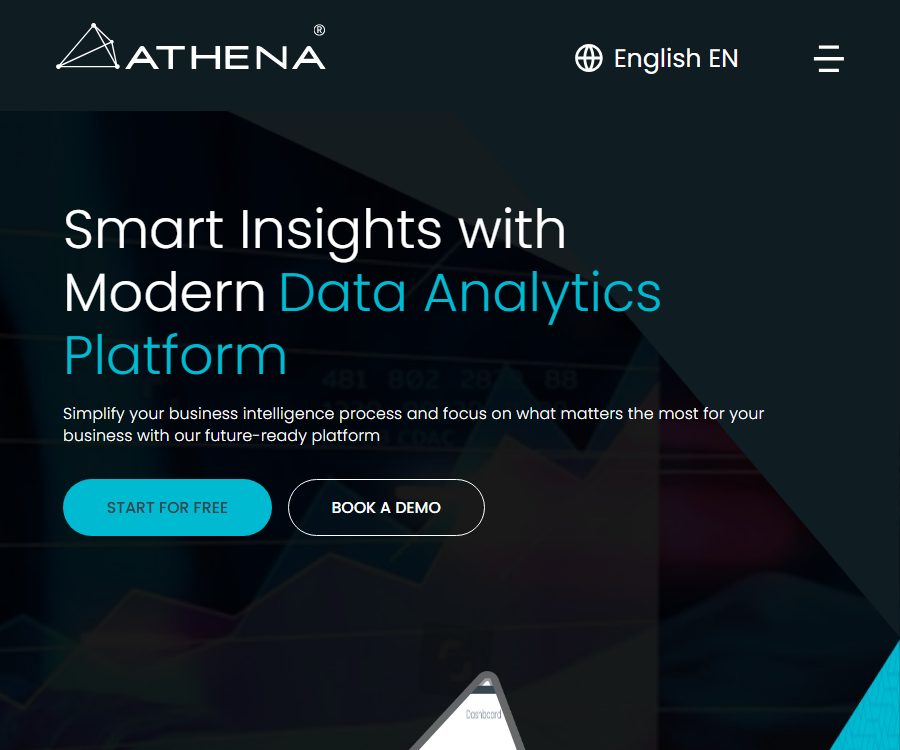
AI-Powered Data Analytics and Business Intelligence Platform
An AI-powered data analytics and business intelligence platform that leverages artificial intelligence to make tasks more efficient and simpler.
Tags:AI improves efficiencyWhat is Athena?
Athena is a data analysis and business intelligence platform designed for enterprises; it is used to consolidate various data sources, create charts and dashboards, and transform business metrics into actionable information. It serves individual analysts, business teams, as well as large organizations that require centralized data management.
The platform offers capabilities such as natural language question answering, data conversion, real-time alerts, and automated reporting. Athena here is a standalone business intelligence product; it should not be confused with Amazon’s cloud-based query service of the same name.
Main functions
Multi-source data connection
Athena supports databases such as MSSQL, MySQL, PostgreSQL, and MongoDB, and it can also read data from CSV, XLSX, TXT, JSON, SFTP, and S3 formats. Users can set synchronization schedules and preview as well as process source data using custom queries.
Data conversion and integration
The platform allows the use of formulas, mathematical operations, and custom queries on data from various tables and sources, so as to combine it into analytical datasets. Intelligent synchronization ensures that only new data is read, thereby reducing redundant processing.
Data visualization
Athena offers 21 types of charts, including bar charts, line charts, pie charts, scatter plots, tables, GIS maps, and custom maps. Users can create drill-down dashboards to view detailed information by progressing from high-level metrics.
Natural Language Ask Me
Ask Me allows sales professionals to pose data-related questions in natural language, with the system providing answers and visualizations. It reduces the barriers to conducting queries, but for complex metrics it is still necessary to define the relevant criteria first, and the analysts must verify the results.
Real-time alerts and reports
Users can set thresholds and trigger rules for charts, and receive notifications via email to individuals or teams. The reports offer scheduled, real-time, and interactive output options, making them suitable for monitoring service levels as well as sales, financial, and operational metrics.
Permissions and collaboration
Administrators can set permissions for projects, sub-projects, and different user levels. The platform also provides messaging and commenting features to help teams discuss matters related to charts and business changes.
APIs and embedded analytics
The standard API allows connection to third-party business systems, as well as the embedding of charts and functions in other platforms. Connections are controlled through client Web tokens; in a production environment, it is still necessary to establish minimum permissions and implement key rotation.
Cloud and on-premises deployment
Athena offers options for cloud, hosted, and on-premises deployment, allowing enterprises to choose the approach that best suits their requirements regarding data location, compliance, and IT management capabilities. For details on on-premises licensing and support, please contact sales.
Suitable for which scenarios
- Corporate management that integrates CRM, ERP, financial, and operational data
- Business teams that require real-time analysis of sales pipelines and marketing returns
- The operational department responsible for monitoring indicators related to manufacturing, logistics, and service quality.
- A financial team that develops dashboards for financial forecasting, costs, and risks
- Large organizations that require on-premises deployment, fine-grained permissions, and audit capabilities
Athena usage tutorial
- Register for a trial or request a demonstration, and specify the departments that need to be analyzed as well as the key metrics.
- When connecting to a database or uploading a table, first check the field types, time zones, and missing values.
- Data is cleaned through queries and formulas, and unified business definitions are established for the metrics.
- Select the chart and dashboard layout, and configure detailed drill-downs starting from the overall metrics.
- Use Ask Me to test natural language questions and verify them against known results.
- Set thresholds, recipients, and notification frequencies for key metrics to avoid alert overload.
- Configure team permissions and sharing scope, then publish the official dashboard and scheduled reports.
Suggestions for data analysis quality
- First, standardize the methods for calculating key metrics such as revenue, customers, and conversion rate.
- Record the data source, update time, and conversion steps.
- Maintain an original data verification option for natural language Q&A results.
- Assign a responsible person for the dashboard and set a schedule for regular reviews.
- Avoid cluttering a single page with too many charts; highlight the most important decision-related information.
- Associate data permissions with organizational roles to prevent access by unauthorized individuals.
Prices and packages
The prices listed below were verified on August 25, 2026, based on Athena’s official price page. The amounts are in US dollars; the monthly averages for Team and Business creators’ subscription fees are shown on an annual basis. Taxes and settlement amounts shall be as indicated on the purchase page.
| Package | Creator price | Viewer price | Team size | Key capabilities |
|---|---|---|---|---|
| Free | $ | Not listed separately | Starting from 1 person | 3 types of charts, daily synchronization, up to 1GB of storage |
| Team | $ | $ | 1 to 30 creators | No limit on charts; all connectors available; synchronization in as fast as 4 hours |
| Business | $ | $ | Starting from 30 people | Synchronization in as fast as 1 hour, data alerts, API connectivity |
| Enterprise | Contact sales | Customization | Starting from 50 people | Multi-team management, advanced security, auditing, and dedicated support |
The price page for Team shows a figure of 20 dollars, while the Business page displays a monthly cost of 24 dollars; the layout of these pages does not make it clear enough which option corresponds to monthly or annual payment. It is necessary to switch the billing cycle before making a purchase and to confirm the final amount due, paying special attention to the number of creators and read-only viewers.
Enterprise offers customized quotes for organizations that require a domain name whitelist, audit logs, centralized account management, security assessments, and advanced support. The costs associated with local deployment are not listed in the standard table; it is necessary to consult separately for those details.
Product advantages
- Covers various data sources such as databases, files, object storage, and APIs.
- Natural language Q&A makes it easier for non-technical users to explore metrics.
- Charts, reports, alerts, and collaboration features are all available on the same platform.
- It offers two types of access: for creators and for viewers.
- Supports options for cloud, hosted, and on-premises deployment.
- Fine-grained permissions and enterprise security features are suitable for use at the organizational level.
Security and Governance
The official website states that the platform supports two-factor authentication, an IP allowlist, both transmission and static encryption, as well as the separation of data into separate encrypted tables. Enterprise also offers advanced features such as a domain name allowlist and audit logs.
Data hashing and blockchain storage are used for synchronizing reference points and verifying integrity, but these capabilities do not guarantee automatic compliance with all industry regulations. The healthcare, financial, and public sectors still need to carry out their own security assessments and contract reviews.
Usage restrictions and precautions
- AI-based Q&A systems may misinterpret business terminology; important decisions should be reviewed by analysts.
- The free version offers only 3 types of charts and daily synchronization, making it unsuitable for frequent operational monitoring.
- The team costs consist of both creator and viewer seats, and should be budgeted based on the actual number of people.
- The data synchronization speed depends on the plan, connector, and the performance of the source system.
- Local deployment enhances control but also entails responsibilities for upgrades, backups, and maintenance.
- On the public pricing page, the text regarding monthly and annual payments can be confusing; it is necessary to check the bill before making a payment.
Open-source status
As of the time of verification, no official documentation indicating that the Athena core BI platform is released under an open-source license was found. It offers standard APIs and various deployment options, but the availability of API access or local installation does not mean that the source code of the product is made available publicly.
Frequently Asked Questions
Which data sources is Athena compatible with?
The official list includes MSSQL, MySQL, PostgreSQL, MongoDB, as well as formats such as CSV, XLSX, TXT, JSON, SFTP, and S3; it is also possible to connect to other systems via APIs.
Can it be used without knowing how to write SQL?
Visualization tools and Ask Me natural language analysis can be used, but complex data transformation and metric management may still require the involvement of data specialists.
Is there a free version?
Yes. The Free plan costs $0 and includes 3 types of charts, daily data synchronization, and up to 1GB of storage – it is suitable for small-scale testing.
Is API support available?
Supported. Plans Business and above explicitly include API connections, and the platform also allows charts and functions to be integrated into third-party applications.
Can it be deployed locally?
The official website indicates that deployment is available in cloud, hosted, and on-premises formats. For specific infrastructure requirements, licensing costs, and maintenance support, it is necessary to contact sales for confirmation.
Summary
Athena is suitable for companies that need to convert dispersed data into real-time dashboards, alerts, and insights in natural language. Small teams can start with the Free or Team versions; organizations with more than 30 members and a need for APIs and faster synchronization can consider the Business version, while those with complex governance requirements or a need for on-premises deployment are better suited for the Enterprise version.
Tools similar to the AI-Powered Data Analytics and Business Intelligence Platform



 Guigong Network Security Registration No. 45132202000164