






Surfsite
Surfsite: enables AI to make work more efficient and simpler.
Tags:AI improves efficiencyWhat is a surfsite?
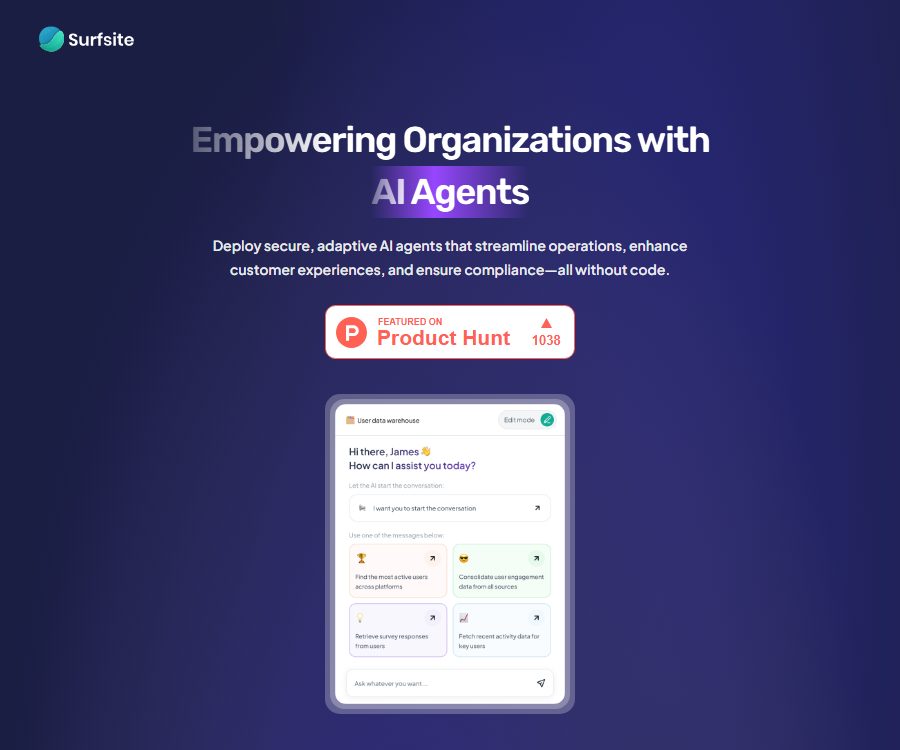
Surfsite is a code-free AI assistant platform designed for corporate teams, with the goal of bringing together information scattered across project management, documentation, marketing, analysis, and customer relationship tools in a single workspace.
Users can connect to tools, upload files, and configure dedicated assistants; through conversations they can inquire about project status, key metrics, customer feedback, and business background, and they can also have certain repetitive tasks completed automatically.
Main functions of Surfsite
1. Create a code-free AI assistant
The platform offers a configurable interface and pre-made templates, allowing users to define the data that the assistant will use, the input fields, the way in which responses are generated, and the objectives of the tasks, all without the need for programming.
No-code lowers the barriers to trying out new solutions, but complex permissions, writing data across different systems, and business approvals still require the involvement of technical and security teams.
2. Connecting tools to enterprise documents
The Surfsite official website shows integrations with Google Docs and Sheets, Notion, Jira, Trello, Salesforce, HubSpot, Asana, Mixpanel, Gmail, Outlook, OneDrive, and Dropbox.
The page displays information regarding the product’s capabilities or connectivity; the actual range of usability, read/write permissions, and update frequency should be verified one by one in the demonstration environment.
3. Cross-tool knowledge retrieval
Assistants can locate information within the authorized tools and documents, and answer questions by taking into account the context of the company, thereby reducing the need to switch between applications and conduct manual searches.
The completeness of the answer depends on the scope of the connection, the status of the indexes, permission inheritance, and the quality of the original data; AI-generated answers cannot be regarded as the sole source of truth.
4. Real-time metrics and data analysis
The platform emphasizes the use of real-time data from analysis, project, and marketing tools to track KPIs, project progress, campaign performance, and customer feedback in a centralized view.
Even in real time, performance can still be affected by the synchronization cycle of the interfaces and any throttling mechanisms implemented by third parties; therefore, it is essential to verify key reports against the values from the source system.
5. Custom workflows
The team can adjust the prompts, inputs, and responses according to the needs of product management, growth marketing, or operational decision-making, so as to make the assistant fit the internal processes.
Certain collaboration and automation features on the official website are marked as upcoming; when making purchases, it is necessary to distinguish between features that are already available, those in the testing phase, and those listed on the roadmap.
Prefabrication assistant types
- Customer support, user guidance, feature discovery, and contextual help assistant.
- Knowledge base navigation, customer feedback organization, and account management assistant.
- Product roadmap, feature prioritization, release planning, and bug tracking assistant.
- Tools for tracking marketing campaigns, segmenting audiences, monitoring SEO, and optimizing emails.
- A tool for business performance tracking, investor updates, financing monitoring, and strategic planning.
Which users are it suitable for
- Product Manager: Consolidates the roadmap, defects, user feedback, and project progress.
- Growth Marketing Team: Focuses on analyzing data related to campaigns, audiences, retention rates, and channels.
- Entrepreneurs and managers: Monitoring key performance indicators, strategic goals, and market changes.
- Customer Success Team: Creates resources for common questions, guidance, and a knowledge base navigation assistant.
- Companies that use multiple SaaS tools: reducing information silos and redundant queries.
Surfsite prices and availability status
As of August 24, 2026, Surfsite’s official website does not provide any publicly available and verifiable information regarding a free version, subscription plans, pricing for individual seats, or costs based on usage volume; the main ways to proceed are by scheduling a demonstration or by adding oneself to the waitlist.
The purchase cost must be confirmed with the authorities, and the official quote and contract shall prevail. Prices shown on third-party websites cannot replace the current official quotes; therefore, no unverified package lists are included in this document.
What should be confirmed when requesting a quote?
- Basic platform fees, user seat fees, AI usage charges, and storage costs.
- Whether each integration is charged separately, and whether two-way writing is supported.
- Trial environment, minimum contract duration, price increases upon renewal, and conditions for early termination.
- Response time, availability guarantees, fault compensation, and scope of dedicated support.
- Are single sign-on for enterprises, audit logs, and advanced permissions part of the additional packages?
Surfsite usage guide
- Organize the tools to be connected, the persons in charge of the data, and the target business issues.
- Book a demonstration through the official website or join the waiting list, providing details on the team size and usage scenario.
- First, select a low-risk process to pilot, such as summarizing project progress or categorizing customer feedback.
- Only the minimum amount of data necessary for the pilot project is authorized, and the results displayed to different users are tested.
- Upload the filtered files, and set the assistant’s objectives, input fields, response format, and prohibited actions.
- Use known answers to test accuracy, citation location, update time, and permission isolation.
- After confirming the effectiveness, gradually add more tools and automated actions, while retaining the manual approval step.
Typical workflow
Product management
- Read the status of tasks from the project tools to generate a summary of progress across iterations.
- Aggregate user feedback from multiple channels and categorize it by topic.
- The priority of assistive functions is discussed in conjunction with impact, urgency, and dependencies.
- Organize the content to be published and create a preliminary release note.
Growth marketing
- Metrics from aggregation activities and analysis tools are combined to create a unified view.
- Identify changes in performance, audience characteristics, and potential areas for improvement.
- Track content calendars, experiment results, search performance, and customer retention.
- Generate brief conclusions and action items for team meetings.
Product advantages
- Put corporate knowledge Q&A, data analysis, and workflow configuration on one platform.
- It includes templates for various areas such as products, marketing, customer support, and business management.
- It emphasizes real-time connections to existing tools, rather than just uploading static documents.
- Configuration can begin without any code, which facilitates participation by business teams in pilot projects.
Usage restrictions and precautions
- The information available on the official website currently includes product descriptions and options for scheduling demonstrations; the level of self-service functionality and the scope of availability need to be confirmed.
- The name of a third-party integration does not mean that full read and write access has been enabled for all accounts.
- AI may misinterpret indicators, overlook context, or produce inaccurate conclusions; therefore, business decisions still need to be verified by referring to the original data.
- Connecting to enterprise tools expands the scope of data access; therefore, minimum permissions, role-based authorization, and regular revocation mechanisms should be employed.
- Capabilities marked as upcoming cannot be included in the current scope of delivery and acceptance.
Data security verification
The official website states that industry-standard encryption is used for data transmission and storage, and it emphasizes that only authorized users have access to the data; however, the policy page does not provide sufficient details regarding the retention period, model training, or subcontractors.
- Verify whether customer data is used to train general models, and whether it is possible to opt out in writing.
- Inquire about the location where data is stored, the backup frequency, the deadline for data deletion, and the disaster recovery mechanisms.
- Clarification is required regarding OAuth permissions, the method of storing keys, audit logs, and employee access control.
- When personal information is involved, verify the data processing agreements, cross-border transfer procedures, and privacy request processes.
- Complete the supplier security assessment before going live, and use non-sensitive test data for verification.
API and open-source status
As of the date of verification, Surfsite’s official website does not provide any available public API documentation or pricing information for developers. When it is necessary to integrate a custom system, it is essential to clarify the details related to interfaces, authentication, rate limiting, Webhooks, and technical support during the pre-sales phase.
At the same time, no official code repository that could prove the open-source nature of the Surfsite product was found; therefore, it should be regarded as a commercial cloud service. Projects with similar names such as Surf or Surf AI are not equivalent to the official source code of Surfsite.
Frequently Asked Questions
Does a surfsite require programming?
The official website states that creating and customizing assistants does not require programming; it is possible to start by using templates to connect tools with files. However, complex integrations, permission settings, and production deployment may still require the involvement of technical experts.
Is there a free version of Surfsite?
The official website does not list any free packages or trial credits that can be verified; it only provides options for scheduling demonstrations and joining a waiting list. The prices and trial terms are subject to the official response.
Which tools can it connect to?
The official website showcases a variety of tools such as documentation, project management, CRM, analytics, email, design, and cloud storage. The specific connectors available, the range of fields, and the synchronization methods must be confirmed within the account or through a demonstration.
Is corporate data secure?
The official website provides general guidelines regarding encryption and authorized access, but companies also need to verify aspects such as data storage, retention, uses for training, subcontractors, and audit capabilities; compliance decisions cannot be based solely on the promotional statements provided.
Summary
Surfsite is suitable for product, marketing, and management teams that wish to use AI to consolidate queries across disparate business data, monitor key metrics, and automate daily processes. Given the uncertainty surrounding current prices and the scope of availability, it is best to start with pilot projects on a small scale in scenarios with low sensitivity, and to include provisions regarding permissions and data usage terms as part of the procurement agreement.
Tools similar to Surfsite



 Guigong Network Security Registration No. 45132202000164