






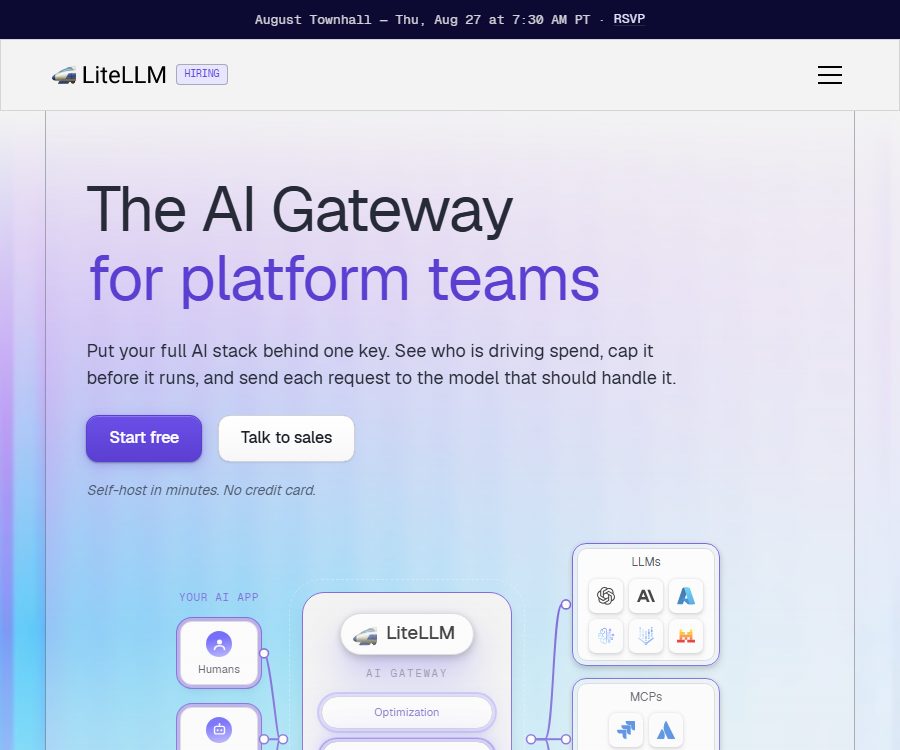
LiteLLM
LiteLLM enhances AI efficiency, making tasks more efficient and simpler.
Tags:AI improves efficiencyWhat is LiteLLM?
LiteLLM is an open-source AI gateway and Python SDK that allows various model services such as those from OpenAI, Anthropic, Gemini, Azure, Amazon Bedrock, Vertex AI, and Ollama to be used through a similar calling interface. Applications can switch between models using OpenAI’s compatible interfaces, which reduces the need to maintain separate adaptation code for each provider.
The project is maintained by Berri AI; it can be used by developers to be called directly within Python projects, or it can be deployed as a proxy server for use across teams. It is not a large language model, nor does it provide any free quota for model inference – the actual responses are generated by the cloud-based or local models configured by the user.
The two main ways of use
| Method | Suitable for | Key capabilities | Typical scenarios |
|---|---|---|---|
| Python SDK | Application developers | Unified invocation, exception mapping, routing, retry, fallback, and callbacks | Integrating multiple models into a single Python project |
| AI Gateway | Platform and Infrastructure Team | Centralized authentication, virtual keys, budgeting, logging, management dashboard, and multi-tenant control | Provide a unified model interface for multiple applications, users, or teams. |
The SDK is more akin to a code library, while the gateway is a standalone central service. Small projects can start by using the SDK; the gateway should be deployed only when there is a need for unified permissions, billing, and auditing.
Main functions
Unified Large Model API
LiteLLM maps multiple model providers to a unified interface, covering various endpoints such as chat, Responses, embedding, images, audio, batch processing, reordering, and messages. Not all models support every feature; it is necessary to check the endpoint compatibility table of the respective provider before integrating them.
- Call multiple models using an OpenAI-compatible format
- Connects business APIs, cloud platform models, and certain local inference services
- Standardize common exception types and response structures
- Set aliases for the models to reduce the linkage between business code and specific models.
- Reduce migration costs when adding new models or suppliers
Intelligent routing and fault fallback
Routers can distribute requests across different models or deployment options, and they allow for the configuration of retry, timeout, and fallback strategies. When a particular endpoint is subject to rate limiting or becomes unavailable, the system can try to use other deployment options, provided that the team has properly configured alternative models and compatible parameters.
- Deploy load balancing in multiple locations
- Design routes based on cost, latency, or availability.
- Handling throttling and temporary service errors
- Call the backup model when the main model fails.
- Reduce some duplicate calls through caching
Virtual keys and access control
The gateway can issue virtual keys to applications, projects, users, or teams, without the need to distribute the upstream model keys directly. Administrators can limit the available models, budgets, request rates, and expiration times, and they can track expenses by different entities.
Virtual keys serve only as a governance layer; the master key, databases, and management backend still need to be protected. Example keys should not be used in production environments, nor should management interfaces be exposed directly to the public internet.
Cost tracking and budget management
LiteLLM calculates costs based on the model pricing and the estimated amount of usage, and it is possible to summarize these costs by key, user, team, project, or tag. Teams can set budgets and rate limits to avoid unexpected charges resulting from testing scripts or abnormal traffic.
- Track request volume, token count, and estimated cost
- Set budgets for users, teams, or projects
- Limit the number of requests and tokens per minute
- Observe the cost distribution by model or label
- Integrate into the monitoring system using tools such as Prometheus.
Logs, observability, and Guardrails
The gateway supports request and response logging, callbacks, metrics, and various observability integrations; it can also be connected to content security and Guardrails mechanisms. Whether to record prompts and responses is determined by configuration, and a minimal logging strategy should be adopted when handling sensitive data.
MCP and Agent Gateway
The current project also includes MCP Gateway and A2A Agent Gateway capabilities, which allow MCP tools or compatible agents to be placed behind a unified entry point. Administrators still need to manage tool authorization, network access, approval policies, and credential scopes separately.
Supported models and services
According to the official statements, more than 100 model providers are supported, with the exact number varying depending on the version. Common options include OpenAI, Anthropic, Google Gemini, Azure OpenAI, Amazon Bedrock, Vertex AI, Cohere, Mistral, DeepSeek, xAI, Ollama, and vLLM, among others.
| Category | Example | Use reminders |
|---|---|---|
| Business model API | OpenAI, Anthropic, Gemini, Mistral, xAI | Individual keys are required, and payment is made at the supplier’s rate. |
| Cloud platform model | Azure, Bedrock, Vertex AI | Involves cloud accounts, regions, permissions, and network configurations. |
| Local or self-hosted inference | Ollama, vLLM, LM Studio | You need to prepare the models, computing power, and server endpoints on your own. |
| Multimodal services | Providers of images, audio, embedding, and reordering services | The level of support for endpoints varies depending on the provider. |
Price and version
The information below was verified on August 24, 2026. LiteLLM relies on a model based on a free, open-source core along with paid enterprise features; the costs for enterprises are not determined by the number of model tokens, but rather by the annual volume of gateway requests, the deployment architecture, and the required support services.
| Version | License or price | Key capabilities | Suitable for |
|---|---|---|---|
| Open Source | $ | Unified API, virtual keys, users and teams, cost tracking, budgets, rate limits, fallback options, logs, and Prometheus metrics | Developers and teams that are capable of deploying and maintaining things on their own. |
| Enterprise | For annual contracts, contact sales for a quote. | The open-source version offers SSO, SCIM, OIDC or JWT, audit logs, key rotation, organizational permissions, multi-region control, and enterprise support. | Large-scale, regulated organizations or those that require service level agreements |
| Enterprise trial | 30 days, no credit card required | Used to test enterprise licensing features | The team that verifies security and governance requirements prior to procurement |
The standard enterprise version includes dedicated communication channels; the 24/7 support service level agreement mentioned in the official documentation may require an additional fee. The actual pricing, the capacity requested, isolated networks, multi-region deployment, and the level of response are all subject to the terms of the contract.
What are the remaining costs in the free version?
- Charges for invoking upstream models such as OpenAI, Anthropic, Gemini, etc.
- Cost of cloud servers, containers, or local hardware
- PostgreSQL, Redis, and object storage required for the production environment
- Costs for logging, monitoring, backup, network traffic, and security services
- Labor costs for deployment, upgrading, fault handling, and compliance auditing
Therefore, “free self-hosting” means that there is no license fee for the open-source core, but it does not imply that the operation of the gateway and model inference are free. Before purchasing or deploying, the usage of models, as well as infrastructure and maintenance costs, should all be taken into account as part of the total cost.
Deployment method
- Use Python packages to directly integrate the SDK or start a proxy service.
- Run AI Gateway and the management backend using official container images.
- Use Docker Compose to set up testing or small-scale environments.
- Deployment in a Kubernetes cluster using Helm
- Deploy to AWS or Google Cloud using the official Terraform modules
- The enterprise version can operate on its own infrastructure and supports isolated network solutions.
A production environment typically also requires a database, caching mechanisms, a reverse proxy, TLS encryption, secret management tools, monitoring capabilities, and backup solutions. While official recommendations suggest using stable tags for production images, teams should still specify a definite version to avoid any changes in behavior that could result from unplanned upgrades.
Quick usage process
- Decide whether to use the Python SDK or a centralized AI Gateway, and list the model providers that need to be integrated.
- Prepare the accounts, API keys, regions, and quotas for each model service; do not include the keys in the source code.
- Install LiteLLM in the testing environment or start the official container, and configure the model alias and upstream endpoint.
- Create master keys and virtual keys, and set model allowlists, budgets, and rate limits for applications, teams, or projects.
- Have the application use the gateway address and an OpenAI-compatible calling method, in order to test stream-based output, tool invocation, and error handling.
- Configure timeout, retry, fallback, log masking, metrics, alerts, and database backups.
- Concurrent, failure, and cost tests are carried out, after which a stable version is released to the production environment.
Which users are it suitable for
- AI application developers who need to invoke multiple large-scale models simultaneously
- Platform team aiming to unify the management of model keys and costs
- Companies that need to allocate budgets and model permissions to multiple departments
- Production systems that require model rollback and load balancing
- Organizations that wish to keep the model gateway within their own network
- Teams that need to switch between cloud-based models and local models
Product advantages
- It supports a wide range of models and service providers, thereby reducing the need for repeated adaptations.
- Two usage levels are available: SDK and centralized gateway.
- The open-source core can be reviewed, modified, and deployed by oneself.
- Virtual keys, budgets, and rate limits are suitable for multi-tenant governance.
- It features capabilities for routing, retrying, fallback, caching, and observability.
- Supports containers, Kubernetes, and major cloud infrastructure.
Restrictions and risks
Compatibility of interfaces does not mean complete consistency.
Different models still vary in terms of tool invocation, structured output, handling of images and audio, context length, and error behavior. It is necessary to run actual test cases before switching models; one cannot rely solely on testing a simple chat request.
Price estimation requires maintenance.
Cost tracking relies on model prices and token calculation data; discrepancies may arise when suppliers adjust prices or new models are introduced. Financial settlements should be based on the invoices from upstream providers, while LiteLLM statistics are more suitable for operational monitoring.
The gateway will become a key infrastructure element.
Once all model traffic is concentrated, incorrect configurations, database failures, or version upgrades can affect multiple applications. Production environments should incorporate features such as high availability, capacity planning, health checks, rollback capabilities, and disaster recovery measures.
Open source does not automatically mean security.
Administrators are responsible for setting up authentication, network isolation, TLS, key rotation, and log anonymization on their own. If request-response logging is enabled, the prompts and model responses may be stored in a database or in third-party visibility systems.
Data and Privacy
Self-hosting means that LiteLLM vendors generally are not responsible for managing the gateway traffic and keys of users, but model requests are still sent to the upstream model services that have been configured. Logs, caching mechanisms, Guardrails, and monitoring plugins may also come into contact with the input and output data.
- Store only the model key in a secret management system.
- Issue separate virtual keys for different applications.
- Disable unnecessary prompt messages and response log entries.
- Mask personal information, trade secrets, and credentials.
- Verify the data retention policies for each modeling and monitoring service.
- Regularly upgrade security patches and verify the signatures of container images.
Explanation of open-source licenses
Not all directories in the LiteLLM repository are governed by the same license. According to the main license terms, the contents of the enterprise directory are subject to its own enterprise-specific license, while the remaining, unrestricted code is licensed under the MIT license.
| Code scope | License status | Usage tips |
|---|---|---|
| Open-source core and non-enterprise directories | MIT License | It can be used, modified, and distributed while retaining the copyright and license notices. |
| enterprise directory | Separate license for enterprise directory | Just because the core of the warehouse is open source, it does not mean that all the enterprise-related code can be used freely for commercial purposes. |
| External models and SDKs | respective clauses | Model weights, APIs, and third-party dependencies do not automatically inherit the LiteLLM license. |
Version and maintenance recommendations
LiteLLM is released frequently; the official version strategy supports the last four stable minor versions, and older versions will gradually stop receiving updates. Production systems should stick to a specific stable version, testing it in a preview environment before proceeding with the upgrade.
- Record the exact version of the current image or software package.
- Read the change logs and pay attention to security announcements.
- Prepare backups and rollback plans for database structure changes.
- Test the core model, tool calls, streaming responses, and fallback paths.
- Arrange an upgrade before the support period for this version comes to an end.
Frequently Asked Questions
Is LiteLLM free?
The licensing cost for the open-source self-hosted version is $0. Costs are still incurred for the model APIs, servers, databases, monitoring, and maintenance; additional fees apply for enterprise governance and support services.
Does LiteLLM provide model quotas?
It is not provided. Users need to set up their own model provider account, keys, and quotas, or connect to a model service they have deployed themselves.
Is LiteLLM the same as OpenRouter?
They are not exactly the same. LiteLLM is primarily a self-hostable gateway and SDK; it does not offer a unified solution for accessing all models. OpenRouter, on the other hand, is a hosted model aggregation service.
Can it be deployed privately?
Yes. The open-source version can be run on one’s own infrastructure, while the enterprise version also relies on self-hosting; it offers enhanced governance, support, and network isolation capabilities as specified in the contract.
Is a Chinese language model supported?
It supports some Chinese and international model providers, but the specific models, regions, and endpoint capabilities may vary. Before connecting, check the current list of providers and test the Chinese functionality in practice.
How much is the enterprise version?
The official website does not specify a fixed price; quotes are provided based on the annual capacity required, the deployment architecture, and the support needs. A 30-day corporate trial version is available at present, and the actual price will be determined according to the sales contract.
Summary
LiteLLM is suitable for development teams that need a unified interface, permissions, budgeting, routing, and monitoring capabilities for their models. The open-source version covers most of the basic functions of a gateway, while the enterprise version adds advanced identity management, auditing, multi-region support, but users are still responsible for covering the costs related to the models, as well as for maintaining the infrastructure and ensuring security.
Tools similar to LiteLLM



 Guigong Network Security Registration No. 45132202000164