






Pig
Pig: an intelligent tool focused on improving AI efficiency.
Tags:AI improves efficiencyTool Introduction
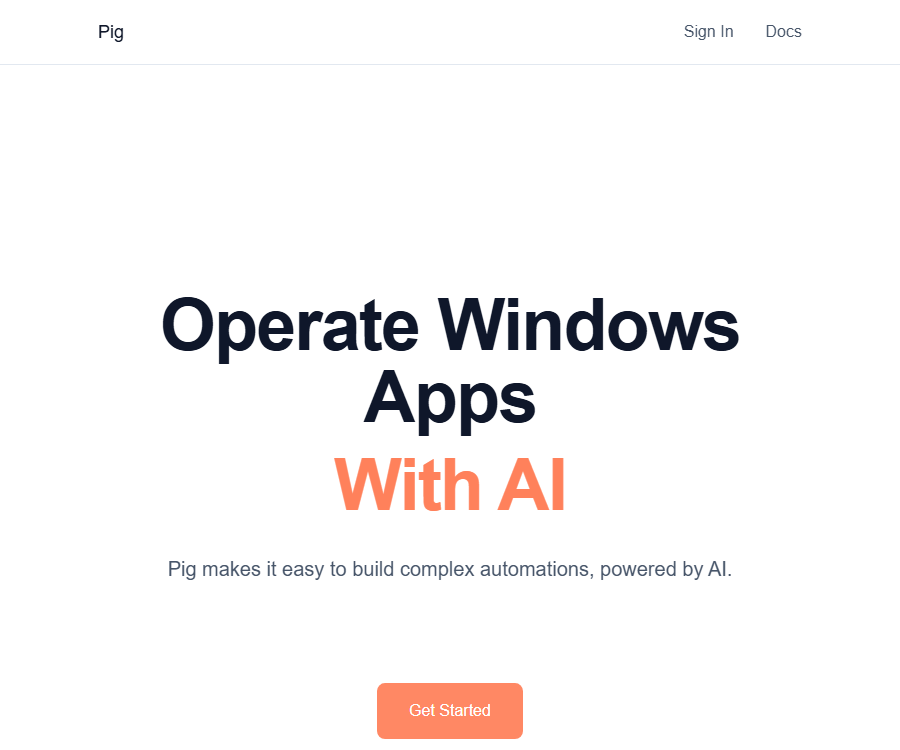
Pig is an AI automation tool for Windows desktop applications, suitable for older software that lacks traditional interfaces as well as for complex interface workflows.
It offers chat-based prototypes, Agent APIs, and a low-level Python SDK; however, the official team ceased active development in May 2025, so the maintenance risks should be carefully assessed before using it.
Current product status
| Components | Current status | Primary uses | Open-source status |
|---|---|---|---|
| Pig Chat | Free hosting services are still planned to be maintained. | Testing desktop automation using natural language | The interface and control plane are not fully open source. |
| Agent API | During the Alpha phase, destructive changes may occur. | Have the agent perform full desktop tasks. | Closed-source control plane |
| Python SDK | Available but no longer actively developed | Control local or remote machines from the code. | Apache 2.0 open source |
| Piglet | Can run independently on Windows. | Provides screenshot functionality as well as keyboard and mouse control interfaces. | Open source |
Main functions
Chat-based automation
Pig Chat can connect to the user’s machine, allow tasks to be described in natural language, and enable rapid verification of processes, without the need to write scripts first.
- Suitable for exploring repetitive desktop tasks
- Feasibility can be verified before formal coding.
- An unstable interface can still lead to operational deviations.
Agent API
The Agent API utilizes the same computer operations capabilities as chat products, enabling it to submit higher-level tasks from applications.
- Designed for cross-file and multi-step workflows
- The items in the input queue can be passed to the agent one by one for processing.
- It is still in the Alpha stage, and therefore should not be deployed in critical production processes without any protection.
SDK and Piglet
Piglet provides desktop drivers for Windows machines; the Python SDK enables access to the screen, control of the mouse and keyboard, as well as the ability to select local or remote machines.
- Supports capturing screenshots, reading screen dimensions, and cursor position.
- Supports input of text, key presses, mouse movement, and clicks
- The control can be handed over to humans and one can wait for it to be returned.
Usage tutorial
- First, read the official announcement regarding the cessation of development as well as the Alpha warning, to ensure that the associated risks are acceptable.
- Install Piglet and the Python SDK on a isolated Windows test machine.
- Start Piglet locally, or use a key to add the machine to the managed control plane.
- Select a machine through the SDK and establish a connection, then test screenshot capture and read-only recognition.
- Gradually add click, input, and key press operations, and implement manual confirmation for critical actions.
- Record the interface changes, failure recovery processes, and credential handling methods before expanding the scope of automation.
Which users are it suitable for
- Developers who need to automate old Windows software without APIs
- An AI team that studies computer operation agents and human-machine takeover mechanisms
- Technical users who are willing to manage the drivers themselves and maintain the integration code
- Automation projects intended solely for experimentation and internal, low-risk processes
Price and usage method
| Package or version | Price | Billing cycle | Core benefits or quota | Suitable for users |
|---|---|---|---|---|
| Open-source SDK and Piglet | Free | Not applicable | Local desktop control and development interfaces; the costs related to infrastructure are borne by the user. | Self-hosted developers |
| Existing managed products | Free | The official body has not disclosed a fixed schedule. | It hosts the control plane, user interface, and database; no service level guarantees are provided. | Test users |
| Implementation with corporate support | Contact the founder | By project | It may include implementation, priority support, or Alpha capabilities; the price is not available. | Complex automation teams |
Currently, the authorities do not offer any standard paid plans or defined service limits; should there be changes to the hosting services in the future, active users will be informed and given guidance on how to migrate to the new setup.
Product advantages
- Focus on the Windows desktop, rather than only supporting browser pages.
- Piglet can run independently on local machines, without the need for a Pig account.
- The Python SDK provides direct interfaces for the screen, keyboard, and mouse.
- Manual takeover is supported, which facilitates oversight for high-risk steps.
Usage restrictions and precautions
- Active development of the project has been halted, and there are uncertainties regarding security fixes, compatibility, and long-term usability.
- The Alpha interface may undergo destructive changes without any warning.
- Desktop agents may make accidental clicks, overwrite files, or expose screen information; therefore, an isolated environment and minimal permissions should be used.
- The window tree, file, and command functions listed in the official website’s roadmap cannot be considered to be already implemented.
- The management control plane is closed-source; sensitive enterprises need to assess the risks associated with remote connections and credentials.
- Formal tasks should include timeout settings, audit logs, rollback capabilities, and manual confirmation.
APIs, SDKs, and open-source status
Pig offers an Agent API, a Python SDK, and a Piglet local interface; the SDK can be installed using package management tools to connect to local or remote Windows machines.
The Python SDK is licensed under the Apache 2.0 license, and Piglet also has its source code made available publicly; however, the hosting control plane, interfaces, and databases are not all open source.
Frequently Asked Questions
Is Pig still under development?
No, the official documentation states that the team stopped developing it in May 2025, but the existing free hosting components are still scheduled to remain operational.
Can it be used entirely locally?
Piglet can run independently on the local machine and be invoked through an SDK; it enables basic desktop control without the need for a remote control plane.
Is it suitable for a production environment?
The interface is still labeled as Alpha, and the project is no longer actively maintained; it is not recommended for use in critical production processes where failures cannot be tolerated.
Tools similar to Pig



 Guigong Network Security Registration No. 45132202000164