






Ollang
Ollang, an intelligent tool focused on improving AI efficiency
Tags:AI improves efficiencyTool Introduction
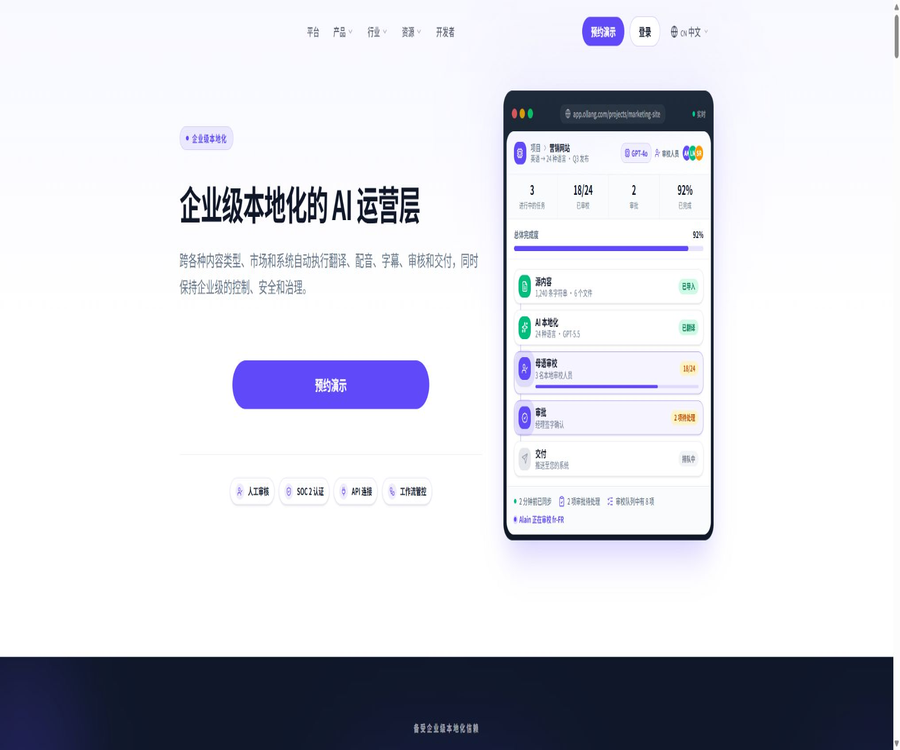
Ollang is an AI localization platform designed for enterprises dealing with multilingual content; it can handle text, video, audio, documents, websites, and images. It integrates model selection, machine translation, AI voice synthesis, native language review, approval processes, quality control, and delivery into a single workflow.
Main functions
Subtitles, dubbing, and audiovisual localization
The platform can generate closed captions, translated subtitles, as well as AI-generated voiceovers or voiceovers recorded in traditional studios; it also supports additional functions such as text translation on screen, lip-syncing, and audio description. The initial results produced by AI can be reviewed by native-speaking editors and professionals before proceeding to approval and delivery.
- Subtitles can be exported in various common and broadcast-grade file formats.
- AI Dub Studio is used to adjust and clone sounds in order to enhance the naturalness of speech.
- Live Dubbing allows access to live broadcasts via streaming protocols, and it offers real-time dubbing, REST API, and Webhooks.
- When it comes to voice cloning, explicit permission from the speaker or the rights holder is required.
Document, website, and visual translation
The document processing covers formats such as office documents, web pages, structured data, strings from mobile applications, and images. Website localization can be achieved by using scripts, content management system plugins, or APIs to scan content, and to continuously synchronize new pages and updated content.
- Supports glossaries, brand tone, translation memory, and project-level guidelines.
- Localized metadata, page paths, and multilingual search optimization elements are available.
- Visual translation strives to maintain the layout and position of the text within the image.
- The content management system supports integration with platforms such as WordPress, Webflow, and Contentful.
Workflows, review, and quality control
The visual workflow automatically routes models, translators, and reviewers based on content type, language, quality requirements, and risk. The team can view the progress of each language, projects awaiting review, quality scores, the proportion of manual edits, as well as costs and delivery status.
| Handling method | Process | Main features | Appropriate content |
|---|---|---|---|
| AI-only | After being processed by AI, it goes directly to the output or automation step. | Fast speed, suitable for testing and processing low-risk batch content | Internal drafts, preliminary versions, and content that can be quickly revised |
| AI + Human Review | After the initial draft is created using AI, it is reviewed by native speakers or designated service providers before being approved for publication. | Quality control is more thorough, but the delivery time and costs are higher. | Brands, legal sensitivity, films and television content, and official external communications |
| Studio Dubbing | Completed through professional voice-over and production processes. | It requires the highest level of human intervention and is suitable for broadcast-grade requirements. | Films, advertisements, and major brand projects |
Usage tutorial
- Schedule a demo or create an account to determine the content type, source language, target market, quality level, and delivery format.
- Create folders and projects, and upload the main files, reference documents, glossaries, style guides, as well as any necessary audio and video materials.
- Choose between AI-only, manual review, or studio processing, and set the language, model routing, approver, and delivery destination.
- Review the AI draft, the quality assessment, and the feedback from native speakers, and make revisions to the timing, terminology, tone, and layout of the visuals.
- After the final document is approved, it is downloaded or automatically pushed to the content system, with continuous monitoring of the synchronization of new content and quality metrics.
Which users are it suitable for
- Media, streaming, and film and television teams that need to produce multiple language subtitles and voiceovers in bulk.
- SaaS and e-commerce companies that need to continuously synchronize multilingual websites and product interfaces.
- Organizations that need to handle legally, financially, or brand-sensitive content and therefore require review in the native language as well as approval records.
- Technical teams that wish to integrate localization into their development and content pipeline processes via APIs, MCP, or SDKs.
- A localization team that manages multiple language service providers, reviewers, and the timing of market releases.
Price and trial version
The official website does not currently disclose the prices for standard packages, per character, per minute, per language, or per API call; the page where these prices used to be listed is no longer accessible. The platform’s homepage states that a trial version is available, but the official site has not yet specified a fixed amount for the trial, its duration, or whether payment is required.
For corporate projects, it is necessary to schedule a demonstration or contact the sales team; the costs are usually determined based on the format of the content, the language used, the duration, the level of manual review required, the method of voice-over, the use of models, and the extent of integration needed. The cost structures for AI-only solutions, reviews by native speakers, and recordings in a studio differ, and these costs should be listed separately in the quote.
Product advantages
- It covers translation, dubbing, subtitles, documents, websites, and visual content, reducing the need for coordination among multiple suppliers.
- It allows AI to work in collaboration with native language experts, and the level of scrutiny can be chosen based on the risk associated with the content.
- It offers workflows, approval processes, status tracking, and quality metrics, making it suitable for enterprise governance and large-scale delivery.
- A wide range of interface types are available, enabling integration with content systems, coding environments, and automated agents.
- The official website states that it complies with SOC 2 Type II, GDPR, ISO 27001, offers single sign-on functionality, and supports data residency.
Usage restrictions and precautions
- Machine translation and speech models may misinterpret terms, cultural contexts, relationships between characters, or sarcastic expressions; important content should be reviewed by humans.
- Sound cloning, video and audio materials, as well as documents may be subject to copyright, portrait rights, performer rights, and confidentiality obligations.
- Approval thresholds should be set before automatic release, to prevent unverified translations from entering the production system.
- The public page displays over 240 languages and dialects, but the product page of the website only lists more than 50 major languages; the actual capabilities vary depending on the type of content.
- Model routing enables the connection of numerous external models and interfaces; companies need to determine which vendors will have access to the data, as well as the relevant rules regarding its storage and retention.
Platforms and models
Ollang is used through a cloud console and can be connected to content management systems, language service providers, streaming services, and publishing processes. The platform emphasizes the need to select the appropriate model based on language and content type; the model names shown in the interface are examples or specific project configurations, and it does not mean that the same model must be used for all orders.
API, SDK, MCP, and Skills
The official REST API relies on account-level API keys for authentication, and it enables management of folders, projects, orders, uploads, revisions, quality assessments, manual reviews, and callbacks. There is no fixed version specified in the API path; the developers are assured that any significant changes will be communicated in advance through update logs, but they should still implement error handling and compatibility testing.
The official offerings include TypeScript and Node.js SDKs for asset scanning, internationalization workflows, content management system extraction, and typed REST clients. The hosted MCP uses OAuth authentication and can be integrated with various AI-compatible clients; file-based Agent Skills enable coding agents to call REST APIs through local commands.
Open-source status
Public APIs, SDKs, MCP, and Skills do not imply that the Ollang platform itself is open source. The vendor has not yet specified on the product page the open source licensing terms for the entire service or its core models; when using or redistributing these development tools, it is necessary to check the actual licensing terms of each software package.
Frequently Asked Questions
How many languages does Ollang support?
The platform overview lists over 240 languages and dialects, while the website’s localization page covers more than 50 languages. The types of content available for each are different; it is necessary to use the API language list or project quotes to determine whether a particular language is supported.
Can it be done solely with AI, without any manual review?
It is possible to choose an AI-only process, but for brands, legal matters, finance, entertainment, and officially released content, it is more appropriate to include a review and approval step carried out by native speakers.
Does Ollang have a public API?
Yes, the official provider offers API documentation, a TypeScript SDK, as well as hosted MCP and Agent Skills. Account permissions, rate limits, costs, and the requirements for production use still need to be confirmed with the official party.
Tools similar to Ollang



 Guigong Network Security Registration No. 45132202000164