






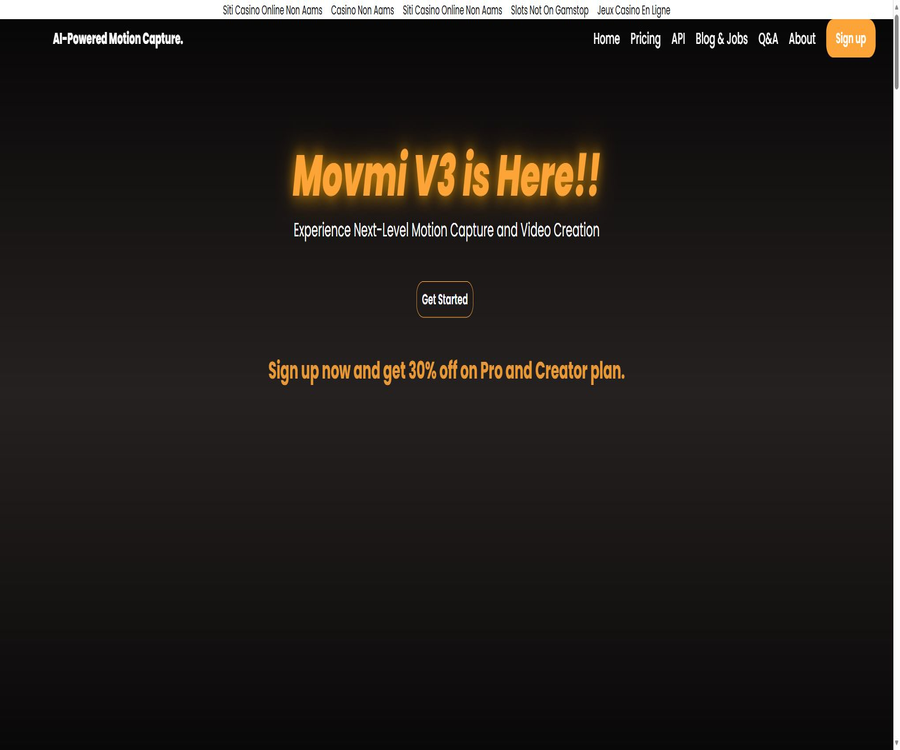
Movmi
Movmi, an intelligent tool focused on improving AI efficiency.
Tags:AI improves efficiencyWhat is Movmi?
Movmi is an AI-based motion capture tool without any proprietary markers, developed by Movmi LLC. It estimates human movements in 2D videos and converts them into animation data that can be used for 3D characters. It is intended for animators, game developers, and small studios, aiming to reduce the workload associated with creating keyframes for human movements frame by frame.
The current site still displays information about Movmi V3, the registration page, prices, tutorials, and instructions for the Windows software; however, various pages contain a large number of external links related to gambling that have nothing to do with the product. There are clear issues with the integrity of this site, and it is not advisable to log in to important accounts, download any programs, or enter payment information until these problems are resolved.
Main functions
- Video motion capture: It enables the estimation of full-body movements from ordinary 2D videos, without the need to wear motion capture suits or use special marking points.
- Multi-character actions: The page claims to support multiple characters, making it suitable for scenes involving combat, dialogue, or character interactions; however, complex occlusions can still reduce the quality of recognition.
- PoseAI: It generates 3D poses based on input action descriptions, and can be used to quickly create compositions of static actions such as running, standing, pointing, or multi-person interactions.
- RenderAI: It combines captured animations or generated poses with an AI background to create viewable video outputs; different plans impose limits on the number of generations that can be performed.
- FBX export: The animation files can be imported into 3D software such as Blender, iClone, Maya, Unity, and Unreal for further editing, manipulation, and rendering.
- Mixamo characters: It includes over 40 Mixamo characters, allowing you to apply captured actions to existing characters in order to test their effectiveness.
- Team Space: My Team is used for sharing animations, poses, and creative content, and it enables team members to discuss projects together.
- Web and offline processing: The web version is used for trials and online work, while Pro subscribers can obtain the Windows offline software in their account settings.
Input, output, and platform
| Project | Support status | Precautions |
|---|---|---|
| Action input | Horizontal video showing the entire human body | The characters should always remain within the frame; the more stable the camera is, the easier it is to make estimates. |
| Pose input | Description of text actions | Used by PoseAI to generate 3D poses of one or multiple people. |
| Action output | FBX | Redirection can be continued in common 3D, game engine, and animation software. |
| Web version | Used by browsers | The free plan allows users to experience the basic functions; the materials are then sent through an online processing workflow. |
| Offline software | Windows 10, Windows 11 | Requires NVIDIA graphics card drivers, CUDA, cuDNN, and 16GB of memory; intended for Pro subscriptions. |
Complete usage process
- First, test the web version using short videos that contain no sensitive information, to ensure that any abnormal external links on the site have been removed; also check the browser’s download and payment prompts.
- When shooting horizontal videos, keep the camera still and ensure that the subject remains within the frame throughout; this helps to reduce obstruction, motion blur, and the effect of loose clothing on the body’s contours.
- Upload a video and select motion capture; when a static composition is required, you can also enter a clear description of the movements and the relationship between the characters in PoseAI.
- Preview the skeleton and character movements, paying close attention to moments where the hands and feet make contact, rapid turns, as well as scenes with multiple characters overlapping and bodies being obscured.
- Apply the movements to the built-in Mixamo characters, or export the FBX file and then redirect them on the skeleton of the target character.
- Fix issues such as foot slippage, mesh penetration, joint jitter, and timing problems in Blender, Maya, Unity, Unreal, or other tools, and then handle lighting and rendering.
- For offline processing, obtain the installation link from the Pro account settings, and first conduct security checks and isolation tests on the installation file.
Suitable for users and scenarios
- Independent game developers: Quickly create characters’ walking, running, fighting, and interaction animations using real-person reference videos.
- 3D animator: Converts the video performance into an FBX draft, and then carries out cleanup, redirection, and styling.
- Rehearsal and storyboard team: They establish the rhythm of the shots using written instructions and rapid motion capture, and verify the arrangement of characters in advance.
- Short film creators: Use RenderAI to generate backgrounds for actions or poses, in order to create conceptual footage.
- Small studios: Share poses and animations through team spaces, but it is necessary to first assess the project’s confidentiality requirements and the risks associated with the current platform.
Advantages and capabilities boundaries
Main advantages
- You can get started with just a regular video, which reduces the requirements regarding motion capture hardware, location, and clothing.
- The FBX workflow facilitates integration with common digital content creation and game development environments.
- Video capture, text formatting, background videos, and team sharing are all integrated within the same product.
- Windows Offline Mode reduces the need for continuous uploading of media files, but the installation rights are subject to subscription restrictions.
Usage restrictions
- Monocular video cannot provide true 3D sensor data; occlusion, rapid movement, and camera motion can cause jitter, penetration, or depth errors.
- The page does not provide information on accuracy metrics, bone structure standards, the maximum length of videos, a list of acceptable input formats, or any guarantees regarding processing speed.
- A section on the offline software’s page states that it can handle up to two people, while the homepage does not specify a maximum number for multiple users; the actual capability should be determined by testing the actual version.
- Automated results usually still require animators to fix issues such as sliding feet, hand contact, joint rotations, and differences in character proportions.
Price packages
| Package or version | Price | Billing cycle | Core benefits or quota | Suitable for users |
|---|---|---|---|---|
| Free | 0 dollars | Monthly | 3 points per month, basic features, standard support | First test |
| Basic | 4.99 dollars | Weekly | No restrictions on motion capture; all functions available, 20 poses with PoseAI, 10 videos with RenderAI. | Short-term small projects |
| Pro | 14.99 dollars | Monthly | No restrictions on motion capture; all functions available; 10 videos with RenderAI; priority support; Windows offline software | Freelance animator |
| Creator | 29.99 US dollars | Monthly | Unlimited features, dedicated account manager, advanced support, and early access to server features | Teams and studios |
The page shows a 30% discount on both Pro and Creator plans, but it does not indicate when this promotion will end. Nor are there any clear rules regarding refunds, cancellation procedures, or proportional refunds. Due to abnormal external links on the site, the prices displayed there are only indicative; it is necessary to check the actual payment terms, benefits, and the entity responsible for billing before subscribing.
API, GitHub, and open-source status
- The API page currently only shows items that are about to be released; there are no publicly available endpoints, authentication methods, SDKs, rate limits, or pricing information for the interfaces.
- No official code repository or open-source license belonging to Movmi LLC was found; therefore, Movmi cannot be considered an open-source product.
- The BlenderQuickMap linked in the tutorial is a third-party plugin used for bone redirection; it does not represent a Movmi product or an open-source model.
- Do not confuse Movmi with Move AI, MOVIN, or other motion capture systems that have similar names; their accounts, interfaces, licenses, and prices are not interchangeable.
Privacy, Copyright, and Security
- The privacy statement mentions that it will collect usernames, passwords, email addresses, country of residence, job descriptions, usage data, as well as Windows serial numbers, software operation information, and motion capture files, all of which are obtained with proper permission.
- When logging in via Google or Facebook, the username, email address, and profile picture may be collected; withdrawing funds from the Marketplace may also require a PayPal email address.
- The data may be stored on devices, Movmi servers, or the servers of service providers, and it can be shared as a result of service provision, affiliations with other companies, business partnerships, or business transfers.
- The retention period is specified only as the time necessary to achieve the intended objectives and fulfill legal obligations; no fixed deadline for deleting the document files or account data is given.
- The confidential text states that the company’s location is Cairo and the country is Egypt, while the footer provides the address of Movmi LLC in Austin, United States; there is a contradiction in the information provided.
- Before uploading performance videos, it is necessary to obtain authorization for the use of the actors’ portraits, as well as any materials related to the performances and projects; public or shared content in the team space should also not contain any confidential information.
- At present, abnormal external links are the most significant practical risk for the site; it is not recommended to reuse passwords from other services or to install any software until the administrators have resolved the issue and ensured the account’s security.
Summary
The core value of Movmi lies in its ability to generate human movements from ordinary videos that can be integrated into the FBX production process, along with additional elements such as text annotations, AI-generated backgrounds, and team-related functions. This product is suitable for low-cost previews and draft animations; however, the current version has issues related to completeness, key information, and legal terms. The recommended approach is to first verify its security, then try it out using non-sensitive materials, and only after that consider subscribing or installing the offline software.
Tools similar to Movmi



 Guigong Network Security Registration No. 45132202000164