






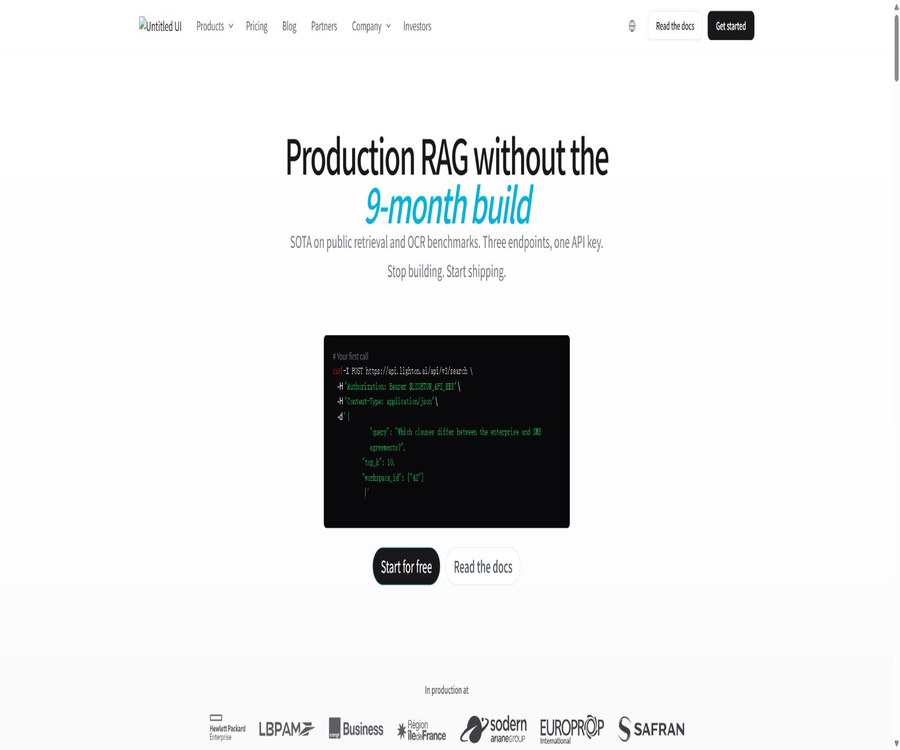
LightOn
LightOn, an intelligent tool focused on improving AI efficiency.
Tags:AI improves efficiencyWhat is LightOn?
LightOn is a French AI company founded in Paris in 2016, which offers secure and controllable generative AI solutions to enterprises and public institutions. Its main product, Paradigm, is used to connect large language models with an organization’s internal documents, business knowledge, and tools.
LightOn began its activities by developing optical computing hardware, but after 2020 it shifted its focus to large language models and enterprise-generated AI. The company is listed on the Growth market of the Euronext Paris stock exchange, and its services are aimed at the financial, industrial, medical, defense, and public sectors.
A one-sentence summary
Paradigm is an enterprise AI search and agent platform that can be deployed in sovereign clouds, customer infrastructure, or isolated networks; it offers support for document understanding, retrieval-enhanced generation, model switching, access control, workflow automation, and development interfaces.
What problem does Paradigm solve?
- Allow employees to use generative AI in a controlled environment to work with internal knowledge.
- Retrieve information from large volumes of unstructured documents and generate well-founded responses.
- Convert scans, forms, charts, and complex layouts into searchable knowledge.
- Create dedicated AI agents for legal, financial, R&D, or customer service tasks.
- Manage multiple commercial or open-source models within a unified platform.
- Deploy AI services in infrastructure that meets the requirements for data residency.
- Integrate enterprise systems into automated processes through APIs and MCP.
- Use user groups, workspaces, auditing, and SSO to control access.
Core functions
Enterprise AI conversations
Employees can choose from the models permitted by the organization for conducting conversations, using the workspace documents as context. Administrators can configure system instructions, available tools, models, and data ranges.
Improve search and document Q&A capabilities
The platform retrieves relevant segments from the authorized documents by means of semantics, keywords, and reordering capabilities, and then the model generates answers. Users can view the documents and segments that were identified; however, important conclusions still need to be verified by referring to the original text.
Multimodal document understanding
Paradigm is capable of handling text, scanned pages, charts, graphics, handwritten content, and complex page layouts, and it parses them using OCR and visual language models. The quality of recognition depends on the clarity of the scan, the language used, the layout, and the size of the file.
Enterprise agent
An organization can create multiple dedicated Agents, and for each Agent instructions, models, native tools, MCP servers, and accessible workspaces can be configured. Agents can belong to individuals, teams, or companies, and access to them is controlled by user groups.
Model management
Administrators can access visual models, language models, and embedding models, and choose between self-hosting, third-party APIs, or other deployment methods. The availability of these models depends on the instance configuration and the permissions of the API keys; not all customers will see the same list of models.
Enterprise connector
The platform allows enterprise data from sources such as SharePoint, Teams, Google Drive, and ServiceNow to be integrated into the workspace, with documents being synchronized according to the settings defined. The actual scope of the connectors depends on their version, deployment method, and the contract in place.
Built-in tools and MCP
The agents of Paradigm can utilize built-in tools such as document search, document analysis, web search, and code execution; they can also connect to external MCP servers. Administrators can decide whether these tools should be selected automatically by the model or specified manually by users.
| Tool type | Key capabilities | Key management points |
|---|---|---|
| Document search | Search for relevant segments in the authorized workspace. | Data range and reference verification |
| Document analysis | Comprehensive processing of the uploaded materials | File type, size, and sensitivity level |
| Web search | Obtain real-time public information | External data compliance and fact verification |
| Code execution | Run analysis or transformation logic | Execution permissions, dependencies, and resource constraints |
| External MCP tools | Connect internal APIs to third-party systems | Tokens, server reliability, and data boundaries |
| Custom models | Use the LLM or VLM designated by the organization. | Deployment location, costs, and model licensing |
MCP integration method
System administrators or company admins can register external MCP servers and assign the corresponding tools to Agents. MCP results are not automatically written into Paradigm’s internal index; the quality of the responses depends on the retrieval mechanisms and permission settings of the external servers.
- Verify that the instance has the Agent and MCP capabilities enabled.
- Register trusted MCP servers in the admin dashboard.
- Configure the server name, address, authentication token, and visibility range.
- Check whether the token is stored encrypted and that minimum permissions are applied.
- Associate the MCP server with a specified Agent or chat configuration.
- Testing tools: detection, parameters, return values, and error handling.
- Verify that different user groups cannot view connection information to which they do not have access.
- After going live, audit the call logs and rotate credentials on a regular basis.
Workspaces, collections, and permissions
Paradigm organizes knowledge through companies, user groups, workspaces, collections, and documents. User groups determine which workspaces members can access, and Agents can further restrict the range of workspaces that can be searched.
| Hierarchy | Function | Key aspects of access control |
|---|---|---|
| Company | Isolate organizational-level configurations and resources | Tenant boundaries and administrator roles |
| User group | Organizational members and resource permissions | Member changes and minimum permissions |
| Work area | Holds business knowledge and scope of collaboration | Association with user groups |
| Set | Classify documents by business category | Search scope and lifecycle |
| Document | Specific knowledge content | Sensitivity level, version, and deletion |
| Agent | Combined instructions, models, tools, and workspaces | Visible range and delegated execution permissions |
Document processing workflow
- Plan user groups and workspaces by department and data sensitivity.
- Upload a file or configure an enterprise data connector.
- Select the appropriate parsing and OCR method for the file type.
- Wait for the document to be extracted, segmented, embedded, and indexed.
- Use representative questions to check whether the retrieved snippets are accurate.
- Adjust tags, filters, metadata, and access permissions.
- Have the sales staff verify the answers against the original text.
- Establish policies for updating, resynchronizing, archiving, and deleting.
Supported inputs and outputs
| Type | Input example | Output or purpose |
|---|---|---|
| Office documents | Reports, systems, contracts, and presentation materials | Search, summarization, Q&A, and analysis |
| Scan materials | Scan PDFs, images, and handwritten pages | OCR text, layout understanding, and knowledge indexing |
| Table data | Text-based tables and spreadsheets | Content retrieval and structured analysis |
| Images and charts | Graphics, photos, illustrations, and charts | Visual understanding and multimodal responses |
| Enterprise connector | SharePoint, Teams, Drive, and ServiceNow | Synchronize to authorized workspace |
| API request | Chat, search, files, and Agent tasks | JSON results, stream messages, or structured output |
Model selection and custom models
An organization can configure multiple business models, open-source models, or self-hosted models within the same Paradigm instance, and assign them to users based on considerations of privacy, performance, and cost. The platform also supports the use of LoRA fine-tuned models, and recommends using dedicated model service frameworks for scenarios requiring high throughput.
- Language models are used for answering questions, rewriting text, and enabling agent reasoning.
- Visual language models are used for the understanding of charts, scanned pages, and images.
- The embedding model converts documents and queries into retrieval vectors.
- The reordering model improves the ranking of the relevance of candidate segments.
- Self-hosted models require the customer to be responsible for computing power, monitoring, and version management.
- Third-party model APIs introduce additional data processing and billing rules.
Alfred and the open model
LightOn has developed the Alfred series of commercial language models, and it has also made available various research models, datasets, and retrieval techniques. When customers deploy Paradigm, they can use LightOn’s models or integrate other models; the functions of this platform should not be equated with any single specific model.
Deployment method
| Deployment architecture | Data and computation locations | Main features | Suitable for organizations |
|---|---|---|---|
| SaaS | Managed in Europe by LightOn for sovereign clouds | Rapid deployment; platform maintenance is the responsibility of the service provider. | Teams, departments, and rapid pilots |
| Hybrid deployment | The data remains on the customer’s side, with some computations accelerated by sovereign cloud GPUs. | Take into account both data residency and computational flexibility. | Healthcare, legal affairs, and corporate R&D |
| On-premises or private cloud | Data, platforms, and computing power are all located within the customer’s infrastructure. | It offers comprehensive control capabilities and can be connected to internal systems. | Finance, industry, and critical infrastructure |
| Isolated network | Deployed in an environment not connected to the public network | Suitable for confidential and regulated workloads | Defense, intelligence, and highly sensitive scenarios |
| White label | Delivered by partners according to the customer’s architecture | Brands, domain names, interfaces, and solutions can be customized. | Cloud service providers and software manufacturers |
How to choose between SaaS, hybrid, and on-premises deployment?
- When it is necessary to verify the business value as quickly as possible, SaaS should be given priority in evaluation.
- The data must remain on-site, but a hybrid deployment can be considered in the absence of a GPU.
- Local deployment is the option to choose when full control over infrastructure and logs is required.
- A network isolation solution is required in cases of complete network disconnection or in confidential environments.
- When offering products to external customers, white-labeling or embedded APIs can be considered.
- When making a selection, it is necessary to take into account the costs related to computing power, storage, connectors, operation and maintenance, as well as upgrades.
API capabilities
Paradigm offers REST APIs that provide capabilities such as modeling, chatting, Agents, threads, tools, files, workspaces, as well as search functions for documents. Before making calls, it is necessary to generate an API key from the instance, and the models and resources that are accessible via this key determine what can be done.
| API category | Primary uses | Development considerations |
|---|---|---|
| Model list | Get the models accessible with the current key | Different tenants yield different results. |
| Chat completion | Invoke the model to generate text or structured results. | Handling streaming responses and model versions |
| Search | Return relevant document snippets or tool results | Verify permissions, filter, and sort. |
| Agent and thread | Execute multi-step reasoning and tool calls | The interface updates rapidly with each version release. |
| Files and Workspaces | Upload, query, and manage corporate documents | Wait for the parsing status and handle the deletion. |
| OCR | Parsing scanned documents and documents with complex layouts | Pay attention to the page count and batch processing limits. |
| Management interface | Configure models, tools, and organizational resources | Granted only to controlled backend services |
Notes on API versioning
The current Paradigm documentation includes examples for versions v2, v3, as well as those related to older versions; some descriptions of agents have been marked as outdated. For new projects, it is necessary to first determine the version of the instance being used, and then select the corresponding latest interface – it is not possible to use request structures from different versions together.
- Confirm with the administrator the release version of the Paradigm instance.
- Create dedicated API keys with minimized permissions.
- Call the model list to verify the available technology names.
- First, test file upload, parsing status, and search results.
- Add timeout, retry, and auditing for Agent tool calls.
- Place the API key in the server key management system.
- Compare v2, v3, and the new release notes before upgrading.
- Update the production integration after verification in the testing environment.
Developer SDK and GitHub
LightOn maintains the official GitHub organization and makes available the Python SDK, libraries for training retrieval models, vector retrieval engines, as well as research datasets. Different repositories are licensed under agreements such as Apache 2.0 or MIT; however, this does not mean that all of the core code of the Paradigm commercial platform is open source.
| Project type | Representative content | License or status | Relationship with Paradigm |
|---|---|---|---|
| Python SDK | LightOn API client | Apache 2.0 | Used for developing access points; it does not include the platform’s server side. |
| PyLate | Training and retrieval of the Late Interaction retrieval model | MIT | It can be used for research and development. |
| NextPlaid | Multi-vector retrieval infrastructure | Apache 2.0 | It belongs to open retrieval technology. |
| FastPlaid | High-performance multi-vector search engine | MIT | It belongs to the open search components. |
| Models and datasets | Study models and retrieve data | According to the licenses for each item | The commercial usage scope needs to be checked item by item. |
| Core of the Paradigm platform | Management, permissions, interface, and enterprise services | Closed-source commercial products | It is not possible to build it completely from public repositories. |
Pricing method
LightOn does not specify a fixed, uniform pricing amount; Paradigm typically quotes prices based on the number of user seats, the chosen solutions, the deployment architecture, the infrastructure, and the scope of services offered. The platform emphasizes pricing based on fixed seats or infrastructure, rather than charging solely based on the number of tokens generated.
| Plan or version | Public price | Billing method | Primary interests | Suitable for users |
|---|---|---|---|---|
| SaaS | Contact sales | By seat and selected option | Sovereign cloud hosting, rapid deployment, and platform maintenance | Teams, departments, and rapid pilots |
| Hybrid deployment | Custom quote | Seats, cloud computing power, and service contracts | The data remains on the client side, with sovereign GPUs handling the inference. | Regulated enterprises |
| On-premises or private cloud | Custom quote | Software licenses, seats, computing power, and support | Complete client-side deployment and permission control | Large enterprises and public institutions |
| Isolated network | Custom quote | Project contract | Deployment without an internet connection, confidential environments, and dedicated support | Defense and critical infrastructure |
| White-labeling and reselling | Custom quote | Partner contract | Brand customization, API reports, and customer delivery | Cloud service providers and integrators |
| Search API | Contact sales | Infrastructure or capacity solutions | Multimodal RAG, search, and reasoning interfaces | Software vendors and product teams |
It needs to be confirmed before placing a request for quote.
- Number of seats, number of administrators, and range of external users.
- SaaS, hybrid, on-premises, or isolated network architectures.
- The models that need to be integrated and their separate licensing costs.
- Document size, frequency of incremental synchronization, and storage capacity.
- Requirements for OCR, retrieval, reasoning, and concurrent performance.
- Are connectors such as SharePoint included in the solution?
- SSO, SCIM, auditing, backup, and high availability.
- Implementation, training, upgrading, support, and SLA fees.
- Check whether testing, pre-production, and disaster recovery environments incur additional costs.
Corporate security and compliance
Paradigm places emphasis on GDPR compliance, data residency, transmission and static encryption, fine-grained permissions, and audit capabilities; the product page also indicates SOC 2 Type 1 compliance. The specific scope of certification, deployment boundaries, and contractual commitments must be verified by the customer’s security team through relevant documentation.
| Controls | Platform capabilities | Key points for verification during procurement |
|---|---|---|
| Identity management | SSO, automatic account configuration, and user groups | Agreements, roles, and offboarding processes |
| Access control | Workspace, collection, Agent, and tool permissions | Whether to inherit enterprise directory permissions |
| Data encryption | Transmission and storage encryption | Key ownership and rotation methods |
| Audit | Activity logs and management reports | Covers events, retention, and export. |
| Data residency | European sovereign cloud or customer infrastructure | Backup, log, and support access locations |
| Isolation | Tenant segmentation, private deployment, and offline mode | Network, model services, and update channels |
| Compliance | GDPR and SOC 2 Type 1 statements | Certified entity, validity period, and product scope |
Privacy and data processing
Paradigm is intended for professional users and deals with data such as accounts, usage logs, documents, and customer configurations. The way in which data is stored and processed depends on whether the solution is deployed via SaaS, in a hybrid model, or on-premises; the privacy rules applicable to on-premises deployments cannot be directly applied to hosted instances.
- Classify personal information, trade secrets, and regulated data before uploading.
- Verify whether the model provider accepts prompts or document snippets.
- Restrict access to production data for support staff and administrators.
- Configure read-only and minimum scope credentials for the connector.
- Establish rules for document synchronization, versioning, archiving, and deletion.
- Confirm the retention period for logs, backups, and vector indexes.
- Revoke permissions promptly after employees leave, departments are restructured, or projects are completed.
Which users are it suitable for
- Large enterprises that wish to deploy generative AI on sensitive data.
- French and European organizations that require a sovereign cloud or on-premises deployment.
- Financial, medical, and public institutions subject to strict compliance requirements.
- Legal, R&D, and knowledge teams that require multimodal document retrieval.
- Organizations that wish to create multiple specialized agents and manage data scope.
- Software manufacturers need to integrate RAG capabilities into their products.
- The plan is to provide customers with cloud service providers and integrators for AI solutions under a white-label format.
Typical use cases
| Scene | Enter | Output | Primary value |
|---|---|---|---|
| Corporate Knowledge Assistant | Systems, manuals, projects, and technical documentation | Q&A with references to the original text | Reduce internal search time |
| Contract and legal analysis | Contracts, regulations, and compliance documents | Clause extraction, comparison, and issue list | Initial assistance in legal matters |
| Financial Research | Reports, meeting materials, and financial documents | Summary, retrieval, and structured analysis | Improve research efficiency |
| Industrial technical support | Equipment manuals, fault records, and process documentation | Diagnostic clues and procedural steps | Help engineers locate knowledge. |
| Public sector knowledge base | Policies, processes, and documentation | Internal Q&A and drafts | Taking into account the requirements regarding data residency. |
| The product incorporates RAG. | Customer documents and application data | Search, chatting, and Agent capabilities | Reduce the time required for custom search operations |
Product advantages
- Deployment options include SaaS, hybrid, on-premises, and isolated networks.
- Document retrieval, OCR, models, Agents, and centralized permission management.
- It supports the coexistence of commercial, open-source, and self-hosted models.
- Multimodal parsing is suitable for complex corporate documents.
- It offers REST APIs, MCP, and enterprise data connectors.
- It is possible to limit the scope of an Agent’s knowledge based on teams and workspaces.
- Price emphasizes the predictability of seating or infrastructure.
- The authorities also maintain open search technologies and develop SDKs.
Restrictions and Precautions
- There is no fixed public amount; procurement requires communication with sales and technical evaluation.
- For local deployment, the customer still needs to provide computing power, storage, and operational capabilities.
- Document recognition and answering do not guarantee complete accuracy.
- Incorrect permission settings may allow the Agent to access data it should not be able to see.
- The quality and security of external MCP servers are not guaranteed solely by Paradigm.
- Different instances, versions, and API keys expose different models.
- Documentation for API v2, v3, and older versions exists simultaneously; it is necessary to match the instance version during development.
- Making a GitHub project public does not equate to making Paradigm’s core code open source.
- Third-party models and connectors may introduce additional contractual and data boundaries.
Implementation suggestions
- Select a business scenario with a clear document scope and measurable value.
- Complete data classification, permission management, and deployment architecture assessment.
- Prepare representative documents, question sets, and manually generated standard answers.
- Configure workspaces, user groups, models, and connectors in the testing environment.
- Evaluate OCR, retrieval recall, answer accuracy, and original text traceability.
- Set approval, permission, and audit policies for Agent tool calls.
- Conduct tests for security, compliance, performance, and fault recovery.
- Train employees to distinguish between search criteria, model responses, and business judgments.
- Launch it on a small scale and keep track of the time saved, error rate, and usage rate.
- Expand the deployment only after confirming the upgrade, backup, deletion, and exit options.
Frequently Asked Questions
What is the relationship between LightOn and Paradigm?
LightOn is the company responsible for development and operation; Paradigm is its generative AI platform designed for enterprises and public institutions. LightOn also develops the Alfred model as well as various open retrieval technologies.
Can Paradigm be deployed privately?
Yes. The platform offers architectures such as on-premises, private cloud, hybrid, and isolated networks; it is also possible to use European sovereign cloud SaaS.
Can Paradigm only use the LightOn model?
No. Administrators can access LightOn models, commercial models, open-source models, or customer-hosted models, but the specific range of options available depends on the instance configuration and the contract terms.
Is API and MCP supported?
Supported. Paradigm offers multiple versions of REST APIs, and it enables agents to connect to external MCP servers; during development, it is necessary to confirm the instance version, key permissions, and scope of the tools.
Is LightOn an open-source company?
LightOn makes available items such as SDKs, search databases, models, and datasets, but the core of the Paradigm platform remains closed-source commercial software. The open-source status must be determined based on each specific repository and its license.
How much is Paradigm?
There is no fixed public price; quotes are usually customized based on the number of seats, the solution offered, the deployment architecture, the infrastructure, and the scope of services. The cost structures for SaaS, hybrid, on-premises, and white-label solutions vary.
Is it suitable for individual users?
The product is intended primarily for professional organizations, rather than ordinary individual chat users. Individuals or small teams that do not have requirements related to enterprise data, governance, and deployment may find it difficult to take full advantage of its capabilities.
Summary
The core advantage of LightOn Paradigm is its ability to integrate enterprise knowledge retrieval, multi-modal document understanding, model management, Agents, APIs, and access control mechanisms within a manageable deployment framework. It is particularly suitable for organizations that deal with sensitive data, are subject to strict compliance requirements, and wish to reduce their reliance on public AI solutions.
When making a selection, it is not sufficient to only compare the performance of the model’s responses; it is also necessary to evaluate document parsing, permission inheritance, connectors, infrastructure, upgrade capabilities, auditing features, and the total cost of ownership. It is recommended to start with small, quantifiable use cases, and then gradually expand as accuracy and operational costs become more apparent.
Tools similar to LightOn



 Guigong Network Security Registration No. 45132202000164