






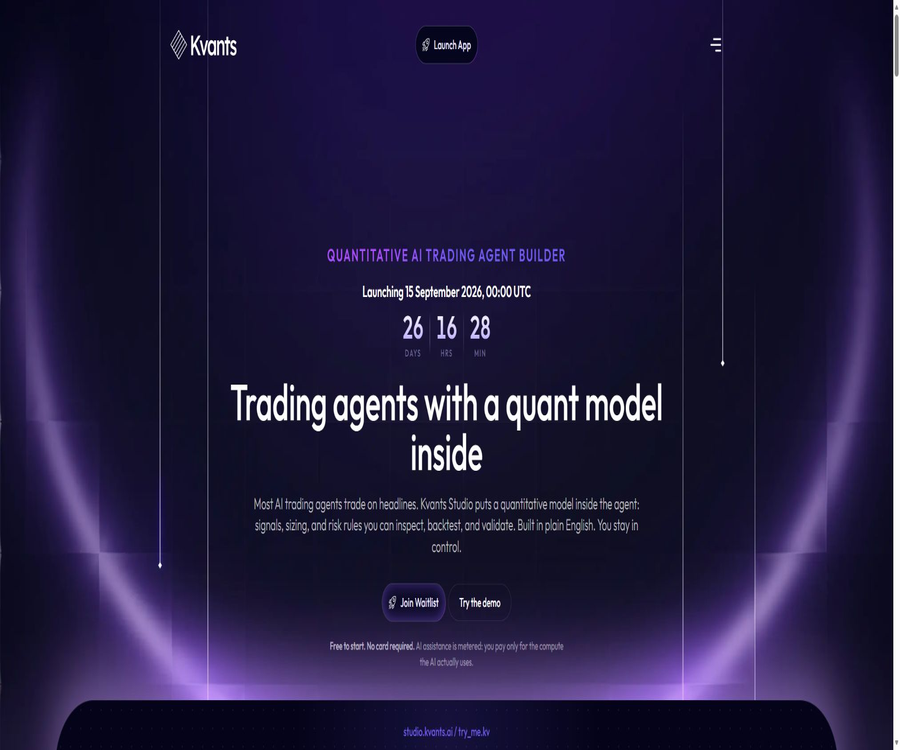
Kvants Studio
Kvants Studio: an intelligent tool focused on improving AI efficiency.
Tags:AI improves efficiencyA one-sentence summary
Kvants Studio is an AI strategy development tool that converts natural language-based trading assumptions into transparent quantitative rules; it offers features such as visual editing, historical backtesting, robustness testing, simulated trading, and strategy export.
Tool Introduction
Kvants Studio is intended for systematic traders, quantitative researchers, and strategy developers who wish to write less code. After the user describes the market conditions, entry and exit points, as well as position and risk rules, the AI generates a strategy diagram that can be reviewed and modified, rather than merely providing buy/sell recommendations.
The product focuses on research, testing, and simulation; it is not a brokerage service, investment advisory service, or one that offers guarantees of returns. No templates, AI-generated outputs, backtests, or rankings can prove that a strategy will be profitable in the future.
Current open status
Kvants Studio is scheduled to go live on September 15, 2026, at 00:00 UTC; currently, the entry page for the studio leads to a free waiting page. Early access will be granted in batches based on the order of waiting and available capacity, and joining the program does not guarantee immediate access to all features.
| Project | Current status | Users need to know. |
|---|---|---|
| Made publicly available | Planned for September 15, 2026 | Functions and prices may still be adjusted before the launch date. |
| Waiting list | Join for free | No bank card or funds are required. |
| Early Access | Invite in batches | The time depends on the queue position and system capacity. |
| Login method | Google, Apple, email, or wallet | Login with a wallet only requires signing; funds should not be transferred. |
| Complete product | Not fully made public yet | The marketing preview is not equivalent to the current available benefits. |
| Trading functions | Research, simulation, and prediction of connection capabilities | Availability may vary by region, account, and location. |
Core workflow
- Describe the trading market, time horizon, and research hypotheses in plain language.
- Use AI to generate strategy diagrams that include metrics, conditions, position sizes, and risk rules.
- Check each item regarding entry, exit, signal timing, and the assumptions made.
- Set commissions, spreads, slippage, funding fees, and other costs.
- Run historical backtests and examine the equity curve as well as individual trades.
- Use parameter scanning, rolling verification, and crisis-period replay to evaluate the results.
- Save the modified versions and document the reasons for each adjustment.
- First, observe the real-time market performance in a simulated environment.
- Export the Pine Script v6 or structured strategy file when needed.
- Connecting to a real account is considered only after compliance and risk assessment have been satisfied.
AI strategy generation
Users can enter criteria such as moving average crossovers, momentum, mean reversion, or other quantifiable assumptions; the AI will break down these text entries into data inputs, indicators, logical gates, buy/sell signals, position sizes, as well as stop-loss and take-profit levels. Once generated, each of these parameters can still be modified manually.
- Convert natural language assumptions into explicit, executable rules.
- Explain why a certain signal is triggered or prevented under certain conditions.
- Automatically run basic backtesting for the first version of the strategy.
- Help compare different parameters and the results of rolling windows.
- Include position sizing and stop-loss rules in the initial model.
- Record the performance of strategies and the adjustments made in different market conditions.
Visual strategy model
The strategy is not hidden in the chat responses; rather, it consists of price data, indicators, conditions, signals, position sizes, risk factors, and execution points. This structure allows users to verify whether the AI has correctly understood the original assumptions.
| Model section | Included content | Key points of inspection |
|---|---|---|
| Market data | Variety, trading venue, cycle, and price fields | Do the data correspond to the actual subjects being studied? |
| Indicators | Technical indicators such as moving averages, RSI, and ATR | Cycle, input fields, and calculation timing |
| Conditions | Crossings, thresholds, logic gates, and filters | Are there any ambiguities or future data? |
| Signal | Open a position, close a position, reverse the operation, or wait. | How to handle conflicts at the same time point |
| Position | Fixed ratio, risk ratio, and leverage | Maximum exposure and funding constraints |
| Risk | Stop-loss, take-profit, drawdown, and position limits | Extreme market conditions and handling of missing data |
| Execute | Order type, fees, slippage, and execution assumptions | Is the simulation too optimistic? |
Backtesting capability
Kvants Studio promises to use the NautilusTrader event-driven engine to handle market dynamics, signals, orders, transactions, and changes in portfolio composition. Backtesting takes into account factors such as fees, slippage, and capital costs, and it generates equity curves, transaction records, as well as various performance indicators.
| Backtesting module | Main function | It can’t prove anything. |
|---|---|---|
| Single-asset backtesting | Quickly verify a combination of variety and parameters | It is not possible to prove cross-market effectiveness. |
| Multi-asset testing | Compare the performance of different strategies across various assets. | Asset selection bias cannot be eliminated. |
| Parameter scanning | Observing parameter sensitivity and stable range | One cannot rely solely on the best historical results. |
| Rolling verification | Cycle between the training window and the subsequent testing window | It is not possible to guarantee that the system will not change in the future. |
| Crisis Replay | Check the behavior during periods of historical stress. | It is not possible to cover all future extreme events. |
| Cost modeling | Estimate commissions, slippage, spreads, and funding fees | It cannot be equated with a real transaction. |
Performance indicators
The product preview displays over 16 transparent performance indicators, including returns, maximum drawdown, Sharpe ratio, Sortino ratio, win rate, number of trades, and profit factor. Any single indicator may hide tail risks, costs, or a few abnormal transactions.
- View both the total return and the maximum drawdown at the same time.
- Check whether the returns depend on a very small number of transactions.
- Compare intra-sample and extra-sample performance.
- Check the stability on a monthly basis or for different market conditions.
- Review each individual transaction and the signals that were not triggered.
- Re-test under worse cost and slippage assumptions.
- Record whether the changes in parameters stem from reasonable assumptions.
Rolling validation and stress testing
Rolling validation divides the historical data into periods of repeated training and subsequent testing phases, in order to identify parameters that are suitable only for certain segments of data. Crisis replay, on the other hand, involves applying the strategy to stressful situations such as those in March 2020 and May 2022 in order to observe its behavior under such conditions.
These tools can only help to identify vulnerabilities; they cannot provide any certification regarding the security or profitability of a strategy. The market structure, liquidity, fees, and the behavior of participants may all change in the future.
Simulated trading and connection
The product preview includes an Alpaca simulation account for U.S. stocks, as well as simulated trading with real-time data from major cryptocurrency markets. Real accounts, connections to exchanges, and automatic execution are still subject to limitations related to the version in use, region, account eligibility, and third-party rules.
| Market or connection | Predicted use | Risks and limitations |
|---|---|---|
| Alpaca stock simulation | Forward-looking perspective on U.S. stock strategies | Simulated transactions differ from actual liquidity. |
| Alpaca real account | Stock connections featured in the preview of paid plans | It cannot be considered generally available before going live. |
| Encrypted market simulation | Generate hypothetical transactions using real-time market data | It cannot be used to execute actual order books. |
| Encrypted trading platforms | The preview is supported on multiple major platforms. | Different regions and accounts have varying permissions. |
| Third-party models | Call the AI using a self-provided key | Data and costs are also subject to the rules set by the model providers. |
Strategy export
Strategies can be exported as TradingView Pine Script v6 files or portable Kvants JSON files. The Pine Script format emphasizes accurate translation, while AI is used only to fix compilation errors; it should prevent any unapproved changes to the strategy’s logic.
- Freeze a readable description of the rules before exporting.
- Recheck the input parameters in TradingView.
- Compare the signal timing at both ends and the order processing methods.
- Ensure that the commission, slippage, and chart type settings are consistent.
- Randomly select several transactions to check whether they correspond.
- Retain the original JSON and version history.
- Do not equate compilability with correct policy.
Templates and learning
The product page displays a variety of encrypted assets and Alpaca stock templates; it is also planned to offer a signal library, learning materials, research logs, competitions, and a strategy market. The templates serve only as a starting point for research and are not recommendations for trading.
| Functions | Predicted value | Correct usage method |
|---|---|---|
| Policy template | Quickly obtain the complete rule structure | Understand each node before making modifications. |
| Signal library | Learn about common indicators and conditions. | Do not consider the name as proof of validity. |
| Research log | Save hypotheses, reasons for failure, and reasons for modifications | Avoid repeatedly adjusting parameters in a result-oriented manner. |
| Strategy Brain | Record market conditions and parameter sensitivity | Treat suggestions as hypotheses to be verified. |
| Strategy Market | Discover community sharing strategies | Review data, costs, and permissions |
| Competition | Simulation results under relatively uniform conditions | Do not equate rankings with actual gains. |
Pricing and Billing
At present, the available option is a free waiting list; no bank card or financial deposit is required. Different product pages also mention a free Operator service, a Quant plan costing $49 per month, as well as KVAI usage points, but these details have not yet been combined into a unified, payable package through the current waiting list system.
| Package or mechanism | Show price | Billing cycle | Preview of benefits or functions | Current judgment |
|---|---|---|---|---|
| Waiting list | $ | Not applicable | Retain the queue position and wait for batch invitations. | Currently available |
| Operator | $ | Planned to be free in the long term | Canvas, templates, stock simulation, single-asset backtesting, rolling validation, Pine export, and custom keys | The preview plan is subject to the settlement page that goes live. |
| Quant | 49 dollars | Monthly | Real Alpaca process, multi-asset scanning, stress testing, and managed AI | The preview plan has not yet been verified for purchase. |
| KVAI AI score | Calculate consumption based on actual usage. | Settle upon request | Provides points for AI requests and affects the VIP access level. | Another set of preview parameters requires confirmation regarding the subscription relationship. |
| Provide your own AI key | Model vendors charge separately. | According to the selected service | Connect to models such as Claude, GPT, DeepSeek, Gemini, etc. | It is necessary to comply simultaneously with the price and privacy rules set by the model provider. |
Conflict in billing information
One page describes the Operator and Quant as subscription tiers, while another page indicates that the points obtained from AI capabilities after they are stored in KVAI are calculated based on the amount of work performed, with VIP levels 0 to VIP 4 determining access to more advanced functions. It is not yet clear whether these two mechanisms operate simultaneously, replace each other, or are applicable only at different stages.
- Wait until it goes live to view the actual settlement page.
- Verify whether Quant includes a fixed amount of AI usage.
- Confirm how KVAI points are converted into a dollar subscription fee.
- Confirm the handling methods for failed requests, retries, and refunds.
- Verify whether a VIP tier requires holding or locking tokens.
- Verify whether using an own key completely eliminates the platform’s AI fees.
- Verify whether an additional infrastructure fee is charged for a genuine transaction connection.
- Confirm the rules for cancellation, refund, and withdrawal of the balance.
- Do not purchase tokens or set a budget based solely on the preview before it goes live.
APIs, MCP, and developer capabilities
The terms of service apply to both the API and the dashboard; the product guide also mentions that limited MCP credentials can be provided for Codex, Claude Code, Cursor, and ChatGPT. As of now, no complete public interface documentation, SDK versions, information regarding rate limiting, or guarantees regarding stability are available.
| Ability | Publicly available information | Use boundaries |
|---|---|---|
| Service API | The items are listed as components of the service in the terms. | There is no complete public endpoint documentation. |
| MCP access | The product guide mentions credentials with limited scope. | The specific tools and permissions still need to be confirmed after going live. |
| Pine Script v6 | Supports preview export | Re-verification is required on the target platform. |
| Kvants JSON | Supports portable structured strategies | The external operation specifications have not been fully made public. |
| Provide your own model key | The preview supports multiple model series. | The user is responsible for key security and model data processing. |
Open-source status
No official open-source repositories for Kvants Studio’s core platform, strategy generator, or backend have been identified. The fact that the platform utilizes technologies such as NautilusTrader and supports file export does not mean that Kvants Studio itself is open source.
| Components | Status | License | Explanation |
|---|---|---|---|
| Kvants Studio platform | Commercial hosting and probationary phase | Not disclosed | Core services cannot be deployed on their own. |
| AI Strategy Generator | Not open source | Not disclosed | It falls under the platform’s hosting capabilities. |
| Backtesting workflow | NautilusTrader based on public documentation | The rules for each item are independent of one another. | The open-source nature of the underlying components does not mean that the entire platform is open source. |
| Pine Script export | Users can export the results. | It is based on the generated content and third-party rules. | The ability to export data does not equate to making the platform’s source code available. |
| Official SDK | Not verified. | Not applicable | Do not use a repository with the same name to replace the official project. |
Privacy and data processing
The platform may handle email addresses, names, wallet addresses, country information, subscription status, policies, prompts, AI-generated outputs, backtesting results, deployment settings, connection status, encrypted API credentials, payment records, logs, device information, and security signals.
When using AI functions, prompts, policy context, selected files, outputs, and metadata may be processed by the model, orchestration services, or infrastructure providers. Users should not submit confidential or regulated data that those entities are not authorized to handle.
| Data items | Processing instructions | User suggestions |
|---|---|---|
| Strategies and prompts | Used to provide AI and research functions. | Avoid submitting third-party confidential information. |
| The broker is connected to the exchange. | It may store connection status and encryption credentials. | Use read-only or minimal permissions and revoke them regularly. |
| Analysis and Advertising | Google, X, Meta, and Hotjar can be enabled upon selection. | Check the privacy settings and turn off any unwanted tracking. |
| Retention period | To be retained for service, security, legal, and dispute-related purposes | The specific number of days is not disclosed; it is necessary to ask for it. |
| Cross-border processing | It may be processed outside the user’s country. | The regulatory team should verify the region and the safeguards in place. |
| Delete and Export | In some areas, it is possible to request access, deletion, or export. | Retention requests and completion records |
Transactions and AI risks
- Backtesting and simulated performance do not indicate future returns.
- Survivorship bias, erroneous data, and future functions can distort the results.
- The actual costs, slippage, funding fees, and liquidity may be worse.
- AI may misinterpret strategies, overlook conditions, or generate unsafe rules.
- Automatic systems may place orders repeatedly, miss orders, or lose control in the event of a malfunction.
- Leverage and derivatives can result in losses equal to or even exceeding the initial investment.
- Downtimes of exchanges, brokers, wallets, and data providers are not under the control of the platform.
- Regional regulations, sanctions, and product availability can change at any time.
- Verification tools can only reduce some research errors; they cannot guarantee profits.
Which users are it suitable for
- Researchers who have clear trading hypotheses but lack programming experience.
- Traders who prefer visual rules over signals from a black box.
- Quantitative analysts who need to quickly compare parameters and out-of-sample performance.
- Users who study strategies for the U.S. stock and cryptocurrency markets.
- Creators who need Pine Script or export in structured file format.
- Teams that prefer to simulate first before considering real connections, out of caution.
- Users who are willing to wait in the queue and participate in early tests.
Main advantages
- Clear rules that can be checked remain in place even after natural language generation.
- The canvas covers signals, positions, stop-loss levels, and execution assumptions.
- Backtesting actively takes into account fees, slippage, and funding costs.
- Rolling validation and crisis replay help to reveal overfitting.
- It supports a unified approach to research in both stock and cryptocurrency markets.
- It is possible to export Pine Script v6 and structured strategy files.
- Supporting the use of custom model keys helps to reduce platform lock-in.
- The disclosures regarding privacy, risks, and terms of service are quite detailed.
Main limitations
- It is still in the preliminary phase, with visits taking place in batches.
- The official launch date has not yet arrived, and the features may continue to change.
- The criteria for subscription, AI points, and token-based billing have not yet been standardized.
- The rights related to Operator and Quant cannot be considered available for purchase yet.
- APIs, MCPs, and SDKs lack comprehensive public documentation.
- Real transaction connections are subject to restrictions based on region, account, and third parties.
- The core platform is not open-source, so it is not possible to deploy all services on one’s own.
- There may still be deviations between the backtesting data and the assumptions made.
- Some data needs to be sent to external model providers and trading platforms.
- Any automated trading can result in significant or total loss of capital.
Pre-launch checklist
- Only free waiting lists are available; no funds need to be invested in advance for unconfirmed benefits.
- Wait until it is officially launched to check the actual functions and supported regions.
- Use a simple strategy to verify whether the AI correctly converts each rule.
- Check the assumptions regarding data timing, costs, transactions, and order priorities.
- Compare the performance within the sample, outside the sample, and during stress periods.
- First, use a demo account and run forward tests for a sufficient length of time.
- Use the minimum permissions and separate risk limits when connecting accounts.
- Confirm the relationship between Operator, Quant, KVAI, and self-provided keys.
- Confirm cancellation, refunds, point balance, and token risks.
- Do not use funds that cannot afford losses to test automatic execution.
Frequently Asked Questions
Is Kvants Studio open now?
At present, it is possible to join the waiting list for free; the official launch is scheduled for September 15, 2026. Early access slots will be made available in batches based on order of application and available capacity, and there is no guarantee that one will be able to use them right after joining the list.
Is programming knowledge required?
No programming is required; users can describe strategies in natural language and edit rules on the canvas. Understanding trading logic, data, and backtesting discrepancies remains essential.
Which markets are supported?
The product preview covers the Alpaca US stock trading process as well as various major cryptocurrency markets. The specific data available, the types of assets offered, and whether simulation or real-time connection is possible depend on the version in use, the region, and the account type.
How much is Kvants Studio?
Currently, the trial version is free and no bank card is required. The page mentioned a free Operator option, a Quant plan costing $49 per month, and a KVAI system based on AI usage, but the actual rules for purchasing and combining these options have not yet been finalized.
Can trading be done automatically?
The current focus is on standby, research, and simulation; actual connections are part of the future capabilities and are subject to permission and geographical restrictions. Even if they are made available, they must first go through extensive simulation, be granted minimal permissions, and have independent risk control measures in place.
Is it possible to export TradingView strategies?
The product preview feature allows for the export of Pine Script v6 and Kvants JSON files. After export, it is necessary to recheck the rules, costs, and individual transactions; a strategy cannot be considered valid just because its code runs successfully.
Is Kvants Studio open source?
No, the core studio, AI generator, and hosting backend have not been released as official open-source projects. The use of open-source underlying components or the provision of export functions does not change this fact.
Can it guarantee making money?
No. AI, historical backtesting, rolling verification, stress testing, and simulated trading cannot guarantee future outcomes; real transactions may result in the loss of all capital.
Summary
The value of Kvants Studio lies in combining the speed of AI generation with verifiable quantitative rules, allowing users to move from formulating hypotheses, building models, conducting cost simulations, and verifying stability to carrying out simulations and exporting results, rather than relying on unexplainable trading signals.
The biggest variable at present is that the product has not yet been officially launched; there are also various preliminary versions regarding the packages and AI-based pricing. Joining the waiting list allows one to keep an eye on developments, but any decisions related to payment, tokens, account connections, or actual transactions should be made only after the official rules regarding benefits, risks, and settlements have been clarified.
Tools similar to Kvants Studio



 Guigong Network Security Registration No. 45132202000164