






Kroolo
Kroolo, an intelligent tool focused on improving AI efficiency.
Tags:AI improves efficiencyA one-sentence summary
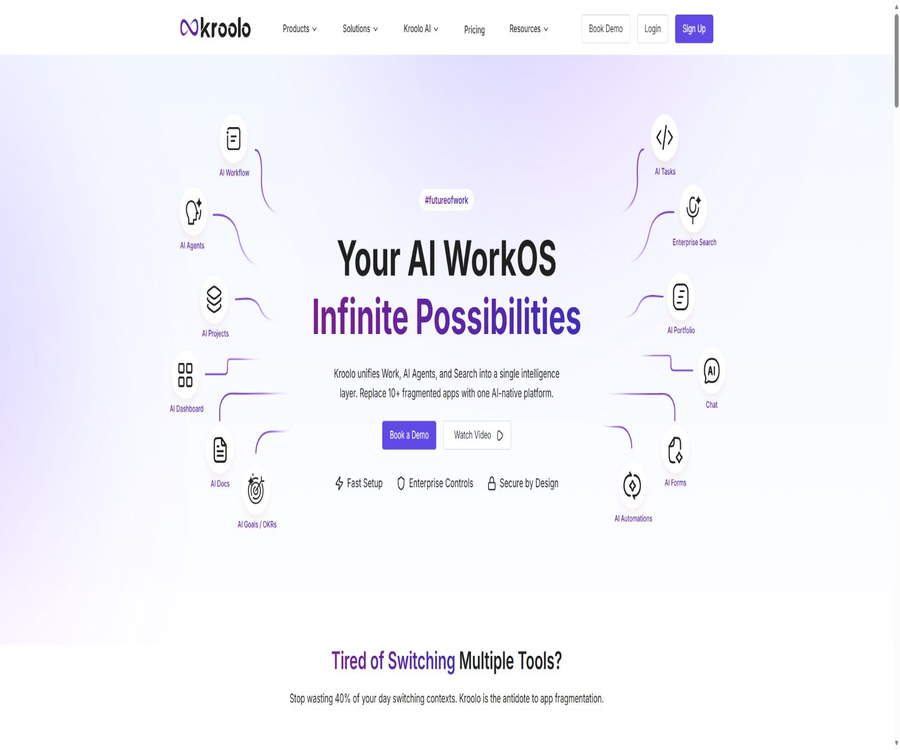
Kroolo is an AI-driven work management and enterprise search platform that brings projects, tasks, goals, documents, chat functions, automation tools, and knowledge retrieval together in a single team workspace.
Tool Introduction
Kroolo is operated by Kroolo Labs, Inc., and its products consist of Kroolo Work and Kroolo Enterprise Search. The former is designed for daily planning, execution, and collaboration, while the latter connects enterprise applications and enables the search, aggregation, and manipulation of organizational knowledge using natural language.
With built-in Kroo AI and various AI agents, it is possible to create projects, break down tasks, analyze risks, assess workload, generate content, and answer questions related to the workspace. AI can reduce the time required for organization tasks, but it does not determine the goals, resources, or final business decisions for the team.
Product composition
| Product module | Key capabilities | Suitable scenarios | Tips for purchasing |
|---|---|---|---|
| Kroolo Work | Projects, tasks, goals, documents, chats, time, forms, and automation | Daily team execution and collaboration | Manage by workspace, project, member, and seat package. |
| Kroo AI | Generate, summarize, analyze, answer questions, and perform operations | Project planning, risk analysis, and content processing | The specific AI quota has not been fully made public. |
| AI Agents | Predefined and custom smart agents | Repeat management, research, and content tasks | Output and write actions require manual confirmation. |
| Enterprise Search | Cross-application semantic search, Q&A, and actions | Enterprise knowledge discovery | It is usually necessary to demonstrate the enterprise solutions. |
| Mobile apps | Projects, tasks, AI, comments, and notifications | Collaborating outside | It may have fewer functions than the web version. |
Main functions
Workspaces and Teams
Users can create one or more workspaces, invite members, organize teams, and manage the scope of collaboration. The free version and the Plus version impose limits on the number of workspaces, teams, and invitations that can be used, while the Business and Enterprise versions are suitable for larger organizations.
Projects and project portfolios
Kroolo supports various view types such as project templates, lists, dashboards, timelines, and Gantt charts; it also allows multiple projects to be grouped together in a Portfolio. Teams can keep track of milestones, dependencies, risks, and financial information, though some advanced features are subject to package limitations.
Task management
Tasks can have configurable owners, priorities, dates, tags, lists, subtasks, dependencies, comments, and custom fields. All public plans specify no limit on the number of tasks, but there are differences in terms of projects, workspaces, and member quotas.
Goals and OKRs
Teams can create goals, sub-goals, and measurable outcomes, and link projects or tasks to those goals. AI can suggest structures and summarize progress, but actual scoring should still be based on data approved by the organization.
Document and knowledge content
Kroolo Docs supports editing, commenting, sub-documents, embedding, tagging, archiving, sharing, importing, and exporting. AI can draft, rewrite, summarize content, and answer questions based on documents.
Forms and data collection
The team can use forms to collect requests, feedback, or internal applications, and to incorporate the submitted content into the workflow. Before going live, it is necessary to test the required fields, field permissions, notification mechanisms, and handling of duplicate submissions.
Team chat
The platform offers public or private channels, direct messaging, comments, and notifications, enabling discussions to remain within the same context as tasks, projects, and documents. Important decisions should still be recorded in trackable tasks or documents.
Time tracking
Members can log the hours spent on tasks and projects, while managers can analyze the amount of effort invested and the progress made. Hourly data is useful for determining capacity and costs, but it is necessary to have uniform recording rules to avoid distortions.
Automation
Kroolo can trigger updates or notifications based on status, responsible person, date, and other criteria, thereby reducing the need for repeated actions. Before enabling automation, it is necessary to limit its scope of application and verify that there are no issues with cyclic triggers, repeated writes, or permission boundaries.
Dashboard and reports
The dashboard is used to summarize project progress, workload, risks, and other management indicators. AI reports can generate management summaries quickly, but the data definitions and calculation methods should be retained.
Resource workload
AI and project views can analyze member assignments, overdue tasks, and potential bottlenecks, and provide suggestions for reallocation. The workload chart only reflects the data recorded in the system; it is unable to identify unrecorded meetings or ad-hoc tasks automatically.
What can Kroo AI do?
- Create a project structure based on textual or verbal descriptions.
- Break down the goal into tasks, sub-tasks, and suggested responsible persons.
- Analyze project risks, overdue tasks, and resource constraints.
- Answer questions regarding progress, team members, and roadblocks within the project.
- Modify priorities and task assignments using natural language.
- Draft emails, reports, plans, and other documents.
- Summarize PDF, Word, PPT, Excel, images, and text.
- Generate more relevant content based on the knowledge base context.
- Save the AI results as documents or work items.
Ask AI within the project
The \"Ask AI\" feature on the project page offers preset templates as well as the possibility for free-text conversations; it allows one to assess the team’s workload, potential risks, pending tasks from previous periods, and the project members. Tasks can also be modified directly through commands. Performing write operations carries a higher level of risk compared to simple question-and-answer interactions, so the team should review the change logs.
- Enter the target project and open the Ask AI sidebar.
- Select predefined proxies such as workload, stand-up meetings, or risks.
- Decide whether to include project details and workload context.
- Enter a clear question; attach files if necessary or use voice input.
- Check the scope of tasks and personnel on which the AI’s response is based.
- Before executing the task to make changes, verify the object, fields, and new values.
- Return to the project view to verify the write results.
- Manual approval and auditing are retained for critical operations.
Custom AI agent
Kroolo allows users to select content templates, modify prompts, set the tone appropriate for the audience, and include materials from a knowledge base in order to create sales emails, reports, or other types of content. Users can regenerate the content, copy it, or save it as a document directly.
| Configuration items | Function | Suggestions |
|---|---|---|
| Template | Provides a structure for common tasks. | Select the template that is closest to the target and then make modifications. |
| Prompt | Define objectives, inputs, and outputs. | Specify the audience, format, constraints, and acceptance criteria. |
| Knowledge base | Add media, project, and document context | Select only the data necessary for the task. |
| Roles and tone | Adjust the way of expression | It cannot replace fact-checking and compliance checks. |
| Generated result | Copy or create as a Kroolo document | Manual editing and verification before publication |
Chat with Anything
Users can upload PDF, Word, PPT, Excel, text, and images; the AI can then summarize and extract information from them to answer subsequent questions. This feature is suitable for quick reading, but complex tables, scanned documents, charts, and multilingual content require manual verification.
- Ensure you have file processing permissions before uploading.
- Delete passwords, keys, and unnecessary personal data.
- First, let the AI summarize the structure, and then pose specific questions.
- It is requested to return to the original location or relevant paragraphs for further review.
- Check each item such as numbers, dates, contracts, and policies individually.
- Do not use summaries as a substitute for professional legal or financial review.
- After use, delete the files in accordance with the organization’s retention policy.
Corporate search
Kroolo Enterprise Search indexes workspaces and external enterprise applications into a unified knowledge layer, enabling semantic search, conversational responses, question clarification, and results based on user permissions. The product also allows for creating tasks from search results, updating work items, and initiating subsequent processes.
The search page lists over 100 connectors, showing systems such as Google Drive, Slack, Jira, Confluence, Notion, GitHub, Salesforce, OneDrive, Outlook, and Gmail. The number of connectors and the available actions should be verified item by item during the corporate demonstration.
| Search capability | Primary value | Usage risks |
|---|---|---|
| Unified search | Reduce repeated searches across multiple systems | An overly wide index range may expose sensitive content. |
| Semantic understanding | Match based on intent rather than exact keywords | Relevance does not equate to factual accuracy. |
| Dialogue responses | Directly organize cross-application information | It is necessary to check the materials and time range. |
| Real-time synchronization | Reduce outdated information | Connection latency and permission changes need to be monitored. |
| Permission inheritance | Limit results by role | The connector permission mapping must be tested. |
| Resulting action | Create or modify tasks from answers | High-impact operations require confirmation. |
Work management workflow
- Register using your work email or Google account.
- Choose between personal use or team use and enter the team size.
- Create a workspace and define naming and permission rules.
- Invite a small number of pilot members, rather than migrating all employees at once.
- Create the first project and select a suitable template or view.
- Import the currently active tasks; all historical tasks will not be migrated for now.
- Establish rules for status, priority, responsible person, and date.
- Integrate goals, documents, chats, and automation gradually.
- After generating the plan with AI, manual proofreading is carried out.
- After two weeks, the adoption rate, cycle time, and data quality are evaluated again for further expansion.
Migration and Integration
Kroolo’s marketing features allow for the import of projects or content from Asana, Jira, ClickUp, Trello, Monday, Notion, and other task management tools. Migration tools help to reduce the amount of work required for recreation, but fields, permissions, attachments, comments, and history may not be entirely equivalent.
| Integrated categories | Representative tool | Uses | Key points for verification |
|---|---|---|---|
| Project management | Asana, Jira, ClickUp, Trello, and Monday | Import or synchronize project tasks | Status, owner, dependencies, and comments |
| Knowledge and documents | Notion, Confluence, and Google Drive | Search and embed materials | Permission inheritance and update frequency |
| Code collaboration | GitHub and Linear | Related development work | Warehouse permissions and event scope |
| Communication | Slack, Gmail, and Outlook | Notification, search, and message context | Email and channel access scope |
| Sales and Support | Salesforce, Freshdesk, and Intercom | Connecting customers with ticket-related knowledge | Personal data and field permissions |
| Storage | OneDrive and Dropbox | Search for company documents | Shared links and inherited permissions |
Price packages
The current main pricing page displays the price of Kroolo Work on a per-user and monthly basis, and offers an option for annual payment with a 20% discount. The individual quotes obtained through corporate searches are not fully shown in the captured content; it is necessary to verify them separately when placing an order.
| Package | Monthly price | Main limit | Core rights and interests | Suitable for users |
|---|---|---|---|---|
| Starter | $ | 1 workspace, 5 projects, up to 5 members, 5 goals, 5 teams, 5 channels, 10 documents | No restrictions on tasks or chatting; includes generative AI | Individuals and small pilot teams |
| Plus | $ | 5 workspaces, 50 projects, up to 20 members, 20 goals, 20 teams, 20 channels, 100 documents | 14-day trial, including generative AI | Growth-oriented small teams |
| Business | $ | No limits on workspaces, projects, tasks, goals, teams, documents, or channels; up to 500 members. | More comprehensive work management at the organizational level | Medium-sized teams and multi-project organizations |
| Enterprise | Custom quote | In accordance with the contract | Custom roles, resource workload, enterprise AI, project finance, SSO, SCIM, regional data, and dedicated support | Large enterprises or those with high compliance requirements |
The help articles and blogs from recent years still show old pricing figures such as Plus at $10, $14, or $15, and Business at $18 or $25, which do not match the current pricing page. Before making a payment, it is necessary to refer to the account settlement page and the official order details.
Notes on trials and billing
- The Starter plan is permanently free and does not require a credit card.
- Plus offers a 14-day free trial.
- The current monthly price is charged per user.
- The annual payment page indicates a 20% savings.
- For Business and Enterprise, you can contact sales.
- A separate written quote should be obtained for corporate search services.
- Generative AI is marked as included in the main package.
- The number of AI calls, as well as the limits regarding model and file processing, have not been fully disclosed.
- Before upgrading, verify whether visitors, members, and read-only users are subject to billing.
- Taxes, refunds, and the handling of any excess content resulting from a downgrade must be confirmed at the time of settlement.
Supported platforms
| Platform | Support status | Primary uses | Precautions |
|---|---|---|---|
| Web | Full support | Work management, AI, and enterprise search | Modern browsers and network connections |
| iPhone and iPad | Official app | Projects, tasks, AI, comments, and notifications | iOS or iPadOS 15.1 or later |
| Android | Official app | Mobile management and team collaboration | The version requirements are subject to those specified in the app store. |
| Mac with Apple chip | iOS apps can be run | Mobile experience | Requires macOS 12 or later. |
| Native desktop applications | The terms refer to relevant applications. | The specific availability needs to be confirmed. | Do not consider mobile compatibility to be an equivalent of a full desktop version. |
Privacy and AI processing
Kroolo handles account, workspace, project, goal, document, channel, file, log, device, and billing data. When a user utilizes the AI actively, the prompt along with any necessary context is sent to the selected third-party large model in order to generate a response.
The privacy policy lists models such as ChatGPT, Anthropic, DeepSeek, Gemini, and Llama, stating that AI conversations are processed in real time and not stored on servers. Workspace documents and tasks are still saved as required by the service; the fact that AI conversations are not retained does not mean that no data is stored in the entire workspace.
| Data type | Handling method | User suggestions |
|---|---|---|
| Account and information | Used for authentication, personal settings, and services | Fill in only the necessary information. |
| Workspace content | Stored on AWS to enable collaboration. | Set permissions and retention periods by project. |
| AI prompt | Send the necessary prompts and context to third-party models | Do not include secret or restricted personal data. |
| Google Workspace data | Used for corresponding functions within the authorized scope. | The policy states that it is not to be used for training general-purpose models. |
| Integrations with Slack and others | Process the information required for authentication and notifications. | Restrict channel and app permissions |
| Logs and devices | Used for security, statistics, and service improvement | Enterprises should identify what is retained and what can be accessed. |
| International transmission | It may be processed in the United States and other regions. | Sign a contract for protection when needed. |
Safety measures
According to Kroolo’s security policy, data is stored in the AWS Eastern US region; transmission is carried out using TLS 1.2 or higher, and static data is encrypted with AES-256. MFA is required for access to production environments, and additional measures such as centralized logging, firewalls, WAF, CDN, regular vulnerability scanning, and annual third-party penetration testing are implemented.
- Employee permissions are governed by the principle of least privilege and role-based control.
- Production access is regularly reviewed.
- The encryption keys are managed by AWS, with access to them restricted.
- Database connections use certificates and encryption for transmission.
- The production log provides centralized monitoring of abnormal events.
- Vulnerabilities are fixed in order of severity.
- Customer data is deleted after the account is removed or the contract is terminated.
- Customers still need to manage passwords, members, roles, and deactivated accounts.
HIPAA and sensitive data considerations
Some product and sales pages use the terms “HIPAA ready” or “HIPAA compliant”, but the official security policy states that Kroolo is not, by default, a PCI or HIPAA compliant service. Protected health information should not be uploaded in the absence of a separate business partner agreement.
- Do not upload bank account numbers or payment data protected by PCI.
- Do not upload data that falls under the special categories under GDPR.
- Healthcare institutions must confirm the business partner agreement before use.
- Ask the sales representative to explain the actual scope of application of HIPAA regulations.
- Include the data type, region, and retention period in the contract.
- Enable minimum permissions and auditing when dealing with sensitive data.
- Do not draw conclusions regarding compliance based solely on marketing badges.
Content ownership and responsibility
Users retain the right to upload content and customer data, and grant Kroolo access to and permission to process such data only to the extent necessary for providing services, handling support requests, and addressing security issues. The platform, materials, interfaces, brand identity, and underlying technologies remain the property of Kroolo and its licensors.
- The uploader must possess the necessary rights to the content and files.
- Content shared as public or visible to a team is accessible to others based on their permissions.
- AI-generated content can be incorrect and requires manual verification.
- The user is responsible for avoiding violations of copyright, privacy, and contractual obligations.
- Sensitive data must not be uploaded without proper legal protection.
- Feedback may be used by Kroolo free of charge to improve the product.
- Third-party applications remain subject to their respective terms.
API, GitHub, and open-source status
The terms of service mention relevant APIs, and the product supports numerous integration options; however, there is no publicly available complete reference documentation for developers, nor are SDKs or guarantees regarding stable versions provided. Teams that need to perform programmed read/write operations on projects should consult sales regarding authentication procedures, rate limits, Webhooks, and costs.
| Project | Current status | Correct understanding |
|---|---|---|
| Product API | The terms are mentioned, but the public documents do not provide a complete verification thereof. | It is not possible to guarantee that all packages will be available. |
| Webhook | Automation and integration capabilities may involve | The event type and signature method need to be confirmed. |
| SDK | No official public SDK has been identified. | Do not provide unverified installation methods. |
| Official GitHub | No clear official core organization or warehouse has been identified. | The GitHub connector is not the same as open source. |
| Core platform | Commercial hosting software | It cannot be marked as open source. |
| Private deployment | It is not explicitly listed in the public packages. | The data area is not equivalent to something that can be self-hosted. |
Which users are it suitable for
- A small team that aims to integrate projects, documents, chat, and goals.
- Project managers who need AI assistance for planning and risk analysis.
- A PMO is needed to manage resources across projects and the Portfolio view.
- Organizations that wish to search for information uniformly from multiple enterprise applications.
- Teams that need to generate plans, reports, and tasks in natural language.
- Users who are preparing to migrate from Asana, Jira, Trello, or Notion.
- Members who need to manage tasks on mobile devices and respond promptly to notifications.
- Companies that require SSO, SCIM, regional data, and dedicated support.
Typical use cases
| Scene | Usage method | The obtained results |
|---|---|---|
| Product development | Projects, Sprints, documents, GitHub, and risk agents | Unified iteration context |
| Marketing campaigns | Goals, forms, content proxies, and task automation | The activity process from planning to delivery |
| Customer implementation | Project templates, documents, timelines, and client communication | Standardized delivery records |
| PMO governance | Portfolio, dependencies, resources, and AI reports | Cross-project management view |
| Enterprise knowledge search | Connect chats, documents, CRM, and tickets | Permission-aware unified question answering |
| Personal work management | Free workspace, tasks, goals, and AI | Low-cost centralized management |
Product advantages
- Integrate projects, tasks, goals, documents, forms, and chats together.
- AI agents can read the workspace context and perform certain operations.
- The Q&A within the project covers risks, workload, and task analysis.
- Enterprise search connects various office, development, and customer systems.
- All work packages indicate that generative AI is included.
- The free version supports up to 5 members and an unlimited number of tasks.
- Access is available via iOS, Android, and the web.
- The Enterprise version includes SSO, SCIM, regional data, and dedicated support.
- The security policy outlines the measures for hosting, encryption, and vulnerability management.
Main limitations
- The current pricing page does not match the prices listed on the old blog and help articles.
- The separate price for enterprise search has not been fully made public.
- The number of AI calls, file size, and model quotas are not transparent.
- The read/write operations of the connector as well as the synchronization depth need to be tested individually.
- AI-generated projects and writing tasks may result in incorrect operations.
- Enterprise search indexes increase the risks associated with permission settings.
- There is a clear conflict between HIPAA promotions and the official security policies.
- There is a lack of documentation for publicly available APIs, SDKs, and Webhooks.
- No official open-source repository for the core platform was found.
- The platform offers numerous integration features, so the team needs to establish unified governance rules.
- Mobile devices may not be able to cover all aspects of enterprise management.
- Sensitive data, payment cards, and health information are subject to strict restrictions.
Procurement and Migration Checklist
- Select a real team and an active project as a pilot.
- Check the seat prices and annual discounts on the current settlement page.
- Migration of test items, documents, comments, attachments, and permissions.
- Confirm the AI model, call quota, file restrictions, and excess fees.
- Verify the enterprise search connector and permission inheritance item by item.
- Check the capabilities for confirming, logging, and undoing AI-written operations.
- Request SOC 2, data regions, sub-processors, and DPA documents.
- When dealing with health data, obtain a clear BAA and written scope of application.
- Confirm API, Webhook, SSO, SCIM, and support responses.
- Design a complete export and deletion process after an account is terminated.
- Evaluate the performance using cycle time, adoption rate, and tool cost.
- After the pilot phase is stabilized, other teams will be migrated in batches.
Frequently Asked Questions
What does Kroolo do mainly?
It brings projects, tasks, goals, documents, chats, scheduling, automation, AI agents, and enterprise search together on a single platform to facilitate team planning, execution, collaboration, and knowledge retrieval.
Is Kroolo free?
Starter is a permanently free version that includes 1 workspace, 5 projects, up to 5 members, 5 goals, 5 teams, 5 channels, and an unlimited number of tasks. Generative AI is also included in this version.
How much is Kroolo worth right now?
The current main pricing page shows a cost of $25 per user per month for Plus, $35 per user per month for Business, while Enterprise offers a customized quote. Older articles retain other figures; the actual prices are as indicated on the settlement page.
Is there a free trial available?
Plus offers a 14-day free trial, while Starter can be used indefinitely without a credit card. Payment requirements and any changes to features after the trial period are available on the account billing page.
Can I search for internal company documents?
Yes, Enterprise Search enables semantic search, conversational Q&A, and follow-up actions across workspaces and external applications. The scope of connectivity, permission inheritance, and pricing require confirmation through an enterprise demonstration.
Can it be used on a mobile phone?
Yes, Kroolo offers iOS and Android apps that can handle projects, tasks, AI functions, comments, and notifications. The iPhone and iPad versions require a system version of 15.1 or higher.
Does Kroolo comply with HIPAA?
It cannot be assumed based on the marketing pages that the official security policy does not comply with HIPAA by default; a separate business partner agreement is required in such cases. Protected health information must not be uploaded until a written agreement has been obtained.
Is Kroolo open source?
The core platform is not an open-source project, and no official GitHub repository for the core code has been identified. The ability to integrate with GitHub does not mean that the Kroolo source code is available publicly.
Is an API provided?
The terms mention relevant APIs, but no complete public development documentation has been found. When enterprises need to carry out programmed integration, they must verify the interfaces, authentication methods, rate limiting mechanisms, Webhook functionality, as well as the service packages and version commitments.
Summary
Kroolo is suitable for organizations that wish to consolidate work management, team knowledge, and AI-driven tasks within a single platform. Projects, tasks, goals, documents, chat functions, automation tools, AI agents, enterprise search capabilities, and mobile applications all contribute to creating a comprehensive work operating system.
When selecting a package, it is necessary to rely on the current billing page, and special attention should be paid to the AI quota, connector permissions, search indexes, and the completeness of the migration process. When dealing with health or payment data, official security policies must be followed; one cannot rely solely on the compliance statements provided on marketing pages.
Tools similar to Kroolo



 Guigong Network Security Registration No. 45132202000164