






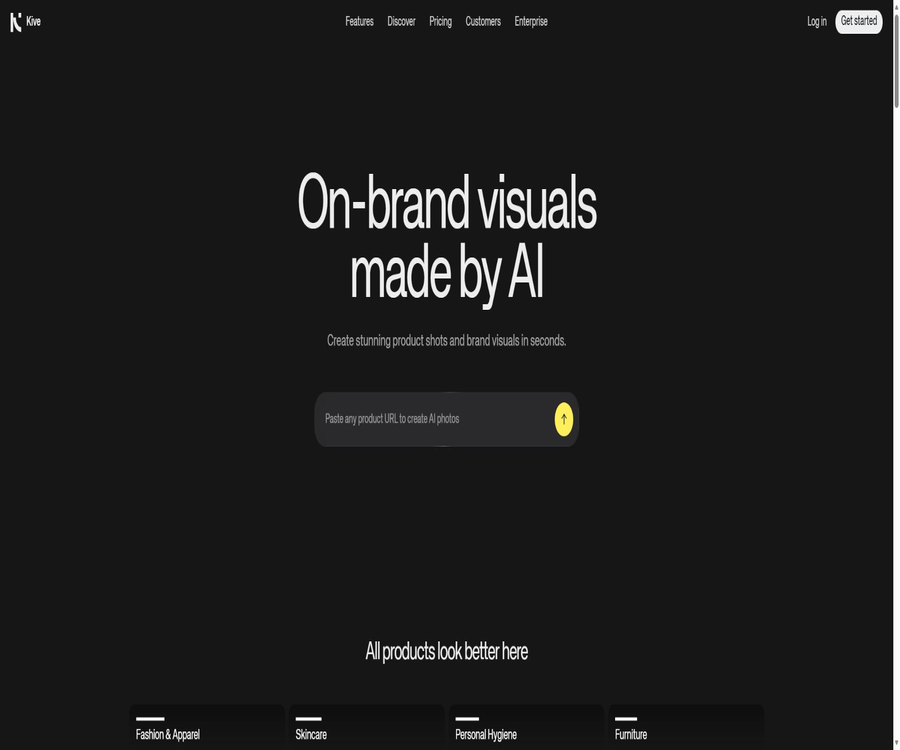
Kive
Kive, an intelligent tool focused on improving AI efficiency.
Tags:AI improves efficiencyA one-sentence summary
Kive is a brand creative workspace that integrates AI-powered product photography, image and video generation, visual editing, asset management, and team collaboration.
What is Kive?
Kive is provided by the Swedish company To Labs AB; it currently serves consumer brands, e-commerce teams, marketers, and creative agencies. Users can create reusable product models from product images or product pages, generate product photos and videos in various Studio scenarios, and then save all of these materials in the team’s Library.
It is not just a tool for generating individual images; it is also a platform for managing visual assets. Features such as Library, Boards, AI Search, version history, Prompt Library, and real-time collaboration bring together the processes of creation, selection, feedback, and reuse within the same workspace.
Overview of Core Competencies
| Ability | Main inputs | Main output | Suitable for tasks |
|---|---|---|---|
| AI Product Shots | Product image or product page | Commercial product images for multiple scenarios | E-commerce, advertising, and social content |
| AI Image | Tips, reference diagrams, and models | Brand visual identity and creative images | Marketing campaigns and conceptual design |
| AI Video | Image, hint, and video presets | Short videos and audio-based content | Ads, stories, and product displays |
| AI Editing | Existing images | Remove background, enlarge image, erase elements, replace content, and enhance resolution | Later modifications |
| AI Models | Training images for products, people, or brands | Reusable products, Character, and Style models | Visual consistency |
| Creative Agent | Creative briefs, products, and Studio | Multi-step image and video tasks | Batch creative production |
| Library and Boards | Upload and generate assets | Project assets that can be searched and versioned | Material management and collaboration |
AI product photography
AI Product Shots allows one to four product photos to be used to create a product model, which can then be enhanced using Studio’s preset options to produce images with different backgrounds, lighting, angles, and compositions. Users can also import product information and images from online store pages.
- Upload product photos with a transparent background or a simple background.
- Create reusable product models for goods.
- Select lights, scenes, and compositions from the Studio library.
- Set the aspect ratio based on social media, e-commerce, or advertising channels.
- Select Default, Premium, or Max quality.
- Generate multiple versions at once and save the best result.
- Reuse the same studio across a full product line.
The details that can be seen in the image determine the maximum level of precision; blurred packaging, reflective surfaces, and small text may still cause distortions. For items such as jewelry and handbags that lack a consistent scale, it is advisable to include references showing how they look when worn or held, in order to reduce errors in sizing.
Product image creation process
- Prepare product photos that are clear, have even lighting, and show all details.
- On the creation interface, create a new AI Product and upload one to four images.
- Name the product model and wait for the rapid training to complete.
- Browse Studio and select the preset that fits the brand and channel.
- Set the frame size, product location, quality, and quantity to be generated.
- Add one or two brief descriptive words when a change is needed.
- First, use Default to create a small number of versions in order to verify the composition.
- After determining the direction, use Premium or Max to produce the final version.
- Check the logo, text on the packaging, proportions, shadows, and edges.
- Save it to Board and submit it for team approval.
Studio visual preset
Kive Studios saves lighting, angles, props, backgrounds, and composition as reusable virtual studios. It reduces the need for complex instructions, enabling the creation of a series of content for different products under similar visual guidelines.
| Usage of Studio | Primary value | Control is required. |
|---|---|---|
| E-commerce white background | Achieve a clear product display quickly | Edges, proportions, and packaging text |
| Lifestyle scenarios | Show the environment in which the product is used | Scene realism and brand audience |
| Luxurious display | Unify high-end lighting and materials | Reflections, metal, and glass details |
| Seasonal activities | Reusing festival colors and props | Regional culture and event dates |
| Series of products | Maintain the same composition and visual language. | Consistency in the scale of different products |
| A/B testing | There are quite a few sets of visual directions. | Channel metrics and test variables |
Image and video generation
Users can create images using textual instructions, reference images, product models, as well as Character and Style models; they can also go on to produce videos from those images. The preset video options are suitable for turning products into short social media videos, and it is possible to specify in the instructions the dialogue, music, background sounds, or effects to be used.
- Generate brand images from text descriptions.
- Use the reference diagram to control the visual direction.
- Have the same product appear in multiple scenarios.
- Convert static product images into dynamic videos.
- Describe the sounds and atmosphere of the video.
- Generate various image sizes to suit different advertising channels.
- Save images, videos, and parameters together.
When generating videos and audio, issues such as discontinuous movements, distorted logos, incorrect lip movements, and inappropriate sound effects can occur. When using them in advertisements, it is necessary to check each frame to ensure the authenticity of the products, and to verify that there are no rights conflicts regarding the music, characters, and sounds used.
AI editing tools
Kive offers functions such as background removal, object deletion, canvas expansion, object replacement, background change, editing guidance, and image and video enlargement. Editing requires a certain amount of Credits, and the estimated cost is displayed on the interface before submission.
| Operation | Basic Credits | Primary uses |
|---|---|---|
| Remove Background | 1 | Separate the product from its original context |
| Erase Objects | 2 | Delete unnecessary objects. |
| Extend | 2 | Expand the image boundaries and frame size |
| Replace Object | 4 | Replace local elements |
| Edit Tool | 10 | Perform general local edits using prompts. |
| Change Background | 10 | Replace the entire background |
| Upscale Image | 10 or 20 | Zoom to 16MP or 24MP |
| Upscale Video | 40 | Increase video resolution |
| Image or video generation | Based on configuration changes | Affected by quality, functionality, and number of versions. |
The actual costs associated with creation and editing can vary depending on quality, the number of versions, and the model used. During the exploration phase, it is recommended to create only one or two versions; once the direction is clear, the number of versions can be increased or switched to Max.
Product, personality, and brand models
The paid plans allow for the training of Product and Character models; Pro and Enterprise versions also enable the training of Style models. Product models are trained using one to four images, Character models use one to three images, while Style models can utilize up to forty training images.
| Model | Available solutions | Training materials | Suitable uses |
|---|---|---|---|
| Product | Basic and above | 1 to 4 product images | Maintain the appearance of the product and its packaging |
| Character | Basic and above | 1 to 3 character images | Reuse the same role |
| Style | Pro and above | Up to 40 brand visuals | Learn about the overall brand style |
| Demo Models | All options | Platform examples | Experience product, character, and style processes |
Character models can only use portraits that are authorized for use, and the images used for training these models must also have the appropriate copyright protection. Model consistency is not absolute; for important advertisements, it is still necessary to check the details of faces, limbs, products, and text.
Creative Agent Beta
Creative Agent is a testing feature that is being rolled out gradually; it allows for discussions based on creative briefs, the breakdown of multi-step tasks, the selection of products from the workspace as well as from Studio, and the generation of images or videos in the background. It enables the creation of up to 200 images per task, with an option to request confirmation before proceeding with the actual execution.
- Describe the complete activity requirements in natural language.
- Reference products, Character, and Studio via @.
- Have the agent determine the visual direction and the sequence of actions to be taken.
- Process multiple creative tasks in parallel.
- Generate batch images and short videos.
- Add the results to a shareable Board.
- Continue iterating after saving the session.
Creative Agent is still in Beta phase and is being made available gradually in eligible workspaces; the absence of an access point does not indicate any issue with the account. Batch tasks consume Credits quickly, so it is necessary to check the quantity, quality settings, and estimated cost before proceeding.
Library material library
The Library allows users to save uploaded materials and AI-generated content, while also retaining prompts, generation settings, model configurations, and version history. The system automatically adds tags to the content, enabling users to search for assets using natural language.
- Drag and drop to upload files or entire folders.
- A maximum of 8,000 images can be uploaded at once in a batch.
- Import visual assets from Dropbox.
- Enable duplicate detection to avoid duplicate files.
- Save generated prompts, parameters, and historical versions.
- Use AI search to find materials based on their semantic meaning.
- Filter by upload method, type, and project.
Supported formats and restrictions
| Content | Supported formats | Main limitations |
|---|---|---|
| Image | JPG, PNG, GIF, TIFF, WebP, HEIC | Different packages may offer varying support for advanced formats. |
| Video | MP4 | The size of regular files uploaded must not exceed 75MB. |
| Video frame extraction | Video files | The duration can be up to 12 minutes, and the file size can reach 500MB. |
| GIF creation | Video clip | Up to 5 minutes |
| 3D files | Not supported | The rendered 2D image should be uploaded. |
Boards and team collaboration
Boards organize visual assets by campaign, customer, or product line, and offer support for sub-Boards, link sharing, comments, approval processes, and version restoration. Each Workspace has its own members, assets, settings, and subscriptions.
| Collaboration skills | Function | Management recommendations |
|---|---|---|
| Workspace | Isolation teams and subscriptions | Separate work areas are created for each client’s project. |
| Boards | Organize assets by activity | Unified naming and archiving rules |
| Link Sharing | Show to external personnel | Check the visible range and expiration date. |
| Comments | Centralized feedback | Leave the decision for the corresponding version. |
| Version History | Restore old version | Keep approval steps before the final version. |
| Prompt Library | Reuse effective prompts | Mark applicable products and channels |
| Team Members | Co-create and manage | Remove permissions promptly after leaving the job. |
Prices and packages
Kive offers four subscription tiers: Free, Basic, Pro, and Enterprise. Paying annually saves 25% compared to monthly payment. The Basic tier costs $20 per month, which is equivalent to $15 per month when paid annually; the Pro tier costs $100 per month, equivalent to $75 per month on an annual basis. Taxes are additional.
| Package | Monthly payment | Annual equivalent | Monthly Credits | Primary interests | Suitable for users |
|---|---|---|---|---|---|
| Free | $ | $ | Verifying the email gives 40 one-time credits. | Finite generation, 5 boards, free images with watermarks | Browsing and a lightweight experience |
| Basic | $ | $ | 1,000 | Approximately 100 images or 40 videos, 3 users, 10,000 assets, as well as product and character models | Small brands and creators |
| Pro | 100 dollars per month | 75 dollars per month | 5,000 | Approximately 500 images or 200 videos, 10 users, 50,000 assets, and brand style training | Growing Brands and Teams |
| Enterprise | Contact sales | Customization | Customization | Custom restrictions along with preset options, basic support, priority support, and advanced security controls | Large brands and organizations |
The pricing page shows the basic quota; for each plan, it is also possible to choose a higher monthly Credits level. The actual cost should be determined based on the Credits, the number of members, the limits on materials used, taxes, and any current promotions, rather than relying solely on the lowest price.
Free version and trial
Free Starter Credits are available only to accounts that have been verified using Google or Google Workspace; registering with a regular Gmail address does not entitle one to these Credits. The platform also offers a 7-day Pro trial period, which includes 500 limited Credits.
Images generated with the free version carry a Kive watermark, while those created through the paid version are watermark-free; free videos also do not have any watermarks. Free accounts lack the full set of editing tools, video handling capabilities, and advanced asset functions available in the paid version.
Credits rules
AI generation, editing, and model training consume Credits, while uploading, viewing, and downloading assets do not incur any fees. Unused monthly Credits can be carried over, and under the applicable rules, they can accumulate up to twice the monthly limit.
| Rules | Specific details | Precautions |
|---|---|---|
| Monthly quota | Distributed by Workspace and plan | Each workspace is billed separately. |
| Carry forward | The unused credit can be carried over to the next period. | The upper limit is usually twice the monthly quota. |
| Upgrade | Receive the full monthly quota for the new plan immediately. | The billing cycle starts over from the date of the upgrade. |
| Downgrade | Credits that exceed the upper limit set by the new scheme may be lost. | Check the balance before downgrading. |
| One-time Credits | Basic and Pro can be purchased within the account. | The monthly purchase amount is limited by the current monthly quota. |
| Failed generation | No charge is usually applied when no output is generated. | Unsatisfactory results do not mean a technical failure. |
| Consumption records | A complete history of Credits is not available at the moment. | Only the balance and the cost before submission can be viewed. |
Bills, cancellation, and refunds
Subscriptions are charged in advance on a monthly or annual basis; currently, credit cards are the only accepted payment method, and invoices can be downloaded from the subscription settings. Once a subscription is canceled, it remains valid until the end of the current period, and it is necessary to cancel it manually before automatic renewal takes effect.
- Automatic renewals generally do not qualify for a refund.
- Unused Credits when cancellation occurs are generally not refunded.
- Credits are generally not refunded if generation is successful but does not meet aesthetic expectations.
- Credits can be restored in the event of a technical failure with no output.
- For repeated or accidental deductions, an application for individual handling can be submitted.
- Refunds may be issued in cases of serious technical issues or obvious unsuitability.
- Download any materials that exceed the free limit before canceling or downgrading.
API, GitHub, and open-source status
It has not been confirmed that Kive provides public APIs, SDKs, Webhooks, or official developer documentation to ordinary customers; the relevant guidelines also explicitly prohibit the use of unreleased interfaces as well as automated scripts for bulk generation or data extraction. The public Dropbox import functionality and in-product integration cannot be considered equivalent to developer APIs.
| Project | Current status | Correct understanding |
|---|---|---|
| Public API | Not confirmed | Do not mark it as a developer platform. |
| Official SDK | Not confirmed | There are no verifiable installation and usage documents available. |
| Official GitHub | Not confirmed | Warehouses with the same name cannot be automatically assigned to each other. |
| Core platform | Closed-source SaaS | Use via web account |
| Dropbox import | Built-in integration | Used for importing materials rather than providing an API. |
| Enterprise customization | Business services | Customized control does not imply open-source code. |
Content rights and commercial use
Users retain the rights to their uploaded content, as well as the rights that can be asserted under the law regarding their input and output; Kive does not claim ownership over the users’ input or output. Users also grant the platform the necessary permissions to process, copy, and store such content in order to provide, support, and improve the services.
The content generated through paid plans can be used for commercial purposes such as e-commerce, marketing, and advertising, but the platform does not guarantee that such content possesses copyright, is original, or does not infringe on third-party rights. Different regions have varying regulations regarding the copyright of AI-generated content; brands, characters, and protected designs still require separate verification.
- Only upload materials that you own or for which you have authorization.
- Portraits that identify individual private persons shall not be created unless consent is obtained.
- Do not copy the logos, packaging, or proprietary designs of competing brands.
- Check the visibility of the materials before publicly sharing the Board.
- Maintain off-platform backups of important original documents.
- Check for trademarks, copyrights, design rights, and portrait rights before commercial release.
Privacy and security
The content of a workspace is private by default and is made available to others only when the user chooses to share it; the administrator of the workspace is still responsible for determining what content is visible. The platform states that it will not use users’ data to train its AI, but it will process the data needed for the operation, support, and improvement of the services, as well as aggregate usage information.
Enterprise offers advanced security and control features, as well as introductory support and priority service; however, the official price list does not provide details regarding specific certifications, data residency rules, or single sign-on capabilities. Large organizations should request the current security documents and data processing agreements when making a purchase.
Which users are it suitable for
- Consumer brands that need to produce product visuals in bulk.
- Teams that manage Shopify, Amazon, or other e-commerce platforms.
- Marketers who need social advertising and short videos.
- A creative director who wants to standardize the style of product photography.
- Brand teams that manage a large number of visual assets.
- Design agencies that require comments, versions, and external approval.
- Users who wish to train models for products, characters, and brand styles.
- Teams that need a Creative Agent to handle multi-step tasks.
Product advantages
- Place product images, videos, editing tools, and a material library on the same platform.
- Studio presets lower the barrier to creating complex visual elements.
- The product model facilitates maintaining the appearance of the item across different scenarios.
- Supports training for characters and brand styles.
- The Library retains prompts, settings, versions, and generation history.
- AI Search allows users to search for visual assets using natural language.
- Boards, comments, and link sharing are subject to team approval.
- Credits can be carried forward up to the specified limit.
- Creative Agent can handle batch multi-step creation.
Main limitations
- AI may change product packaging, logos, proportions, and details.
- Free videos and advanced editing features are subject to package limitations.
- Images generated by Free come with the platform’s watermark.
- The costs for images and videos vary depending on their quality and the number of versions.
- There is no complete history of Credits consumption at the moment.
- The Style model is available only to Pro and Enterprise.
- Creative Agent is still in the beta phase, with gradual rollout.
- 3D model files cannot be uploaded directly.
- No public APIs, SDKs, or core open-source code have been confirmed.
- Commercial use does not guarantee that copyright exists or that there is no risk of infringement.
Ways to improve the quality of output
- Use original images that are clear, free of blur, and have complete packaging details.
- Create reference materials for different aspects of the product separately.
- First, select a Studio that is close to the brand, then add a brief note.
- During the exploration phase, Default and one or two other versions are used.
- Use Premium or Max after determining the composition.
- Fix the studio, scale, and model for the same product.
- Check the text, logo, scale, edges, hands, and reflections.
- Save the prompt that has passed the approval to the Prompt Library.
- Use Boards to distinguish between draft, candidate, and final versions.
- Conduct A/B testing based on the performance of the channels, rather than focusing only on aesthetics.
Frequently Asked Questions
Can Kive be used for free?
You can use the free version; verifying your account with Google or Google Workspace grants 40 one-time credits and 5 Boards. The free images come with watermarks, and the options for creating and formatting them are also limited.
How much are Basic and Pro?
The Basic plan costs $20 per month, which is equivalent to $15 per month when paid annually; the Pro plan costs $100 per month, or $75 per month on an annual basis. Taxes are not included in the listed prices.
Are Credits carried over?
Yes. Unused monthly Credits can be carried over, and under the applicable rules they can accumulate up to twice the monthly quota; a downgrade or cancellation may affect the amount that can be retained.
Can product videos be created?
Yes. Versions Basic and above support AI video; users can create short videos from product images or generated images, and specify the sound and atmosphere using relevant descriptions.
Can one develop their own brand style?
Yes, but the Style model is available only for Pro and Enterprise plans. The Product and Character models are available in all paid plans.
Does Kive provide an API?
There are no publicly available APIs or SDKs for regular customers. Automated scripts and undisclosed interfaces are also subject to content regulations.
Is Kive open source?
It is not an open-source tool that has been verified; the core generation capabilities, material management, search functions, and collaboration tools are provided as closed-source SaaS solutions.
Can the generated content be used for commercial purposes?
The content generated by the paid plans can be used in e-commerce, marketing, and advertising, but users must handle themselves the issues related to copyright, trademarks, portraits, and the uncertainties surrounding the rights of AI-generated content.
Summary
Kive is suitable for consumer brands that need to continuously create product images, short videos, and brand visuals, while also wishing to manage their assets and team feedback in a unified manner. Its product modeling tools, Studio, AI editing functions, Library, and collaboration features make it a more complete creative workspace than a simple image generator.
When actually implementing it, it is important to carefully check the amount of Credits used, the free watermarks available, the requirements for brand training, the costs associated with batch processing tasks, and the rights related to the output. Before releasing any visual content, it is necessary to verify the authenticity of the product, compliance with brand guidelines, and respect for third-party rights.
Tools similar to Kive



 Guigong Network Security Registration No. 45132202000164