






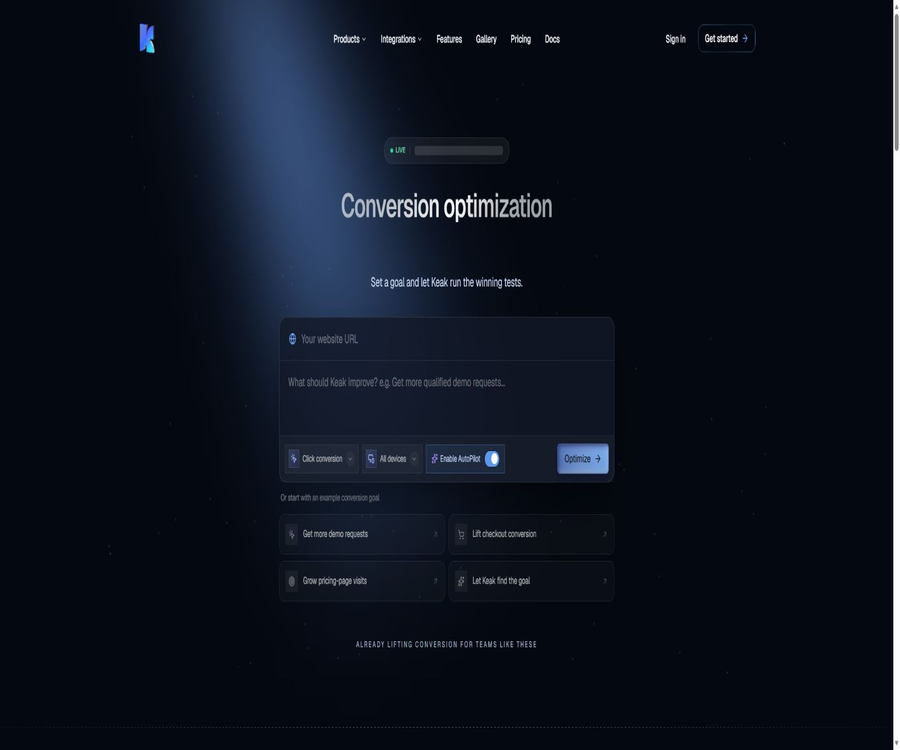
Keak
Keak, an intelligent tool focused on improving AI efficiency.
Tags:AI improves efficiencyA one-sentence summary
Keak is an AI-based platform for optimizing website conversion rates, provided by Keak AI, Inc.; it can automatically identify opportunities for testing, create variations of web pages, allocate traffic, measure conversion rates, and continuously carry out new A/B tests.
What is Keak?
Keak is designed for teams responsible for growth, marketing, e-commerce, and website management; it integrates web page editing, AI-driven variant generation, A/B testing, statistical analysis, and result dissemination into a single workflow. Users can either let the CRO Agent generate suggestions automatically based on the website address, or they can use a browser extension to make detailed adjustments to page elements.
The platform relies on Keak Pixel to identify visitors who are testing the website, to switch between different versions of the page, and to record conversion events. It is suitable for teams that have a steady flow of traffic to their website and clear business objectives; it is not merely a tool for creating marketing copy.
Core products and modules
| Product or module | Key capabilities | Enter | Output | Suitable for users |
|---|---|---|---|---|
| Keak CRO Agent | Scan the page and generate a test plan. | Pages and conversion goals | Executable experimental variants | Hope to reduce the growth team that relies on manual settings |
| Keak Extension | Edit elements on a real webpage | Selected text, layout, and buttons | Variants generated manually or by AI | Marketers who require precise control |
| Keak Pixel | Redirecting, modifying pages, and tracking events | Website visits and conversion behaviors | Experimental results and transformation data | All websites that run experiments |
| AutoPilot | Continuously test and refine the winning solution. | Goals, variants, and experimental results | Loop optimization process | Teams that hope to automate CRO |
| Funnel Analytics | Analyze multi-step funnel | Continuous pages or conversion steps | Loss location and 30-day view | Complex transformation pathways |
| Keak Video | Convert web page images into short videos | Image and action cues | Videos that can be downloaded or tested | E-commerce and visual marketing |
| Keak Code | Create an experiment from the code repository | GitHub projects and natural language commands | Code-level web page variants | React and Next.js teams |
Keak CRO Agent
The CRO Agent allows users to enter a web address and select a conversion goal; the system then analyzes the opportunities for optimization on that page, creates a version that can be tested, and assists with setting up the experiments. Common goals include increasing applications for demonstrations, raising the number of completed purchases, or encouraging visitors to visit the pricing page.
- Scan the content, layout, and action buttons of the target page.
- Propose transformation and optimization opportunities based on the selected objectives.
- Generate web page variants that can be previewed and modified.
- Configure the experiment page and conversion events.
- Start traffic allocation and continuously update the results.
- Once the judgment criteria are met, the winning version is advanced.
- Prepare subsequent tests based on the existing experimental data.
The AI recommendations are merely experimental hypotheses; they do not guarantee an increase in revenue or a rise in conversion rates. The team still needs to examine aspects such as the brand, legal considerations, accessibility, page functionality, and technical risks before deciding whether to present these variations to actual visitors.
Browser extensions and visual editing
Keak Extension allows marketers to select elements directly on their online pages, manually modify text and styles, or have the AI generate alternative versions. It is suitable for teams that do not want to include each small experiment in the development schedule.
- Double-click on the text on the webpage to edit it manually.
- Generate new titles and copy based on the context.
- Adjust color, font size, alignment, and weight.
- Modify action buttons, page layout, and other optional elements.
- Generate a preview for team review.
- After selecting the conversion target, start the A/B test directly.
Visual editing does not mean that all dynamic components can be modified safely. Complex single-page applications, personalized content, payment processes, and third-party components should first be tested in a testing environment to prevent experimental scripts from breaking the functionality.
How does Keak Pixel work?
Keak Pixel is a script that needs to be placed in the header of a website; it is used to display experimental variants, keep track of presentations, and monitor the conversion actions completed by visitors. Both the pages where tests are conducted and the conversion pages require this script to be installed properly.
| Pixel task | Function | Implementation precautions |
|---|---|---|
| Load experimental configuration | Determine whether visitors see the control version or the variant. | Verify the cache, script order, and deployment environment. |
| Modify page content | Display the assigned variants to visitors | Check for flickering, layout shifts, and compatibility. |
| Record Impressions | Count the number of experiments displayed for each version. | Confirm the billing criteria and robot traffic. |
| Track conversion events | Attribute the target behavior to the corresponding version. | Avoid repeated triggers and cross-domain loss. |
| Associated sessions | Use cookies or external identifiers to maintain experimental consistency. | Obtain the necessary approvals and avoid sensitive identifiers. |
| Report results | The dashboard displays visits, conversions, and confidence levels. | Conduct sampling reconciliation with analysis tools |
Could the page flicker?
When the original page is displayed first and the experimental variant is loaded afterward, visitors may experience a brief content transition. Keak offers optional anti-flicker scripts, but users still need to test the speed of the initial page load, the recovery in case of timeouts, and the default page that appears when such scripts are blocked.
A/B testing and statistical decision-making
Keak assigns visitors to the control version and the experimental version, and calculates the conversion rate based on the designated downstream pages or custom events. The documentation specifies that a confidence level of over 95% is required, along with an experimental sample size that exceeds the minimum value set by the user, for a test to be considered statistically significant.
- Choose a conversion goal that is meaningful for the business and can be recorded reliably.
- Formulate clear hypotheses and specify exactly which page elements should be changed.
- Create a control version and one or more variants that can be audited.
- Install Pixel and verify the display, traffic diversion, and conversion events.
- Set the minimum number of displays and the conditions under which the experiment should be stopped.
- Run tests throughout the entire business cycle to avoid stopping them too early.
- Check confidence levels, effect sizes, sample structure, and data anomalies.
- Release the winning version and save the hypotheses, results, and follow-up questions.
A 95% confidence level does not mean that the results are 95% likely to remain valid over time, nor does it indicate that the commercial impact is significant. Season, advertising mix, devices, region, and users who are contacted again all affect the generalizability of the results.
Conversion goals and event design
Users can define the thank-you page, the page showing that the payment has been completed, form submission, or other subsequent actions as conversion goals. These goals must occur after the experimental page and must be able to be detected reliably by Pixel.
| Target type | Example | Recommended checks |
|---|---|---|
| Page visits | Go to the thank-you page or the pricing page. | URL rules, query parameters, and repeated refreshing |
| Click event | Click the button to apply for a demonstration or to make a purchase. | Whether the event truly reflects the business outcomes |
| Form completed | Submit a tip or register | Verify the successful status rather than just clicking submit. |
| E-commerce conversion | Complete the checkout. | Order deduplication, refunds, and cross-domain payments |
| Multi-step funnel | Visit, add to cart, check out, and complete | Definition of each event step and calculation of churn |
| Custom business events | Upgrade, reserve, or activate | Front-end and back-end logging and privacy scope |
Continuous optimization of AutoPilot
AutoPilot is designed for teams that wish to reduce the costs associated with daily experiment management; it enables the creation, execution, and advancement of tests based on specific goals, and allows for further optimizations based on the results obtained. It transforms one-time A/B tests into continuous cycles.
- New opportunities for testing new pages are constantly emerging.
- Generate and initiate auditable variants based on the target.
- Provide updates on the progress of the experiments during operation.
- Identify the leading version based on established statistical thresholds.
- Use the experience of winning to inform subsequent recommendations.
- Report experimental changes through the team communication channels.
Automatic publishing mechanisms increase the impact of erroneous variants. High-risk pages such as those related to payments, compliance requirements, pricing, as well as medical or financial information should require manual approval and the ability to revert to previous versions; they shouldn’t be left entirely unmonitored.
Funnel analysis
Funnel Analytics is used to identify at which point in a multi-step process visitors drop off, rather than merely looking at the conversion rate on a single page. The latest update provides a 30-day data view and adds integration with Typeform for testing survey forms and their layout.
- Establish the funnel steps composed of pages or events.
- Compare the performance of the control version and the variants at different steps.
- Identify the stages where there is a large number of exits.
- Identify variants that only increase clicks at the upstream level but harm sales at the downstream level.
- Observe recent trends by using the 30-day view.
- Test content and layout in form workflows such as Typeform.
Keak Video
Keak Video can convert static images from web pages into short videos. Users select the images in the extension, enter instructions regarding actions or shots, and after the video is generated, they can download it or use it as a variant for experimentation.
- Verify that the Keak script has been installed on the website and that the browser extension has been updated.
- Select the image you want to convert on the page.
- Enter a brief description of the action or camera movement.
- Wait for the results to be generated and check the details of the objects, brands, and people.
- Choose to download the video or add it to the A/B test.
- Monitor loading performance, playback compatibility, and the impact on actual conversions.
Converting images to videos involves the use of generative media services, and the result may distort products, people, or trademarks. When it comes to the authenticity of products and compliance with advertising regulations, each frame should be reviewed carefully before publication.
Keak Code marketing IDE
Keak Code is a marketing IDE that is still labeled as Beta; it allows connection to GitHub code repositories and enables the creation of web page variations and experiments at the code level. The current list includes Next.js, React, and Tailwind CSS, and it is suitable for teams that want marketing and development to work within the same experimental environment.
| Keak Code capabilities | Current instructions | Usage restrictions |
|---|---|---|
| Code repository connection | Connect to a GitHub project | It is necessary to evaluate warehouse permissions and branching strategies. |
| Dialogic optimization | Discuss changes with the CRO-specific AI. | Code review is still recommended. |
| Experimental creation | Generate and publish variants directly from the code. | It first goes through preview, testing, and approval. |
| Result feedback | Provide feedback on the experimental results for subsequent recommendations. | Avoid mistaking correlation for causation. |
| Framework support | List Next.js, React, and Tailwind CSS as key options. | Other frameworks need to be confirmed separately. |
| Product status | Beta | Functions, compatibility, and data models may change. |
Supported websites and languages
As long as JavaScript snippets can be added, Keak can generally run on a variety of website technologies. Pixel supports websites in over a hundred languages and allows visitors to be identified based on their browser settings, enabling experiments targeting different language markets.
| Category | The supported items listed currently | Key implementation points |
|---|---|---|
| Front-end framework | Next.js, React, Vue, Angular, Svelte, Astro, Remix, Vite, Gatsby, and more | Client-side routing, caching, and component re-rendering |
| E-commerce and CMS | Shopify, WordPress | Theme updates, checkout restrictions, and plugin conflicts |
| No-code website creation | Webflow, Squarespace, Wix, Framer | Script insertion location and publishing permissions |
| Survey form | Typeform integration | Embedding methods, events, and cross-domain attribution |
| Language localization | Over 100 website languages and browser regions | Variability in translation quality and sample size |
| Other websites | Sites where scripts can be added | First, complete the compatibility and performance tests. |
Pricing method
Keak charges based on the number of impressions; there is no fixed monthly subscription fee, no seat fee, and no long-term commitment. The current price is $0.005 per experiment display, and the website provides an estimate of the cost based on the number of displays per month.
| Monthly number of experimental demonstrations | Unit price | Estimate monthly fee | Suitable situations |
|---|---|---|---|
| 10,000 times | $ | 50 dollars | Pages with low traffic or early pilots |
| 50,000 times | $ | 250 dollars | Example traffic from the official website’s calculator |
| 100,000 times | $ | 500 dollars | Team for growing stable traffic |
| 500,000 times | $ | $ | Larger e-commerce platforms or multi-page experiments |
| 1,000,000 times | $ | 5,000 dollars | High-traffic websites |
The amounts mentioned above are calculated based on the public unit prices; they do not include taxes, exchange rates, or any corporate agreements that might apply. Before making a purchase, it is necessary to clarify what exactly is included in the calculation – such as impressions, repeat visits, bot traffic, preview traffic, multiple simultaneous tests, and whether failed loads are charged or not.
Is there a free option available?
The page offers options to start using the service for free and to try it online, but it does not specify the amount of data that can be used freely on a permanent basis or the full extent of the free benefits within the currently listed pricing structure. Before registering, it is necessary to check within the product details what amount of data is provided free of charge, what payment methods are available, and what the rules are for using more data than allowed.
Privacy, Cookies, and Visitor Data
Pixel records experimental demonstrations, visitor actions, and conversion events, and can use cookies or external user identifiers to enable attribution across pages or sessions. Website operators are required to disclose to visitors the existence of such experiments and analyses in accordance with local laws, and to obtain consent when necessary.
- Only the minimum number of events and attributes required to complete the experiment are sent.
- Do not enter email addresses, phone numbers, or other direct identification details in the regular event fields.
- Evaluate the loading order of the Cookie consent platform and Pixel.
- Define the retention periods for access logs, experimental data, and session analysis.
- Check whether cross-domain, cross-device, and ad traffic associations are legitimate.
- The privacy policy should specify the experiments, analyses, and related sub-processors.
- Establish processing procedures for deletion, access, and logout requests.
The Trust Center currently lists sixteen sub-processors, showing services such as Anthropic, Cloudflare, Fal, Google, and Microsoft Clarity. The specific services that will be used depend on the Keak functionality; companies should obtain a complete list as well as information regarding data flows.
Security and compliance status
Keak maintains a public Trust Center that lists policies regarding access control, data privacy, data retention and secure destruction, incident response, supplier risks, and secure development. The page indicates that SOC 2 Type 2 certification is in progress; it cannot be stated as having been completed or audited.
| Safety matters | Current status | Key points for procurement verification |
|---|---|---|
| SOC 2 Type 2 | In progress | After completion, verify the report period, scope, and exceptions. |
| Security policy | The Trust Center lists 25 items. | Request applicable policies and latest updates |
| Sub-processor | 16 companies are listed publicly. | Data category, region, purpose, and change notification |
| Incident response | Included in controls and policies | Notification deadline, investigation, and customer collaboration |
| Data retention and destruction | Include in controls | Experiments, accounts, logs, and backup cycles |
| Supplier risk | Include in the policy | Contractual constraints for generative models and analytics services |
GitHub, APIs, and open-source status
Keak has an official GitHub organization, which hosts the repositories for webmcp-core and Keak Code. webmcp-core is licensed under the MIT license; however, this does not mean that the Keak CRO platform, Pixel, AutoPilot, or the full Keak Code product are open source.
| Developer projects | Public status | License or instructions |
|---|---|---|
| webmcp-core | Open-source code | MIT license, used for automatically generating website WebMCP tool definitions |
| keak-code-releases | Publicly available repository | Used for the distribution of the official version of Keak Code; it is not equivalent to the complete source code. |
| Keak CRO platform | Closed-source services | There is no public version of the complete product license. |
| Keak Pixel | Customer installation script | Options other than open source can be used. |
| Public API | Details are mentioned on the official website’s FAQ, but not provided in sufficient depth. | Integrate to have the front-end team verify permissions, endpoints, and limits. |
| Keak Code | Beta closed-source product | Connecting to a GitHub repository does not mean that the code itself is open source. |
Which users are it suitable for
- It is necessary to continuously optimize the growth of the landing page as well as the marketing team.
- SaaS companies that have sufficient traffic and clear conversion events.
- E-commerce teams that wish to test product pages, the checkout process, and visual elements.
- Website owners who use Webflow, Shopify, WordPress, or Framer.
- Organizations that hope to reduce the waiting time for marketing staff regarding development schedules.
- Teams that use React or Next.js and wish to test code variants.
- A global website that requires conducting experiments based on language or browser region.
- It is necessary to extend single-page optimization to businesses that use multi-step funnels.
Product advantages
- A closed loop is formed, ranging from page scanning to variant generation and experimental deployment.
- The CRO Agent and the extensions meet the needs for automatic and manual control, respectively.
- It supports a variety of front-end frameworks, CMSs, and no-code platforms.
- Pixel is responsible for both displaying variants and tracking conversions.
- It is possible to set statistical thresholds and a minimum number of experiments to be displayed.
- Provides funnel analysis and Typeform integration.
- Keak Video allows visual materials to be directly incorporated into experiments.
- Charging is based on usage, with no monthly subscription fee tied to the number of seats.
- GitHub’s official platform clearly distinguishes between open-source components and commercial products.
Main limitations
- All valid experiments depend on the correct installation of Pixel on the website.
- Charging based on the number of impressions results in rapid increases in costs on websites with high traffic.
- It may be difficult to obtain reliable statistical results for pages with low traffic.
- Modifying the client page can cause flickering and impact performance.
- Complex applications and checkout processes require testing by developers.
- Automatically publishing incorrect variants can affect a large number of visitors.
- AI-generated copy and videos still require brand, factual, and legal scrutiny.
- SOC 2 Type 2 is still in progress and cannot be considered complete.
- The public documentation for the public API, as well as the scope of permissions, are insufficient.
- The core platform, Pixel, and Keak Code are not fully open sourced.
Pre-launch checklist
- Estimate monthly Impressions and the total cost using actual traffic.
- Verify that Pixel is correctly installed on the control version, experimental version, and conversion page.
- Verify that visitors enter only one consistent experimental group.
- Verify conversion events by comparing with analysis and order system samples.
- Test compatibility with mobile devices, browsers, languages, and single-page routing.
- Evaluate the impact of the script on first-screen performance, flickering, and layout shifts.
- Set the minimum number of samples, the complete business cycle, and the termination rules.
- Implement manual approval for high-risk pages as well as one-click rollback.
- Update Cookie consent, privacy policy, and sub-processor records.
- Save the hypotheses, versions, results, and decisions regarding publication for each experiment.
Frequently Asked Questions
How does Keak charge?
Charging is based on the number of impressions generated in experiments; currently, each impression costs 0.005 dollars, with no monthly subscription fees, seat fees, or long-term commitments. The estimated cost for 50,000 impressions per month is 250 dollars.
Does Keak require modifying the website code?
It is necessary to install the Keak Pixel script. Visual variations are primarily created through extensions, but complex pages, conversion events, and code-level experiments may still require the involvement of developers.
Under what circumstances is a test considered significant?
The document requires that the current confidence level be above 95%, and that the amount of experimental data collected exceed the minimum value set by the user. The team should also examine the magnitude of the effects, the quality of the data, and the completeness of the entire business process.
Is it compatible with Shopify and Webflow?
Supported. The platform lists Shopify, Webflow, WordPress, Squarespace, Wix, Framer, as well as various JavaScript frameworks.
Can experiments be run in different languages?
Yes. Pixel supports websites in over a hundred languages and can identify visitors based on their browser settings, but each specific group still requires a sufficient number of samples.
What is Keak Code?
It is a Beta IDE designed for marketers; it can connect to GitHub code repositories, enable the creation of experiments using React, Next.js, and Tailwind CSS through dialogue, and provide feedback based on those experiments to offer further suggestions.
Does Keak have an API?
The official website’s FAQ section lists API-related issues, but the current public page does not provide a complete overview of the scope of the development interfaces, as well as information on authentication and usage limits. Companies that need to integrate APIs should request the latest documentation from the team before making a purchase.
Is Keak an open-source tool?
The core CRO platform is not an open-source product. The official webmcp-core repository is licensed under the MIT license, and the Keak Code repository is publicly accessible; however, neither of these indicates that the commercial platform is fully open source.
Summary
Keak is suitable for teams that wish to shorten the timeline for web testing and to create a closed loop that connects hypotheses, variations, A/B testing, statistical analysis, and subsequent optimizations. CRO Agent, browser extensions, Pixel, and AutoPilot handle automatic suggestions, manual editing, data collection, and continuous operation, respectively.
When making a selection, it is essential to pay attention to traffic costs, Pixel performance, statistical methods, privacy compliance, and the risks associated with automatic publishing. It is recommended to start by testing on a single page with low risk, using actual conversion data to verify the effectiveness of various events and the associated costs, before gradually expanding to more complex experiments at the funnel and code levels.
Tools similar to Keak



 Guigong Network Security Registration No. 45132202000164