






insightsoftware
InsightSoftware: an intelligent tool focused on enhancing AI efficiency.
Tags:AI improves efficiencyWhat is InsightSoftware?
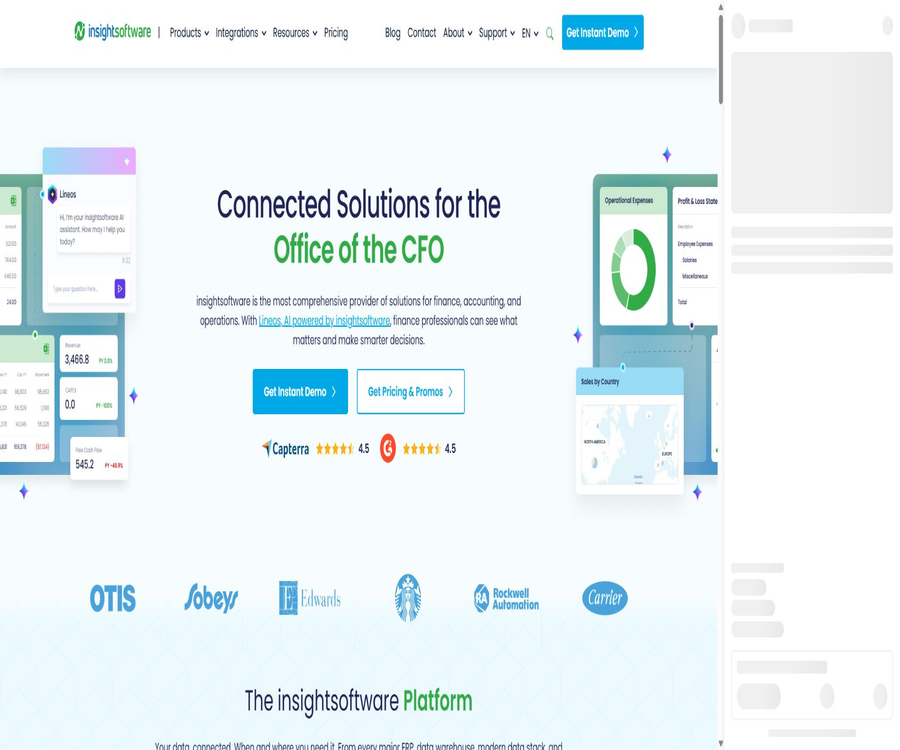
InsightSoftware is a set of enterprise software tools designed for financial, accounting, and operational teams, rather than being a single chatbot. It covers ERP financial reporting, budgeting and forecasting, closing and consolidation, taxation, disclosure management, data integration, and embedded analytics.
The platform is designed primarily for use by CFO offices; it utilizes a unified data connection layer to bring financial and operational data from various business systems into Excel, web reports, planning models, and analysis tools. Companies can combine the different products as needed, without having to purchase all modules at once.
A one-sentence summary
InsightSoftware combines corporate financial data, Excel reports, EPM processes, embedded analytics, and Lineos AI capabilities to create a modular financial management platform.
Product portfolio
Different products address various business challenges; before making a choice, it is necessary to determine whether the requirement relates to reports, budgets, account closing, taxation, or data analysis. Modules with similar names may support different ERP systems, operate in different regions, and be deployed in various ways.
| Product direction | Representative capabilities | Typical products or modules | Suitable for tasks |
|---|---|---|---|
| Financial reports | Connect to ERP, generate updatable reports, and drill down into transaction details. | Reporting Intelligence, Spreadsheet Server, Jet Reports, Wands | Manage reports, monthly summaries, and ad-hoc analyses |
| Budgeting and planning | Budget preparation, forecasting, scenario analysis, and performance management | Bizview, JustPerform, and others | Annual budget, rolling forecasts, and cross-departmental plans |
| Closing accounts and consolidation | Group consolidation, closing procedures, offsetting, and multi-standard reporting | Longview Close, IDL Konsis, Claudiohn | Complex group and cross-regional financial consolidation |
| Taxation and Disclosure | Tax reports, transfer pricing, and regulatory disclosures | Longview Tax, Certent, etc. | Compliance declarations and narrative reports |
| Data and analysis | Data connectivity, embedded analytics, visualization, and governance | Simba, Logi Symphony, Vizlib, Simba Intelligence | BI, in-software analysis, and AI data access |
| SAP automation | Batch data entry, transaction automation, and operational reporting | Process Runner, Angles for SAP | SAP daily operations and supply chain analysis |
What is Lineos AI?
Lineos is InsightSoftware’s AI capability layer designed for financial applications; it focuses on performing difference analysis, interpreting data, organizing documents, and generating reports. By leveraging the platform’s standardized business data and financial semantics, it helps users reduce the need for manual data aggregation and formatting.
AI will provide analyses, alerts about anomalies, and recommendations, but the final financial decisions remain the responsibility of the user. When it comes to issuing reports, conducting audits, making predictions, and taking business decisions, it is necessary to refer back to the details in the ERP system, the calculation rules, and the approval processes for verification.
Daily uses of Lineos
- Compare the budget, forecasts, and actual results to identify the discrepancies that require investigation;
- Identify abnormal, suspicious items, and recurring patterns among a large number of transactions;
- Organize supporting materials and assist in responding to audits, compliance requests, and inquiries from management;
- Generate a preliminary draft of the financial report containing tables, charts, and textual explanations;
- Answer management’s ad-hoc analysis questions by combining details and historical trends;
- Reduce data compilation and formatting tasks, allowing finance staff to focus on interpretation and action.
What is Reporting Intelligence?
Reporting Intelligence is an AI-powered financial reporting solution designed for cloud ERP systems and Excel workflows. Users can connect to their ERP systems, create reports in either the desktop or online version of Excel, and carry out tasks such as storage, execution, scheduling, and distribution via the cloud.
The product continuously monitors specified metrics, detecting any changes through rule-based alerts and automated analysis. It is suitable for financial teams that wish to maintain their habit of using Excel while still benefiting from cloud-based collaboration and AI-driven suggestions.
Main functions of Reporting Intelligence
ERP connection and structured views
Users can connect supported cloud ERP systems to the platform and create reusable data views. Pre-built business logic simplifies the understanding of complex table structures, but connection permissions, field mappings, and general ledger rules still need to be confirmed jointly by the finance and IT teams.
Excel Desktop Version and Online Version
Reports can be designed, refreshed, and viewed in the familiar Excel environment; meanwhile, the online version allows for access and collaboration via a browser. Teams should use a single version of the template to avoid discrepancies between local copies, online copies, and the official reports.
Cloud Report Center
The platform offers cloud storage, organization, automated execution, scheduling, and distribution capabilities, allowing reports to be generated and sent at set times. Before publishing, it is necessary to define the recipients, set up alerts for failures, and ensure the protection of sensitive attachments.
AI Data Assist
AI Data Assist can summarize trends and anomalies on demand or automatically, thereby reducing the time required for manual scanning of worksheets. The outputs should be viewed as clues for further investigation, and important conclusions need to be verified against the underlying data and business context.
AI Doc Assist
AI Doc Assist is used to provide assistance with product knowledge and operational materials, helping users understand functions and procedures more quickly. It cannot replace an organization’s internal accounting policies, control systems, or professional judgment.
Rule reminders
Users can set thresholds for key metrics, so that notifications are triggered when those conditions are met. Such rules are suitable for situations where risks are known and specific control points exist, but it is necessary to regularly check the thresholds, as well as address seasonal variations and false alarms.
Independent insight
Autonomous insight does not require users to pre-configure specific rules; it actively searches for patterns and anomalies in ERP data. It is able to identify issues that are not being monitored, but it may also generate irrelevant alerts, so manual evaluation is still necessary.
Comparison between Essential and Professional versions
Reporting Intelligence offers Essential, Professional, and upgrade options for existing customers. A quote is required for both standard versions; the main difference is that the Professional version includes a continuously running Intelligence Layer.
| Package or version | Price | Billing cycle | Core benefits or quota | Suitable for users |
|---|---|---|---|---|
| Essential | Custom quote | According to the order contract | ERP connections, key reports, Excel desktop and online add-ins, AI Doc Assist, AI Data Assist, cloud storage, automatic execution, scheduling, and distribution | Teams that need cloud-based Excel reports and basic AI assistance |
| Professional | Custom quote | According to the order contract | It includes all the capabilities of Essential, in addition to rule threshold monitoring, autonomous mode, anomaly detection, and continuous monitoring. | A financial team that is proactive in monitoring KPIs and anomalies |
| Upgrade | Contact sales | According to the upgrade contract | Migrate Spreadsheet Server or Jet Reports customers to a cloud-based architecture, and incorporate AI-driven insights, rules, and cross-device access. | Current InsightSoftware report customers |
| Other product modules | Custom quote | By product and order | Grouped by ERP, users, modules, deployment, implementation, and support scope | Budgeting, consolidation, taxation, SAP, and analysis projects |
The pricing page does not display a fixed amount; instead, it offers options for product consultation, demonstrations, and customized solution planning. When placing an order, it is necessary to request that the quote list separately the costs associated with subscriptions, users, connectors, implementation, training, support, data migration, and future scaling.
Supported ERP and deployment limitations
Reporting Intelligence currently provides support primarily for cloud-based ERP systems; local ERP systems are not within the scope of its current standard support. The planned dates for future support may change, so the product roadmap should not be regarded as representing features that are already available.
| ERP or environment | Current adaptation status | Selection suggestions |
|---|---|---|
| Microsoft Dynamics 365 Business Central Cloud | Support | Confirm the number of tenants, versions, companies, and field permissions. |
| Oracle Cloud ERP | Support | Verify accounts, dimensions, detailed drilling, and identity systems. |
| NetSuite | Support | Verify role permissions, subsidiaries, and custom fields. |
| Infor FSM or M3 | Support | Confirm the specific product, version, and business object. |
| Other cloud ERP systems | Ongoing expansion | Specify the connectors and the scope of the connection in the contract. |
| Locally deploy ERP | Reporting Intelligence does not yet have standard support. | Evaluate Jet Reports, Spreadsheet Server, or other existing products |
The workflow from ERP to AI insights
- Define the objectives for management reports, variance analysis, KPI monitoring, or monthly reporting.
- Confirm the ERP type, deployment method, number of companies, account structure, and data permissions.
- Establish a read-only connection, limiting access to the companies, accounts, and fields required to complete the task.
- Create financially validated data views and report templates in Excel or the platform.
- Configure refresh, cloud storage, scheduling, recipients, and failure notifications.
- Use AI Data Assist as needed to generate summaries of trends or anomalies.
- Establish threshold rules in Professional and evaluate the effectiveness of autonomous insights.
- Have the person in charge of the reports review the data, the explanations, and the scope of distribution before releasing them officially.
Steps for enterprise implementation
- Select a pilot report for which the business scope is clear, the data is stable, and the results are easy to verify.
- Invite the heads of finance, IT, security, legal affairs, and business to define the acceptance criteria.
- Audit existing Excel macros, manual adjustments, discrepancies in definitions, and downstream dependencies.
- Connect the ERP to the testing environment and verify the total amount, details, currency, and period.
- Test user permissions, approval processes, export functions, scheduling, failure recovery, and audit records.
- Use historical anomalies to evaluate the recall, false positives, and quality of explanations provided by AI.
- Train the owners and viewers of the reports on the responsibility for manually reviewing the outputs generated by AI.
- Migrate the official reports in phases, while retaining options for rollback, export, and exit.
Which users is it suitable for?
- Groups that need to consolidate financial reports across multiple ERP or business systems;
- Financial teams that wish to continue using Excel but want to reduce manual export and copying tasks;
- A CFO’s office that requires budgeting, forecasting, closing accounts, consolidation, and performance management;
- A FP&A team that needs to continuously monitor KPIs, anomalies, and discrepancies;
- Financial control staff responsible for the general ledger, monthly closing, as well as control and audit support;
- Software companies that develop capabilities for embedded analytics or enterprise data connectivity;
- Large organizations that require SAP modules for data automation, tax, or regulatory reporting.
Typical use cases
| Scene | Available capabilities | Expected output | Key controls |
|---|---|---|---|
| Monthly management report | ERP connection, Excel templates, scheduling, and distribution | Report packages can be refreshed, and detailed data exploration is available. | Lock in the scope, approval process, and recipient range. |
| Budget variance analysis | AI Data Assist, rules, and autonomous insights | Summary of differences and checklist | Compare the details and record the business explanations. |
| Group budget planning | Budgeting, forecasting, and EPM modules | Versioned budgets and rolling forecasts | Permissions, assumptions, versions, and approvals |
| Closing accounts and consolidation | Merge, offset, and multi-criteria modules | Group consolidation results and audit trail | Entity scope, exchange rates, and accounting policies |
| Audit and Compliance Response | Reporting, document organization, and detailed queries | Supports material packages and draft explanations | Integrity, chain of evidence, and manual issuance |
| In-software analysis | Logi Symphony, Simba, and open interfaces | Embedded dashboard and real-time data access | Tenant isolation, permissions, and performance |
Data connections and the open business data layer
The platform’s data virtualization and open business data layer enable connectivity to more than 200 ERP, EPM, data warehouse, modern data stack, and cloud environments. Pre-built business views transform complex structures into concepts that are easier for finance professionals to understand, and they allow connections and logic to be reused across various applications.
The number of connections indicates the level of coverage at the product portfolio level; it does not mean that every module includes all possible connectors by default. For actual projects, it is necessary to check the specific product, version, region, certification method, real-time capabilities, write-back functionality, and any additional licenses required.
Data + Analytics capabilities
| Products | Core competencies | Suitable for the environment | Precautions |
|---|---|---|---|
| Simba | ODBC, JDBC, and standardized data connections | Databases, cloud services, APIs, BI, and AI applications | The drive version, authentication, and performance need to be verified separately. |
| Logi Symphony | Embedded, self-service, and interactive analytics | Regulated, local, and critical business applications | Embedded authorization, tenant isolation, and customization costs |
| Vizlib | Planning, forecasting, writing back, and advanced interactions | Qlik and Power BI use cases | Verify the host platform license and compatible version. |
| Simba Intelligence | Real-time enterprise data access with semantics and governance | AI systems that require verifiable structured data | It is still necessary to define business semantics, permissions, and auditing. |
Product advantages
- Focusing on finance, accounting, and the CFO office, the business semantics are relatively concentrated;
- Maintain the Excel workflow to reduce the resistance of the finance team to switching tools;
- The module covers processes such as reporting, planning, consolidation, taxation, and data analysis;
- Reusable ERP connections, pre-built business views, and platform-level security management;
- AI suggestions and rule monitoring can reduce the workload associated with manual scanning of metrics.
- Supports cloud-based reporting centers, automatic execution, scheduling, and distribution;
- The Data + Analytics product offers open interfaces as well as the capability for embedded extensions;
- Products can be combined step by step according to the organization’s needs, rather than using fixed integrated packages.
Usage restrictions
- The product line is extensive, and the functions, deployment methods, and licensing options of different modules cannot be substituted for one another.
- Most products do not have fixed public prices; a sales assessment and a contract quote are required.
- Connecting more than 200 environments does not mean that every package includes all connectors by default;
- Reporting Intelligence is currently aimed primarily at the cloud ERP systems listed;
- AI analysis may overlook the business context, generate false alerts, or provide incorrect explanations;
- Implementation usually requires the involvement of finance, IT, security, and external consultants;
- Macros, adjustments, and non-standard formats in historical Excel files increase the difficulty of migration.
- The interfaces, documentation, and contract terms for different products acquired may vary.
Prices and considerations for procurement
The price information was verified on August 23, 2026; the actual amounts, taxes, exchange rates, and discounts may vary, and the final figures will be those displayed on the settlement page.
InsightSoftware employs an enterprise sales and order-based contracting model; the costs are determined by factors such as the product modules, number of users, ERP integration, volume of data, region, deployment methods, as well as the scope of implementation and support provided. The subscription fee is based on the services purchased, rather than being calculated solely on the actual amount of use.
| Cost items | Common billing methods | It should be confirmed at the time of purchase. |
|---|---|---|
| Software subscription | By order and subscription period | Modules, users, entities, environments, and usage rights |
| ERP or data connection | May include or grant authorization separately | Connectors, number of companies, refresh frequency, and production environment |
| Implement services | One-time project costs | Configuration, migration, testing, project management, and acceptance |
| Training and support | Includes levels or additional services | Response time, supported time zones, training for administrators and end users |
| Scaling up and upgrading | Additional orders or renewal adjustments | Prices for users, modules, storage, entities, and new connectors |
| Taxes and fees | It is usually charged separately. | Regional taxes, currency, payment terms, and invoice details |
Subscription, renewal, and cancellation
The fees are usually paid in advance, are non-refundable and cannot be canceled; the specific commercial terms are as specified in the order. The subscription is automatically renewed for the initial period, and either party must provide written notice at least 30 days in advance if they wish to terminate it.
Customers can request to terminate the service in writing 30 days in advance, but they may still be required to cover the full cost of the remaining subscription period. After termination, it is possible to request the export of customer data within 30 days; after that period, the platform may delete such data, so the decision to terminate the service should be made before the contract is signed.
Use of AI data and human responsibility
AI capabilities should only process those subsets of data that are explicitly shared by the customers; Reporting Intelligence does not install AI in the core ERP system. Content that is not shared in the worksheets should not be automatically included in the AI processing.
According to the terms of service, customer data will not be used to train AI models for use by other customers or third parties without the customer’s prior written consent. The AI functions are provided as they are, and customers must review and verify the outputs before relying on them.
Privacy and data retention
The platform may handle account information, financial data, reports, analysis results, and business records. Customers should determine the legal basis, access rights, retention periods, and requirements for cross-border processing based on the nature of employee, customer, and business data.
| Matters | Current rules or capabilities | Points for businesses to note |
|---|---|---|
| Lineos input output | Data is retained for a maximum of thirty days to provide services, unless required by law. | Verify the applicable products, contracts, and actual tenant settings. |
| General personal data | Retained for processing purposes, legal requirements, and dispute resolution. | Establish the company’s own plan for recording and deleting data. |
| Customer data after termination | An export request can be made within 30 days, after which it may be deleted. | Complete export, format validation, and migration in advance. |
| Cross-border processing | It may be handled in the United States and other jurisdictions. | Review the data processing protocols and applicable transmission mechanisms |
| De-identified aggregated data | It can be used for analysis and service improvement. | Confirm the de-identification standards and restrictions specified in the contract. |
| Request from the data subject | Privacy mechanisms support the handling of relevant rights. | Clarify the division of responsibilities for responses between customers and suppliers. |
Safety and compliance
Cloud services use TLS for data in transit and AES-256 for static data; they also employ mechanisms such as access control, vulnerability management, code scanning, third-party penetration testing, encrypted backups, and incident response. The specific scope of these controls depends on the products purchased.
| Security projects | Platform Instructions | Key points for procurement verification |
|---|---|---|
| ISO 27001 | Some products and services meet the relevant standards. | Request the valid range corresponding to the product intended to be purchased. |
| SOC 2 Type 2 | Conduct annual audit | View the reporting period, exceptions, and service boundaries |
| GDPR and CCPA | Provide relevant privacy compliance mechanisms. | Confirm roles, DPA, sub-processors, and cross-border terms |
| Encryption | Transmission encryption and AES-256 static encryption | Check key management, backups, and export files. |
| Vulnerability management | Scanning, external attack surface monitoring, and security announcements | Confirm the repair timeline and customer notification process |
| Incident response | It features processes for classification, isolation, repair, and communication. | Specify the time limits and contact persons in the contract. |
The compliance statement does not imply that all products fall under the same certification framework, nor can it replace the customer’s own SOX, financial, medical, or payment card controls. For highly sensitive items, it is necessary to obtain appropriate verification documents relevant to the product, region, and method of deployment at the procurement stage.
API, documentation, and open-source status
InsightSoftware has a centralized product documentation center; each product also comes with its own documentation related to implementation, management, and development. The Data + Analytics products feature open APIs, integration frameworks, and modular expansion options, and some of them offer REST connections or dedicated interfaces as well.
| Technical projects | Current status | Explanation |
|---|---|---|
| Product documentation | Provide | The configuration, usage, and support materials for each product are maintained separately. |
| Open API | Some products are available. | The interface scope, as well as authentication and authorization mechanisms, vary depending on the product. |
| Data-driven and connectors | Provide | Products such as Simba support standardized connections. |
| Embedded analysis | Provide | Logi Symphony enables the integration of analytics into enterprise software. |
| Unified Platform SDK | Not confirmed | A single product interface cannot be regarded as a unified SDK for the entire platform. |
| Verifiable core GitHub repositories | No findings were detected. | Organizations with the same name and third-party code do not represent the official core repository. |
| Open-source platform | No | The core financial platform, AI, and business products are not open-source software. |
Go-live checklist
- Confirm the list of purchased products, versions, modules, users, and ERP connectors;
- Verify the total amount, details, dimensions, period, and currency using official financial samples;
- Organize Excel macros, make manual adjustments, handle external links, and address non-standard reporting formats;
- Verify authentication, roles, minimum permissions, and the recovery of accounts for employees who have left the company;
- Establish manual review, upgrading, and error-correction processes for AI prompts;
- Check for scheduling failures, distribution scope, sensitive attachments, and audit records;
- Obtain the safety reports, DPA documents, and information on sub-processors for the corresponding products;
- Specify the terms for implementation, acceptance, renewal, scaling up, export, and withdrawal in the order;
- Retain the pilot baseline to measure report generation time, error rate, and business adoption.
Basic information
| Project | Content |
|---|---|
| Tool name | insightsoftware |
| Tool type | Financial reporting, EPM, closing and consolidation, tax and data analysis platforms |
| AI brands | Lineos |
| AI report products | Reporting Intelligence |
| Primary users | CFO, controllers, FP&A, financial analysts, accounting, and data teams |
| Main interface | Websites, Excel desktop add-ins, and Excel online add-ins, etc. |
| Price pattern | Custom quotes and order contracts |
| API | Some products are available. |
| Core open source | No |
Frequently Asked Questions
Is InsightSoftware a separate software program?
No. It is a set of enterprise software applications that includes various products for finance, accounting, EPM, and data analysis; companies need to select the modules appropriate for their ERP needs and specific business challenges.
Which ERPs does Reporting Intelligence support?
The standards listed currently include Business Central Cloud, Oracle Cloud ERP, NetSuite, and Infor FSM or M3. Other environments need to be confirmed prior to procurement.
Can local ERP systems use Reporting Intelligence?
The current standard version does not support on-premises ERP systems. Existing on-premises environments can be used to evaluate Jet Reports or Spreadsheet Server, in anticipation of future updates that will provide support for such systems.
What is the difference between Essential and Professional?
Essential offers core reports, ERP connectivity, Excel add-ins, AI assistance, and a cloud-based reporting center. Professional builds on this by adding user-defined rules and automated anomaly detection.
What is the price?
There is no fixed, publicly specified price; for both the Essential and Professional versions, a sales inquiry must be submitted. The final price depends on the product, the user, the number of connections, the level of implementation, and the terms of the contract.
Will Lineos make the final decision on behalf of the finance staff?
No. Lineos is used to identify anomalies, organize data, and create preliminary analysis drafts; financial staff still need to verify the data, provide explanations, and make decisions.
Will customer data be used to train models for other customers?
Without the customer’s prior written consent, customer data will not be used to train AI models intended for use by other customers or third parties. The company still needs to confirm the specific terms related to orders and data processing.
Is InsightSoftware open source?
It is not open source. Some products provide APIs, drivers, integration frameworks, and development documentation, but this does not mean that the core code of the financial platform and Lineos AI is made available to the public.
Summary
InsightSoftware is suitable for companies that wish to connect their ERP systems, maintain their existing Excel-based working methods, and gradually integrate processes related to reporting, planning, consolidation, taxation, and analysis. Lineos and Reporting Intelligence add capabilities such as AI-driven summaries, rule monitoring, and automatic detection of anomalies.
It is more like a set of enterprise financial software solutions that require selection and implementation, rather than a ready-to-use general AI application. The success of such a purchase depends on product suitability, data standards, access control mechanisms, AI-based verification processes, implementation validation, and the overall cost associated with the contract.
Tools similar to InsightSoftware



 Guigong Network Security Registration No. 45132202000164