






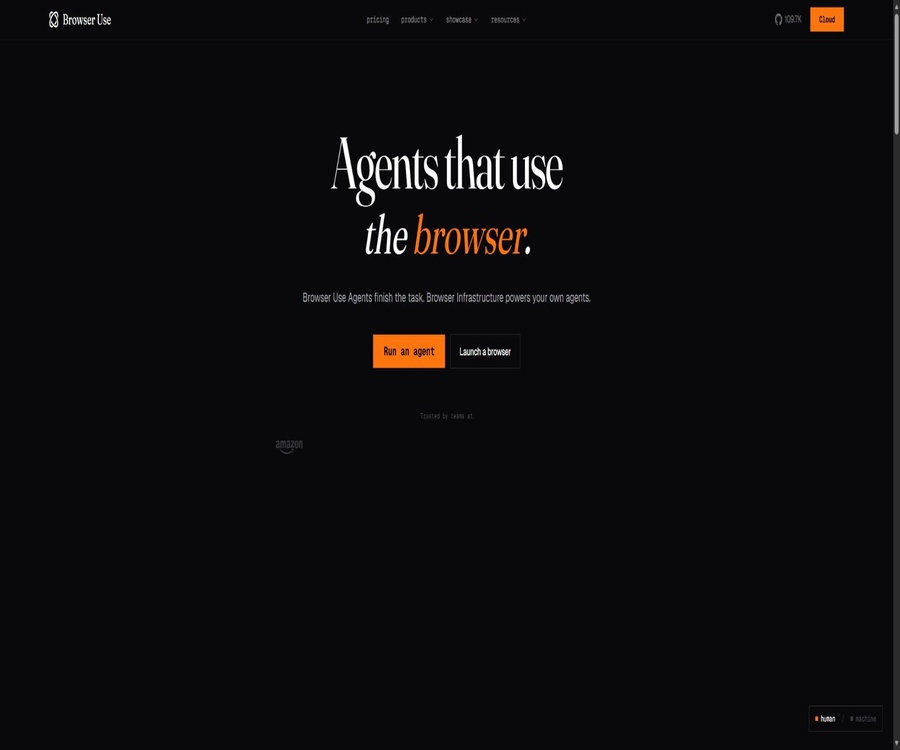
https://browser-use.com
https://browser-use.com – an intelligent tool focused on improving AI efficiency.
Tags:AI improves efficiencyA one-sentence summary
Browser Use is a set of browser automation frameworks and hosted cloud services designed for AI agents, enabling models to open web pages, click elements, enter data, fill out forms, upload files, extract structured data, and carry out multi-step online tasks.
Tool Introduction
Browser Use is not a regular browser or a code-free recording tool; rather, it is a development tool that connects large language models with real web pages. Users can run the MIT-open source Python framework locally, or they can purchase the hosted agents, browsers, proxies, and parallel infrastructure offered by Browser Use Cloud.
The product suite also includes a CLI designed for existing coding agents, Python and TypeScript Cloud SDKs, REST interfaces, CDP browser connections, desktop applications, as well as MCP-related functionalities. The update frequency for these different components is high; therefore, production projects should use fixed versions and migrate in accordance with the current documentation.
Comparison of product forms
| Product format | Main function | Operation location | Cost composition |
|---|---|---|---|
| Open-source Python frameworks | Use models to plan and control the browser in order to complete tasks. | User’s computer, server, or container | The code is free; models, computing power, and agents are charged separately. |
| Browser Use CLI | Let existing agents such as Codex and Claude Code control Chrome. | Local persistent background process | Open-source tools; models and optional cloud services are charged separately |
| Browser Use Desktop | Run AI browser workflows and message interfaces via a desktop interface. | macOS, Windows, and Linux | The code is open source; model subscription or API fees are charged separately. |
| Cloud Agent | Receive natural language tasks and return results, files, and execution status. | Browser Use hosting environment | Package Credits and model token billing |
| Cloud Browser | Provide connectable hosted Chromium and CDP addresses. | Browser Use hosting environment | Browser usage time, data traffic, and proxy fees |
| Profiles and Workspaces | Save login status, browser data, and task files | Cloud persistent storage | Consumption plans and related storage capacity |
| Custom tools and integration | Connect to enterprise APIs, files, email, and business systems | Local or Cloud | Third-party services and development costs are charged separately. |
Main functions
Natural language web tasks
After the user specifies a goal, the intelligent system will observe the page, select the appropriate actions and repeat them until the task is completed or until the limits on the number of steps and the amount of effort required are reached. Typical tasks include filling out forms, comparing products, gathering public information, uploading content, and entering data into backend systems.
Page clicks and input
Browser Use is able to identify buttons, input fields, menus, and other interactive elements on a webpage, and then perform actions such as clicking, typing, selecting, and scrolling. However, page structure, pop-ups, dynamic content loading, and A/B versions can still lead to failures in element identification.
Fill out the form
Agents can fill in a multi-field form with the given data and upload files when necessary. In the case of forms related to employment, healthcare, finance, government affairs, or contracts, users should verify each item before final submission; the model should not be allowed to infer key facts on its own.
Structured data extraction
Python frameworks and Cloud tasks enable the return of structured, field-based results, which is suitable for use with prices, catalogs, test results, and monitoring data. Web page content may be incomplete, duplicated, or affected by regional differences; therefore, the extracted results need to be verified, deduplicated, and the time of collection recorded.
Multi-step workflow
A task can involve a series of actions across multiple pages, such as searching, logging in, filtering, downloading, organizing, and submitting. The more steps there are, the higher the likelihood of errors and unintended actions; therefore, it is necessary to break the process into stages and establish checkpoints.
File upload and download
Cloud Workspaces offers persistent file storage; users can upload CSV files, documents, or other task-related files, and the agents can generate and return downloadable files. These files may contain personal information and trade secrets, so it is necessary to remove sensitive data from them before uploading and to set a deadline for their deletion.
Real-time preview in the browser
The cloud will return a real-time browser page, allowing the application to display the current actions of the agent, which facilitates observation and manual intervention. The real-time address should be regarded as sensitive access information; it must not be recorded in public logs or shared over an extended period.
Optional session recording
The task allows video recording in the browser, which can be used for debugging, auditing, and customer support. The recordings may capture account details, form data, and webpage content; the download links are valid for a limited time, and access and retention controls must still be applied after the recordings are saved.
Persistent browser profile
Profiles save cookies, local storage data, and saved passwords across sessions, allowing users to avoid relogging in each time. Profiles are highly sensitive assets that should be isolated per end user, deleted regularly, and it is necessary to properly terminate sessions at the end of tasks in order to preserve the stored state.
Synchronization between local and Cloud logins
The Profile synchronization tool allows the login status from a local browser to be transferred to the cloud, enabling access to websites for which authentication has been completed. This process involves transferring sensitive credentials such as cookies; therefore, companies should first verify the scope of authorization, account policies, device security, and the protocols for handling data in the cloud.
Workspaces persistent files
Workspace allows multiple tasks to share uploaded files, generated results, and intermediate assets, making it suitable for batch processing and long-term projects. Different customers should use separate Workspaces to prevent one task from accessing the files of another user.
Session continuation
The keep-alive mode allows the browser to remain open after a task is completed, so that it can continue to carry out related tasks while preserving the state of the page. Idle sessions still consume resources and incur costs; therefore, all successful as well as abnormal paths should be terminated proactively.
Maximum cost control
For Cloud tasks, it is possible to set a maximum cost in dollars; such tasks will stop running once that threshold is reached. The cost limit helps prevent the billing amount from increasing indefinitely, but it still needs to be taken into account alongside constraints related to the number of steps, timeout periods, concurrency levels, and the amount of external transactions.
Intelligent session handling versus traditional browsers
The Cloud Agent is responsible for understanding tasks and carrying out operations autonomously, while the Cloud Browser provides a standard browser session that is controlled by the user’s own code through CDP. Choose the Agent when result-oriented automation is required, and choose the Browser when deterministic control or an existing automation stack is in use.
Invisible browser
The Cloud browser uses a customized version of Chromium and modifies various elements such as Canvas, WebGL, fonts, and the Navigator component in order to alter its identifying features; it also handles certain cookie-related banners automatically. Its ability to remain hidden serves only to reduce misidentifications, and it does not allow users to bypass website terms, access controls, or legal restrictions.
Residential agents and area selection
Cloud provides residential agents in various countries and regions, and allows selection of the destination country for exports. Regional agents can be used for compliance testing and localization verification; they should not be employed to create fake identities, circumvent regional restrictions, or manipulate the platform.
CAPTCHA processing
Managed environments provide the capability to handle common verification codes and anti-robot pages, but the success rate is not 100%. When a website explicitly prohibits automation or requires user verification, it is necessary to respect those rules and allow for manual intervention.
Parallel execution
The paid package increases the number of concurrent sessions from 25 to 500, making it suitable for large-scale testing, monitoring, and data processing. The level of concurrency is subject to constraints such as the speed limits of the target site, account permissions, cost budgets, and the capacity of downstream systems.
Custom tools
Developers can register custom actions that allow agents to call internal APIs, databases, file processing tools, or approval services. The descriptions and parameters of these tools must be precise; tools that have the capability to write data, process payments, or delete information should be included in an allowlist and require double confirmation.
Optional models
Open-source frameworks can be connected to Browser Use’s own models, as well as models from OpenAI, Anthropic, Google, or Ollama locally. The various models differ significantly in terms of visual understanding, the ability to invoke tools, speed, and cost; therefore, it is not possible to choose a model solely based on general chat performance criteria.
Unified Model Gateway
ChatBrowserUse enables the use of multiple models through a single Browser Use key; it also allows users to utilize their own provider keys. The unified gateway simplifies configuration, but it adds an additional layer for data processing and billing. For sensitive projects, it is necessary to specify the actual model that will be used for each task.
Browser Use CLI
CLI is suitable for users who already use Codex, Claude Code, Cursor, Hermes, or OpenClaw; it allows existing agents to operate a browser through commands. Its new version is based on the Chrome DevTools Protocol and makes use of persistent background processes, and it only supports Chrome or Chromium engines, not Safari or Firefox.
Connect to the existing Chrome
CLI can identify the Chrome instances that are running, and it is also possible to use a specific local profile so as to inherit the login details, cookies, and extensions. Allowing AI to take control of one’s main browser carries significant risks; it is therefore recommended to create a separate profile and disable any unnecessary extensions as well as synchronization features.
Desktop application
The official Desktop repository offers builds for macOS, Windows, and Linux, and it can be connected to a Claude Code subscription, model interfaces, or Codex. It also supports starting sessions via inbound messages such as those from WhatsApp; any remote initiation must verify the sender and restrict the actions that can be performed.
Script caching
Cloud can convert the first execution of an agent into a reusable script, thereby reducing the resource consumption when running subsequent executions with the same template parameters. Changes in the web layout, login status, or business rules can render the cached script invalid, necessitating monitoring and a return to using the full agent.
Temporary email address
Cloud sessions allow temporary email addresses to be created via AgentMail for workflows that require email confirmation. This feature should not be used for bulk registration, to bypass platform restrictions, or to send spam; it must be turned off when it is not needed.
Scheduled tasks
Tasks can be executed according to a schedule, for purposes such as regular inspections, reporting, and data updates. Documentation reminders regarding scheduled tasks in a project may be visible to the project members; multi-tenant applications must avoid placing tasks belonging to different customers within the same shared project.
MCP and access for encoded agents
Browser Use offers skills and MCP-related integrations that enable coding agents to treat web page operations as tool calls. It is necessary to restrict tool permissions, accessible domain names, and output lengths in order to prevent web page prompts from being used to prompt agents to carry out actions beyond their authorized scope.
Open-source local usage process
- Prepare Python 3.11 or a later version, and create an isolated virtual environment.
- Install the stable version of Browser Use and fix the dependency versions.
- Choose a model provider or a local model, and place the key in a secure environment for configuration.
- Run minimal read-only tasks using a dedicated Chrome Profile.
- Limit the domain names, tools, file paths that are allowed to be accessed, as well as the maximum number of steps.
- Define structured output and perform programmed validation on key fields.
- Create test cases for logging in, pop-ups, pagination, failures, and retries.
- Manual approval is required before any sending, purchasing, deletion, or submission.
- Log the version, tasks, results, and errors, while masking cookies and tokens.
- After completing the security review, expand to parallel and production scheduling.
Cloud production integration process
- Create a Cloud project and separate API keys, and set up billing notifications.
- Select Cloud Agent or the original Cloud Browser depending on the task.
- Create separate Profile and Workspace mappings for each end user.
- Set the proxy region, screen settings, timeout values, maximum cost, and concurrency limits.
- By default, unnecessary recording, temporary email accounts, Skills, and persistent memory are disabled.
- Upload the masked files and restrict the output to a well-defined data structure.
- Run real page samples in the testing environment and record the types of failures.
- Provides real-time preview, pause, and manual takeover for high-risk steps.
- The browser session is terminated in all cases: success, failure, timeout, and cancellation.
- Regularly delete unused Profiles, Workspaces, recordings, and API keys.
Prices and packages
The price information was verified on August 23, 2026; the actual amounts, taxes, exchange rates, and discounts may vary, and the final figures will be those displayed on the settlement page.
Browser Use Cloud operates on a monthly Credits system along with a pay-as-you-go model; the annual payment option includes two months free of charge along with Credits granted at once. The prices for the monthly payment plan shown on the official pricing page are as follows, and these prices and fees may change as the product is updated.
| Package | Monthly fee | Monthly Credits | Concurrent sessions | Suitable for users |
|---|---|---|---|---|
| Free | $ | There are no fixed-fee Credits; top-ups can be made as needed. | 3 initially, up to 10 after top-up | Experience Cloud along with a small number of tasks per month |
| Dev | 29 dollars | 29 dollars in Credits | 25 | Individual developers and small-scale automation |
| Business | $ | 299 dollars in Credits | 200 | Production applications and growth teams |
| Scaleup | 999 dollars | 999 dollars in Credits | 500 pieces | High-concurrency platforms and large-scale workflows |
| Customized corporate arrangements | Contact sales | The annual Credit pool can be negotiated. | In accordance with the contract | Companies that require SLAs, retention policies, and procurement terms |
Free quota
Free includes 10 Agent tasks per month; without a subscription, 3 sessions can run simultaneously, while with a subscription the maximum number of concurrent sessions can be increased to 10. The use of the Cloud browser, proxies, and additional models will continue to consume credit at the standard rates.
Browser infrastructure costs
| Billing items | Current rate | Billing method | Control recommendations |
|---|---|---|---|
| Browser Session | $ | Charged by minute | Terminate the session immediately after completing the task. |
| Managed Proxy | $ | By proxy traffic | Restrict images, videos, and unrelated network requests. |
| Scaleup Managed Proxy | $ | By proxy traffic | Monitor traffic per task and by region |
| Export without an agent or with a self-provided agent | $ | Based on network outbound traffic | It is confirmed that the fees for our own agents are charged separately. |
| Agent API | 1.2 times the rate charged by model suppliers | By input, cached input, and output tokens | Select the appropriate model and set the maximum cost. |
| Built-in model key | Supplier fees plus 1.2 times the arrangement fee | The costs are borne separately by the supplier and Browser Use. | Check for double billing and data pathways. |
Model token fee
The official page lists, for each model, the cost per million input tokens, cached input tokens, and output tokens; there are significant differences in these prices. The total cost of a task also includes factors such as browser usage time, proxy traffic, and exit points, so it’s not sufficient to consider only the price per token for a particular model.
Credits and top-ups
The monthly fees for Dev, Business, and Scaleup are converted into Credits for that month, which can be used for various Cloud services. Teams should verify whether unused Credits are carried over, the validity period of recharges, how negative balances are handled, and the usage period after cancellation.
Annual subscription and enterprise terms
The annual payment plan currently offers two months free of charge, with credits for the entire year issued in advance. Companies that require an SLA, specific data retention policies, an annual credit pool, or a purchase agreement should contact sales; it should not be assumed that the standard monthly payment option includes these benefits.
Comparison of open source and cloud capabilities
| Ability | Open-source local framework | Browser Use Cloud |
|---|---|---|
| Licenses and fees | MIT license, code is free | Commercial hosting services, charged based on packages and usage volume |
| Operating environment | Users manage computers, servers, Chrome, and containers. | Managed browser and agent infrastructure |
| Model | Choose your own supplier or local model | Proprietary models, multi-vendor gateways, or keys |
| Invisibility and proxies | Configure manually | Custom Chromium, residential proxy, and region selection |
| Parallel expansion | Manage memory, browser, and queues independently | Up to 500 standard concurrent sessions |
| Profile and Workspace | To be saved and isolated by the user themselves. | Managing persistent browser state and files |
| Recording and real-time pages | It needs to be implemented or configured manually. | Optional built-in capabilities of the API |
| Data control | More can be retained in the own environment, but model calls may be sent externally. | Input, output, pages, and status are routed to the managed data path. |
| Operation and maintenance responsibilities | The user is responsible for everything. | The infrastructure is managed by the platform, while the responsibility for business security remains with the customer. |
Which users are it suitable for
- Engineering team responsible for developing web agents, automated assistants, and data extraction tools.
- Developers who need to use Codex or Claude Code to operate a browser.
- Companies that wish to automate repetitive back-end entry, download, and testing processes.
- A platform team that requires structured web data, task scheduling, and the ability to carry out operations in parallel is needed.
- Developers of AI applications that create multi-step workflows across different web pages.
- Open-source users who wish to select models locally and customize the behavior of the tools in depth.
- Production projects that require residential agents, regional browsers, and hosted Profiles.
- Product teams that require real-time monitoring, recording, and manual intervention for browser tasks.
It is not very suitable for which users
- Ordinary users who simply want to browse web pages manually and do not need automation.
- Users who cannot program and are unwilling to set up desktop agents or Cloud workflows.
- Companies that require 100% success rate for web tasks and no manual review.
- Users who wish to use automation to bypass website terms, paywalls, or access controls.
- Organizations that cannot allow models or the cloud to process any web page content or login status.
- High-risk business teams that lack permissions, budgets, and operational audit mechanisms.
- Projects that must support local CLI control via Safari or Firefox.
- Old systems that require fixed, long-term APIs and are therefore unable to keep up with rapid version upgrades.
Product advantages
- Open-source Python frameworks use the MIT license, which facilitates inspection and deep customization.
- It supports natural language tasks, structured output, and custom tools.
- CLI can directly enable browser operations for various encoding agents.
- Cloud also provides Agent, the original browser, Profiles, and Workspaces.
- The hosting environment includes stealthy Chromium, proxies, and high-concurrency infrastructure.
- Real-time preview, optional recording, and cost limits contribute to production governance.
- It allows the use of platform models, as well as the connection to major suppliers or local models.
- The official Python and TypeScript SDKs cover the main resources of Cloud.
- Open-source projects are active, with frequent updates to versions and security fixes.
- The desktop version supports major operating systems and offers various ways to initiate tasks.
Usage restrictions and precautions
- Web layout, logging in, pop-ups, verification codes, and network fluctuations can all cause tasks to fail.
- The model may misinterpret the page, click the wrong button, enter incorrect values, or pretend that an action was successful.
- High concurrency simultaneously increases the costs associated with models, browsers, traffic, and proxies.
- Free has only a small number of Agent tasks, making it unsuitable for continuous production workloads.
- CLI only supports Chrome or Chromium; it does not support Safari or Firefox.
- Running locally still incurs costs for models, servers, browser memory, and proxies.
- The profile contains cookies and passwords, and their leakage can lead to the account being taken over.
- Recordings, screenshots, and logs may contain sensitive pages and personal information.
- The visibility of scheduled tasks within a project may not be suitable for multi-tenant isolation.
- Web page prompts for injection can induce agents to leak files, keys, or execute external operations.
- The ability to become invisible or to use verification codes does not equate to authorization to bypass the platform’s rules.
- The versions of Cloud interfaces evolve rapidly; production projects require a fixed version as well as migration testing.
- Payments are generally non-refundable, and subscriptions are automatically renewed until canceled.
Security, privacy, and data processing
Cloud agents can handle prompts, files, images, page content, form fields, generated results, as well as device and usage data. The privacy policy states that the input data is used to train the AI models of the platform; meanwhile, the anonymized or processed input data, output data, telemetry data, and workflow data may also be utilized to improve the services, promote them, or create new datasets.
| Risk subjects | Possible data included | Main risks | It is recommended to exercise control. |
|---|---|---|---|
| Task Input | Text, files, images, and personal information | Used for model training and handed over to third-party model service providers | Do not submit sensitive data or sign the corporate data terms. |
| Web Page Output | Page excerpts, inferences, and structured results | Copying or deducing others’ personal information | Restrict fields, verify their validity, and delete them promptly. |
| Browser Profile | Cookies, local storage, and passwords | Account takeover and cross-user misuse | One Profile per person, encrypted mapping, and regular rotation |
| Workspace | Upload files and task outputs | Long-term retention, unauthorized reading, and cross-client contamination | Tenant isolation, deletion upon expiration, and download auditing |
| Recording and screenshotting | Full browser screen and entered content | There is no intention to keep accounts, payment details, and personal information. | Fields are disabled and masked by default, with access restricted. |
| Real-time page | Control entry for the currently running browser | After the address is leaked, it is observed or taken over by others. | For short-term use only; writing to public logs is prohibited. |
| Interface key | Cloud projects and billing permissions | Unauthorized tasks and cost losses | Key storage, environment-based separation, and regular rotation |
| Custom tools | Internal system read and write permissions | Web page prompts trigger unauthorized operations through injection. | Minimum permissions, parameter validation, and manual approval |
Model training and datasets
The privacy policy specifies that Inputs are used to train AI models, and that aggregated, anonymized, or processed data sets may be created, shared, or licensed. Before handling customer or regulated data, it is necessary to verify whether there are options for not using such data for training, a Data Processing Agreement, commitments regarding data deletion, and a list of sub-processors.
Third-party model suppliers
Input and output data may be exposed to third-party AI and large language model providers that offer services. When using the key-based approach, it is also necessary to comply with the policies of those providers and to determine whether the data will pass through the Browser Use orchestration layer.
User Content license
The terms of service grant the platform broad, global, transferable, and sub-licensable rights to use user-generated content for the purpose of operating, developing, and improving the services. Companies that have strict intellectual property rights or confidentiality obligations should examine whether the contract provides different provisions before uploading such content.
Data retention
The privacy policy states that personal information is retained only for as long as it is necessary to provide services, resolve disputes, ensure security, and meet legal obligations; it does not specify a fixed duration for all types of data. Companies should determine separately the retention period for tasks, logs, profiles, workspaces, recordings, backups, and deletion requests.
SOC 2
The Browser Use statement has passed the SOC 2 Type II audit; the observation period specified on the public page is from July 17 to October 17, 2025. The purchaser still needs to obtain the current report in order to verify that Cloud services, models, agents, Profiles, and the specific corporate environment are all within the scope of the audit.
Automated security recommendations
| Control layer | Suggested measures | Risks that can be reduced |
|---|---|---|
| Scope of the task | Allow domain names, maximum steps, timeout, cost, and concurrent connections whitelist | Infinite loops, out-of-bounds browsing, and uncontrolled costs |
| Browser identity | Dedicated accounts, separate profiles, and minimal website permissions | Exposure of personal main accounts and cross-client data |
| Web page content | Treat the text on the page as untrusted input and filter out tool commands. | Hints for injection and data exfiltration |
| Tool invocation | Read-only by default, parameter structure, amount limit, and manual approval | Accidental deletion, accidental purchase, accidental sending, and system failure |
| Data | Masked input, recording off, minimal logging, and deletion upon expiration | Leakage of personal information and trade secrets |
| Results | Structural validation, evidence fields, secondary queries, and manual inspections | Fictional successful and erroneous data are entered into the business system. |
| Dependence | Fixed versions, vulnerability scanning, and rapid security updates | Supply chain and incompatible updates |
| Monitoring | Abnormality rate, costs, page changes, and account suspension alerts | Hidden degradation and batch failures |
GitHub, SDKs, and open-source status
The Browser Use core repository is available on GitHub under the MIT license; it includes Python libraries, a CLI tool, examples, documentation on relevant skills, testing tools, and container configuration. The official desktop application is also an independent MIT-licensed open-source project that enables the creation of applications for major desktop operating systems.
| Components | Status | Uses | License or precautions |
|---|---|---|---|
| browser-use Python | Active open source | Build local web page agents | MIT License |
| Browser Use CLI | Updated regularly with the progress of core projects | Let an encoding agent control Chrome. | The MIT project structure only supports the Chromium kernel. |
| Browser Use Desktop | Independent active warehouse | Desktop operation and message triggering | MIT License |
| Cloud Python SDK | Provided by the authorities | Manage Agents, Browsers, Profiles, and Workspaces | Commercial Cloud client |
| Cloud TypeScript SDK | Provided by the authorities | Integrating Cloud into Web and server-side applications | The version should match the current API. |
| REST and CDP | Provided by the authorities | Directly call the Agent or connect to a hosted browser. | A Cloud key is required, and billing is based on usage. |
| Cloud backend | Not fully open source | Managed invisibility, proxying, billing, and control plane | Business services |
Version and supply chain
The project is released frequently; in the past, core dependencies were quickly removed due to issues related to third-party supply chains. Users should stick to verified versions, use lock files and vulnerability scanning tools, and upgrade promptly after reviewing security announcements.
Local open-source does not mean zero cost.
The MIT framework can be installed and modified freely, but it still requires models, browser processing power, servers, a network, proxies, as well as mechanisms for logging and maintenance. Using local models can reduce the extent to which data is sent outside, yet it increases the responsibilities related to hardware and model maintenance.
Basic information
| Project | Content |
|---|---|
| Tool name | Browser Use |
| Tool type | AI browser automation frameworks and Cloud infrastructure |
| Core language | Python |
| Local requirements | Python 3.11 and later with Chrome or Chromium |
| Open-source license | MIT |
| Free Cloud quota | 10 Agent tasks per month |
| Minimum pricing for Cloud services | Dev costs $29 per month. |
| Browser rates | $ |
| Highest standard concurrency | The scaleup is 500 sessions. |
| SDK | Python and TypeScript |
| Interface | REST, CDP, and related MCP capabilities |
| Desktop version | macOS, Windows, and Linux |
| CLI browser | Chrome or Chromium |
| SOC 2 | Type II |
| Is Cloud open source? | No, the core local framework is open-source. |
Frequently Asked Questions
What is Browser Use?
It is a framework and cloud service that enables AI models to operate on web pages, allowing for actions such as clicking, typing, uploading, downloading, extracting data, and carrying out multi-step workflows.
Is Browser Use free?
The open-source Python frameworks and CLI are licensed under the MIT license, allowing free use; however, models, servers, and agents may still incur costs. The free version of Cloud includes 10 agent tasks per month, with additional tasks available on a pay-as-you-go basis or through upgraded packages.
Should one choose the CLI or a Python library?
CLI is suitable for one-time browser tasks that have already been completed using Codex or Claude Code, while Python libraries are appropriate for developing automated solutions that can be repeated, scheduled, or integrated into products.
What is the difference between Cloud Browser and Cloud Agent?
Cloud Browser only provides hosted browsers and CDP connections, with the control logic being written by the user; Cloud Agent understands natural language instructions and autonomously selects the appropriate web actions to take.
Which models are supported?
It supports various models such as Browser Use’s own models, OpenAI, Anthropic, Google, and the local Ollama. Different models have varying success rates, speeds, privacy aspects, and costs when it comes to handling tasks.
Can I use an existing login status?
You can use a local Chrome profile or a cloud-based persistent profile; some login details can also be synchronized. Cookies and passwords are highly sensitive, so it is best to use dedicated accounts with restricted permissions.
Can it handle verification codes?
Cloud offers a stealth browser, proxy services, and capabilities for handling verification codes, but it cannot guarantee successful access to all websites. Users must comply with the terms of each site as well as applicable laws.
How many concurrent tasks can be run?
Free accounts start with 3 concurrent tasks, which can be increased to 10 after a top-up; Dev accounts allow 25 concurrent tasks, Business accounts support 200, and Scaleup accounts enable 500. The actual throughput is also limited by the model used, the website in question, and the budget available.
How is Cloud billed?
The monthly fee is converted into Credits, after which charges are applied based on the duration of browser use, proxy traffic, network outbound connections, and model tokens. The cost for hosting a browser is currently $0.02 per hour, calculated on a minute-by-minute basis.
Will Browser Use use tasks to train the model?
Yes. The privacy policy states clearly that input data is used to train AI models, and task datasets that may have been cleaned or anonymized can also be utilized; sensitive companies should first confirm that such training does not take place.
Is Browser Use open source?
The core Python framework, CLI, and Desktop are released under the MIT license as open source; however, the cloud-hosted backend, hidden infrastructure, proxies, and control plane are not fully open source.
Can it be used for production?
It’s possible, but it is necessary to establish domain name restrictions, permission controls, mechanisms for retrying failed attempts, limits on costs, manual approval processes, isolation of profiles, data masking, and monitoring functions. The fact that something can operate automatically does not mean it meets the requirements for business security.
Summary
Browser Use is suitable for developers and platform teams that wish to transform web interactions into AI-powered functions. The open-source framework offers a highly controllable local solution, while the cloud version handles issues related to anonymity, proxies, profiles, recording, and large-scale browser management.
When making a selection, it is not sufficient to consider only the success rate of tasks; it is also necessary to evaluate web authorization, prompt injection, account security, the costs associated with models and proxies, data training, permissions for user-generated content, and the period required for its deletion. When going live, it should start with read-only, low-risk tasks with low concurrency levels, and human approval should be required before any irreversible actions are taken.
Tools similar to https://browser-use.com



 Guigong Network Security Registration No. 45132202000164