






GetSound
GetSound, an intelligent tool focused on improving AI efficiency.
Tags:AI improves efficiencyA one-sentence summary
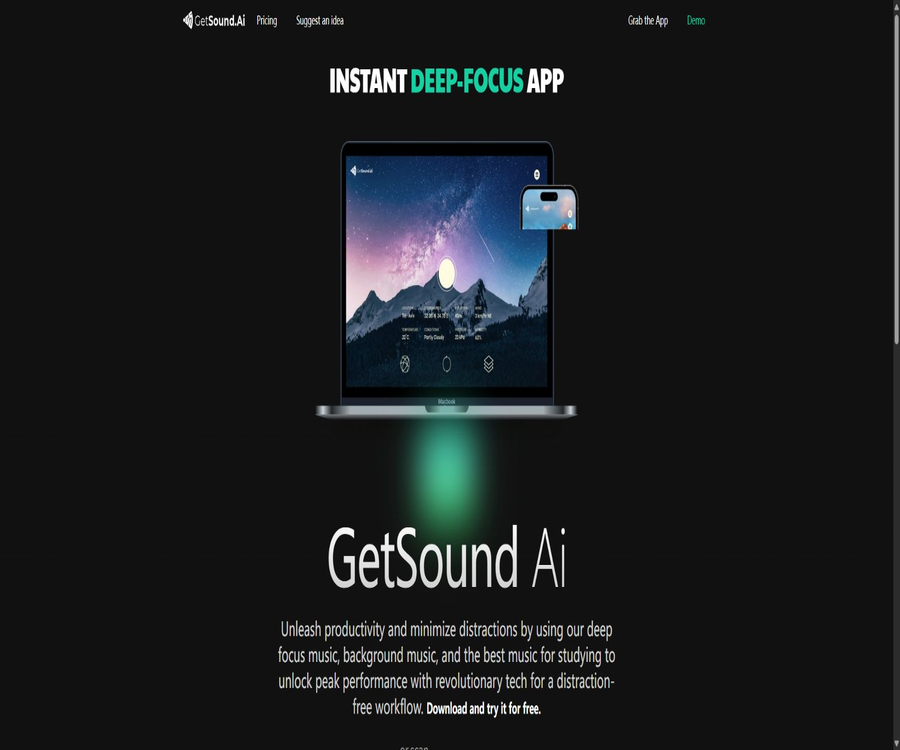
GetSound is an AI-driven audio landscape application that creates ambient music based on the location, time, and real-time weather conditions selected by the user; this music can be used to aid concentration at work, for studying, relaxation, meditation, as well as as background sound in commercial spaces.
Tool Introduction
GetSound is operated by GetSound LLC, a company registered in Delaware, United States, and its services are available for desktops, web browsers, and mobile devices. Its core functionality isn’t to play fixed playlists of songs; rather, it uses algorithms to create a sound environment that changes continuously based on the current circumstances.
The personal version focuses on deep concentration, learning, and rest, while the Small Business version is intended for use in hotels, SPAs, swimming pools, office areas, and public spaces. A corresponding license is required for commercial use; the personal package cannot be used in public places.
Current product status
The official website still offers downloads for Windows, macOS, and Linux, and it also provides links to versions for iOS and Android. However, the latest updates to the mobile versions available in the Apple and Google stores date back to 2023, and most of the articles in the help center were published between 2022 and 2023.
Therefore, it is a service that remains accessible, but the updates to its public documentation are slow. Before making a purchase, it is advisable to try out the free version first in order to verify compatibility with one’s device, the functions available with the account, the stability of the audio quality, and the actual benefits offered by the package.
Main functions
Generate soundscapes in real time
GetSound uses algorithms to continuously create unique musical and environmental soundscapes; the company claims that each experience is different. The content generated is streamed and is not a regular audio track that can be downloaded and saved.
Weather synchronization
The application can adjust the sound environment in response to changes in temperature, cloud cover, rainfall, wind, sunlight, and time. Users can also turn off or reduce the weather synchronization feature to prevent environmental changes from disrupting their current focus.
Location and time are appropriate.
Users can use their current location or switch to other locations around the world to experience different atmospheres. The location feature requires corresponding permissions; without them, automatic localized soundscapes may not be available.
Ambient sound layer
GetSound allows sounds such as those of forests, lakes, wind chimes, the ocean, rivers, rain, and urban environments to be added to music, with the possibility to adjust the volume of each sound separately. The official website states that there are over 20 different types of such environments available; the exact number depends on the account used.
Session timer
Users can set a timer to play music for purposes such as concentration, meditation, relaxation, or before going to bed, with the sound fading out once the time is up. The timer serves only to help establish a rhythm; it cannot replace alarms, medical devices, or safety alerts.
Infinite refresh
Users can refresh the current scene to obtain new combinations. The free version has limitations regarding duration, environment, and location choices, while the paid version allows for a more comprehensive experience.
AirPlay and Bluetooth output
The application provides AirPlay and Bluetooth output options, making it easy to connect headphones, speakers, or spatial audio systems. Wireless output may be affected by the device, the network, and mixing compatibility; therefore, all ambient sound layers should be tested before deployment.
Short video sharing
Mobile apps once included a feature that allowed users to record short videos of their current environment and share them along with the associated audio. The privacy policy states that the platform does not collect, process, or store such videos, but users are responsible for obtaining permission from the people and locations depicted in those videos.
Multi-regional business landscape
Business accounts allow for the use of zones to separate areas such as lobbies, elevators, pools, and SPAs within the same facility, and it is possible to set different settings for each area. Playing content on multiple devices simultaneously requires a business license.
Factors in soundscapes generation
| Factors | Possible impacts | User control |
|---|---|---|
| Location | Environmental tone and optional scenarios | Authorize the current location or manually switch to a different world location. |
| Time | Day and night atmosphere and acoustic rhythm | Changes automatically with the current time. |
| Temperature | Combination of sound intensity and environment | Generated with the help of real-time weather data. |
| Clouds, rain, and sunshine | Weather patterns and overall mood | Volume of weather synchronization can be adjusted |
| Wind | Changes in the environmental layer | In conjunction with location and real-time weather conditions |
| Environmental layer | Details such as forests, oceans, rivers, and wind chimes | The user selects a layer and adjusts the volume. |
Comparison between the personal version and the business version
| Project | Free | Personal | Small Business |
|---|---|---|---|
| Primary uses | Trial and lightweight personal listening | Personal focus, learning, relaxation, and meditation | Playback in public commercial spaces |
| Listen daily | A 60-minute limit is in place after the trial period ends. | Continuous use within the paid benefits | By business subscription and regional usage |
| Environment and location | Finite | Unlock more comprehensive options | Configuration for commercial spaces |
| watermark | It may appear within the free usage limits. | Remove after payment | Commercial broadcasting is subject to licenses. |
| The device at the same time | Restricted | Only one device can be used at a time. | Supports multiple devices, managed by zone. |
| Public playback | Not allowed | It is not permitted to be used as a public commercial license. | Use is permitted in authorized commercial areas. |
Usage tutorial
Create a personal focused sound scene
- Install applications suitable for your system through the official portal, or create an account via the web version first.
- Select the current location or specify a location manually, and decide whether to grant real-time location access.
- Start with a basic sound scene, then add environmental elements such as forests, oceans, rivers, rain, or wind chimes.
- Adjust the volumes of the music, weather synchronization, and ambient sounds separately, ensuring that safety alerts in the surroundings can still be heard.
- Set a focus timer for 25 to 50 minutes, and after it expires, note whether the sound environment helped or hindered the task.
- Check your daily usage needs before the end of the 7-day trial, and then decide whether to keep the Free version or upgrade to the Personal version.
Configure for pre-sleep or meditation sessions
- Choose locations and environments with a gentle rhythm, to avoid sudden occurrences of loud sounds associated with high frequencies or intense rainfall.
- Turn off unnecessary weather synchronization to prevent changes in actual weather from altering the soundscapes to which one has already adapted.
- Keep the volume at a comfortable low level, and set a clear timer for fading out.
- Do not wear closed-back headphones at high volume all night long, nor rely on apps as a substitute for important alarms.
- If the sound causes anxiety, headaches, tinnitus, or sleep problems, it should be stopped using and a professional should be consulted.
Set up multiple zones for hotels or SPAs.
- List the areas where playback is required, such as the lobby, elevators, pool, massage area, and lounge.
- Select Small Business or consult your corporate team regarding public streaming permissions and the number of regions.
- Configure dedicated equipment, speakers, networking, and an environment suitable for the specific scenario for each zone.
- Test the volume, wireless connection, network recovery, and employee control during peak and off-peak hours respectively.
- Establish daily inspection and silence procedures to ensure that emergency announcements and safety alerts always take priority.
- Before expanding the deployment, verify the bill, additional zone costs, and the scope of commercial licenses.
Which users are it suitable for
- Offices and remote workers: Use ambient sounds with minimal variation to mask conversations and occasional noises.
- Student: Use a timer to establish time slots for reading, writing, and review.
- Meditation and yoga practitioners: Natural environmental sounds are added to their individual practices, but they do not replace guidance from a teacher.
- For those looking to relax: use soundscapes at a low volume during breaks, commutes, or before bed.
- Hotels and resorts: Assign different sounds to lobbies, corridors, elevators, and public areas.
- SPA, pool, and fitness areas: Create a cohesive background atmosphere based on the location and weather conditions.
- Co-working and corporate spaces: Deploy multiple devices and zones using commercial licenses.
Typical use cases
- In open offices, background music without lyrics is played to reduce interference with audible conversations.
- Use the session timer following a rhythm of 25 minutes of focus and 5 minutes of rest.
- Different working atmospheres are created based on rain, sunny weather, temperature, and day-night changes.
- Include rivers, forests, or waves in meditation, breathing exercises, and low-intensity yoga.
- Create separate Zones for the hotel lobby and the SPA, to prevent all areas from using the same sound scene.
- Use an AirPlay or Bluetooth device as the output for personal listening, and check whether the environment layer is complete.
- Switch between different global locations to find a sound style that is more suitable for the current task.
Product advantages
- The sonic landscape changes continuously due to environmental factors, which reduces the sense of repetition that comes from fixed playlists.
- Music, weather synchronization, and various environmental settings can be adjusted separately, offering a high degree of personalization.
- It provides comprehensive support for Windows, macOS, Linux, iOS, Android, as well as web interfaces.
- The free account and the 7-day Personal trial make it easy to test the effectiveness of focus before subscribing.
- The commercial version provides public playback licensing as well as management for multiple devices and zones.
- Individuals do not need to select a specific song; once it is opened, continuous background sound will be available.
- The business page is explicitly aimed at hotels, SPAs, swimming pools, and workspaces, with a clear definition of its target use cases.
Usage restrictions and precautions
- After the free trial period ends, Free allows up to 60 minutes of listening per day, with restrictions on location and environment, and watermarks may be present.
- Personal can only use one device at a time; using multiple devices simultaneously requires a commercial license.
- The soundscapes can only be listened to in streaming format; the help center clearly states that no downloads of the audio tracks are available.
- The music recorded with GetSound cannot be used in videos, podcasts, games, live streams, radio broadcasts, or music platforms.
- Individual subscriptions do not grant the right to broadcast in public places; hotels, SPAs, offices, and similar venues require a Small Business or corporate license.
- Real-time weather and location features rely on the internet, location permissions, and weather data, and may result in increased battery consumption and data usage.
- The publicly available help articles and mobile app updates are outdated; compatibility with new devices and the current features require actual testing.
- Focus, meditation, and relaxation are for general use; GetSound is not a medical or psychological treatment product.
Prices and packages
The official website’s pricing page does not currently display the exact amounts accurately; therefore, the table below shows the current in-app purchase prices as of August 22, 2026, on the US App Store. Prices may vary in other regions, and the final amount will be determined according to the pricing information on the purchase page.
| Package | Monthly payment | Annual payment | Primary uses | Important restrictions |
|---|---|---|---|---|
| Free | $ | $ | Lightweight personal experience | After a 7-day trial period, 60 minutes of use per day are available; the environment and location are limited, and watermarks may be present. |
| Personal | 12 dollars | 107.99 dollars | Personal focus, learning, relaxation, and meditation | Only one device at a time, without public playback rights. |
| Small Business | 39.99 dollars | 349 dollars | Commercial spaces, multi-device playback, and public background playback | The specific zones and locations are to be determined based on the account details. |
| Enterprise | Contact the authorities. | Contact the authorities. | Large venues, multiple areas, and customized deployment | The official website does not disclose fixed prices. |
The annual subscription for Personal plans is about $36.01 cheaper than purchasing a 12-month monthly plan, while the annual subscription for Small Business plans is about $130.88 cheaper. Subscriptions are automatically renewed, and it is necessary to cancel them through the app store account at least 24 hours before the end of the current period.
Trial, renewal, and cancellation
| Project | Rules | Precautions |
|---|---|---|
| 7-day free trial | Experience all the features of Personal. | The help article was last updated some time ago; upon registration, it is necessary to reconfirm whether it is still applicable. |
| Trial period ended | If not upgraded, it will be downgraded to Free. | 60 minutes per day, with restrictions on environment, location, and watermark removal |
| Subscription period | 1 month or 12 months | Prices may vary depending on the channel, as they are localized. |
| Automatic renewal | Enabled by default | It must be turned off at least 24 hours before the end of the cycle. |
| Cancellation in the current cycle | Cancellations cannot be made immediately during the event period. | Turning off renewal usually only prevents the deduction for the next period. |
| Refund | By purchase channel and applicable law | Start by submitting it through the app store or payment platform. |
Copyright and Commercial Licensing
GetSound provides soundscapes as protected streaming content; the term \"Royalty Free\" does not mean that users receive the audio files or the right to use them in any way. The scope of permissions depends on whether it is a Personal, Small Business, or corporate subscription.
| Uses | Is it allowed? | Conditions |
|---|---|---|
| Personal focus, learning, and relaxation | Allow | Listen within the limits of the individual plan and device constraints. |
| Public playback in hotels, SPAs, pools, and offices | Conditional permission is granted. | Purchase the correct Small Business or enterprise license. |
| Guide meditation or courses | Conditional permission is granted. | A prior application is required, along with the purchase of the appropriate subscription. |
| Download or record soundscapes | Not allowed | The platform does not offer track downloads, and recording extraction is also prohibited. |
| Music for videos, movies, games, podcasts, or advertisements | Not allowed | The current help center does not provide such synchronization licenses. |
| YouTube or live streaming | Not allowed | Streaming and commercial use are explicitly prohibited. |
| Music platforms, asset libraries, NFTs, or Content ID | Not allowed | It is not allowed to distribute, resell, or register copyright identifiers. |
Commercial users should keep copies of the package, Zone, and location authorization documents before carrying out public playback. If the use case goes beyond ordinary background playback, written approval from GetSound must be obtained; one should not rely solely on claims of being royalty-free.
Supported platforms
| Platform | Support status | Explanation |
|---|---|---|
| Windows | Support | The official website provides downloads for desktop applications. |
| macOS | Support | The official website provides installation packages; the Apple mobile ecosystem can also be used. |
| Linux | Support | The official website provides a link for desktop download. |
| Web | Support | The terms of service apply to web applications. |
| iPhone and iPad | Support | iOS or iPadOS 13.0 or later is required. |
| Android | Support | Google Play offers official apps. |
| Apple Vision | Compatibility | VisionOS 1.0 or higher is required. |
| AirPlay and Bluetooth | Support | The actual mixing quality and connection stability must be tested using the equipment. |
APIs, SDKs, and open-source status
| Project | Current conclusion | Explanation |
|---|---|---|
| API services | There are private gateways available. | The help center states that to run two API Gateways, it is necessary to contact them by email for details. |
| Public API documentation | Not found | There is no self-service authentication, no information on endpoints, and no pricing details. |
| Official SDK | Not found | There are no public language clients or installation documentation. |
| Official GitHub | The product warehouse has not been verified. | The search results did not show any official source code projects. |
| Is the product open source? | No | Applications, generation systems, and audio content are all provided under commercial terms. |
| Self-hosting | Not provided | Multiple zones in a commercial environment are not equivalent to local deployment. |
If a company wishes to integrate such audio environments into its own systems, it can inquire with the official parties regarding the available API Gateway. In the absence of public documentation, it is necessary to first determine the details related to authentication, concurrency, audio transmission, caching, licensing, as well as regional availability and service accessibility.
Privacy and location permissions
The privacy policy states that the service may collect names, email addresses, phone numbers, mailing addresses, IP addresses, browser information, and usage logs; with the user’s permission, location data is also collected to enable weather and location-related features. It is not necessary to have location tracking enabled for all of the basic functions.
- After location permissions are denied, automatic soundscapes that rely on the current location may become unavailable, but the app should not collect location data as a result.
- The policy states that location data is used solely to provide the relevant services, and it will not be sold or shared for any other purposes.
- The website uses cookies and anonymous logging to improve its services; refusing cookies may affect some of its functions.
- Users can request to view, correct, export, or delete their personal information; the policy states that a response is usually given within 14 days.
- Deletion requests are irreversible, with exceptions possibly applicable to records required by law to be retained.
- The developer statements on the Apple and Google Stores claim that no data is collected, but the privacy policies on their official websites mention the handling of accounts, logs, and location data; there is a discrepancy between these statements.
- Using the background location setting can increase battery consumption; it is advisable to turn off this permission when weather synchronization is not required.
- Users have control over the content they share via video; when recording in the presence of others, at home, or at the workplace, privacy concerns must be addressed first.
Health and hearing considerations
GetSound is not a medical product intended for the diagnosis, prevention, or treatment of diseases; it also does not guarantee any effects on concentration, sleep, or mental health. Individual experiences vary depending on the task at hand, hearing ability, environment, and sound preferences.
- When using headphones for extended periods, keep the volume low and take regular breaks to avoid masking alarms, vehicle sounds, and reminders from colleagues.
- Do not use immersive soundscapes to isolate yourself from your surroundings while driving, cycling, operating machinery, or fulfilling safety responsibilities.
- Users who suffer from tinnitus, hyperacusis, migraines, or anxiety should first conduct a short-term test, and stop immediately if any discomfort occurs.
- In sleep scenarios, do not rely on the app’s timer as the only tool for waking up or monitoring health.
- Commercial spaces should maintain priority for emergency announcements, while allowing customers and employees to provide appropriate feedback on the volume.
Basic information
| Project | Content |
|---|---|
| Tool name | GetSound |
| Development company | GetSound LLC |
| Company registration address | Delaware, United States |
| Tool type | AI dynamic soundscapes, focused music, and commercial background sounds |
| Generative factors | Location, time, weather, and environment layers |
| Price pattern | Free version, individual subscription, business subscription, and enterprise inquiry |
| Free restrictions | After the trial period, 60 minutes per day in limited environments and locations |
| Main platforms | Web, Windows, macOS, Linux, iOS, and Android |
| Track download | Not supported |
| Public playback | A business license is required. |
| API | There are private gateways; you need to contact the authorities. |
| Official SDK | Not found |
| Is it open source? | No |
| Date of update of legal document | April 3, 2024 |
| Date of information verification | August 22, 2026 |
Recommendation score
Recommendation score: 3.9 / 5. GetSound combines dynamic song generation, weather synchronization, ambient sound layers, cross-platform functionality, and commercial zones – making it suitable for individuals who do not want to constantly choose predefined playlists as well as for space managers.
The main shortcomings are that the help documents and updates for the mobile app are outdated, the prices listed on the official website are not easy to read, and there are discrepancies in the way data is presented. Audio files cannot be downloaded, and the licensing rules for their reuse are strict; as a result, creators cannot use it as a general music generation tool.
Frequently Asked Questions
What is GetSound?
It continuously generates soundscapes by combining elements such as location, time, weather, and environmental layers, and is mainly used for enhancing focus, aiding learning, promoting relaxation, facilitating meditation, and providing background sound in commercial spaces.
Is GetSound free?
There is a free version available, which offers a 7-day trial of the personalized features. After the trial period ends, the free version allows up to 60 minutes of listening per day, with limited options regarding location and environment.
How much is Personal?
The U.S. App Store currently shows a price of $12 per month or $107.99 per year. Prices may vary on websites and in other regions.
How much is the business version?
The U.S. App Store shows a cost of $39.99 per month or $349 per year for Small Business accounts; large enterprises and organizations in specific regions should contact the authorities directly.
Can it be played on multiple devices at the same time?
Personal allows only one device at a time; parallel use of multiple devices and in multiple regions requires a commercial license.
Can the soundscapes be downloaded?
No. The help center clearly states that soundscapes are intended for streaming use only and cannot be downloaded.
Can it be used for YouTube or as video background music?
No. The current terms and the help center prohibit the use of YouTube, live streaming, videos, and other applications that require synchronized music; no corresponding licenses are provided either.
Can commercial spaces play content publicly?
Yes, but it is necessary to purchase the appropriate Small Business or enterprise subscription, and to use it according to the zone and location specifications.
Are APIs provided?
The help center states that there are two API Gateways, but no documentation is available; it is necessary to contact the authorities to learn about the requirements, prices, and interfaces.
Is GetSound open source?
It is not an open-source product, and no official source code or SDK has been found.
Is it necessary to turn on positioning?
Authorization is required when using adaptation based on the current location and weather conditions. If you do not want your location to be processed, you can refuse or disable this permission; however, related functions may be limited in such cases.
Can it treat insomnia or attention problems?
No. It is a tool for general focus and relaxation, not a medical, psychological treatment, or diagnostic service.
Summary
GetSound is ideal for creating background sounds that need to be constantly changing and for which there is no need to select specific songs; it also allows the creation of multi-zone soundscapes in hotels, SPAs, and office spaces through commercial licenses.
Before use, it is necessary to test the device and its wireless output, verify the location permissions and subscription costs, and distinguish between personal listening, public playback, and content reuse. Users who need to download audio tracks, create video soundtracks, or deploy the solution on an open-source basis should choose other products.
Tools similar to GetSound



 Guigong Network Security Registration No. 45132202000164