






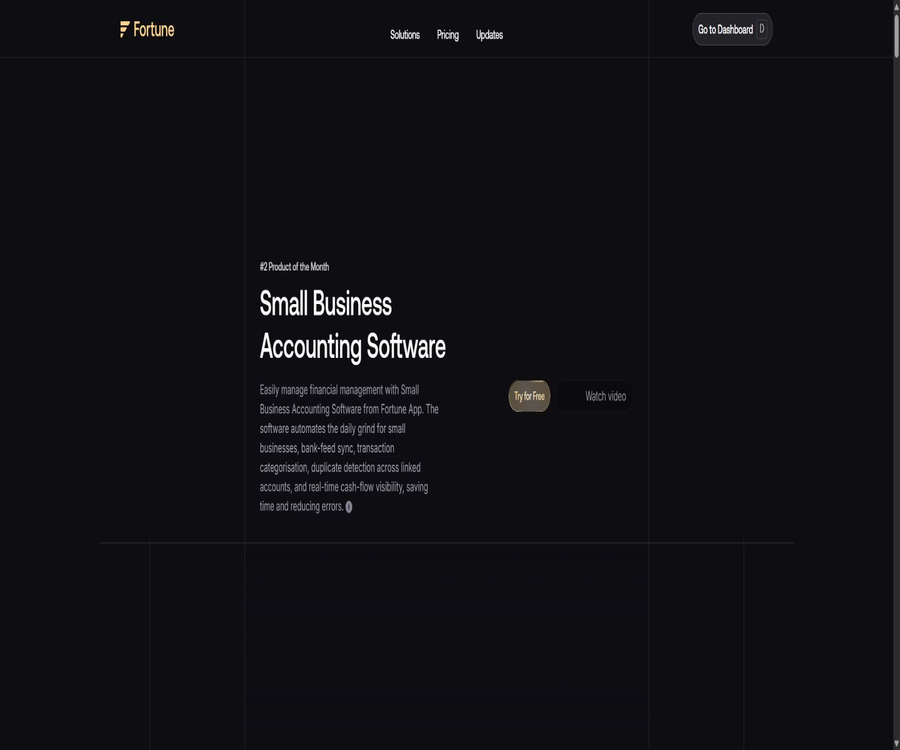
Fortune App
Fortune App: an intelligent tool focused on enhancing efficiency through AI.
Tags:AI improves efficiencyA one-sentence summary
Fortune App is an AI-based accounting software designed for freelancers, entrepreneurs, and small businesses. It helps users reduce the workload associated with daily bookkeeping and record-keeping through bank data synchronization, automatic transaction categorization, detection of repeated transfers, cash flow dashboards, and financial statements.
Tool Introduction
Fortune is operated by Fortune App Inc., and it offers web applications as well as versions for Apple’s mobile devices. The product can connect to multiple banks, aggregate account balances and transactions, and allow users to view their income, expenses, cash flow, and account changes in a single interface.
It is better suited for lightweight bookkeeping and management analysis that focuses on bank transaction records; it is not a comprehensive suite that covers all aspects such as salary processing, tax filings, inventory management, clinical billing, professional auditing, or industry-specific ERP functions. The industry-related pages on the official website combine general accounting software capabilities with current features and future plans, so it is necessary to examine each of these elements carefully before making a choice.
The core functions that can be confirmed at present
Bank account synchronization
Fortune claims to be able to connect to more than 17,000 banks and financial accounts, and it can obtain up to two years’ worth of transaction history during the initial connection. Once connected, it continuously updates the balance and transaction records, thereby reducing the need to log in to multiple banking apps separately.
Automatic transaction classification
The system organizes transactions according to categories and configurable rules, helping users to establish a stable structure for their income and expenses. Automatic classification may misidentify transfers, refunds, split payments, or expenses that are a combination of business and personal ones; therefore, regular review is still necessary.
Detection of duplicates and internal transfers
The duplicate detection tool identifies transfers between different accounts that the user has connected, thereby preventing the same amount of money from being counted both as income and as expenditure. Special payment descriptions, transfers across different currencies, and multi-stage payments may require manual confirmation.
Cash flow and financial dashboard
The dashboard summarizes the cash balance, revenues, expenses, and recent changes, and allows for comparison with the previous period over the past 30 days. It is useful for quickly identifying rising expenditures and cash shortages, but it cannot replace formal financial planning or bank reconciliations.
Transaction search and filtering
Users can search for transactions by name, date, amount, institution, account, or category; even if only partial information is remembered, it is possible to narrow down the options step by step. The search results depend on the description provided by the bank and the completeness of the data synchronization.
AI accounting assistant
The Standard package includes a personal AI accounting assistant that can provide explanations and recommendations based on the connected financial data. The answers generated by AI cannot replace certified public accountants, tax advisors, or lawyers, nor can they be used as a basis for making decisions related to tax filing, financing, or compliance.
Three types of financial statements
The Standard tier provides income statements, balance sheets, and cash flow statements, along with filtering and automatic classification functions. The quality of these reports depends on the opening balances, account types, transaction classifications, and the way duplicate entries are handled; they must be reviewed before being used externally.
CSV import and PDF-assisted mapping
Accounts that cannot be connected directly can be imported using CSV; when the bank statements are in PDF format, the website also provides an AI-assisted process for mapping columns. Before importing, it is necessary to standardize the dates, currency types, signs for positive and negative values, and unique transaction identifiers.
Data export
The Standard option allows transactions or data to be exported in Excel or CSV format, making it easy to hand them over to accountants or import them into other systems. Before performing the migration, it is necessary to check that the exported data includes accounts, notes, currency information, original descriptions, and any attachments.
Multi-currency ledger
The current public documentation specifies that the USD, EUR, GBP, and CAD are covered, with conversions carried out using exchange rates that are updated daily. Conversions for historical months remain stable, while coverage of more currencies is still part of the future roadmap.
Cash flow notifications and biometric recognition
The update records for mobile devices indicate support for notifications regarding changes in cash flow as well as biometric login, which facilitates timely awareness of account changes. These notifications are not guaranteed to be synchronized exactly with the bank’s accounting times, and biometrics cannot replace multi-factor authentication for account access.
Core function menu
| Functions | Current status | Primary value | Needs review |
|---|---|---|---|
| Bank synchronization | Available now | View accounts and up to two years of history in one place | Coverage, latency, and disconnections of the infrastructure |
| Automatic classification | Available now | Reduce manual processing of each individual transaction | Business rules and misclassification |
| Repeated transfer detection | Available now | Prevent double counting of income and expenses for internal transfers | Cross-currency and complex transfers |
| Cash flow dashboard | Available now | Monitor changes in balance, income, and expenses. | Unrecorded and pending transactions |
| AI accounting assistant | Standard is now available. | Explain financial data and provide recommendations | Hallucinations, taxation, and legal responsibilities |
| Three types of financial statements | Standard is now available. | Generate profit and loss, balance sheet, and cash flow views. | Accounts and opening balances |
| CSV import and export | Available now | Addition of non-directly connected accounts and data migration | Field mapping and duplicate records |
| Four major currencies | Available now | Handling cross-currency transactions and historical conversions | Other currencies are still not covered. |
Capabilities whose roadmap or description is not clear.
The industry page on the official website lists a large number of advanced accounting functions and industry-specific features, but it also states in more detailed explanations that some of these functions are not yet available. The capabilities listed there should not be considered complete just based on the title of the industry category.
| Ability | Current public status | Do not misunderstand this as |
|---|---|---|
| Direct connection to the payroll system | Recent roadmap | Built-in global wage calculation and reporting |
| Direct connection to e-commerce platforms | Shopify, Amazon, eBay, etc. are on the roadmap | The orders and inventory have now been fully synchronized. |
| Complete bank reconciliation | More advanced reconciliation tools are being introduced. | Accounting-level automatic settlement has been completed. |
| Invoices and periodic bills | Custom invoices and periodic bills are still being introduced. | It currently has a complete accounts receivable module. |
| Receipt management | The page indicates that it will be launched soon. | There are already mature OCR archives for bills. |
| Project progress invoice | Label to be launched soon | The measurement as specified in the construction contract has already been taken into account. |
| More currencies | Roadmap | All currencies around the world are now supported. |
| Tax filing | The reports can be submitted to tax professionals. | The platform handles tax filings on behalf of users directly. |
First-time setup tutorial
- Register for a 30-day trial account to find out whether a payment method is required for the trial and what the charging scheme will be after it ends.
- Establish the company name, reporting currency, accounting period, and the structure of basic accounts.
- First, connect a bank account with lower transaction volume to check whether the institution and account details are correct.
- Wait for the synchronization of historical transactions, and verify the start and end dates, balances, pending items, and duplicate entries.
- Set rules for common income, expense, and internal transfer categories.
- Check the cash flow dashboard and reports, and correct any incorrect classifications as well as opening balances.
- After confirming that the pilot is stable, connect the remaining accounts and enable notifications and team workflows.
Bank account connection tutorial
- When adding an account, select a bank or financial institution through the official process; do not use links found in suspicious emails.
- Complete the verification on the authorized interface provided by the bank or connection service, and select only the accounts that need to be synchronized.
- Verify whether the authorization grants read-only access to transactions or includes other permissions, and note the location where it can be revoked.
- After synchronization is complete, compare the balance on the bank side, recent transactions, and the earliest historical date.
- Mark account transfers and check whether the duplicate detection tools are properly paired.
- Regularly check for disconnected, duplicate, missing, or delayed transactions, and re-authorize them as needed.
Monthly bookkeeping process
- Check whether all bank accounts have been updated to the end of the month, and record any transactions that are still in progress.
- Review unclassified transactions and AI-based classification suggestions, with a focus on large amounts, refunds, and personal expenses.
- Verify that internal transfers are not recorded as both income and expenses at the same time.
- Verify the original currency of multi-currency transactions, the conversion exchange rates, and the amount in the reporting currency.
- Check whether the income statement, balance sheet, and cash flow statement are consistent with each other.
- Export the data and give it to accountants or tax specialists for review, while keeping a record of any changes made.
- Lock or record the completed months to prevent subsequent rules from unintentionally altering historical results.
CSV import process
- Export a CSV from the bank containing the date, description, amount, currency, and transaction identifier.
- Standardize the date format and the sign of amounts in the copies; do not modify the original files.
- Select the correct account and period, and map each column to a Fortune field.
- Use a limited preview of the records to verify income, expenses, and the direction of transfers.
- After importing, search for records that are duplicated from the bank based on unique identifiers, date, and amount.
- Save the imported batch, the original files, and the correction logs for reversal or auditing purposes.
Which users are it suitable for
- Freelancers and self-employed individuals: need to quickly organize their income and expenses from bank statements.
- Small startups: looking to obtain a cash flow overview and basic reports at a low monthly fee.
- Multi-account managers: Need to view multiple bank and credit accounts on a single dashboard.
- Small cross-border businesses: They primarily use the US dollar, euro, pound sterling, or Canadian dollar, and require a stable historical exchange rate.
- Catering, consulting, and service teams: focused on bank transaction classification and cash flow monitoring.
- Companies that collaborate with external accountants: need to export transactions and three types of financial statements for review.
Typical use cases
- Bank transaction records are automatically retrieved daily and categorized by income, software costs, advertising expenses, salaries, or office expenses.
- Identify internal transfers between corporate accounts to prevent double counting of profits and expenses.
- On one interface, it is possible to view the cash flow for the past 30 days and compare it with the previous period.
- Use the AI accounting assistant to inquire about changes in expenses, cash flow pressures, or possible reasons for unusual transactions.
- Generate monthly income statements, balance sheets, and cash flow statements for review by a professional accountant.
- Import does not currently support direct import of bank statements, nor does it allow exporting data to other systems.
- Manage transactions in four major currencies and maintain stability in historical exchange rates.
Product advantages
- Focusing on the automation of bank transaction records, it reduces the need for small businesses to enter data manually and switch between different banking applications.
- Basic supports three bank connections, while Standard offers an unlimited number of bank connections.
- Repeating the checks helps to reduce the common error of recording internal transfers as both income and expenses.
- Standard combines the AI assistant, transaction export, and three types of core reports within the same solution.
- It supports the Web and Apple mobile devices; the mobile version offers notifications as well as biometric login tracking.
- A 30-day trial is provided, allowing users to verify coverage and accuracy using real accounts with low risk.
- By clearly distinguishing between current capabilities and future plans, it becomes easier to conduct a careful assessment.
Usage restrictions and precautions
- A large number of bank connections does not mean that all institutions, countries, and account types can be synchronized stably.
- Automatic classification and AI recommendations may be incorrect; tax, payroll, financing, and audit conclusions must be reviewed manually.
- The currently defined range of currencies includes mainly the US dollar, euro, pound sterling, and Canadian dollar.
- There are still numerous elements in areas such as salaries, e-commerce platforms, comprehensive account reconciliation, invoices, receipts, and various other industry processes that are part of the roadmap.
- The official website provides a very broad description of the industry capabilities; general-purpose software cannot be considered as features that are already available on Fortune.
- After the 30-day trial period ends, it may be possible to switch to a paid subscription, and Apple subscriptions are automatically renewed.
- The current privacy and terms page does not provide an independent legal text that can be verified properly.
- Apple’s privacy disclosures cover finance, location, contacts, identification, as well as sensitive and usage data, covering a wide range of aspects.
- The last public update for the Apple client was in April 2024, and it will be necessary to monitor the pace of subsequent updates.
- No public APIs, official SDKs, options for private deployment, or verifiable official open-source repositories were found.
Prices and packages
| Plan | Price | Billing cycle | Core rights and interests | Suitable for users |
|---|---|---|---|---|
| 30-day trial | $ | 30 days | Core banking synchronization, categorization, cash flow, and basic user experience | First, verify bank coverage and accuracy. |
| Basic | 10.99 dollars | Monthly | Up to 3 bank connections, cost classification, cash flow monitoring, and multiple currencies | Freelancers and small teams |
| Standard | 30 dollars | Monthly | Unlimited bank connections, AI accounting assistant, transaction export, and three types of financial statements | Multiple accounts and growing enterprises |
The price was verified on August 22, 2026. Some older articles on the official website still state that Basic costs $10; therefore, the current price of $10.99 as shown on the payment page should be taken as the reference price. Taxes, the currency used in the region, and prices in app stores may vary.
How to choose between Basic and Standard?
| Comparison items | Basic | Standard |
|---|---|---|
| Monthly fee | 10.99 dollars | 30 dollars |
| Bank connection | Up to 3 items | No limit on quantity |
| Automatic transaction updating and categorization | Includes | Includes |
| Cash flow monitoring | Includes | Includes |
| Multiple currencies | Includes | Includes |
| Personal AI accounting assistant | Not listed | Includes |
| Export to Excel or CSV | Not listed | Includes |
| Income statement, balance sheet, and cash flow statement | Not included in the full list of rights and benefits | Includes |
| Suitable for | Up to three accounts and basic management | Multiple accounts, reports, and AI analysis |
If you only need to connect a few accounts and monitor cash flows, the Basic version is more cost-effective. The Standard version is better suited when you require unlimited bank connections, formal reports, an AI assistant, or the ability to export data.
Trial, renewal, and cancellation
Fortune offers a 30-day trial period; the FAQs on its website state that this trial includes key functions such as automatic classification, real-time cash flow tracking, and basic reporting. Before starting the trial, it is necessary to check whether any payment is required, what plan will be available after the trial ends, and where the option to cancel the trial can be found.
According to Apple’s guidelines, the subscription is added to the user’s Apple account at the end of the trial period, and it is automatically renewed 24 hours before the end of each cycle unless canceled. Purchasing a subscription in advance results in the loss of any remaining trial time; cancellation must be done through the Apple account settings.
Financial statements and professional boundaries
| Functions | What can Fortune do? | It still requires professional handling. |
|---|---|---|
| Income statement | Summarize revenues and expenses by category | Accounting policies, adjustment entries, and tax treatment |
| Balance sheet | Display the structure of assets, liabilities, and equity. | Opening balances, depreciation, accruals, and complex accounts |
| Cash flow statement | Organize cash inflows and outflows | Non-cash items and formal disclosures |
| Multiple currencies | Convert the four major currencies at the daily exchange rate. | Foreign currency accounting policies and review of exchange gain and loss |
| AI suggestions | Explain trends and raise questions | Tax, legal, audit, and investment conclusions |
| Data export | Deliver in Excel or CSV format | Declaration, visa, audit, and external guarantees |
Fortune explicitly states that it is possible to generate the reports required by tax professionals, but the actual task of filing tax returns and ensuring compliance is still carried out by professionals. Users should not consider \"AI accounting\" as a tool that can assume professional responsibilities on its own.
Risks related to bank connections and reconciliation
| Risk | Performance | Inspection method | Handling suggestions |
|---|---|---|---|
| Synchronization delay | There are transactions on the bank side, but Fortune does not appear. | Compare the latest billing time | Wait for an update or reconnect. |
| Repeated transactions | Synchronization and CSV import appear twice. | Match by date, amount, and description | Delete or exclude duplicate batches |
| Incorrect calculation in internal transfers | The two ends represent income and expenses respectively. | Check the paired account and amount. | Mark as transfer and review the exchange rate. |
| Classification error | The fees were recorded in the wrong account. | Random inspections of merchants with high transaction amounts and high transaction frequencies | Adjust the rules and review history |
| Lack of history | Two years of data on promotion are not available. | Verify the earliest transaction date | Complete with CSV and avoid overlaps |
| Disconnection | The balance and transaction history stop updating. | Check account status | Re-authorize and verify the gap |
Safety and privacy
Fortune highlights bank-level encryption, multi-factor authentication, and regular security audits; the process for connecting to banks also makes use of Plaid. The public marketing materials do not replace independent security reports, and users should verify the specifics regarding encryption measures, access rights, and event notifications.
The privacy labels provided by the developers of Apple apps indicate that financial information, location data, contact details, identifiers, usage data, sensitive information, diagnostic data, and other types of data may be linked to users; some of this data can also be used for cross-app tracking, advertising, analysis, personalization, and other purposes. These labels have not been verified by Apple.
- Start by using a separate business account for testing; do not connect all financial accounts that combine personal and corporate funds.
- On the bank authorization page, select only the accounts required for the transaction, and regularly check the revocable third-party connections.
- Enable a unique password and multi-factor authentication for Fortune accounts, and add biometric verification for mobile devices as well.
- Limit the banks, transactions, reports, and export files that team members can view.
- The downloaded CSV and Excel files contain sensitive financial data; they should be encrypted, stored for a limited period of time, and access to them should be logged.
- Since the independent privacy policy cannot be verified at the moment, companies should request instructions on data processing and deletion before adopting it.
- When ceasing use, terminate the bank connection, cancel the subscription, export the data, and request account deletion.
Issues related to privacy transparency
The privacy section on the official website cannot be accessed properly at the moment; the links to the developer’s privacy policies or terms provided by Apple applications also lead to the product’s main page rather than to the actual legal text. As a result, it is not possible to reliably determine the duration of data retention, the time limits for data deletion, the purposes for which data is used in training, the subcontractors involved, and the details related to cross-border data transfers.
For financial software that is connected to real bank accounts, this gap is extremely important. Enterprise users should demand valid privacy policies, terms of service, data processing agreements, and security documentation before granting authorization, rather than relying solely on claims of \"bank-level security\".
Supported platforms
| Platform | Support status | Explanation |
|---|---|---|
| Web page version | Support | After being rewritten in version V2 in 2024, it became a key platform. |
| iPhone | Support | Requires iOS 14 or later. |
| iPad | Support | Designed for iPad; requires iPadOS 14 or later. |
| Mac with Apple chip | Compatible operation | Requires macOS 11 and an M1 or newer chip; it has not been verified to offer a native Mac experience. |
| Apple Vision | Compatible operation | VisionOS 1.0 or a later version is required. |
| Android | The update record states that it was published once. | No store detail page that can be independently verified has been found at the moment. |
| Windows and Linux | Available via Web | No standalone desktop client was found. |
| Public API | No findings were detected. | There is no developer console or documentation. |
Current status of mobile devices
Fortune: Finance & Accounting available in the Apple Store was developed by Fortune App Inc.; its current version is 1.0.10, with the last update taking place on April 25, 2024. The app’s size is approximately 76.9MB, and its interface is in English.
According to the updates on the official website, the Android version was released in 2023; however, no verifiable Google Play product page could be found upon a real-time search. Android users should first check whether the application is available in the official store, and avoid downloading financial apps from third-party APK sites.
APIs, GitHub, and open source status
No APIs, SDKs, command-line tools, Webhooks, or development documentation provided by the Fortune App for developers were found, nor was there any official GitHub repository belonging to Fortune App Inc. The project with a similar name, fortune, has no connection to this product.
The Fortune App is a closed-source commercial SaaS product; its bank data synchronization, classification functions, AI assistant, and reporting tools are not available in open source form. Companies that need deep integration with data warehouses, ERP systems, or automation solutions should first verify the existence of export capabilities, as it cannot be assumed that such hidden interfaces exist.
Basic information
| Project | Content |
|---|---|
| Tool name | Fortune App |
| Apple app name | Fortune: Finance & Accounting |
| Developer | Fortune App Inc. |
| Tool type | AI accounting, bookkeeping for small businesses, and cash flow management |
| Core input | Bank account transactions, CSV or PDF statements |
| Core output | Classified cash flow, cash flow dashboard, and financial statements |
| Price pattern | 30-day trial, Basic monthly subscription, and Standard monthly subscription |
| Is registration required? | It is necessary. |
| Chinese support | None found; Apple apps are only listed in English. |
| Clarify the currency | Dollar, euro, pound sterling, and Canadian dollar |
| Main platforms | Web, iPhone, and iPad |
| Public API | No findings were detected. |
| Official SDK | No findings were detected. |
| Is the product open source? | Not open source |
| Minimum system requirement for Apple devices | iOS or iPadOS 14 |
| Apple’s latest public version | 1.0.10, April 25, 2024 |
| Price verification date | August 22, 2026 |
Recommendation score
Recommendation score: 3.5 / 5. Fortune App understands well the needs of small businesses in terms of connecting to banks, automating categorization, monitoring cash flows, and generating basic reports; its Basic and Standard pricing plans are also easy to understand.
The main shortcomings are that the marketing page provides an overly broad description of the company’s capabilities, the roadmap is mixed in with the existing functions, the mobile version is outdated, and the text related to privacy and terms cannot be verified at present. Given the high sensitivity of financial data, it is advisable to start with a 30-day trial and to use a small number of accounts for testing; a full migration without proper review is not appropriate.
Frequently Asked Questions
What is the function of the Fortune App?
It connects to bank accounts and automatically updates, categorizes, and searches for transactions; it also provides a cash flow dashboard, detection of recurring transfers, an AI accounting assistant, and basic financial statements.
Is the Fortune App free?
It is not a permanently free product. It offers a 30-day free trial, and after that period one must choose between a Basic or Standard subscription.
How much does the Fortune App cost?
The basic plan currently starts at $10.99 per month, while the standard plan costs $30 per month. The price of $10 mentioned on the old page may be outdated; the price listed on the settlement page should be taken as the reference.
How many bank accounts can Basic support?
The Basic version allows for up to three bank connections; if more connections are needed, the Standard version should be chosen.
What does Standard have more of than Basic?
Standard adds unlimited bank connections, a personal AI accounting assistant, export in Excel or CSV format, as well as income statements, balance sheets, and cash flow statements.
Will the trial period be automatically renewed?
On the Apple platform, it is indicated that subscription fees will be charged after the trial period ends, and the subscription will be renewed automatically unless canceled 24 hours in advance. On the web version as well, it is necessary to check the payment and cancellation rules before starting the trial.
Can it be connected to the Bank of China?
There is no publicly available list of the individual Bank of China institutions that offer support. The products are primarily available in the United States, Europe, and Canada; it is necessary to check the specific institutions in real time through the connection interface.
Which currencies are supported?
The current, more detailed product description lists the US dollar, euro, pound sterling, and Canadian dollar, with exchange rates updated daily. More currencies are still part of the roadmap.
Are there AI accountants?
Standard includes a personal AI accounting assistant that can interpret data and provide recommendations, but it does not possess the professional responsibilities of certified public accountants, tax advisors, or lawyers.
Can I file the tax return directly?
It cannot be considered a service for handling tax filings on behalf of others. Fortune can generate and export reports, but the actual filing process and compliance tasks must still be carried out by the user or a tax professional.
Does it support salary management?
At present, salaries and contractor expenses are primarily received through bank transaction records and sorted accordingly; a direct connection for salary processing is still part of the roadmap. It is not a complete system for calculating and reporting salaries.
Is it possible to issue invoices?
Custom invoices and periodic bills are still indicated as upcoming on their respective pages; therefore, the invoice capabilities mentioned in the industry overview should not be considered to be already available.
Is it compatible with Shopify and Amazon?
Connecting these e-commerce platforms directly remains part of the roadmap. Currently, transactions can be processed through bank synchronization and CSV import, but full order and inventory details are not available.
Is it possible to export data?
Standard allows for export in Excel or CSV format, and it can generate three types of financial statements. Before performing the migration, it is necessary to check that the fields to be exported as well as the historical range are complete.
Is there an iPhone app?
Yes, it is compatible with iPhone and iPad; iOS or iPadOS 14 or later is required. The latest version of the public release was updated in April 2024.
Is there an Android app?
The website’s update history indicates that an Android version was once released, but no verified details regarding it can be found in the official store. It is recommended to check and install the application only from the official app store.
Is financial data secure?
The platform promotes encryption, multi-factor authentication, and regular audits, but the actual text of its privacy policies and terms cannot be verified at present; moreover, Apple’s disclosure of privacy information is quite extensive. A security review must be completed before connecting to a real account.
Are APIs provided?
No public APIs, SDKs, or developer documentation were found. For requirements related to automated access, it is necessary to contact the product provider first for confirmation; one should not attempt to scrape the pages on their own.
Is the Fortune App open-source?
It is not open source. No official GitHub repository has been found; the source code for bank synchronization, AI-based classification, and reporting tools is not made public.
Summary
The Fortune App is suitable for small businesses that have a limited number of bank accounts, rely mainly on transaction records to keep track of their finances, and wish to obtain an immediate overview of their cash flow. The Basic version is appropriate for businesses with three or fewer connections, while the Standard version is better suited for those with multiple accounts, who need AI-driven analysis, export functions, and formal financial reports.
Before actually adopting it, it is necessary to use a trial period to verify the bank connectivity, the completeness of historical data, mechanisms for detecting duplicates, data classification, and reporting functions; furthermore, it is important to confirm the options related to renewal, cancellation, and data deletion. Teams with strict requirements in terms of payroll processing, taxation, e-commerce operations, inventory management, and compliance with industry regulations should use Fortune as a tool for transaction tracking and analysis, rather than as a complete business system.
Tools similar to the Fortune App



 Guigong Network Security Registration No. 45132202000164