






Flowtrail AI
Flowtrail AI: an intelligent tool focused on improving AI efficiency.
Tags:AI improves efficiencyA one-sentence summary
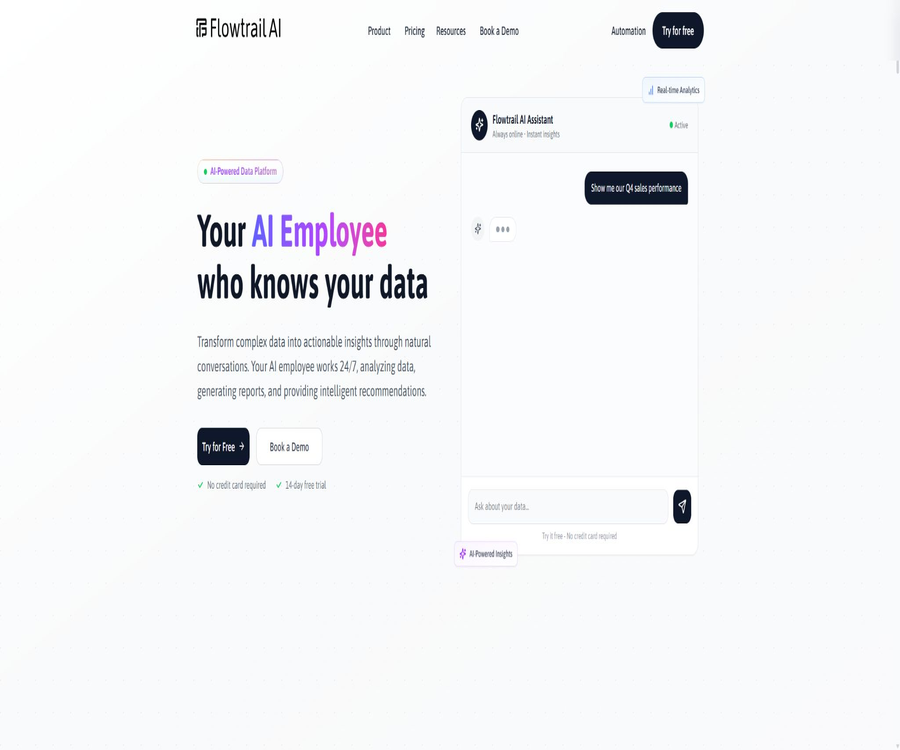
Flowtrail AI is an AI data assistant that enables business professionals to query databases and tables using natural language; it can automatically generate queries, charts, reports, dashboards, and scheduled reminders, eliminating the need for users to write SQL code manually.
Tool Introduction
Flowtrail AI is provided by Pulse Star Technical Solutions LLC in the UAE; it is designed to function as an AI assistant for managing corporate data. This product is intended for use by teams in sales, marketing, customer service, operations, human resources, finance, and management.
Users can connect to databases, upload Excel or CSV files, pose questions to a dedicated AI assistant, and then turn the results into reports and dashboards. Websites, Slack, Microsoft Teams, WhatsApp Business, and email can be used as channels for making queries or distributing the results.
The approach from data to results
| Phase | User operations | System processing | Output and manual inspection |
|---|---|---|---|
| Connection | Configure databases, tables, or business data sources | Read the structure and establish a connection. | Check permissions, table, and field scopes. |
| Ask a question | Describe indicators, time, and dimensions in natural language. | Understand the intent and generate a query. | Confirm the business criteria and filtering conditions. |
| Execute | Approve or send questions | Execute a read query on the data source | Number of test results and abnormal values |
| Visualization | Select or accept the recommended chart. | Generate charts, tables, KPIs, and summaries | Avoid misleading coordinates and aggregation. |
| Report | Results of the composite analysis | Generate reports or dashboards | Additional background, responsible parties, and update date |
| Distribution | Set sharing, export, or scheduling options | Send links, files, or notifications | Control of recipients and public access rights |
Main functions
Natural language data Q&A
Users can directly ask about sales figures, popular products, inventory levels, customers, and trends; the platform converts these questions into queries suitable for the relevant data sources and returns the corresponding results. Subsequent questions can build on the context of the previous conversation, allowing for further filtering by region, time, or category.
Automated generation of SQL and queries
The platform generates queries based on the data structure, enabling business users who are not familiar with SQL to explore the data. Complex joins, time parameters, null values, currency types, and permissions still require verification by data specialists.
Excel and CSV analysis
Users can upload XLSX, XLS, and CSV files to identify trends, anomalies, and patterns, with charts being generated automatically. The content of these files is processed by the platform; therefore, the claim that \"raw database data never leaves the infrastructure\" does not apply in this case.
AI reports
The platform can generate reports containing charts and textual conclusions based on the issues identified, and it allows users to share these reports via public links or to export them in PDF and Excel format. Public links may enable access without the need for organizational login; it is therefore necessary to verify whether such links contain any sensitive information.
AI dashboard
The user describes in text the metrics that need to be monitored, and the system automatically creates an interactive dashboard containing charts, tables, and KPI cards. This dashboard can be made public or available only to the team, and it reflects the current status of the database.
Scheduled reports and reminders
Reports can be automatically refreshed and sent on a daily, weekly, monthly basis, or according to a custom schedule, with notifications sent to the team via email, Slack, Teams, or WhatsApp. Before enabling automation, it is necessary to specify the time zone, recipients, and data deadline.
AI Task Automation
The task functionality allows for continuous monitoring of inventory, sales, anomalies, and other metrics; it generates summaries or notifications when certain conditions are met. For thresholds that have an impact on business decisions, it is necessary to define rules regarding delays, repeated alerts, and manual escalation.
Role-based AI assistant
Users can create different assistants for sales, inventory, customer service, scheduling, human resources, or finance, and define instructions, accessible tables, and business knowledge. The limitations related to packages pertain to messages, data sources, reports, dashboards, members, and upload size; however, according to the FAQ, there is no limit on the number of assistants.
Knowledge document
The Agent configuration page allows the uploading of PDF, DOCX files, manuals, SOPs, and training materials, which help to supply the assistant with relevant terms and rules. Version control is necessary for these knowledge files, in order to prevent both old and new policies from being retrieved at the same time.
Automatic charts and visualizations
The platform supports chart types such as bar charts, line charts, pie charts, tables, KPI cards, and heat maps, and selects the appropriate type automatically based on the issue at hand. Users should check whether the chart type, units, zero baseline, and sample size are appropriate.
Multi-model selection
The current page lists providers such as OpenAI, Anthropic, Google, xAI, DeepSeek, Qwen, and Mistral, and shows various specific models. The actual models available, the regions in which they are accessible, and the costs depend on the account settings.
Team permissions and auditing
The public FAQ outlines role permissions, two-factor authentication, activity monitoring, and audit logs; the enterprise version also mentions single sign-on and IP allowlists. The security features available in different plans are not fully detailed in the public information, so it is necessary to verify them before making a purchase.
Tutorial on connecting to a database
- Create an account and start with the free plan to determine the message limits, data source limits, and member limits.
- Create a read-only database user for Flowtrail AI, without using administrator or write credentials.
- Only the databases, architectures, tables, and views required for analysis are authorized, with sensitive raw fields hidden.
- On the data source page, enter the connection details, test the connection, and check the automatically detected architecture.
- Use simple summary queries to verify table names, dates, currencies, and aggregations, then gradually add joins.
- View AI-generated queries and results, and save the verified questions as reports or dashboards.
Tutorials on analyzing Excel and CSV files
- Remove merged cells, empty table headers, hidden rows, and irrelevant worksheets from the file.
- Delete personal information, passwords, bank card details, salary, or any other fields that do not need to be uploaded.
- Verify that the file size is below the limit set for the current plan; the limit for a single file in the free version is 3MB.
- Upload XLSX, XLS, or CSV files, and check the dates, numbers, currencies, and text types.
- First, inquire about the data range and missing values, then generate trends, anomalies, and grouped comparisons.
- Before exporting, verify the formulas, samples, charts, and conclusions, and delete any files that are no longer needed.
Create AI reports and dashboards
- Define the target audience, business issues, metric definitions, time frame, and refresh frequency.
- Basic queries are generated through chatting; after verifying each result individually, they are saved as a report.
- Select the appropriate chart and add units, filters, update dates, and explanations regarding the methodology.
- Add multiple verified reports to the dashboard to avoid duplicate or conflicting metrics.
- Set the permissions for private or public sharing; first test access using a non-administrator account.
- When sending messages on a scheduled basis, it is necessary to specify the time zone, the recipients, as well as the procedures for notifying in case of failure and for canceling such shipments.
Create a character-based AI assistant
- Define the assistant role, the types of questions that can be answered, the prohibited areas, and the objects that can be upgraded.
- Select the data source and specific tables to prevent a single assistant from having access to all business data.
- Upload the latest terms, metrics, SOPs, and business rules, indicating the version.
- Select an appropriate model, and set the tone, answer format, citation style, and strategy for handling unanswered questions.
- Testing is carried out through normal issues, privilege escalation issues, prompt injection, and invalid data.
- Enable logging, permission settings, and manual feedback processes before deploying to a website or team channel.
Set up scheduled reports
- Starting with the reports that have been manually verified, natural language questions that have not yet been checked are not run on a scheduled basis.
- Select daily, weekly, monthly, or a custom period, and set a specific time zone.
- Add recipients via email, Slack, Teams, or WhatsApp to manage external members.
- Define the ways to handle cases of no data, connection failures, query timeouts, and abnormal values.
- First, run it on the test channel to check the format, link permissions, and attachment content.
- Once it is officially launched, the criteria for monitoring, the recipients, and the data sources are regularly reviewed.
Which users are it suitable for
- Manager: Quickly understand key metrics and anomalies in natural language.
- Sales team: Analyzes revenue, customers, products, regions, and employee performance.
- Marketing team: Aggregates data on campaigns, channels, conversions, and return on investment.
- Customer service team: Analyzes tickets, delayed orders, common issues, and service metrics.
- Operations team: Monitors inventory, processes, scheduling, and the overall status of daily operations.
- Human Resources team: Queries attendance, leave, and scheduling data under strict access controls.
- Finance team: Prepares operational summaries, but these do not replace accounting audits or professional judgment.
- Data team: Provides business users with a controlled self-service analysis interface.
Typical use cases
- Sales review: Ask about this month’s revenue, the top 10 customers, and growth in various regions.
- Inventory warning: Continuously monitor the inventory threshold and send alerts to the responsible person.
- Weekly Management Report: Core metrics are automatically refreshed and sent at a fixed time each week.
- Quick Excel analysis: Identify trends, anomalies, and missing data from one-time tables.
- Customer report: Export the sanitized reports or share them via a controlled link.
- Scheduling assistance: It checks the available time of employees and generates schedules that require manual confirmation.
- Customer service insights: Link orders with tickets to identify delays and frequent issues.
- Multi-channel Q&A: Query the same controlled data via Slack, Teams, or WhatsApp.
Product advantages
- Natural language question answering reduces the reliance on SQL skills for querying basic data.
- Databases, Excel, CSV, reports, dashboards, and scheduled deliveries form a complete ecosystem.
- Role-based assistants allow data, instructions, and knowledge documents to be configured by department.
- The free version does not require a bank card and is suitable for testing the functionality using non-sensitive samples.
- It supports a variety of databases, models, and team communication channels.
- The concept of read-only connections helps reduce the risk of accidentally deleting or modifying production data.
- Enterprise offers self-hosting, custom models, dedicated support, and custom integrations.
- Premium and Enterprise plans allow for the acquisition of API access, enabling the integration of analysis capabilities into other applications.
Usage restrictions and precautions
- Queries generated by AI may omit filtering criteria, have incorrect connections, or misinterpret business requirements, so they must be reviewed.
- The real-time results depend on the status of the source database, and they do not indicate that the report has undergone financial or data auditing.
- Read-only permissions only prevent writing; they cannot stop excessive reading, slow queries, or data leakage.
- The official website claims that the database data does not leave the customer’s infrastructure, but no technical details are provided regarding the way in which the results are displayed or how third-party models are used.
- Excel and CSV files must be uploaded to the service for processing; the data cannot be considered as remaining locally at all times.
- Links to public reports and dashboards may be accessible to people outside the organization; they must be sanitized before being shared.
- The free version provides only 20 AI messages, 1 data source, and a 3MB upload limit.
- The price is not displayed on the paid plan page; it is necessary to contact the team. Historical prices from third parties cannot be considered as the current official prices.
- The old documentation listed only MySQL, PostgreSQL, and MSSQL; the current feature page shows more data sources, indicating that the documentation has not been updated accordingly.
- The official website lists both a 14-day trial option and a permanently free plan; however, the packages and conditions applicable to the trial are not clearly specified.
- The privacy policy page contains duplicate versions, placeholder addresses, and different effective dates; the quality of the legal text requires review by the company.
- The information regarding the company, address, and contact email on the terms page is also inconsistent; it is necessary to verify the contracting party before making the payment.
Comparison of packages and quotas
As of August 22, 2026, the official pricing page lists the package amounts, but no specific figures are shown for Personal, Standard, and Premium plans – only a contact option is provided. The page claims that an annual payment can result in up to 20% savings, yet it does not disclose the actual amounts for monthly and annual payments.
| Package | Official price | AI messages | Data source | Reports/Dashboards | Members and uploads | Suitable for users |
|---|---|---|---|---|---|---|
| Free | $ | 20 per month | 1 | 5 pieces per 1 unit | 1 person, 3MB | Product experience and small samples |
| Personal | Not available; please contact the team. | 500 per month | 2 | 15 pieces/3 sets | 1 person, 10MB | Continuous individual analysis |
| Standard | Not available; please contact the team. | 2,000 pieces/month | 10 | 50 pieces/10 sets | 5 people, 50MB | Small team |
| Premium | Not available; please contact the team. | 5,000 per month | 20 | 100 pieces/20 sets | 10 people, 50MB | Large teams and API integration |
| Enterprise | Custom quote | Infinity or as per contract | Infinity or as per contract | Infinity or as per contract | Customization | Self-hosting and complex organizations |
All plans include functions for publishing and sharing content; Enterprise also offers self-hosting, dedicated support, customized features, and training. When obtaining a quote, it is necessary to specify the currency, taxes, message definitions, additional fees, model costs, as well as the rules regarding renewal and refunds in the order.
Free plan and trial version
| Project | Public explanation | Confirmation is needed. |
|---|---|---|
| Forever Free | No bank card required: 20 AI messages, 1 data source, 5 reports, 1 dashboard | Whether the messages are counted on a monthly basis or in total depends on the account. |
| 14-day trial | Promotion is available on the home page separately; no bank card is required. | The applicable paid plans, features, and procedures for handling expirations are not specified. |
| Cancel | It can be canceled at any time; access remains valid until the end of the current cycle. | It needs to be completed in the account or through the support channels. |
| Refund | No refund for unused periods | Confirm the amount and renewal date before making the payment. |
| Annual payment discount | Up to 20% savings | The exact annual total amount has not been made public. |
Data source and file support
| Type | Current status of the feature page | Old document status | Precautions |
|---|---|---|---|
| MySQL | Support | Support | Use read-only users and restricted tables. |
| PostgreSQL | Support | Support | Set permissions based on the architecture. |
| Microsoft SQL Server | Support | Support | Writing old documents in MSSQL |
| MongoDB | Support | Not listed | NoSQL queries and structures require practical testing. |
| BigQuery | Support | Not listed | The cost of inquiries is charged separately by the cloud platform. |
| Supabase | Support | Not listed | Confirm row-level security policies |
| Turso | Beta | Not listed | The testing functions may change. |
| Excel | Supports XLSX and XLS formats. | The documents on the home page are not listed. | The file will be uploaded for processing. |
| CSV | Support | The documents on the home page are not listed. | Check the encoding and delimiters. |
| Custom API | Enterprise or customized | No details for self-service are provided. | A technical assessment is required. |
Model and communication integration
| Category | Public support | Status or purpose | Risk |
|---|---|---|---|
| AI models | OpenAI, Anthropic, Google, xAI, DeepSeek, Qwen, Mistral | Account selection and analysis | The model regions, training methods, and costs vary. |
| Custom models | Enterprise | Connect to the enterprise-specified model | Interfaces, hosting, and responsibilities need to be defined. |
| Slack | Support | Q&A, reminders, and reports | Channel and robot permissions |
| Microsoft Teams | Support | Team query and distribution | Tenant and application approval |
| WhatsApp Business | Support | Mobile Q&A and notifications | Numbers, user consent, and templates |
| Support | Scheduled reports | Recipient and attachments leaked | |
| Discord | Beta | Robots and notifications | Test status |
| Telegram | Support | Robot notification | Token and group permissions |
| Twilio SMS | Support | SMS reminder | Carrier fees and compliance |
| Zoom | Soon | Meeting-related capabilities | It has not been officially opened yet. |
APIs and development capabilities
The FAQ clearly lists API access as a feature available in the Premium and Enterprise versions, allowing Flowtrail AI to be integrated into custom applications and workflows. The public website does not provide complete information on self-service API usage, authentication methods, rate limits, endpoints, or SDK details.
Before integrating enterprises, it is necessary to define parameters such as sandboxes, data structures, query ranges, error codes, rate limiting, versioning strategies, Webhook signatures, and service levels. Do not start planning production development just because an API is mentioned on a page.
GitHub, SDKs, and open-source status
As of the verification date, no official GitHub organizations, open-source repositories, or SDKs linked to the Flowtrail AI website or identifiable through the company’s credentials were found. The projects named Flow.ai, flows-ai, and other similar names that appeared in the search results have no direct connection to this product.
The Flowtrail AI web application, the natural language query engine, model orchestration tools, and the self-hosted version all have their source code kept private; they should therefore be considered closed-source commercial products. The enterprise self-hosting option refers to the method of deployment, and it does not imply that an open-source license is available.
Data security and privacy
The product’s FAQ states that a read-only connection is used for accessing the database, which handles only structural metadata such as table names, column names, and data types; it does not store the actual database data. Encryption of both transmitted data and static data is mentioned as a feature. RBAC, two-factor authentication, activity monitoring, and audit logs are also listed among the features.
There is no public explanation regarding this approach, nor concerning the actual generation of query results and charts, or the technical methods used for working with third-party models. Companies should obtain written confirmation as to whether the query results are sent to Flowtrail AI or to the model providers, for how long they are stored, whether they are used for training purposes, and whether self-hosting can truly prevent any data from being sent outside.
| object | Public rules | Uncertain points | Suggestions |
|---|---|---|---|
| Database connection | Read-only; database data is not saved. | How to handle and transmit the result values | Use masked views and the minimum number of columns. |
| Architecture metadata | Used to understand tables, columns, and types. | Retention period and model transmission | Remove sensitive names and annotations. |
| Excel and CSV | Analyze after uploading | Save, train, and delete details | Only upload the masked copy. |
| Account personal data | Retained before account closure | There are different versions of the page. | Submit deletion and confirm retention |
| Account deletion | Deleted or anonymized within 30 days, except as required by law. | Backup and Sub-processor Window | The duration is specified in the corporate contract. |
| Service provider | AWS, Google Cloud, analytics, payment, and customer service tools | The specific list and regions have not been fully made public. | Request a list of sub-processors |
| International transmission | It may cross borders and employ appropriate safeguards. | The safeguard mechanisms are not presented item by item. | Verify compliance in the respective region. |
- Database accounts must be read-only and restricted to governed views rather than the original production tables.
- Mask or aggregate fields such as name, phone number, address, salary, health status, and financial information.
- Do not paste keys, personal data, or confidential business information into natural language questions.
- Check whether the AI-generated SQL performs a full table scan, creates a Cartesian product, or accesses fields outside its permissions.
- Test it in an external browser before making it publicly accessible, and establish mechanisms for invalidation and cancellation.
- When connecting to Slack, Teams, or WhatsApp, restrictions are applied to channels, recipients, and historical access.
- Enterprises should request a data processing agreement, a list of models, sub-processors, event notifications, and proof of deletion.
- When it comes to decisions related to personnel, finance, or healthcare, professional review is required; AI should not be used to make decisions on its own.
Consistency issues on the legal page
The privacy page contains multiple sets of text, such as updates from February 2025, entries that took effect in January 2024, and the most recent update from 2024; it also has the placeholder text “Your Company Address” remaining. The page mixes references to Dubai with other statements, and therefore cannot be considered a properly organized corporate legal document.
The terms state that the operator is Pulse Star Technical Solutions LLC, but the email address for contact uses the DataNexus Labs domain, and the address listed is different from that on the privacy page. Before making payments or submitting sensitive data, it is necessary to obtain the unified company registration details, the party involved in the contract, and the latest version of the policies.
Basic information
| Project | Content |
|---|---|
| Tool name | Flowtrail AI |
| Operating entity | Pulse star technical solutions LLC |
| Location of the company | United Arab Emirates: There are inconsistencies in the publicly available address information. |
| Tool type | Interactive data analysis, AI-based reports and dashboards |
| Core input | Databases, Excel, CSV, natural language questions, and knowledge documents |
| Core output | Query results, charts, reports, dashboards, and alerts |
| Price pattern | Permanent free basic version, paid subscription, and enterprise customization |
| Free quota | 20 AI messages, 1 data source, 5 reports, 1 dashboard |
| Is registration required? | It is necessary. |
| Chinese support | Multilingual models can be used, but the parameters related to Chinese data need to be determined through actual testing. |
| Platform | Integration with web interfaces, mobile browsers, and team communication tools |
| Native mobile apps | No findings were detected. |
| API | Available in Premium and Enterprise versions |
| Official SDK | No findings were detected. |
| Is the product open source? | Not open source |
| Self-hosting | Provided by Enterprise |
| Price verification date | August 22, 2026 |
Recommendation score
Recommendation score: 3.7 / 5. Flowtrail AI covers database and spreadsheet queries, visualization, reporting, dashboards, scheduled tasks, and multi-channel distribution; its free tier makes it convenient to test the product with non-sensitive data.
The main shortcomings are the lack of transparency regarding pricing, the mismatch between documents and feature pages, and the absence of clear technical explanations regarding how data is handled within the infrastructure. Additionally, there are significant inconsistencies between the privacy and terms pages in terms of version and content. Companies need to conduct thorough security and contractual evaluations before adopting this solution.
Frequently Asked Questions
What does Flowtrail AI do?
It allows users to query databases, Excel files, and CSV files using natural language, and it generates charts, reports, dashboards, scheduled summaries, as well as a role-based AI assistant.
Is Flowtrail AI free?
The Forever Free plan is available without the need for a bank card; it includes 20 AI messages per month, 1 data source, 5 reports, 1 dashboard, 1 user account, and a 3MB upload limit.
What is the difference between the 14-day trial and the free version?
The home page of the official website promotes a 14-day trial period, but it does not specify which paid plan or additional benefits are associated with it. The free version shows the duration of access on the pricing page; the actual details will be displayed after registration.
How much does Flowtrail AI cost?
The official website does not disclose the specific costs for Personal, Standard, and Premium plans; it only shows the credit limits available and asks users to contact the team. Enterprise plans come with customized quotes.
Which databases are supported?
The current feature page lists MySQL, PostgreSQL, MongoDB, Microsoft SQL Server, Supabase, BigQuery, as well as Turso in beta status. The old documents only listed some of the first three SQL databases; the actual list depends on the account in use.
Can Excel be analyzed?
It is possible to upload files in XLSX, XLS, and CSV formats, and to generate trends, anomalies, charts, and reports. The free version allows files up to 3MB in size, while other plans offer limits of 10MB or 50MB.
Is knowledge of SQL required?
For routine queries, there is no need to write SQL by hand, but users or data professionals should still review the queries, joins, filters, and business logic generated by the AI.
Is the database connection read-only?
According to the FAQ, the platform uses read-only permissions for executing queries. Users should still create their own read-only accounts with restricted permissions, and should not provide administrator credentials.
Do the data really not leave one’s own infrastructure?
The official website claims that it only deals with architectural metadata, but it does not explain how the query results are fed to the AI to generate charts. File uploads obviously require external processing as well, and companies should obtain written descriptions of the architecture and data flows.
Is it possible to ask questions in Chinese?
The platform offers a variety of models that support Chinese, but it does not disclose the accuracy rates for Chinese SQL queries. Small-scale tests should be conducted using actual fields and business terminology.
Can reports be sent automatically?
It is possible to send messages to email, Slack, Teams, or WhatsApp on a daily, weekly, monthly basis, or according to a custom schedule. Before enabling it, it is necessary to confirm the time zone, permissions, and settings for failure notifications.
Are APIs provided?
Premium and Enterprise offer API access, but the public pages lack complete reference documents, as well as information on authentication and rate limiting; it is necessary to contact the team for an assessment.
Is Flowtrail AI open source?
It is not open source. No official GitHub repository or SDK has been found, and self-hosted enterprise solutions do not equate to open-source code.
Can it be self-hosted?
Enterprise lists Self-hosted Environment; the specific deployment architecture, model distribution, updates, support, and licensing require custom contracts.
Can I get a refund if I cancel my subscription?
The terms state that once cancellation is requested, the service can be used until the end of the current billing cycle, but no refund will be given for any period not utilized. It is necessary to confirm the exact amount, the date of renewal, and the process for cancellation before making a payment.
Is it suitable for financial and HR decisions?
It is suitable as a tool to assist in analysis, but it should not be used alone to make decisions regarding payments, hiring, performance evaluation, or employee rights. Controls related to data access, risks of discrimination, calculation methods, and professional review are all necessary.
Summary
Flowtrail AI combines natural language queries, database and table analysis, charts, reports, dashboards, and automated sending in a single product, making it suitable for teams that wish to expand the scope of their self-service analytics. The free version can be used to assess the quality of queries first.
The official deployment should start with read-only, masked views, and data specialists shall review the SQL queries and metrics. Due to inconsistencies in the official pricing, data flow specifications, and legal provisions, companies must obtain a unified written explanation before purchasing APIs, opting for self-hosting solutions, or uploading sensitive data.
Tools similar to Flowtrail AI



 Guigong Network Security Registration No. 45132202000164