






Explore data at any technical level
Explore data at any technical level, with intelligent tools focused on improving AI efficiency
Tags:AI improves efficiencyA one-sentence summary
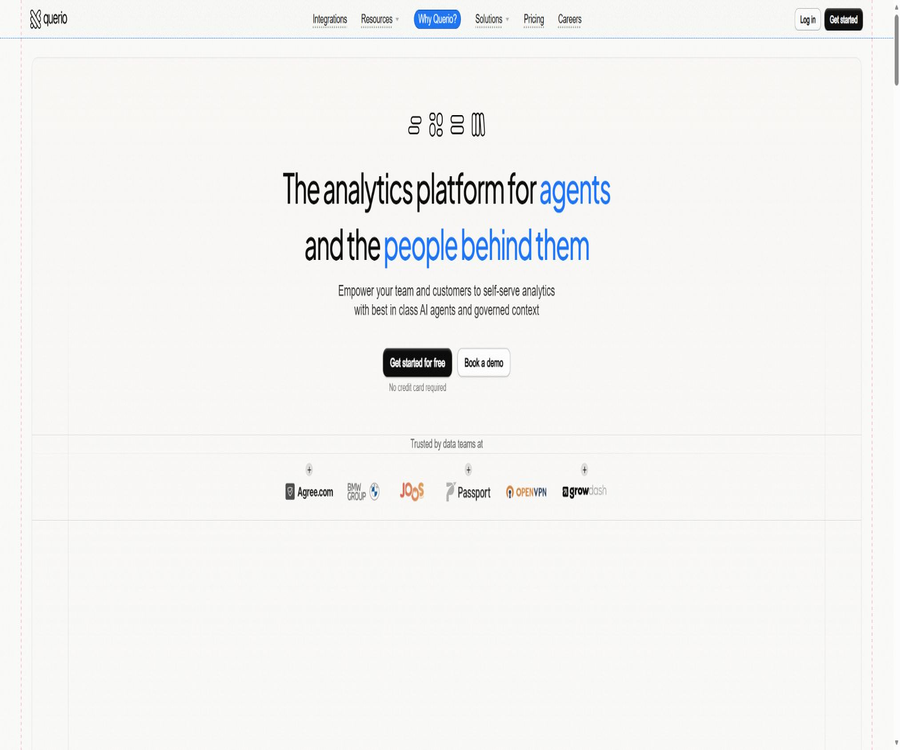
Querio AI is a data analysis platform based on Agentic Notebooks; users can pose business-related questions in natural language, and the AI will generate SQL queries, Python code, tables, charts, and explanations using the connected data warehouses. The results can then be published, automatically updated, or integrated into one’s own products.
Tool Introduction
Operated by Querio Ltd., Querio is designed to enable team members with varying technical skills to explore corporate data directly. It combines interactive analysis with editable Notebooks, which not only lowers the barrier to asking questions for business users but also allows data professionals to review the generated queries and calculation processes.
The product is connected directly to databases or data warehouses, and its functionality is organized around elements such as Explore, Notebook, Context, Layout, Board, Automation, and Embed. It is not a simple chat tool that provides immediate results after uploading a table; rather, it is an enterprise analysis workspace that requires proper configuration and management of data sources.
Core concepts
| Concept | Function | Problems that are suitable for solving |
|---|---|---|
| Explore | The main working area for analysis, where AI conversations and Notebooks are saved. | Continuously asking the same business question |
| Notebook | Display SQL, Python, charts, tables, and text cells created by AI. | Check the calculation process and continue editing. |
| Context | Save data directories, business definitions, memories, extensions, and skills | Standardize metric definitions and reusable logic |
| Layout | Arrange useful cells in a report-style view | Organize multiple results and present them to the team |
| Board | Explore collection with Layout | Search collectively for the already-organized analysis pages. |
| Automation | Refresh Explore as planned or rerun the prompt | Reports are updated continuously and sent via email or Slack. |
| Embed | Integrate analytical capabilities into products through embedded pages or APIs. | Create a customer-oriented data Q&A and charting experience. |
Main functions
1. Exploration of natural language data
Users can directly specify the metrics, time range, and filtering criteria; Querio will take into account the existing context, select the necessary data, and create analysis cells. Subsequent queries remain within the same Explore interface, allowing for gradual narrowing of the scope or comparison of different dimensions.
- View income, orders, active users, or other business metrics for the past year on a monthly basis.
- Find customers from a certain quarter, sorted by order volume, revenue, or retention rate.
- Compare the conversion performance of different customer acquisition channels, product versions, or regions.
- Continue to inquire about the reasons behind these abnormal changes, as well as the affected groups and related details.
- Save and organize commonly used conclusions in a Layout, or assign automatic tasks to refresh them regularly.
2. Dialogue and Notebook run in parallel
An Explore session includes both AI conversations and Notebooks. The chat area explains what the system has done and accepts subsequent commands, while the Notebook displays the SQL, Python code, charts, tables, and text generated as a result of the analysis.
This structure allows business professionals to first see the conclusions, while data specialists can then verify the query parameters, filtering criteria, and calculations. Even if charts that appear reasonable are generated, it is still necessary to check whether the underlying cells conform to the business requirements.
3. Data Directory and Context Layer
Once the connection to the data source is established, Querio can generate a catalog from the database, which helps the Agent understand the schema, tables, fields, relationships between them, as well as relevant descriptions. The team can also add metric rules and business-related knowledge in the Context area.
| Context area | Save content | Uses |
|---|---|---|
| Datasources | Context associated with a specific database | Limits the range of data that the Agent can understand and use. |
| Catalog | Tables, fields, and schema structure | Create an automatic data catalog |
| Knowledge Base | Python script or executable logic block | Define metrics, rules, and business calculations |
| Memory | Long-term instructions and precautions for the workspace | Reuse team knowledge across different conversations |
| Extensions | Custom plugins and integrations | Expand platform capabilities |
| Skills | Reusable task instructions | Analysis processes such as comparison during standardization periods and data dictionary management |
| Files | Other workspace files and directories | Save auxiliary materials that do not belong to standard categories |
4. SQL and Python for analyzing cells
The official introductory documentation specifies that Notebooks display SQL code, Python scripts, tables, charts, and text. This allows data teams to track how AI retrieves data, transforms it, and presents the results, rather than merely receiving unverifiable answers in natural language.
5. Layout and Boards
Layout allows useful cells from a Notebook to be added to a grid, and their position and size can be adjusted to create a report view that is more suitable for reading and sharing. Layout remains linked to the original Explore section, and updates can be made after analyzing any changes.
- Combine multiple charts, key metrics, and textual explanations into a single page.
- Hide the temporary cells from the exploration process, showing only the results that need to be shared.
- Continue to modify and analyze based on the original conversation, while simultaneously updating the Layout content.
- Explore with a Layout will take you to the Boards area, making it easier for teams to search collectively.
- By default, the Board allows users to view layout-based analyses shared by workspace members.
6. Scheduled automation
Automation can run on an hourly, daily, weekly, monthly basis, or according to a custom Cron expression. Tasks can either refresh existing Explore data or initiate a new analysis each time.
| Automated components | Optional configuration | Actual effect |
|---|---|---|
| Trigger | Hours, days, weeks, months, time zone, or Cron | Determine when the task should start. |
| Explore sync | Select Existing Explore | Run the Notebook again and refresh the report or Board. |
| Run a prompt | Hints, models, and data sources | A new Explore and analysis are created each time it is run. |
| Email action | One or more email recipients | Send the results of this analysis by email. |
| Slack action | Connected channels | Send text answers, and use built-in blocks to display supported tables and charts. |
| Test run | Run a trial run right away. | Check results and configurations before releasing the plan |
| Live or Draft | Publish or pause | Control whether tasks are executed as scheduled. |
7. Connection between database and data warehouse
Querio allows for direct connection to the databases or data warehouses where the data is stored. The official integration page lists PostgreSQL, MotherDuck, Redshift, Microsoft SQL Server, MariaDB, ClickHouse, BigQuery, MySQL, Snowflake, Databricks, Amazon Athena, Trino, Dremio, and Materialize.
To establish a connection, a read-only user or service account, information regarding the host and database are usually required, as well as an outbound address for Querio when network access is limited. In a production environment, the principle of least privilege should be followed; database accounts with write, delete, or management capabilities should not be used.
8. Embedded Explore interface
Developers can embed the full Explore page in their own SaaS applications or internal systems. Workspace tokens determine the workspace to which a session belongs as well as the data sources that can be accessed; embedded sessions are automatically saved in the Querio workspace.
The embedded page allows for a mode focused solely on chatting, or a mixed mode that displays both chat messages and Notebook contents; it is also possible to pre-fill the first question so that it is processed automatically. Workspace tokens are sensitive credentials and should not be stored in locations where they can be accessed by unauthorized users.
9. Embedded API v2
The current version of the embedded API is v2; it is centered around Conversation and Turn, and supports multiple rounds of questioning, tagging, pagination, as well as table and chart assets. It also provides test and production environments to facilitate verification of the integration before deployment.
| API capabilities | Uses | Return format |
|---|---|---|
| Create a Conversation | Submit the first analysis question and specify the data source, model, and scope. | Save the new multi-round session |
| Add Turn | Ask follow-up questions within the existing context | Add one more round of messages between the user and the assistant |
| List Conversations | Browse embedded sessions based on conditions | Supports filtering and pagination. |
| Read Conversation | Obtain the complete message history | Return to the Dialogs and Structured Messages section |
| Read Asset | Access table or chart cells | Paginated table data or Vega-Lite chart specifications |
| Bearer Token authentication | Verify embedded requests | Use the API Token generated by the workspace. |
| OpenAPI specification | Generate a client or import debugging tools | Provide the v2 interface definition file. |
10. Model selection and enterprise deployment
The Startup plan features automatic model selection, while Core and Enterprise allow users to choose their own models. According to the privacy policy, Querio does not operate its own underlying models; instead, it relies on selected third-party providers of large-scale models.
Enterprise also lists options such as dedicated computing, queries across multiple data sources, self-hosting, GovCloud, as well as migration and ETL support. The specific deployment locations, list of models, network topology, and service commitments need to be confirmed through an enterprise contract.
Complete workflow
- The data administrator creates read-only database accounts and defines the schemas, tables, and network ranges to which access is permitted.
- Add a data source to the workspace, enter the connection parameters, and test the connection.
- Wait for the platform to generate the data directory, and then check whether the tables, fields, connection relationships, and descriptions are accurate.
- In the Context, add definitions of metrics, business terms, filtering rules, reusable logic, and skills.
- Create a new Explore session, and pose questions by specifying clear metrics, time periods, and filtering criteria.
- At the same time, check the chat explanations along with the SQL, Python, tables, and charts in the Notebook.
- Adjust the scope through subsequent questions to add valuable cells to the Layout or favorites.
- Publish the stable results as a Board, configure automatic updates, or deliver them to application users via Embed.
- Regularly review permissions, context, query costs, output accuracy, and the status of automated tasks.
Usage tutorial
Run Explore for the first time
- Verify that the workspace is connected to at least one data source and can read the required tables.
- Pose questions that include indicators, time ranges, and filtering criteria, such as the monthly income for the past 12 months.
- Wait for the Agent to create the Notebook cells; do not just read the final summary.
- Open the SQL and Python cells to check the time fields, connection conditions, null values, and aggregation methods.
- Compare a short segment of known data to verify that the results are consistent with existing reports or manual calculations.
- Additional grouping, year-on-year comparison, explanations for anomalies, or customer details are obtained through further inquiries.
- Save or add the confirmed cells to the Layout, and assign a clear name to Explore.
Create automatic reports
- First, complete an Explore version that can be run repeatedly in a stable manner, to avoid releasing experimental analyses as automatic tasks.
- Go to Automations and create a task, or select Schedule sync from Explore.
- Choose to refresh the existing analysis or to get a new prompt each time it is run, and specify the correct data source and model.
- Set the frequency, time zone, and operating hours; for complex schedules, Cron expressions can be used.
- Configure the email or Slack recipients as needed, and check whether sensitive data is included.
- Run a test run to check the charts, tables, recipients, and data update times.
- Once everything is confirmed correct, publish the task from Draft to Live, and regularly check the failure records.
Integrated into own products
- First, decide whether you need a complete Explore interface or prefer to design the interactions yourself and use the Embedded API.
- Generate the corresponding iframe token or API token in Querio, and store the key on the server side.
- Design data scopes for tenants or customers to prevent multiple customers from having unrestricted access to the same permissions.
- In the testing environment, verify the first query, multiple follow-up queries, table pagination, chart assets, and error handling.
- Apply side constraints to input length, query range, concurrency, timeout, and usage costs.
- Switch to the production environment only after completing the security review, and monitor sessions, tokens, and data access.
Which users are it suitable for
- Business analysts: Quickly explore metrics using natural language, while retaining an auditable analysis process.
- Data analyst: The agent generates initial SQL scripts, Python code, and charts, which are then subject to professional review and modification.
- Data Engineer: Connects warehouses, manages catalogs, contexts, permissions, and enterprise deployments.
- Product manager: Analyze feature usage, customer segmentation, conversion rates, and retention; there is no need to schedule separate tasks for each issue.
- Sales and Operations Team: Monitor pipeline, revenue, orders, and regional performance, and receive regular reports.
- Manager: View the organized metrics and analysis results through the Board.
- SaaS development team: Integrate customer data queries, tables, and charts into existing products.
- Enterprises that require private deployment: Evaluate Enterprise self-hosting, GovCloud, and dedicated computing solutions.
Typical use cases
- Analyze monthly changes in revenue, orders, active users, and retention, and identify any abnormal months.
- Compare the conversion rates of different products, regions, marketing channels, or customer segments.
- Arrange the confirmed key metrics on a management board and update them as scheduled.
- A weekly summary of pipeline or operations is generated and sent to the responsible team via Slack.
- Provide access to customer data queries, subject to permission constraints, for the customer service or customer success teams.
- Introduce multiple rounds of data Q&A into SaaS products, without developing a complete analysis agent from scratch.
- Paginated tables and Vega-Lite charts are returned for different tenants, with rendering handled by the custom frontend.
- Context unifies business definitions that are prone to ambiguity, such as revenue, activity, and churn.
Product advantages
- The combination of natural language dialogue and inspectable Notebooks provides greater transparency compared to query tools that only return summaries.
- Context provides centralized management of directories, metric logic, long-term memory, extensions, and skills.
- It supports multiple common databases and cloud data warehouses, without the need to export them as static files first.
- Layout and Board can organize the exploration process into continuously updated report pages.
- The automation support service covers plan updates, execution of new prompts, as well as delivery via email and Slack.
- It offers both complete interface integration and v2 API, making it suitable for product teams with varying levels of development resources.
- The API supports multiple rounds of conversations, as well as table and chart assets, rather than merely returning a piece of text.
- The enterprise solutions offer options for cross-data source integration, dedicated computing, self-hosting, and GovCloud.
- Making information on security, privacy, subcontractors, and trust centers available facilitates companies’ assessment of their suppliers.
Usage restrictions and precautions
- AI-generated SQL and Python code may lead to connection errors, discrepancies in the definition of metrics, or unreasonable causal inferences.
- Accuracy depends on the quality of data catalogs, business definitions, table relationships, and context management; it cannot rely solely on the model’s ability to understand things automatically.
- Even with read-only accounts, complex or unfiltered queries can still consume a large amount of warehouse computing resources.
- The specific number of trial sessions available for free, the calculation method for the quota, and the duration for which it remains valid are not clearly specified on the public pricing page.
- Startup and Core support only a limited number of data connections; the ability to query across different data sources is a feature available in Enterprise.
- The annual subscription cost is high; the team should evaluate the frequency of use during the trial period and determine the extent to which traditional BI tools can serve as alternatives.
- The public interface and documentation are primarily in English; no complete Chinese interface has been confirmed.
- Embedded tokens and API tokens must be regarded as keys; their leakage can lead to unauthorized access to workspace data.
- Automatic emails or Slack messages may send sensitive data to the wrong recipients; it is necessary to test permissions and the content before sending them.
- Medical, financial, and other regulated decisions cannot rely solely on AI outputs; they must be reviewed by qualified personnel.
Prices and packages
The prices listed below were verified on August 22, 2026. The animations on the current pricing page do not display the monthly payment amount accurately; therefore, the table shows the annual total amount as stated explicitly on the page, along with the calculated average monthly cost.
| Plan | Public price | Billing cycle | Main credit limits and benefits | Suitable for users |
|---|---|---|---|---|
| Free trial | You can start for free. | No fixed cycle has been announced. | No credit card is required; AI agents can be used to explore data; the specific usage amount is not indicated on the public page. | Verify the connection and basic queries. |
| Startup | $ | Settled on an annual basis | 1 data connection, 10 users, Context, Slack Bot, automated models, standard computing and scoring | Small teams in the process of growing |
| Core | $ | Settled on an annual basis | 3 connections, unlimited users, SSH or VPN, onboarding training, custom models, enhanced computing power, bonus points for expansion, and advanced support | Data-driven enterprises |
| Enterprise | Custom quote | Contractual agreement | 5 connections, cross-source queries, dedicated computing, migration and ETL, self-hosting, GovCloud, and priority support | Complex data environments and regulated enterprises |
The pricing page offers the option to switch between monthly and annual payment, but the currently available public text does not show the amount for monthly payment accurately. Previous official articles mentioned different prices, and these cannot be used as a substitute for the information on the latest purchase page.
Comparison of package features
| Ability | Startup | Core | Enterprise |
|---|---|---|---|
| Data connection | 1 | 3 | 5 |
| User | 10 people | No restrictions | No restrictions |
| Computing resources | Standard | High | Dedicated |
| Model selection | Automatic | User selection | User selection |
| Query across data sources | Not included | Not included | Includes |
| Context and automatic directories | Includes | Includes | Includes |
| Automations and Boards | Includes | Includes | Includes |
| Embedding and API | Charged based on usage | Charged based on usage | Charged based on usage |
| SSH or VPN | Not included | Includes | Includes |
| Self-hosted and GovCloud | Not included | Not included | Includes |
| Support level | Standard | Advanced | Priority |
Notes on subscriptions and refunds
The terms of service state that fees are usually charged in advance and are non-refundable, unless otherwise specified in the contract. Subscriptions are automatically renewed, and users need to cancel at least 30 days before the renewal date.
Before signing a contract, businesses should clarify the scope of the trial period, the price per unit for API usage, how points are calculated, any additional fees that may apply, the date of renewal, and the procedures for returning or deleting data after the contract ends.
Supported data sources
| Data source type | Representative products | Connection considerations |
|---|---|---|
| Relational database | PostgreSQL, MySQL, MariaDB, Microsoft SQL Server | Create a read-only account and restrict schemas and tables. |
| Cloud data warehouse | Snowflake, BigQuery, Redshift, Databricks | Check the computing warehouses, projects, roles, and costs. |
| Analytical database | ClickHouse, MotherDuck, Materialize | Verify drivers, access scope, and query performance. |
| Query engine | Amazon Athena, Trino, Dremio | Verify directory, workspace, and underlying storage permissions. |
| Network connection | SSL or TLS, SSH tunnels, VPNs, IP allowlists | Available according to package and enterprise settings |
| Query across data sources | Multiple connected channels | The official price list lists it as Enterprise capability. |
Supported platforms
| Platform or delivery method | Support status | Explanation |
|---|---|---|
| Web page version | Support | The main workspaces for Explore, Notebook, Context, Boards, and Automations |
| Windows and macOS | Supports browser access | No standalone desktop client was found. |
| Linux | Supports browser access | No official local installation package was found. |
| iOS and Android | You can try moving the browser. | No official native mobile applications were found. |
| Slack | Support | Bots are provided, and automated results can be received. |
| Supports automatic delivery | Automation can send the results to multiple recipients. | |
| iframe embedding | Support | Include the full Explore interface in your own product. |
| Embedded API v2 | Support | Create a custom interface with multiple rounds of questioning, as well as tables and charts. |
| Self-hosted and GovCloud | Enterprise | The deployment details require confirmation through a corporate contract. |
| Interface language | English is the primary language. | The complete localization in Chinese has not been confirmed. |
APIs, SDKs, and open-source status
Querio provides public documentation for Embedded API v2, Bearer Token authentication, example interfaces, as well as information related to testing and production environments, along with OpenAPI specifications. The current public documentation does not list SDKs in Python, JavaScript, or other languages that are maintained by the official team.
An official GitHub organization does exist and is associated with the Querio brand, but as of the time of verification, no public code repository was available. Since the source code for this commercial platform is not made available, it cannot be classified as open source.
| Project | Current situation | Explanation |
|---|---|---|
| Embedded API | v2 is already available. | Supports creating sessions, adding follow-up questions, listing and reading sessions, as well as obtaining table and chart assets. |
| Authentication | Bearer Token | Created in the embedded API token management of the workspace. |
| Environment | Testing and production | It can be tested in a test environment before going live. |
| Interface specification | Provide OpenAPI | It allows the import of interface debugging tools or the generation of clients. |
| Official SDK | Not disclosed | No official maintenance language packs have been identified. |
| Official GitHub organization | It exists. | There are no public warehouses available at the moment. |
| Open-source product | No | The source code of the platform and its open-source licenses are not made public. |
| API price | Charged based on usage | The specific unit price and speed limits must be confirmed in the account or contract. |
Safety and compliance
The Querio security page states that it has passed SOC 2 Type II certification, and it makes use of AWS infrastructure as well as continuous vulnerability assessment, monitoring, and auditing. Static data is encrypted using AES-256, while transmission is carried out via TLS 1.3; role-based permissions and the principle of minimum access are also implemented.
- Database connections can be protected using methods such as SSH tunnels, SSL or TLS, VPNs, and IP allowlists.
- The data source account should be set to read-only, with only the schemas and tables required for analysis being accessible.
- The platform states that it complies with GDPR and CCPA, and provides a data processing agreement upon connection.
- The security page states that the service is HIPAA-compliant, but the privacy policy makes it clear that by default it is not a HIPAA-compliant product.
- Before processing protected health information, it is necessary to sign a BAA or an equivalent data protection agreement with Querio.
- Enterprise can negotiate self-hosting, GovCloud, and dedicated computing options; however, the specific details are subject to confirmation through a contract.
- No transmission or storage method can guarantee absolute security, and security certifications cannot replace the customer’s own governance of access rights.
Privacy and AI data processing
The privacy policy considers data sources, queries, Dashboards, alerts, as well as AI input and output to be Customer Data. Querio handles these data in the customer’s workspace on behalf of corporate clients, with the specific rules being governed by the customer agreement.
| Data or processing stages | Public rules | User precautions |
|---|---|---|
| AI input | May contain hints, schemas, metadata, and query results | Do not allow the Agent to access sensitive fields that are outside the scope of the task. |
| Model training | Querio and model providers under contract do not use Customer Data to train models. | It is still necessary to verify the company’s contract against the selected model. |
| Base model | Querio does not currently operate its own foundational models. | Use third-party large models to perform inference. |
| Model provider | OpenAI, Anthropic, and Google | Process schema metadata and sample data from user requests according to the configuration. |
| Account information | During the account’s validity period and for up to 90 days after it is closed | Legal requirements may extend the retention period. |
| Logs and analysis | Generally, scrolling data is retained for up to 24 months. | It may be retained in an aggregated or anonymized form. |
| Customer Data | Handled in accordance with the customer agreement; after termination, an application can be submitted to have it deleted or returned within 30 days. | Backups are deleted on a regular schedule. |
| Payment card | Handled by the payment service provider. | Quero does not save the full card number and security code. |
| Cross-border processing | It may be carried out in regions such as the EU, the United States, and the UK. | Enterprises should identify the transfer mechanisms and data areas. |
The subcontractors page also lists services such as AWS, Vercel, Neon or Databricks, PostHog, Stripe, etc. Different suppliers handle different types of data and operate in various regions; companies subject to regulations should obtain an up-to-date list.
Differences from traditional BI and general chatbots
| Comparison dimensions | Querio | Traditional BI | Universal chatbot |
|---|---|---|---|
| Way of asking questions | Natural language interaction with Notebooks | Drag and drop, report configuration, or manual queries | Natural language |
| Data connection | Directly connect the enterprise database to the warehouse | Usually connected directly or via ETL. | It often relies on uploading files or external tools. |
| Analysis transparency | Display SQL, Python, and cells | Queries and data models can usually be checked. | Often, only the answer is returned. |
| Business semantics | Context, directories, memory, and skills | Semantic layer and indicator model | It relies mainly on the current prompts. |
| Report delivery | Layout, Board, Emails, Slack, and Embedding | Dashboard, Subscriptions, and Exporting | Copy chat content |
| Developer capabilities | Full interface embedding and multiple API rounds | Embed SDK or reporting API | General text or tool invocation API |
| Main risks | AI query errors and warehouse costs | Modeling and maintenance costs | Insufficient data context and hallucinations |
Basic information
| Project | Content |
|---|---|
| Tool name | Querio |
| Common names | Querio AI |
| Development and operation | Querio Ltd. |
| Tool type | AI business intelligence, Agentic Notebook, embedded analytics platform |
| Main inputs | Natural language questions, database schema, business context, and connected data |
| Main output | SQL, Python, text, tables, charts, Layout, and automated reports |
| Price pattern | Free trial, annual subscription, corporate quotes, and pay-as-you-go API pricing |
| Is registration required? | It is necessary. |
| Chinese support | The complete Chinese interface has not been confirmed. |
| API | Provides Embedded API v2 |
| SDK | Not disclosed |
| Official GitHub | There is an organized page; no public repository available at the moment. |
| Is it open source? | No |
| Main platforms | Web, iframe, Slack, Email, and API |
| Enterprise deployment | Supports self-hosted and GovCloud solutions. |
Recommendation score
Recommendation score: 4.4 / 5. Querio offers a comprehensive set of features that include natural language queries, editable Notebooks, business context, Boards, automation, and embedded APIs; it is suitable for companies that wish to serve both business users, data teams, and product clients simultaneously.
The main obstacles are the high cost of the official packages, the lack of clarity regarding the amount of free trial time available, and the fact that the quality of AI analysis depends heavily on data management. In sensitive areas such as healthcare, it is necessary to conduct separate evaluations of agreements and permissions; it is not sufficient to rely solely on the brief compliance indicators provided on the security pages.
Frequently Asked Questions
What does Querio AI do?
It is used to connect to enterprise databases or data warehouses, enabling users to carry out analyses using natural language and Agentic Notebooks. The results can take the form of SQL queries, Python code, tables, charts, explanations, Board visualizations, and automated reports.
Can I use Querio if I don’t know SQL?
Exploration can begin using natural language, but this does not mean that knowledge of data can be ignored. Critical analysis still requires examining the definitions of indicators, as well as processes such as filtering, joining, aggregating data, and using AI-generated queries.
Is Querio free?
The official website allows users to get started for free without the need for a credit card, but it does not specify a fixed amount for the free tier. The official team plans start at the Startup level, and the annual fee indicated on the current page is $5,000.
What is the difference between Startup and Core?
Startup includes 1 data connection and 10 users, utilizing automatic models and standard resources; Core offers 3 connections, an unlimited number of users, SSH or VPN access, the ability to choose custom models, higher computing power, additional credits for expansion, training, and advanced support.
Which databases are supported?
The available integration options include PostgreSQL, MySQL, SQL Server, Snowflake, BigQuery, Redshift, Databricks, ClickHouse, MotherDuck, Athena, Trino, Dremio, and others. For channels that are not listed, you can consult the official sources.
Will Querio copy the entire database?
The security page states that customer data is not retained permanently; temporary data is stored in a secure environment or on the customer’s own infrastructure. The privacy policy specifies the retention periods for different types of data, and companies should follow the terms outlined in the customer agreements as well as the actual configuration settings.
Are customer data used to train AI?
The privacy policy states that Querio and its contracted model providers will not use Customer Data to train models. However, to generate results, relevant prompts, schemas, metadata, and query content may still be sent to the selected model providers for processing.
Is Querio compliant with HIPAA by default?
No. The privacy policy clearly states that the general services are not HIPAA-compliant by default; a BAA or an equivalent agreement must be signed before submitting protected health information.
Can one’s own SaaS be integrated?
Yes. Developers can embed the full Explore page, or they can use the v2 API to create multi-turn conversations, paginated tables, and Vega-Lite charts on their own.
Are APIs and SDKs available?
Embedded API v2 and OpenAPI specifications are provided; the pricing schedule indicates that the API is charged based on usage. No official language SDKs for maintenance have been identified.
Is Querio open source?
It is not open source. The official GitHub organization does not have any public repositories, and commercial platforms also do not provide open-source licenses.
Where can automatic reports be sent?
Automation can send results via email, or it can be connected to Slack to send them to a specified channel. When no Action is configured, the task will only refresh the Explore section in the workspace.
Can the subscription be canceled at any time?
The terms require that automatic renewal be canceled at least 30 days before it takes effect, and pre-paid fees are generally not refundable. Corporate contracts may specify different rules, and the terms outlined in the signed documents shall prevail.
Summary
Querio is suitable for teams that wish to combine natural language analysis with verifiable code, unified semantics, continuous reporting, and customer integration. Its value lies not only in generating answers but also in transforming Explore into Notebook, Board, Automation, and in-built analysis capabilities within products.
Before adopting it officially, it is necessary to first use a read-only connection to verify the accuracy of the metrics and the associated storage costs; thereafter, the package options, API usage levels, data retention policies, and deployment strategies should be assessed. For sensitive data and regulated industries, it is also required to define the exact compliance boundaries through documents such as contracts, DPA agreements, and BAA agreements.
A tool similar to Explore data at any technical level



 Guigong Network Security Registration No. 45132202000164