






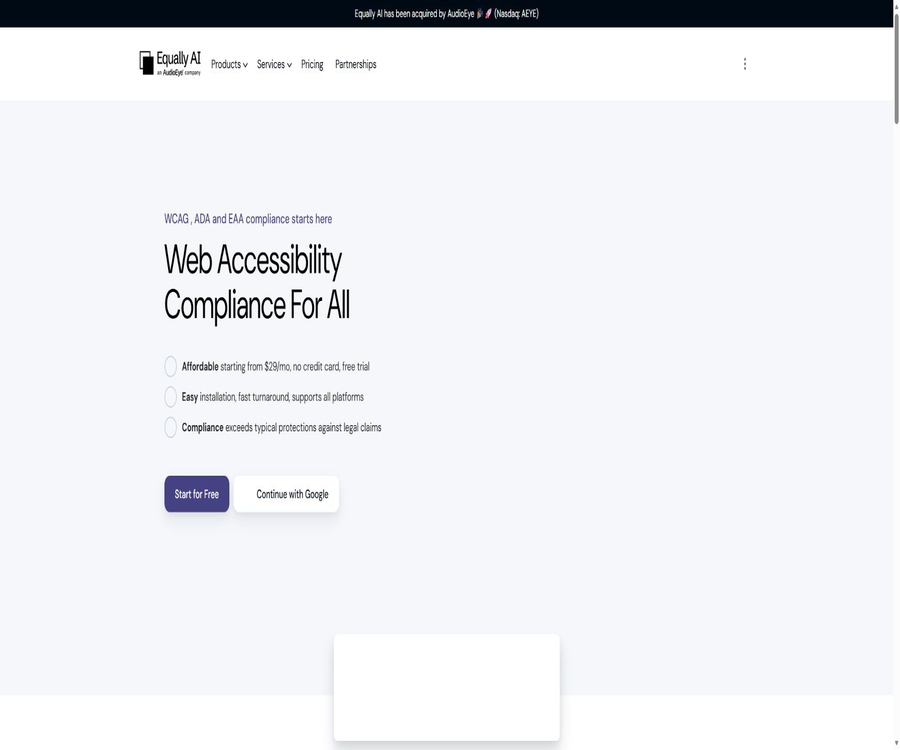
Equally.ai
Equally.ai: an intelligent tool focused on improving AI efficiency.
Tags:AI improves efficiencyA one-sentence summary
Equally.ai is a website accessibility platform that combines AI-driven automatic fixes, customizable accessibility components, manual verification, and professional audit services, to assist teams in identifying and improving WCAG-related issues.
Tool Introduction
Equally.ai is aimed at businesses, developers, and digital service teams that need to improve the accessibility of their websites and reduce compliance risks. Users can install a script that allows the platform to scan pages, make automatic corrections to certain issues, and continuously monitor any changes in the content.
The product also offers services such as the Flowy audit collaboration platform, manual website audits, VPAT and ACR, testing for screen reader users, and compliance verification. The official website of Equally.ai indicates that the company has been acquired by AudioEye; it is therefore necessary to pay attention to any account notifications regarding future product updates and service changes.
Product composition
| Products or services | Primary uses | Delivery method |
|---|---|---|
| Accessibility Widget | Automatic scanning, repair, and accessibility settings for visitors | Install scripts on the website |
| Flowy | Full-site auditing, issue collaboration, AI recommendations, and progress tracking | Web-based project platform |
| Managed Accessibility | Automatic auditing, manual review, expert repair, and continuous monitoring | Managed professional services |
| Expert Audit | Automated and manual testing with issue reporting | Quotation by project |
| VPAT and ACR | Explain the product’s compliance with requirements such as Section 508. | Expert evaluation and document delivery |
| User Testing | Testing real interactions by users of assistive technologies | Professional testing and reporting |
| Verify Compliance | Audit, remediation support, and retesting | Custom services |
Main functions
1. AI-assisted accessibility components
After the installation of the components on a website, Equally.ai analyzes the page structure and addresses some accessibility issues. The platform combines automated processing with manual verification after payment, rather than offering only a visitor settings panel.
- Scan website pages and identify issues that affect the use of assistive technologies.
- It automatically handles issues related to certain code, ARIA, navigation, and content presentation.
- The content is scanned and updated every 24 hours to continuously identify new issues.
- It provides customizable accessible entry points and preference controls for the website.
- Send notifications to the site administrator about issues with critical source code.
2. Accessible interface for visitors
Visitors can adjust the text, colors, contrast, animations, and page focus settings according to their own needs. The components allow for changes to colors, icons, sizes, and button positions, and they can also be configured to match a specific brand style.
| Usage requirements | Interface capabilities | Typical user |
|---|---|---|
| Visual aids | Adjustment of text size, contrast, saturation, and color | Users with low vision or color vision differences |
| Cognitive assistance | Highlight key points, reduce distractions, and improve reading focus. | Users with cognitive impairments |
| Seizure Safe | Pause flashing content and animations | Users with photosensitive epilepsy |
| ADHD pattern | Reduce distracting page elements | Users with attention disorders |
| Dyslexia mode | Adjust the way in which content is presented for reading. | Users with dyslexia |
| Keyboard and screen readers | Optimize navigation and page semantics | Users who cannot use a mouse or rely on assistive technologies |
3. Automatic scanning and manual verification
Automatic scanning is suitable for quickly processing a large number of pages, but certain aspects related to semantics, interactivity, and real-world tasks require manual inspection. The official process includes manual verification once a paid subscription is activated.
The hosting service first carries out automatic scans, followed by manual audits conducted by experts and blind testers; after that, a repair plan is developed, the necessary corrections are made, and repeated tests are carried out to verify the results.
4. Flowy Audit and Collaboration
Flowy is an independent platform for accessible audit and remediation tasks; it can perform checks on the entire website or on specific pages, and provides AI-driven suggestions for making corrections to the source code.
- A single click can initiate an audit of the entire site; it is also possible to limit the audit to specific pages or areas of the website.
- Generate repair suggestions for issues such as ARIA tags, roles, and alternative text for images.
- Sync the issue to Jira or other project management workflows.
- Export audit reports in CSV or PDF format.
- Track the number of issues and the progress of improvements using charts.
- Set notifications and status alerts according to WCAG goals.
- Discuss, modify, and approve the repair solutions on the page.
5. Audit of professional websites
Expert audits combine automated tools, manual testing, and auxiliary technical checks to assess the gap between a website and the requirements set out in WCAG 2.1 AA, ADA, and Section 508.
The tests can cover screen readers, text readers, zooming software, voice input, alternative input devices, and refreshable Braille displays, thereby providing explanations of the issues identified along with suggestions for remediation.
6. VPAT and ACR services
For organizations that provide products or services to U.S. federal agencies, Equally.ai can first conduct a professional audit, and then assist with filling out the VPAT as well as preparing an Accessibility Conformance Report.
The VPAT describes the extent to which a product meets the relevant standards; it is not merely a certificate of compliance. Before delivery, it is still necessary to confirm the scope of the assessment, the version involved, any exceptions, and the date of issuance of the report.
7. Screen reader user testing
User testing is carried out by individuals familiar with assistive technologies, who assess the usability of a website through actual tasks. The public page lists tools such as NVDA, JAWS, VoiceOver, Narrator, ChromeVox, and TalkBack.
8. Compliance verification and retesting
The Verify Compliance service includes customized audits, support for making necessary corrections, and retesting after implementation. Once verification is complete, an accessibility certification and corresponding marking can be provided; however, its legal validity still needs to be determined by the client’s lawyer.
9. Accessibility Statement
The paid package includes a statement on accessibility, certified by a lawyer, which is used to publicly outline the website’s commitments regarding accessibility, the measures that have been taken, and the channels for receiving feedback. This statement cannot replace ongoing efforts to improve accessibility, nor can it guarantee that no complaints will arise.
Working principle
- Add the websites that need to be managed to the account, and choose between a trial plan or a paid plan based on the monthly number of page views.
- Copy the script generated by the console, install it at the bottom of the website page, or integrate it using the appropriate CMS.
- Wait for the component to scan the page structure, check the issues identified automatically and the preliminary results of the fixes.
- Enable manual verification or Flowy auditing to supplement semantic, keyboard, and real-task testing, which cannot be determined by automation.
- The development team handles issues with the source code, and auxiliary tools are used in the testing environment for verification.
- After the fixes are deployed, continuously monitor the update page to record audit reports, evidence of corrective actions, and version changes.
Installation and Usage Guide
Universal script installation
- Register an account and add a website domain; first, use a non-production environment to test the performance of the components.
- Copy the installation code specific to that website from the console.
- Place the code before the closing tag of the webpage’s body, to ensure that all pages that need to be modified are loaded.
- After publishing, check the component buttons, keyboard focus, screen reader narration, and display on mobile devices.
- Return to the console to confirm that the scanning has started, and to handle any installation errors or pages that were not covered.
Use CMS integration
- Select the integration guide corresponding to WordPress, Shopify, Wix, Webflow, or your current website.
- Add components using theme settings, plugins, the tag manager, or the global code area.
- Clear the site and CDN caches to ensure that the production pages are loading the latest scripts.
- Check whether dynamic processes such as checkout, logging in, pop-ups, and third-party integrations are still functional.
- Re-validate the installation and accessibility after the website is redesigned or its theme is changed.
Use Flowy to drive the improvements.
- Add a website and select the entire site, specific pages, or particular areas as the scope for auditing.
- Run the scan and organize the issues by severity, rule, and page.
- Review AI suggestions; do not modify production code directly without testing it first.
- Assign tasks to developers or synchronize them to Jira, and record the responsible person and completion status.
- After the repair, scan again and carry out manual testing, then export the report as evidence for the project.
Supported standards and regulations
The official website organizes the product descriptions in accordance with requirements such as WCAG 2.1 and 2.2 AA, ADA Title III, Section 508, EAA, and AODA; it also lists IS 5568, the Stanca Act, and other regional regulations.
| Standards or regulations | Main scope | Use reminders |
|---|---|---|
| WCAG 2.1 and 2.2 AA | Success criteria for accessible web content | It belongs to the technical assessment baseline; it is not a separate legal conclusion. |
| ADA Title III | Accessibility requirements in public facilities in the United States | Specific applicability requires legal advice. |
| Section 508 | U.S. federal agencies and related procurement | Government suppliers often need VPAT and ACR. |
| EAA | EU requirements for accessibility of products and services | It is necessary to take into account the type of business as well as the rules in force in the member states. |
| AODA | Accessibility requirements in Ontario, Canada | The applicable scale and timeline need to be verified separately. |
| Regional regulations | IS 5568, Stanca Act, etc. | Local compliance reviews cannot be replaced by a single component. |
Which users are it suitable for
- Websites for small and medium-sized enterprises: Aiming to introduce accessible interfaces and continuous monitoring with lower barriers to implementation.
- E-commerce team: It is necessary to manage products, shopping carts, and content pages, while also controlling the cost associated with monthly page views.
- Design and development team: Uses Flowy to identify issues, assign tasks, and verify fixes to the source code.
- Government suppliers: Require professional auditing, VPAT, and ACR support for purchasing materials.
- Digital agents: Provide seamless implementation, monitoring, and white-labeling services for multiple client sites.
- Large enterprises: require multiple sub-domains, dedicated account managers, compliance dashboards, and customized support.
Typical use cases
- Add an adjustable accessible visitor interface to the company’s official website.
- Run automatic audits before and after the website redesign to compare any changes in issues.
- Sync accessibility issues with development iterations and Jira projects.
- Prepare VPAT and ACR for procurement by governments or large enterprises.
- Use a real screen reader for user verification during the registration, search, and checkout processes.
- Establish continuous monitoring and compliance reporting for multi-domain or agency clients.
Product advantages
- Integrate automated components, AI recommendations, manual verification, and professional services within the same product framework.
- Components are loaded asynchronously, which reduces the risk of blocking the main content of the website.
- It covers common CMS platforms, e-commerce sites, tag managers, and custom websites.
- Flowy supports report export, task integration, collaborative approval, and progress tracking for improvements.
- It offers services beyond automated tools such as VPAT, user testing for assistive technologies, and retesting.
- The packages are categorized based on the number of page views, and the website can choose the appropriate tier according to the actual traffic volume.
Usage restrictions and precautions
- Installing accessibility components does not guarantee that a website will not receive complaints, nor can it replace legal advice provided by a lawyer.
- Automatic testing cannot cover all WCAG issues; interactive processes, semantic quality, and actual usability require manual testing.
- Standard components do not handle pages that can be accessed only through parameters, nor do they automatically process documents, presentations, spreadsheet files, PDFs, audio and video files, SVGs, embedded content, Canvas, and Flash.
- Accessibility for documents, media, and mobile applications is an additional professional service that may incur separate fees.
- The package is based on a monthly limit for the number of page views; when traffic increases rapidly, it is necessary to upgrade or purchase a customized plan.
- Third-party payment services, chat functions, verification codes, maps, and embedded components may require separate adjustments by their respective suppliers or development teams.
- Code suggestions generated by AI may introduce visual or interactive issues, and therefore must undergo code review as well as testing using auxiliary technologies.
- Equally.ai has been acquired by AudioEye, and the terms allow for a migration to AudioEye’s automation and platform products upon prior notification.
Prices and packages
As of August 22, 2026, the pricing page offers three payment periods: Monthly, Annual, and 2 Years. The page displays the monthly price based on an annual payment plan by default, with the final amount to be paid being the total cost for the selected period.
| Package | Monthly payment | Annual payment | Pay in two years | Monthly page views |
|---|---|---|---|---|
| Essential | $ | $ | $ | Up to 100,000 |
| Growth | $ | $ | $ | Up to 1 million |
| Ultimate | Custom quote | Custom quote | Custom quote | Over 1 million |
The main benefits for all paid customers
- The ability to make corrections related to WCAG, ADA, and EAA requirements.
- Manual verification and regular compliance checks.
- A disability statement certified by a lawyer.
- Notification of critical source code issues.
- The public pricing page lists 24/7 support for 5 days.
Ultimate additional benefits
- Compliance management dashboard and dedicated account manager.
- Multiple subdomains are supported, along with the ability for white labeling.
- 24/7 support service level agreement.
- The $10,000 commitment mentioned on the official website is subject to conditions that must be checked in the contract.
A 7-day free trial is available without the need for a credit card. The homepage mentions that a free plan can be used on a long-term basis, but the price page does not specify the data volume, level of manual verification, or range of functions offered under this free plan; therefore, it cannot be assumed that this trial period will remain free indefinitely.
Platform support and integration
| Platform or method | Support status | Explanation |
|---|---|---|
| General web scripts | Support | Suitable for websites where it is possible to edit the code of global pages. |
| WordPress and WooCommerce | Support | It can be installed following the official CMS steps. |
| Shopify and BigCommerce | Support | Suitable for e-commerce websites; the checkout process needs to be tested separately. |
| Wix, Squarespace, and Webflow | Support | Installation via site code or platform integration |
| Drupal, Joomla, and Magento | Support | Administrator or development permissions are required. |
| Google Tag Manager and Cloudflare | Support | Suitable for centralized script management or edge deployment. |
| Jira | Flowy support | Used for assigning and tracking corrective action tasks |
| Native mobile apps | Professional services | The component is primarily designed for website testing; a quote is required for mobile application testing. |
Performance and security
Official documentation states that components are loaded asynchronously, with the aim of preventing the website’s main page from being blocked. The actual impact still depends on the number of scripts on the site, the network conditions, caching mechanisms, and third-party tags; it should be measured on the actual page.
- Officials claim that the server is located in Europe and that data encryption measures are in place.
- The performance page lists regular vulnerability checks and script link integrity verification.
- The website console makes use of account access control; nevertheless, teams should still use separate accounts and grant the minimum level of permissions necessary.
- The platform claims to comply with GDPR and CCPA, but customers still need to conduct their own data protection assessments.
Privacy and data processing
The privacy policy states that when registering and making purchases, information such as name, email address, phone number, domain name, and billing details may be collected; in addition, data related to the device, IP address, browser, logs, Cookies, and communication methods are also recorded. Payment information may be processed by third-party payment processors.
When the component is in operation, it collects image addresses, link addresses, page structure, CSS attributes, click events, interactions, and information related to page browsing. According to the policy, this data does not include the text on web pages, the content of form fields, nor any information about website visitors that can be linked to individual persons.
- Website owners should explain in their privacy policies the use of third-party accessibility scripts and the necessary data processing.
- Companies should verify the retention period for data, cross-border data transfer, the list of processors, and the procedures for deletion.
- Do not share console accounts, complaint documents, or audit reports with unauthorized members.
- Submitting legal complaint materials contains sensitive business information; it is necessary to determine the scope of access and the confidentiality provisions.
- Following the acquisition by AudioEye, the data controllers, sub-processors, and migration arrangements shall be governed by the latest contracts and notices.
Laws and compliance boundaries
Equally.ai makes it clear that its product is not a legal service, and the installation components do not guarantee that customers will not receive any non-compliance notices. In cases involving applicable regulations, lawsuits, or government procurement, customers still need to consult their own lawyers.
If a customer receives complaints from third parties regarding accessibility issues, the platform can provide technical and professional resources when applicable, but this does not mean that legal representation is offered to the customer. Flowy’s self-service users generally do not receive the same level of assistance with third-party claims.
APIs, SDKs, and open-source status
Equally.ai provides its services through website scripts, a console, and platform integrations; however, no complete API reference document, official SDK, or documentation regarding developer rate limits are available for the general public. The ability to connect with tools such as Flowy and Jira does not equate to the existence of an open, universal API.
No official GitHub organization belonging to Equally.ai, nor any source code for open-source components or model weights, was found. The product is a commercial, closed-source SaaS solution; the fact that the website installation scripts can be made publicly available does not mean that its source code is licensed under an open-source license.
Basic information
| Project | Content |
|---|---|
| Tool name | Equally.ai |
| Current affiliation | It has been acquired by AudioEye. |
| Tool type | Website accessibility components, audit and compliance collaboration platform |
| Core products | Accessibility Widget and Flowy |
| Professional services | Manual auditing, VPAT, user testing, verification, accessibility for documents and media |
| Price pattern | 7-day trial, tiered subscriptions, and customized quotes |
| Basis for billing | Monthly page views and subscription duration |
| Is registration required? | It is necessary. |
| Chinese support | The complete Chinese-language console and Chinese support services have not been confirmed. |
| APIs and SDKs | No public general APIs or official SDKs were found. |
| Is it open source? | No, commercial closed-source products |
| Main platforms | Web console, website scripts, and CMS integration |
Recommendation score
Recommendation score: 4.2 / 5. Equally.ai is suitable for website teams that want to have access to automated components, manual verification, continuous monitoring, and professional auditing services; Flowy can also convert issues into manageable development tasks.
The main limitation is that automation cannot address all accessibility issues; files, media, and complex embedded content require additional services. Prices rise rapidly as data usage increases, and the arrangements for migrating products after acquisition need to be determined at the time of purchase.
Frequently Asked Questions
Is Equally.ai free?
A 7-day free trial is available, and no credit card is required. The homepage mentions a long-term free plan, but the pricing page does not disclose all the details of that plan; the actual options available will depend on those specified in the account.
Does installing the components ensure ADA compliance?
No. Components can improve technical accessibility and help identify issues over time, but the official terms make it clear that it is not a legal service, nor does it guarantee that no complaints will arise.
Is WCAG 2.2 supported?
The official website currently sets WCAG 2.1 and 2.2 AA as the goals to be achieved. The specific scope of the audit and the criteria for success should be specified in the project contract or report.
Will it slow down the website?
Components are loaded asynchronously, with the goal of avoiding interruptions to the main page. It is still necessary to use actual devices and performance testing tools to check loading times, script errors, and any conflicts with third-party tags.
Is it possible to customize the appearance of components?
It is possible to adjust the colors, icons, size, and position of buttons; the entry point can also be hidden when necessary. Even after making customizations, it is still necessary to check the contrast, focus, and keyboard navigation.
Which website platforms are supported?
It supports a variety of platforms including standard web pages, WordPress, Shopify, Wix, Webflow, Drupal, Magento, Joomla, tag managers, and Cloudflare.
Will PDFs and videos become accessible automatically?
No. Standard components do not handle PDFs, presentations, spreadsheet files, audio and video files, SVGs, and embedded content automatically; these require additional services or manual processing.
What is Flowy?
Flowy is a platform for accessible audit and remediation across the entire site; it offers AI-powered repair suggestions, integration with Jira, report export, progress charts, and team discussions.
Is a VPAT service available?
Available. Experts first audit the website, then fill out the VPAT to generate an ACR; this service is suitable for government procurement projects or organizations that need to demonstrate compliance with Section 508.
Is Equally.ai open source?
It is not open source; there is no access to the source code, SDKs, or model weights from any official open-source platform.
Will the data be used to train AI?
The privacy page provides information on the structure of the data collected by the components as well as their interaction patterns, but it does not offer any clear statements that cover all aspects related to the use of that data for AI training. Companies should specify in the contract the requirements regarding the exclusion, storage, and deletion of such data.
Summary
Equally.ai combines AI-assisted components, continuous scanning, manual verification, Flowy collaboration, and professional accessibility services to cover the key stages ranging from identifying issues to making corrections, conducting retests, and delivering documentation.
Essential is suitable for websites with a monthly traffic volume of no more than 100,000 visits; Growth covers sites with up to 1 million visits per month; Ultimate is intended for sites with higher traffic levels and teams that manage multiple subdomains. Before making a choice, it is necessary to evaluate factors such as complex interactions, third-party content, file media, the scope of manual testing, and the terms related to migration after an acquisition.
Tools similar to Equally.ai



 Guigong Network Security Registration No. 45132202000164