






Engauge AI
Engage AI: an intelligent tool focused on improving the efficiency of AI.
Tags:AI improves efficiencyA one-sentence summary
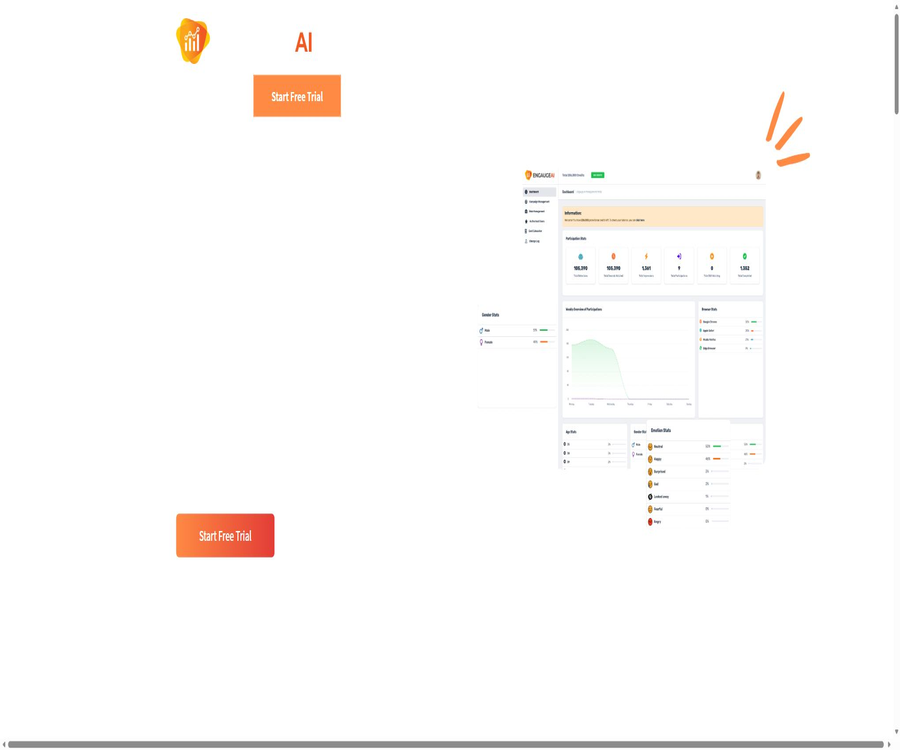
Engage AI is a browser-based SaaS tool designed for advertising creative testing and market research; it uses the camera on the participants’ devices to analyze their viewing behavior, demographic characteristics, and emotional reactions on a second-by-second basis, and then presents the results in the form of actionable reports.
Tool Introduction
This product was developed by XCINEX Corporation, and its target users include brand owners, content creators, and market research firms. It focuses not only on metrics such as views, click-through rates, or completion rates, but also on the changes in expressions and attention patterns that may occur at different moments during a video.
Researchers create activities and upload the videos to be tested; participants view these contents after granting permission for use of their camera in a compatible browser, and the platform then aggregates data on emotions, demographics, and level of engagement. Such results can help in refining creative ideas, but they should not be regarded as an accurate indication of an individual’s true psychological state.
Main functions
Advanced video content analysis
Users can upload advertisements, promotional videos, or other video materials to create testing campaigns. The system links the viewing process with a timeline, enabling teams to determine the audience’s reaction to specific shots, text captions, or changes in rhythm.
Emotional engagement per second
The statuses listed on the official website include neutral, happy, sad, scared, angry, surprised, disgusted, looking away, and scrolling forward. The results are presented in seconds, making them suitable for comparing segments such as opening sequences, key features, transitions, and call-to-action messages.
Demographics and viewer count detection
The platform can use cameras to determine the number of viewers and analyze demographic factors such as age, gender, and ethnicity. These demographic characteristics are inferred by algorithms rather than through any form of identity verification, and their accuracy and reliability can be affected by lighting conditions, camera quality, the composition of the sample, as well as differences among various groups.
Event management
The team can organize research activities, manage videos and the participation process, and conduct tests based on various ideas or target audiences. The price list on the official website lists items such as participation restrictions, access controls, age limits, role management, and rewards; however, the public page does not clearly show whether each of these options is selected or not.
Customizable surveys
The official FAQs list customizable survey options as part of the analysis capabilities. Researchers can combine camera behavior signals with survey responses; however, the specific types of questions, logical transitions, and export formats are determined by the settings page available after logging in.
Interactive report
The report is used to observe changes in emotions and level of engagement along the video timeline, as well as to identify segments that require further verification based on the results of the analysis. The public version does not disclose information regarding the download of raw data, statistical tests, or the format in which the reports can be exported; it is necessary to check these details according to the actual research procedures before making a purchase.
Brand and team control
The pricing section lists features such as custom thank-you messages, brand identifiers and themes, user roles, and browser statistics. As the icon status in the currently available table is incomplete, these items are not assigned to any specific package in this document.
Analyzable signals
| Signal category | Currently available content | Suitable uses | Pay attention to the interpretation. |
|---|---|---|---|
| Emotion tags | Neutral, happy, sad, afraid, angry, surprised, disgusted | Observe the changes in expressions across different lenses. | Tags are the result of model inference; they are not equivalent to true feelings or intentions. |
| Attention behavior | Look away and scroll forward. | Identify the points in time when attention may be lost | Device operation and environmental interference can also trigger it. |
| Demographics | Inferences based on age, gender, ethnicity, etc. | View the differences in responses across different sample groups | There are risks of misjudgment, fairness issues, and non-compliance. |
| Viewing environment | Viewership and browser-related statistics | Identifying multiple viewers or technical conditions | No inference should be drawn from this regarding an individual’s identity without their consent. |
| Investigation information | Customizable survey options | Combine subjective responses with behavioral signals. | Problem design and sample bias can affect the conclusions. |
Complete workflow
- Register a customer account and select a trial plan or a package that suits the number of team members, video quality requirements, and point needs.
- Create a research activity, upload videos for which testing and display rights are available, and set the conditions for surveys, access, and participation.
- Send a participation link to the target sample, and before starting, clearly explain the purpose of the camera, the type of data collected, the methods for withdrawing from the process, and the reward conditions.
- Participants use a compatible browser to authorize the camera and view the content in its entirety, with the system performing real-time monitoring within the browser.
- After the event, review the timeline, mood, demographic, and engagement reports to identify sections that need to be revised or retested.
- Repeat the testing with new creative versions and similar samples, and verify the conclusions by using questionnaires, interviews, conversion data, or traditional research methods.
Usage tutorial
Create the first creative test
- Log in to the customer portal and create an activity, assigning a clear name to the project as well as defining the research hypotheses.
- When uploading a video, make sure that its clarity does not exceed the limit set by the current plan, and check the playback duration as well as the orientation of the video.
- Select the indicators and survey questions that need to be examined, in order to avoid testing too many hypotheses at once within a single activity.
- Set the eligibility criteria, age requirements, access controls, and details on any acknowledgments or rewards upon completion.
- First, invite a small number of internal users to conduct a trial run in order to check whether camera authorization, video loading, and the report timeline are functioning properly.
- After official release, monitor the valid sample size and remaining points; analysis will begin once the target sample size is reached.
Interpreting second-by-second emotion curves
- First, mark the key time points such as product exposure, price information, plot turns, and calls to action.
- Observe whether multiple participants exhibit consistent changes during the same period of time; do not draw conclusions based on a single abnormality.
- Examine the behavior of diverting the gaze or scrolling separately from the video rhythm, page interactions, and technical issues.
- Compare the differences using the predefined sample groups, and record the sample size and missing data for each group.
- Cross-verify the model labels with survey responses, open-ended feedback, and actual business metrics.
- After modifying a key variable, retest it to avoid being unable to determine which change is responsible for the difference.
Conduct compliant participant testing
- Provide a concise consent statement before turning on the camera, outlining the purpose of the monitoring, the way in which the data will be used, and the expected duration.
- It explains that participants can withdraw by closing the survey window, and it should be made clear in advance whether such withdrawal will affect any rewards.
- Minors must have the consent of a guardian and meet the age requirements of the relevant jurisdiction.
- Demographic data or emotional inferences must not be used for high-risk automated decision-making, discriminatory screening, or the creation of expanded personal profiles.
- After the event concludes, the scope of data retention is controlled in accordance with the research objectives, and requests for access, correction, or deletion are addressed.
Which users are it suitable for
- Brand and advertising team:Test different versions of the opening statement, key features, and call to action before increasing media spending.
- Market research firms:Include the browser camera feed in remote creative testing and analyze it together with survey data.
- Content creator:Identify the sections in which the audience might lose interest, and then optimize the pacing of the narrative and the order in which information is presented.
- Product Marketing Team:Compare the audience reactions to demonstration videos, landing page videos, or concept videos for new products.
- Creative agency:Provide customers with the pre-test results of various ad versions along with suggestions for improvements.
- Research and Insights Team:Explore the relationship between expressions, attention behaviors, and subjective feedback, but this requires a rigorous research design.
Typical use cases
- Compare the differences in response regarding brand exposure, key selling points, and the call to action between the two ads.
- Identify the segments in long videos where viewers look away or scroll forward more frequently.
- Before official release, conduct a preliminary test on small samples of different versions in terms of editing, soundtrack, subtitles, and rhythm.
- Trends in different demographic groups are used as clues for research, with reasons explained through questionnaires or interviews.
- Generate timeline insights for research reports to help creative teams focus on actionable improvements.
- Use repeated tests to verify whether the revisions have improved the target segment, rather than relying solely on the team’s subjective evaluations.
Product advantages
- Participant testing can be carried out directly in the browser, without the need for participants to install any dedicated desktop software.
- Mapping the reactions to specific time points in the video makes it easier to identify the segments that need to be modified, compared to relying solely on the overall score.
- It covers multiple dimensions of observation, including emotions, attention and behavior, number of viewers, demographics, and survey information.
- It provides activity management and interactive reports, facilitating the transition from material distribution to result analysis.
- The trial version provides access to the enterprise suite, allowing users to test whether the actual workflow is suitable for their team before making a payment.
- The official website clearly states that, by default, no images, videos, or audio of the participants are captured or stored, and it says that the detection takes place within the browser.
Limitations and interpretation of results
- Facial expressions do not correspond one-to-one with true emotions; model labels can only serve as research signals.
- Inferences about age, gender, and ethnicity can be affected by training data, skin color, lighting, camera angle, and cultural differences.
- Camera quality, browser permissions, the network connection, and the participants’ environments can affect the proportion of valid samples.
- The method used to recruit samples may introduce selection bias, and the results obtained from a small sample cannot be taken as representing all consumers.
- The public page does not disclose the validation data, confidence intervals, error rates, or results of independent audits for each model.
- For some of the advanced features listed in the price table, only the names of those features are shown; the current page cannot reliably determine the relationship between the different options.
- The official website only reveals the monthly pricing; although the terms mention annual payment, the exact amount for annual payment must be confirmed on the settlement page.
Privacy, Consent, and Data Training
According to official policy, testing for participants is carried out in real time within the browser by default, and images, videos, or audio are not transmitted to servers by default. Customer information, payment details, platform usage data, anonymized survey data, and data processed by service providers all fall under the category of data that needs to be managed.
It is important to note that the terms also retain the right to save anonymized data, as well as images or videos, in order to improve the model. By default, such data is not saved, provided that this does not conflict with the collection of specific training data; however, the organizers must define the conditions under which this action is taken, the mechanisms for obtaining consent, the duration for which the data is retained, and the procedures for deleting it.
| object | Possible data involved | The official statement at present | Usage suggestions |
|---|---|---|---|
| Customer account | Name, company, email address, payment and usage data | Used for subscriptions, services, analysis, and communication | Use a team-specific account and manage role permissions. |
| Survey participants | Camera detection, demographics, emotion and engagement data | By default, it is processed in real time within the browser. | Clear informed consent must be obtained before turning on the camera. |
| Training data | Anonymized data, which may include images or videos in certain cases | Used to improve the algorithm and be retained for the required period. | Confirm before the activity whether data collection will take place and how to opt out. |
| Third-party service providers | Information required for payment, analysis, or emailing | It can be entrusted to handle matters and is bound by confidentiality obligations. | When making purchases, companies request information on the service providers as well as a list of cross-border suppliers. |
| Future microphone capabilities | Sound and participation signals | Features that may be added in the future | It cannot be considered as already online at the moment; approval must be obtained again before it can be activated. |
Prices and packages
As of August 22, 2026, the public areas of the official website display the following monthly pricing in US dollars. The trial period is either 7 days or 15,000 points, depending on what is available first, and it allows access to all enterprise features; the final costs and taxes are indicated on the customer portal’s settlement page.
| Package | Price | Billing cycle | Integration | Video clarity | Number of users | Suitable for users |
|---|---|---|---|---|---|---|
| Free trial | $ | 7 days or 15,000 points, whichever comes first | 15,000 | Officials say the enterprise features are being made available. | Refer to the registration page. | Verify camera, activity, and reporting processes |
| Basic | 19.99 dollars | Monthly | 30,000 | Up to 720P | 2 people | Individual creators and small-scale testing |
| Pro | 34.99 dollars | Monthly | 75,000 | Up to 1080P | 10 people | Agency team and ongoing research |
| Enterprise | 49.99 dollars | Monthly | 150,000 | Up to 4K | No limit on the number of people | Multi-member brands and research institutions |
| Annual payment | Not displayed publicly | Every year | Go to the settlement page | According to the selected level | According to the selected level | Teams that require annual procurement and refund arrangements |
| Custom events and additional purchases | Custom order or additional purchase based on the remaining balance | According to the agreement and order | The existing balance can be topped up. | According to the plan | According to the plan | Organizations that exceed the standard quota or have special research needs |
Cancellation and refund
A monthly subscription can be canceled at any time; once canceled, it remains valid until the end of the current billing cycle, with no refund for any unused months. An annual subscription can also be canceled, and according to the official terms, the service continues until the end of the current month, with a proportional refund for any unused months.
Key criteria for choosing a package
- Estimated number of activities, sample size involved, and points required for each analysis.
- Is it necessary for uploaded videos to have a resolution of 720P, 1080P, or 4K?
- It is the number of team members who need access to the backend, not the number of survey participants.
- Is brand customization, access control, roles, rewards, and integration with third-party surveys required?
- Is an annual contract, customized events, or additional points needed?
Platform and usage conditions
| Project | Support status | Explanation |
|---|---|---|
| Customer Management Portal | Web version | Used for registration, creating events, uploading content, and viewing reports |
| Participant side | Compatible browsers | Camera permissions are required; closing the window will end participation. |
| Desktop application | No official public version was found. | It should not be confused with browser services. |
| iOS and Android apps | No official dedicated apps were found. | Phones and tablets can participate using compatible browsers. |
| Camera | It is needed at the moment. | Used for real-time monitoring of the number of viewers, demographics, and sentiment analysis. |
| Microphone | Support may be available in the future. | The official terms describe it as a future capability; it is not yet a formal feature. |
| APIs and SDKs | No public interfaces were found. | For requirements related to automation and data export, please contact the authorities for confirmation. |
APIs, SDKs, and open-source status
As of the time of verification, the official website did not provide any API references, official SDKs, a developer platform, or a verifiable official GitHub repository. The code repositories, management tools, and browser extensions that appeared in search results under similar names belong to other projects and cannot be used as evidence of Engauge AI’s open-source nature.
Engage AI is a commercial SaaS product; its source code and emotion recognition models are not made public, so it cannot be classified as an open-source tool. If a company needs the ability to export raw data, integrate it with other survey platforms, use single sign-on, or take advantage of automated interfaces, it should request technical details before making a purchase.
Differences from traditional creative testing
| Comparison items | Engauge AI | Regular questionnaire | Artificial focus groups |
|---|---|---|---|
| Data time granularity | It can be mapped to the video’s second-level timeline. | Usually, a comprehensive answer is given after watching. | The host records the key points of the discussion. |
| Data type | Expressions, attention, demographics, and surveys | Self-report and multiple-choice questions | Language, observation, and group interaction |
| Remote execution | Browser camera participation | Web or mobile questionnaire | It is often necessary to handle bookings and arrangements. |
| Explain depth | Suitable for identifying the location of changes | Suitable for explaining attitudes and preferences. | Suitable for asking about reasons and context. |
| Main risks | Algorithmic bias, camera privacy, and overinterpretation | Recall bias and response bias | The host effect and the small sample size |
| Best usage | Cross-verification with survey and business metrics | Quantifying subjective feedback | Provide an in-depth explanation of the reasons behind the behavior. |
Basic information
| Project | Content |
|---|---|
| Tool name | Engauge AI |
| Development company | XCINEX Corporation |
| Tool type | Advertising creative testing, audience sentiment analysis, market research SaaS |
| Main inputs | Video content, event settings, participant camera feeds, and survey responses |
| Main output | Second-by-second emotion, engagement, demographics, and interaction reports |
| Price pattern | Time-limited and limited-quantity trials, monthly billing, annual billing, point-based purchases, and custom promotions |
| Is registration required? | Customers need to register in order to create events; participants join through the event entry point. |
| Chinese support | The official website and its public interfaces are primarily in English; a complete Chinese interface has not been confirmed. |
| APIs and SDKs | No publicly available versions were found. |
| Open-source status | It is a commercial, closed-source product; no official open-source repository has been found. |
| Core permissions | Camera on the participants’ devices; microphone functionality has not yet been officially released. |
Recommendation score
Recommendation score: 4.0 / 5. It is suitable for brands and research teams that need to quickly identify key moments in video creativity; the second-by-second timeline, browser integration, and multi-dimensional reports offer significant practical value.
The deductions stem mainly from the limited availability of data on model accuracy, the risks associated with the fairness of demographic inference, and the need for further clarification regarding the relationship between local processing and the retention of training data. Serious research should use it as an auxiliary tool for measurement, rather than as the sole source of conclusions.
Frequently Asked Questions
Is Engage AI free?
It is not a tool that remains free forever. New users can try it out for 7 days or by using 15,000 credits, depending on which condition is met first; after that, a subscription or an additional purchase of credits is required.
What features are included in the trial version?
The official website states that a trial access allows use of the full enterprise suite, but the actual points, restrictions on offers, and available regions are still determined by what is displayed on the portal after registration.
Do participants need to install software?
No special applications need to be installed; the service operates through compatible browsers. Participants must allow access to the camera and keep the survey window open.
Are the participants’ videos saved?
Officials state that, by default, images, videos, and audio are not captured or saved, with the detection taking place within the browser; however, the terms reserve the right to save anonymized data as well as certain images or videos for model training, and event organizers must confirm the specific settings and obtain consent prior to conducting tests.
Is microphone analysis already available?
The official specifications describe the microphone as a feature that might be added in the future; the current version uses a camera instead. Audio emotion analysis cannot be listed as a feature that is already available.
Are the results of emotion recognition reliable?
The results can help identify times points that warrant further investigation, but facial expressions do not equate to true emotions. Important decisions should be made by taking into account sample design, questionnaires, interviews, as well as actual performance data.
Is Chinese supported?
The current official website and public materials are primarily in English; there is no confirmation of a complete Chinese version of the backend or Chinese-speaking customer service. Whether Chinese-language videos can be used properly is a separate issue from the language of the interface, and it is advisable to test this through trial offers before making a purchase.
Are APIs or SDKs available?
As of the time of verification, no public APIs or official SDKs were found. Teams that need programmed data import, export of raw data, or integration with third-party datasets should contact the authorities for confirmation.
Is Engage AI open source?
No. This product is a commercial, closed-source SaaS solution; no official public source code, SDKs, or model weights have been found.
Can it be used in research on minors?
The participation requirements state that participants must be at least 18 years old; those under 18 need the consent of their parents or guardians. Organizers are also required to comply with the stricter regulations regarding child privacy and biometric data in the location where the study is conducted.
What rights are required to upload an advertising video?
Customers must ensure that they have the permission to test and share content, music, portraits, and other materials, as well as obtain any necessary approvals from third parties featured in the videos. The platform’s terms of service place responsibility for these matters on the uploader.
Summary
Engage AI combines remote video testing, camera behavior analysis, demographic inference, as well as survey and interaction reporting within a browser-based workflow, making it suitable for identifying creative issues before a formal launch. There are three subscription plans based on points, clarity, and the number of team members, and limited-time trials are also available.
Its results should be viewed as clues for further research, rather than an indication of what someone is thinking or a basis for individual judgments. Before using it, the team must obtain informed consent, assess algorithmic biases, verify the training data, and design the research properly; furthermore, cross-validation should be carried out using questionnaires, interviews, and business data.
Tools similar to Engage AI



 Guigong Network Security Registration No. 45132202000164