






Echowin
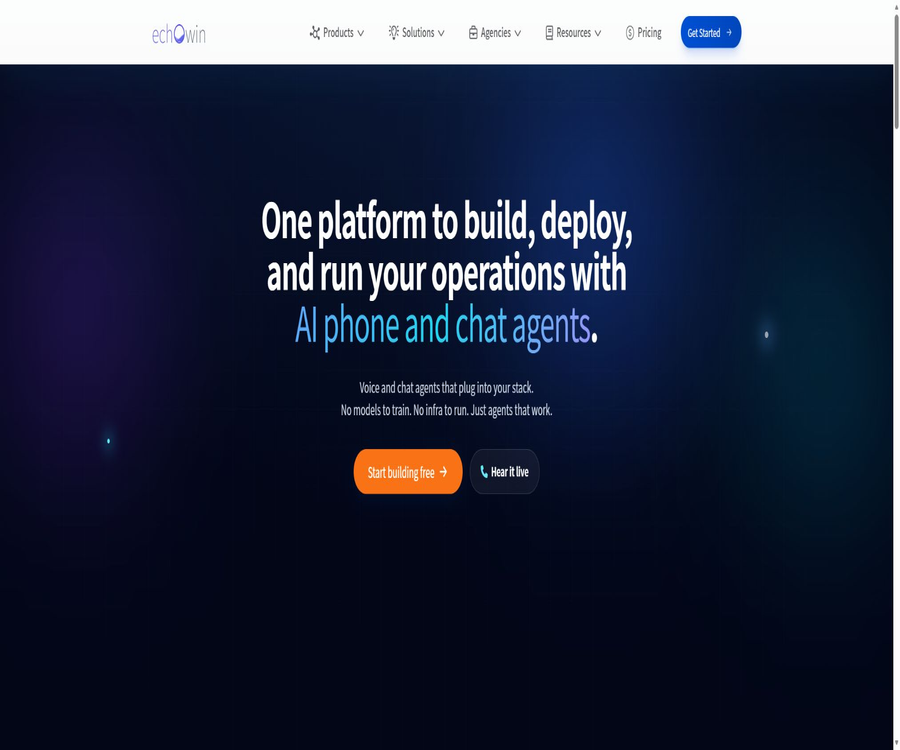
Echowin, an intelligent tool focused on improving AI efficiency.
Tags:AI improves efficiencyA one-sentence summary
Echowin is a platform used for creating AI-powered phone customer service systems and multi-channel chat agents; it can automatically answer incoming calls, make outbound calls, respond to business-related questions, handle appointments, make transfers, send messages, update CRM data, and analyze conversations.
Tool Introduction
Echowin is designed for businesses, stores, service providers, and agents who need automated customer communication. Users can write instructions for the agents in natural language, add knowledge and tools, and then deploy them to phone calls, web chats, WhatsApp, SMS, Discord, or Slack.
The platform handles the infrastructure related to voice, models, calls, and messages; ordinary users do not need to train models or set up servers on their own. Developers can also use REST APIs, Webhooks, as well as Skill files specific to AI tools in order to manage business data.
Main functions
AI phone reception
The phone agent can answer customers’ calls around the clock, explain the services available as requested, answer common questions, collect contact information, and record customer requirements. It is suitable for use at store counters, for scheduled services, and for customer support.
Smart outbound calling
The same agent can also carry out outbound calling tasks, such as following up on leads, reminding about appointments, and confirming information. Outbound calls must comply with the rules regarding telemarketing, automatic dialing, as well as lists of approved and rejected numbers in the target area.
Natural speech and multiple languages
The official product page for phone services indicates support for more than 35 high-definition audio qualities and communication in over 70 languages, as well as the ability to switch languages during conversations. The number of available languages varies across different pages; the actual options are determined by the interface used to create the agent.
Knowledge base Q&A
The knowledge base allows for the addition of web pages, PDF documents, textual references, and question-answer pairs. The Agent retrieves this information when it needs business-related facts, while the core instructions continue to determine behavior, policies, and processing procedures.
- Web pages are suitable for product, service, policy, and business information, and can be manually refreshed.
- PDF is suitable for manuals, service instructions, and official policy documents.
- Text references are suitable for short rules, terms, and background knowledge.
- Question-answer pairs are suitable for common customer questions and standard responses.
- The information is not automatically kept up to date; procedures for updating prices, inventory levels, and policies must be established.
Appointments and calendar
The agent can check the actual available time, suggest possible times, and create appointments directly. The official documentation confirms that Google Calendar, Outlook Calendar, Wix Bookings, and Square Appointments are supported; appointment links from services such as Calendly can also be sent.
Text messages and emails
During or after a call, it is possible to send text messages, confirmation emails for appointments, links, and follow-up emails. Text messages are charged based on the number of segments; when special characters are included, each segment can hold fewer characters.
Manual routing and multiple routes
The agent can route calls to a human agent based on the customer’s intentions, the level of urgency, or the relevant business department, and can also set up safety measures in case of failure. The cost of voice calls for these rerouting services is calculated at half the per-minute rate specified on the main pricing page.
Real-time tool invocation
Tools are suitable for checking inventory in real time within the current conversation, sending text messages, making appointments, or calling external interfaces. Whether to use these tools is determined by the model, and this can lead to delays in the conversation; therefore, it is necessary to define clear trigger conditions and fallback options for critical actions.
Deterministic workflow
Workflows are suitable for tasks that need to be carried out after each call, such as CRM updates, notifications, and multi-step automations. Unlike tools chosen autonomously by models, workflows are triggered by specific conditions, making them more appropriate for enforcing defined business processes.
Built-in CRM
Echowin offers a free built-in CRM that allows storing an unlimited number of contacts, and it enables the management of leads using custom fields, tags, and dashboards. AI can automatically add notes during conversations, assign tasks to individuals, and move deals through different stages.
Multi-channel chatting
The same agent can operate through various channels such as web chat, phone, WhatsApp, SMS, Discord, and Slack, allowing for the sharing of knowledge, tools, and business context. Not all tools are available across all channels; for example, call forwarding is only available for voice calls.
Dialogue records and analysis
The platform stores transcripts, recordings, summaries, timelines, and metadata of calls or conversations, and it is able to analyze emotions, intentions, trends, and anomalies. Business Compass is used to identify common issues, complaints, and revenue opportunities among a large number of conversations.
Agent Doctor and quality improvement
Agent Doctor provides optimization suggestions based on instructions, knowledge, and tool configurations. Automatic scoring can only serve as a hint for troubleshooting; before actual deployment, it is still necessary to use real-world scenarios, edge cases, and manual inspections for verification.
Comparison of phone and chat capabilities
| Ability | Phone | Web chat | Other news channels | Precautions |
|---|---|---|---|---|
| Knowledge base Q&A | Support | Support | Support | The same agent shares knowledge, but channel performance can vary. |
| Reservation | Support | Support | It depends on the channel. | It is necessary to connect to a calendar and set the time zone as well as the available time slots. |
| SMS or email | Supports tool invocation | Supports tool invocation | It depends on the connection. | Required consent must be obtained before sending. |
| Manual transfer | Support | Phone transfer not applicable | It depends on the channel. | Target numbers and failure handling should be set. |
| Real-time external queries | Support | Support | Support | Calling tools increases latency. |
| Recording | Support | Not applicable | Not applicable | It is necessary to comply with the laws regarding recording notifications and consent. |
| Complete transcription | Support | Support | Support | It may contain personal and sensitive information. |
| Concurrency | Scalable | Supports numerous parallel chats. | It depends on the channel. | The actual limit is related to telephone resources, numbers, and contracts. |
Working principle
- Create an Agent and specify its identity, welcome message, business processes, and prohibited actions in natural language.
- Add web pages, PDFs, text references, and Q&A pairs as part of the knowledge base.
- Configure calendars, SMS, emails, call forwarding, Webhooks, Zapier, or CRM tools.
- Set up workflow triggers to ensure the delivery of notifications and data synchronization occur in a reliable manner after calls.
- In the free testing environment, normal scenarios, scenarios without answers, emotionally charged situations, and tool failure situations are simulated separately.
- Connect to a new number or transfer an existing number to an Agent, and select the web or messaging channel.
- After going live, you can view recordings, transcriptions, ratings, emotions, usage data, and business metrics.
- Update instructions, knowledge, tools, routing, and workflow rules based on actual conversations.
Usage tutorial
Create the first AI phone receptionist
- Register for a free account and create a new Agent; first select a template that suits your business needs or start from scratch.
- Indicate the company name, business hours, scope of services, a welcome message, and the procedure to follow when questions cannot be answered.
- Add product pages, policy PDFs, and frequently asked questions to avoid uploading unnecessary confidential data.
- Select the voice and default language, and test the pronunciation of names, addresses, numbers, and technical terms.
- Connect to calendars or other tools to set appointment duration, lead time, available time slots, and time zone.
- Configure the live agent transfer number, trigger conditions, business hours, and the message sequence in case of a transfer failure.
- Conduct multiple rounds of voice tests in the testing environment, and record incorrect answers, long pauses, and erroneous operations.
- Activate the real phone number only after confirming the phone recording notification, agreeing to outbound calls, and reviewing the privacy policy.
Deploy website chat agent
- Select the tested Agent and verify that its knowledge and tools are also suitable for website visitors.
- Configure the name of the chat component, the welcome message, the brand style, and the fields for collecting leads.
- Place the Widget code provided by the authorities in the designated area of the website.
- Check the desktop version, mobile version, Cookie consent settings, and the website’s content security policy.
- Test knowledge quizzes, booking, email, SMS, and the manual escalation process.
- After going live, monitor parallel chats, the rate of unanswered messages, lead conversion, and message costs.
- Do not expose phone-specific tools by mistake in the web chat process.
Establish a knowledge base
- Start with the 20 most common customer questions, and prepare standard answers along with the responsible personnel.
- Write the behaviors, the procedures that must be followed, and the upgrade rules into the Agent instructions.
- Put the product details, technical specifications, and policy information into the knowledge base.
- Add specified web pages, PDFs, short texts, or question-answer pairs, and preview the parsed content.
- The instructions state that when an agent encounters a product issue, it should first search the knowledge base.
- Test the retrieval using known answers, expired information, and unanswered questions.
- Regularly reload the web pages, replace documents, and delete information that is no longer relevant.
Configure appointments
- Select a calendar connection method such as Google, Outlook, Wix, or Square and complete the authorization process.
- Set the calendar to be used, the type of service, the duration of the appointment, operating hours, and the required lead time.
- Determine the latest date for scheduling, the buffer time, and the range of employees or locations.
- Specify the name, contact information, and reason for the appointment in the Agent instructions.
- Test queries for availability, creation, conflicts, rescheduling, cancellation, and time zone conversion.
- Set up a backup process for collecting information and conducting manual follow-ups when the calendar is unavailable.
- When sending a confirmation via text message or email, it is necessary to check whether the customer agrees to receive it.
The difference between Tools and Workflows
| Project | Tools | Workflows |
|---|---|---|
| Trigger method | The model decides whether to make a call during the conversation. | Execution is determined by events and conditions. |
| Suitable for tasks | Real-time queries, reservations, SMS, forwarding, and external interfaces | Follow-up after calls, CRM synchronization, notifications, and multi-step automation |
| Deterministic execution | It cannot be guaranteed that it will be called every time. | Execute according to the process when the trigger conditions are met. |
| Impact of dialogue | It may cause delays in calls or chats. | It is usually executed after a specified event. |
| Design focus | Clearly describe when and with what parameters to call it. | Configure triggers, branches, actions, and failure handling. |
| Testing methods | Whether the coverage model makes incorrect calls or misses some calls. | Cover each conditional branch and retry |
Integration capability
| Integration method | Representative system | Primary uses |
|---|---|---|
| Original birthday calendar | Google Calendar, Outlook, Wix, Square | Check availability and make reservations |
| Zapier | Over 7,000 applications | CRM, forms, Slack, project management, and notifications |
| Webhooks | Own backend and external REST services | Inventory inquiry, quotation, form submission, and identity verification |
| Built-in CRM | Contacts, fields, tags, and dashboards | Clue management and AI-driven automatic updates |
| Text messages and emails | Customer confirmation and follow-up | Links, reservations, reminders, and marketing messages |
| REST API | Agents, knowledge base, contacts, phone, and chat | Custom backend, reporting, and Agent management |
| AI Skill file | Claude, OpenClaw, and Custom GPT | Enable external AI to understand and call the echowin API. |
REST API
Echowin offers versioned REST APIs, which use team-level API keys for authentication. The public resources include Agents, Knowledgebase, Contacts, Calls, Chats, and Agency; they allow users to read or modify the same business data as that available in the portal.
| API resources | Key capabilities | Typical uses |
|---|---|---|
| Agents | List and update Agents, instructions, and knowledge bases | Automatic deployment and batch configuration |
| Knowledgebase | Manage web pages, documents, Q&A, and searches | Synchronize business knowledge and inspection items |
| Contacts | Add, delete, modify, and view contacts; custom fields and tags | CRM synchronization with leads |
| Calls | Call list, details, transcription, recording, and analysis | Quality inspection, reporting, and customer insights |
| Chats | Websites, voice messages, WhatsApp conversations, and full transcripts | Cross-channel session analysis |
| Agency | Create and manage sub-teams | Automation of the work area for white-label clients |
API rate limiting
| Request type | Public restrictions | Explanation |
|---|---|---|
| Standard request | 100 times per minute | General reading and management operations |
| Search | 30 times per minute | Knowledge base or resource search |
| Write | 60 times per minute | Creation and update operations |
| Batch | 10 times per minute | Batch processing of resources |
| Call list | 200 times per hour | Up to 100 items per page |
| Call details | 500 times per hour | Includes complete transcription, recording, and metadata. |
API Integration Tutorial
- Create a key specific to the current environment on the API Keys page of the portal.
- Save the key in the server-side key management system; writing it to the frontend or public repositories is prohibited.
- First, read the list of contacts or agents to verify that the authentication and team scope are correct.
- Select the appropriate query, write, search, or batch interface based on the resources available, and adhere to the corresponding rate limits.
- Write handling logic for pagination, empty results, permission errors, rate limiting, and service errors.
- Access control, log anonymization, and retention period checks are implemented when reading recordings and transcribing them.
- Display the plan before writing to the Agent, knowledge base, or contacts, and require manual approval.
- Separate keys are used for development, testing, and production; they are rotated regularly and their usage is monitored.
Integration of AI assistant
The authorities provide Skill files that have been optimized with tokens, to help Claude, OpenClaw, Custom GPT, and other AI tools understand the echowin API. These Skill files serve as interface specifications; they are not the source code of the platform, nor do they store users’ keys in a secure manner.
- External AI can list and manage Agents, knowledge bases, and contacts.
- It is possible to review recent calls and identify the most common issues faced by customers.
- The Agent’s greeting messages, commands, and knowledge content can be updated through an API.
- When dealing with deletion, writing, and batch operations, it is necessary to first have the AI display the execution plan.
- Do not permanently write the full API key in chat records or shared knowledge bases.
- AI tools may generate a large number of requests rapidly; it is therefore necessary to continuously monitor throttling mechanisms and audit logs.
Prices and pay-as-you-go pricing
As of August 22, 2026, the main pricing page for echowin features a free testing phase followed by a pay-as-you-go model for actual use. The platform’s functions do not come in different tiers; services such as real-time voice communication, chatting, numbers, and text messaging are charged based on the amount of usage.
| Project | Current price | Billing unit | Explanation |
|---|---|---|---|
| The platform is just starting out. | $ | No fixed monthly fee for the platform | Free creation, testing, and deployment; the main pricing page states that there are no functional requirements. |
| Phone voice | 0.20 dollars | per minute | Charged based on the actual duration of speech. |
| Chatting | 0.03 dollars | Each message | The usage metrics for web pages and support channels are based on the billing information. |
| Phone number | 10 dollars | Per number per month | The number area and availability may vary. |
| Send SMS externally | 0.02 dollars | Per message segment | There are 160 standard characters and usually 70 special characters; 10DLC may incur an additional fee. |
| Phone transfer section | 50% of the standard voice fee | per minute | Applicable only during the call period after transfer. |
| High-usage contracts | Contact sales | Customization | Batch discounts and enterprise features are available. |
Definition of free quota
At the top of the page showing the same price, it states that a $5 credit is available for free; whereas at the bottom of the page and on the page detailing phone products, it is indicated that a $10 credit is available for free. Due to the inconsistencies on the official website, new users should rely on the actual amount credited to their wallet after registration.
Monthly minute package
The prepaid minute packages are refreshed on a monthly basis, and any unused minutes are not carried over. By selecting a particular minute package, a lower cost per minute for calls is available; any excess usage as well as costs associated with other channels are subject to the current billing rules.
| Package | Monthly fee | Includes voice minutes | Discount | Converted unit price | Suitable for users |
|---|---|---|---|---|---|
| Pay as you go | No monthly fee for minutes used | Based on actual usage | None | $ | The traffic is unstable or the service has just been launched. |
| Bundle 1 | $ | 250 minutes | 10% | $ | Small stores |
| Bundle 2 | $ | 500 minutes | 20% | $ | Stable call service |
| Bundle 3 | $ | 1,000 minutes | 25% | $ | Teams with moderate call volume |
| Bundle 4 | $ | 2,500 minutes | 30% | $ | High-frequency telephone service |
Method for selecting minute packages
- Calculate the number of voice minutes that are expected to be processed by AI in the past three months, rather than only counting the number of incoming calls.
- Estimate separately for full AI calls, manual transfers, test calls, and retries after failures.
- Compare the total cost based on usage with the monthly fee per minute; don’t focus only on the discount per minute.
- Given that minutes are not carried over, seasonal businesses should avoid purchasing overly large fixed packages for a long period of time.
- In addition, there are costs for calls, chatting, text messages, 10DLC, and external applications.
- During the first month of use, opt for the small package or pay-as-you-go option, and make adjustments based on the actual bill.
Agent and white-label prices
The Agency suite is used to create sub-accounts for multiple clients, replicate Agents, and manage wallets and brands. The current price page shows time-limited discounts; the prices may return to normal or change after the promotion ends.
| Plan | Current promotional price | Original page price | Brand approach | Primary interests |
|---|---|---|---|---|
| Grey Label | $ | $ | Mixed brands | Once activated, there are no limits regarding agents and sub-accounts, as well as customer workspaces and unified usage billing. |
| White Label | $ | $ | Fully own-brand | Full white-labeling, customer workspace, unlimited agents and sub-accounts |
- The monthly fee for Agency does not cover the volume of calls and messages used by all customers; usage is still billed separately.
- An agent key can read the sub-teams it has created; administrator access must be restricted.
- Infinity Agents and sub-accounts are available after activating the Agency plan; they do not equate to unlimited free calls.
- White labeling also involves numbers, brands, support responsibilities, and customer data processing agreements.
- The page indicates a time-limited discount; the final price shall be subject to the settlement page and the contract.
Which users are it suitable for
- Small businesses: Use AI receptionists to handle business hours, quotes, messages, and common questions.
- Car, home services, and repair shops: collect information about vehicles or services and arrange appointments.
- Clinics, dental practices, and beauty salons: handling appointments, reminders, and non-urgent consultations.
- Lawyers, accountants, and consulting firms: filter incoming calls, gather background information, and connect callers with the appropriate professionals.
- Real estate and sales team: Respond to leads, follow up via phone calls, and update the CRM.
- Customer Service Center: Offers both telephone and website chat services, while analyzing common issues and customer emotions.
- AI automated agents: Provide gray-label or white-label phone and chat agents for multiple clients.
- Development team: Integration with existing systems via APIs, Webhooks, and Skill files.
Typical use cases
- Answer customer calls throughout the day, addressing questions regarding services, prices, and hours of operation.
- Search Google or Outlook Calendar to schedule appointments during a call.
- After identifying an emergency or complex situation, the call is forwarded with context to a human agent.
- Send text messages and emails to customers who have not been reached or whose information needs to be updated.
- By calling the inventory, order, or quotation interfaces, real-time information can be provided to customers.
- After the call ends, an CRM contact is created automatically, notes are added, and the status in the dashboard is updated.
- Deploy the same agent across channels such as phones, websites, WhatsApp, and Slack.
- Use Business Compass to identify refund complaints, booking trends, and potential sales opportunities.
Product advantages
- It can be built and tested for free; after it goes live, payment is primarily based on usage.
- Telephony, messaging, knowledge, tools, workflows, CRM, and analytics are all gathered in one platform.
- Write business instructions in natural language; there is no need to set up your own voice and modeling infrastructure.
- The same agent can reuse knowledge and tools across calls and various chat channels.
- It supports connections to calendars, Zapier, Webhooks, and over 7,000 other applications.
- The built-in CRM is free of charge, has no limit on the number of contacts, and can be automatically updated by AI.
- The REST API covers Agent, knowledge base, contacts, phones, chat, and agent management.
- Pay-as-you-go prices, minute packages, and agent plans are made available, facilitating the estimation of costs for different scales.
Usage restrictions and precautions
- AI may misinterpret accents, names, numbers, dates, and business rules; critical actions must be repeated for confirmation.
- Expired knowledge bases and instructions can directly lead to incorrect quotes, inaccurate policy explanations, or scheduling issues.
- Real-time tool calls may increase voice latency, or they may be interrupted due to failures of external services.
- Outbound calls, recording, text messages, and automated marketing are subject to legal regulations in different countries and regions.
- Charging per minute and per message increases rapidly with call duration, retries, transfers, and concurrency.
- Monthly minutes are not carried over, and companies with large fluctuations in data usage may waste their prepaid quota.
- Multi-channel support does not mean that every tool is available on all channels.
- API keys grant full access to team resources, and their leakage can lead to data reading or writing.
- Third-party calendars, Zapier, telephone networks, and messaging platforms are also subject to their own terms and fees.
Privacy, Security, and Compliance
Phone recordings, transcriptions, contact information, chat logs, and analysis data can contain a great deal of personal information. Companies must establish a lawful basis for their use of such data and comply with the regulations in their respective regions regarding notifications related to recordings, automated calls, text messages, health information, and customer data.
- In areas where both parties’ consent is required, the recording and AI identity must be clearly stated at the start of the call.
- Only the name, contact information, and business details necessary to complete the service are collected.
- Do not allow the Agent to disclose account, health, financial, or legal sensitive information without authentication.
- For recording, transcription, and summarization, access roles, retention periods, and deletion procedures should be established.
- The use of Google API data is subject to the Limited Use requirement; when connecting to a calendar, the scope of authorization should be kept as narrow as possible.
- The official data deletion policy allows users to request the deletion of all or part of their data; the exact scope and time required for such deletion should be confirmed with the authorities.
- Agents must clearly define the responsibilities for data control and processing among themselves, Echowin, and the clients.
- Before making a purchase, companies should verify the current privacy policy, sub-processors, security certifications, and data processing agreements.
Supported platforms
| Platform or channel | Support status | Explanation |
|---|---|---|
| Web management backend | Support | Construction, testing, deployment, CRM, analysis, and billing |
| A phone call is coming in. | Support | Forwarding to a new number or an existing number |
| Outbound phone calls | Support | Compliance with consent, marketing, and dialing regulations is required. |
| Website chat | Support | Deployment via Widget |
| Support | Channel activation and fees are determined based on the account. | |
| SMS | Support | Outbound messaging is billed on a per-message basis. |
| Discord and Slack | Support | Used for messaging clients or internal scenarios |
| REST API | Support | Team-level keys and versioned v1 interface |
| Zapier | Support | Connect to over 7,000 applications |
| Native mobile apps | No findings were detected. | It can be used through the website backend and communication channels. |
APIs, SDKs, and open-source status
Echowin offers REST APIs, Webhook tools, and Skill files for AI assistants, but no official language SDKs or repository of the platform’s source code are available. The fact that the API documentation and Skill files can be viewed publicly does not mean that the product is open-source.
| Project | Current conclusion | Explanation |
|---|---|---|
| REST API | Provide | Covers Agents, Knowledgebase, Contacts, Calls, Chats, and Agency |
| Webhooks | Provide | Supports common request methods, custom request headers, and two-way data transmission. |
| AI Skill file | Provide | Help Claude, OpenClaw, and Custom GPT understand APIs. |
| Official SDK | No findings were detected. | The document provides examples of requests using JavaScript and Python, but it does not offer a standalone SDK. |
| Official GitHub | No findings were detected. | No official source code repository for the platform has been identified. |
| Is the product open source? | No | It belongs to a managed business platform. |
Basic information
| field | Content |
|---|---|
| Tool name | echowin |
| Tool type | AI phone customer service, voice agents, and multi-channel chat automation |
| Core competencies | Incoming calls, outgoing calls, knowledge base, scheduling, forwarding, CRM, workflows, and analytics |
| Price pattern | Free testing setup, pay-as-you-go pricing, monthly minute packages, and Agency subscriptions |
| Basic voice price | $ |
| Basic price for chatting | $ |
| Number price | $ |
| Registration requirements | Registration is required. |
| Language support | The official website displays content in over 70 languages, but the actual language available depends on the Agent interface. |
| Built-in CRM | Yes, the official statement is that it is free and there are no restrictions on the number of contacts. |
| REST API | Yes |
| Official SDK | No findings were detected. |
| Is it open source? | No |
| Primary channels | Phone, Web, WhatsApp, SMS, Discord, and Slack |
Recommendation score
It receives a rating of 4.4 out of 5 points. Echowin integrates phone calls, messaging, a knowledge base, various tools, workflows, CRM functions, analysis capabilities, and comprehensive APIs; it allows for free setup as well as paid services based on usage, making it suitable for testing on a small scale.
The main shortcomings are the discrepancies in the free usage quotas specified on different official pages, as well as variations in the prices for certain voice services; furthermore, the pay-as-you-go fees require verification based on actual data usage. Recording calls, making external calls, and automating tasks involve significant compliance risks, so it is not sufficient to simply complete the technical setup before putting such systems into use.
Frequently Asked Questions
Is Echowin free?
It is possible to create, train, and test agents for free; the main pricing page states that there are no barriers to using the platform’s functions. Real phone calls, chats, numbers, and text messages are charged based on usage, with free trial amounts indicated on this page as either $5 or $10.
How are phone calls billed?
The main pricing page shows a cost of $0.20 per minute, with a charge of $10 per month for phone numbers. It is also possible to purchase monthly packages ranging from 250 to 2,500 minutes, which reduces the cost per minute to between $0.18 and $0.14.
How is charging for chatting handled?
The current main pricing page indicates a cost of $0.03 per chat message. As for the specific channels for which charging is based on the number of messages, as well as how costs are calculated for messages sent in one direction or that fail to be delivered, the account billing details should be referred to.
Is Chinese supported?
Multiple languages are supported; the official website lists Chinese and mentions support for communication in over 70 other languages. However, Chinese accents, addresses, numbers, and industry-specific terms still require repeated testing using actual phone numbers.
Can I use my own phone number?
It is possible to route calls to an AI receptionist using the existing number, or to obtain a new number through the platform. The region to which the number belongs, the method of number porting, and any additional communication costs must be confirmed before going live.
Can I be connected to a live person?
It is possible to route calls to human agents based on intent, department, or urgency; multiple targets can also be designated. It is necessary to set rules for business hours, as well as messages or follow-up procedures in cases where no one answers the call or the routing attempt fails.
Can reservations be made automatically?
It can be connected to Google Calendar, Outlook, Wix Bookings, and Square Appointments, allowing for real-time checking of availability and scheduling of appointments. Services such as Calendly can handle this by sending links.
Are APIs provided?
A complete REST API is provided for managing Agents, knowledge bases, contacts, phones, chats, and Agency sub-teams. API keys grant full team-level permissions; they must be stored on the server and rotated regularly.
Is echowin open source?
It is not open source. What is made publicly available by the developers are API documentation, example calls, and AI Skill files; there is no repository containing the platform’s source code nor any open source license.
Can recordings and transcriptions be deleted?
The official data deletion policy allows users to request the deletion of all or part of their data. Companies should also be aware of the options for self-deletion within the account, the retention of backups, legal requirements, and the time it takes for deletion to be completed.
Is it suitable for agents?
It’s suitable. The agency offers Grey Label and White Label options, sub-accounts, customer workspaces, and unified usage management; in addition to the monthly fee, costs related to telephone calls and messages for all customers still have to be covered.
Are the monthly minutes carried over?
No. The minute package is reset at the end of each billing cycle, and any unused minutes are not carried over; therefore, it is necessary to choose a package based on the actual number of voice minutes used, rather than the number of calls received.
Summary
Echowin is suitable for integrating corporate phone calls, web chats, scheduling, call forwarding, follow-ups, and CRM updates into a single AI-based communication system. Its code-free setup alongside comprehensive APIs makes it accessible to small businesses, automation teams, and agents alike.
Before going live, it is necessary to test the accent, latency, failures of the associated tools, manual transfers, and other high-risk issues using real phone numbers; moreover, compliance with local laws regarding recording, outbound calls, and text messages must be ensured. In terms of costs, voice calls, phone numbers, chats, text messages, minute packages, and third-party applications all need to be taken into account.
Tools similar to Echowin



 Guigong Network Security Registration No. 45132202000164