






DryMerge
DryMerge, an intelligent tool focused on improving AI efficiency
Tags:AI improves efficiencyA one-sentence summary
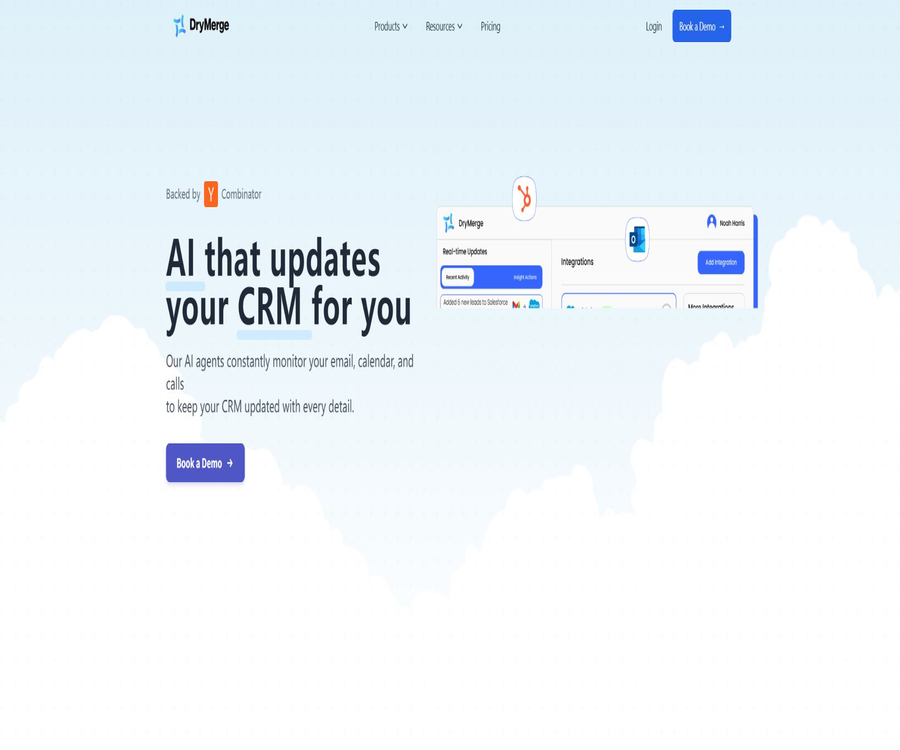
DryMerge is an AI platform that uses natural language to create cross-application automation; it focuses on automatically organizing customer interactions from emails, calendars, call records, and other business systems and storing them in a CRM.
Tool Introduction
DryMerge is operated by DryMerge, Inc. Its early versions focused on \"describing any automation through chat\", while the current website emphasizes CRM data entry and relationship management. Users can define trigger conditions, the applications involved, and the desired actions, and the system will create a workflow as a result.
It is neither a general-purpose chatbot nor a standalone CRM. Its core value lies in connecting existing tools, identifying interactions, meeting details, and tasks, and then synchronizing this information with systems such as Salesforce, HubSpot, Zoho, and Pipedrive in accordance with the company’s rules.
Product positioning and the two ways of use
| Usage method | Primary target | Measurement method | Current page |
|---|---|---|---|
| Universal automation platform | Individuals, teams, and business processes | Number of tasks per month | Free, Individual, Business, Enterprise |
| CRM automatic update solution | Sales, Asset Management, and Relationship Teams | Number of CRM updates and integrations per month | Basic, Professional, Enterprise |
| Corporate customization | Organizations with large amounts of data or strict compliance requirements | Contractual agreement | Self-hosting, custom integration, and service level agreements |
The two pricing pages are designed for different ranges of products, and the number of tasks cannot be directly equated to the number of CRM updates. When requesting a quote, enterprises should clarify whether they are purchasing a standard platform, a CRM solution, or a customized contract that includes both.
Core working method
| Phase | User or system input | DryMerge processing | Results |
|---|---|---|---|
| Describe the requirements | Triggers, applications, and actions in natural language | Parsing automated intents | Workflow draft |
| Connect account | Authorization for email, calendar, CRM, and other applications | Obtain the necessary data range | Callable connection |
| Listen to events | New emails, meetings, calls, or changes in records | Identify events that meet the rules. | Automated triggering |
| AI extraction | Message, meeting, and call context | Extract contact information, action items, and transaction details. | Structured fields |
| Write to system | Confirmed mappings and business rules | Update CRM or notify other applications | Synchronized recording and subsequent tasks |
| Monitoring optimization | Execution history and exceptions | Manual review and rule adjustment | More stable automation |
Main functions
Creating automation with natural language
The user only needs to specify what happened, which tools are involved, and what action should be taken. DryMerge will verify the details and create an automation, thereby reducing the need for manual configuration of triggers, conditions, and field mappings.
Automatically update CRM
AI Agents can identify customer interactions, meeting details, action items, and changes in relationships from emails, calendars, and call transcripts, and record them in the corresponding CRM objects and custom fields. Companies can specify which information is allowed to be synchronized.
Email and calendar integration
Basic supports one email address and one calendar, Professional supports five each, while Enterprise allows an unlimited number. Once integrated, it can identify customer communications, meeting participants, follow-up tasks, and time-related information.
Call transcription integration
Professional and Enterprise editions support the integration of call transcription into automation processes, enabling the system to extract summaries, key decisions, and next steps from meeting content. The quality of transcription, speaker recognition, and the use of technical terms affect the accuracy of these extractions.
More than 50 applications can be connected
Both the General Individual and CRM Professional pages list over 50 application connections. Public examples include Gmail, Slack, Google Drive, Google Docs, Trello, GitHub, Linear, and major CRMs.
Custom CRM objects and fields
The Agent is capable of understanding the custom objects and fields in CRM, and it synchronizes data in accordance with the guidelines set by the enterprise. Before it goes live, a field dictionary, rules regarding required fields, and coverage strategies must be established to prevent the AI from damaging existing data.
Cross-application notifications and tasks
DryMerge can send Slack notifications and update the CRM upon receiving specific emails; it can also add HubSpot contacts to Google Sheets or transfer GitHub issues to Linear. The processes that can be carried out depend on the permissions provided by the connected applications.
White Glove launch and custom integration
Business, Professional, and Enterprise versions offer more comprehensive support for teams. Advanced contracts include shared connections, dedicated Slack channels, training, custom tool integrations, and service level agreements.
Enterprise self-hosting
CRM Enterprise offers a self-hosted deployment option, suitable for organizations that have their own infrastructure and specific requirements regarding data boundaries. Self-hosting does not mean that the product is open source; the scope of deployment, upgrades, and model usage are still governed by the terms of the contract.
Common integration and automation examples
| Channels | Goal | Automation examples | It is necessary to verify this carefully. |
|---|---|---|---|
| Gmail | Slack and Salesforce | Identify important customer emails, send summaries, and update transactions. | False positives, email permissions, and CRM fields |
| HubSpot | Google Sheets | Sync new contacts to the shared spreadsheet | Duplicate records and field format |
| GitHub | Linear | Create the new issue as a project task. | Labels, owners, and duplicate creation |
| Calendar | CRM | Enter the meeting participants and follow-up actions into the client record. | Private meetings and external contacts |
| Call transcription | CRM | Extract summary, commitments, risks, and next steps | Transcription errors and manual verification |
| CRM | Email or task tool | Follow-up is triggered based on the transaction stage. | Avoid redundant or inappropriate external communications. |
Usage tutorial
Create the first workflow in natural language
- First, describe in one sentence the triggering event, the conditions, the channel used, and the desired action.
- Log in to DryMerge and connect with a test account, granting only the minimum level of access required to complete the task.
- Describe automation in the chat interface, and list the important fields, filtering criteria, and prohibited actions.
- Read the process confirmation generated by the system to check the trigger frequency, data mapping, and any potential external actions.
- Run it once using a test email, calendar event, or sample record.
- Verify that the target application generates correct records, and check for any duplicates, overwrites, or omissions.
- After confirming stability, connect to the official account, while retaining the execution logs and the method for manual disabling.
Deploy CRM automatic updates
- List the CRM objects that need maintenance, the fields involved, the data owners, and the channels permitted for writing.
- Start the pilot with one email account, one calendar, and a small number of representative clients.
- Determine the mapping for fields such as name, company, transaction stage, meeting summary, and next steps.
- Manual review is required for uncertain extractions; AI is not allowed to modify critical financial or contractual fields.
- Use real, completed cases to replay and compare the AI outcomes with manual records.
- Observe the types of errors and adjust the rules, context, and allowed data channels.
- Once an acceptable quality is achieved, user counts, email accounts, calendars, and call channels can be increased gradually.
Design secure email automation
- Start with internal notifications and draft creation; do not enable automatic external sending right away.
- Define the senders, topics, customer levels, and keywords that are allowed to be processed.
- Exclude the human resources, legal, medical, financial, and personal email folders.
- Check whether the AI summary accurately reflects the tone, deadline, and commitments.
- Manual approval is required for high-impact actions such as sending, deleting, moving, and CRM overrides.
- Establish alerting and rollback procedures for failures, timeouts, and permission changes.
Which users are it suitable for
- Sales team: Automatically fills customer information from emails, meetings, and calls into the CRM.
- Asset Management and Relationship Team: Responsible for keeping track of contacts, interactions, and next steps.
- Operations team: Connects notifications, tables, tasks, and document workflows using natural language.
- Startups: Quickly establishing cross-application workflows in the absence of full-time automation engineers.
- Individual professional users: Use Individual to handle frequent, repetitive office tasks.
- Regulated enterprises: Deployment is assessed through custom contracts, self-hosting, and data processing agreements.
Typical use cases
- When an important client sends an email, the responsible person is notified via Slack and the Salesforce transaction record is updated.
- After the meeting, a summary, action items, and follow-up dates are automatically generated and recorded in the CRM.
- Identify commitments, risks, and next steps from call transcripts for review by the sales manager.
- Sync new HubSpot contacts to Google Sheets for operational analysis.
- Convert GitHub issues into Linear tasks and assign them to the appropriate projects based on tags.
- Internal tasks are created based on changes in CRM fields, but external customer communications are left for manual confirmation.
Price of the universal platform
The Universal Automation Platform offers different packages based on the number of tasks and the number of users. The prices for Free and Individual plans are visible right away, while for Business and Enterprise plans it is necessary to contact sales; these plans may include pilot projects and customized services.
| Package | Price | Task quota | Seats | Integration and support | Suitable for users |
|---|---|---|---|---|---|
| Free | $ | 10 tasks/month | Not listed separately | Basic email support, community access | Simple automated testing |
| Individual | $ | 500 tasks/month | 1 seat | Support for over 50 types of application connections and email. | Personalized AI Agent |
| Business | Contact sales | Over 5,000 per month | 5 or more | CRM integration, shared connections, seamless deployment, dedicated Slack channel | Official business team |
| Enterprise | Contact sales | No restrictions | No restrictions | Priority support, training, customized integration, and service level agreements available throughout the day. | Large-scale organizations |
What is a task?
The public pricing page uses monthly task counts as a basis, but the current summary does not provide precise definitions for all actions. Before making a purchase, it is necessary to clarify how triggering events, multi-step actions, retries, failures, and batch processing are counted.
CRM automatic update of plan prices
For the Basic, Professional, and Enterprise versions of the CRM-specific page, quotes are requested; there are no fixed monthly or annual fees published. The core features include email, calendar, CRM updates, user management, and the ability to connect additional applications.
| Functions | Basic | Professional | Enterprise |
|---|---|---|---|
| Price | Request for quote | Request for quote | Request for quote |
| Email integration | 1 | 5 | No restrictions |
| Calendar integration | 1 | 5 | No restrictions |
| CRM update | 100 times/month | 5000 times/month | No restrictions |
| AI models | Standard | Advanced | Enterprise-level |
| User license | 5 | 20 | No restrictions |
| Call transcription | Not listed | Support | Support |
| Additional applications | None | Over 50 pre-built connections | Custom connection |
| CRM scope | Basic integrations with Salesforce, HubSpot, etc. | Advanced and industry-specific CRM | Customized according to the enterprise |
| Self-hosting | Not supported | Not supported | Optional |
| Compliance and Services | Standard | Advanced Support | GDPR and HIPAA options, service level agreements, dedicated manager |
How to choose two packages
- If you just want to experiment with personal cross-application automation, you can start with the Free or Individual plan.
- The core goal is to automate the maintenance of the sales CRM; quotes for CRM solutions and information on the scope of pilot projects should be provided upon request.
- When a team needs to share connections and handle more than 5,000 tasks, it is advisable to compare the Business and Professional plans.
- For situations involving a large number of emails, calendars, CRM updates, or self-hosting, Enterprise should be considered.
- The quote should clarify whether the tasks and CRM updates are charged separately, and how attempts to retry in case of failure are accounted for.
- Before proceeding with the official purchase, it is necessary to verify the availability of the service, the speed of support, data migration, and the options for exporting data after termination.
Supported CRMs and applications
| Category | Public examples available | Instructions for use |
|---|---|---|
| CRM | Salesforce, HubSpot, Zoho, Pipedrive | Advanced solutions also offer industry integrations such as DealCloud and Affinity. |
| Email and Calendar | Google-related services and enterprise email use cases | Limit the number of emails and calendars per plan |
| Collaboration and notifications | Slack | Suitable for internal summaries and exception notifications |
| Documents and storage | Google Drive, Google Docs | It is necessary to control the scope of authorization and sensitive documents. |
| Tasks and projects | Trello, Linear | Suitable for creating and synchronizing work items |
| Development collaboration | GitHub | The issue can be linked to the project process. |
| Other applications | Over 50 connections | The complete list and actions are based on the current application directory. |
Data processing and privacy
DryMerge can handle contacts, email contents, calendar events, meeting participants, CRM transactions, tasks, and other data that customers choose to enter. The customer is the controller of the personal data, while DryMerge acts as the processor under the applicable data processing agreements.
The privacy policy states that external integrated data is sent to the models only when the user activates the AI option while creating an automation; only the data necessary to complete the task is shared. The policy also specifies that user data will not be used to train AI, and OpenAI will not use DryMerge user data to train its models.
Saving, deleting, and international transfer
- Personal data is usually retained for as long as it is necessary to provide services or fulfill legal obligations.
- Customers can delete their personal data from the service interface.
- Upon termination of the contract, the data must be deleted or returned at request, usually within 90 days.
- Legal requirements, anonymization, or technical impossibilities may give rise to exceptions.
- The data may be processed in the United States or in the country where the processor’s facilities are located, using appropriate transmission mechanisms.
- Users should request the latest list of sub-processors and the data processing agreement at the time of purchase.
Security and compliance capabilities
| Ability | Public explanation | Companies should verify. |
|---|---|---|
| Transmission encryption | TLS 1.2 and above | Client, integrated, and self-hosted end-to-end configurations |
| Static encryption | AES-256 | Scope of backups, logs, and temporary files |
| Manage access | Multi-factor authentication and least privilege | Policies for regular users, service accounts, and administrators |
| Safe operation | Testing, vulnerability assessment, monitoring, and incident response | Reporting frequency and independent audit materials |
| Data leakage | Notify without undue delay once discovered. | Contract notification deadline and contact person |
| GDPR | Provide data processing protocols and transmission guarantees. | The enterprise’s own legal basis and the processes related to the data subjects |
| HIPAA | Enterprise is listed as an optional compliance capability. | Health data cannot be processed before the corresponding agreement is signed. |
| Self-hosting | Enterprise is optional | Actual components, model traffic, responsibilities for upgrades and maintenance |
Product advantages
- Describe workflows in natural language to reduce the initial setup barriers of traditional automation tools.
- It currently focuses explicitly on CRM data quality, and is suitable for scenarios involving frequent emails, meetings, and calls.
- It connects to over 50 different applications, covering general office tools, CRM systems, and development collaboration tools.
- Custom CRM objects and fields can be understood, which facilitates adaptation to an enterprise’s existing data model.
- It offers both general task packages and CRM-specific solutions, providing options suitable for both individuals and businesses.
- Companies can choose self-hosting, custom integration, compliance options, and service level agreements.
- The data processing protocol specifies the requirements regarding encryption, deletion, auditing, and the obligations of sub-processors.
Usage restrictions and precautions
- Two pricing methods coexist; it is necessary to determine the relationship between tasks and CRM updates before making a purchase.
- Quotations have been requested for all CRM solutions; the actual cost is also affected by implementation, customization, and contract duration.
- AI extraction may miss, repeat, or incorrectly record contacts, transaction stages, and action items.
- The claims regarding accuracy made on the official website need to be independently verified using the company’s own processes and data.
- Email, calendar, and CRM have broad permission scopes, and automated errors may result in sensitive content being exposed or sent outside.
- The fact that OpenAI does not train on user data does not mean that no integrated data is stored; each processing step must be examined separately.
- Self-hosting is an option available under Enterprise contracts; it does not mean that the source code can be downloaded for free or deployed on one’s own.
- For high-impact outbound actions, deletions, and updates to financial and contract fields, manual approval must be retained.
APIs, GitHub, and open source status
| Project | Verification results | Explanation |
|---|---|---|
| Publicly available API | No complete public interfaces were found. | An application connection is not the same as providing development APIs to external parties. |
| Official SDK | No findings were detected. | There are no verifiable language development packages available. |
| GitHub integration | Support | Used to connect GitHub events to other workflows |
| Official GitHub source code | No findings were detected. | The GitHub app page is not a repository for product code. |
| Open-source product | No | Neither hosted platforms nor enterprise self-hosting implies that the source code is made available. |
| Self-hosting | Enterprise is optional | The deployment content and licenses must be confirmed in accordance with the contract. |
Basic information
| Project | Content |
|---|---|
| Tool name | DryMerge |
| Development company | DryMerge, Inc. |
| Tool type | Natural language workflows and CRM automation |
| Current focus | Emails, calendar entries, and call details are automatically saved in CRM. |
| Application connection | Over 50 |
| Main CRM | Salesforce, HubSpot, Zoho, Pipedrive, and others |
| Universal free quota | 10 tasks per month |
| Individual price | $ |
| CRM price | Quotations are available for Basic, Professional, and Enterprise. |
| Self-hosting | Enterprise is optional |
| Public API | No complete public interfaces were found. |
| Official SDK | No findings were detected. |
| Is it open source? | No |
| Main platforms | Web cloud platform and enterprise deployment options |
Recommendation score
Recommendation score: 4.2 / 5. DryMerge combines natural language-based setup, over 50 types of connections, CRM field integration, and enterprise data governance – making it suitable for teams that wish to reduce the workload related to sales records.
The main shortcomings are that the two package options are easy to confuse with one another, the costs associated with CRM are not made public, and automatic data entry into key systems requires strict verification. It is recommended to start with a pilot project using a single process, and then make purchases based on factors such as accuracy, volume of tasks, frequency of CRM updates, and the cost of manual review.
Frequently Asked Questions
What is DryMerge?
It is a natural language-driven cross-application automation platform that primarily focuses on extracting information from emails, calendars, and calls to update CRM systems. It does not replace the CRM system itself.
Is DryMerge free?
The general platform offers a free plan that includes 10 tasks per month. For a CRM-specific plan, a quote is required; the free quota available on the general platform cannot be considered as a free package for automatic CRM updates.
How much is Individual?
At $25 per month, it includes 500 tasks, 1 seat, email support, and access to more than 50 different applications. It is necessary to determine the exact way in which the tasks are counted before making the purchase.
Which CRMs are supported?
Salesforce, HubSpot, Zoho, and Pipedrive are listed publicly; advanced versions also support integration with industry-specific CRMs such as DealCloud and Affinity.
Will it automatically read all emails and files?
User authorization is required for establishing a connection, and the data must be used in an automated manner. Companies should apply the principle of least privilege, eliminating any unnecessary elements such as personal, human, legal, or other types of data.
Will user data be used to train AI?
The privacy policy states that DryMerge does not use user data to train AI systems, and OpenAI likewise does not use its users’ data to develop models. External integration partners, storage services, and subprocessors must still comply with the latest policies and contracts.
Can it be self-hosted?
CRM Enterprise offers a self-hosting option, but this requires a corporate contract. Self-hosting does not mean that the product is open source, nor does it guarantee that all model processing takes place locally.
Does DryMerge provide an API?
No complete public API documentation intended for developers was found. It has numerous application connections, but connectors are not equivalent to open APIs.
Is DryMerge open source?
It is not open source; no official source code repository or open-source license has been found. Enterprise can be deployed in one’s own environment without changing its status as a commercial software.
Is it reliable to use AI to update CRM?
The official website provides information with a high degree of accuracy, but the actual results depend on transcription, field definitions, email quality, and business processes. It is necessary to use the company’s own samples for verification, and manual review should be carried out for key fields.
Is it suitable for handling medical or regulated data?
Enterprise lists options for HIPAA and GDPR compliance, but deployment is possible only after signing contracts, data processing agreements, and applicable safeguards are in place. Merely seeing the names of these functions is not sufficient to prove that the current account meets the compliance requirements.
Summary
DryMerge combines natural language workflows with CRM relationship data management, enabling the conversion of information scattered across emails, calendars, calls, and applications into structured updates. It is particularly suitable for teams that want to reduce the need for sales staff to take manual notes.
Upon implementation, it is necessary to clarify the two packages available, data permissions, the range of fields covered, and the boundaries for approval processes. A controlled, single-process pilot program makes it easier to demonstrate its value and manage risks, compared to trying to integrate all email accounts and CRM elements at once.
Tools similar to DryMerge



 Guigong Network Security Registration No. 45132202000164