






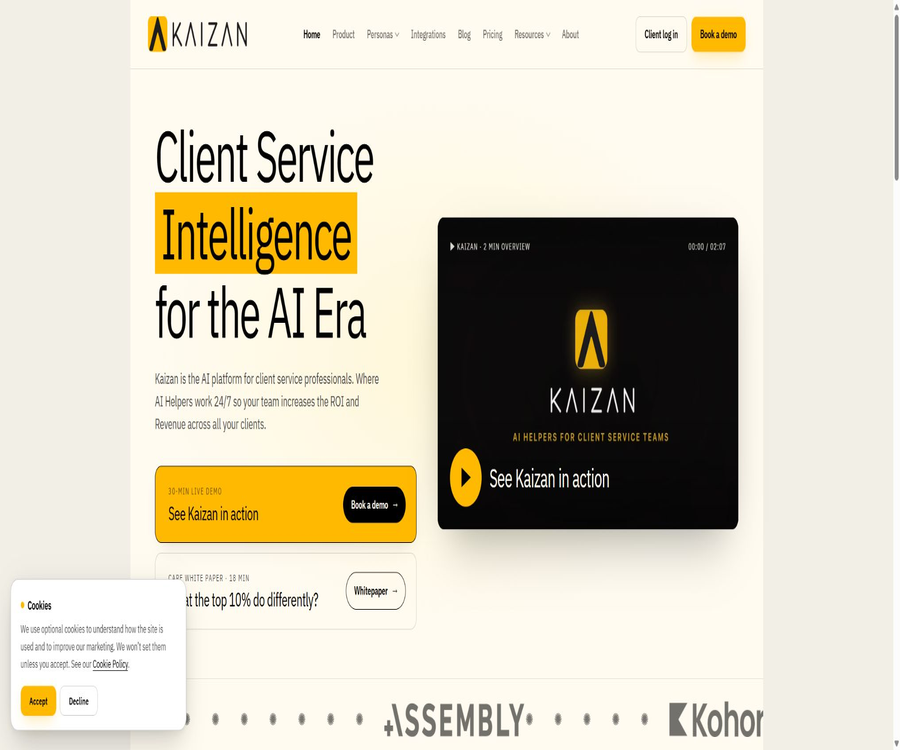
Client super intelligence for client service teams · Kaizan
Client super intelligence for client service teams · Kaizan, an intelligent tool focused on improving efficiency through AI.
Tags:AI improves efficiencyWhat is Kaizan?
Kaizan is an AI-powered customer intelligence platform designed for customer service, customer success, and key account management teams. It aggregates meeting records, emails, chats, documents, CRM data, and project progress to create a unified timeline, a relationship health score, and actionable recommendations for each customer.
The product is operated by British company Kaizan Limited, which was founded by Glen Calvert and Pravin Paratey; its headquarters are located in London. Kaizan is positioned as a working and intelligent layer that complements CRM systems, and it does not aim to replace record-keeping tools such as Salesforce, HubSpot, or Pipedrive.
A one-sentence summary
Kaizan converts the signals scattered across customer communications and business systems into CARE health scores, risks, opportunities, and evidence; it then uses AI Helpers to prepare follow-up emails, meeting materials, CRM updates, and actions aimed at driving growth.
Main functions
Unify customer data and maintain persistent memory
The platform consolidates a customer’s meetings, emails, messages, documents, CRM fields, and delivery status into a single record. Participants, topics, commitments, issues, emotions, and action items are structured for subsequent health assessments and automation.
- Connects meeting transcription, email, chat, documents, CRM, and project management tools.
- Communications are automatically assigned to customers and stakeholders.
- Retain the context of key decisions, commitments, action items, and historical relationships.
- Use OAuth and scope to control access to different data sources.
- Continuously add new communications to the customer’s timeline, rather than generating meeting minutes only once.
Meeting Assistant – Meeting helper
Meeting Assistant can join customer meetings, capture audio and video or provide transcripts, and organize notes, action items, and decisions. It can also receive recordings from platforms such as Zoom, Google Meet, Microsoft Teams, Gong, Chorus, Fireflies, and Otter.
Meeting robots, recording, and transcription may require the consent of the participants, and they are subject to recording laws in different countries as well as company policies. Before they are put into use, it is necessary to clearly indicate the relevant procedures, provide an exit mechanism, and specify the retention period.
CARE Customer Health Model
Kaizan uses the CARE model to evaluate each customer relationship from four dimensions, assigning a score ranging from 0 to 10 along with supporting evidence. These scores are intended to identify changes that require manual attention; they should not be regarded as an accurate indication of the customer’s true intentions or of the outcome regarding contract renewal.
| CARE dimension | Main observations | Common outputs |
|---|---|---|
| Client Satisfaction | Signals of satisfaction from different stakeholders regarding services and outcomes | Emotional changes, negative themes, and issues that need to be resolved |
| Activity | Contact frequency, quality of communication, and level of involvement of key personnel | Silence period, contact drop, and actions to be taken |
| Relationship | Trust, relationship depth, coverage, and single-thread risk | Gaps among stakeholders, lost contacts, and recommendations for introducing new contacts |
| Expansion | Purchase signals, unmet needs, and growth intentions | Cross-selling, additional purchases, and opportunities for further research |
Risks, Opportunities, and Evidence
The platform not only displays a health score, but also links risks or opportunities to actual meeting records, emails, and messages as evidence. Account managers can go back to the original context to verify the AI’s assessment and decide whether to take action.
AI Helpers keeps running continuously.
AI Helpers continuously monitors risks, relationship coverage, and expansion signals within the customer base, and prepares actions for review. The website demo includes tools such as Reply Drafter, Risk Watcher, Expansion Scout, and QBR Builder.
- Draft emails for follow-up after the meeting, client reviews, and re-contacting.
- It was found that there is no response after a long period of time, or that key stakeholders are absent.
- Extract signals for add-on and cross-selling from customer conversations.
- Organize QBR materials, meeting agendas, weekly reports, and client summaries.
- Enter the health score, risks, and actions back into the CRM or internal dashboard.
- Trigger project, sales, or customer success workflows after personnel verification.
Personal AI Assistant
Each user can ask questions related to a particular customer, such as renewal risks, recent decisions, gaps in the relationship, or opportunities for growth. The system provides answers based on the authorized unified customer data, and it can also generate drafts that match the tone of previous communications.
Automation before and after the meeting
Before the meeting, it is possible to prepare information on the client’s background, pending tasks, changes in the relationship, and a suggested agenda; after the meeting, notes, decisions, action items, and follow-up drafts can be compiled. This helps to save time for account managers, as they do not have to re-create the relevant context across different tools.
Two-way CRM synchronization
Kaizan can be connected to Salesforce, HubSpot, and Pipedrive, allowing customers, contacts, activities, and custom fields to be presented in a unified view. Some of these connections enable the export of CARE scores, notes, risks, and other structured data back to the CRM.
Market intelligence and customer research
The platform can combine external market information with the goals, issues, and signals expressed by customers to assist in preparing customer plans and proposals. Important market facts still need to be verified using reliable sources; one cannot rely solely on automated summaries.
QBR and customer reports
QBR Builder can compile quarterly business review materials based on multiple meetings, communications, and customer status updates. The output serves as a structured draft, but the achievements, metrics, commitments, and plans for the next quarter must be approved by the responsible person.
How does Kaizan work?
- The customer team connects calendars, email, meetings, chat, CRM, documents, and delivery systems.
- The platform imports recent historical data and assigns contacts and communications to the corresponding customers.
- Speech transcription and text analysis identify participants, topics, commitments, risks, emotions, and issues.
- The CARE model continuously updates the scores for four categories: satisfaction, activities, relationships, and expansion.
- AI Helpers monitors for anomalies, relationship overlaps, and purchase signals to generate candidate actions.
- Users can view the original evidence and modify emails, plans, reports, or meeting materials.
- The confirmed results are written back into CRM, project tools, or internal workflows.
- The team adjusts scores, permissions, and automation rules through quarterly value reviews.
Implementation and Usage Tutorial
Launch the paid Pilot program
- Select no more than 10 representative customers and define goals for retention, efficiency, or expansion.
- List the meetings, email accounts, chat platforms, CRM systems, document management tools, and project management tools that need to be connected.
- Identify the controller of each type of data, the purpose of processing, the legal basis, and the method for obtaining consent regarding recording.
- Completed data mapping, permission scope, and CARE scoring calibration with the Kaizan team.
- Import approximately 90 days of historical data to provide context for the health score on the first day.
- Run a client team in parallel to compare AI signals with human judgments.
- Within 60 days, record the adoption rate, time saved, risk incidents, and actual business outcomes.
- Once the internal standards are met, expansion can be pursued to include more customers, teams, and automated actions.
Configure CARE and manual review
- Define the team’s own health standards and unacceptable risks for the four dimensions.
- Historical conversations from different customer stages, languages, and emotional states are used as calibration samples.
- It is independently rated by senior account managers, and then compared with the Kaizan results.
- Check for negations, sarcasm, polite positive expressions, and conflicts among different opinions.
- Set evidence thresholds, responsible parties, and response time limits for high-risk alerts.
- Regularly review false positives, false negatives, and scoring discrepancies between different teams.
Secure access to enterprise systems
- First, connect to a test tenant or a low-sensitivity workspace, and grant only the necessary OAuth scopes.
- Use an allowlist to exclude internal, HR, legal, and other channels that should not be processed.
- Ensure that the mapping of customers, projects, and stakeholders prevents data from being assigned to the wrong account.
- Test the recovery processes for revoking authorization, accounts of employees who have left the company, deletion requests, and connection failures.
- Set tenant scope, rate limits, and audit logs separately for APIs, MCP, and Webhooks.
- Production data should only be integrated after reviews of security, privacy, legal aspects, and customer contracts have been completed.
Which users are it suitable for
- Media and creative agencies: Track customer satisfaction, delivery performance, and signs of additional purchases across multiple clients.
- Consulting and professional services firms: document meeting decisions, customer risks, and follow-up actions.
- SaaS Customer Success Team: Continuously monitors the health of real-world relationships beyond CRM.
- Key Account Sales and Renewal Team: Identifies gaps among stakeholders and renewal risks.
- Customer Service Leader: Consider factors such as overall health, service quality, and team coverage.
- Operations and Performance Team: Reduce manual reporting and standardize customer service metrics.
- AI and Technology Lead: Reuse a unified customer data layer through APIs and MCP.
- Management: Examine the risk and growth opportunities associated with the customer base across different business units.
Typical use cases
- The key purchasing contact does not respond for extended periods of time, so it is necessary to re-establish the relationship promptly.
- Customers disclosed new requirements during meetings, but these were not recorded in the CRM or sales plan.
- The team needs to quickly prepare a quarterly business review based on dozens of communications.
- When a new account manager takes over an account, they need to understand the historical commitments, relevant individuals, and pending tasks.
- Management aims to identify single-thread relationships and gaps in coverage of key stakeholders.
- The Customer Success team needs to enter the health score along with evidence of actual conversations into the CRM.
- The internal AI assistant needs to query customer meetings and relationship indicators under permission controls.
- Companies that provide services across multiple regions need to isolate customer groups by team or business unit.
Product advantages
- It is designed specifically for customer service relationships, rather than just providing general meeting summaries.
- Put meetings, emails, chats, documents, CRM, and delivery status in the same context.
- The CARE score takes into account satisfaction, activities, relationships, and opportunities for growth.
- Risks and opportunities can provide actual communication evidence, facilitating manual verification.
- All currently available plans are open to an unlimited number of users, and viewing them across different departments does not incur any additional fees.
- It natively supports mainstream CRM, email, meeting, chat, document, and project tools.
- It offers REST APIs, Webhooks, and MCP to integrate customer intelligence into internal systems.
- The public security page reveals information on encryption, keys, penetration testing, and AI data isolation measures.
Usage restrictions and precautions
- There is no permanent free version or a regular free trial; to test the product, one must purchase Pilot.
- The current monthly price per customer is high, making it more suitable for companies with high customer value and complex service requirements.
- The descriptions of the API tiers on the pricing page, the FAQ page, and the technical lead page do not match exactly.
- The FAQ still mentions that the Starter monthly plan, which is no longer included in the current price list, requires written confirmation from sales.
- The platform needs to process a large volume of meetings, emails, and chats, which results in high costs related to privacy and customer notification.
- The CARE score is based on the model’s judgment, and even with supporting evidence, it may misinterpret politeness, irony, or organizational culture.
- Health scores should not be used directly in decisions regarding employee performance, customer dismissal, or automatic contract renewal.
- Communications with customers may inadvertently include data of sensitive categories, and the product is not designed specifically for such data.
- The standard contract involves annual payments over 12 months, and it offers less flexibility in terms of procurement and termination compared to monthly SaaS plans.
- Enterprise SSO, BYOK, data residency, and custom retention primarily fall under the Enterprise category.
- Custom AI Helpers, connectors, and engineering services require a separate quote.
- The official performance indicators are derived from Kaizan’s own customers and internal benchmarks, and cannot be regarded as an independent guarantee of performance.
How should official indicators be understood?
The official website states that, on average, active customers experience an income increase of over 21%, and a revenue model is established based on this figure using the ROI calculator. The FAQ also includes figures provided by customers themselves regarding net income retention, time saved per week, and time required for QBR preparations; these numbers are influenced by factors such as industry, customer value, scope of deployment, and adoption rate.
According to the FAQ, its B2B sentiment model achieved a 92% consistency rate with manually labeled data on a five-point scale across 4.1 million rating conversations. This represents an internal benchmark; nonetheless, purchasers should request to see information regarding the composition of the samples, the language used, the distribution of categories, and the confusion matrix, and they should also conduct tests using their own data.
| Indicators | Official statement | Boundaries when in use |
|---|---|---|
| Increase in customer revenue | Over 21% per customer on average | It relates to data on active customers and ROI models; results for individual customers are not guaranteed. |
| Emotion analysis | 92% agreement with manually labeled results in 4.1 million rating conversations | It is necessary to check the independence of language, category, and test set. |
| Standard launched | The basic setup is usually completed within two weeks. | Complex permissions, legal aspects, and custom integrations may take longer. |
| The team uses | Most customers achieve full adoption within 30 days of launch. | The diameter and team size need further confirmation. |
| Historical backfilling | Usually, the last 90 days are imported. | Affected by data source permissions, quality, and contract scope. |
Prices and packages
The following are the prices in pounds sterling as verified on August 21, 2026. Kaizan charges based on the number of clients under its management, with no limit on the number of users per tier; except for Enterprise, the price per client per month is indicated, but the billing is done under a single monthly plan.
| Package | Customer scale | Show the starting price | Contracts and key rights and interests | Suitable for teams |
|---|---|---|---|---|
| Pilot | Up to 10 customers | From £300 per customer per month | First 60 days; available for all users, meeting assistants, standard integration, customer intelligence, APIs, MCP, and dedicated account managers | Limited-scale paid verification |
| Team | Up to 30 customers | From £165 per customer per month | Includes Pilot benefits, extended to 30 customers | Small and medium-sized customer service teams |
| Growth | Up to 50 customers | From £139 per customer per month | Guided CARE calibration, priority support, and quarterly value review | Growth teams that require systematic promotion |
| Scale | Up to 75 customers | From £120 per customer per month | Multiple team partitions; custom AI Helpers are available at a separate price. | Multiple business lines or larger portfolios |
| Enterprise | 75 or more | Custom quote | Multiple offices and regions, expanded APIs and MCPs, custom integrations, SSO, data retention and data residency | Large and regulated organizations |
Notes on billing and contracts
The current pricing page indicates that all prices are in pounds sterling, and annual contracts are used; standard contracts last 12 months and are paid on an annual basis, while multi-year contracts may offer discounts. Pilot also specifies the first 60 days, and it should be clearly stated in the order whether automatic transition to an annual plan will take place thereafter.
The official website does not offer a free trial; instead, a paid Pilot version is available. Storage capacity, API calls, and the volume of integrations are subject to limits related to reasonable use, while custom AI Helpers, custom connectors, and specialized engineering services require additional fees.
Differences in packages available on the public page
- The pricing page lists API and MCP as features that will be included starting with the Pilot version.
- The FAQ states that the REST API is available for Growth and Enterprise plans.
- The page for the technical lead states that APIs are available starting from Team level and above.
- The FAQ states that Starter can be contracted on a monthly basis, but the current price list does not include Starter.
- When placing an order for procurement, it is necessary to specify the quotas for API, MCP, Webhook, usage rates, storage, and integration.
The above differences may be due to asynchronous page updates, and it is not possible to determine the final terms of the contract based on either of these statements. The actual unit prices, minimum number of customers required, taxes, payment terms, and other conditions are subject to the official quote and the Order Form.
Platform support and integration
| Category | Currently supported | Primary uses |
|---|---|---|
| Web SaaS | Support | Customer portfolio, CARE score, evidence, AI Helpers, and management console |
| CRM | Salesforce, HubSpot, Pipedrive | Two-way synchronization of customers, contacts, activities, and health signals |
| Email and calendar | Gmail, Outlook, Google Calendar, Outlook Calendar | Emails, meeting arrangements, and client timelines |
| Meetings and recordings | Zoom, Google Meet, Microsoft Teams, Gong, Chorus, Fireflies, Otter | Recording, transcription, participants, and action items |
| Team chat | Slack, Microsoft Teams | Customer messages, unanswered items, and relationship indicators |
| Document knowledge | Google Drive, Notion, Confluence, SharePoint | Proposals, reports, notes, and customer context |
| Project delivery | Linear, Jira, Asana, Monday, Wrike, ClickUp | Task, milestone, issue, and delivery health |
| Developer integration | REST API, Webhook, MCP | Data import and export, events, and internal AI queries |
| Custom integration | Corporate project support | Data warehouses, BI, billing, resources, and proprietary systems |
| Native mobile apps | No public explanation is available. | It is primarily used through web platforms and existing communication tools. |
| Chinese interface | Not confirmed | The official website, legal documents, and product information are primarily in English. |
API, Webhook, MCP, and open-source status
Kaizan offers RESTful interfaces for importing custom data sources, exporting customer health scores and risks, as well as triggering workflows in other systems. Webhooks can be used to notify of real-time events such as new risks, changes in health scores, and the completion of meeting transcriptions.
The platform also provides an MCP Server that enables Claude, ChatGPT, or other models that support this protocol to access customer data that is subject to access controls. The public pages do not offer complete endpoints, schemas, authentication details, or rate-limiting information; such technical details must be obtained during sales or technical meetings.
No verifiable official GitHub organization, platform source code, SDK repository, or open-source license was found this time. Kaizan is a commercial, closed-source SaaS product; the fact that APIs or MCP can be used does not mean that the customer intelligence platform itself is open-source.
API integration process
- In the order, verify whether API, Webhook, and MCP are included in the selected package and what their specific limits are.
- Create test tenants and configure service identities with the minimum permissions required for each system.
- The data model is isolated from tenants by customer, conversation, signal, draft, and rating.
- Test pagination, duplicate events, latency, rate limiting, and retry on failure.
- Add manual confirmation for writing back to CRM, automatic messaging, or project changes.
- Enable audit logs and key rotation, then gradually introduce production traffic.
Privacy, AI data, and security
When using Kaizan to manage communications with employees, customers, and contacts, the customer is usually the data controller, while Kaizan acts as the data processor. The data includes the text and attachments of emails, audio and video recordings of meetings along with their transcripts, information about participants, calendar entries, CRM records, and other content from connected systems.
The current DPA explicitly states that customers’ personal data shall not be used for training, improving, or developing AI and machine learning models. The text used to invoke these models is anonymized, and business agreements require that the providers of basic models must not use such data to train models.
- Transmission is carried out using TLS 1.2 or a higher version, while static data is encrypted with AES-256.
- Each tenant uses an AWS KMS key; Enterprise can opt for customer-managed keys.
- Customer data is isolated by tenant, and management as well as export operations are logged through access logs.
- The website’s security page states that it has obtained SOC 2 certification, while the FAQ specifies it as SOC 2 Type II.
- Third-party penetration testing is carried out on a quarterly basis, and the complete reports are usually provided under a confidentiality agreement.
- Enterprise offers SSO or SAML, as well as options for custom retention and data residency.
- OpenAI processes anonymized text with zero retention, while AssemblyAI deletes the text after transcribing audio.
- Recall.ai handles session recording, while Integration.app deals with connections and Webhooks.
- Google Cloud’s London region is used for platform hosting, storage, databases, and computing.
- Users can submit requests for access, correction, deletion, restriction, objection, and data portability.
- After termination, the customer may submit a written request to obtain machine-readable data within three months.
- Confidential information should generally be returned, destroyed, or permanently erased within 30 days of termination, except as required by law for retention.
Sensitive Communication Governance
Kaizan is not designed specifically to handle the special categories of personal data as defined by the UK’s GDPR, but meetings and emails may occasionally contain sensitive information related to health, politics, unions, or other matters. Organizations should use allowlists, exclusion lists, data minimization, and clear notifications to customers in order to control such data.
Automatic decision-making and personnel management
The privacy policy states that Kaizan will not rely solely on automated processing or profiling to make decisions. Companies should also avoid using emotional scorecards for the evaluation of employees, for imposing disciplinary actions, or for treating customers differently; instead, they must maintain mechanisms for reviewing evidence and handling complaints.
Basic information
| field | Content |
|---|---|
| Tool name | Kaizan |
| Operating company | Kaizan Limited |
| Company registration address | England and Wales in the UK |
| Headquarters | London, UK |
| Founder | Glen Calvert, Pravin Paratey |
| Tool type | Intelligent customer service, customer health management, and AI assistant platform |
| Core framework | CARE Customer Health Model |
| Primary users | Agency, consulting, professional services, and SaaS customer success teams |
| Price pattern | Paid Pilot, annual contracts, and enterprise customization |
| Billing unit | Number of clients under management; no limit on the number of users per tier |
| Free trial | None |
| Main platforms | Web SaaS and enterprise integration |
| Chinese support | No official explanation available. |
| REST API | Available; the specific options vary depending on the page. |
| Webhook | Provide |
| MCP | Provide |
| Official SDK | No public warehouses were found. |
| Official GitHub | No findings were detected. |
| Is it open source? | No, it is a commercial, closed-source platform. |
Recommendation score
The recommendation score is 4.3 out of 5. Kaizan connects customer meetings, emails, CRM data, and delivery information to create a continuous relationship model; CARE Evidence and AI Helpers are more suitable for managing complex client portfolios than simple meeting recording tools.
The main limitations are high initial costs, no free trial available, the need to handle a large volume of sensitive communications, and inconsistencies between the public pages regarding API tiers and the Starter plan. It is more suitable for organizations with a high annual customer value, a well-established customer base, and the capability to comply with relevant regulations.
Frequently Asked Questions
Is Kaizan a CRM?
No. Kaizan is used in conjunction with Salesforce, HubSpot, or Pipedrive; the CRM remains the system for keeping records, while Kaizan is responsible for generating health scores, risks, opportunities, and draft tasks based on actual communications.
Which teams are suitable for Kaizan?
It primarily serves media and creative agencies, consulting firms, professional service companies, as well as SaaS customer success teams. The official website states that organizations with 10 to 500 customer-facing employees are the ones most likely to derive value from it.
Is there a free version or a free trial of Kaizan?
No. The official website specifies the use of a paid Pilot version, which can serve up to 10 customers and operate for the first 60 days, in order to assess its suitability and business value.
How does Kaizan charge?
Charging is based on the number of customers under platform management, rather than on the number of user seats. The current public starting prices are 300, 165, 139, or 120 pounds per customer per month; custom quotes are available for Enterprise clients.
Are there no limits on the number of users for all packages?
Yes, the current pricing page specifies that there are no restrictions on the number of users for any tier. However, storage usage, API calls, and the volume of integrations are still subject to reasonable use limits.
Can Kaizan predict customer churn?
It identifies risks based on satisfaction levels, activities, relationships, and various indicators, but it cannot determine with certainty that a customer will leave. Customer managers should examine the original evidence and consider the contract terms, delivery aspects, and business context in order to make a judgment.
Is the CARE score reliable?
The ratings are accompanied by evidence of actual communication, which facilitates verification; however, emotions, silence, and purchase signals can still be misinterpreted. It is necessary to continuously adjust to the language and processes used by customers within the company.
Does Kaizan provide an API?
REST APIs, Webhooks, and MCP are provided, but the available packages are described differently on various public pages. When placing an order, it is necessary to specify the scope of access, rate limits, storage capacity, and support options.
Can Kaizan be connected to ChatGPT or Claude?
Through MCP, models that support this protocol can query the unified customer data layer. Enterprises still need to configure tenant permissions, data scope, auditing rules, and rules regarding sensitive information.
Will Kaizan use customer data to train models?
The current DPA explicitly prohibits the use of customer personal data for training, improving, or developing AI and machine learning models, and requires that commercial agreements related to underlying models also forbid such training. Organizations should still check the latest DPA, as well as the settings of sub-processors.
Does Kaizan support Chinese?
No official Chinese interface or explanations regarding the performance of Chinese-language models are available. Chinese-language meetings, dialects, industry-specific terms, and conversations that combine Chinese and English need to be tested separately in Pilot.
Is Kaizan open source?
It is not open source; no official source code repository or open-source license has been found. The API and MCP allow integration with commercial platforms, but the CARE model, AI Helpers, and the underlying code are not made available.
Summary
Kaizan is suitable for service-oriented companies that regard customer relationships as their core asset, but whose information is currently scattered across meetings, emails, and various business systems. Its value lies not in one-time summaries, but in continuous evidence, relationship scores, and manually verified follow-up actions.
Before adoption, a paid Pilot program should be used to demonstrate the effectiveness of risk identification, efficiency, and value creation; at the same time, consent for recording, necessary permissions, data retention procedures, and model bias assessments must be addressed. The procurement contract should also eliminate any differences between the API options and contract terms offered on public pages.
Tools similar to Client super intelligence for client service teams · Kaizan



 Guigong Network Security Registration No. 45132202000164