






BrightRoom AI
BrightRoom AI: an intelligent tool focused on improving AI efficiency.
Tags:AI improves efficiencyA one-sentence summary
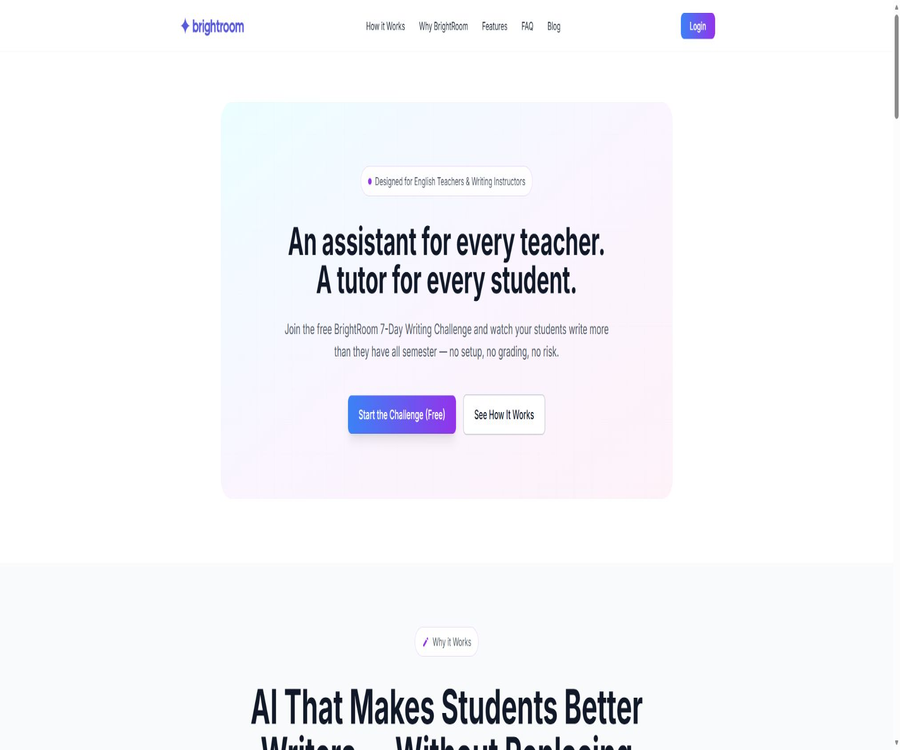
BrightRoom AI is a platform for classroom writing exercises designed for English teachers and writing instructors; it provides students with more frequent opportunities to write and revise their work, thanks to daily suggestions, immediate feedback, and tracking of class progress.
Its core function is not to generate assignments for students, but rather to use feedback in a teacher-style approach to encourage them to continue writing, while allowing teachers to monitor participation levels and progress changes on a dashboard.
What is BrightRoom AI?
BrightRoom AI is positioned as an AI-based writing teaching tool for modern classrooms, designed primarily to assist English teachers as well as those who teach writing courses and organize writing exercises at the middle school level. The official website currently focuses on promoting the free 7-day writing challenge, rather than the college application essay services mentioned in previous listings.
After creating a class, the teacher shares the access code with the students; the platform provides writing suggestions on a daily basis and accepts the work submitted by the students. The system then offers immediate feedback, keeps track of the amount of writing done and the level of participation, and teachers can view the progress of the entire class on a dashboard.
Changes in the current product positioning
BrightRoom AI was once described by some third-party websites as a tool for university applications and essay editing, but the official website now indicates that it is designed to assist with writing in English classes. The old version of the application interface, as well as information regarding the number of essays that can be processed and the one-time pricing, can no longer be considered as valid information for the current product.
When choosing this tool, one should take into account the functions available in the current classroom version as well as those of the actual workspace. If users are looking for advice on university applications or services related to writing application essays, they should first check whether the platform still offers such functions; it is not advisable to rely on past information.
Main functions
Daily writing tips
The 7-day challenge provides students with new writing prompts on a daily basis, helping teachers to establish a consistent writing practice that does not impose a heavy burden. The aim of these prompts is to encourage genuine expression and the development of writing habits, rather than having AI write entire articles on behalf of the students.
Personalized instant feedback
After submitting their work, students receive feedback from AI along with encouragement, which helps them identify areas for improvement in terms of grammar, punctuation, clarity, structure, or expression. This feedback should be regarded as a starting point for making changes; the students still need to decide whether the suggestions align with their own intentions.
Digital Teaching Twin
The platform uses Digital Teaching Twin as its core capability to help teachers understand their own tone, expectations, and style of giving feedback. Its goal is to enable students to receive guidance that is as close as possible to that of their instructors, while still allowing the teachers to maintain control over the teaching process.
Class progress dashboard
The teacher’s dashboard displays information such as students’ progress in writing, their level of participation, the amount of writing they produce, and their development over time. It is better suited for identifying those who are not participating, those who need additional support, and the overall trends in the class’s writing skills; it should not be considered an equivalent to formal grades.
Add the access code to the class.
Teachers can create classes and share access codes with students, which reduces the effort required to assign tasks individually. The official website does not disclose in full the details related to student accounts, parental consent, and identity management; schools should verify these aspects through actual onboarding procedures before activation.
- Writing prompts are provided on a daily basis to help the class maintain a consistent practice routine.
- Provide immediate, personalized feedback and encouragement for the work submitted by students.
- Configure the Digital Teaching Twin using the teacher’s tone, expectations, and methods of feedback.
- It automatically records the amount of writing, level of engagement, and progress at various stages.
- View changes at the class and student levels through the teacher dashboard.
- Use class access codes to organize students to join the exercises.
- AI feedback is provided before teacher feedback or peer evaluation, thereby creating a phased process for making revisions.
How does the 7-day writing challenge work?
The current official website uses the 7-day writing challenge as the main free entry point; teachers organize students to complete the daily tasks within a week. The platform is responsible for distributing the tasks, keeping track of submissions, and providing immediate results, so teachers do not need to grade each individual exercise as part of this challenge.
- Teachers can apply to take part in the free 7-day writing challenge, and coordinate with the platform regarding the class details and how to get started.
- Create a class or complete the initial setup by specifying the students’ ages, course objectives, and class rules.
- Share the access code with the students and explain that AI only provides suggestions and does not write the text in place of the user.
- Students read the guidance daily, complete writing tasks independently, and submit their work.
- Students review the immediate feedback and choose evidence-based suggestions to revise their text.
- Teachers observe the amount of writing, level of participation, and signs of progress through a dashboard.
- After the challenge, the actual effectiveness is assessed by taking into account the original draft, the revised draft, and performance in class.
The free challenge emphasizes that no additional grading is required, but teachers still need to manage classroom order, provide feedback on errors, and offer support to students. Responsibilities related to grading, academic integrity, and individualized teaching in regular courses cannot all be entrusted to automated systems.
Teacher’s introductory guide
- First, choose a low-risk writing goal, such as starting a narrative, expressing an argument, or engaging in daily free writing.
- Prepare short examples of teacher feedback and classroom expectations to check whether the tone of the digital teaching avatar is appropriate.
- Create a small class and first invite a few students to test the access code and submission process.
- Check whether the daily reminders are appropriate considering the age, progress in the course, cultural background, and school policies.
- Students should first indicate their intended purpose for writing before accepting suggestions, in order to avoid mechanically adopting the AI’s revisions.
- In the dashboard, refer to the original text, revision records, and classroom observations, rather than focusing solely on a single indicator of growth.
- After the pilot phase is completed, feedback from the students will be collected to decide whether to expand the use to the entire class or to adopt it on a long-term basis.
Class feedback workflow
- The teacher explains the objectives of this exercise, such as strengthening arguments, improving paragraph transitions, or maintaining a personal style of writing.
- Students first complete a draft on their own; it is not required to use AI to generate the content that will be submitted.
- BrightRoom provides immediate feedback, allowing students to check one by one whether the suggestions are in line with their writing goals.
- The student records the reasons for accepting, modifying, or rejecting the suggestions, and then completes the second draft.
- Peer reviews focus on the reader’s experience, logic, and the effectiveness of the expression, providing context that AI finds difficult to understand.
- Teachers select representative works for random checks, and provide small-group lessons as well as individual guidance on common issues.
- The final assessment takes into account the writing process, the quality of revisions, and the student’s own reflections.
This approach allows AI to function as a tool for providing early feedback, rather than as the ultimate decision-maker. Teachers should encourage students to maintain their own wording and judgment, so as to avoid changing all the essays to have a similar style.
Which users are it suitable for
- Middle school English teachers: Organize low-risk daily writing tasks to allow students to gain more practice beyond formal essays.
- Writing mentor: Provides the first round of feedback to students in the upper grades, reserving additional time for addressing arguments, tone, and deeper issues.
- AP Language and Writing course: Continuous practice and revisions are monitored, but formal grading is still carried out using the course assessment criteria.
- Workshop organizer for writing: Combines daily tips, immediate feedback, and peer reviews into a structured process.
- Teachers who work with students who are reluctant to write need support: use brief hints and encouragement to lower the psychological barrier to starting writing.
- Person in charge of teaching and research: Observe changes in participation levels and workload as part of small-scale trials, and then reassess the school’s purchasing decisions.
Typical use cases
- 7-Day Writing Initiative: Use consecutive short tasks to help new classes develop regular writing habits.
- Narrative writing: Practice details and structure by using personal experiences, characters, and conflicts as guides.
- Pre-writing for argumentative essays: First, students are asked to develop their opinions and reasons, after which the teacher helps them assess the quality of the evidence.
- Revision training: Students are asked to compare the first draft, the AI’s suggestions, and the second draft, and to explain their choices for making the revisions.
- Writing support for senior classes: AI provides the first round of technical feedback, while teachers focus on more complex ideas and expressions.
- Preparation for communication with parents: Use progress trends to illustrate the students’ performance, but do not display data related to students who are not involved.
- Building writing confidence: Providing timely and stress-free encouragement to students who are reluctant to start writing.
Product advantages
- The goal of the product is to encourage students to write more and make more revisions, rather than promoting the option of having their homework written for them with just one click.
- The digital avatar of the teacher’s style emphasizes maintaining the teacher’s tone and standards.
- Daily tips, instant feedback, and a progress dashboard create a complete loop that goes from practice to observation.
- Access codes lower the barriers to undertaking short-term classroom challenges within an organization.
- The 7-day free trial allows teachers to observe student engagement and the quality of feedback before making a purchase.
- The dashboard eliminates the need for repetitive work of tallying the amount of writing and participation on a per-item basis.
Usage restrictions and precautions
- The current official website is primarily aimed at English teachers and writing instructors; information regarding Chinese language courses and multi-language feedback capabilities is not clearly stated.
- AI may misjudge a student’s tone, cultural background, irony, creative expressions, or deliberately used complex sentence structures.
- Digital Teaching Twins require teachers to check whether the feedback truly meets their own standards; it is not sufficient to judge quality based solely on a similar tone.
- The official website does not disclose the complete specifications, models, file formats, class sizes, or the maximum duration of use.
- The free content refers explicitly to the 7-day challenge; it does not mean that the classroom services will remain free indefinitely after the challenge ends.
- Progress and the amount of text written do not equate to the quality of writing; teachers should evaluate based on the original manuscript, the process of revisions, and performance in class.
- When minors are involved, it is necessary to first verify the school’s policies, the notifications from guardians, the data processing agreements, and the mechanisms for deletion.
- The platform should not be the sole basis for official grading, judgments regarding academic integrity, or provision of special education support.
Prices and packages
As of August 20, 2026, the official website lists the BrightRoom 7-Day Writing Challenge, with it clearly indicated as a free service. The website does not show any information regarding teacher subscriptions, class packages, school licenses, or pricing based on the number of students after the challenge ends.
| Plan | Current price | Cycle | Public equity | Suitable for users |
|---|---|---|---|---|
| 7-Day Writing Challenge | Free | For 7 consecutive days | Daily reminders, student submissions, progress tracking, and immediate results | Teachers who wish to conduct small-scale tests of the effectiveness of their teaching methods |
| Long-term use in the classroom | Not disclosed | Not disclosed | The official website does not list any fixed packages, number of people, or limits. | Teachers and schools that need to be confirmed with the platform |
| Purchases by schools or institutions | Contact the platform for confirmation. | According to the actual plan | The data terms, account management, and scope of support need to be checked separately. | Schools, school districts, and educational institutions |
The prices of one-time document products listed in third-party catalogs in the past do not correspond to the pricing structure of the current classroom version, and therefore should not be used as a basis for current pricing. Before participating in a challenge or making a purchase, it is necessary to clarify the access period after the challenge, the number of students in the class, options for data export, procedures for cancellation, and any subsequent fees.
Supported platforms and usage conditions
BrightRoom AI currently offers a web interface as well as a standalone login portal; the official website does not list any native applications for Windows, macOS, iOS, or Android. Teachers and students should have devices that are capable of running modern browsers and accessing the platform.
| Platform or entry point | Status | Explanation |
|---|---|---|
| Teacher web version | Provide | Create classes, view dashboards, and manage writing challenges |
| Student web version | Provide | Receive prompts through the class process and submit writings. |
| Mobile web page | Not specified. | Actual compatibility should be tested before the formal class. |
| Native iOS apps | No official page was found. | The photography app with the same name has no connection to this product. |
| Native Android apps | No official page was found. | Availability is subject to the instructions provided in the workstation. |
| Browser extensions | No official release was found. | It is not the current main entrance. |
| APIs and SDKs | Not disclosed | The official website does not provide developer documentation or a key management console. |
Student data and privacy
The current privacy policy states that the platform collects the information provided directly by users when they create accounts, use the services, or contact support, and uses this information to provide, maintain, and improve the services, to process transactions, and to facilitate communication. It also says that appropriate technical and organizational measures will be employed to protect personal information.
This policy is very brief; it does not specify details such as the types of data involved, the retention period, the procedures for deletion, the suppliers of the models, the purposes for which they are trained, information related to cookies, rules regarding cross-border data transfer, or regulations concerning minors. For classroom-related products, these omissions directly affect the ability of schools to carry out privacy assessments.
- Determine whether students need a personal account, and whether name, email address, and the content of the writing are required.
- Ask whether the students’ work, feedback, and AI responses will be used for training or product improvement.
- Obtain the data retention period, teachers’ deletion rights, and the time it takes for accounts to be deleted.
- Verify the model in relation to infrastructure subcontractors, data storage locations, and cross-border processing arrangements.
- When it comes to schools in the United States, it is necessary to verify the requirements set out by FERPA, COPPA, and district contracts.
- Provide students with alternative writing and feedback methods when they do not use AI tools.
- Avoid entering unnecessary sensitive information such as health status, discipline, or family circumstances in prompts or works.
Key points of the terms of service
The current terms of service were updated on April 26, 2026; by accessing or using BrightRoom, users agree to these terms and the applicable regulations. Users are required to protect their account passwords and prevent others from accessing their devices.
The license terms specify that use is permitted on a temporary basis, for personal use only and not for commercial purposes; this raises questions regarding its applicability in marketing scenarios aimed at classrooms and schools. Teachers or institutions should obtain a clear agreement that covers teaching activities, student participation, handling of content, and procurement aspects before implementing the product officially.
- Do not assume that the public challenge page represents a long-term school license.
- Confirm the ownership of teachers’ and students’ works, as well as the rights to provide feedback and to export them.
- It is necessary to specify the procedures in case of service disruption, limitations on liability, refunds, and what happens after the account is closed.
- School procurement should use the contract between the two parties and the data processing agreement to fill in any gaps in the public terms.
APIs, GitHub, and open source status
The BrightRoom AI official website does not provide links to developer APIs, official SDKs, Webhooks, or public GitHub repositories; the current version of the product functions more like a closed web service intended for teachers and students. In the absence of any information regarding developers, it cannot be assumed that this tool can integrate automatically with learning management systems or school administration systems.
The iOS image editing repositories and photography apps with the same name that appear in search results belong to other developers and are not related to the BrightRoom AI classroom platform. There is currently no evidence indicating that this classroom platform itself is open source; therefore it should be labeled as non-open source, while its APIs and SDKs should be marked as not yet available to the public.
| Project | Current status | Judgment explanation |
|---|---|---|
| BrightRoom AI web platform | Closed-source services | The official website offers login and classroom functions; no information regarding the open source code is available. |
| Public API | No findings yet. | There are no official developer documentation or API console. |
| Official SDK | No findings yet. | The supported languages or software packages are not listed. |
| Official GitHub | No findings yet. | Image projects with the same name cannot be used as this product’s repository. |
| Learning management system integration | Not disclosed | It is necessary to confirm with the platform before proceeding with the official purchase. |
| Data export | Not disclosed | Teachers should verify in the pilot whether the works and dashboards can be exported. |
Basic information
| Project | Content |
|---|---|
| Tool name | BrightRoom AI |
| Tool type | AI platform for writing feedback and progress tracking in classrooms |
| Primary users | English teachers, writing coaches, and students |
| Core entrance | Teacher and student web workstations |
| Main functions | Daily tips, instant feedback, Digital Teaching Twin, and class dashboard |
| Current free method | 7-Day Writing Challenge |
| Long-term prices | The authorities have not made this information public yet. |
| Is registration required? | Teachers are required; student account details must be confirmed at the start. |
| Chinese support | The authorities have not specified clearly that the current focus is on writing in English. |
| API | Not yet made public |
| SDK | Not yet made public |
| Open-source status | The product is not open-source; no official code repository has been found. |
| Native app | No official iOS or Android apps were found. |
Recommendation score
The recommendation score is 3.8 out of 5. BrightRoom AI integrates daily prompts, instant feedback, the teacher’s teaching style, and a progress dashboard into a single teaching framework; the 7-day free trial is also an excellent way to assess, at low cost, whether students are willing to continue writing.
The deductions are mainly due to issues related to long-term pricing, student accounts, data processing, models, and insufficient transparency regarding compliance requirements. Individual teachers can start with low-risk pilot projects, while schools or school districts should not proceed with wider implementation without complete information on privacy and contractual matters.
Frequently Asked Questions
Is BrightRoom AI now a tool for university applications?
The official website currently positions the product as a writing platform for English classes, with an emphasis on daily practice, immediate feedback, and class progress tracking. The features related to college application essays as well as the prices listed in the previous version are not applicable to the current situation.
Is BrightRoom AI free?
A free 7-day writing challenge is currently available; teachers can organize their students to work on the daily tasks and monitor their progress. The long-term plans and fixed prices after the end of this challenge have not been made public.
Do students need an account?
The official website states that teachers will share access codes with students, but it does not clearly explain whether students are required to create their own accounts. Teachers should verify the identity information, obtain parental consent, and address data handling after class begins.
Do teachers still need to grade assignments?
The challenge emphasizes automatic tracking and the elimination of the need for individual scoring, but AI-generated feedback cannot replace formal assessment in courses. Teachers still need to review the feedback, address common issues, and evaluate complex ideas, arguments, and individual perspectives.
Can writing prompts be customized?
The official website’s frequently asked questions list this issue, but the publicly accessible pages do not provide a complete answer. Teachers who need to customize courses, set difficulty levels, or handle sensitive topics should verify these settings right from the beginning.
Is Chinese writing supported?
The official website is currently intended for English teachers and writing instructors, and it does not offer any guarantees regarding a Chinese interface or the quality of feedback in Chinese. Before using the Chinese-language courses, it is necessary to test the language, tone, and cultural appropriateness using actual samples.
Will AI write articles for students?
The current approach is to provide guidance, feedback, and encouragement, with an emphasis on genuine writing rather than text generated by AI. Schools still need to establish rules regarding the stages in which such tools can be used, the ways in which citations should be made, and principles of academic integrity.
Are API or LMS integration options available?
At present, there are no public APIs, SDKs, or documentation for integrating with learning management systems. Organizations that require single sign-on, automatic class creation, score synchronization, or data export should contact the platform for details.
Is BrightRoom AI open source?
There is no evidence indicating that the classroom writing platform is open-source, nor has any official GitHub repository for it been found. Image editing projects and photography apps with the same name are unrelated to this product.
Will the student data be used to train the model?
The current privacy policy does not specify the purposes of data training. When it comes to students’ work, schools must obtain written approval before using such data, and they need to review the data processing agreements as well as the rules regarding data retention and deletion.
Is it suitable for schools to purchase directly?
It is appropriate to first conduct a small-scale testing of the teaching approach through a 7-day challenge. Before making a purchase, the school needs to address issues related to pricing, student privacy, protection of minors, ownership of the content, as well as terms regarding support and data processing.
Tools similar to BrightRoom AI



 Guigong Network Security Registration No. 45132202000164