






Billy
Billy: Intelligent tools focused on improving AI efficiency
Tags:AI improves efficiencyA one-sentence summary
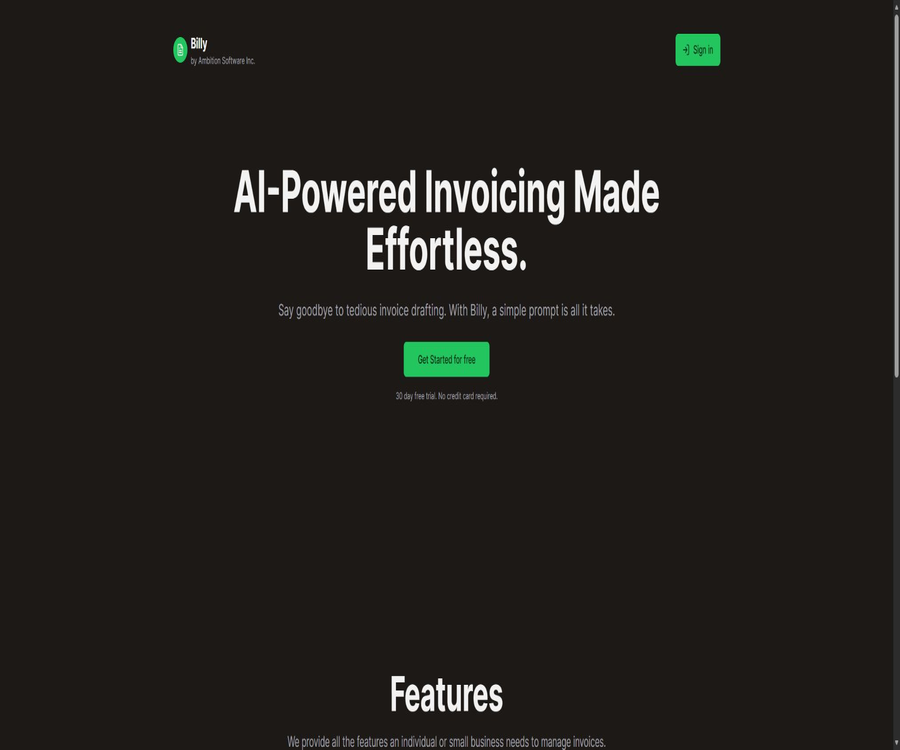
Billy is an AI-based invoicing tool designed for individuals and small businesses; it can generate invoices and PDF documents based on natural language requests, as well as send emails, and it also allows for tracking customer interactions and online payments.
Tool Introduction
Billy is provided by Ambition Software Inc. in Canada, and its purpose is to reduce the time taken to go from compiling the billing details to sending the invoice to the customer. The user enters the invoice information using guidance, while the AI is responsible for creating the draft as well as the text for the PDF and email.
It is more akin to a lightweight tool for generating invoices and following up on payments, rather than a complete accounting, inventory, payroll, or tax management system. The current focus of the official version is on intelligent invoice generation, payment collection, real-time tracking, card payments, and automatic notification.
Main functions
AI-generated invoices
Users can describe customers, services, amounts, and payment requirements in plain language, so that Billy can create a draft invoice. The output generated by the AI must be verified by the user; it should not be considered as a definitive decision regarding taxes or accounting matters.
Flexible payment instructions
Billy allows invoices to specify payment methods suitable for the business, not limited to credit cards. This feature is intended to inform customers about how to make payments on the invoice; it does not mean that Billy handles all payment channels itself.
Stripe integration for payment collection
When online card payment is required, Billy accepts major credit cards, Apple Pay, and Google Pay via Stripe. The Billy official website states that no additional transaction fees are charged on top of Stripe’s standard fees.
Interactive tracking of invoices
The real-time tracking feature shows whether the customer has viewed the invoice or interacted with it, helping the sender to determine when to send a reminder. The status “viewed” does not mean that the customer has acknowledged the debt or arranged to make a payment.
Automated generation of PDFs and emails
Billy will prepare the PDF version of the invoice along with the corresponding email, which can then be sent after the user gives approval. Before sending it officially, it is necessary to check the recipient, attachments, tone, amount, and deadline.
Accounts and Logging In
The official login page supports login using email addresses, Google accounts, and GitHub accounts. Users need an account in order to save invoices, transaction records, and tracking information.
The workflow from prompt to payment receipt
- Log in to Billy and prepare the billing party, customer, and payment details.
- Use the prompts to indicate the products or services offered, the quantity, unit price, currency, and date.
- Let AI generate draft invoices and send emails.
- Manually check the customer name, amount, taxes, expiration date, and payment instructions.
- If online card payment is required, connect to and test Stripe for receiving payments.
- Generate a PDF and send it by email, while keeping an internal copy.
- Monitor customer status through interactive tracking, and follow up individually when necessary.
- After receiving the payment, reconcile the accounts in the accounting or bookkeeping system.
Quick Start Tutorial
- On the official login page, select an email address, Google, or GitHub account.
- The initial testing is carried out using internal customers and small-scale examples, in order to avoid issuing formal invoices right away.
- Use one or more sentences to clarify the two parties, the project, the amount, the date, and the payment terms.
- After creating the draft, check each character of the company name, email address, numbers, and currency.
- Preview the PDF and email to check the layout, attachments, and recipients.
- Send a test email to your own address to check the connection and display.
- After the test is successful, create official invoices using real customer data.
How to write effective invoice notes
| Hint elements | Suggested wording | Key points of inspection |
|---|---|---|
| Both parties issuing the invoice | Indicate the name of the law, the contact person, and the billing address. | Do not treat brand names as legal entities. |
| Project details | List the quantity and unit price for each type of product or service separately. | The subtotals and the total amount should be recalculated. |
| Currency and taxes | Clarify currency abbreviations and applicable taxes | Prevent AI from determining tax rates on its own. |
| Date | Indicate the invoice date, expiration date, or payment cycle. | Avoid confusion between the order of the sun and the moon. |
| Payment methods | Explain online payment or other payment methods | Do not write down the full card number or password in the prompt. |
| Email tone | Specify the formal, concise, or friendly style. | Confirm the attachment and the payment deadline. |
Stripe payment setup process
- First, confirm that your country, type of business, and currency are supported by Stripe.
- Use the company’s own Stripe account to enable authorization for Billy.
- Verify the recipient, bank account, fees, and payment method.
- First, send a small test invoice to yourself to verify the card, Apple Pay, or Google Pay page.
- Check how the statuses of successful payments, failed payments, refunds, and disputes are returned.
- Regularly reconcile the payment results from Billy with those from Stripe and the accounting records.
Tutorial on sending invoices and following up
- Verify the invoice number, amount, currency, expiration date, and the party to whom payment is due.
- Check the subject and body of the emails generated by AI, and add information about the project background or contact details.
- Preview the PDF to ensure that the fonts, tables, special characters, and page breaks are all in order.
- Send it to the correct customer’s email address, while keeping an internal copy.
- Check the status of the invoice interaction; do not assume that the payment has been made just because it is marked as “viewed”.
- Use manually reviewed reminder emails when there is a delay, and keep records of the communications.
Which users are it suitable for
- Freelancers: Quickly prepare invoices for projects, consulting, or creative services.
- Individual entrepreneurs: A simplified workspace for managing invoices, PDF files, and customer follow-ups.
- Small businesses: Establishing basic invoicing and payment processes in the absence of complex financial systems.
- Studio and agents: Generate invoices for clients’ projects and keep track of their status.
- Service providers that require card payment: They accept payments via Stripe using major credit cards and mobile wallets.
Typical use cases
- After the project is completed, invoices and emails are generated based on the details of the services provided.
- Invoice the customer on a phased or milestone basis.
- Generate PDF invoices for consulting, design, development, or maintenance services.
- Provide customers with instructions for bank transfers or the option to pay using a Stripe card.
- Check whether the customer has opened the invoice, to determine the appropriate time for follow-up before and after the deadline.
- Use AI to create a draft, which is then approved by the finance department or the person in charge.
Product advantages
- Generate draft invoices based on natural language requests, thereby reducing the cost of repetitive data entry.
- Generate a PDF and send an email at the same time, reducing the need to switch between multiple tools.
- Track customers’ viewing and interaction patterns to determine the best time to follow up.
- Credit cards, Apple Pay, and Google Pay are supported through Stripe.
- The official price structure is simple, eliminating the need to choose between various feature packages.
- A 30-day trial is available without a credit card; you can first check the templates and local requirements.
Usage restrictions and precautions
- AI may write incorrect customer names, numbers, dates, currencies, or tax amounts; manual verification is required before sending it officially.
- The official website does not provide a complete list of countries, currencies, tax rates, invoice numbers, and the required compliance formats.
- Billy does not replace accounting, tax filing, inventory, or payroll systems; formal reconciliation is still required after receiving payments.
- Card payments require a valid Stripe account; transaction fees, disputes, and disbursements are governed by Stripe’s rules.
- The so-called unlimited invoices, PDFs, and emails, as stated by the authorities, are subject to acceptable use policies; excessive usage may result in restrictions or additional fees.
- The public page does not display the complete list of team roles, the approval process, or the list of accounting platform integrations.
- There are currently no verifiable native iOS, Android, or desktop clients available.
Price and trial version
As of August 20, 2026, Billy only makes its monthly payment plan available on the home page, offering a 30-day trial period without the need for a credit card. The final price, taxes, and currency conversion rates are subject to those indicated on the subscription settlement page.
| Plan | Price | Billing cycle | Primary interests | Suitable for users |
|---|---|---|---|---|
| 30-day trial | Free | 30 days | The official website states that a credit card is not required for trying out the invoice process. | Evaluate the user for the first time |
| Billy monthly payment | 9 Canadian dollars | Monthly | Invoices, PDFs, and emails have an alleged unlimited capacity; they include AI-generated content, tracking features, and integration with Stripe. | Individuals and small businesses |
| Stripe transaction fee | At Stripe’s standard rates | By transaction | Billy said that no additional transaction fees would be charged. | Users who use online cards for payments |
Subscription selection suggestions
| Evaluation projects | The trial period should be checked. | Is it worth subscribing? |
|---|---|---|
| Invoice compliance | Display of locally required fields, taxes, numbers, and currency. | All meet the requirements for re-subscription. |
| AI draft | Error rates in name, amount, date, and email tone | It is only valuable if it can steadily reduce data entry. |
| PDF and brands | Layout, font, page layout, and the reading experience on the client side | Subscribe only if it meets the standards for external documents. |
| Payment | Stripe account, fees, lending, refunds, and dispute resolution process | It is only valuable if the payment receipt area is supported. |
| Data security | Invoice retention, deletion, export, and AI training rules | True invoices can be stored only if the data policies are met. |
Platforms and integration
| Platform or service | Support status | Explanation |
|---|---|---|
| Web browser | Support | The main work areas for invoicing, sending, tracking, and collecting payments |
| Login via email | Support | The official login page offers email as a method of login. |
| Google login | Support | You can continue using a Google account. |
| GitHub login | Support | It merely indicates identity login; it does not mean that Billy is open-source. |
| Stripe | Support | Used for receiving payments via credit cards, Apple Pay, and Google Pay |
| iOS and Android | Not confirmed | No official native mobile applications were found. |
| Windows and macOS clients | Not confirmed | The official website does not provide a download link for the desktop client. |
Privacy and data processing
Billy’s official website states that it does not sell user data, and its privacy policy also claims that personal information such as email addresses is not sold to third parties. The platform can collect names, email addresses, mailing addresses, device information, access logs, transaction records, stored files, as well as user configuration and analysis data.
The authorities have listed Vercel and Stripe as the third-party services currently in use; data can be processed in the United States or in the location of other service providers. The policy does not specify a fixed deadline for deleting invoice details, nor does it clarify whether AI prompts or invoices are used for model training.
- Do not enter the full card number, bank password, or identification documents in the AI prompt.
- Before going live, confirm with the authorities the policies regarding the retention, backup, deletion of invoice data, as well as its use for AI training.
- Enterprise users should verify that cross-border processing, third-party services, and data processing agreements meet the required standards.
- Export invoices and transaction records on a regular basis; do not rely on Billy as the only source for financial records.
- Use a unique password for secure single-sign-on, and promptly revoke access for employees who have left the company.
Terms, Copyrights, and Acceptable Use
The official terms state that users retain ownership of the intellectual property rights to the content they submit, but they are also granted a non-exclusive license for use in the operation of the service. The brands, customers, trademarks, and business-related content mentioned on the invoices must be used legally by the person who uploads them.
- Billy must not be used to send unauthorized advertisements, spam, or unverified bulk messages.
- It is not allowed to create false or fraudulent invoices and transaction documents, nor to attempt to evade payment.
- The user is responsible for obtaining the necessary rights to customer information, trademarks, and other third-party content.
- Excessive use may lead to capacity limits or additional fees, and violating the policies can result in the suspension or termination of the account.
- The terms are governed by Canadian law; users located in other countries must still comply with the local rules regarding invoicing, taxation, and consumer protection.
API, GitHub, and open-source status
Billy’s official website does not provide API documentation, access to developer keys, or an official SDK. The existing product integrations are aimed at processing payments via Stripe, and it cannot be inferred from this that batch invoicing on a programmed basis is possible.
The official website does not provide access to the source code of the Billy product or to Ambition Software’s official repository. The ability to log in using a GitHub account is merely a method of authentication; it has nothing to do with whether the product is open-source or not.
Basic information
| field | Content |
|---|---|
| Tool name | Billy |
| Development and operation | Ambition Software Inc. |
| Location | Canada |
| Tool type | AI for invoice generation, sending, tracking, and receipt collection |
| Price pattern | 30-day trial plus CAD 9 per month |
| Is registration required? | Yes |
| Login method | Email, Google, GitHub |
| Main payment integration | Stripe |
| Chinese interface | Official website does not list support. |
| Public API | None |
| Official SDK | None |
| Is it open source? | No |
| Main platforms | Web |
Recommendation score
The comprehensive recommendation score is 4.0 out of 5 points. Billy’s advantage lies in its ability to integrate AI-generated invoice drafts, PDF files, emails, tracking capabilities, and Stripe payment processing into a single streamlined process; moreover, it offers a 30-day trial period without the need for a credit card.
It is more suitable for individuals and small businesses with simple invoicing processes. The official website does not disclose the full scope of compliance requirements, the time frame within which data must be deleted, the policies regarding AI training, nor information on APIs or deep accounting integrations; therefore, complex financial teams should not use it as their primary accounting system.
Frequently Asked Questions
What is Billy? What tool is it?
It is an AI-assisted online invoice and payment tool that allows for the creation of invoice drafts, PDFs, and emails, as well as tracking customer interactions.
Is Billy free?
A 30-day free trial is available; the official website states that no credit card is required. After the trial period, the regular price is 9 Canadian dollars per month.
Are invoices and emails really unlimited?
The payment page indicates that invoices, PDFs, and emails are available in unlimited quantities, but the terms of service state that excessive use may result in restrictions or additional charges.
What payment methods are supported?
The invoice can specify other applicable payment methods; integrated online payment processing, via Stripe, supports major credit cards, Apple Pay, and Google Pay.
Will Billy charge an extra fee for the transaction?
The official website states that no additional fees are charged beyond Stripe’s standard rates. The specific Stripe fees vary depending on the country, card type, currency, and method of transaction.
Is registration required?
It is necessary. The login page supports login using email addresses, Google accounts, and GitHub accounts.
Is Chinese supported?
The official website and public login page are primarily in English; no complete official Chinese interface documentation was found. Chinese prompts and Chinese PDFs should be tested in practice during the trial period.
Can it replace accounting software?
It cannot be used as a direct replacement. Billy is primarily responsible for issuing invoices, sending them out, tracking shipments, and handling payments through Stripe; the website does not offer functions for complete bookkeeping, tax filing, inventory management, or payroll processing.
Will invoice data be used for AI training?
The official privacy policy does not clearly state whether AI prompts or invoice details are used for training models. A clear answer from the authorities should be sought before handling sensitive invoices.
Is data export and deletion supported?
The privacy policy states that users can request access to, correction of, downloading of, or deletion of their personal information; however, there is no self-export format in which invoice records are made available publicly, nor is there a fixed deadline for deletion.
Are APIs provided?
No public API, developer key page, or official SDK was found.
Is Billy open source?
It is not open source. The ability to log in using GitHub does not mean that the product is open source; moreover, the official website does not provide a link to Billy’s official code repository.
Tools similar to Billy’s



 Guigong Network Security Registration No. 45132202000164