






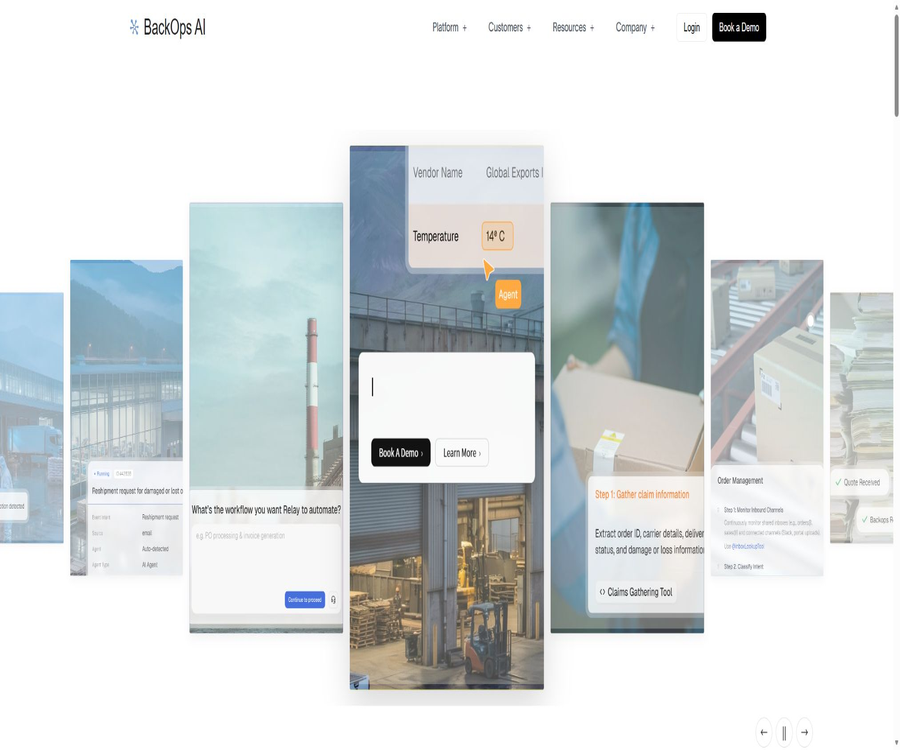
BackOps AI
BackOps AI: an intelligent tool focused on improving AI efficiency.
Tags:AI improves efficiencyWhat is BackOps AI?
BackOps AI is an AI-based automation platform designed for supply chains, logistics, manufacturing, and back-office operations; its core product is named Relay. It transforms the various operational processes scattered across SOPs, emails, work orders, forms, ERP systems, and supplier portals into executable intelligent workflow tasks.
Relay is not limited to answering questions; it can also read data, operate operating systems, submit forms, update records, and track the results of tasks. Companies can set approval thresholds and escalation paths, so that tasks with low risk are completed automatically, while decisions with high risk are sent for human confirmation.
Which companies are suitable for BackOps AI?
- Logistics and freight companies: handle shipping status, delays, claims, and customer notifications.
- Manufacturing companies: Coordinate purchase orders, supplier responses, delivery dates, and price updates.
- Distribution and retail companies: Automatically handle order changes, reshipments, and inquiries related to inventory.
- Financial Shared Service Center: Retrieves invoices, performs tripartite matching, and enters the data into ERP.
- Customer Service Team: Retrieves information across different systems and handles repetitive requests.
- Supply chain operations team: Connects carrier portals, email, forms, and legacy systems.
- Enterprises that require auditing: They need to retain records of data sources, operations, and approvals in order to make automated decisions.
The core capabilities of Relay
- Process recording: The Workflow Recorder is used to capture the steps taken by users to complete tasks across different systems.
- Context acquisition: Reading SOPs, work orders, email threads, logs, and historical cases.
- Process mining: Identifying the tasks that a team carries out on a daily basis but that have never been formally documented.
- Automated sorting: Arranges the processes that deserve priority based on their impact, cost, and returns.
- Agent execution: Completes the entire process from task identification to system updates.
- Cross-departmental orchestration: Maintains task context among customer service, operations, finance, and sales.
- Browser automation: Interacting with ERP systems and supplier portals that lack modern interfaces.
- Manual approval: Suspension based on amount, severity, or customer level, with a request for confirmation.
- Continuous learning: Adjust workflows based on staff coverage, rejections, and new cases.
- Audit trail: Records each decision, data source, system action, and final outcome.
How does Relay learn about corporate processes?
- Choose an operational process that is carried out frequently, has relatively stable patterns, and whose outcomes can be measured.
- Import relevant SOPs, historical tickets, email threads, logs, and form samples.
- Use a process recorder to capture the actions of skilled employees as they carry out real tasks.
- The BackOps team identifies hidden steps, exception types, and system dependencies.
- Map the existing process into tasks, conditions, data sources, actions, and approval nodes.
- Determine the order of automation based on business impact, volume of processing, risk, and expected return.
- Use real samples in the sandbox to validate rules and edge cases.
- After approval, it is deployed gradually, with ongoing analysis of manual interventions and abnormal results.
Dual-engine operation mode
| Phase | Main function | Typical input | Output result |
|---|---|---|---|
| Process Understanding Engine | Learn about the actual ways in which businesses operate. | SOPs, work orders, emails, logs, and recording processes | Process maps, exception types, and priorities |
| Execution engine | Agents complete tasks across systems. | Business events, rules, system data, and approval requirements | System actions, notifications, upgrades, and audit records |
Omni-channel task entry point
- Email: Identifies order requests, invoices, supplier responses, and customer inquiries.
- Slack and Teams: Receive team messages, trigger processes, and return results.
- Web forms: Directly route structured submissions to the specified workflow.
- Supplier and carrier portal: Read status and submit business actions.
- Webhooks and system events: Triggered when there are changes in order, shipping, or financial status.
- Voice, SMS, and online chat: Intent is recognized uniformly and sent to the operation queue.
- Manual trigger: Allows users to initiate tasks actively in specific scenarios.
Order management
- Identify new orders, check order status, update addresses, and handle requests for cancellation and resending.
- Extract the order number, customer identity, and specific intent from the message.
- Cross-check the status of ERP, transportation systems, and carriers.
- The order records are automatically updated for modifications that comply with the rules.
- Send the processing results to the customer and keep the internal team informed.
- Requests that exceed permissions or involve conflicts are escalated after their context is packaged.
- Continuously monitor abnormalities until the order issue is resolved.
Claim and Dispute Resolution
- Identify claim triggers from emails, tickets, or shipping data.
- Collect evidence across orders, photos, delivery confirmations, and carrier records.
- Prepare the claim documents in accordance with the carrier’s rules.
- Submit and record the case number in the carrier’s portal.
- Track the status of acceptance, document supplementation, rejection, and compensation.
- Prepare an appeal for rejected claims in accordance with the established rules.
- Synchronize the final results with financial and customer records.
Transportation and Logistics Management
- Track containers, packages, and shipping nodes across different carriers.
- Identify changes in estimated arrival times, delays, and stagnations.
- Update the transportation management system, ERP, or customer service records.
- Notify the internal responsible person before the issue escalates.
- Proactive notifications are generated based on the customer’s tier and the severity of the issue.
- Aggregate the shipping context to reduce the need for staff to query multiple portals.
Financial and billing automation
- Receive invoices from email attachments, supplier portals, scans, and photos.
- Extract suppliers, amounts, taxes, and line items through document recognition.
- Match the invoice with the purchase order and the receipt document on a three-way basis.
- Mark differences in amounts, missing items, and anomalies that exceed the tolerance limits.
- Route approvals based on amount, department, and supplier rules.
- After approval, it is entered into the ERP accounts payable records and the payment schedule is updated.
- Handle repetitive tasks such as commission status management, reimbursement processing, and invoice inquiries.
Data and document processing
- Read bills of lading, invoices, compliance forms, PDFs, scans, and email attachments.
- Convert unstructured content into unified fields.
- Verify the extraction results against ERP, orders, and master data.
- Decide whether to approve automatically or conduct a manual check based on confidence levels and business rules.
- Write the results to the target system while retaining the references to the original documents.
- Initiate a process to fill in missing fields and resolve conflicting data.
Automated customer service
- Identify the intent behind requests from emails, calls, chats, and portals.
- Query orders, shipping, inventory, bills, and customer history.
- Generate and send a complete response to the standard question.
- Controlled system actions are performed for address modifications, resending, and cancellation.
- Upgrade the exception along with the collected evidence to the appropriate personnel.
- Maintain the same task context among customer service, operations, and finance.
Collaboration between manufacturing and suppliers
- Automatically send inquiry requests and track supplier responses.
- Extract prices, delivery times, minimum order quantities, and terms from emails and PDFs.
- Generate a comparison of supplier quotes and flag abnormal prices.
- Handle purchase order confirmation and order receipts.
- Update the price list and check historical changes.
- Track delays, stockouts, change orders, and supplier claims.
- Allow procurement staff to focus on selecting suppliers rather than copying data.
System integration capability
| System type | Connection method | Typical operations |
|---|---|---|
| ERP and WMS/TMS | Interface, connector, or browser automation | Query, update orders, and financial records |
| Email and collaboration tools | Authorized integration | Receiving tasks, sending replies, and approving notifications |
| Carrier and supplier portal | Interface or browser automation | Track, submit claims, and update status |
| CRM and customer service systems | Interface or connector | Synchronize customers, tickets, and processing results |
| Tables and documents | File connection and parsing | Extract, validate, and write structured data |
| Legacy terminal systems | Controlled interface automation | Simulate user login, filling out forms, and submission |
How can systems without APIs be automated?
For legacy ERPs and portals that lack interfaces, Webhooks, or modern connectors, Relay can make use of browser automation to interact with these systems. The intelligent agent logs in within the scope of its authorized permissions, clicks on elements, fills out forms, extracts data from pages, and submits actions.
Interface automation is more susceptible to changes in the page layout compared to standard interfaces; therefore, companies should implement element validation, mechanisms to stop operations in case of failures, manual intervention options, and change monitoring. For high-risk write operations, approval processes and rollback procedures must also be in place.
Approval and guardrails
- Amount threshold: Refunds, claims, or procurement actions that exceed a specified amount require approval.
- Customer tier: Changes and communications related to key customers are verified by a dedicated person.
- Issue severity: High-risk anomalies are escalated directly to management.
- Confidence threshold: Automatic execution stops when identification or matching is uncertain.
- System permissions: Each workflow is granted only the minimum permissions required to complete its tasks.
- Sending restrictions: Rules can be set separately for external notifications, payments, and order modifications.
- Validate the sandbox: Run simulations using real samples, without affecting the production system.
- Reversible operations: Record actions and provide the ability to replay, modify, or undo them in appropriate scenarios.
Audit and decision traceability
- Record what actions the agent has taken.
- Save the business reason for taking this action.
- Indicate which systems have been accessed and modified.
- Retain the versions of the data and rules in use.
- Record the approver, the decision made, and the reasons for rejection.
- Generate natural language executive summaries for operational staff.
- Supports financial, legal, security, and operational reviews.
Implementation process
- Schedule a demonstration and select an operational process with clear business value.
- Inventory the systems, accounts, data fields, user roles, and existing SOPs.
- The frontline deployment team observes actual operations and collects historical cases.
- Create process maps, categorize exceptions, define approval thresholds, and establish success metrics.
- Connect to the testing environment and configure access using the minimum required permissions.
- Test normal paths, edge cases, and failure recovery in the validation sandbox.
- It should be launched first in advisory or approval mode, with automatic actions being introduced gradually thereafter.
- Continuously analyze accuracy, coverage, processing time, and business outcomes.
From the pilot phase to the production phase
| Phase | Main tasks | Meet the standards |
|---|---|---|
| Record | Record the process and capture SOPs, tickets, and emails | Capable of describing normal tasks and anomalies |
| Verify | In sandbox testing rules, approvals, and system actions | Key scenarios are approved by business personnel. |
| Deploy | Gradual opening of production tasks and cross-system execution | Meet the agreed quality, efficiency, and risk criteria |
| Optimize | Analyze coverage and new cases, making continuous adjustments. | Abnormalities have decreased and operational results are stable. |
Pricing and procurement methods
The BackOps website does not disclose any standard subscription plans or fixed prices for Relay; at present, the main options available are demonstration sessions, requirement assessments, and customized enterprise deployments. Before making a purchase, it is necessary to request a quote that specifies the costs related to software, implementation, integration, usage volume, support, and security features.
| Factors affecting costs | Possible contents |
|---|---|
| Number and complexity of processes | Workflow steps, exception types, and approval rules |
| System integration | ERP, email, portal, databases, and connections to legacy systems |
| Task processing volume | Number of emails, documents, orders, claims, or agent executions per month |
| Deployment and isolation | Single customer environment, regional hosting, and network configuration |
| Safety requirements | SSO, MFA, auditing, retention periods, and compliance materials |
| Implement services | Process discovery, configuration, testing, training, and continuous optimization |
| Service support | Response time, availability targets, and dedicated support |
Issues to confirm before making a purchase
- The contract can be billed based on users, workflows, volume of tasks, or the results of processing.
- Is there a separate charge for model invocation, OCR, browser automation, and storage?
- How are the costs for initial implementation, custom connectors, and process adjustments calculated?
- Whether the default retention period, regional deployment, and reduced retention affect the price.
- How are service levels, support hours, fault recovery, and compensation determined?
- Methods for exporting data, providing proof of deletion, and migrating workflows after the contract is terminated.
- Changes in third-party systems determine who is responsible for the costs associated with maintaining the connectors.
Typical use cases
- Order status inquiry, address change, cancellation, and resending.
- Submission of carrier claims, provision of additional evidence, tracking, and complaints.
- Identification of transportation delays, system updates, and proactive notification to customers.
- Invoice retrieval, three-party matching, approval, and recording of accounts payable.
- Supplier quotation requests, quote comparison, order confirmation, and delivery timeline tracking.
- Document classification, field extraction, verification, and system entry.
- A complex closed-loop process involving customer service, operations, and finance.
- Legacy portals and ERP operations without modern interfaces.
Product advantages
- Learn the actual process: Undocumented steps can be identified through recorded operations and historical records.
- End-to-end execution: It not only performs analysis but also carries out actual business actions across different systems.
- Compatibility with legacy systems: Browser automation covers portals that lack interfaces.
- Inter-departmental orchestration: reduces the need for repeated explanations of context between tickets and emails.
- Flexible manual control: Set up approval, escalation, and validation sandboxes based on risk levels.
- Complete audit trail: retains decisions, sources, actions, and results.
- Enterprise data isolation: The secure sites are designed to provide an independent environment for each customer.
- Frontier deployment services: The team is involved in process mapping, deployment, and ongoing optimization.
Usage restrictions
- No public price available: Companies must conduct sales and demand assessments in order to estimate the costs.
- Implementation is not something that can be used right away: complex processes require identification, integration, verification, and ongoing optimization.
- Dependence on source data: SOP errors, missing master data, and chaotic historical processes can affect the results.
- Interface automation is fragile: changes to the portal or adjustments to login policies can disrupt tasks.
- Third-party dependencies: Failures in connecting the system to external models can affect automation.
- It cannot be completely unmonitored: actions such as payments, claims, and order modifications require proper approval.
- Large range of data: Emails, tickets, documents, and business systems may contain sensitive information.
- High migration costs: Highly customized workflows can create dependency on suppliers.
Safety and compliance
According to the official security documentation, Relay employs an isolated environment per client; data transmission and static storage are both encrypted, and it supports minimal permissions, SSO, and MFA. The platform claims to comply with SOC 2 Type II, ISO 27001, and GDPR standards, and it maintains a list of sub-processors.
| Security projects | Official explanation |
|---|---|
| Environmental isolation | Each customer has its own separate computing and storage boundaries. |
| Transmission encryption | Use TLS |
| Static encryption | Use AES-256 |
| Identity and permissions | Supports SSO, MFA, and least privilege. |
| Default retention | It is usually 365 days, but an application can be made to reduce it to 30 days or another period. |
| Managed area | The United States serves as a default option; it can provide the EU region for deployments that are sensitive under GDPR. |
| Compliance status | SOC 2 Type II, ISO 27001, and GDPR compliance |
Use of AI models and data
The security documentation lists the self-hosted models of OpenAI, Anthropic, Gemini, and BackOps, which are used for inference, drafting, and quality checking within the scope of specific tasks. Customer data is not used for training models that serve different customers; however, it is still passed on to the model service responsible for a particular task, in accordance with the settings defined.
The privacy policy permits the improvement of products through anonymization and aggregation, and it may allow the retention of metadata, logs, and operational data. Companies should specify in the contract the provider of the models, the locations where the data is stored, the retention period, the methods for deleting data, and any restrictions on training with such data.
Ways to reduce deployment risks
- Start with processes that are low-risk, occur frequently, and whose outcomes can be easily verified.
- Assign a separate service account and the minimum required permissions for each system connection.
- Create test sets for normal, abnormal, conflicting, and malicious inputs.
- Verify all write actions and approval paths in the sandbox.
- Set manual thresholds for amounts, customer tiers, and results with low confidence.
- Monitor changes in the source system, automation failures, and data quality drift.
- Regularly conduct random checks and record the reasons for personnel coverage.
- Prepare plans for shutting down the system, taking over operations manually, exporting data, and having the supplier withdraw.
Comparison of BackOps and traditional RPA
| Comparison items | BackOps Relay | Traditional RPA |
|---|---|---|
| Process discovery | Learning is possible through SOPs, emails, work orders, and recorded operations. | The process is usually drawn manually by analysts. |
| Unstructured input | It can parse emails, documents, scans, and natural language. | Better at fixing fields and defining interfaces |
| Exception handling | Judge based on the context, upgrade, or request approval. | Reliance on pre-written branching rules |
| Interdepartmental collaboration | Maintain task context and coordinate multiple teams | It is common to break them down into individual robots or processes. |
| Determinism | AI judgments involve uncertainty; therefore guards are necessary. | Behavior is more predictable when rules are clear. |
| Implementation method | The front-line deployment team remains actively involved. | It is usually configured by an internal team or the implementation provider. |
APIs and developer capabilities
The BackOps privacy policy and terms of service state that the product may include APIs for integration with third parties, but the official website does not offer a developer console accessible to the public, uniform API pricing, or comprehensive public documentation. The capabilities related to enterprise integration should be confirmed during the demonstration and contract phases.
Open source and GitHub status
BackOps Relay is a commercial enterprise software; its official website does not label it as open source, nor does it provide an accessible GitHub repository containing the source code. Neither the platform nor its agents can be classified as open source, and what customers receive are the service access and integration capabilities specified in the contract.
Basic information
| field | Content |
|---|---|
| Tool name | BackOps AI |
| Core products | Relay |
| Development company | BackOps-AI Inc. |
| Date of establishment | 2024 |
| Tool type | AI automation platform for supply chains, logistics, and back-office operations |
| Key capabilities | Process discovery, agent execution, cross-system orchestration, approval, and auditing |
| Delivery method | Schedule a demo, corporate assessment, and custom deployment |
| Price pattern | There are no fixed packages available publicly; please contact sales for a quote. |
| Is registration required? | Enterprise projects require signing contracts and configuration. |
| Whether API is provided | Provides integration capabilities; limited public documentation available. |
| Is it open source? | No |
Recommendation score
The comprehensive recommendation score is 4.4 out of 5 points. BackOps is suitable for supply chain companies that handle large volumes of processes, have dispersed systems, and are willing to invest resources in its implementation; it is not appropriate for individuals or small teams that simply want to acquire standardized tools quickly.
Frequently Asked Questions
What is BackOps AI mainly used for?
It learns the enterprise’s backend processes and enables agents to carry out operational tasks across ERP systems, email, portals, and spreadsheets.
Is Relay a chatbot?
No, it is the operational execution layer that is capable of reading data, operating the operating system, initiating approvals, and completing various processes.
Can systems without an API be connected?
It is possible to evaluate the use of browser automation for working with legacy ERP systems and portals.
What is the price of BackOps?
The official website does not list any fixed packages; it is necessary to schedule a demonstration and request a quote based on the requirements regarding integration and deployment.
Is manual approval supported?
Supported; it is possible to set approval thresholds based on amount, customer level, severity, confidence level, or other criteria.
Will the data be used to train models for other customers?
Official security documents state that customer data is not used for training across different customers.
How long are data retained by default?
The security page states that the default period is usually 365 days, and it is possible to request a shorter period through an agreement.
Which business scenarios are supported?
Covers orders, claims, shipping, finance, document processing, customer service, and collaboration with suppliers.
Is a public API available?
There is the capability for enterprise integration, but no complete public developer platform or unified pricing has been found.
Is BackOps open source?
It is not open-source; the official website does not make the source code for Relay or the agents available to the public.
How long does it take to deploy?
The official website states that from the first communication to production, the time taken is usually measured in weeks, though this actually depends on the complexity of the processes and systems involved.
Is it suitable for small businesses?
It is only appropriate when there is sufficient workload, value savings, and available implementation resources; for simple processes, standard automation tools can be considered first.
Tools similar to BackOps AI



 Guigong Network Security Registration No. 45132202000164