






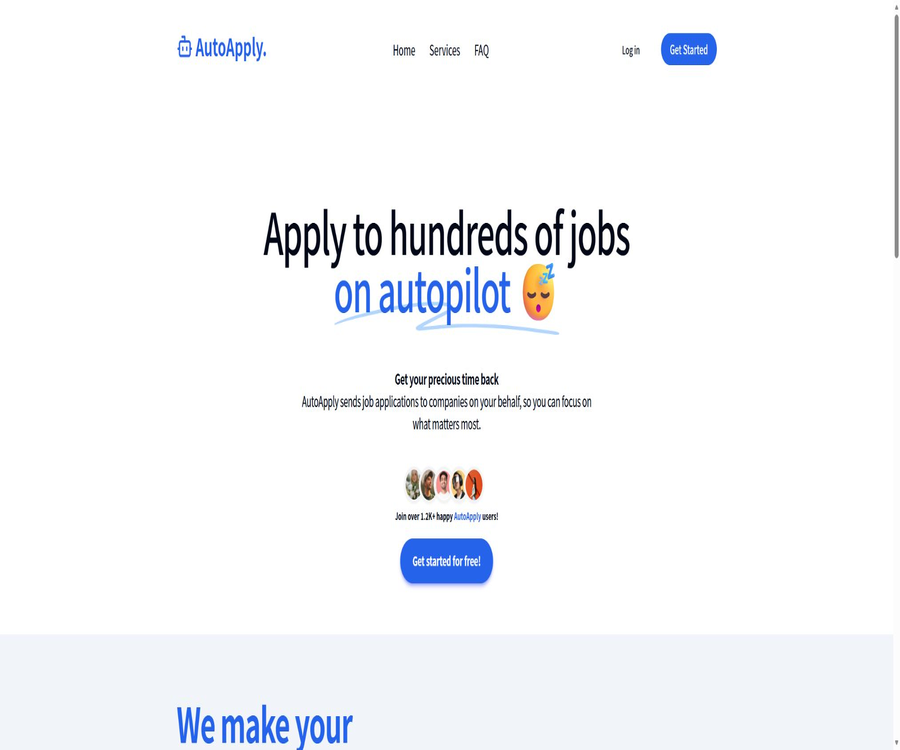
AutoApply
AutoApply: an intelligent tool focused on improving AI efficiency.
Tags:AI improves efficiencyWhat is AutoApply?
AutoApply is an automated service for applying to jobs, designed to handle the repetitive tasks of filtering job listings and submitting applications online. After a user creates a profile and grants authorization, the system searches for suitable jobs based on the resume, location, and job preferences, then submits the applications on behalf of the user.
This product is aimed at American job seekers who rely on online applications, and it is particularly suitable for those in their early to mid-career who wish to broaden their search options. The official website states that it can cover positions ranging from entry-level roles to senior management positions, but the quality of the matches still depends on the completeness of the information provided and the requirements of the jobs.
How AutoApply works
- Create an account and fill in your personal details, work experience, educational background, and contact information.
- Upload or attach a resume for submission, making sure its content is aligned with the requirements of the target position.
- Create a job search profile by specifying job categories, location, and other preferences.
- The platform uses machine learning along with human oversight to identify relevant positions.
- The user explicitly authorizes the platform to use the information provided to submit applications on their behalf.
- The system submits requests within the monthly quota of the package, and keeps track of the number of deliveries in the backend.
- Some packages offer a weekly summary to help users keep track of the positions they have applied for.
Job application profile and career direction
AutoApply enables users to create separate profiles for different job categories. This allows for the separation of areas such as product development, engineering, sales, and operations, thereby reducing matching errors that can occur when a single set of general information is used for all positions.
- Job category: Assign a relatively specific target position direction for each profile.
- Location preference: Specify the U.S. region where you wish to apply or the locations that are acceptable to you.
- Resume version: Prepare relevant experiences and key skills tailored to different career paths.
- Application question: Fill in in advance the personal information that may be required when using the platform’s service for submitting applications on behalf of others.
- File limit: Starter allows for 2 files, while Premium allows for 6 files.
How to set up the first job application profile
- Register and log in to AutoApply, then go to the job profile management page.
- Create a new file and enter a clear, specific name for the target job category.
- Complete the information regarding name, contact details, educational background, work experience, and preferred location.
- Upload the most recent resume that matches the requirements of this position, and check the analysis results.
- Answer truthfully questions regarding job authorization, identity, experience, and other application-related matters.
- Read the authorization instructions to confirm that the platform can use the provided information to submit requests on its own behalf.
- After submitting the documents, keep monitoring the application statistics and weekly summaries, and make adjustments promptly if any discrepancies are detected.
Job filtering and automatic application submission
According to the official statement, the platform matches candidates to positions based on location, preferred job roles, and resume details, using a combination of machine learning and human oversight. It does not simply send the same resume to all available positions without any differentiation; however, the website does not disclose the matching algorithm used, the proportion of human reviews, or a list of the recruitment websites it supports.
The main advantage of automatic submission is that it saves time by eliminating the need to fill in information repeatedly; however, this means that users cannot check each submission in real time. When it comes to matters such as salary, visas, start dates, security permissions, or subjective questions, it is advisable to first find out how the platform handles unknown answers.
Monthly delivery quota
| Package | Monthly job applications | Job application portfolio | Suitable situations |
|---|---|---|---|
| Free status | The official website does not specify any quota for automatic delivery. | Refer to the account page. | Used for registering and viewing available entrances. |
| Starter | 30 positions | 2 | One or two clear career directions |
| Premium | 70 positions | 6 | Job seekers who need to cover multiple job positions |
The monthly quota indicates the number of applications that the platform can process; it does not correspond to the number of interviews held or the outcome of those interviews. Users should pay attention to factors such as the proportion of available positions, the response rate, and the conversion rate from interviews, rather than focusing solely on the total number of applications submitted.
Resume review feature
The paid packages include a certain number of resume reviews per week: Starter offers 10 reviews per week, while Premium provides 25 reviews per week. The official website does not provide detailed information on the criteria used for each review, the ways in which resumes can be modified, or whether any unused reviews carry over to subsequent weeks; therefore, it is necessary to rely on the actual instructions available after logging in.
- Check before sending whether the resume matches the target job category.
- Compare different versions of the resume to see which ones receive more responses.
- Give priority to modifying job titles, core skills, and quantifiable work outcomes.
- Keep the original resume to avoid factual distortions caused by automatic suggestions.
- When professional qualifications and years of experience are involved, the individual must review them themselves.
Data dashboards and weekly summaries
The Starter plan includes application data analysis, while the Premium plan offers weekly summaries. The dashboard is useful for tracking the number of applications submitted and the pace of the recruitment process; however, the official website does not provide detailed definitions of the various metrics, so it cannot be assumed that it includes information such as the response rate, the interview rate, or the current stage of recruitment.
| Functions | Starter | Premium |
|---|---|---|
| Apply for data analysis | Includes | Includes |
| Weekly summary | Not included as part of the package benefits | Includes |
| Apply with priority | Not included as part of the package benefits | Includes |
| Personalized interview materials | Not included as part of the package benefits | Includes |
| Job seekers on Discord | Includes | Included with Starter benefits |
| Support level | Standard entrance | Premium Support |
Personalized interview materials
The Premium section contains personalized materials for interview preparation, which are useful to use once an interview invitation is received. The website does not reveal how these materials are created, nor which industries they cover or whether they are reviewed by human beings; therefore, it is still necessary to supplement the information with details from the actual job description before the formal interview.
Price of the AutoApply package
The official website currently displays two monthly subscription plans: Starter costs $10 per month, while Premium costs $20 per month. Subscriptions are processed through an online payment system, and users can manage their subscriptions from their account; the final amount, taxes, and benefits shall be as indicated on the payment page.
| Package | Reference price | Main credit limits and benefits |
|---|---|---|
| Starter | 10 dollars per month | 2 files, 30 applications per month, data analysis, Discord for job seekers, 10 resume reviews per week |
| Premium | $ | 6 files, 70 applications per month, interview materials, priority processing, weekly summaries, advanced support, 25 resume reviews per week |
The official website only indicates a monthly billing option; there is no information provided regarding the annual price, the deadline for refunds, or options for purchasing additional services on a usage-based basis. Prices may change, so it is necessary to check again the billing cycle, the date of renewal, and the deadline by which service will be discontinued before making a purchase.
How to choose between Starter and Premium?
- If there is only one or two clear career paths and 30 applications per month are sufficient, you can choose the Starter option first.
- Premium can be considered if it is necessary to test multiple job positions at the same time, or if more than 30 applications are planned to be submitted each month.
- It is hoped that Premium will offer a more comprehensive set of features, including weekly summaries, priority application handling, and interview-related materials.
- When the quality of the match has not yet been confirmed, it is not appropriate to upgrade simply because the quota is higher.
- Run one billing cycle first, and then decide whether to renew based on the relevant staffing ratios and interview conversion rates.
How to start automatic delivery
- First, determine the target position, location, salary range, and any unacceptable conditions.
- Create a separate resume for each job target, removing any content that is not relevant to that target.
- Create the corresponding file in AutoApply and fill in all required information completely.
- Check each element of the authorization details to ensure that the information provided is accurate and will not mislead the employer.
- Choose Starter or Premium, and note the monthly quota and renewal date.
- Once it has started, check the positions applied for on a weekly basis, and mark those companies that are not relevant, repetitive, or for which an application is not desired.
- Adjust the profile based on the responses and interview results; do not just increase the number of applications submitted.
Recommended quality control process
- Start with a small number of positions for testing, to verify that the job category, location, and qualification requirements are appropriate.
- Create a personal application database to record the company, position, date, resume version, and current status.
- Upon receiving contact from the employer, first verify whether the application was indeed submitted through AutoApply.
- On a weekly basis, job descriptions are randomly checked to determine the proportion of positions that do not match the relevant requirements and the number of such mismatches.
- If an incorrect answer is provided, a duplicate application is submitted, or a sensitive position is involved, the service will be suspended and support should be contacted.
- Compare the monthly delivery volume, response rate, number of interviews, and actual costs to decide whether to renew the service.
Which users are it suitable for
- Those who are mainly looking for full-time jobs in the United States and are used to applying through online recruitment systems.
- Those in the early to middle stages of their careers who need to broaden their range of suitable job opportunities.
- Those for whom the target position is relatively standardized, and whose resumes and application materials can be prepared in advance.
- Exploring two to six career paths at the same time requires someone who is skilled in file management.
- Those who do not have time to fill out the basic application form again, but are willing to review the results on a regular basis.
- Those who wish to obtain application statistics, resume review quotas, or weekly summaries.
Common use cases
- For fresh graduates or those changing jobs: Keep applying for positions that meet the required educational qualifications and skills.
- Job hunting across cities: Expand the search for jobs in different regions of the United States based on location preferences.
- Multi-directional exploration: Create separate application profiles for engineering, product, operations, or sales roles.
- Job hunting while employed: Submit your basic application to the platform and use your personal time to prepare for interviews.
- Resume iteration: Use the approval quota to review different versions of resumes for various job positions.
- Job search review: Monitor the pace of applications by analyzing application statistics and weekly reports.
Situations that are not very suitable
- Apply only for those positions that require a high degree of customization and involve the need to prepare materials for each application individually.
- Those whose target is not the United States, or those who rely on traditional methods, personal networks, and headhunting services to find a job.
- The position requires a portfolio, complex questions and answers, permission for background information, or a large amount of additional material.
- Those who do not wish to authorize third parties to use their personal data to submit applications on their behalf.
- There is a desire to have complete control over every target company and over everyone who submits an answer.
- Equating automatic delivery with a guarantee of an interview or employment.
Product advantages
- The package options and monthly request limits are simple, making it easy to estimate the basic costs of use.
- Multiple job application profiles are supported, which facilitates distinguishing between different career paths.
- The official statement says that machine learning and human oversight are both used to select positions.
- It offers application data analysis; Premium also includes weekly summaries.
- The quota for reviewing resumes is provided on a weekly basis, allowing for continuous improvement of the information.
- Users can manage their subscriptions within their account and cancel them at any time.
Usage restrictions and risks
- The official website does not list the recruitment websites that are supported, the sources of job openings, or the specific procedures for submitting applications.
- Automatic matching may result in irrelevant positions, duplicate applications, or missed key requirements.
- The application limit per month does not guarantee a response, an interview, or a job offer.
- For complex application issues, personal judgment may still be required, as pre-filled answers cannot cover all scenarios.
- There is limited publicly available help content, and the definitions of some functions can only be confirmed after logging in.
- The service is primarily aimed at positions in the United States; its availability in other countries and regions is not clear.
- Automated applications may be subject to the rules set by job recruitment websites; users should check the relevant terms on their own.
- Frequent, low-relevance deliveries can affect an individual’s brand image and also increase the burden of subsequent communication.
Privacy and personal data security
A job application profile typically contains sensitive information such as name, contact details, resume, location, identity, and employment qualifications. Official FAQs state that industry-standard encryption is used, that the data is not shared with third parties without consent, and that it is used solely to assist with job searches.
- Before uploading, delete ID numbers, banking information, and any sensitive content that is not related to job applications.
- Set a strong, unique password for the account, and ensure that the email address and billing account are secure.
- Find out what information will be sent to the employer, and what happens once the authorization is revoked.
- Check the privacy policy for information on retention periods, deletion requests, and third-party services.
- After ceasing use, cancel the subscription and request the deletion of records and the removal of files as needed.
- If the recruiter asks for payment, verification codes, or financial information, you should stop communicating immediately and verify the situation.
Accuracy of applications and compliance requirements
The user must give explicit consent for AutoApply to use the provided information to apply for jobs on their behalf. This authorization does not transfer the responsibility for ensuring the accuracy of the information; qualifications, experience, skills, identity, work permits, and other statements must still be accurate.
- It is not allowed to exaggerate work experience, professional qualifications, scope of management, or project outcomes.
- The system must not be allowed to guess the answers regarding visas, work permits, security approvals, or criminal records.
- In the event of questions related to voluntary disclosure on equal employment, fill in the information according to one’s own preferences and actual circumstances.
- Check whether the target recruitment platform allows applications to be submitted by third parties or through automated means.
- Keep the delivery records to avoid submitting repeated applications for the same position through different channels.
- Important positions require the individual to carry out the final review and customize the materials.
Customer support and cancellation of subscriptions
The official website provides a contact email address and states that users can cancel their subscription at any time once they have found a job. Premium offers advanced support, but the public page does not specify the response time, service hours, or refund policies.
| Matters | Public information | Usage suggestions |
|---|---|---|
| Unsubscribe | It can be canceled at any time. | Confirm when the cancellation takes effect and whether the remaining quota is available. |
| Subscription management | The management portal is accessible from within the account. | Save cancellation confirmation and final bill |
| Standard support | Provide a contact email address. | The account information is included in the question, but the password should not be sent. |
| Advanced Support | Premium includes | Confirm the response range and channels before making a purchase. |
| Refund policy | It is not specified on the public page. | Verify on the settlement page before making the payment. |
API, GitHub, and open-source status
As of this verification, no public developer API, official SDK, or GitHub repository associated with AutoApply as a job-seeking tool has been found. The Kubernetes projects and third-party job automation repositories that share the same name are not the same product as this website, and therefore cannot be considered official code.
| Development projects | Status | Explanation |
|---|---|---|
| Public API | No findings were detected. | The official website does not provide developer documentation or API access points. |
| Official SDK | No findings were detected. | No verifiable installation packages or SDK repositories available. |
| Official GitHub | No findings were detected. | A warehouse with the same name does not prove any connection to that service. |
| Product source code | Closed-source services | Users can use it through web applications and the account dashboard. |
| Third-party projects | Has nothing to do with the authorities. | Functionality, privacy, and security must be verified separately. |
Basic information
| Project | Content |
|---|---|
| Product name | AutoApply |
| Tool type | Automation for job application submission and tools for job search management |
| Main markets | Full-time positions at America Online |
| Matching method | Machine learning and human supervision |
| Core input | Resume, profile, location, and job preferences |
| Main output | Application submission on behalf of others, statistical data related to applications, as well as weekly reports or interview materials associated with various packages |
| Price | Starter costs $10 per month, Premium costs $20 per month. |
| Is registration required? | It is necessary. |
| Whether API is provided | No public API was found. |
| Is it open source? | No, no publicly available official repositories were found. |
Recommendation score
The comprehensive recommendation score is 3.6 out of 5 points. AutoApply offers clear information regarding prices and quotas, making it suitable for American job seekers who wish to reduce the number of manual delivery tasks; however, there is limited information available regarding public documents, job sources, and the details of automated delivery, so manual verification is necessary.
Frequently Asked Questions
Will AutoApply apply for jobs on my behalf?
Yes, once the user creates a profile and grants authorization, the platform will use the provided information to submit job applications on behalf of the user.
How does it choose positions?
Officials state that the selection will be based on location, preferred position, and compatibility with the resume, taking into account both machine learning and human oversight.
Which regions are supported by AutoApply?
Official statements indicate that priority is given to positions located across the United States; it is not clear whether other countries and regions are supported as well.
How much is the starter?
The official website indicates a cost of $10 per month, which includes 2 profiles, 30 applications per month, and 10 resume reviews per week.
How much is Premium?
The official website indicates a cost of $20 per month, which includes 6 profiles, 70 application submissions per month, and 25 resume reviews per week.
Can I cancel my subscription?
The official FAQs state that cancellation is possible at any time, and there is also a section in the account for managing subscriptions.
Will delivery records be provided?
The package includes data analysis; Premium offers a weekly summary as an additional service, with the specific fields depending on the account dashboard.
Is my personal information safe?
Officials state that industry-standard encryption is used and that data is not shared with third parties without consent, but users should still read the privacy policy and avoid sharing unnecessary sensitive information.
Does AutoApply guarantee an interview?
No guarantees are provided; automatic delivery only helps to improve the efficiency of applications, but the relevance of the candidate’s skills to the position, the quality of the resume, and the recruitment requirements still influence the outcome.
Is AutoApply an open-source tool?
No, no official GitHub repositories or open-source code that are explicitly associated with this job-seeking service have been found.
Tools similar to AutoApply



 Guigong Network Security Registration No. 45132202000164