






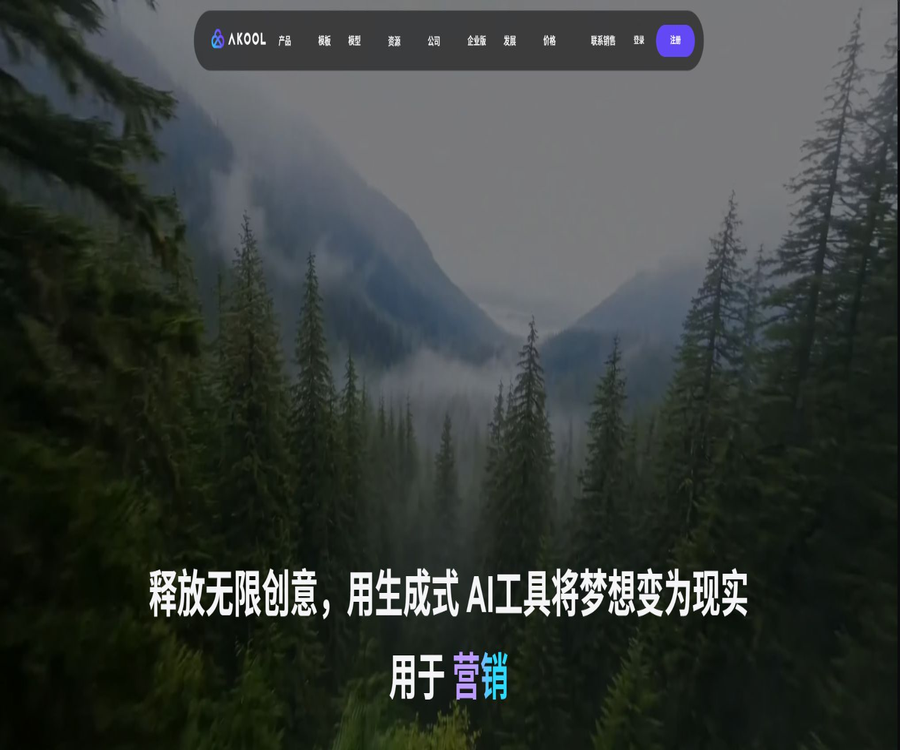
Akool
Akool, an intelligent tool focused on improving AI efficiency.
Tags:AI improves efficiencyWhat is AKOOL?
AKOOL is a generative AI video platform designed for creators, marketing teams, agents, and enterprise developers. It brings together tools such as real-time digital avatars, voice-over videos, translation, face swapping, lip synchronization, as well as image and video generation, in a single workspace.
The platform offers tools for creating web pages, as well as open APIs and enterprise deployment solutions. Different models consume resources based on points, video length, resolution, and the number of concurrent tasks; for official projects, it is necessary to first estimate the cost of each piece of content.
Core functions
- Real-time interactive digital humans.
- Digital voiceover for photos and videos.
- Multilingual video translation and lip synchronization.
- Face swapping for images and videos.
- Replacement of multiple faces and characters.
- Converting images to videos and generating videos from text.
- AI image generation and background replacement.
- Voice generation, cloning, and voice modification.
- Video Agent and Agentic Canvas.
- Open API and enterprise-customized deployment.
Real-time digital human
Streaming Avatar enables users to interact in real time with digital avatars via voice, text, or the camera. Developers can specify the digital avatar, voice, language, background, and knowledge base for a session, and deliver the content through real-time streaming services.
- Choose a public or custom digital human.
- Configure the sound and dialogue language.
- Connect to the corporate knowledge base.
- Set up voice activity detection.
- Customize the background and session duration.
- Access websites, events, or applications.
- Charged based on package concurrency and duration.
Types of digital humans
| Type | Production method | Suitable scenarios |
|---|---|---|
| Public Avatar | Select the platform role directly. | Quick testing and general narration |
| Photo Avatar | Use static photos of people. | Low-cost short content |
| Instant Avatar | Submit short video for training | Digital avatars for individuals or brands |
| Studio Avatar | Produced in accordance with the professional data collection process. | Stable brand personalities and corporate content |
| Ultra Avatar | Enterprise-level customization | High demands for realism and large-scale projects |
Talking Avatar voiceover video
Users can choose an avatar, enter a script or audio file, and then generate a video with lip movements and sound narration. It is suitable for product introductions, training, social media use, and multilingual marketing, but it is still necessary to check the pronunciation, pauses, and character movements.
Talking Photo
Talking Photo combines static portraits with text or audio to create animated images that can speak. Faces that are front-facing, clear, well-lit, and free from obstructions tend to produce more natural results.
Video translation
Video Translation is used to transcribe the original video, translate the script, generate audio in the target language, and synchronize it with the mouth movements. The version Pro and above include a proofreading option; brand names, proper nouns, and numbers should be manually checked before and after generation.
- Identify the voice in the original video.
- Translate into the target language.
- Preserve or reconstruct the speaker’s voice.
- Adjust the mouth shape to sync with the new track.
- Proofread subtitles and specialized terms.
- Export videos suitable for different markets.
Studio Voice
The Pro Max and higher plans include the Studio Voice feature, which helps improve the pronunciation of company names, product names, and technical terms. It cannot guarantee accuracy in all languages; it is still necessary to have native speakers listen to the pronunciations.
AI face swapping
AKOOL can replace the faces in images and videos, offering models for single individuals, multiple people, and various quality levels. Permission must be obtained before using someone else’s face, and it must not be used for impersonation, fraud, harassment, or to circumvent identity verification.
Selection of Face Swap model
| Interface or model | Main features | Applicable scenarios |
|---|---|---|
| Face Swap Pro | High-quality single-image face swapping | Static images that emphasize similarity and realism |
| Face Swap Plus | A unified interface for images and videos, supporting multiple faces. | New projects and complex multi-user assets |
| Image Faceswap V3 | Old version image API | Compatible with existing integrations |
| Video Faceswap V3 | Old version video interface | Maintain old projects |
Multiple face swaps
Face Swap Plus enables the mapping of multiple source faces to the target person in videos or images through face_mapping. The error messages indicate that there is a limit on the number of faces that can be swapped at once; in complex scenarios, face detection should be carried out first.
Role replacement
Character Swap combines character images with action videos to create character animations or replace characters. The API requires high-quality character images and MP4 action videos, with each video file lasting no more than 120 seconds.
Mouthing
Lip Sync adjusts the movement of a character’s mouth in accordance with the new audio, and can be used for voiceovers, translation, and post-production editing. Side views, obstructions, rapid head movements, and low-resolution footage may reduce the quality of synchronization.
Convert images to video
Image to Video allows the use of various video models to generate movement in cameras and characters from static images. These models have different performance levels, so users should first test their prompts with short durations and lower quality settings.
Video generation models
The platform aggregates access points to models such as PixVerse, Wan, Kling, Seedance, Minimax, Sora, and Google Veo. The specific versions, available regions, duration, resolution, and costs may change depending on updates made by the suppliers and packages.
Video Agent and Agentic Canvas
Video Agent assists users in creating videos from ideas and materials, while Agentic Canvas is used to organize the various steps of the creation process within a canvas. Both tools help to speed up the exploration process, but ultimately, the final footage, branding, and details still require human oversight.
Image generation
Image Generator creates marketing images, concept art, and social media content based on text, by combining various image models. When selecting a model, it is necessary to take into account factors such as style, text handling capabilities, size, points, and commercial licensing options.
Background replacement
Background Change allows you to remove or replace the background in images and videos; it is often used for product photos, advertisements, and virtual sets. Transparent edges, hair, reflections, and fast movements require special attention.
Live Camera
Live Camera is designed for real-time camera effects and identity transformation, and can be used for interactive live broadcasts and event experiences. When using real-time face swapping, participants must be clearly informed about it, and the generated images should not be used for identity or security verification.
Voice Lab
- Text to speech.
- Instant voice cloning.
- Adjustment of sound style and parameters.
- Voice pitch change.
- Multilingual dubbing.
- Select a voice for the digital avatar.
- Generate audio in batches via API.
Knowledge base
Real-time digital avatars can be connected to knowledge bases that contain documents and web pages, enabling them to answer questions based on the company’s content. These knowledge bases should be updated regularly, and safe responses as well as options for human intervention should be in place in cases where a question cannot be answered.
Tutorial for web version
- Create an account and access the AKOOL workspace.
- Choose an avatar, face swap, translation, or generation tool.
- Check the integration and material limits of the current model.
- Upload images, audio, or video for which usage rights have been obtained.
- Generate short-duration, low-cost tests.
- Check the characters, voices, lip movements, and background.
- Generate the official version after confirming the licenses and brand guidelines.
Tutorial on Real-time Digital Avatars
- Choose a Public Avatar or create a custom Avatar.
- Configure language, voice, and pronunciation parameters.
- Connect to the organized knowledge base when needed.
- Set the background, session duration, and streaming method.
- Test scenarios of user interruption, silence, and no response.
- Check for latency, concurrency, and integration consumption.
- It goes live after notification and privacy review.
Video translation tutorial
- Confirm that you have the rights to process the original video and audio.
- Upload videos with clear audio quality and visible faces.
- Select the source language and the target language.
- Proofread transcribed text, names, and brand terms.
- Select the audio and generate a translated version.
- Check the lip movements, subtitles, timing, and tone.
- It is published after being verified by native-speaking reviewers.
Tutorial on face-swapping API
- Obtain clear authorization from the original source and the target material.
- Choose the interface based on the needs of one or multiple users.
- In multi-player mode, face detection is activated first.
- Establish a mapping between source and target faces.
- Submit the task and save its ID.
- Poll the status or receive Webhook callbacks.
- After success, download the temporary resources promptly and delete them securely.
Which users are it suitable for
- Brands and agencies that produce marketing videos.
- Cross-border teams requiring multilingual localization.
- Educational institutions that develop courses and training programs.
- Activities that require real-time digital avatars and customer service teams.
- Creators who produce short videos and social media content.
- Developers who need a batch video API.
- Organizations that need digital avatars of their enterprises and customized deployments.
Typical use cases
- Create audio content for a virtual brand ambassador.
- Translate product videos into multiple languages.
- The website offers real-time explanations provided by digital avatars.
- Create e-commerce products and marketing backgrounds.
- Create authorized creative face-swapping events.
- Convert static characters into animated videos.
- Create a unified digital avatar for training materials.
- Generate personalized content in bulk through APIs.
- Create real-time AI interactive experiences at the exhibition.
It’s not very suitable for which situations
- Projects that do not have authorization for the use of personal portraits or voices.
- The generated content needs to be used for authentication.
- Teams with a fixed budget but are unable to estimate the integral of the model.
- All materials must be stored permanently within the platform’s workflow.
- For users who wish to download the complete source code of the platform for private deployment.
- Companies that cannot accept the uploading of facial and voice data to the cloud.
- Industries that require entirely manual creation and cannot use generated content.
Package structure
The current pricing page lists Starter, Pro, Pro Max, Business, and Enterprise; however, the monthly fee for all options except Starter is shown as $0, which is an incorrect display. The help center still refers to Pro and Pro Max as paid upgrades, so the actual fees should be checked on the Billing and Settlement pages after logging in.
| Package | Public price status | Location and key differences |
|---|---|---|
| Starter | $ | Personal experience: 1080P, 15-minute videos, and lower concurrency levels |
| Pro | The amount is not displayed correctly. | All mainstream models, 4K, 30 minutes, translation proofreading, and higher concurrency |
| Pro Max | The amount is not displayed correctly. | 8K, 45 minutes, API, collaboration, Studio Voice and faster speeds |
| Business | The amount is not displayed correctly. | Commercial license, up to 16K, 60 minutes, Studio Avatar, and high concurrency |
| Enterprise | Custom annual payment | Ultra Avatar, SSO, exclusive resources, security, and customer success services |
Package concurrency and licensing
| Package | Video concurrency | Image concurrency | License |
|---|---|---|---|
| Starter | 2 | 4 | Individuals |
| Pro | 6 | 8 | Individuals |
| Pro Max | 8 | 8 | Individuals |
| Business | 20 | 24 | Business |
| Enterprise | Customization | Customization | Companies |
Video length and resolution
| Package | Maximum resolution of the page | Longest video |
|---|---|---|
| Starter | Up to 1080P | 15 minutes |
| Pro | Up to 4K | 30 minutes |
| Pro Max | Page summary up to 8K | 45 minutes |
| Business | The page summary can be up to 16K. | 60 minutes |
| Enterprise | In accordance with the contract | Customization |
API points example
Points are deducted from the account based on the specific tool and the output specifications; the following represent the official published unit costs. The prices for models and services may change, so it is necessary to refer to the API pricing page and the responses to requests before proceeding with development.
| API capabilities | Pro Max | Business |
|---|---|---|
| Real-time digital human 1080P | 1.2 points per 10 seconds | 1 point per 10 seconds |
| Real-time digital humans range from over 1080P to 4K. | 2.4 points per 10 seconds | 2 points/10 seconds |
| Voice-over digital human 1080P | 5 points/10 seconds | 5 points/10 seconds |
| Voice-over digital human 4K | 10 points/10 seconds | 10 points/10 seconds |
| Limited-time price for video translation | 1 point per 5 seconds | 1 point per 5 seconds |
| Partial image generation | 4 points per sheet | 4 points per sheet |
| Voice pitch change | 3.2 points per minute | 2.4 points per minute |
Role replacement points
| Resolution | Deduction by the employer | 12-second example |
|---|---|---|
| 480P | 5 points/5 seconds | Charged in 5-second increments, approximately 15 points per increment |
| 720P | 10 points/5 seconds | Charged in 5-second increments, approximately 30 points per increment |
| 1080P | 15 points/5 seconds | Charged in 5-second increments, approximately 45 points per increment |
Points and expiration rules
The workspace page indicates that subscription points are reset on a monthly basis, and both paid points and free points may have their own expiration rules; Enterprise specifies that its points do not expire. Users should check the purchase page to understand the differences between recharge points, subscription points, and free points.
Automatic top-up and dynamic billing
The platform allows for automatic top-up of points when the balance falls below a certain threshold; the terms also cover Dynamic Billing as well as automatic deduction of excess points. Before enabling this feature, it is necessary to set an internal budget, billing alerts, and the maximum allowable usage level.
Team Seats
Administrator and editor seats are charged at the same rate as the current plan of the workspace owner. After removing members, the remaining balance may be applied as a credit on the account invoice; it is necessary to determine the cost of these seats before inviting new members.
Payment and cancellation
- Credit cards and debit cards are accepted.
- Amazon Pay and Apple Pay are supported.
- Google Pay and PayPal are supported.
- Cash App, Klarna, and Link Pay are supported.
- Some cryptocurrency payments are supported.
- Subscriptions are automatically renewed in accordance with the terms.
- Once canceled, it can be used until the end of the current billing cycle.
- Cancellation generally does not result in a refund of the fees that have already been paid.
API concurrency
The public API pricing table specifies different maximum concurrency limits for Pro Max, Business, and Enterprise plans; for example, the limit for real-time avatars is 3, 5, and 10 respectively. The concurrency level may vary depending on the specific tool, and during peak usage periods, tasks should be managed through queuing, retry mechanisms, and Webhooks.
Save API results
According to the documentation for various APIs, the links to the generated images, videos, and audio files are valid for only 7 days. Developers must download these files to their own compliant storage systems as soon as possible, and establish policies for managing their lifecycle and for deleting them.
Open APIs and SDKs
AKOOL provides comprehensive interface documentation, a JavaScript SDK, and Postman collections that cover capabilities related to digital avatars, face swapping, translation, audio processing, as well as image and video handling. The official GitHub repository offers integration examples and SDK resources; it does not mean that the core models are made available under an open source license.
Security and content responsibility
Digital avatars, voice cloning, and face swapping are considered high-risk synthetic media technologies. Companies need to obtain proper authorization, keep track of the sources of the materials used, indicate that the content was generated by AI, and implement mechanisms to screen out fraudulent, deceptive, pornographic, or politically manipulative content.
- Verify the copyright of portraits, voices, and materials.
- Cloning real people without consent is prohibited.
- When releasing to the public, clearly indicate that the content is synthetic.
- It is not used for KYC or bypassing biometric verification.
- Restrict employees’ API keys and generation permissions.
- Retain approval, task, and download records.
- Access should be revoked promptly upon detecting any abuse.
Product advantages
- Digital avatars, translation, face-swapping, and generation tools in one set.
- It supports both real-time interaction and offline videos.
- Aggregates multiple mainstream image and video models.
- Options are available at the individual, team, business, and corporate levels.
- Business explicitly includes a business license.
- The API has a wide range of coverage and detailed documentation.
- It supports multi-person face swapping and digital avatars based on knowledge bases.
- Points can be purchased for concurrent capacity expansion.
Usage restrictions
- On the pricing page, several payment amounts are currently displayed incorrectly.
- The integration rules for different models and tools are complex.
- The costs associated with high resolution and long videos are increasing rapidly.
- The rules regarding the expiration of subscriptions, payments, and free points are different.
- API temporary result links are usually valid for only 7 days.
- The quality of the generated output is influenced by the angle of the face, audio quality, and movement.
- Face and voice cloning carry a high risk of misuse.
- The core model and platform are not open-source projects.
Basic information
| Project | Content |
|---|---|
| Tool name | AKOOL |
| Tool type | AI digital humans and generative video platforms |
| Main platforms | Web workspace and open APIs |
| Core competencies | Digital avatars, translation, face swapping, voice, images and videos |
| Price pattern | Free plan, paid packages, point bundles, and enterprise quotes |
| Commercial license | Business and Enterprise |
| Whether API is provided | Yes |
| Is there an official GitHub? | There are integrated resources and examples. |
| Is it open source? | The core platform is not open source. |
Recommendation score
The comprehensive recommendation score is 4.3 out of 5 points. AKOOL is suitable for teams that need multilingual digital avatars and batch video APIs; however, it is necessary to verify the cost of real-time packages, the expiration date of credits, and the commercial licensing terms before making a purchase, as well as to manage media synthesis permissions carefully.
Frequently Asked Questions
Is AKOOL free?
A free Starter plan is available; the prices of the paid plans are not displayed correctly on the public page – you need to log in to Billing to view them.
Is it possible to create real-time digital humans?
Yes, it supports voice, text, or camera interaction, and can be connected to a knowledge base.
Does AKOOL support video translation?
Supported; it can handle voice recognition, translation, dubbing, and lip-syncing, though professional content still requires manual proofreading.
Can multiple people have their faces swapped?
Yes, Face Swap Plus supports multi-face mapping for both images and videos.
Does AKOOL have a business license?
Business denotes a commercial license, Enterprise refers to an enterprise license, and individual plans should not be automatically considered as commercial authorizations.
Do the points expire?
Different integration types have different rules: Enterprise accounts do not expire, while for other options, the reset date and expiration date must be confirmed in the Billing section.
How long are the API generation results stored?
The interface documentation states that temporary resource links are valid for 7 days, and they should be downloaded and saved promptly.
Does AKOOL have an API?
Yes, it offers capabilities such as real-time digital avatars, voice narration, translation, face swapping, audio processing, as well as handling of images and videos.
Is AKOOL open source?
The core platform and models are not open source; the official GitHub site provides SDKs and integration examples.
Tools similar to Akool



 Guigong Network Security Registration No. 45132202000164