






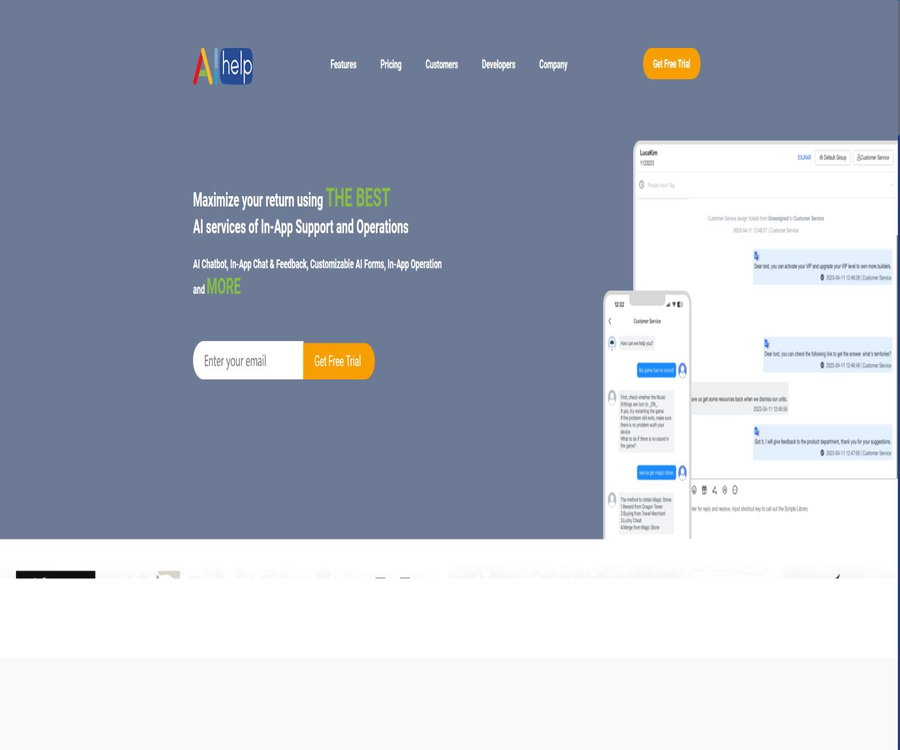
AIHelp
AIHelp: an intelligent tool focused on improving AI efficiency.
Tags:AI improves efficiencyWhat is AIHelp?
AIHelp is a cloud-based customer support and user management platform designed for mobile applications, games, and websites; its headquarters are located in Singapore. Developers can integrate in-app chat, ticket systems, help centers, AI bots, and operational messages into their products using SDKs, web components, or APIs.
The platform not only enables end-users to resolve issues on their own, but it also provides customer service teams with a unified workspace, automatic task assignment, intelligent responses, translation functions, analysis tools, as well as access to customer data. It is more suitable for companies that need to integrate customer service services deeply into their apps or games, rather than being a general-purpose chatbot for individual use.
Core product capabilities
- Real-time messages within the app.
- In-app tickets and email tickets.
- The help center and knowledge base can be customized.
- AI customer service robot.
- AI Copilot for customer service agents.
- Automatic form and question verification.
- Unified inbox across multiple channels.
- Automatic translation and multilingual customer service.
- Push notifications and in-app operations.
- Customer service, robot technology, and user data analysis.
In-app messages
AIHelp integrates customer service conversations directly into mobile applications or games, allowing users to ask questions, upload information, and view responses without having to leave the application. The team can handle real-time chats and asynchronous tickets in a centralized manner from behind the scenes.
- Real-time in-app chatting.
- Asynchronous messages and tickets.
- Upload of images and attachments.
- Reminders for unread messages.
- The customer service entry points are configured according to the scenario.
- Smooth transition between robots and humans.
- Real-time service for VIP users.
AI customer service robot
The AI Premium package includes features such as robots, automated forms, load balancing, push notifications, and hotspot analysis. Administrators can design robotic workflows that enable them to provide automatic responses based on the questions asked, the language used, and user information; these workflows can also route requests to human agents when they cannot handle them.
- Automatically identifies common issues.
- Retrieve answers from the knowledge base.
- Collect information according to the dialogue flow.
- Optimize the categorization based on user feedback.
- Identify popular issues and abnormal trends.
- Analyze the effectiveness of the robot in solving problems.
- Transfer to an agent when confidence is low.
AI Copilot agent assistant
As an optional additional feature, AI Copilot assists agents in understanding questions, organizing responses, and utilizing existing knowledge. Its generative capabilities rely on models provided by OpenAI and Google, and search-enhanced methods are used to ensure that responses are based on the content of the knowledge base.
- Summarize the user’s questions and context.
- Generate candidate responses.
- Retrieve relevant content from the knowledge base.
- It assists in multilingual communication.
- Reduce the time required to organize information for the agents.
- It will be sent after manual verification.
- Negative feedback is collected to check for hallucinations.
Help Center and Knowledge Base
The platform allows FAQs to be transformed into a help center that can be searched, categorized, and customized in terms of style. Developers can display the entire list of FAQs, select specific categories or individual articles, and decide whether to include a link to live customer service on the page.
- Establish a multi-level knowledge classification system.
- Publish articles on common questions.
- Supports over 40 languages.
- Customize the web help center by brand.
- Display content natively within the app.
- Suggestions for connecting robots to agents.
- Optimize knowledge based on searches and feedback.
Tickets and workflows
- Convert chats, emails, and forms into tickets.
- Create Smart Views based on priority.
- Automatically grouped by question type.
- Assign agents based on language, channel, and users.
- Configure automation for new tickets.
- Set time-based reminders and upgrades.
- Issues related to monitoring timeouts that have not been resolved.
- Preserve the full communication context.
Smart forms and automatic verification
The forms provided by AIHelp not only collect the descriptions given by users, but also automatically verify information related to accounts, orders, or other issues in accordance with business rules. Companies can move the process that previously required customer service staff to ask questions one by one to a self-service format.
- Display different fields based on the type of question.
- The user is asked to provide the necessary additional information.
- Call the business interface to verify the information.
- Provide self-service solutions based on the verification results.
- Create a ticket containing context in case of failure.
- Issues with statistical forms and user preferences.
Unified multi-channel customer service
The platform allows feedback from apps, websites, emails, and social media channels to be gathered in a single dashboard. The official website mentions Facebook Messenger, WeChat, Google reviews, app store reviews, emails, web pages, and other social media channels.
- Messages within the mobile app.
- Online customer service on the website.
- Email ticket.
- Facebook Messenger.
- WeChat official account.
- Reviews on the App Store and Google Play.
- Google reviews and other public feedback.
- Configurable integration with external channels.
App Store review management
The customer service team can view and respond to reviews on app stores from a single interface in AIHelp, thus avoiding the need to switch between different store platforms. It is still necessary to verify the authorization for each store account, the permissions for responding to comments, and the rules of each platform before using this tool.
Automatic translation
Automatic translation can help agents communicate with users who speak different languages, and it can be integrated with international knowledge bases. Machine translation is suitable for routine support tasks, but in cases involving refunds, account penalties, or legal and security issues, it is necessary to have someone who is fluent in the target language review the content.
User operation capabilities
AIHelp is not only used for after-sales support; it also enables the release of announcements, news, guides, surveys, and push notifications within the application. The operation team can send messages to specific user groups and monitor the level of engagement as well as the feedback received.
- In-app announcements and news.
- Game guides and event details.
- Push notifications.
- Questionnaires and satisfaction surveys.
- Reach users based on their tags.
- Issue alerts and daily operation reports.
- Spotlight and application indexing capabilities.
CRM and user profiles
Developers can synchronize user IDs, names, avatars, servers, tags, and custom business data, so that support agents have a more complete overview when dealing with issues. Sensitive fields should be handled in accordance with the principle of minimization – passwords, keys, or full payment details should not be sent to the customer service platform.
- Unique user ID.
- Username and profile picture.
- Server or region information.
- VIP, paid, and issue tags.
- Application version.
- Business custom fields that have been filtered.
- Enterprise-level server authentication.
Customer service team management
- Form teams based on business and language.
- Assign roles and permissions.
- Set up agent load balancing.
- Monitor the processing volume and response speed.
- Evaluate service quality.
- Create a robot for timeout checking.
- Operational data is summarized for the administrators through daily reports.
- Corporate plans come with dedicated account managers.
Data analysis and insights
AIHelp Insight identifies trends by analyzing user feedback, customer service conversations, robot interactions, and operational data. Teams can view the most common questions, issues that remain unresolved by the robots, the performance of customer service agents, and alerts regarding serious problems, and use this information to update the product or knowledge base.
- Number of tickets and distribution by topic.
- First response and resolution time.
- Robot resolution rate.
- Popular keywords.
- User emotions and satisfaction.
- Performance of the customer service team.
- Early warning for major issues.
- Form and operational activity statistics.
Supported platforms and SDKs
| Platform | Access method | Primary uses |
|---|---|---|
| Android | Gradle or AAR | In-app customer service, help center, and user identity |
| iOS | CocoaPods or Framework | In-app customer service and built-in features |
| Web | JavaScript interface or page entry point | Website customer service and help center |
| Unity | Unity packages and native bridging | Mobile game customer service |
| Unreal Engine | C++ or Blueprint plugins | Mobile game customer service |
| Cocos2d-x | C++ bridging | Games and cross-platform applications |
| Server-side and custom integration | APIs and callbacks | Authentication, business verification, and data connection |
Integration with Android and iOS
The Android documentation recommends the use of dependencies from version 6.0, while the iOS documentation provides examples using CocoaPods for version 6.1. Initialization should take place early in the application’s lifecycle, with the domain name assigned to the background process, the App ID, and the default language being passed as parameters.
- Create an application in the backend and obtain the connection parameters.
- Add SDK dependencies.
- Grant necessary system permissions such as access to the album.
- Initialization is completed during the application startup phase.
- Registration initialization and message event listening.
- Synchronize the identity when users log in and log out.
- Test multiple language and system versions before official release.
Web access
The Web SDK supports two ways of integration: through interfaces and page entrances. Developers can customize the size and position of the customer service window, and use an Entrance ID to access specific customer service sections, help center categories, or FAQ pages.
Enterprise authentication
Enterprise authentication allows customers to verify users on their own servers; the enterprise keys are not stored on the client or in the game. After the SDK triggers an authentication event, the business server returns a user token, which is then used by AIHelp to establish a valid session.
- Enable enterprise authentication in the background.
- Safely store the server key.
- The client only sends the user ID and the necessary context.
- The server verifies the authenticity of the user.
- A short-term token is returned via a callback.
- Update the session promptly when logging in and out.
Which users are it suitable for
- A mobile app with in-app customer service is required.
- A mobile game team with players from around the world.
- SaaS products that require unified ticketing and a help center.
- An operations team is needed to manage app store reviews.
- Companies that need multilingual support agents and automatic translation.
- Hope to use robots to reduce the number of common issues in customer service centers.
- Product teams that need to integrate customer service with user operations.
Typical use cases
- Handle account recovery within the game.
- Automatic verification of orders or top-up issues.
- Use robots to answer questions about activities and functions.
- Transfer complex complaints to a human agent.
- Handle email and app store reviews in a centralized manner.
- Send announcements and surveys to different user groups.
- Analyze common faults and issue warnings to the product team.
- Use AI Copilot to assist customer service agents in generating responses.
It’s not very suitable for which situations
- Small teams with only a very small number of emails and no need for in-app integration.
- Organizations that need to operate entirely offline.
- It is not possible to incorporate customer service data into cloud-based services.
- Users who only want to use a personal AI chat assistant.
- Require robots to handle high-risk legal or financial decisions independently.
- Companies that require deep app integration but lack developers.
- Teams that wish to obtain the complete source code of the customer service platform in order to deploy it on their own.
Free trial and free terms
AIHelp offers a 21-day free trial without the need for a credit card; it is primarily used for downloading the SDK, carrying out integration, and testing functions. The official website also states that if the number of active users in a given month is less than 10,000 and the number of support requests per month is less than 360, then free access is available for the first three months – whether this condition is met is determined by the platform.
| Project | Conditions | Public explanation |
|---|---|---|
| Standard trial | New registered customers | 21 days, no credit card required |
| Free for the first three months with low traffic volume | MAU is less than 10,000 and the number of monthly tickets is less than 360 | It must be confirmed in accordance with the current application and evaluation rules. |
| Startup Team | Apply and evaluate every six months | 300 dollars per six months for a single language, 500 dollars per six months for multiple languages. |
Professional and AI Premium billing options
Both options consist of a cost per agent plus a cost based on the volume of transactions; for calculating this volume, either MAU or the number of tickets can be used. The base price per agent is not displayed correctly on the pricing page, but it is indicated that Professional costs $1 per 1,000 MAU or $0.05 per ticket, while AI Premium costs $1.80 per 1,000 MAU or $0.09 per ticket.
| Package | Base seat price | MAU billing | Ticket-based billing | Key capabilities |
|---|---|---|---|---|
| Professional | The page is not displaying properly. | $ | $ | Messages, Help Center, Views, Workflows, and Automation |
| AI Premium | The page is not displaying properly. | $ | $ | Robots, forms, load balancing, push notifications, hotspots, and custom interfaces |
| Lite | The page is not displaying properly. | Not applicable | The settlement page shall prevail. | Only email tickets, views, and basic automation |
Additional features
| Additional items | Uses | Price |
|---|---|---|
| AI Copilot | Agent responses, summaries, and knowledge support | Request a quote or view by account |
| Multi-channel Support | Unify external channels | Request a quote or view by account |
| Auto Translation | Cross-lingual agent communication | Request a quote or view by account |
| CRM | Customer data and history management | Request a quote or view by account |
| Context-rich Ticketing | Tickets with business context | Request a quote or view by account |
| AIHelp Mobile App | Customer service for mobile devices | Confirm by package or additional items |
| iLocalize | Localized content management | Use as needed and pay on demand |
Subscription and payment
- You can choose monthly or annual payment.
- Visa, MasterCard, and American Express are supported.
- Charging begins only after the 21-day trial period is over.
- The platform charges a subscription fee on a monthly basis.
- The new rates after the upgrade will take effect on the next scheduled payment date.
- The MAU for iOS and Android is calculated together, so there is no duplicate charging by the platform.
- The higher the volume of business, the greater the discount that can be obtained.
- The final seat price and additional fees must be checked in the account or sales quotation.
Access the AIHelp tutorial
- Register for a trial and create an application in the backend.
- Choose an Android, iOS, Web, or game engine SDK.
- Obtain the application domain name, App ID, and default language.
- Add the SDK and system permissions to the testing branch.
- Initialized at the early stage of the application lifecycle.
- Configure the help center, customer service portal, and chatbot.
- Synchronize the user identity and create a ticket.
- Release only after verifying stability, privacy, and data deletion.
Tutorials for creating a help center
- Organize the most frequent and genuine issues from past tickets.
- Classification is established based on product modules and user tasks.
- Write short and precise solution steps.
- Configure the desired language and brand style.
- Decide whether to display a manual entry on each page.
- Test the search on both the app and the website.
- Updated based on searches with no results and ongoing negative reviews.
Tutorial for configuring robots
- Select low-risk issues that are suitable for automatic processing.
- Bind the answer to the approved knowledge base.
- Design a process for collecting account information, orders, and issue types.
- Set low confidence levels, sensitive words, and route failures to manual handling.
- Test with multiple languages and abnormal inputs.
- Monitor the resolution rate, the rate of cases forwarded to human agents, and negative feedback.
- Regularly update knowledge and robot classifications.
Tutorial for getting started with AI Copilot
- Remove outdated and contradictory knowledge articles.
- Identify the tasks that can be handled with AI assistance by the agents.
- All generated responses must be manually verified before being sent.
- Automatic suggestions for restricting refunds, imposing penalties, and dealing with security incidents.
- Evaluate accuracy using historical data masking tickets.
- Monitor negative feedback and hallucinations.
- Expand usage team by team and language by language.
AI models and customer data
AIHelp explains that the custom classification models it develops do not generate any text; the models specific to a particular account use only the data from that account. The general cross-account classification models utilize aggregated and cleaned service data, but they are not trained using fields or attachment files designed to hold personal data.
Generative AI capabilities are provided by OpenAI and Google; AIHelp states that enterprise-level services do not use customers’ content to train third-party models. Companies should still verify the data processing agreements, the list of sub-processors, and the regulatory requirements in their respective regions at the time of signing a contract.
Privacy and data retention
The privacy policy states that the platform retains personal information as required for legitimate business purposes, following a two-year retention policy. Upon termination or expiration of the contract, the platform must delete or return the customer’s personal data held by it, although deleting backups may require additional time.
- Only the minimum set of user fields required by customer service are synchronized.
- Do not upload passwords, tokens, or payment card information.
- First, delete sensitive data from the ticket log.
- Configure minimum permissions and strong authentication for agents.
- Regularly check the results of data retention and deletion.
- The enterprise has enabled server-side authentication.
- Sign a data processing agreement before going live.
- Check OpenAI, Google, and other sub-processors separately.
Risks of AI responses
- Generating replies may lead to hallucinations.
- RAG may also retrieve outdated knowledge.
- Robot classification may misinterpret the user’s intentions.
- Automatic translation may change the meaning of refunds and penalties.
- User-defined fields may contain unnecessary privacy information.
- Automation errors may assign tickets to the wrong team.
- Critical operations must be confirmed manually or by the business system.
Product advantages
- It covers in-app messaging, tickets, knowledge bases, and operations.
- Provide multi-platform SDKs for mobile apps and games.
- Supports robots, AI Copilot, and automated forms.
- Emails, social media channels, and store reviews can be unified.
- Supports over 40 languages and automatic translation.
- Provides team routing, automation, and analysis.
- A 21-day trial is available without a credit card.
- The official SDK example repository is continuously updated and made available to the public.
- Enterprise authentication prevents keys from being stored on the client side.
Product restrictions
- Some dynamic numbers on the price page are not displaying correctly.
- The cost is composed of seats, MAU, tickets, and additional fees.
- Deep integration of apps requires development and testing resources.
- Advanced AI and multi-channel capabilities require higher-tier solutions or additional fees.
- Customer service data is processed by cloud platforms and third-party AI systems.
- Generative responses still carry the risk of hallucinations.
- Cross-lingual and high-risk tickets require manual review.
- A complete customer service platform is not open-source software.
GitHub and the open-source status
AIHelp makes available on GitHub examples of integrations for Android, iOS, Web, Unity, Unreal, and Cocos2d-x; several of these repositories are licensed under the Apache-2.0 license. These examples are used to demonstrate how to integrate the SDK, but they do not include the complete source code for cloud-based customer service backends, robots, ticketing systems, or analysis platforms.
Therefore, it should be marked as a commercial platform whose source code is not available, with only some example codes being open source. When using SDK binaries, example codes, and third-party dependencies, it is necessary to check their respective licenses and versions.
Basic information
| Project | Content |
|---|---|
| Tool name | AIHelp |
| Headquarters of the company | Singapore |
| Tool type | AI customer support, in-app ticketing, and user operation platform |
| Main platforms | Android, iOS, Web, Unity, Unreal, Cocos2d-x |
| Language | The official website states more than 40 types. |
| Trial | 21 days, no credit card required |
| Price pattern | Seats plus MAU or tickets, with additional items as well |
| APIs and SDKs | Provide |
| Open-source status | The platform is not open-source; the integration examples are provided under Apache-2.0. |
Recommendation score
Recommendation score: 4.5 / 5. AIHelp is suitable for international teams that need to integrate intelligent customer service, ticketing systems, help centers, and operational tools directly into their apps, games, or websites.
Before making a purchase, it is necessary to determine the actual MAU, as well as the costs related to tickets and support agents, through a trial period; in addition, special attention should be paid to user identity, data retention, third-party-generated models, and the strategies for switching from automated solutions to human assistance.
Frequently Asked Questions
Is AIHelp free?
A 21-day trial period without the need for a credit card is available; teams that meet the requirements regarding MAU and ticket volume can also apply for a free trial for the first three months.
How does AIHelp charge?
Professional and AI Premium are typically charged based on the number of agents and MAU or tickets, with additional features possibly carrying extra fees.
Which platforms are supported?
It supports Android, iOS, Web, Unity, Unreal, and Cocos2d-x, and offers custom interfaces.
Can the robot be handed over to a human?
Yes, robots, forms, asynchronous tickets, and real-time human support can be combined.
Is support for app store reviews available?
Supported – comments from platforms such as App Store and Google Play can be handled through a unified backend.
Does generative AI train customer data?
AIHelp states that enterprise-level OpenAI and Google services do not use customer content to train third-party models.
How long are the data stored?
The privacy policy states that data is retained as required by business needs following a two-year rolling cycle, and adjustments may be made based on contractual and regional requirements.
Is AIHelp open source?
The full platform is not open-source, but the developers have made available several example integrations of SDKs under the Apache-2.0 license.
Is it suitable for personal websites?
It is possible to integrate with web-based customer service, but the product is more suitable for teams that require a certain level of customer service support, structured workflows, and multiple communication channels.
Tools similar to AIHelp



 Guigong Network Security Registration No. 45132202000164