






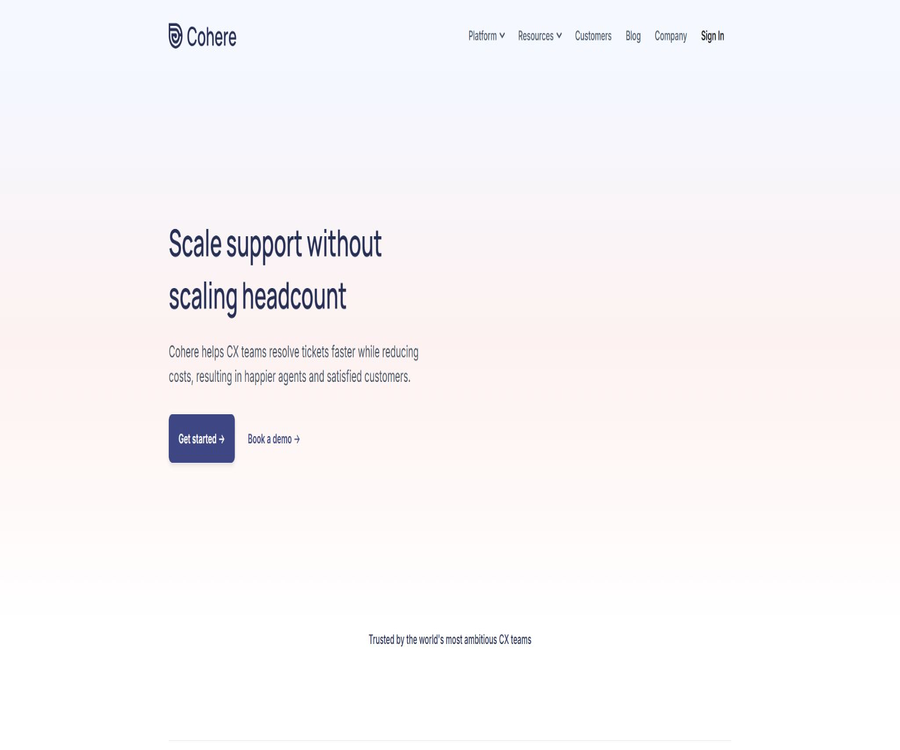
AI Answers by Cohere
AI Answers by Cohere – an intelligent tool focused on improving AI efficiency.
Tags:AI improves efficiencyWhat is Cohere.io?
Cohere.io is a customer service automation and digital collaboration platform provided by Caldera Labs for teams responsible for the customer experience. It combines AI-powered self-service responses, agent assistance, ticket routing, collaborative browsing, session replay, and operational insights.
This product has no connection with the company that provides enterprise-level large language models; in the catalog it should be referred to as Cohere.io or Caldera Labs, in order to avoid confusing it with model APIs, Command models, or Embed capabilities.
A one-sentence summary
Cohere.io assists customer service teams in automatically answering questions using existing knowledge and past tickets, and it accelerates the resolution of complex issues through intelligent routing, agent suggestions, and collaborative browsing.
Product matrix
| Products | Main function | Typical user |
|---|---|---|
| Cohere Answers | Generate self-service answers and troubleshooting steps from the help center. | Customers and self-service support team |
| Cohere Assist | Generate agent response suggestions based on historical tickets. | Front-line customer service agent |
| SmartRoute | Automatic classification, priority determination, and routing | Customer service operations and queue management |
| Cobrowse | View and perform operations on the customer’s website after authorization. | Customer service, success, and sales teams |
| Insights | Identify high-frequency issues, backlogs, and automation opportunities | Management and CX operations |
| Replay | Replay the user’s visit and capture the error context. | Support, product, and engineering teams |
| Voice and Video | Initiate instant voice or video communication within the website | Sales, training, and high-touch services |
Cohere Answers
Answers utilizes the existing content in the help center to understand natural language queries, eliminating the need for the team to list all possible keywords and expressions first. It can provide answers directly and, when necessary, transfer the customer to a human agent.
- Extract available knowledge from help center articles.
- Understanding different natural language expressions of the same intent
- Provide customers with immediate self-service answers.
- Guide the customer through the resolution process step by step.
- Identify knowledge gaps and areas that need to be supplemented.
- If it cannot be resolved, proceed to manual service.
- Analyze questions, answers, and self-service results
Go live quickly using the existing content
The team can make use of the existing help center and historical customer service resources, eliminating the need to train keyword models from scratch. The official website states that verification can begin in a relatively short time, but full deployment still requires content review and performance testing.
- Connect to existing help centers or knowledge sources
- Select the high-frequency issues that should be automated first.
- Check whether the article is accurate, complete, and not outdated.
- Test retrieval and responses using the customers’ actual statements.
- Configure manual escalation for issues with low confidence.
- Expand automation gradually, rather than applying it to all requests at once.
Learn from historical tickets
Cohere can extract potential answers from tickets that have already been resolved by agents, and these answers require manual approval before they can be reused. This mechanism allows the knowledge base to be updated as new issues arise, while still maintaining human oversight for quality control.
- Identify recurring customer issues
- Generate candidate answers from responses by excellent agents.
- Human review of facts, tone, and scope of application
- Use the approved answer for subsequent auto-replies.
- Expired or missing knowledge is identified based on new tickets.
- Retain the original ticket and approval records for tracking purposes.
Cohere Assist
Assist is an AI response assistant designed for customer service agents, and it can be used through a Chrome extension. It learns from past tickets and the way the team expresses itself, thereby generating editable draft responses that match the brand’s tone for new requests.
- Connect to the existing customer service desk
- Learn solutions from past tickets.
- Draft a response based on the current customer’s issue.
- Maintain consistency in the brand’s tone and terminology.
- Agents are allowed to check, edit, and decide whether to send it.
- Continuously use the latest resolved tickets to update suggestions.
- Reduce the time needed to search for information and to enter data repeatedly.
Boundary for agent-assisted use
AI-generated drafts should not bypass agent review, especially when it comes to refunds, accounts, compliance issues, or customer commitments. The team should distinguish between low-risk suggestions that can be adopted directly and high-risk responses that require verification.
- Verify the name, amount, date, and policy details.
- Verify that the recommendations are consistent with the current status of the customer’s account.
- Remove unnecessary internal or sensitive information.
- Avoid unauthorized refunds and service commitments
- Assess the quality of suggestions based on the adoption rate and the extent of edits made.
- Feed back the erroneous drafts to the knowledge and model maintenance process.
SmartRoute Intelligent Routing
SmartRoute automatically identifies the category, priority, and target team for customer service requests, and uses the existing CRM routing settings to proceed with their allocation. The developers emphasize that no extensive manual labeling or special training is required.
- Automatic classification of new tickets
- Identify urgent, high-risk, or high-value requests
- Route according to the existing queue and team rules
- Reduce manual handoff by front-line agents
- Prevent customers from being transferred back and forth between different teams.
- Track classification accuracy and reasons for incorrect routing
- Maintain the ability for manual corrections and exception handling.
Cobrowse collaborative browsing
Cobrowse allows agents to view the customer’s web pages, draw guides, scroll, click, or type once the customer gives consent; the customer does not need to download or install any meeting software. It is suitable for addressing product operation issues that are difficult to describe solely with text.
- View the customer’s current web page and activity status
- To draw lines or highlight the areas that need to be clicked on the page
- Request remote control after obtaining customer authorization.
- Represent the client’s scrolling, clicking, and typing actions.
- If necessary, request full screen sharing to access external sites.
- Customers can revoke their viewing or control rights at any time.
- Logs agent actions and supports security auditing.
Masking of sensitive information
By default, Cohere shares only web pages rather than the entire desktop, and it can automatically hide sensitive fields such as passwords. Companies can also use page properties to hide specific elements, thereby reducing the risk of agents accessing unnecessary data.
- Automatically mask passwords and specified sensitive inputs.
- Precisely control the area visible to the agent based on page elements.
- Only the necessary data is transmitted when the session is actively viewed.
- Remote operation is prohibited without authorization.
- Recording of viewings, controls, and permission changes
- Inform the client in advance and obtain their consent before recording.
Replay session playback
Replay records how users interact with the website, helping support, product, and engineering teams reproduce issues. It allows for searching by user or page, viewing real-time sessions, and capturing console logs as well as script errors.
- Search for sessions by user, company, or page
- View users’ actions within the product in real time
- Replay the critical path and failed steps
- Identify the friction points that cause loss in conversion rates
- Capture console logs and front-end exceptions
- Link support issues to the technical context.
- Reduce privacy risks through blocking and retention strategies
Voice and Video
The voice and video features on the website allow visitors to communicate in real time with sales or service staff without needing a meeting link; they can also be used in conjunction with collaborative browsing for demonstrations and guidance. It is suitable for products that require detailed explanations.
- Provide immediate assistance while the customer is browsing.
- Offers voice or video calls within the web page
- Combine with two-way screen sharing for demonstration purposes
- To provide potential customers with an in-person sales experience
- Used for user training, onboarding, and troubleshooting complex issues
- Link calls to the customer support context
Insights Customer Service Insights
Insights presents customer service requests and operational metrics, helping teams identify common issues, areas with long wait times, backlogs, and opportunities for automation. These insights should be verified in conjunction with the final resolutions and outcomes for customers.
- Identify the most common customer issues
- Identified gaps in the content of the help center
- Identify waiting times and areas with a backlog of tickets
- Automated suggestions for obtaining repetitive tasks
- View changes in self-service, routing, and agent efficiency
- Delve into a single support experience to understand the root causes.
- Assign the improvement tasks to the content, product, and operations teams.
Main integration
Cohere can connect customer service systems, CRM tools, communication platforms, monitoring systems, and data tools, and it integrates AI and collaborative browsing into existing customer service processes. The actual features available depend on the products purchased and the customer’s environment.
- Salesforce Service Cloud
- Zendesk and Intercom
- Slack and Microsoft Teams
- Sentry error monitoring
- Calendly scheduling
- Amazon S3 data source
- Sunshine Conversations and custom applications
Salesforce customer service scenarios
Answers can work in conjunction with Salesforce Service Cloud, allowing customers to first receive AI-driven self-service solutions, and then seamlessly transition to the familiar environment provided by human agents; the agents do not need to switch to a different workspace.
- Use existing help content to generate self-service answers.
- Upgrade unresolved issues to Service Cloud
- Retain customer questions and prior AI context
- Allow the agent to continue using the existing queues and permissions.
- Analyze the complete results of self-service and manual processing.
Web access method
The official documentation shows how to integrate Cohere using NPM, Yarn, web scripts, or Google Tag Manager. Initializing the application requires an API Key from the console; it is also recommended to identify users and exclude sensitive elements from the pages.
- Install cohere-js using a front-end package manager.
- Or add official script snippets to the web page header.
- Initialization is done on the browser side rather than on the server side.
- Pass in the approved public project key.
- Associate the current application users through identify.
- Configure sensitive elements and content security policies.
- Confirm that the session has entered the console in the testing environment.
Applicable scenarios
- SaaS products automatically answer frequently asked questions.
- The customer service team increases the rate of self-resolution through the help center.
- Complex B2B software is troubleshooted through collaborative browsing by support agents.
- Guidelines for filling out forms in financial and insurance processes
- The sales team demonstrates products on the website and helps with conversions.
- The product team identifies user experience issues by reviewing recordings.
- Automated classification and routing of a large number of tickets by customer service operations
- Agents use AI drafts to reduce repetitive responses.
Which teams are suitable?
- A customer service team with a well-developed help center and a history of past tickets
- Growing enterprises that hope to expand self-service support without hiring more staff
- SaaS companies whose products are complex to use and whose text-related troubleshooting processes are inefficient
- Organizations that are already using Salesforce, Zendesk, or Intercom
- Industries that require collaborative browsing while also controlling access to sensitive data
- A team that is capable of continuously reviewing knowledge, analyzing failures, and optimizing processes
Cohere.io prices
The Cohere.io website does not currently disclose any fixed packages or prices for Answers, Assist, SmartRoute, Insights, or enterprise integration; it instead encourages users to schedule demonstrations. When placing orders, quotes should be requested based on the product modules, number of tickets, number of agents, number of sessions, and scope of deployment.
The Cobrowse, Voice, and Replay pages still offer free options that do not require a credit card, and Assist also indicates that it can be used for free. The scope of the free service, the amount available, and whether it applies to new accounts are subject to the information displayed on the page after registration.
| Products | Public price status | It is necessary to confirm before making a purchase. |
|---|---|---|
| Answers | Company quote request | Self-service sessions, knowledge sources, and channels |
| Assist | It can be started for free; the pricing for businesses is not available. | Number of seats, service desks, and historical tickets |
| SmartRoute | Company quote request | Integration of ticket volume, classification, and routing |
| Cobrowse | There is a free entry; the price for paid access is not disclosed. | Seat, session, recording, and control functions |
| Insights | Company quote request | Data volume, dashboards, and retention period |
| Replay | There is a free entry; the price for paid access is not disclosed. | Session volume, retention, logging, and privacy |
| Voice and Video | There is a free entry; the price for paid access is not disclosed. | Call volume, recording, and channels |
Purchase cost list
- Base fee by module, agent, ticket, or session
- Knowledge introduction, historical ticket processing, and implementation services
- Third-party licensing costs such as Salesforce and Zendesk
- Costs associated with collaborative browsing, recording, and session replay storage
- Costs of voice, video, and communication infrastructure
- Security review, single sign-on, and enterprise support
- Terms for data migration, export, deletion, and termination
- Mechanisms for excess usage, renewal, and price adjustments after the pilot phase
Quick Start Tutorial
- Choose a support scenario that is frequent and for which reliable answers already exist.
- Organize the help center, historical tickets, and rules for manual escalation.
- Connect to the test service desk or help content.
- Use real customer statements to verify answers and routes.
- Automated replies and AI drafts are reviewed by senior agents.
- It is made available on a limited scale to internal staff or certain customers.
- Monitor self-resolution, incorrect answers, and reasons for transfer.
- Gradually increase the number of questions and the range of channels based on the data.
Cobrowse Integration Tutorial
- Add the front-end package or official script to the testing site.
- Initialize the session using the console project key.
- Identify logged-in users and prevent the exposure of internal identity information.
- Hide passwords, payment details, and other sensitive page elements.
- Configure permissions for viewing, controlling, recording, and undoing.
- Test different browsers, devices, and front-end frameworks.
- Have the legal and security teams review the user prompts and logs.
- First, make it available to a small number of agents and analyze the effectiveness of the support.
AI Response Governance Tutorial
- Define the low-risk questions that robots are allowed to answer directly.
- Specify the amounts, accounts, and policy requests that require manual verification.
- Create test sets for correct, incorrect, and unknown questions.
- Human approval is required for the answers extracted from historical tickets.
- Allow the agent to retain the right to edit and reject drafts.
- Record the incorrect answers, the extent of the modifications, and the customer’s final result.
- Update knowledge or upgrade rules according to the type of failure.
- Run regression tests after every significant change in the content.
SmartRoute Deployment Tutorial
- Review the current queue, priority settings, and routing rules.
- Prepare real work orders and exception samples for each category.
- Evaluation is carried out using the shadow model without changing production distribution.
- Compare the results of AI classification with those of experienced operations staff.
- Manual verification is reserved for high-risk categories.
- Enable automatic routing for each queue individually.
- Monitor misrouting, duplicate forwarding, and resolution times.
- Re-calibrate categories and rules after business changes.
Safety and compliance
Cohere.io lists its compliance capabilities related to SOC 2 Type II, GDPR, CCPA, and HIPAA, and is able to sign standard BAA agreements with customers who meet the requirements. The specific products and scope of the contracts shall be verified at the time of purchase.
- Customer data is encrypted during transmission and storage.
- By default, only the necessary page data is transmitted when actively viewing a session.
- Unless recording is explicitly enabled, the session data will be deleted thereafter.
- Sensitive fields and specified elements can be obscured.
- Customers can revoke their viewing and control permissions at any time.
- Changes in agent actions and permissions are recorded in the audit log.
- European traffic can be processed by regional servers.
- Set retention policies for recording, playback, and employee access.
Effect evaluation
| Ability | Key indicators | Key points of evaluation |
|---|---|---|
| Answers | Self-resolution rate, accuracy rate, and escalation rate | Exclude incorrect terminations and duplicate contacts |
| Assist | Adoption rate, extent of editing, and response time | Ensure that the facts are consistent with the brand. |
| SmartRoute | Classification accuracy, number of transfers, and resolution time | Hierarchize by category and queue |
| Cobrowse | Processing time, resolution in one go, and customer satisfaction | Measure privacy incidents simultaneously |
| Replay | Reprojection time, defect detection, and resolution cycle | Control the recording range and what is retained. |
| Insights | Completion of improvement tasks and reduction in work orders | Avoid focusing only on the number of suggestions. |
Product advantages
- It provides support for AI-based self-service, agent assistance, and intelligent routing simultaneously.
- The help center and previously resolved tickets can be reused.
- Collaborative browsing is suitable for addressing complex product operation issues.
- Customers can receive guidance without having to install any conference software.
- The mechanisms for masking sensitive elements and customer authorization are quite comprehensive.
- Replay links support issues to the actual front-end context.
- It can be connected to mainstream customer service systems, CRM tools, and collaboration platforms.
- The official documentation provides various ways to access the website.
- It offers capabilities for enterprise security and support in regulated industries.
Usage restrictions and precautions
- The company does not disclose fixed prices for its products; an appointment is required to request a demonstration and obtain a quote.
- Some pages on the official website still retain the old functions and free access options; the available benefits need to be checked in real time.
- Automatic responses rely on the help center and the quality of past tickets.
- Incorrect answers can have an impact on customers, so manual oversight is necessary.
- Collaborative browsing and playback increase privacy and recording compliance responsibilities
- Remote control requires explicit authorization from the customer, and sensitive actions must be restricted.
- Front-end scripts may be affected by ad blockers and content security policies.
- Product names can easily lead to confusion with large model companies that share the same name.
- The core business platform is closed-source; long-term migration relies on the capabilities of the vendor.
GitHub and open source
The official front-end package for Cohere.io, cohere-js, is available on NPM; the package metadata points to a public GitHub repository under the cohere-so organization. The official organization also makes available repositories related to the release of browser extensions and integration with Sentry.
These repositories do not specify any identifiable open-source licenses; being publicly readable does not mean that free copying, modification, and distribution are allowed. The core platforms Answers, Assist, SmartRoute, Cobrowse, and Insights remain commercial, closed-source services.
| Code or product | Status | Explanation |
|---|---|---|
| cohere-js | Source code is public; no license specified. | Web access package; the latest version available on NPM is 1.0.26 |
| cohere-ext-release | Public warehouse; no license specified | Topics related to the release of browser extensions |
| cohere-sentry | Public warehouse; no license specified | Sentry integration related matters |
| Core customer service platform | Commercial closed-source | AI automation, collaborative browsing, and analysis services |
Basic information
| field | Content |
|---|---|
| Tool name | Cohere.io |
| Development company | Caldera Labs Inc. |
| Product type | AI-powered customer service automation and collaborative browsing platform |
| Core products | Answers, Assist, SmartRoute, Cobrowse, and Insights |
| Primary users | Customer service, customer success, sales, product, and engineering teams |
| Price pattern | Some entries are free; quotes available for customized enterprise features |
| Access method | Front-end packages, web scripts, tag managers, and platform integration |
| Is it open source? | The core platform is not open source; some of the integration repositories are available publicly but without licenses. |
| Distinguishing by the same name | It is not Cohere, the company that provides the Command model. |
Recommendation score
4.6 / 5. Cohere.io is suitable for SaaS and enterprise service teams that wish to improve customer service efficiency by leveraging AI-powered self-service tools, agent drafts, intelligent routing, and collaborative browsing. It offers a comprehensive set of features and robust security controls; however, its pricing is not transparent, and the page versions can be confusing. It is necessary to determine which modules and benefits are available before making a purchase.
Frequently Asked Questions
Are Cohere.io and Cohere Large Model Company the same company?
No. Cohere.io is operated by Caldera Labs, and it offers AI-powered customer service automation as well as collaborative browsing capabilities.
What is the use of Cohere Answers?
It generates customer self-service responses from the help center and previously approved answers, with the option to upgrade to human support.
What is Cohere Assist?
It is an AI assistant for customer service agents, which generates editable, branded draft responses based on past tickets.
Does Cohere.io support collaborative browsing?
Supported: The agent can view, annotate, or control the webpage with the customer’s consent, and can also hide sensitive elements.
Is Cohere.io free?
Some product pages offer access without the need for a credit card, but the prices and free usage limits for the enterprise AI module are subject to those specified on the current account page.
How much does Cohere.io cost?
The official website does not disclose the price of corporate packages; quotes must be requested based on modules, seats, number of tickets, and scope of implementation.
Does it support Salesforce?
Yes, Answers can work in conjunction with Salesforce Service Cloud while maintaining the existing working methods of human agents.
Is Cohere.io safe?
The official website lists features such as encryption, masking of sensitive fields, audit logs, and various compliance capabilities; nevertheless, companies should still verify the specific terms of the contract.
Is Cohere.io open source?
The core platform is not open source; the source code of the front-end integration package is available, but no explicit open source license is specified in the repository.
Tools similar to AI Answers by Cohere



 Guigong Network Security Registration No. 45132202000164