






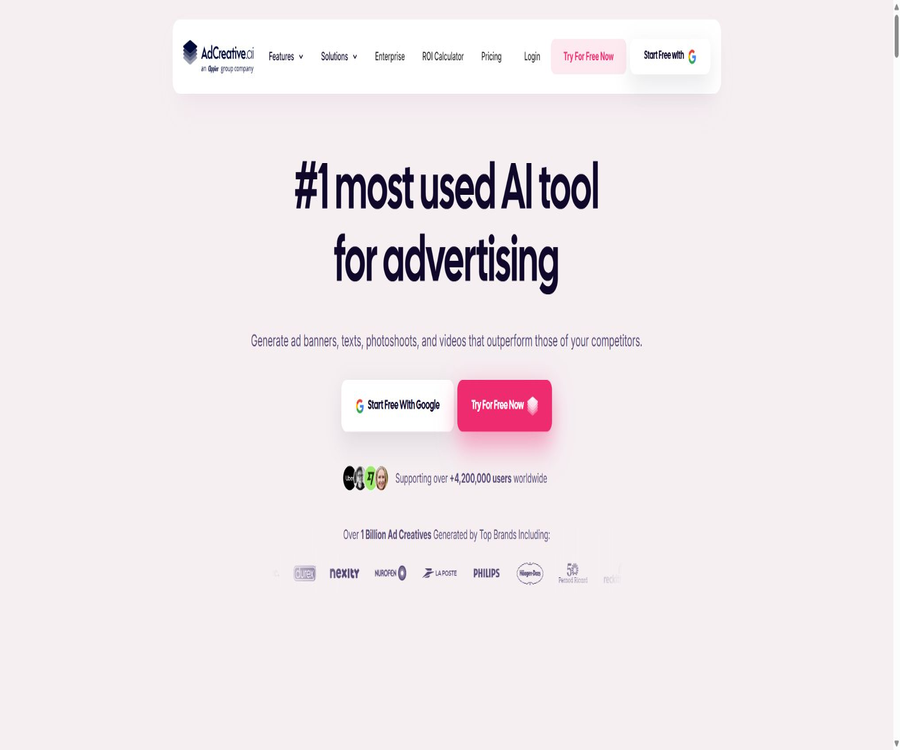
AI Ad Creative Generator for High-Converting Ads
AI Ad Creative Generator for High-Converting Ads – an intelligent tool focused on enhancing AI efficiency
Tags:AI improves efficiencyWhat is AdCreative.ai?
AdCreative.ai is an AI-powered platform for creative production and analysis in the field of performance advertising; it can generate banners, ad copy, product images, videos, and content in an UGC style. It also offers creative scoring, insights into competitors, brand management tools, and integration with advertising platforms.
The platform is suitable for e-commerce businesses, brands, marketing teams, and agents to increase the volume of content they produce. However, the improvements in conversion rates and the accuracy of predictions shown by the platform are based on its own data; the actual results still depend on the product, the target audience, the bidding amounts, the landing pages, and the advertising environment.
A one-sentence summary
AdCreative.ai converts brand materials and product assets into ads for various platforms, and provides AI-generated ratings and optimization suggestions before they are deployed.
Core functions
- Generate static creatives suitable for different advertising platforms.
- Use common copywriting frameworks to generate titles and content.
- Convert regular product photos into commercial product photography
- Create short video ads from product images
- Create UGC, narrative-style, and fashion-related video content
- Predict creative performance and brand recall before deployment
- Analyze the outstanding ads of competitors on different platforms.
- Connect to advertising accounts and gain brand-specific insights.
Creation of advertising ideas
After creating a brand, users can choose the type of advertisement, its size, and the target audience; the AI will then generate creative designs that match the brand’s colors, fonts, and logo. The system is designed to optimize for conversions, but each final design still requires manual review.
- Generate common sizes via Meta, Google, and other channels.
- Choose between the transformation or cognitive approach based on the objectives of the activity.
- Automatically apply brand colors, fonts, and logos.
- Multiple compositions and information levels are generated simultaneously.
- Continue generating and comparing candidate materials before downloading.
- Edit text, images, buttons, and brand elements
Instant Ads – a website for creating ads
Instant Ads can scan web pages to extract information about brands and products, and then generate ad titles, descriptions, visuals, and recommendations regarding the target audience. If the content of the web page is inaccurate, the results generated will also contain errors.
- Extract logos, colors, and product descriptions from the website.
- Identify key selling points and action prompts
- Generate ad text based on the page content.
- Inferring potential buyer profiles and identifying targeting strategies
- Quickly create the initial set of ad testing materials
- Manually verify prices, commitments, and inventory before publishing.
AI ad copywriting
Text Generator AI can create titles, body texts, and call-to-action messages based on the product, target audience, and advertising objectives, utilizing various writing techniques. This capability is included in all packages.
- Generate short titles, long titles, and ad copy
- Adjust the value proposition for different audiences.
- Write around pain points, benefits, and social proof.
- Generate multiple text variables for the same visual.
- Shorten or expand the text according to the platform’s character limits.
- Check facts, discounts, and statements related to regulated industries
AI product photography
Product Shoots can transform simple product photos into images suitable for e-commerce or advertising use, thereby reducing some of the tasks associated with traditional photo studios. When it comes to packaging text, logos, and the product’s structure, it is important to pay close attention to any discrepancies that may arise in the generated images.
- Remove the original background and create a new scene.
- Create studio, lifestyle, and fashion photos
- Create multiple visual styles tailored for different audiences.
- Keep the product as the main element of the image.
- Used for product pages, social media posts, and ad testing
- Manual verification of the product’s shape, labels, and color.
Videos of AI products
The platform can convert product images into short video ads; users can write their own prompts or use AI to design movements and scenes. The resulting videos are suitable for quick testing, but complex actions and small text elements may appear distorted.
- Upload individual product images to create dynamic content.
- Set the camera angle, scene, and atmosphere using prompts.
- Create multiple versions suitable for social media ads.
- Create story-based content, product demonstrations, and fashion videos
- Create a comprehensive set of materials in conjunction with the advertising copy.
- Check for flickering, distortion, brand logos, and readability.
AI for creative scoring
Before being deployed officially, Creative Scoring AI analyzes the performance of creative elements and brand memorability, and provides actionable suggestions for improvements. The predictions generated can only be used to determine the order of testing priorities; they cannot replace actual testing in a real-world setting.
- Provide performance and recognition scores for candidate ideas
- Issues with prompt buttons, titles, logos, and colors
- Help the team to prioritize deploying the more promising versions.
- Reduce budget waste resulting from indiscriminate testing.
- Use brand historical data after connecting to the advertising account.
- Verify predictions using actual clicks, conversions, and revenue data.
Competitor Insights AI
Competitor Insights AI is used to identify and compare the advertising ideas and strategies of competitors across various platforms. The results are useful for studying market approaches, but materials protected by copyright or trademarks should not be copied directly.
- Check the common visuals, titles, and selling points of competitors
- Compare ad formats across different platforms
- Identify creative directions that are used over a long period of time or frequently.
- Identify industry content and positioning trends
- Convert insights into differentiated testing hypotheses
- Avoid copying unique designs, characters, or trademark elements.
Brand management
A brand is the fundamental element used for creation and prediction; it allows you to save logos, colors, fonts, descriptions, and connections to advertising accounts. Different packages support a varying number of brands.
- Establish brand visual and linguistic standards
- Save the product’s positioning and key selling points.
- Connect the corresponding advertising account with historical data
- Keep the generated results consistent with the brand’s core identity.
- Agents manage the data for each customer separately.
- After the brand update, recheck the old templates and materials.
Creative Utility Suite
The creative tool suite is designed for handling common image tasks, and it allows for the preparation and optimization of images within the same platform. It reduces the need to switch between different tools, but it cannot replace complex professional photo editing.
- Remove or replace the image background
- Improve image clarity and visual quality
- Enlarge images for various ad sizes
- Quickly prepare products and social media content
- Used in combination with AI-generated creativity
Advertising platform integration
Users can link their advertising accounts to the corresponding brands, allowing the system to analyze past creatives and generate more personalized predictions and insights. It is necessary to determine the minimum permissions and the scope of data usage before making such a connection.
- Import historical ad and creative performance data
- Compare click-through rates and asset characteristics by brand category
- Identify the colors, formats, and themes that perform well.
- Reduce manual uploading and indicator organization
- Revoke authorization for accounts that are no longer in use
- Cross-verify AI conclusions with the platform’s original reports
Points rules
The points available on AdCreative.ai are primarily used when downloading ad creatives; the points for each package are refreshed on a monthly basis. Users can create candidate content as many times as they want, and download points are only spent when a specific creative is downloaded.
| Behavior | Whether points are consumed | Explanation |
|---|---|---|
| Generate candidate ideas | Download credits are usually not consumed. | The public plan is labeled as Unlimited Generations. |
| Preview and Compare | Download credits are usually not consumed. | Used to filter candidate versions |
| Download to generate ideas | 1 point is consumed. | The official FAQ’s current definition of Credit |
| Monthly refresh | Update according to the package quota | It is necessary to check the account to determine whether the unused credit amount will be carried over. |
| Videos and advanced assets | According to functional rules | Different assets may be subject to package and additional rules. |
Applicable scenarios
- E-commerce brands can quickly create product ads and visual representations of the products.
- Small businesses create their initial content materials in the absence of designers.
- Agents produce creative variations in bulk for multiple clients.
- The marketing team creates images and videos for the new products.
- The performance advertising team prioritizes the materials to be used before launching campaigns.
- The brand team analyzes competitors’ advertisements and market trends.
- Quick adaptation of size and text for cross-platform campaigns
Which users are it suitable for
- E-commerce teams that need to continuously update their advertising materials
- Marketers who place emphasis on conversion rather than just visual design
- Digital advertising agencies that manage multiple brands and users
- Small and medium-sized enterprises that wish to reduce the costs associated with photography and initial design.
- Teams that have actual deployment data and can verify the predictions of AI
- Companies that can handle issues related to copyright, branding, and advertising compliance
AdCreative.ai pricing
The official website offers monthly, quarterly, and annual payment options. The page indicates a 25% discount for quarterly payments and a 50% discount for annual payments; there may also be time-limited promotions available. The table below shows the basic monthly pricing without taking these promotions into account; the final amount shall be as indicated on the settlement page.
| Package | Monthly pricing starts at | Points for the starting month | Brands and users | Suitable for |
|---|---|---|---|---|
| Starter | 39 dollars per month | 10 points | Start with 1 brand and 1 user. | Small businesses and individual marketers |
| Professional | $ | 50 points | The initial configuration page requires settlement verification. | Medium-sized enterprises and high-output teams |
| Ultimate | $ | 100 points | The top tier reveals 25 brands and 20 users. | Agents and large marketing teams |
| Enterprise | Custom quote | Customized points | According to the enterprise’s needs | Customers who require dedicated models, governance, and services |
Different tier levels of points for each package
| Package | Optional monthly points | Public monthly price | Public brand limit |
|---|---|---|---|
| Starter | 10、15、30、50 | 39, 89, 139, 189 dollars | 1 as a starting amount, 2 for the higher-end versions |
| Professional | 50、75、100 | 249, 339, 400 dollars | Different views on the page require settlement verification. |
| Ultimate | 100、150、200 | $ | 25 |
| Enterprise | Customization | Custom quote | In accordance with the contract |
Annual and quarterly discounts
The official website currently offers a 25% discount on quarterly plans and a 50% discount on annual plans. On the annual plan page, it is indicated that the Starter plan costs around 20 dollars per month for 10 points, the Professional plan costs around 125 dollars per month for 50 points, and the Ultimate plan costs around 500 dollars per month for 100 points; all prices are calculated on an annual basis. The promotional prices may change.
| Billing cycle | Current public discounts | Payment characteristics | Precautions |
|---|---|---|---|
| Monthly payment | No long-term periodic discounts | Payment on a monthly basis | Flexible, but the price is high for a single month |
| Quarter | The page shows a 25% discount. | Settled on a quarterly basis | Check the cancellation and renewal dates. |
| Annual | The page shows a 50% discount. | Settled on an annual basis | The average monthly price is not equal to the monthly payment amount. |
| Enterprise | Contract quote | According to the agreement | The minimum commitment and scope of services need to be confirmed. |
Differences in package features
| Functions | Starter | Professional | Ultimate | Enterprise |
|---|---|---|---|---|
| All AI materials | Includes | Includes | Includes | Includes |
| No limits on generation | Includes | Includes | Includes | In accordance with the contract |
| Advertising platform integration | Includes | Includes | Includes | Includes |
| Competitor insights | Includes | Includes | Includes | Includes |
| Pro advanced features | Finite | Includes | Includes | Includes |
| Custom templates and bulk creativity | Needs verification | Advanced capabilities | Advanced capabilities | Customizable |
| Dedicated models and data governance | Not included | Not included | Not included | Included or optional |
| Dedicated account manager | Not included | Not included | Not included | Includes |
Free trial and refund
The platform offers a 7-day free trial, which includes 10 creative credits and allows testing of images, banners, videos, and UGC videos. Before the trial ends, it is necessary to confirm the auto-renewal schedule and the plan selected.
- The free trial period is 7 days.
- The trial version includes 10 creative points.
- The official website states that cancellation is possible at any time.
- The period for monthly refunds is 7 days, while for annual payments it is 30 days.
- Actions such as using the generated or downloaded materials may result in the refund being invalidated.
- The time it takes for the refund to arrive depends on the payment service and the bank.
- Promotional offers, as well as the benefits available on mobile and web platforms, should be checked separately.
Quick Start Tutorial
- Register for a trial and confirm the renewal plan and date in advance.
- Create a brand by uploading a logo, colors, fonts, and a brand description.
- Connect to a website or enter the product, target audience, and campaign objectives.
- Select the advertising platform, type of material, and desired size.
- Multiple candidate versions are generated, but there is no need to download them yet.
- Selection is done through scoring, brand standards, and manual inspection.
- Download a limited number of versions to conduct controlled deployment tests.
- Adjust the next round of generation based on actual conversion data.
Tutorial on creating product advertisements
- Prepare high-resolution images of real products with a simple background.
- Locking inverts the shape, color, packaging, and logo that cannot be changed.
- Select scenarios that match the target audience and channels.
- Generate multiple compositions and visual orientations for the same product.
- Check the product details, text, shadows, and proportions.
- Add verified titles, selling points, and call-to-action prompts.
- Export different sizes and check the safety area.
- Use a small budget to test the quality of clicks, conversions, and refunds.
Tutorial on using the creativity scoring system
- Select candidate materials that can be compared within the same campaign.
- Upload the materials and record the AI’s performance and cognitive scores.
- View suggestions for buttons, titles, logos, and colors.
- Only one or two key variables are modified to create a new version.
- Retain a baseline version for actual A/B testing.
- Standardize the deployment conditions by platform, audience, and objectives.
- Compare predicted rankings with clicks, conversions, and revenue.
- Feed back the deviations into brand and creative decision-making.
Agent workflow
- Create separate brands for each customer, without mixing account data.
- Document each customer’s brand guidelines and prohibited items.
- Establish template, size, and naming rules for Campaigns.
- After batch generation, it is reviewed initially by the customer’s responsible person.
- The candidate materials are selected for customer approval through scoring.
- Log modifications, authorizations, downloads, and deployed versions.
- Points, seats, and advertising account permissions are allocated based on the customer.
- Review the templates and model recommendations on a monthly basis, using actual results.
Copyright and commercial use
Commercial ads require confirmation of the rights to use product images, people, fonts, stock materials, and the content that is generated. Enterprise versions place strong emphasis on the security of commercial content and the intellectual property rights associated with all assets; ordinary packages also require attention to be paid to the current licensing terms.
- Only upload materials for which you have the rights or authorization.
- Check the ads featuring inventory images as well as regional permissions.
- Avoid creating works that are too similar in design to those of competitors.
- Conduct authorized checks on character portraits, celebrities, and trademarks
- Save the prompt words, original materials, and final approval records
- Regulated ads must be submitted for legal or compliance review.
Data and account security
- Grant only the minimum necessary permissions when connecting to an advertising account.
- Assign separate accounts and roles to team members
- Revoke access promptly upon leaving the job or when the project is completed.
- Do not upload unpublished policies or irrelevant customer data.
- Verify advertising data, brand assets, and the retention rules for generated content.
- Enterprise procurement confirms the scope of data governance, privacy, and asset interfaces.
Effect evaluation
| Indicators | Key points of evaluation | Suggested method |
|---|---|---|
| Material production time | Time from brief to the first batch of finished products | Comparison with the original design process |
| Availability rate | The proportion within the generated content that can be used for deployment | Record the reason for elimination |
| Click-through rate | Can creativity attract the target audience? | Segment by platform and audience |
| Conversion rate | Whether the business goal is achieved after clicking | Combining landing page analysis with product analysis |
| Customer acquisition cost | Advertising cost per active customer | Comparison under the same conditions as the baseline material |
| Prediction consistency | Is the AI ranking consistent with the actual results? | Build the company’s own test set |
| Creative fatigue | Whether the performance decreases as exposure increases | Monitor by frequency and time |
Product advantages
- Covers static ads, copywriting, product photography, and videos
- The brand configuration can be reused for various materials and sizes.
- The mode that does not limit generation or downloading and deducts points only facilitates initial filtering.
- The creativity score provides sorting suggestions and recommendations for adjustments before deployment.
- Insights into competitors help the team develop testing hypotheses.
- Supports website scanning and buyer profiling.
- Offers multiple brand options, as well as different tiers for users and agents.
- The enterprise solution includes customized models, governance, and dedicated services.
Usage restrictions and precautions
- The official claims of high conversion rates and high accuracy do not guarantee the results for individual ads.
- Generating product images and videos may change the packaging, text, or structure.
- The creativity score cannot replace actual A/B testing and revenue data.
- The prices of these packages vary widely; higher point counts and the need for multiple brands result in higher costs.
- Quarterly and annual discounts, as well as holiday promotions, change frequently.
- Points are consumed based on downloads; incorrect downloads also use up the quota.
- Advertising account connections involve sensitive targeting and customer data.
- Insights into competitors cannot be used to directly replicate protected content.
- Advertising facts, promises, and regulated statements must be reviewed manually.
- The core platform is not open source; its full functionality relies on a commercial subscription.
GitHub and open source
No official open-source repository for AdCreative.ai’s core advertising generation platform was found in this investigation. Functions such as model generation, creative scoring, insights into competitors, brand management, and advertising account analysis are all provided as commercial services.
There are projects with the same name on code platforms, as well as evaluation tools and open-source alternatives, but they do not belong to the official products. AdCreative.ai cannot be classified as open source just because of its similar name or the possibility of integrating it with other systems.
| Components | Status | Explanation |
|---|---|---|
| AdCreative.ai platform | Commercial closed-source | Web and mobile services |
| Generation and scoring models | Specialized capabilities | The model weights and training code are not publicly available. |
| Advertising platform integration | Authorized connection | It is not the same as open-source code. |
| Digital Asset Management API | Corporate capabilities | Using it in accordance with the contract does not mean it is open source. |
| Code repository with the same name | Unofficial projects | It cannot be used as a basis for determining the open-source status. |
Basic information
| field | Content |
|---|---|
| Tool name | AdCreative.ai |
| Product type | AI platform for generating and analyzing advertising ideas |
| Main materials | Banners, copy, product images, videos, and UGC content |
| Primary users | E-commerce, brands, marketing teams, and advertising agencies |
| Trial | 7-day trial, with 10 creative points available publicly |
| Billing method | Monthly, quarterly, annual, and custom enterprise plans |
| Points system | Generations are available unlimitedly; downloading creative designs consumes points. |
| Team capabilities | Integration of multiple brands, users, and advertising accounts |
| Is it open source? | No, the core platform is a commercial, closed-source product. |
Recommendation score
4.6 / 5. AdCreative.ai is suitable for e-commerce companies and agencies that need to continuously generate high-quality advertising materials; it offers a high level of integration regarding images, videos, ratings, and competitor analysis. However, the cost of its packages, its ability to handle dynamic promotions, and the accuracy of the content it generates need to be tested through trials and actual use.
Frequently Asked Questions
What is AdCreative.ai mainly used for?
It generates ad images, copy, product photography, and videos, and provides creative scoring, insights into competitors, and analysis of ad accounts.
Is AdCreative.ai free?
It is not a permanently free tool; a 7-day trial is available, along with 10 creative credits as a bonus.
When are points used up?
According to the official FAQ, creations can be generated indefinitely; points are spent when downloading a selected ad concept.
How much is AdCreative.ai?
The current monthly prices start at $39 for Starter, $249 for Professional, and $999 for Ultimate; a quote is available for Enterprise.
Is the annual payment really 50% cheaper?
The official website currently displays an annual discount of 50%, but these are real-time prices; it is necessary to check the total amount due and the price for renewal before making a purchase.
Can it create video ads?
Yes, it is possible to create short videos from product images; it also offers advanced features such as UGC, story-based videos, and fashion videos.
Can a creativity score guarantee conversions?
No. The scores are intended to help determine the order in which tests are conducted, but the actual performance must be verified through real clicks, conversions, and revenue.
Is it possible to manage multiple brands?
Yes, different packages have varying limits on the number of brands and users; agents should choose the Professional, Ultimate, or enterprise plan.
Is AdCreative.ai open source?
It is not open source; no official open-source repository for its core products was found this time.
Tools similar to the AI Ad Creative Generator for High-Converting Ads



 Guigong Network Security Registration No. 45132202000164