






Adlas
Adlas, an intelligent tool focused on improving AI efficiency.
Tags:AI improves efficiencyWhat is Adlas?
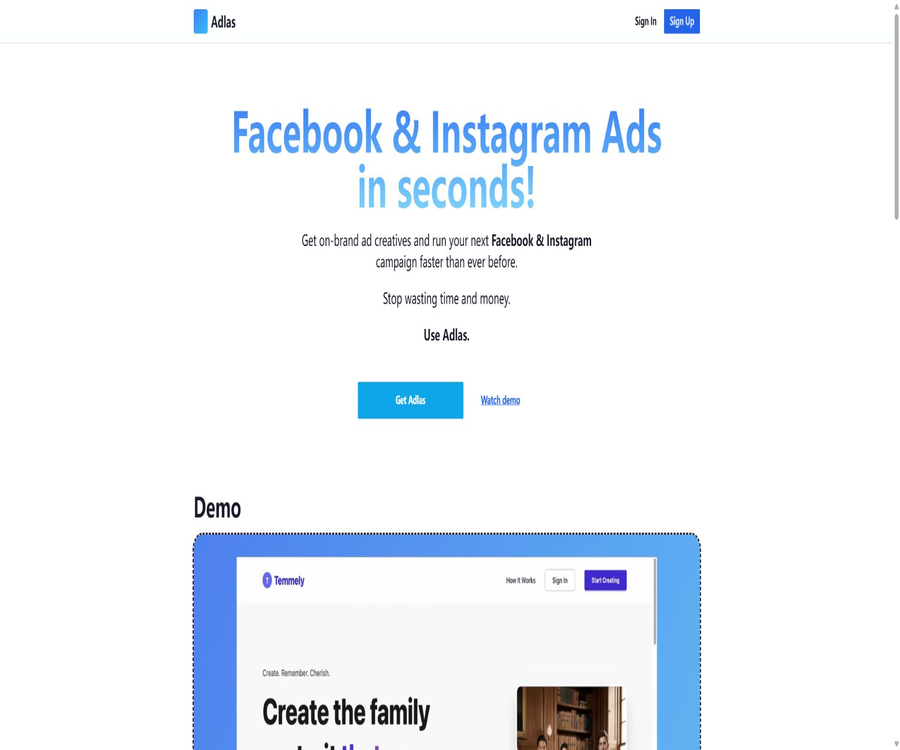
Adlas is an AI-powered tool dedicated to creating advertisements for Facebook and Instagram, designed for small businesses, entrepreneurs, and marketers who wish to develop and launch Meta advertisements quickly. Once the user provides a website address, the system analyzes the brand and products, and then generates images, ad copy, as well as information regarding the target audience and campaign settings.
Adlas can also be connected to Meta advertising accounts, assisting users in moving from asset creation to the setup of campaigns and the monitoring of their performance. It uses a prepaid wallet system with pay-as-you-go pricing, so users do not need to purchase a traditional monthly subscription first.
Main functions
- Website analysis: Retrieves information on brands, products, services, and marketing strategies.
- Branded creativity: Create ads based on the website’s colors, images, and style of expression.
- Multiple size images: tailored for the common layout sizes on Facebook and Instagram.
- Advertising copy: Generates the main text, headlines, descriptions, and action buttons.
- Audience suggestions: Provide detailed targeting based on the product and page content.
- Activity creation: Assists in setting up Meta ad objectives, budgets, and structure.
- Ad account connection: Authorization to connect to Meta Ads Manager.
- Performance Report: View real-time data of active campaigns.
- Pay-as-you-go wallet: The prepaid balance is used based on the actual amount consumed in creating campaigns.
- New user experience bonus: The official website currently offers a $3 balance in the wallet.
Generate ads from a website
Adlas uses the website as its main source of input; the system extracts the brand-related text and visual elements that are publicly accessible, and then creates multiple versions of advertisements. Expired promotions, blurry images, and incorrect information on the page may also be included in the advertisements, so it is necessary to organize the website before generating them.
- Identify brand names, product types, and target customers.
- Extract the logo, product images, colors, and key selling points.
- Create advertising copy around various interests.
- Automatically adjust the media to Meta’s standard dimensions.
- Provide suggestions for audience and event settings.
- Users are allowed to select and modify the results before publishing them.
- Use the selected assets for new Meta advertising campaigns.
Advertising images and dimensions
- Prepare square or horizontal images for the Facebook Feed.
- Create visually appealing content for the Instagram Feed.
- Adjust the vertical canvas for Stories and Reels environments.
- Keep the logo, products, and key text within the safe area.
- Reorder the text and action buttons according to different layout positions.
- Generate multiple creative versions for users to select from.
- Check the cropping and text display in Meta’s preview before publishing.
Advertising copy creation
- Extract the actual product features and value propositions from the web page.
- Generate main text of different lengths.
- Create titles, descriptions, and action buttons for ads.
- Approaches are proposed based on pain points, interests, incentives, and social proof.
- Adjust the tone according to the context of Facebook and Instagram.
- Various combinations are provided for material testing.
- Users are allowed to delete exaggerated, repetitive, or inaccurate expressions.
Audience and targeting suggestions
The official website states that the fees include detailed advertising targeting. The system can estimate the target audience based on the website and products, but such estimates do not necessarily mean that there are corresponding options available in Meta’s backend; nor can they replace customer data or actual testing.
- Suggest target countries, regions, or cities.
- Guess the possible age and interests.
- Formulate audience assumptions based on the usage scenarios of the products.
- Create separate audience tests for different selling points.
- Avoid excessive segmentation, which can result in an insufficient audience size.
- Restrictions apply to specific areas such as housing, employment, and finance.
- Check the availability of targeting options in the Meta backend before publishing.
Meta ad account connection
- Connect the business account to the advertising account through the Meta authorization process.
- Select the correct Facebook page and Instagram account.
- Verify pixels, datasets, and conversion events.
- Let Adlas create or assist in setting up advertising campaigns.
- View the key information of an event from a simplified interface.
- Monitor real-time data of the ads that are currently running.
- Revoke third-party app permissions when they are no longer in use.
Activity creation process
- Enter a website page that has permission to be used and whose content is complete.
- Wait for the system to analyze the brand, products, images, and text.
- Check the extracted information and select the advertising objectives.
- Select a version from the generated images and copywriting.
- Review the region, audience, and detailed targeting suggested by the system.
- Connect the Meta account and verify the pages, pixels, and conversion events.
- Set a daily budget, schedule, and ad slots.
- Preview and then launch the low-budget campaign, monitoring the results.
Appropriate use cases
- Small businesses run Facebook and Instagram ads for the first time.
- SaaS entrepreneurs can quickly test their landing pages and customer acquisition strategies.
- Local businesses organize basic activities tailored to their regional customers.
- E-commerce brands generate multi-size assets from existing product pages.
- Marketers need to quickly create draft ads.
- Low-frequency advertisers want to pay based on actual usage.
- The team needs to simplify the processes for creating and generating reports for Meta ads.
Which users are not suitable for it
- Teams that primarily advertise on Google, TikTok, or LinkedIn.
- Advertisers who need professional video production and UGC virtual avatars.
- There is a need for experienced agents capable of handling large-scale, multi-client workspaces.
- Companies that require a fully open-source platform and local deployment.
- Projects that lack a website, product materials, or genuine marketing information.
- Accounts that require complex directories, dynamic products, or advanced attribution settings.
- Users who are unable to afford Meta’s media budget and the ongoing work required for optimization.
Tutorial on preparing high-quality websites
- Use clear headings to describe the product, target audience, and core value.
- Upload high-resolution product images that come with commercial licensing.
- Check whether the prices, discounts, shipping details, and refund information are valid.
- Remove the test text, old promotions, and conflicting descriptions.
- Provide genuine reviews, examples, or evidence of functionality.
- Ensure that the mobile page loads quickly and that the checkout or form is available.
- Add a privacy policy and necessary legal statements.
Meta releases a tutorial for testing.
- Ensure that the objectives of the advertising campaign are in line with business outcomes.
- Check the Facebook page, Instagram account, and payment method.
- Check the pixels, conversion events, and domain configuration.
- Confirm the budget, date, location, age range, and exclusion criteria.
- Preview Feed, Stories, and other layout cuts.
- Check the facts related to the text, trademarks, copyrights, and the requirements for special categories.
- Start with a small budget and set up spending alerts.
- Assess the performance of the materials and the audience once sufficient data is available.
Prices and wallet billing
Adlas uses a prepaid wallet system along with a pay-as-you-go approach: users first top up their balance, and then charges are deducted based on the advertising campaigns they create. The official website indicates that new users receive a wallet balance of $3, with an example cost of $1.67 per campaign.
| Project | Current reference on the official website | Explanation |
|---|---|---|
| New user experience balance | 3 dollars | It is used for testing after registration; the specific expiration rules need to be confirmed in the wallet. |
| Single ad campaign | About 1.67 dollars | Includes website analysis, images, copywriting, and targeted generation. |
| Examples of Professional usage | 100 dollars | The amount shown for bulk usage on the official website’s slider should not be construed as a fixed monthly fee. |
| Top up wallet | As needed | Additional payments are required when the balance is insufficient; there is no fixed monthly subscription fee disclosed. |
| Meta advertising costs | Paid separately | Actual ad spending is charged by Meta based on the account’s usage. |
| Taxes and fees | It varies by region. | A separate fee may apply on the settlement page. |
Who is the right candidate for pay-as-you-go?
| Frequency of use | Billing features | Degree of suitability |
|---|---|---|
| Create events occasionally | Payment is made only for actual generation. | More suitable |
| A small number of tests per month | The costs can be easily managed according to the activity budget. | Suitable |
| Long-term high-frequency generation | The cost per unit increases as the quantity rises. | It should be compared with subscription-based tools. |
| Large agents | It is necessary to confirm the team, customers, and bulk pricing. | Business cooperation may be necessary. |
| View only reports | Whether a separate charge will be applied needs to be confirmed in the backend. | First, verify using the experience balance. |
It is necessary to confirm before making purchases and top-ups.
- A particular event specifies how many images, texts, and what dimensions they should have.
- Check whether charging is repeated in case of generation failure, retry, or re-analysis.
- Is there a deadline for using the $3 free credit?
- Whether the wallet balance is refundable, expired, or transferable.
- The actual number of activities or discounts corresponding to 100 dollars for professionals.
- Limits on team seats, multiple advertising accounts, and customer management.
- Taxes, payment currency, and recharge invoices.
- Exporting the balance, assets, and reports after the account is closed.
Differences between Adlas fees and Meta advertising costs
| Costs | Payment purpose | Who controls it |
|---|---|---|
| Charges from the Adlas wallet | Website analysis, assets, copywriting, and campaign setup | Adlas charges are deducted based on usage. |
| Meta media budget | Bidding for ad impressions, clicks, and conversions | User settings in the Meta ad account |
| Design and review costs | Manual modifications, compliance, and creative strategies | The user or agent is responsible. |
| Landing pages and tracking | Website, analytics, and conversion infrastructure | The user is responsible for it themselves. |
Advertising data and key metrics
| Indicators | Function | Precautions |
|---|---|---|
| CTR | Assessing the ability of an ad to attract clicks | High click-through rate does not equate to high conversion rate. |
| CPC | Average cost per click | Affected by bidding, audience, and creativity. |
| CPA | The cost of achieving a target outcome once | Reliance on proper conversion tracking |
| ROAS | Ratio of advertising revenue to media expenditure | It does not include the costs of all products and tools. |
| Frequency | Observe repeated exposure to the same audience | Too high a value may indicate material fatigue. |
| Conversion rate | Measuring the performance of the page after a click | Affected by page speed, pricing, and trust. |
How to evaluate the effectiveness of Adlas
- Compare the time required from identifying a need to launching the first ads.
- The proportion that can be directly tested in the statistically generated materials.
- Record the actual Adlas cost for each valid material.
- Existing artificial materials are used as the control group.
- Compare CTR and CPA under the same audience and budget.
- At the same time, calculate the Meta media fees, Adlas charges, and labor costs.
- Record the number of ad rejections, factual errors, and brand revisions.
Account and permission security
- Connect the account only through Meta’s authorization process.
- Do not send the Meta master password to Adlas or any other person.
- Only grant permissions to the ad accounts and pages that need to be managed.
- Use separate Meta business roles for team members.
- Regularly review third-party applications and access tokens.
- Set budget alerts and payment protection in the Meta backend.
- In the event of abnormal creation or high costs, it should be paused immediately and permissions revoked.
Advertising compliance and copyright
- Verify the functions, prices, and promised outcomes of the products generated by AI.
- Confirm that the rights to use the website’s images, logos, fonts, and characters are available.
- Avoid fake discounts, unverifiable reviews, and misleading buttons.
- Ads in the fields of healthcare, finance, employment, and housing require additional review.
- Manual approval and version tracking are retained to generate ads.
- Check that the landing page is consistent with the messaging in the ad.
- Check the reasons for denial and the latest policies on the Meta backend before publishing.
Product advantages
- Focusing on Facebook and Instagram, the process is more centralized compared to general design tools.
- An integrated process that covers website analysis, as well as the creation of content and copy, along with the targeting of the audience.
- Automatically generate multiple common ad sizes.
- You can connect a Meta account to continue creating and viewing events.
- The prepaid wallet uses a pay-as-you-go pricing model, making it suitable for advertisers who run ads infrequently.
- A balance of $3 for new users reduces the cost of the initial test.
- The interface is designed to simplify the complex settings of Meta Ads Manager.
Usage restrictions and precautions
- It primarily supports Facebook and Instagram, with limited cross-platform coverage.
- The quality of information on a website has a direct impact on the materials and text used.
- The audience suggested by AI may be too broad, too narrow, or not available on Meta.
- The rules for failure when charging based on activities and for retry attempts need to be confirmed.
- The Professional plan at $100 is an example of usage amounts; it is not a detailed list of packages.
- Generating static assets cannot replace professional video and brand design.
- Changes in Meta’s policies, interfaces, and ad formats can affect functionality.
- The Adlas fee does not include a budget for actual media spending.
- In the end, the effectiveness of an advertisement still depends on the product, the page, the target audience, and optimization efforts.
GitHub and the open-source status
No GitHub repositories were found in the course of this search that could be confirmed as belonging to Adlas, and that provided complete information regarding website analysis, ad generation, and Meta account management code. The Facebook Ads SDK, scrapers, and Meta Ads MCP projects listed in the search results were developed by other developers.
| Project | Status | Explanation |
|---|---|---|
| Adlas platform | Closed-source online services | Ad generation, wallet, and account connection features are not open source. |
| Official GitHub repository | Not confirmed | No complete repository corresponding to the Adlas official website was found. |
| Meta’s official API | External dependencies | The fact that Adlas is connected to Meta does not mean that its source code is made public. |
| Third-party Facebook advertising services | Irrelevant | Functions of a similar nature do not equate to official Adlas projects. |
| Self-hosted version | No findings were detected. | For requirements related to private deployment, please contact the platform. |
Basic information
| field | Content |
|---|---|
| Tool name | Adlas |
| Tool type | Tools for creating ads and managing campaigns on Facebook and Instagram |
| Main platforms | Meta Ads, Facebook, and Instagram |
| Main inputs | Corporate or product websites |
| Main output | Images, ad copy, audience recommendations, and event settings |
| Price pattern | Prepaid wallet; charges are deducted based on usage during events |
| New user balance | The current official website shows $3. |
| Media advertising costs | It is not included; an additional payment must be made to Meta. |
| Is it open source? | No |
Recommendation score
4.1 / 5. Adlas connects website analysis, Meta advertising materials, copywriting, and audience settings into a simple workflow; the pay-as-you-go option is suitable for small businesses that run ads occasionally. However, the platform’s coverage is focused on Meta, and bulk pricing and billing details should first be verified using the free credit provided.
Frequently Asked Questions
What does Adlas mainly do?
It analyzes the user’s website and generates images, copy, audience recommendations, and advertising campaign settings suitable for Facebook and Instagram.
Which advertising platforms does Adlas support?
The current main focus is on Facebook and Instagram advertising, with campaign management being carried out through Meta’s advertising accounts.
Is a website required to use Adlas?
The main process requires a website, as the system extracts the brand, products, images, and selling points from the pages to use in creating advertisements.
How much is Adlas?
The official website currently uses a reference rate of around $1.67 per activity, relying on a prepaid wallet for charging based on usage rather than a fixed monthly subscription.
Do new users have a free quota?
Yes, the official website states that new users receive a $3 balance in their wallet, which can be used to try out the service before deciding whether to top up the account.
Is Professional a monthly fee of 100 dollars?
The official website sets $100 as the value in the cost estimation slider; this figure is more suitable as an example for bulk usage, and it cannot be considered a fixed monthly subscription fee.
Does the Adlas fee include an advertising budget?
It does not include the services for generating and configuring Adlas wallet payments; the costs related to actual advertising media are covered separately through the Meta advertising account.
Can I publish ads directly?
It is possible to connect to a Meta advertising account and assist with setting up campaigns, but before publishing, it is still necessary to verify the page, budget, audience, pixels, and promotional materials.
Is it suitable for advertising agencies?
Small agents can be used for quick creation, but for multiple clients, team seats, and bulk pricing, it is necessary to get confirmation from the platform separately.
Is Adlas open source?
It is not an open-source product, and no complete official source code repository was found this time.
Tools similar to Adlas



 Guigong Network Security Registration No. 45132202000164