






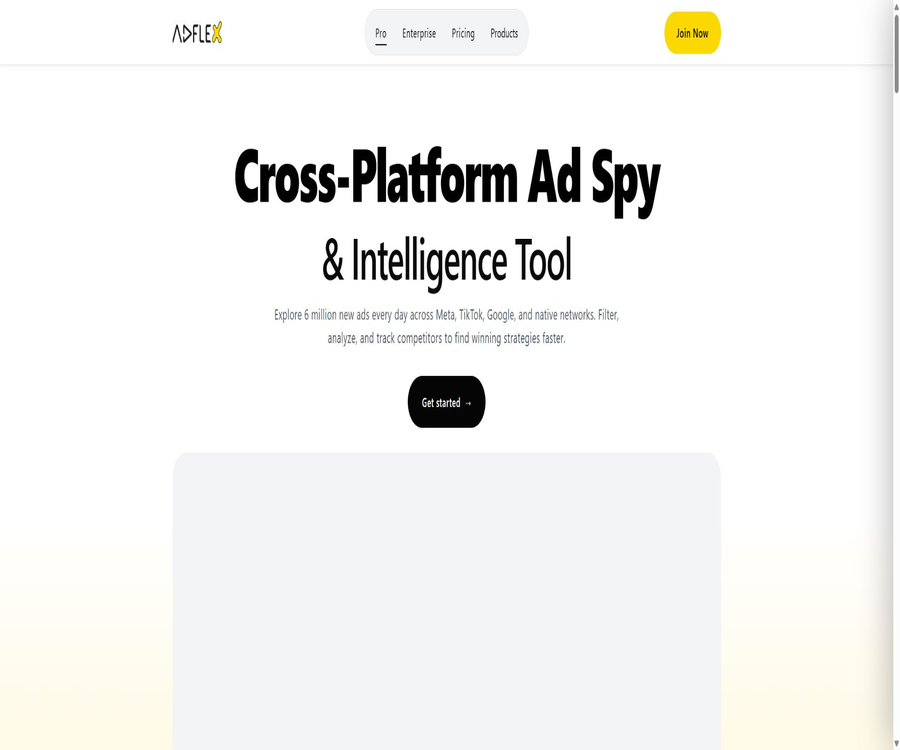
AdFlex Ads
AdFlex Ads: an intelligent tool focused on enhancing efficiency through AI.
Tags:AI improves efficiencyWhat is AdFlex Ads?
AdFlex Ads is an advertising intelligence platform designed for advertisers, affiliate marketers, e-commerce brands, and agencies. It aggregates publicly available ad materials, placement opportunities, and landing pages from various advertising networks into a searchable database, thereby assisting users in analyzing their competitors and identifying trends in creative approaches.
The core value of AdFlex Ads lies in the identification and analysis of advertisements; it does not create or place advertisements on media platforms on behalf of users. It is not the same tool as the AI-based advertisement generation product with the same name, so it is important to verify the brand domain and the product interface when choosing it.
Main functions
- Cross-platform ad search: Perform unified searches for assets and campaigns across multiple advertising sources.
- Advanced filtering: Narrow down the results based on keywords, country, language, date, device, and ad format.
- Competitor tracking: Keep an eye on brands, homepages, or domain names, and monitor any changes in their ads.
- Material analysis: Examine images, videos, titles, text, action buttons, and the duration of the ad.
- Landing page analysis: Examining the pages to which ads direct users, the product structure, and the conversion pathways.
- Advertising collection: Save materials of reference value in a research list.
- Trend detection: Identifying creative directions that feature continuous deployment, rapid expansion, or repeated use.
- E-commerce research: Identifying product selection and marketing strategies from advertising and product information.
- Domain analysis: Examine the combination of channels, materials, and marketing campaigns from the website’s perspective.
- Enterprise data interface: Integrates advertising data into internal research, reporting, or monitoring systems.
Supported advertising platforms
The official website and API documentation currently cover sources such as Meta, Facebook, TikTok, YouTube, X, Pinterest, Reddit, as well as Google Display and native ads. The fields that can be searched for vary depending on the source; it is necessary to refer to the filtering options provided by each platform.
| Source of the ad | Topics for research | Common uses |
|---|---|---|
| Meta | Paid ads on Facebook and Instagram | Brand materials, homepage, and regional research |
| Pages, materials, and targeting leads | Competitor homepages and creative tracking | |
| TikTok | Short-video ads and product creativity | Popular content and e-commerce trends |
| YouTube | Video ads and channel suggestions | Research on video scripts and brand placement |
| Google Display | Display ads and placement locations | Banner design and network analysis for display |
| Native | Native advertising networks and publisher data | Research on affiliate marketing and landing pages |
| Discovery-style image ads | Visual style and consumer trends | |
| Community advertising materials | Research on interest communities and product information | |
| X | Social media advertising | Research on topics, brands, and events |
Advertising search and filtering
- Enter the brand name, product name, keyword for the copy, or target domain name.
- Select one or more countries, languages, and markets.
- Limit the first discovery, the last discovery, or the duration of the advertisement.
- Filter images, videos, sliders, and other media formats.
- Narrow down the search by device, operating system, or advertising network.
- Sorting is done based on factors such as interaction, exposure, and continuous promotion.
- Exclude unrelated brands, keywords, or advertisers.
- Save frequently used search criteria to reduce the cost of repeated research.
What can be viewed regarding the details of the advertisement?
| Information type | Possible fields included | Analytical value |
|---|---|---|
| Advertising materials | Images, videos, titles, text, and buttons | Break down the creative structure and key selling points |
| Advertisers | Home page, brand, domain name, or account clues | Identify competitors and related activities |
| Deployment time | First discovery, last discovery, and duration in days | Determine whether the material can be used over a long period of time. |
| Region and language | Country, region, and language of testing | Study localization strategies |
| Devices and platforms | Equipment, systems, layout positions, or source networks | Speculate on traffic strategy |
| Landing page | Target page, redirect link, and page snapshot | Analyze the conversion process and provide quotes |
| Clues to interaction or exposure | Activity indicators derived from public data or model estimates | Auxiliary sorting; not equivalent to actual conversion. |
Competitor monitoring and alerts
Users can save advertisements, follow competing brands, or establish ongoing monitoring of domain names. The focus of this monitoring is not on copying individual pieces of content, but rather on observing when competitors change their selling points, enter new markets, or expand certain types of creative approaches.
- Record the materials that competitors have been using for an extended period of time.
- Observe the languages used and the prices of the same product in different countries.
- Identify new videos, images, or offers for brand-focused testing.
- Check whether the ad materials and the landing page change in sync.
- Monitor new domain names, associated homepages, and duplicate creatives.
- Compile significant changes into weekly reports or client reports.
- Set reminders for new ads and control the frequency of these reminders.
Mega Search and cross-platform research
Mega Search is used to quickly locate the same brand, product, or marketing approach across various advertising sources. Cross-platform results are useful for identifying opportunities related to the transfer of assets and the combination of different channels; however, since the fields used in each platform differ, it is not appropriate to compare numbers directly across platforms.
- Use the same keyword to search for images, videos, and native ads at the same time.
- Trace advertising campaigns on various platforms using the brand’s domain name.
- Compare the way the same selling point is presented in short videos and display ads.
- Identify the platforms where creativity first emerged and its subsequent pathways of spread.
- Add cross-platform results to a unified bookmark folder.
- Filter out a large number of duplicate results by region, language, and date.
Research on e-commerce and landing pages
- Products with stable sales can be identified through long-term advertising efforts.
- Analyze the title on the home screen, price, discounts, elements that build trust, and action buttons.
- Compare the promises in the advertisement with the actual product information on the landing page.
- Observe the combination sales, add-to-cart, and time-limited offers used by independent websites.
- Record the currencies, delivery methods, and localized expressions of different countries.
- Study the conversion path from the ad to the product page and then to the checkout page.
- Treat competitor data merely as assumptions, and do not equate the duration of advertising campaigns with profits.
Data volume and update frequency
The official documentation states that the database contains over 400 million ads in total, and this number is continuing to increase; the website claims that around 6 million new ads are added each day. The amount of data collected by different networks, as well as the countries covered and the timing of updates, vary significantly, and these figures also change as the product evolves.
| Data dimension | Current official statement | Understanding when in use |
|---|---|---|
| Accumulated ad database | Over 400 million entries | It may contain history, duplicate versions, and multiple observations. |
| New additions per day | About 6 million entries | It is a consolidation across networks; it does not mean that all of them represent unique ideas. |
| Meta paid ads | Free browsing is available. | The data is affected by the scope of what Meta makes public. |
| National coverage | Statistics are provided separately for each advertising platform. | There may be fewer samples in certain regions and for minority languages. |
| Data freshness | Continuous collection and processing | There may be a delay from the time the media appears until it becomes visible in the database. |
AdFlex data interface
AdFlex offers enterprise-level advertising data interfaces that allow developers to retrieve filters, search for ads, and view details of individual ads. The interface documentation lists platforms such as Meta, Facebook, Native, Google Display, Pinterest, and Reddit; the actual permissions available depend on the enterprise plan chosen.
- Obtain the current available filtering options for various advertising platforms.
- Search for ads in batches by platform, keyword, country, and date.
- Read ad details, assets, and related metadata.
- Create dashboards for competitor monitoring and advertising trends.
- Include advertising intelligence in internal reports and customer systems.
- Prepare structured data for research or machine learning tasks.
- Handle throttling, lack of permissions, and parameter errors based on the status code.
Appropriate use cases
- Ad sellers are looking for creative ideas that their peers are currently testing or using on a long-term basis.
- The affiliate marketing team studies native ads, publishers, and landing pages.
- Cross-border e-commerce involves analyzing the selling points and relevant materials of products in different countries.
- The brand team monitors the channels and promotional changes of competitors.
- Creatives build a repository of ideas for images, videos, and copywriting.
- The agent prepares weekly advertising market reports for multiple clients.
- Research institutions analyze industry advertising volumes and content trends.
- The development team creates internal intelligence tools using enterprise interfaces.
Which scenarios are not suitable?
- Users who wish for the platform to create and publish ads directly.
- Teams that need to examine the actual conversion rates and net profits of their competitors.
- Advertisers who rely on just one successful asset and refuse to conduct their own verification.
- Each advertising network is required to cover exactly the same research projects.
- Companies that require a fully open-source advertising database to be deployed locally.
- Uses that violate copyright rules for materials, platform terms, and privacy policies are not permitted.
- Teams that only use offline channels and do not require digital advertising research.
AdFlex Advertising Research Tutorial
- First, determine the product, country, target audience, and the marketing hypotheses to be tested.
- Choose the most relevant advertising platforms; don’t search across all sources from the start.
- Enter the brand, product, pain point, or keyword for the copy.
- Limit it to the past 30 to 90 days, and filter by language and country.
- Give priority to displaying ads that have been running for a longer period of time and are still active recently.
- Record the hook, core selling points, proof methods, and action buttons.
- Continue to check the landing page, prices, discounts, and conversion path.
- Identify the common patterns across multiple advertisements, and then design differentiated tests.
Competitor Monitoring Tutorial
- Create a list of key competitors, substitutes, and new entrants.
- Record the homepage, domain name, product keywords, and common aliases for each brand.
- Create brand searches, domain name searches, and category searches separately.
- Save the benchmark ad and mark the first discovery as well as the key selling points.
- Set up new ad alerts or conduct manual reviews at regular intervals.
- Compare the weekly changes in new materials, materials that have been discontinued, and landing pages.
- Transform observations into verifiable ideas and assumptions about the audience.
- Avoid directly copying the copywriting, images, and copyrighted content of competitors.
Interface Integration Tutorial
- Verify that the enterprise solution includes the required platforms, usage volumes, and data fields.
- Create a separate API key in the account’s backend and store it in a secure credentials system.
- First, invoke the filtering criteria resource to avoid hardcoding options that may change.
- Test search requests using a small number of keywords and date ranges.
- Read the details based on the returned ad ID and save the necessary fields.
- Implement pagination, retry, rate limiting, and error status handling.
- Set caching, access permissions, and retention period for the asset files.
- Before going live, verify the purpose of use, data permissions, and deletion procedures.
Price packages
The table below shows the main price structure as displayed on the official website during this verification. Packages, quotas, and promotions may change; separate quotes are required for enterprise APIs and large-scale data usage.
| Plan | Reference price | Main quota or capacity | Suitable for users |
|---|---|---|---|
| Free | Free | The Meta ad library currently allows unlimited browsing, while other advanced features are limited. | Individual trials and basic Meta-analysis |
| Pro | 99 euros per month | Currently, 100,000 points per month are displayed, along with professional search capabilities. | Advertising sellers, e-commerce professionals, and affiliate marketers |
| Pro annual billing | The page indicates that a maximum savings of 20% can be achieved. | The functions are usually equivalent to those of Pro. | A team that can be used reliably over the long term |
| Enterprise | Custom quote | Enterprise interfaces, high usage levels, data integration, and service levels | Agents, data teams, and platform-based customers |
Understanding of points and packages
- The free Meta ad library does not mean that all ad sources can be used indefinitely.
- Pro currently limits professional searches and data operations based on a monthly point quota.
- Different platforms, as well as export or detail requests, may require different amounts of points.
- Whether monthly points are carried over shall be determined in accordance with the rules on the account settlement page.
- Annual discounts reduce the average monthly cost, but they increase the risks associated with upfront payments and locking in commitments.
- Enterprise interfaces usually also require confirmation of the number of calls, concurrency levels, and data retention rights.
- Subscriptions are automatically renewed; cancellation must be completed before the next billing date.
It is necessary to confirm before making a purchase.
- Whether the target advertising platforms are included in the selected plan.
- Rules for using points each month, renewal timing, and additional costs for exceeding the limit.
- Limits on material downloading, viewing of landing pages, and bulk export.
- Team members, equipment, and number of simultaneous logins.
- Annual discounts, taxes, refunds, and auto-renewal terms.
- The number of calls to the enterprise interface, its rate, stability, and technical support.
- Depth of historical data, country coverage, and completeness of fields.
- Data export and continued usage rights after the contract ends.
How should advertising data be interpreted?
- The duration of continuous deployment can only serve as an indicator of performance; it does not prove that the advertisement is profitable.
- Public interaction figures are not equivalent to the conversion data available in the media backend.
- The same material can be reused by different pages, countries, and ad groups.
- The collection system may miss short-term ads or ads in restricted areas.
- The landing page may change its price, content, or redirect path after being collected.
- The platform’s estimation metrics should be combined with one’s own small-scale testing.
- Since the definitions of cross-platform metrics vary, it is not appropriate to rank them simply.
Copyright and compliance considerations
- Use the ad library for research and inspiration; do not copy protected materials directly.
- Do not misuse the trademarks of competitors, their portraits, user reviews, or brand identities.
- Before downloading and saving materials, check the usage license and team access permissions.
- Additional compliance checks are conducted on sensitive ads in areas such as healthcare, finance, and weight loss.
- Avoid inferring or spreading sensitive personal information based on advertising data.
- When using the interface to save data in bulk, comply with the contract and platform policies.
- In client reports, distinguish between observed facts, platform estimates, and research conclusions.
Product advantages
- One platform covers social media, videos, displays, and native advertising sources.
- Advanced filtering helps to quickly locate samples from a large database of advertisements.
- It supports combined analysis of assets, advertisers, domain names, and landing pages.
- The free Meta ad library lowers the barriers to conducting basic competitive analysis.
- It covers use cases such as e-commerce product selection, affiliate marketing, and brand monitoring.
- The enterprise interface can support automatic reporting and internal intelligence systems.
- The official API documentation outlines the resource structure and usage methods.
- Collecting, tracking, and setting reminders make it possible to turn a single search into ongoing monitoring.
Usage restrictions and precautions
- AdFlex provides advertising insights, but it does not guarantee that the creative ideas or products will be profitable.
- Some interaction, exposure, and popularity metrics may be estimates or clues gathered.
- The fields, coverage areas, and update times vary across different advertising networks.
- The free access is mainly available on Meta; not all platforms offer permanent free access.
- The points available under the paid plan limit frequent searches and bulk research.
- Short-term ads, closed audiences, and events in certain regions may not be available for collection.
- Materials of competing products may be protected by copyright, trademarks, and portrait rights.
- There are many products with the same name; before making a purchase, it is necessary to ensure that one is on an advertising intelligence platform.
- Large-scale redistribution of interface data may require additional licenses.
GitHub and the open-source status
No GitHub repository was found in the course of this search that could be confirmed as belonging to AdFlex Ads and that provides publicly available, complete source code for an advertising platform. The items listed in the search results, such as tests related to the Flex ad format, ad blockers, and other projects with similar names, are not related to this product.
| Project | Status | Explanation |
|---|---|---|
| AdFlex Ads platform | Closed-source online services | The ad library, analysis, monitoring tools, and enterprise data services do not have their source code made available publicly. |
| Official API documentation | Public | Provides information on request structure, filtering options, search functions, and detail resources. |
| The interface itself | Business capabilities | The keys, data range, and number of calls are determined by the enterprise plan. |
| Official GitHub repository | Not confirmed | Ad projects with the same name cannot be regarded as official codes. |
| Self-hosted version | No findings were detected. | For requirements related to private deployment, separate consultation is required. |
Basic information
| field | Content |
|---|---|
| Tool name | AdFlex Ads |
| Corporate entity | ADFLEX ADS LTD |
| Tool type | Advertising intelligence, competitor ad searches, and ad asset library |
| Main platforms | Meta, Facebook, TikTok, YouTube, X, Pinterest, Reddit, Google Display and Native |
| Primary users | Ad sellers, affiliate marketers, e-commerce brands, agents, and data teams |
| Price pattern | Free version, Pro subscription, and Enterprise customization |
| Whether an interface is provided | Yes, it is designed for the use of enterprise data. |
| Should ads be displayed directly? | No, it is mainly used for ad discovery, analysis, and monitoring. |
| Is it open source? | No, no complete official open-source version has been found. |
Recommendation score
4.4 / 5. AdFlex Ads offers a wide range of cross-platform ad options, powerful filtering tools, and enterprise-level interfaces, making it suitable for advertising teams that need to continuously analyze the creative strategies of their competitors; however, users must treat the platform’s metrics as a guide and verify the effectiveness of the ads, as well as their suitability regarding copyright and market conditions, on their own.
Frequently Asked Questions
What is AdFlex Ads mainly used for?
It is used to search for, filter, and analyze public ads on various advertising platforms, helping users to study competitors, trends in ad materials, landing pages, and marketing strategies.
Will AdFlex help me place ads directly?
No. It is a platform for advertising intelligence and research; it is not a tool that allows direct connection to media accounts for creating ads or optimizing budgets.
Which advertising platforms are supported?
It currently covers Meta, Facebook, TikTok, YouTube, X, Pinterest, Reddit, Google Display, as well as various native advertising sources.
Is AdFlex free?
The Meta Ads library offers free and unlimited basic access at the moment; other professional sources and advanced features typically require the Pro or Enterprise version.
How much is the Pro package?
During this verification, the official website showed that the Pro plan costs 99 euros per month and includes 100,000 points per month; the price and the amount of points may vary depending on the settings on the page.
Does a longer duration of advertising placement mean more money being made?
It doesn’t mean that. Duration can only serve as a clue for filtering; the actual profit is also influenced by costs, conversion rates, repeat purchases, attribution factors, and brand objectives.
Can I download materials from competitors?
The platform may offer the ability to view or save such materials, but they are still protected by copyright, trademark, and portrait rights; they should not be copied for use in commercial advertisements.
Does AdFlex provide data interfaces?
Available. The enterprise version can be used for ad searching, viewing details, automatic monitoring, and internal dashboards; the specific usage volume requires separate confirmation.
Is AdFlex Ads the same as AdFlex.ai?
They are different. The former is primarily a database for advertising intelligence, while the latter is an AI-powered advertising creation tool with the same name; their functions, account systems, and pricing structures all differ.
Is AdFlex Ads open source?
It is not an open-source product, and no complete official platform source code repository was found this time.
Tools similar to AdFlex Ads



 Guigong Network Security Registration No. 45132202000164