






30characters
30 characters – an intelligent tool focused on improving AI efficiency.
Tags:AI improves efficiencyWhat is 30 characters?
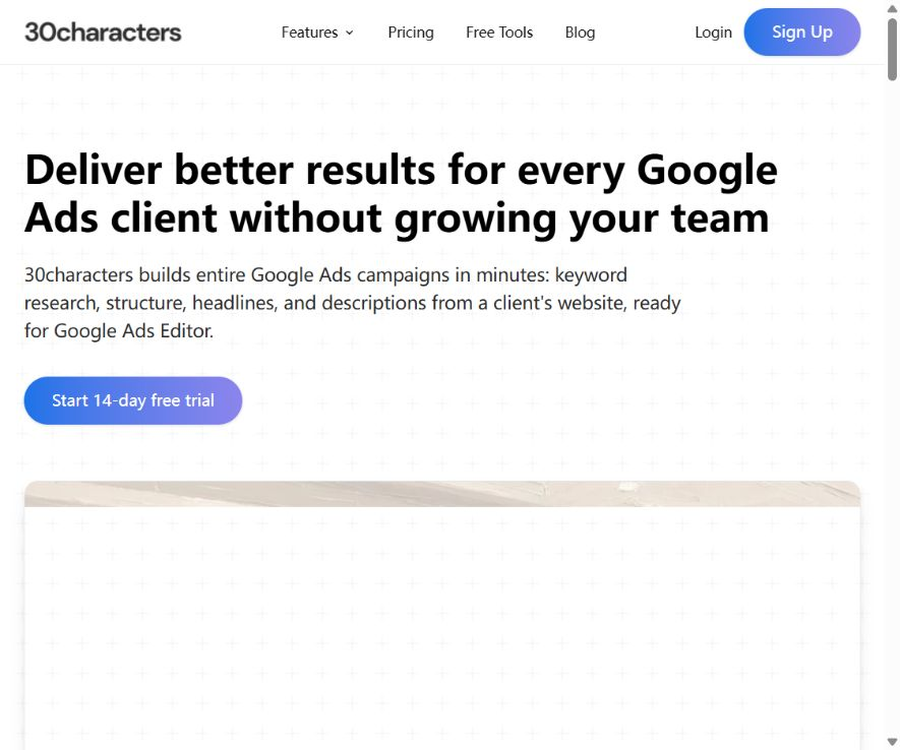
30characters is an AI tool designed specifically for use with Google Ads; it can generate keywords, ad group structures, as well as titles and descriptions based on the client’s website. It also offers monitoring of negative keywords and reminders regarding budget allocation, making it suitable for agencies, freelancers, and in-house marketing teams.
The product is operated by Canadian company MeteorSpike Inc. The name comes from the character limits associated with titles in responsive search ads; however, its capabilities have now been expanded to include the creation of entire ad campaigns, account management, and cost monitoring.
Core functions
- Read the landing page and create Google Ads ad copy.
- Complete keyword research and ad campaign structure design.
- Generate titles, descriptions, and other advertising fields.
- Supports RSA, Performance Max, and Demand Gen campaigns.
- Quickly create events for multiple locations, products, or competitors using preset templates.
- Use Playbook to standardize language, keywords, and default account rules.
- Process multiple landing pages and ad groups in batches.
- Export the results to Google Ads Editor.
- Connect the advertising account and make the necessary changes after confirmation.
- Regularly identify wasteful search terms and suggest negative keywords.
- Monitor the budget schedule and send alerts for overspending or under-spending.
Complete ad series generator
After the user selects a bidding strategy and provides the customer’s website, 30characters can generate keywords, ad groups, titles, descriptions, and the overall structure of the ad. The resulting content still needs to be reviewed by the advertiser; the platform does not replace the user’s strategy decisions or make the final decisions regarding publication.
- Extract product, service, and user value from the website.
- Establish keyword themes based on search intent.
- Create ad series and ad group structures according to the preset settings.
- Generate multiple versions of the text that meet the field length requirements.
- Modify the keywords and ads one by one before exporting.
- Through Editor file transfer and bulk import.
- Reuse established rules by customer, region, or product.
Fast, standard, and batch generation
| Generation method | Information to be provided | Suitable scenarios |
|---|---|---|
| Quick Create | URL of the landing page | Quickly obtain ad ideas and drafts |
| Standard Create | Landing pages, keywords, audience, call to action, and additional instructions | A single set of ads that requires more precise control |
| Bulk Create | Multiple landing pages and corresponding requirements | Create multiple ad groups or campaigns in bulk |
| Campaign Builder | Policies, websites, presets, and Playbooks | Creating a complete new account, from keywords to structure |
Playbook rules
A playbook is used to save a team’s deployment standards as rules that can be applied repeatedly, thereby reducing style differences among different members and accounts. It is particularly suitable for agencies that have multiple clients.
- Save brand terms and prohibited expressions.
- Set keyword research and matching preferences.
- Standardize ad series naming and default structure.
- Specify priorities for action calls, tone, and selling points.
- Reuse the same standard across multiple new activities.
- Reduce the time required for manually replicating templates and conducting inspections.
Ad series presets
The official website lists predefined options such as locations, products, competitors, and solutions to common problems. These presets provide a starting point for planning, but companies still need to make adjustments based on their budget, region, policies, and actual search volumes.
- Create a regional structure for multiple stores or service areas.
- Organize activities around product categories and landing pages.
- Establish a compliant strategy for searching for competitors.
- Separate intents based on user questions and solutions.
- Quickly generate ad groups that can be refined by humans.
Ad types and multiple languages
Plans at the Core level and above include RSA, PMAX, and Demand Gen services, and they support multi-language content creation as well as advertisement translation. Even after translation, it is necessary for someone familiar with the local market to review the terminology, tone, policies, and cultural differences.
| Ability | Uses | Key points of manual inspection |
|---|---|---|
| RSA | Generate multiple sets of search ad titles and descriptions. | Character limits, combinational logic, and consistency of the landing page |
| Performance Max | Prepare the textual assets needed for cross-channel campaigns | Asset quality, audience signals, and brand safety |
| Demand Gen | Generate text for requirement development activities | Visual coordination, audience, and call to action |
| Multilingual generation | Create an ad directly in the target language. | Local search habits and terminology |
| Advertising translation | Reuse existing ads for other languages | Do not translate word for word; localization review is required. |
Negative keyword tool
Negative keyword monitoring involves analyzing search terms to identify those with low matching rates or poor performance, and it provides qualitative and quantitative reasons for the recommendations given. Once a user selects a recommendation, the negative keywords can be applied to the associated advertising account.
- Identify search terms that are not related to the product or service.
- Queries that continuously consume budget but fail to generate conversions were identified.
- Explain the semantic and data reasons behind the recommendations.
- Scan the specified activities regularly as planned.
- Negative keywords that the user confirms need to be added.
- Apply it to Google Ads with just a few steps.
- Continuously reduce the waste resulting from new search terms.
Risks associated with the use of negative keywords
Negative keywords can help save budget, but they may also harm high-value searches. In particular, with broad matches, brand terms, competitor terms, and polysemous words, it is necessary to make manual judgments by taking into account the search intent and the conversion process.
- It should be determined whether the check recommendation applies at the account, campaign, or ad group level.
- Check the negative matching types and word form variations.
- Avoid excluding potential customers who are still in the research phase.
- Re-evaluate using conversion delay and offline conversion data.
- Modify history is retained, allowing for reversals in the event of any abnormalities.
- High-traffic accounts are first tested on a small scale.
Budget schedule monitoring
The budgeting tool compares the actual expenses with the monthly targets and sends alerts when there is a surplus or deficit. The website states that advertising data is updated every six hours; therefore, it is suitable for providing regular warnings, but it is not a real-time control system that operates on a second-by-second basis.
- View actual and expected expenses by activity and account.
- Set thresholds for alerts when spending exceeds or falls below a certain level.
- Set a grace period at the beginning of the month to reduce unnecessary alerts.
- Select Exception Alerts or Daily Summary Email.
- Use charts to compare daily expenses with the target trajectory.
- Quickly identify budget anomalies across multiple clients.
- Correct any excessive fast or slow consumption by the end of the month.
How to create a new ad series
- Register an account and start a 14-day free trial.
- Connect to a Google Ads account, or use only the generation and export functions for now.
- Choose between full campaign, quick ads, standard ads, or batch mode.
- Provide the customer’s website, landing page, target region, and language.
- Select the appropriate activity preset and apply the team Playbook.
- Check the intent of keywords, repetition, matching methods, and search volume.
- Check each title, description, call to action, and character length.
- Remove any promises and discounts that cannot be supported by the landing page.
- Export to Google Ads Editor for final review.
- It is launched in phases, with further optimization based on actual search terms and conversions.
How to set up account monitoring
- Connect to the Google Ads or MCC account that needs to be managed.
- Verify the scope of access granted to the application and the list of accounts.
- Select the activities to be scanned and the frequency of negative keywords.
- Run the first scan and review each suggestion one by one.
- Use negative words only when there is a good reason for it and they will not cause unintended harm.
- Fill in the monthly budget target for each activity.
- Set the lead and lag thresholds as well as the grace period at the beginning of the month.
- Choose between instant alerts or a daily summary in the morning.
- Regularly review false positives, false negatives, and changes in budget targets.
- The account connection is severed immediately when the customer ends the partnership.
Google Ads account permissions
The official website states that 30characters is an approved Google Ads interface partner. The account connection is initially read-only; writing ads or negative keywords can be done only after the user gives approval.
- Connect only to the customer accounts required for work.
- When using MCC, check the sub-account range.
- All write actions must be confirmed by the user.
- Separate approval processes are set up for export and direct synchronization.
- Regularly check for third-party access to your Google account.
- Revoke permissions promptly when leaving the job, changing roles, or when the contract comes to an end.
Free trial
The official website offers a 14-day free trial. According to the terms, payment information may be required for this trial; if it is not canceled before the end of the trial period, the system may automatically charge based on the selected plan.
- During registration, confirm whether it is necessary to link a payment method.
- Record the end date of the trial and the selected package.
- Verify core functions using real but low-risk accounts.
- Check whether the MCC, number of users, and account limits meet the requirements.
- If it is no longer to be used, cancel it before any charges are incurred.
Monthly price
| Package | Monthly price | Google Ads account | User | Main differences |
|---|---|---|---|---|
| Core | 34 dollars per month | 1 | 1 person | Generation, synchronization, negative words, and budget reminders |
| Pro | 71 dollars per month | 10 | Up to 3 people | Add MCC, priority support, and roadmap feedback |
| Agency | Contact sales | No restrictions | No restrictions | Unlimited connections, available for agents and teams |
Annual price
The annual payment page indicates that it is 17% cheaper than monthly payment; the price is shown on a monthly basis, but the settlement is usually done on an annual basis. Before making a purchase, one should check on the settlement page the one-time deduction, taxes, and the amount required for renewal.
| Package | Annual price converted to monthly rate | Calculate the annual amount | Relative monthly payment |
|---|---|---|---|
| Core | $ | Approximately $348 per year | It’s lower than $34 per month. |
| Pro | $ | About $708 per year | It’s lower than $71 per month. |
| Agency | Contact sales | In accordance with the contract | Separate negotiation is required. |
Comparison of package benefits
| Equity | Core | Pro | Agency |
|---|---|---|---|
| Advertising account | 1 | 10 | No restrictions |
| Number of users | 1 person | Up to 3 people | No restrictions |
| Copy generation | No restrictions | No restrictions | No restrictions |
| RSA, PMAX, and Demand Gen | Includes | Includes | Includes |
| Multilingualism and Translation | Includes | Includes | Includes |
| Complete activity construction | Includes | Includes | Includes |
| Advertising accounts are synchronized directly. | Includes | Includes | Includes |
| Negative keyword monitoring | Includes | Includes | Includes |
| Budget schedule reminder | Includes | Includes | Includes |
| MCC connection | Not included | Includes | Includes |
| Priority support | Not marked | Includes | Includes |
Subscription and refund policies
- Subscriptions are charged on a periodic basis, either monthly or annually, in advance.
- Unless canceled, it will be automatically renewed on a regular basis.
- Users can contact support to cancel the renewal for the next period.
- Once canceled, it can be used until the end of the currently paid period.
- Fees for the current period are generally not refundable.
- Individual refunds may be considered on a case-by-case basis at the company’s discretion.
- The platform can adjust fees and provide reasonable notice before the new prices take effect.
- By continuing to use it, the representative agrees to pay the adjusted fee.
How to estimate the total cost
| Cost items | Billing method | Precautions |
|---|---|---|
| 30-character subscription | Monthly, annual, or custom | Select a plan based on the number of accounts and team members. |
| Google Ads media costs | Actual ad consumption | Not included in the tool subscription. |
| Team management | Pitcher and review workload | AI cannot replace strategy and quality inspection. |
| Third-party data | By service used | Conversion, calling, and CRM tools are charged separately. |
| Cost of errors | Incorrect placement or misuse of negative words | Reduce through approval, quota, and revocation mechanisms |
| Annual commitment | One-time annual fee | Complete the trial first before making a decision. |
Which users are it suitable for
- A freelance specialist who frequently creates Google Ads campaigns.
- Small agents that require unified deployment standards.
- A marketing team that manages multiple brand or regional accounts.
- Those who need to quickly create copy for RSA, PMAX, and Demand Gen.
- Manually check a large number of search terms on a weekly basis.
- Someone is needed to monitor the monthly budget progression across different clients.
- Professional teams that require an MCC connection and multi-person collaboration.
Typical use cases
- Create a preliminary draft of an advertisement for new customers quickly via the website.
- Create ad groups in bulk for multiple product landing pages.
- Apply the mature language and structural rules to new accounts.
- Generate multiple combinations of titles and descriptions for the same ad.
- Translate existing ads and conduct a localization review.
- Regularly scan search terms to reduce unnecessary expenses.
- Identify whether the budget is ahead of or behind schedule by the end of the month.
- Perform batch review through the Editor before importing officially.
Product advantages
- Focus on Google Ads, rather than general marketing copy.
- It provides a complete generation process, from keywords to the structure of the activity.
- It supports the creation of ads in three formats: quick, standard, and batch.
- Playbook can standardize norms for multiple clients and members.
- Covers RSA, PMAX, and Demand Gen.
- Supports multi-language generation and ad translation.
- It can be exported to Google Ads Editor for batch review.
- When suggesting negative keywords, it is advisable to provide the reasons as well.
- The budgeting tool provides thresholds, grace periods, and daily summaries.
- The account is initially read-only; any write operations require user confirmation.
- Both Core and Pro offer unlimited text generation.
- The 14-day trial makes it easy to evaluate using real workflows.
Usage restrictions and precautions
- The tool focuses solely on Google Ads; it is not a multi-channel advertising management platform.
- AI cannot guarantee high quality for advertisements, nor a high click-through rate or conversion rate.
- Errors in website content will be reflected in keywords and ad copy.
- Ads must comply with Google Ads policies and local laws.
- Suggesting negative keywords may inadvertently affect valuable searches.
- Budget data is synchronized every six hours, which makes it unsuitable for second-by-second monitoring.
- Media fees, third-party tools, and manual management costs are not included in the subscription.
- Core is connected to only one account and has just one user.
- Pro limits ten accounts and three users.
- Agency does not disclose prices; a complete quote must be obtained before making a purchase.
- Charges may be applied automatically after the trial period ends, and subscriptions are generally non-refundable.
- The terms of service contain inconsistencies such as generic templates and external refund links.
- No publicly available APIs or self-hosted versions were found.
Privacy and data
The privacy policy states that the platform handles names, email addresses, billing information, device details, logs, and usage data; payment data is processed by Stripe. Once connected to Google Ads, companies should also consider advertising accounts, search terms, and budget information as sensitive business data.
- Use the company account and enable appropriate identity protection.
- Only grant access to the Google Ads account required for work.
- Do not enter unrelated client secrets in the advertising instructions.
- Regularly check third-party access and the permissions of former employees.
- Check the Cookie, analytics, and advertising tracking settings.
- The last update date indicated on the privacy policy is May 2024.
- Users may apply, in accordance with applicable laws, to access, correct, or delete their data.
- Internet transmission and storage cannot guarantee absolute security.
GitHub and the open-source status
As of this verification, no official GitHub organization or open-source repository that can be confirmed through the 30characters website was found. This product connects to Google Ads via commercial online accounts and provides functions for creation, monitoring, and synchronization; therefore it should not be labeled as open-source or as supporting local deployment.
| Project | Open state | Explanation |
|---|---|---|
| 30characters web application | Not open source | Use it through the official account. |
| Advertising generation model | Not disclosed | The official website does not specify the exact model. |
| Google Ads connection | Business integration | Initially read-only; writing is allowed after confirmation. |
| Public API | No findings were detected. | There are no developer documentation or key entry points. |
| Self-hosting | Not provided | Reliance on official cloud services |
Basic information
| field | Content |
|---|---|
| Tool name | 30characters |
| Operating company | MeteorSpike Inc. |
| Location of the company | Toronto, Canada |
| Tool type | Generation of Google Ads campaigns, negative keywords, and budget monitoring |
| Ad type | RSA, PMAX, and Demand Gen |
| Free trial | Fourteen days |
| Core Monthly Plan | 34 dollars per month |
| Pro monthly plan | 71 dollars per month |
| Equivalent annual cost of Core | $ |
| Annual Pro subscription equivalent | $ |
| Agency | Contact sales |
| Whether API is provided | No public interfaces were found. |
| Is it open source? | No |
Recommendation score
4.5 / 5. This tool combines the generation of Google Ads keywords, negative keywords, and budget monitoring into a single workflow, making it suitable for professional advertisers and agencies; its value depends on the level of manual review required, the number of accounts, and the scale of ongoing advertising campaigns.
Frequently Asked Questions
What can 30 characters be used for?
It can generate Google Ads keywords, campaign structures, titles, and descriptions from a website, and it offers negative keyword scanning as well as reminders regarding budget allocation.
Which types of ads are supported?
The current package includes responsive search ads, Performance Max, and Demand Gen campaigns, and it supports multilingual creation and translation.
Is 30characters free?
It is not a permanently free tool, but the official website offers a 14-day free trial. When registering, it is necessary to confirm whether payment will be linked to the account and whether automatic charges will occur after the trial period ends.
How much is the Core package?
The cost is $34 per month, which is equivalent to $29 per month when paid annually; it includes one Google Ads account, one user, and unlimited text generation.
How much is the Pro package?
The cost is $71 per month, which is equivalent to $59 per month when paid annually; it supports ten advertising accounts, up to three users, and MCC connections.
Are negative keywords applied automatically?
The tool will provide suggestions and reasons, which are applied only after the user makes a choice. It is still necessary to manually verify the hierarchy, the type of matching, and any potential errors.
Are budget reminders real-time?
It is not real-time on a second-by-second basis. The official website states that the spending data is synchronized with Google Ads every six hours, which is suitable for providing alerts regarding daily budget levels.
Will it modify the advertising account directly?
The account connection becomes read-only by default; any synchronization of ads or insertion of negative keywords requires user confirmation. Teams should still maintain internal approval and audit records.
Can a subscription be refunded?
The terms state that subscriptions are generally non-refundable, though individual requests may be considered at the company’s discretion. Cancellation is mainly used to stop the renewal for the next period.
Is 30characters open source?
No official open-source repository or self-hosted version has been found; the platform is offered as a commercial cloud service.
A tool similar to 30characters



 Guigong Network Security Registration No. 45132202000164