






Tana
An intelligent workspace that utilizes knowledge graphs, structured tags, and AI meeting assistants to organize tasks.
Tags:AI improves efficiencyWhat is Tana?
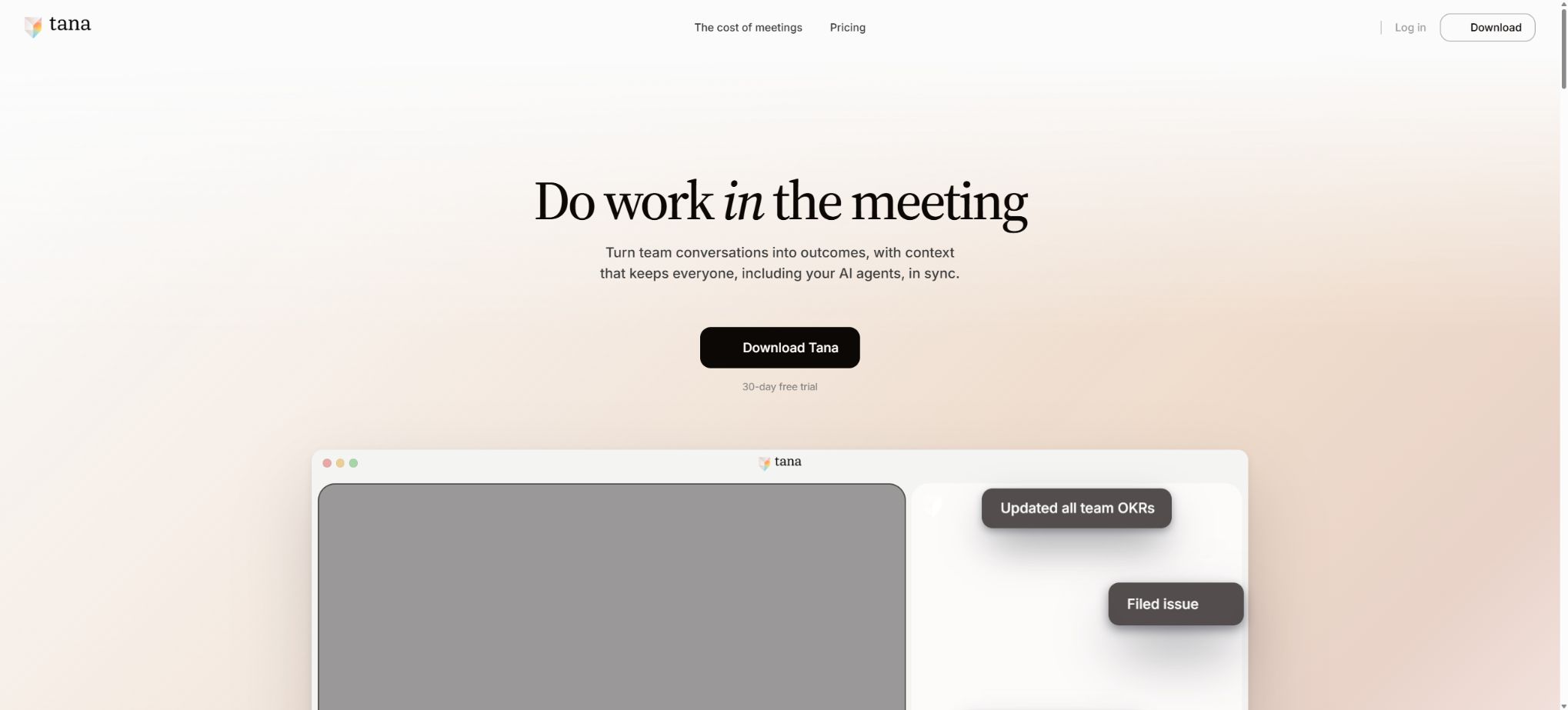
Tana is a workspace that connects AI-powered meetings, documents, tasks, and structured knowledge. It can record meetings held on the platform, as well as capture meetings from Zoom, Microsoft Teams, and Google Meet without requiring robots to be present in those meetings.
In 2026, the developers will rename the existing knowledge management product as Tana Outliner, and at the same time introduce a new version of Tana that is more focused on team collaboration and meeting management. The two versions can be connected through Remote MCP, but their purposes, interfaces, and pricing should be considered separately.
Key features of the new version of Tana
- AI Conference:It offers video calls, real-time transcription, and post-meeting summaries.
- Botless Meeting Agent:Record meetings from the Zoom, Teams, and Google Meet backends without adding robotic participants.
- Automatic task creation:Organize the discussions into documents, decisions, tasks, and proposals awaiting review.
- Knowledge graph:Save people, projects, meetings, clients, and tasks as connected, structured content.
- Agents and Skills:Let AI handle the repetitive post-meeting tasks based on the team context.
- Integration:Connect to HubSpot, Jira, Linear, GitHub, and other work systems.
- MCP:Compatible clients such as Claude read the meetings and tasks, and propose new content to be written back to Tana.
- Human-machine review:Before being incorporated into external workflows, AI-generated content can serve as a proposal that must be approved by the user before it is implemented.
Core capabilities of Tana Outliner
- Node-based outline:All information can become nodes that are scalable, citable, and reusable.
- Supertags:Add fields, templates, and behaviors to nodes to transform ordinary notes into structured objects.
- Search node:Dynamically aggregate content by label, field, relationship, date, and criteria.
- Multiple views:Convert the same set of nodes into formats such as lists, tables, cards, or calendars.
- AI commands and chatting:Summarize, rewrite, extract fields, search web pages, and process knowledge graphs.
- Voice capture:Record audio, images, and text on iOS and Android, with Supertag applied automatically.
- Offline desktop version:Desktop applications allow continued access to and editing of knowledge graphs even when there is no internet connection.
- Local API:Read and write data in the local desktop environment, and use MCP to create agent workflows.
Comparison between the new version of Tana and Tana Outliner
| Comparison items | New version of Tana | Tana Outliner |
|---|---|---|
| Primary target | Roles and organizations that involve a high level of teamwork and meetings | Users of personal knowledge management and advanced structured workflows |
| Core entrance | Meetings, documents, tasks, and AI proposals | Nodes, daily notes, Supertags, and search |
| Meeting capabilities | Platform meetings and external botless capture | Meeting transcription and note compilation |
| Structural approach | Team context graph and types | Highly customizable node knowledge graph |
| AI connection | Integration, agents, skills, and a complete MCP | AI commands, chat, Local API, and MCP |
| Relationships | The Outliner can be read from and written to via Remote MCP. | It will continue to be maintained independently and can serve as a source of knowledge for the new version of Tana. |
Tana price
The current price page for the new version of Tana offers options for Free, Pro, Max, and Business. The page displays early-bird discounts; for the Pro and Max plans, the lower prices apply to a long-term billing schedule, while the higher prices are applicable to monthly billing. The actual payment cycle and duration of any discounts shall be as specified on the purchase page.
| Package | Current public reference price | Suitable for | Core rights and interests |
|---|---|---|---|
| Free | $ | Personal experience | 5 hosting meetings per month, 1 calendar, 50 AI queries |
| Pro | $ | Individual professional users and teams | AI capabilities roughly 20 times those of Free, unlimited hosted meetings, botless agents, integration, and a full MCP suite. |
| Max | $ | Meeting participants are the frequent users of core tasks. | Approximately 5 times the AI power of Pro, dedicated support, unlimited agents, skills, and types |
| Business | Contact the official for customization. | Large organizations | SAML SSO, audit logs, DPA, and controls for data residency and retention policies |
The official offer includes a 30-day trial period without the need for a credit card; the annual payment option also provides a 60-day refund window. When the AI credits run out, it is possible to purchase additional credits in any desired quantity, with the actual model and level of usage affecting the amount of credits consumed.
Comparison of Free, Pro, Max, and Business
| Ability | Free | Pro | Max | Business |
|---|---|---|---|---|
| Hosted meeting | 5 sessions per month | Infinity | Infinity | According to the institutional plan |
| AI usage | 50 queries | About 20 times Free | About 5 times that of Pro | Configure according to the contract |
| External meeting capture | Basic experience | Zoom, Teams, Meet botless agent | Includes | Included and managed by organizational policies |
| Integration with MCP | Restricted | Integrated and complete MCP | Integrated support | Enterprise-level integration and governance |
| Agents and Skills | Basic capabilities | Professional workflows | Infinity of agents, skills, and types | Organizational deployment |
| Safety and Management | Individual level | Team foundation | Dedicated support and getting started | SSO, auditing, DPA, and data policies |
Tutorial for using AI meetings
- Connect to the allowed calendars and set clear details for the event and participants.
- Choose Tana’s built-in meeting feature or enable external meeting recording, and check the microphone and recording settings in advance.
- During the meeting, normal discussions take place, and the system transcribes them in real time while identifying decisions, questions, and tasks.
- After it’s over, check the speaker, date, numbers, negative words, and who is responsible.
- Review the documents and task proposals generated by AI, and after confirmation, enter them into the project or external system.
- Link meetings to clients, projects, and objectives to prevent minutes from becoming isolated documents.
Supertags knowledge base tutorial
- First, list the recurring elements, such as meetings, people, projects, tasks, and books.
- Create a Supertag for each type of object, and add only those fields that truly need to be filtered or reused.
- Design a simple template so that new nodes automatically include status, owner, date, and relationship.
- Use the search node to aggregate content based on criteria, then switch to table, list, or calendar view.
- Adjust the structure gradually; do not create too many label levels at once when there is a lack of real data.
- After extracting fields using AI, a sampling check is performed to prevent erroneous information from contaminating the entire knowledge graph.
MCP and Local API tutorials
- Create connections and tokens with the minimum required permissions in Tana or Tana Outliner.
- Choose Remote MCP, Local API, or the official integration based on your use case; do not expose account credentials directly.
- First, test read-only searching, and then gradually enable the ability to create documents, tasks, and nodes.
- Proposals for write operations are reviewed to check the target space, fields, and associated objects.
- Set rate and batch limits, and log the changes generated automatically.
- When disabling a workflow, revoke the token, disconnect the client, and check the data that has been synchronized.
Platform support and integration
- Access via Windows, macOS, and Linux desktop versions, as well as through the Web;
- iPhone and Android mobile, desktop, and widget versions;
- External meetings via Zoom, Microsoft Teams, and Google Meet;
- Google Calendar and other calendar workflows;
- Business tools such as HubSpot, Jira, Linear, and GitHub;
- MCP clients such as Claude connect to the Tana Outliner Remote MCP.
Which users are it suitable for
- Product and Project Teams:Convert meeting decisions directly into tasks, documents, and follow-ups.
- Sales and Customer Success Teams:Link customer meetings, CRM information, and follow-up actions.
- Manager:Reduce post-meeting cleanup and retain decision context in the organizational chart.
- Researchers and knowledge workers:Use Supertags and search nodes to manage complex data.
- Advanced automation users:Extend workflows through MCP, Local API, and agents.
- Large organizations:SSO, auditing, data residency, and retention controls are required.
Product advantages
- The content of the meetings is directly incorporated into a structured knowledge graph, rather than remaining in isolated transcription files.
- The botless approach reduces the interference caused by robots in external meetings;
- Before being written using AI, the content can be reviewed as a proposal, allowing for human oversight;
- Supertags combine the flexibility of outline recording with the structure of a database.
- MCP, API, and business integration are suitable for building intelligent processes that span different tools;
- The official system provides an export function, allowing users to access their own data even after a downgrade or cancellation.
Usage restrictions and precautions
- The new version of Tana coexists with Tana Outliner; it is necessary to determine which product provides the desired functions before making a purchase.
- Free offers only 5 meetings and 50 AI queries per month, which is not suitable for teams that need to carry out frequent operations;
- Max has a higher cost and is suitable for roles with frequent meetings and a large number of agents required;
- AI transcription, summarization, and field extraction may contain errors, so important decisions must be reviewed manually;
- The high degree of freedom in Supertags can lead to overly complex knowledge structures.
- Meeting recording must comply with participant consent, company policies, and local laws;
- When MCP and Local API have write permissions, error automation may contaminate data on a large scale.
Privacy, Data, and Open Source Information
The official privacy policy states that user content will not be used to train AI models without prior notification and without offering the option to opt out, nor will private content be accessed without consent or as required by law. Businesses can also set up DPA policies, as well as strategies for data retention.
Tana’s core products and Tana Outliner are not open-source platforms. The official GitHub repository provides example tools for import, export, paste, and input APIs under the MIT license, but these repositories do not contain the complete source code of the products.
Frequently Asked Questions
Is Tana free?
The Free version costs $0 and includes 5 hosted meetings per month, 1 calendar, and 50 AI queries. If you need unlimited meetings, the ability to record external meetings, full MCP functionality, and more AI features, you should upgrade to Pro.
How much is Tana Pro?
The current reference rate for early-bird long-term billing is $20 per user per month, while the monthly payment rate is $30. Discounts and billing cycles may change; the details shown on the settlement page shall prevail.
What is the difference between Tana and Tana Outliner?
The new version of Tana is designed to support team meetings, documents, tasks, and collaboration with agents; Tana Outliner retains the existing node structure, Supertags, and personal knowledge graph workflows. The two can be connected via MCP.
Does Tana support offline use?
The Tana Outliner desktop application now offers offline functionality, allowing data to be synchronized once the connection is re-established. The specific offline capabilities of the new version of the team product depend on the current client version.
Is Tana open source?
No, the core applications are commercial products; what is officially made available under an open source license are only some import/export tools, API examples, and auxiliary projects.
Tools similar to Tana



 Guigong Network Security Registration No. 45132202000164