






Reflect Notes
A personal note-taking system that combines an AI assistant, two-way linking, and end-to-end encryption.
Tags:AI improves efficiencyWhat is Reflect Notes?
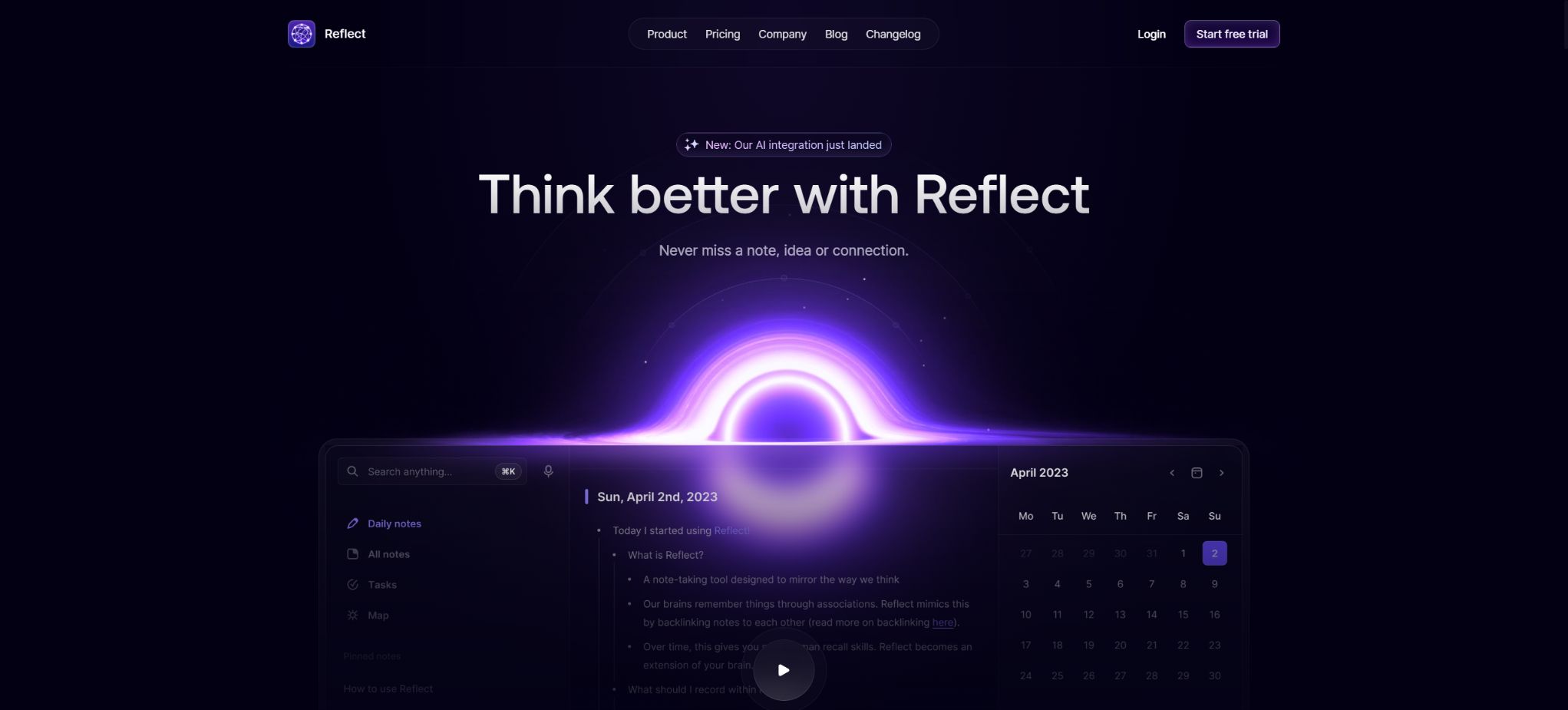
Reflect Notes is a personal knowledge management tool that places emphasis on quick note-taking, bidirectional linking, and privacy protection. Users can use daily notes to capture their ideas, and then build a networked knowledge base by connecting these ideas through relationships related to people, projects, topics, and time.
In 2026, the developers released Reflect Open, a version that is based on ordinary Markdown files and emphasizes local processing. The existing Reflect cloud-based product continues to be in use; the two versions differ in terms of storage, synchronization, pricing, and licensing options.
Main functions of Reflect Notes
- Daily Notes:Open the app to go directly to the page for the current day; it’s suitable for meetings, logs, tasks, and quick ideas.
- Bidirectional link:Use links to connect people, projects, and concepts, and automatically see which notes reference the current content.
- AI Q&A and writing:Questions, summaries, rewrites, translations, and related suggestions are generated based on the notes.
- Speech transcription:Record voice memos and convert them into text, then hand them over to AI to organize the format and identify action items.
- Calendar integration:Import events from Google Calendar and Outlook to quickly create meeting records.
- Data collection:Save web snippets, important links, and reading highlights from Kindle or Readwise.
- Offline and Synchronous:The original version is compatible with devices such as web browsers, Macs, and iOS; it enables real-time synchronization of records whether they are made online or offline.
- MCP:Clients that are compatible, such as Claude and Codex, are allowed to search for, read, and edit authorized notes.
Comparison between Reflect Notes and Reflect Open
| Comparison items | Existing Reflect Notes | Reflect Open |
|---|---|---|
| Product status | Subscription services that require ongoing maintenance | The revised version set to be released in 2026 is still in the early stages. |
| Note storage | Custom note format and synchronization system | Ordinary Markdown files in the Mac local folder |
| Privacy mode | End-to-end encryption for note content | Local priority is applied, allowing private notes to be prevented from being sent to AI services. |
| Synchronization | Official real-time synchronization across devices | Based on file synchronization methods such as iCloud. |
| Open source | The core products are not open source. | Mac apps are free and open-source. |
| AI configuration | Native AI integration | The AI provider can be configured, and semantic search can operate locally on the Mac. |
| Mobile version | Official apps for iPhone and iPad | Testing on iPhone TestFlight; fees are expected to be imposed in the future. |
Price and version
The current official pricing for Reflect Notes is still $120 per year as a reference price; usually, a trial period is available first. The actual payment cycle, taxes, and any promotions are subject to the details on the account purchase page.
| Version | Current reference price | Explanation |
|---|---|---|
| Reflect Notes subscription | 120 dollars per year | Covers existing cloud-based products, synchronization, AI, and official mobile versions. |
| Reflect Open for Mac | Free | Local priority, Markdown-first, and open source |
| Reflect Open iPhone Beta | Free during TestFlight | The authorities expect to introduce fees in the future, but the price and timing have not yet been determined. |
| Rights associated with existing subscriptions for migration | Use the existing subscription. | Officials state that subscriptions can be switched to Reflect Open, which includes future benefits for mobile devices. |
AI and knowledge management capabilities
| Ability | Working method | Suitable uses |
|---|---|---|
| Cross-note Q&A | Search for notes and generate answers with citations. | Reviewing research, conferences, and project decisions |
| Select text processing | Rewrite, summarize, translate, or run the saved prompt | Organize drafts and compress long notes |
| Semantic search | Search for content based on meaning rather than just keywords. | Find old notes whose titles I can no longer remember. |
| Link suggestions | Identify potential connections between people, themes, and concepts. | Build a personal knowledge network |
| Audio memo | Record, transcribe, and add to the daily notes. | Moving records and organizing after the meeting |
| MCP access | Allow the authorized agent to search for and edit notes. | Research, writing, and automated workflows |
Introductory Tutorial to Reflect Notes
- Start by using a daily notebook to record meetings, ideas, and tasks; there’s no need to create a complex outline from the beginning.
- Create separate notes for characters, projects, and themes that appear frequently, and include bidirectional links within the main text.
- Import meeting events through calendar integration, and note the discussions, decisions, and next steps on the corresponding pages.
- Use search and backlinks to review relevant content, then gradually add tags and templates.
- The AI’s summaries and responses to questions are checked against the original notes, with particular attention paid to dates, numbers, and the entities responsible for the decisions.
- Regularly export backups in Markdown, HTML, or JSON format to ensure the ability to migrate data over the long term.
Tutorials on voice and AI organization
- Record a short voice memo on a mobile or desktop device, outlining the topic and the desired outcome first.
- After completing the transcription, check the names, terms, numbers, and content involving multiple speakers.
- Use AI to create summaries, decisions, questions, and action items, while retaining the original transcript for verification.
- Rewrite the action items as specific responsible persons, deadlines, and verifiable completion criteria.
- Connect relevant individuals and projects through links, so that important information is not confined only to daily notes.
- In the case of confidential meetings, first confirm that the organization permits recording and processing by third-party AI.
Tutorial on migrating to Reflect Open
- Within the existing Reflect settings, go to Graph Export and select the Reflect Open format.
- Create or open the Reflect Open map on a Mac, and then import the exported compressed files from the settings.
- Verify that daily notes, regular notes, attachments, links, tags, and Markdown tasks are all present.
- Check whether the search terms, backlinks, and attachment paths have been reconstructed correctly.
- Note that account settings, integrations, AI sessions, note history, and public links will not be transferred in their entirety at the moment.
- Retain the original data and export a backup; decide on the main workflow after verifying it for a period of time.
Which users are it suitable for
- Individual knowledge management users:Create a second brain using daily notes and backlinks.
- Researchers and writers:Collect information, connect concepts, and conduct AI-driven Q&A based on notes.
- People present at the meeting in large numbers:Integrated with calendars, speech transcription, and action items for organization.
- Users who are sensitive to privacy:Choose either end-to-end encrypted original version or Reflect Open with local Markdown.
- Developers and agent users:Integrate authorized notes into workflows via API or MCP.
Product advantages
- Two-way links, daily notes, and quick entries create a concise and unified knowledge structure;
- The original version offers end-to-end encryption, offline use, and cross-device synchronization;
- AI answers questions directly based on individual notes and can provide references to the relevant content;
- Calendars, voice messages, web snippets, and reading highlights cover a variety of information sources;
- It supports the import and export of mainstream formats, thereby reducing the risk of long-term data lock-in.
- Reflect Open offers additional options such as local priority, Markdown, and open-source availability.
Usage restrictions and precautions
- The current price of the Reflect subscription is higher than that of several basic note-taking applications.
- Reflect Open is still in its early stages – the mobile version, the migration process, and certain features are not yet stable.
- AI summarization and semantic search may miss information or provide incorrect interpretations;
- End-to-end encryption does not mean that all AI processing takes place locally; it is necessary to understand the data flow before making a call.
- Once MCP grants agents the ability to read and write, error messages can lead to unintended modifications;
- Recording must comply with local laws, organizational policies, and the consent requirements of the conference participants;
- Important knowledge bases should be exported and backed up regularly; one synchronization service alone cannot be relied on.
Privacy, API, and Open Source Information
The original Reflect claims that the content of notes is encrypted end-to-end, so even the service provider cannot access it. When using AI, third-party integrations, public links, or MCP, it is still necessary to determine separately which elements will escape the encryption framework.
The original version offers export, API, and MCP capabilities, but its core applications are not open source. The official code repository for Reflect Open is available; it represents a separate new architecture, and it is not possible to infer from it that the original cloud services are also open source.
Frequently Asked Questions
Is Reflect Notes free?
The current Reflect Notes is a paid subscription service; its suggested price is 120 dollars per year. The Mac version of Reflect Open is free and open-source, while the beta version for iPhone is currently free but is expected to become paid in the future.
Does Reflect Notes support offline use?
The original version supports online or offline recording on mobile and desktop devices, with synchronization taking place once the connection is re-established. Reflect Open, on the other hand, relies directly on local Markdown files.
Will Reflect Open replace the existing Reflect?
Officials state that the current products will continue to function as usual, and subscriptions as well as data will not be deleted automatically as a result of testing new versions. Users can export the data and try Reflect Open; there is no need to give up their existing workflow right away.
Can Reflect be integrated with AI agents?
Yes, the official version provides MCP to support searching for and editing notes on compatible clients. Before enabling it, it is necessary to limit the scope of permissions and keep backups.
Is Reflect open source?
It is necessary to distinguish between the versions: the original Reflect Notes was not an open-source product, while the Mac version of Reflect Open, which has been rewritten, is now available as open source by the official team.
Tools similar to Reflect Notes



 Guigong Network Security Registration No. 45132202000164