






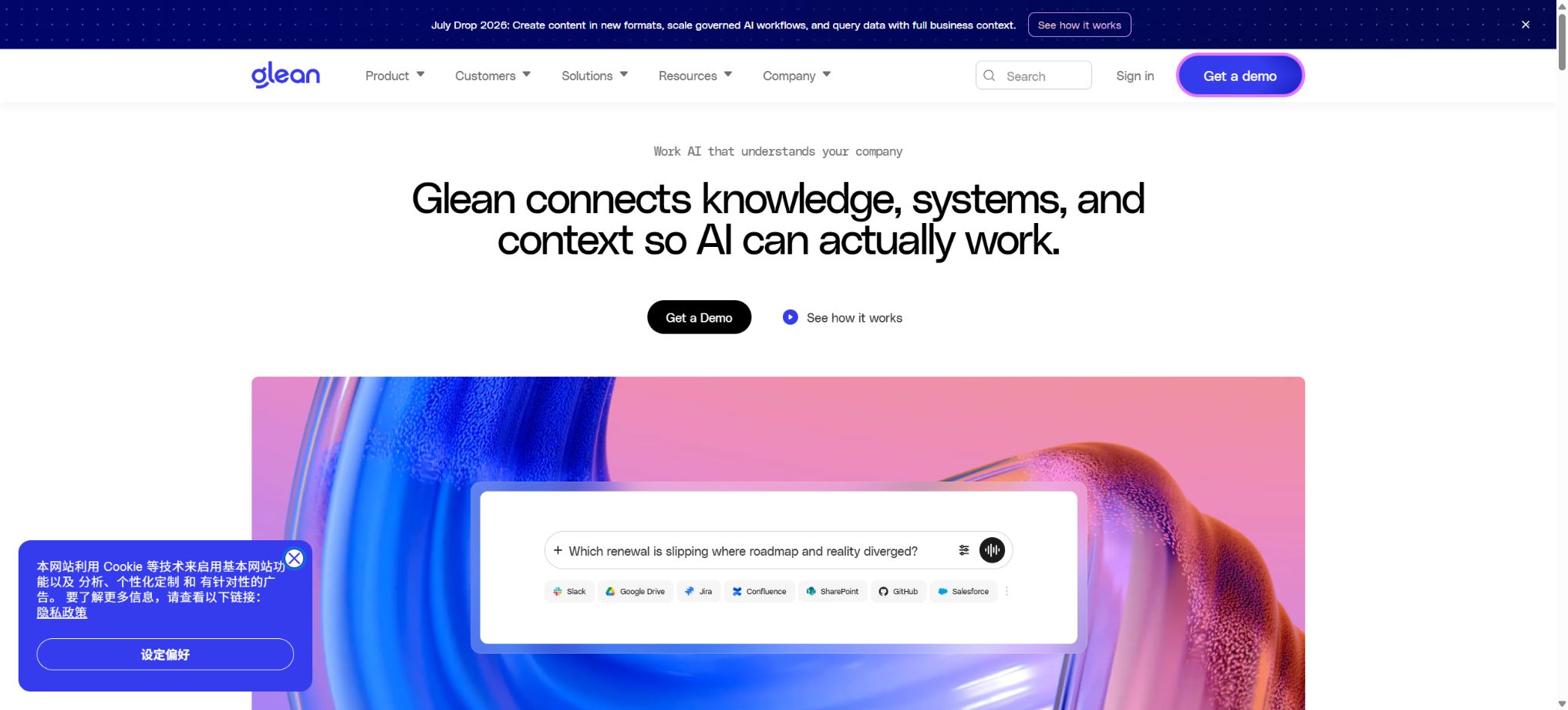
Glean
A platform that connects to enterprise data sources and provides search functions, as well as assistants and agents.
Tags:AI improves efficiencyWhat is Glean?
Glean is a Work AI and enterprise search platform designed for organizations. It enables unified searching across documents, conversations, tickets, code, and employee information that are scattered across platforms such as Slack, Google Workspace, Microsoft 365, Salesforce, Jira, Confluence, GitHub, ServiceNow, and other SaaS solutions; it then uses AI to generate answers, summaries, and action items.
The platform consists of Enterprise Search, Glean Assistant, Glean Agents, Knowledge Graph, Connectors, Developer APIs, and MCP Gateway. Its core value lies in enabling AI to understand the organizational context without exceeding the permissions associated with the original data, rather than functioning merely as a generic chatbot for the public internet.
Corporate search
Glean Search allows users to find documents, pages, messages, tickets, customer records, code, and experts from various enterprise data sources, with results sorted based on semantics, popularity, and the relationships between users and content. The permissions associated with the original data sources are retained, so users can only see the content to which they have access.
The effectiveness of enterprise search depends on the coverage of connectors, the freshness of data, permission mapping, document quality, and internal naming conventions. If the permissions in the original system are too broad, Glean will inherit those permissions rather than automatically correcting the issue.
Knowledge Graph
The Glean Knowledge Graph establishes relationships between individuals, teams, projects, customers, documents, code, and business objects, thereby enabling an understanding of things such as \"who is responsible for a particular system\" or \"which project is related to a certain customer\". It also supports personalized searches, expert recommendations, and the identification of sources for AI-generated answers.
Glean Assistant
Assistant enables users to ask questions about corporate data in natural language, generating answers backed by evidence, summarizing multiple documents, comparing customer feedback, drafting emails, creating plans, and organizing meetings. It can be used on the web as well as integrated with other work interfaces.
AI-generated content may make incorrect inferences, overlook new documents, or refer to outdated policies. Human review of the original texts is necessary for matters related to HR, law, security, customer commitments, and production operations.
Glean Agents
Glean Agents can carry out multiple steps to achieve specific business objectives, such as generating client summaries, identifying trends in tickets, investigating faults, preparing for sales meetings, organizing employee onboarding information, and updating external systems. Administrators can provide organization-wide templates, while employees can create and share Agents based on their permissions.
Agents can read and write data using native tools, APIs, or MCP. For actions such as sending messages, modifying CRM data, creating tickets, changing permissions, and other external operations, it is necessary to implement manual approval processes, input validation, the principle of least privilege, and audit logging.
Connectors – connectors
Glean offers a large number of native connectors as well as connectors provided by partners, which enable the searching of cloud-based SaaS services, databases, file storage systems, development tools, and internal enterprise systems. Native connectors typically use an administrator’s OAuth app, Service Account, or API token to retrieve and index content, while also taking into account the ACL settings of the source system.
Some connectors support Hybrid Access: they use indexing for broad retrieval, and then rely on real-time APIs to obtain the most up-to-date records, less common items, or fields that are not indexed. The authentication methods, indexing techniques, and real-time functionality can vary depending on the version; it is necessary to check the current documentation for the connector before implementation.
Permission awareness and data isolation
The connector synchronizes the permission mappings from the source document; queries, Assistant, Agents, and MCP all operate under the credentials of the current user. The data captured is stored in the customer’s isolated Glean Tenant, and it is encrypted during transmission.
Before importing, it is necessary to audit the public channels, shared drives, as well as the permissions of users and groups who have left the system. AI-based search functions make content that was previously difficult to find but still accessible easier to locate, which can increase security risks due to this increased accessibility.
MCP Server
Glean Remote MCP Server provides permission-aware enterprise search and knowledge tools for ChatGPT, Claude, Microsoft Copilot, VS Code, Cursor, Gemini, and other MCP hosts.
Enterprise users log in using existing SSO solutions such as Google, Entra ID, and Okta; Glean OAuth issues controlled tokens and returns results based on the permissions defined in the Knowledge Graph.
Officials recommend using HTTPS Remote MCP in production environments, while Local MCP is intended solely for development purposes. Organizations can restrict their employees to connecting only through the managed ChatGPT Enterprise or Claude Enterprise, thereby preventing the use of corporate knowledge on personal AI accounts.
MCP Gateway
The Glean MCP Gateway enables the distribution of custom internal tools, tools provided by data sources, as well as third-party MCP Servers from GitHub, Slack, and Atlassian, to multiple AI clients through a single, well-governed entry point. According to the official documentation, more than 2,000 such tools can be made available through this system.
Administrators can register, activate, update, and deactivate Servers or Tools within a single directory, and apply permissions, policies, and auditing to each invocation. They can also send Remote MCP configurations to managed devices in bulk via MDM.
REST API and Indexing API
The Glean Developer platform offers search functions, customer data, indexing capabilities, management tools, as well as REST APIs related to applications and agents. The Indexing API allows the content, identities, and permissions of custom systems, long-tail SaaS solutions, or partner connectors to be pushed into Glean.
Developers should choose between REST API and MCP based on their use case: programmed, precise calls are suitable for the API, while allowing AI to dynamically discover and invoke tools is appropriate for MCP. API credentials, data source management permissions, and end-user tokens should not be used interchangeably.
Official SDK and GitHub
The official Glean Technologies GitHub repository, gleanwork, provides API clients for Python, Java, Go, etc., indexing SDKs, OpenAPI specifications, a developer site, an Agent Toolkit, Claude plugins, and Pluginpacks.
The Python, Java, and Go API SDKs are still marked as Beta; the official recommendation is to stick to a specific version in order to avoid disruptive changes.
The Glean Agent Toolkit enables the Glean search tool to be integrated with OpenAI Agents SDK, LangChain, CrewAI, and Google ADK. These SDKs and tools are open source, but the Glean Work AI platform, Knowledge Graph, enterprise indexing, Assistant, and the core Agents services are not open source.
Security and Governance
Glean offers SSO, permission-aware search, administrator policies, audit logs, a MCP tools catalog, and the capability for managed deployment. Third-party MCP Servers, custom Actions, and Tools with write permissions require evaluation with respect to the supply chain, OAuth Scope, data flow, input injection, and rollback mechanisms.
Before introducing enterprise AI search, it is necessary to define the rules regarding data retention and deletion, usage for training purposes, sub-processors, tenant isolation, geography, and security incident response.
Glean price
The Glean official website and documentation do not disclose information regarding standard packages, pricing per user, or the minimum number of users required for use; there is also no free self-service version available to the public, nor any page for making payments by credit card. Users must request a demo, after which sales representatives will provide a quote based on factors such as the number of employees, data sources, functional modules, as well as requirements related to implementation, hosting, and support.
Third-party websites may provide figures such as the price per person, the minimum number of seats required, and the POC cost; however, these numbers are not official commitments from Glean, and there can be significant variations. Tool listings should be labeled as “custom quotes for businesses,” and estimates from competing websites should not be presented as official prices.
Costs that should be verified during procurement
- Definition of employee positions involved in search and AI tasks;
- Are Search, Assistant, Agents, MCP Gateway, and the developer API all included?
- Number of connectors, custom connection settings, and index capacity;
- Implementation, data cleaning, security assessment, and employee training;
- Costs for SaaS, BYOC, or other cloud resources deployed;
- Support levels, seat overallocation, contract duration, and price increase clauses for renewal.
Glean Usage Tutorial
Complete a basic task.
- Clarify the issue, time frame, location, source priority, and output format;
- In Glean, upload materials for which you have permission to use, or enter search queries;
- First, establish a framework using enterprise search, and then supplement it with evidence through the Knowledge Graph.
- It is necessary to distinguish between factual information from the source, the author’s opinions, and AI-generated conclusions.
- Check each item for dates, numbers, the original location, and any conflicting evidence;
- The conclusions are manually revised, the verification time is recorded, and then they are published;
Create reusable professional workflows
- Break down complex topics into four categories of questions: background, data, comparison, and conclusions;
- Combining enterprise search, Knowledge Graph, and Glean Assistant creates a fixed set of research steps;
- Give priority to using the official website, research papers, regulatory documents, and raw data;
- A second person is assigned to review conclusions that are considered high-risk;
- Save queries, evidence, versions, and unresolved issues;
- Re-run after the data changes and update the conclusions;
Which users is it suitable for?
- In large organizations, information is scattered across numerous SaaS applications and internal systems;
- Teams that need permission-aware enterprise search and expert finding;
- Companies that aim to enable their employees to obtain AI-generated answers and drafts based on internal knowledge;
- Operations, sales, and IT teams that want to use Agents to automate the execution of cross-tool workflows;
- Enterprise platform teams that need to provide unified management for MCP Servers and AI tools;
- Developers who wish to integrate enterprise search into their applications using APIs, SDKs, and Agent Toolkit.
Product advantages
- Unify multiple enterprise systems under a permission-aware search and AI context;
- A Knowledge Graph can understand the relationships between people, content, projects, and business entities;
- Assistant, Agents, Search, and Actions form an integrated platform;
- The MCP Gateway can distribute and audit tools to multiple AI Hosts in a unified manner;
- It provides REST APIs, Indexing APIs, multilingual SDKs, and Agent Toolkits;
- Enterprise data permissions are continuously applied in search, AI, and MCP.
Restrictions and Precautions
- There is no publicly available pricing or a free self-service version; implementation requires data source connection, permission auditing, indexing, and organizational promotion.
- For small teams that only need document-based Q&A, the costs associated with procurement and maintenance can be too high.
- Enterprise search can exacerbate the issues related to permission settings in the original system, and AI-generated answers may also be outdated or incorrect.
- The core products are not open source; the open-source SDKs are merely developer tools for connecting to hosted services.
Frequently Asked Questions
Is Glean a search engine or an AI assistant?
Both are. Glean first unifies an organization’s knowledge using permission-aware connectors, indexes, and a Knowledge Graph, and then provides Search, Assistant, and Agents.
Is Glean free?
The official website does not currently provide a free self-service version or a fixed trial page; an application is required for a demonstration and corporate evaluation.
How much is Glean?
The authorities do not disclose the price per seat, the minimum number of users required, or the standard packages; it is necessary to contact sales for a customized quote. Estimates provided by third parties are not the official prices.
Does Glean have APIs and MCP?
Yes. The official offerings include REST API, Indexing API, Remote MCP Server and MCP Gateway, as well as SDKs for Python, Java, and Go, along with an Agent Toolkit.
Is Glean open source?
The core platform of Work AI is not open-source; however, the official GitHub repository provides certain developer tools such as SDKs, OpenAPI, Agent Toolkit, and plugins.
Tools similar to Glean



 Guigong Network Security Registration No. 45132202000164