






Taskade
A collaborative workspace that integrates tasks, documents, communication, and AI agents
Tags:AI improves efficiencyWhat is Taskade?
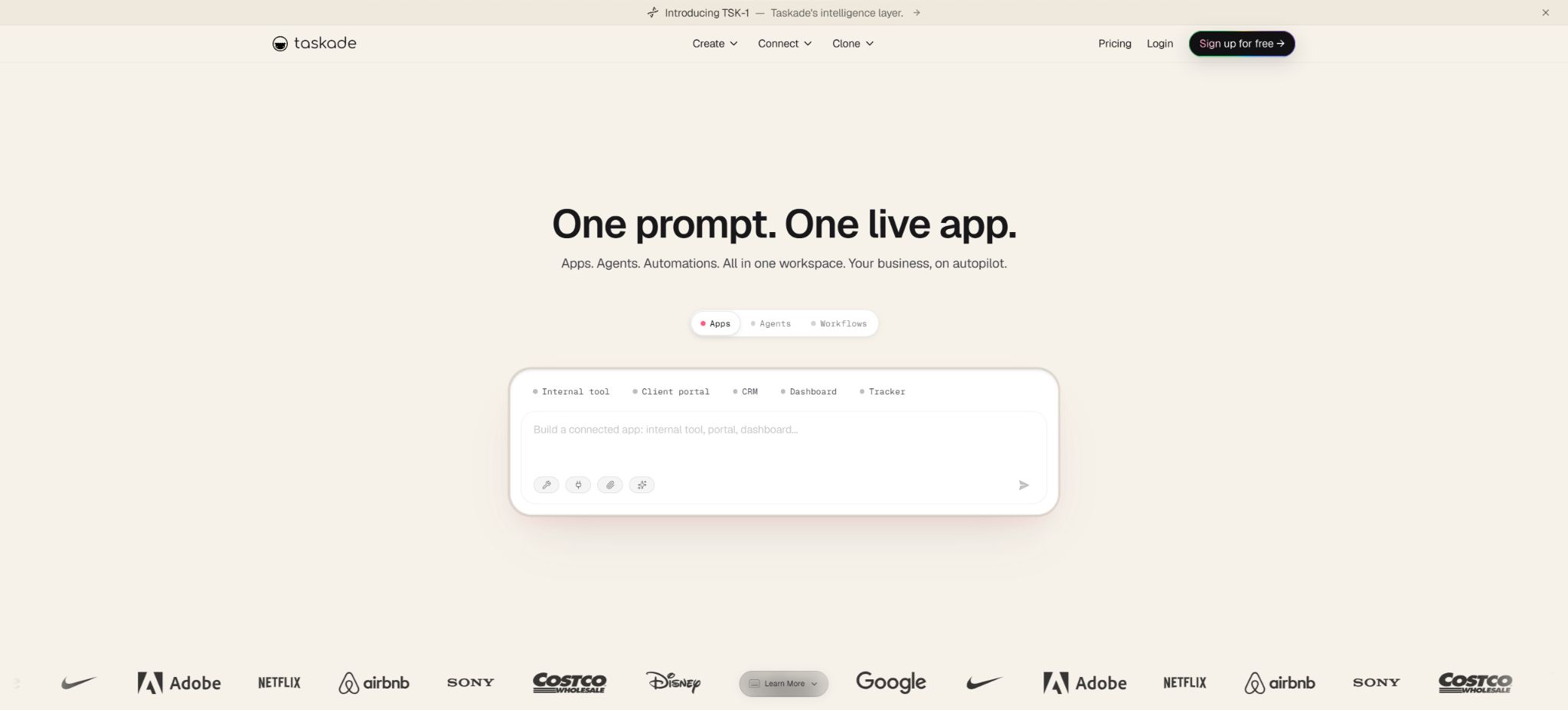
Taskade is an AI-native workspace that integrates project management, collaborative documentation, a knowledge base, AI agents, workflow automation, and no-code application creation. Initially it focused on tasks, to-do lists, dashboards, and video collaboration; today its core functionality has expanded through Taskade Genesis – users can describe their requirements in natural language, and the system generates functional applications, while allowing projects, agents, and automation processes to share the same Workspace DNA data.
It can be used for personal plans, team projects, customer portals, CRM systems, help desks, recruitment processes, content management, and internal tools. Taskade does not merely generate some front-end code; rather, it provides a continuously operating environment that includes hosting services, data management, access controls, intelligent agents, and automation features.
Generated by the Taskade Genesis AI application
Genesis enables the creation of dashboards, CRM systems, forms, scheduling systems, customer portals, inventory management tools, landing pages, websites, knowledge bases, and lightweight e-commerce applications from a single sentence. The resulting outputs are stored directly in Taskade, allowing for further modifications to the pages, data structures, processes, and styles through dialogue.
Applications generated by AI may still experience import errors, routing issues, inconsistencies between front-end and back-end fields, asynchronous status, and dependency problems. The official documentation provides a Visual Check and debugging framework, but it is still necessary to test each aspect of the form, permissions, mobile layout, invalid inputs, and data saving before using the application in production.
Workspace DNA
Workspace DNA is composed of three components: Memory, Intelligence, and Execution. Projects are used to store tasks, documents, and business data; AI Agents understand the context and take actions accordingly.
Automations are responsible for triggering actions, handling conditions, managing loops, and establishing external connections. The Genesis application presents all these elements in a user-friendly interface.
This structure is suitable for allowing teams and agents to work with the same data, thereby reducing the need to copy knowledge across different robots. However, the design of permissions is crucial: an agent that can read project data should not, by default, have the rights to send emails, modify CRM records, or use payment interfaces.
Projects, tasks, and seven views
The Taskade project can be presented in the form of lists, dashboards, tables, calendars, mind maps, organizational structures, and action views. Tasks include features such as hierarchy, responsible persons, deadlines, comments, attachments, custom fields, and real-time synchronization. Teams can chat within the same project, edit content, and track progress.
Multiple views share the underlying content, making it suitable for transitioning from brainstorming to execution. For complex projects, it is still necessary to define the status, fields, and responsible persons; otherwise, the large number of tasks generated by AI will increase maintenance costs.
Custom AI Agents
Users can create agents with different roles, and configure instructions, tone, models, knowledge, tools, as well as Slash Commands. These agents are able to read Taskade projects, PDFs, documents, tables, images, web pages, and video content, while also retaining persistent memory associated with their workspace.
The paid plan allows for the creation of multiple or an unlimited number of agents, which can be used for research, writing, sales, customer service, recruitment, and operations. It is necessary to establish limits for manual approval in regard to outputs, especially when it comes to customer communication, pricing, contracts, recruitment, and handling of sensitive data.
Multi-agent team
At the Business level and above, emphasis is placed on AI Teams and multi-Agent collaboration. Multiple agents can divide tasks according to their areas of expertise, select the appropriate members to handle tasks, or work sequentially in the automation process to analyze, generate, review, and submit results.
Multiple agents are not necessarily more accurate than a single agent; they also increase the number of credits required, introduce delays, and lead to errors in data transmission. It is necessary to limit the inputs, tools, and output formats available to each agent, and to prevent multiple agents from writing to the same external object repeatedly.
TSK-1 model routing
TSK-1 is not a single large-scale model; rather, it represents a model orchestration layer provided by Taskade that connects applications, agents, memory systems, and workflows together. It can currently integrate more than 15 different models from OpenAI, Anthropic, Google, and other providers of open-weight models, and routes them based on their capabilities in the Instant, Standard, Thinking, and Reasoning categories.
In Auto mode, the model is selected automatically based on the task; advanced options allow for setting a fixed hierarchy or choosing a specific model.
The underlying models are updated, so the directory does not consider any particular version of GPT, Claude, or Gemini as a permanent option; it is necessary to check the Model Picker within the application.
Workflow automation
Taskade Automations supports triggers, actions, branches, filtering, loops, scheduled tasks, Webhooks, and AI steps. It enables agents to analyze content, update projects, send notifications, and synchronize with other systems when tasks are created, forms are submitted, emails arrive, or external events occur.
Plans Pro and above support unlimited automation and background operation. Nevertheless, this \"unlimited\" capability is still subject to restrictions related to Credits, service speed, external API quotas, and reasonable usage.
When performing batch writes, sending emails, making payments, or deleting items, it is necessary to use idempotent keys, as well as mechanisms for approval, retry, and failure notification.
Over 100 integrations
The platform can be connected to services such as Gmail, Google Drive, Microsoft 365, Slack, Discord, Teams, Notion, GitHub, GitLab, HubSpot, Salesforce, Stripe, Shopify, Airtable, Linear, Telegram, Zapier, Make, and n8n.
It is also possible to connect to custom APIs via HTTP requests and Webhooks.
Third-party integration requires separate authorization, and the ability to perform specific actions depends on the package chosen, the version of the connector, as well as the permissions of the external account. For production processes, accounts with minimal privileges should be used, and any unnecessary tokens should be revoked regularly.
Knowledge base and data synchronization
Agents can build knowledge from files, projects, web pages, YouTube, Google Drive, and other storage services. The frequency of knowledge synchronization as well as the amount of storage available are determined by the plan chosen; paid plans offer more AI storage capacity.
Uploading files does not guarantee that all tables, scans, and complex layouts will be parsed correctly. It is necessary to open the original documents to verify them before citing important policies and contracts;
Permissions for private data should be set separately by member, Workspace, and Agent.
Community applications and templates
Free users can view and clone more than 500 Genesis applications from various communities, including those for CRM, finance, scheduling, events, marketing, forms, and productivity tools. After cloning, it is possible to modify the brand, fields, agents, and automation settings.
Community templates serve as a starting point; they are not finished products that have undergone compliance audits. When it comes to payments, healthcare, legal matters, personal information, and financial data, it is necessary to examine the code, permissions, data processing methods, and any connections to third parties.
Publish, host, and analyze
Plans Pro and above allow for the deployment of applications with real-time hosting, and the \"Powered by Taskade\" label can be removed; the Business plan offers full brand customization, the ability to use a custom domain name, brand-specific links, as well as advanced analytics.
The analysis panel allows you to view visits, page views, bounce rate, session duration, region, source, device, and browser.
Regular page visits, project synchronization, and non-AI actions do not consume generation Credits; building, AI-driven modifications, Agent responses, and AI-enabled automations consume Credits based on the model used and the number of times they are executed.
If a public application involves frequent Agent conversations, the Credits should be calculated based on the actual traffic volume, rather than merely estimating it based on the number of page visits.
Free plan
The current Free plan provides 1 user, up to 3 Genesis applications, 1 AI Agent, 3 Automations, and 250MB of storage for AI knowledge. Users receive 1000 Credits upon account verification, and an additional 5000 Credits when they create their first application; in total, they get 6000 Credits at once.
These 6,000 Credits are not refreshed on a monthly basis; once they are used up, it is necessary to obtain rewards through invitations, purchase Credit Packs, or upgrade. The Free version of the application can remain online, but new AI-generated tasks, editing functions, and Agent tasks will stop working due to insufficient balance.
Pro price and benefits
| Package or version | Prices, quotas, and core benefits |
|---|---|
| Starter | The old help documents on the official website still contain information regarding the Starter plan as well as the old pricing options of 16 or 20 dollars; the current prices are based on those listed on the v8 plan page. |
| Pro | The annual payment option on the official website shows that Pro costs 10 dollars per month; it includes 10 users, 50,000 AICredits per month, unlimited access to Genesis applications, unlimited Workspace usage, as well as unlimited use of Agents and Automations, 100GB of AI storage, background agents, scheduled tasks, more than 100 integration options, web search and scraping capabilities, password sharing, and the ability to remove the Taskade watermark. |
The annual payment option on the official website shows that Pro costs $10 per month; it includes 10 users, 50,000 AI Credits per month, unlimited access to Genesis applications, unlimited Workspace usage, as well as unlimited use of Agents and Automations, 100GB of AI storage space, background agents, scheduled tasks, more than 100 integration options, web search and scraping capabilities, password sharing, and the ability to remove the Taskade watermark.
Pro is suitable for individual power users and small teams. The old help documents on the official website still contain information on the Starter plan as well as descriptions of the older plans priced at 16 or 20 dollars; currently, the available options are those listed on the pricing page for version v8.
Monthly payments, taxes, and promotions should still be confirmed on the settlement page.
Business prices and benefits
The annual subscription page for Business shows a cost of $25 per month; this plan includes unlimited team members, 150,000 Credits per month, 1TB of AI storage, AI Teams, multi-Agent workflows, a white-label option, a custom domain name, advanced analytics, a management panel, as well as priority handling and support.
Business also provides REST APIs, Webhooks, and the possibility for custom HTTP integrations, alongside SAML SSO at this level. It is suitable for agencies, customer portals, and internal tools used across different teams.
Max price and benefits
The annual payment page for Max shows a cost of $100 per month; the price comparison table indicates 400,000 Credits per month, along with additional benefits such as higher capacity, autonomous agents, agentic workflows, extended thinking capabilities, parallel agent teams, and more flexible model options.
Max is suitable for teams that need to continuously develop applications and carry out frequent automated tasks. High capacity does not mean no constraints; external API rates, task complexity, and concurrency still affect performance.
Enterprise prices and benefits
The annual pricing page for Enterprise shows a cost of $250 per month; the comparison table indicates around 1.1 million Credits, and it offers features such as SCIM, a dedicated success manager, SLA guarantees, 7 different role levels, management of application end-users, governance of multiple workspaces, MCP, and BYOK.
The final terms of the contract, the allocated quota, the number of seats, as well as the scope of data processing and support provided by Enterprise need to be confirmed with sales. Bring Your Own Key is currently available for the enterprise keys of OpenAI and Anthropic; it does not mean that all Taskade functions are exempt from platform-based billing.
How are AI Credits calculated?
Generating Genesis applications, using AI for modifications, making Agent requests, carrying out AI-driven automation tasks, creating images, and invoking other models all consume Credits. There are fewer lightweight models, while those that require long contexts, complex reasoning, and intricate processing are more common.
The in-app model selector displays the real-time cost.
The Credits under the paid plan are refreshed on a billing cycle basis, and additional Credit Packs can be purchased as needed; they do not expire according to the current specifications. There is a fixed upper limit for the balance, and a single build will not result in an overdraft.
Auto Top-Up can be set to prevent the automation process from being interrupted due to an insufficient balance.
REST API and Webhooks
The Taskade Public API enables programmatic management of Workspaces, projects, tasks, AI Agents, and media, and it offers Webhooks, HTTP actions, and Action APIs. The Business page provides full access to these APIs.
The specific endpoints, Scope, and rate limits should be followed as specified in the developer documentation.
The API Token must be stored on the server side. When integrating with the system, considerations such as pagination, idempotency, permissions, Webhook signing, retry mechanisms in case of failures, and data deletion need to be taken into account; keys that allow modification of the entire Workspace should not be made available to the client side.
Taskade MCP
The official MCP Server enables Taskade to be connected to Claude Desktop, Cursor, Windsurf, VS Code, and other MCP clients. The current open-source package offers more than 60 different tools, covering Workspace, projects, tasks, Agents, knowledge bases, templates, media, sharing, and Webhooks.
The managed MCP version is currently in beta phase and uses OAuth; all paid plans can be connected with just one click. The open-source MCP package can be self-hosted using Personal Access Tokens.
The range of tools available in the managed version and the local version differs; for example, certain task-based writing operations, automated modifications, and media handling are available only through specific interfaces.
GitHub and the open-source status
Taskade makes the MCP Server, documentation, Integration Kit, Genesis example applications, and the main product repository available on GitHub. MCP and the integration code can be used to connect services and contribute to documentation.
The Taskade cloud platform, the Genesis generation system, the TSK-1 orchestration layer, the commercial Agent infrastructure, as well as the complete front-end and back-end components are not all made available under an open-source license. The documentation should indicate that \"the platform is not open source, but some of its development-related components are.\"
Import and Migration
Taskade can import tasks and documents from Notion, Trello, Asana, ClickUp, Monday, Todoist, Obsidian, Roam, Logseq, Evernote, Google Docs, and other tools; it also supports formats such as Markdown.
After migration, it is necessary to check the responsible person, date, attachments, relationship fields, database views, and comments, as the data models of different platforms do not always correspond one-to-one.
Supported platforms
- Web browser;
- Desktop applications for Windows, macOS, and Linux;
- iPhone, iPad, and Android apps;
- Make the Genesis Web application public;
- REST API, Webhook, and MCP clients.
Desktop and mobile versions allow offline access to some content, but Agent, generation, external integration, and backend automation rely on cloud services and the internet.
Data, ownership, and security
The official website states that users retain ownership of the applications, Agents, and content they create, and that these can be used for commercial purposes; it is also guaranteed that user data will not be used to train AI models. Data transmission and static storage are encrypted, and Business plans include SAML support, while Enterprise plans offer SCIM as well as more detailed role definitions.
Security certifications and product status can change; therefore, when making purchases it is necessary to obtain the most up-to-date information regarding security, sub-processors, data storage areas, backup procedures, deletion processes, and event response protocols, rather than relying solely on the marketing pages.
Taskade usage tutorial
Complete a basic task.
- In Taskade, specify the trigger conditions, input data, and the final action.
- Connect to the required application using a test account and grant only the minimum necessary permissions;
- Configure the Taskade Genesis AI application to generate Workspace DNA, mapping fields one by one;
- Add branch handling, failure management, retry options, and manual approval;
- Run with a small amount of test data and check the output at each step;
- Enable the official process only after confirming that there are no duplicate writes or abnormal charges.
Create reusable professional workflows
- Choose business processes with a high frequency of repetition and clear rules;
- Draw the paths for triggering, decision-making, execution, and rollback;
- Break down the Taskade Genesis AI application for generation, Workspace DNA, as well as projects and tasks along with the seven different views into reusable modules;
- Set log settings, budgets, timeout values, and permission limits;
- Assign a responsible person to randomly check the results and handle the failed queues;
- Review application permissions, business rules, and actual costs on a monthly basis;
Which users is it suitable for?
- Individuals and teams who wish to create a CRM, a portal, and internal tools in just one sentence;
- It is necessary to organize tasks, documents, Agents, and automation within the same Workspace.
- Agencies that create white-label applications and portals with custom domain names for clients;
- Connect development teams using existing technology stacks via API, Webhook, or MCP;
- Users migrating from tools such as Notion, Trello, Asana to AI-native workspaces.
Product advantages
- Genesis generates hosted applications directly from prompts;
- Projects, knowledge, Agents, and automation share a common context;
- Supports more than 15 cutting-edge models and automatic routing;
- Over 100 integrations, along with REST APIs, Webhooks, and MCP;
- Covers the Web, desktop, and mobile devices;
- It offers community applications, white labeling, custom domain names, and analytics.
Restrictions and Precautions
- The 6000 Credits available in Free are a one-time amount, not a monthly quota.
- AI applications may have code and permission errors;
- High-frequency Agents and automation will quickly consume Credits;
- Although Pro includes unlimited applications and agents, AI generation is still limited to 50,000 Credits.
- The old help pages and third-party articles still mention the Starter version and the old prices; the current valid prices are those listed on the official website’s live v8 price page.
- The core platform is not open-source, and the MCP hosted version is in Beta stage;
Frequently Asked Questions
Is Taskade free?
There is a free plan that includes 1 user, 3 applications, 1 agent, 3 automation functions, and 6000 AI credits for one-time use; no credit card is required.
How much is Taskade?
The current annual payment page shows that Pro costs $10 per month, Business $25 per month, Max $100 per month, and Enterprise $250 per month; the monthly price along with any taxes are indicated on the settlement page.
Can Taskade generate a complete application?
Yes. Genesis can generate hosted CRM systems, portals, forms, websites, and internal tools; it can also connect project data with agents and automation processes. However, manual testing and maintenance are still required.
Does Taskade have an API?
There are REST API, Action API, Webhook, and HTTP actions; the current Business plan includes full API access.
Does Taskade support MCP?
Supported. The official platform offers a hosted Beta version as well as an open-source MCP Server; it can be connected to Claude, Cursor, Windsurf, and VS Code. The tools cover projects, tasks, Agents, and knowledge bases.
Is Taskade open source?
The entire platform is not open source; however, the official team makes available various developer resources such as MCP, documentation, Integration Kit, and sample applications, which are open source.
Tools similar to Taskade



 Guigong Network Security Registration No. 45132202000164