






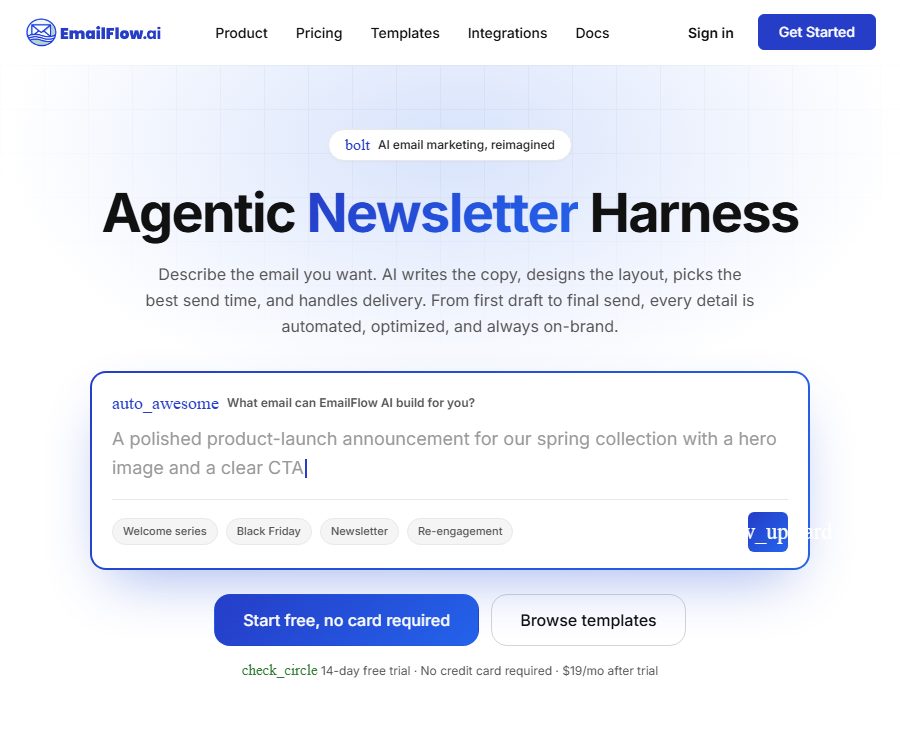
What is EmailFlow AI?
EmailFlow AI is an AI-powered email marketing platform designed for brands, marketers, and growth teams. It allows users to design emails, manage audiences, launch campaigns, set up automations, and monitor performance all within a single web application. It integrates natural language generation, brand assets, email HTML, delivery infrastructure, and development interfaces into one unified workflow.
The terms made public identify only EmailFlow AI and its affiliated companies as the service providers; the full name of the registered company, its registration address, and the jurisdiction in which it is registered are not specified here. Organizations that need to enter into a contract or undergo supplier verification should request complete information regarding the legal entity in question before making any payments.
Overview of main functions
| Functions | User input | Main output | Suitable for tasks |
|---|---|---|---|
| AI email design | Requirements for objectives, content, tone, and layout | Responsive email layout, copy, and images | Event emails, welcome letters, news briefs |
| Dialogic editing | Natural language modification instructions | Updated emails and version checkpoints | Change the title, layout, buttons, and tone. |
| Brand scanning | Corporate website and brand materials | Logo, color scheme, font, and brand tone | Unify the visual identity of multiple emails |
| Marketing campaigns | Emails, lists, topics, and sending time | One-time mass sending and real-time reporting | Promotions, announcements, and product releases |
| Automation | Triggers, waits, branches, and actions | Ongoing customer journey | Welcome, birthday, recall, and abandoned purchases |
| A/B testing | Multiple email versions and evaluation metrics | Experimental results and the winning version | Optimize open rates and click-through rates |
| Development platform | API requests, events, and scope keys | Contacts, events, templates, and analysis data | System integration and transactional emails |
AI Email Design Studio
Generate complete emails from natural language.
Users can describe the purpose, key information, tone, layout, and action buttons in a manner similar to when specifying requirements to a designer; the system will then generate a responsive email that includes the layout, text, as well as placeholder images or AI-generated images. The content created in this way can still be modified in both visual preview and code view.
- Suitable for news briefs, product launches, time-limited promotions, event invitations, and welcome emails.
- Up to two to four distinct versions can be created at a time, allowing for comparison using different layouts, color schemes, and visual approaches.
- Existing designs can be selected from a template library, after which the AI can rework them according to the brand’s and campaign’s requirements.
- Editing complex emails and long conversations consumes more monthly AI tokens.
Dialog-based modification and version rollback
Users can request that the title be shortened, the color of buttons changed, new sections added, images replaced, or the tone of the entire email adjusted. Each edit creates a checkpoint, allowing users to return to an earlier version and thus reducing the risk of losing a satisfactory design as a result of repeated attempts.
- Proposing one or two specific changes at a time is usually more manageable than carrying out a comprehensive overhaul.
- It is possible to specify that only the footer, the second button, or a certain section be modified, thereby preventing unrelated parts from changing as well.
- Desktop and mobile previews are used to check the responsive layout, while the code view is suitable for making fine adjustments to the HTML.
- The copy, links, discount conditions, and dates generated by AI still need to be manually verified.
Brand scanning and consistency
After entering the company’s website in the new account, the brand scanning tool will analyze the web pages, images, and styles to identify the logo, primary and secondary colors, fonts, company description, social media links, and language style. The results are saved as editable brand assets that can then be automatically applied to new emails.
- Enter the company’s website and wait for the system to analyze the pages, images, and visual styles.
- Check the identified logo, color schemes, fonts, descriptions, and brand tone.
- Remove the incorrect materials and add official brand assets, correcting any inaccurate wording.
- Enable brand assets when creating emails, or reapply branding to existing templates.
- Check font fallback, colors, dark mode, and button display in a real email client.
Web scanning treats the text on a site as analysis data rather than system instructions, and it allows users to review the results. It cannot replace a brand manual; scanning dealer websites, old pages, or third-party mirrors often results in incorrect data.
AI image generation, remixing, and animation
- Create a new image: Enter the subject, background, atmosphere, and colors; select the size, and the new image will be added directly to the email.
- Remix images: Using an existing image as an optional visual reference, modify the season, color scheme, background, or composition, while keeping the original version intact.
- Animation Hero: It describes movements for the larger main visual by generating looping GIFs; clients that do not play animations typically display the first frame.
- Brand style: It can automatically use the saved brand image style and color scheme, thereby reducing the need to describe them repeatedly each time.
| Image presets | Pixel size | Suitable location | Precautions |
|---|---|---|---|
| Hero | 1200×600 | Full-width main visual | Take into account both the information displayed on the first screen and the file size. |
| Square | 800×800 | Product images and cards | Check the cropping on mobile devices. |
| Banner | 1200×300 | Narrow-segment separation diagram | Avoid using small-font text in the diagram. |
| Looping animation | By slot size | Hero or banner | Compression will be attempted when it exceeds about 1.5MB. |
Each time an image is generated, remixed, or animated, AI tokens are consumed; animations are billed based on the number of image tasks. Errors in text, misuse of brands, or risks related to third-party rights may occur when generating images, and it is necessary to check for copyright issues, portrait rights, trademarks, and accessible alternative text before sending them out.
Marketing campaigns and A/B testing
Campaigns are used to send messages to lists or segments in a one-time manner; messages can be sent immediately or scheduled for a later time, and details such as delivery status, opens, clicks, bounces, complaints, and unsubscriptions are recorded. Content that needs to be sent repeatedly to new contacts is better handled through automation, rather than by repeatedly creating new Campaigns.
How to run A/B testing
- Prepare two or more complete versions of an email for the same event; you can change the subject, sender, layout, text, images, or buttons.
- Select the proportion of the test audience and decide whether to use a particular version as a control group.
- You can choose to determine the winner based on the open rate, click-through rate, or manual judgment; the automatic assessment window can be set between 1 and 720 hours.
- First, send the test samples and collect the results; the number of samples and the amount of time available should be sufficient to enable an accurate assessment.
- After the system or the user selects the winning version, it is sent to the remaining contacts who have not yet received the email.
The open rate is affected by the privacy features of email clients, and therefore it does not fully reflect the actual level of reading. When it comes to content and action buttons, clicks, conversions, and revenue are generally more relevant to business objectives than simply the number of opens.
Marketing automation
Automation is triggered by events such as subscriptions, birthdays, changes in tags or fields, or e-commerce events, and it then carries out actions like sending messages, waiting, making conditional decisions, updating contacts, and using webhooks. It is suitable for ongoing processes related to welcome messages, customer engagement, re-engagement, birthday notifications, and handling abandoned purchases.
- Nodes can be dragged and dropped on the visualization canvas, and natural language can be used to have the AI create triggers, emails, waits, and branches.
- Dialogs can increase wait times, label clickers, or split paths based on customer attributes.
- AI and human editing operate within the same process, and it does not start running until the user takes action to activate it.
- The platform allows the creation of an unlimited number of automations, but the actual emails sent through them are still counted toward the monthly email quota and the hourly sending limits.
- Before enabling it, test the exit conditions, repeated entries, time zones, cancellation processes, and abnormal webhook scenarios to prevent contacts from receiving duplicate emails.
Contacts, Groups, and Forms
- Contacts are stored in a list, business attributes are saved using custom fields and tags, and the target audience is selected through dynamic grouping.
- Embedded forms can be used to collect subscribers; marketing emails include a mechanism for unsubscribing, and those who opt out are automatically excluded from subsequent marketing communications.
- Email address verification can be performed during import, allowing contacts to be marked as valid, risky, invalid, or unverified.
- Invalid addresses are automatically excluded; risky addresses are excluded by default but can be adjusted within an individual campaign. Unverified addresses may still be sent.
- Email campaigns generate engagement data such as opens, clicks, bounces, complaints, and unsubscribes.
There is a change in the information provided by the party responsible for email verification: the pricing page states that the payment plan includes an amount allocated for automatic verification, while another help page requires connecting to a third-party service and paying separately for verification. As for whether such functionality is indeed built-in and how the quota is used, it should be determined by checking the page showing the verification servers and resource usage in the account.
Delivery, domain names, and delivery confirmation
According to the current sending server and Amazon SES documentation, all messages are delivered through Amazon SES infrastructure managed by the platform; users do not need to have an AWS account or insert any sending keys. It is up to the users to add the sending domain names and to configure DNS records such as those related to ownership and DKIM.
- Add the brand domain or custom subdomain in the sending settings.
- Copy the ownership records and DKIM records generated by the platform to the DNS provider.
- Wait for the record to be propagated and then proceed with verification to confirm that the domain has passed the authentication.
- Set the appropriate sender, reply address, and custom tracking domain name.
- Start by testing with the internal seed list, then gradually increase the volume of emails while monitoring bounce rates and complaints.
- DKIM is used to verify signatures, while SPF alignment is handled by the delivery infrastructure.
- DMARC is considered a recommended setting rather than a mandatory requirement before sending emails; it is possible to start by using monitoring strategies and then gradually implement stricter rules.
- Hard bounces and spam complaints are processed automatically, and the affected addresses are placed in a suppression or unsubscribe status.
- The so-called delivery rate of over 99% is a figure stated by the manufacturer; it does not mean that every customer will achieve the same level of delivery to their inbox.
Integration capability
| Type | Current instructions | Input or output | Suitable uses |
|---|---|---|---|
| Template export | Mailchimp, Klaviyo, HubSpot | Send editable email templates | Continue to use the existing marketing platforms. |
| E-commerce and payment events | Shopify, WooCommerce, Stripe | Events such as orders, payments, and cancellations | Trigger the customer journey |
| Advertising audience | Meta, Google, TikTok, LinkedIn | Synchronize contact audience | Cross-channel retargeting |
| Webhook | Available now | Events such as sending, opening, clicking, and replying | Drive external systems |
| Figma | The document status is inconsistent. | Read the Frame and reconstruct the email HTML. | Convert design draft to email |
The Figma dedicated page outlines the processes for OAuth, Frame selection, re-importing, and rebuilding email HTML, but the integration overview still lists Figma as a feature in the planning stage. To determine whether it is available to all accounts, one should refer to the integration card after logging in.
REST API, OpenAPI, and Webhook
The development platform covers various resources such as contacts, lists, groups, templates, campaigns, automation features, domain names, usage data, analysis tools, and transactional emails. Scope API keys can be given individual names, and permissions and expiration dates can be set for them; the plain text version of these keys is displayed only once during creation, while the server stores only a summary of them.
| Development capability | Uses | Key constraints or mechanisms |
|---|---|---|
| REST API | Managing marketing resources and sending messages | Authorize based on scope and limit traffic by operation type |
| AI generation interface | Create and modify email HTML from prompts | The generated prompt can be up to 4000 characters long, while the editing instructions can be up to 2000 characters long. |
| Transactional emails | Send receipts, reset passwords, and send notifications | It is recorded separately, but it still counts toward the sending quota. |
| OpenAPI 3.1 | Generate client and contract testing | The JSON and YAML specifications are publicly available for reading. |
| Webhook | Receive delivery, opening, clicking, and subscription events | HMAC-SHA256 signing with retries |
| TypeScript SDK | Type, retry, idempotency, and pagination | The document provides instructions, but the public software package has not been confirmed as installable this time. |
API rate limiting
| Operation category | Requests per minute | Primary uses |
|---|---|---|
| Read | 100 | Resource query |
| Write | 60 | Create, update, and delete |
| Batch | 10 | Batch contact import, etc. |
| AI | 20 | Email creation and editing |
| Send | 10 | Campaign initiation and transaction sending |
| Default | 60 | Other management interfaces |
Write operations can include an identity key consisting of up to 100 printable characters; reattempting the same request using that key within 24 hours will yield the same result. The client should also check the rate-limiting response headers, and in case of a 429 error, it should wait before making further attempts, rather than retrying indefinitely in the face of other 4xx errors.
For Webhook delivery, a separate HMAC key is used for each subscription, and up to three retries are allowed in case of failure; if failures occur 20 times in a row, the subscription is automatically disabled. Delivery logs are retained for 30 days, and the receiving end should first verify the signatures and remove duplicates before processing the requests asynchronously.
TypeScript SDK and its open-source status
The development documentation describes a TypeScript client named @emailflow/sdk; it is said to be based on fetch, has no runtime dependencies, and supports Node 18, browsers, and edge runtimes. The documentation also lists features such as automatic retry, idempotency, typed errors, and asynchronous pagination.
During the inspection of the registry for public software packages, this package was not found, nor were there any records of it in the official GitHub repository or related licenses. As a result, it can only be confirmed that the API and OpenAPI specifications are available publicly; it cannot be asserted that the SDK has been released publicly, nor can commercial platforms be described as open-source products.
Price packages
| Package or version | Price | Billing cycle | Core benefits or quota | Suitable for users |
|---|---|---|---|---|
| Free Forever | $ | Monthly | 100,000 AI tokens, 5,000 emails, 500 contacts, 1 member | Individual trials and shortlists |
| Starter | 19 dollars | Monthly | 5 million tokens, 20,000 emails, 5,000 contacts, 2 members | A small team that sends messages regularly |
| Standard | 49 dollars | Monthly | 20 million tokens, 100,000 emails, 10,000 contacts, 5 members | Growth-oriented marketing team |
| Professional | 99 dollars | Monthly | 50 million tokens, 200,000 emails, 50,000 contacts, 20 members | High-frequency transmission and agencies |
| Enterprise | $ | Monthly | 250 million tokens, 750,000 emails, 100,000 contacts, unlimited members | Large organizations and resale businesses |
The figures above show the monthly price in USD as displayed on the current pricing page. The Free version does not require a credit card, while the paid versions offer a 14-day trial period that requires a credit card; no charges are incurred if cancellation is done before the end of the trial period. Quotas are reset at the start of each billing cycle, and once the limit is reached, a prompt is given to upgrade – no unbilled additional fees are charged automatically.
- All solutions include AI-driven design, automation, A/B testing, segmentation, forms, REST APIs, and Webhooks.
- The paid plans include HTML downloads, removal of the platform’s logo, newer AI models, real-time web analysis, and more keys.
- The sending speed per hour increases from 100 messages for the Free plan to 80,000 messages for the Enterprise plan, though it is still subject to limitations related to fair use and reputation protection.
- The pricing page states that the payment plan includes a quota for contact verification, but the actual implementation differs from that described on another help page.
There is a conflict between the price and the service details.
The current pricing page and the documentation on sending servers state that a permanently free option is available, along with hosting via Amazon SES and no need for an external sending account; yet the latest terms of service still specify that all accounts must undergo a 14-day trial period, after which a fee of $19 per month applies, and the service uses its own sending mechanism, as well as AI and verification keys. The integration overview also retains the old description referring to an in-house sending service provider.
The monthly email quota for businesses also varies: the price page and the quota page indicate 750,000 emails, while the server assistance page states 10 million emails. When registering, upgrading, or purchasing, it is necessary to rely on the account dashboard, the actual billing page, and the written order; no single public page should be considered as the definitive basis for the contractual terms.
Refunds, renewals, and cancellations
- Paid subscriptions are prepaid on a monthly or annual basis with automatic renewal; the specific billing cycle depends on the user’s choice.
- The terms state that fees are generally non-refundable; no refunds or credits are provided for partial periods, unused amounts, or downgrades, unless explicitly provided for by law or otherwise stipulated.
- Before switching from a trial version to a paid one, it is necessary to confirm the actual plan and the date of deduction in the account, and to cancel the service before its expiration if you do not wish to continue using it.
- The platform may adjust prices after giving reasonable advance notice, and the new prices will take effect in the subsequent billing cycle.
- Arrears, violations, delivery issues, or security risks may lead to the suspension of certain functions or the termination of the account.
Privacy, data storage, and AI training
The platform acts as the data controller for the customers’ own registration, billing, and usage data, and as a processor for the subscriber data that customers import or collect. Customers remain responsible for obtaining legitimate grounds for contact, providing privacy notices, and handling requests related to access, deletion, and cancellation of subscriptions.
- Collect account information, bill records, email contents, contacts, custom fields, device logs, and email interaction data.
- Personal information is not sold or rented, nor are customer content and subscriber data used for advertising profiling.
- AI prompts, the emails being edited, and the brand context are sent to the AI processor to generate results.
- The policy states that customer content shall not be used for the general training of third-party foundation models, and contracts are employed to restrict the training purposes of AI processors.
- AI-generated output may be inaccurate, incomplete, or not unique, and it may involve third-party rights; users must review it before sending it.
| Data type | Public retention period or disposal method |
|---|---|
| API idempotent record | Clean up after 24 hours |
| Webhook delivery and original API logs | Clean up after 30 days |
| Trigger event logging | Cleanup after 90 days |
| Transaction email records | Clean up after 13 months |
| Subscribers and Campaign content | It is retained during the account’s validity period and can be deleted by the customer. |
| Content after the account is closed | Delete or anonymize within a commercially reasonable period, with rolling cleanup of backups. |
Security and data location
- Applications and databases are hosted in Hetzner’s infrastructure in Falkenstein, Germany; customer data may still be processed across borders by the service provider.
- Application traffic is encrypted using TLS, while integrated credentials are encrypted at the application layer with AES-256; passwords are hashed using bcrypt with salting.
- API keys only store SHA-256 hashes, and support scope settings, expiration dates, revocation, as well as rate limiting per key.
- All accounts can enable TOTP two-factor authentication, and Webhooks are signed using a separate key.
- Payments are processed by Stripe, and the platform does not come into contact with the full credit card number.
- The current sub-processors include AWS, Hetzner, Cloudflare, Stripe, OpenRouter, Firecrawl, BulkEmailChecker, and Google.
The public DPA applies to the processing of data by customers and subscribers; it prohibits the use of this service for data that falls under the special categories specified by GDPR. A 30-day period is provided for legitimate objections to be raised by new sub-processors. It has not been confirmed that EmailFlow AI possesses SOC 2 or ISO certifications, and data center or supplier certifications cannot serve as a substitute for platform-level certifications.
Email permissions, copyright, and compliance
- Emails can only be sent to contacts who provide clear, verifiable permission, and it must be possible to indicate the time and manner in which they decided to join.
- It is not allowed to purchase, rent, capture, collect, or generate addresses automatically, nor to continue marketing to persons who have unsubscribed or withdrawn their consent.
- Customers retain the right to upload, create, and generate content, but grant the platform the permission to process it as necessary to provide the services.
- Users must ensure that they possess the necessary rights to the lists, brand materials, images, and text, and bear the legal responsibility for the content they send.
- Marketing emails should provide an effective way to unsubscribe, and address hard bounces, complaints about spam, and requests from data subjects in a timely manner.
Suitable for users and scenarios
- Marketing professionals from small and medium-sized enterprises who wish to create branded emails quickly using natural language.
- It is necessary to manage simultaneously the lists, campaigns, automation processes, and the growth team responsible for deliveries.
- E-commerce brands hope to improve their themes, content, and action buttons through A/B testing.
- Product teams that need to trigger customer journeys via Shopify, Stripe, or webhook events.
- Developers who wish to generate emails, synchronize contacts, or send transaction notifications via REST APIs.
- Agencies and enterprises that require role collaboration, a high volume of monthly transmissions, and dedicated support.
Advantages and limitations
Main advantages
- From email design to delivery, automation, and analysis are all carried out within the same platform, reducing the need to switch between different tools.
- Natural language generation, dialogue editing, version checkpoints, and brand assets help reduce the costs associated with creating initial drafts.
- The free tier also includes core design, automation, A/B testing, and API capabilities, making it convenient for small-scale testing.
- OpenAPI, scope keys, idempotency, and signed webhooks are suitable for systematic integration.
- Making the DPA, sub-processors, retention periods, and security details public helps facilitate data assessment.
Main limitations
- There are clear contradictions regarding prices, free plans, BYOK, verification methods, and enterprise quotas across the different primary pages.
- The public TypeScript SDK package and the official GitHub repository could not be confirmed at this time; therefore, one cannot rely on the installation instructions provided in the documentation.
- AI tokens, the number of emails, contacts, team seats, and sending speed all limit the actual scale of use.
- A delivery rate of over 99% does not guarantee that the message will reach the recipient’s inbox; list approval, content quality, and domain reputation remain crucial factors.
- AI design and image generation require manual verification, and it is not possible to guarantee the accuracy of facts, copyrights, or brand details.
- There are no official native mobile apps or browser extensions; the main ways to access it are through web pages and APIs.
Usage suggestions and summary
The main advantage of EmailFlow AI is that it integrates AI-driven email design, brand consistency, marketing campaigns, automation, and development interfaces into a cohesive workflow. It is suitable for testing the efficiency of the design, the performance of email deliveries, the accuracy of automation processes, and the actual amount of tokens used, starting with a small list of recipients.
Currently, various first-party websites provide inconsistent descriptions of their business models and capacity levels. Before proceeding with the official migration or implementing key automation processes, it is necessary to save screenshots of the backend packages and obtain written confirmation. Establishing internal rules regarding consent from contacts, data cross-border transfer, AI processing, and subscription cancellation is more important than simply focusing on speed of generation.
Frequently Asked Questions
Is there a permanently free version of EmailFlow AI?
The current price page shows a plan priced at $0 per month under the \"Free Forever\" option, which includes 100,000 AI tokens, 5,000 emails, and 500 contacts; however, the latest terms state that the cost is $19 per month after a 14-day trial period. The actual price should be based on what is displayed on the account registration and billing pages.
Is it necessary to provide your own Amazon SES or SMTP?
The document sent currently states that Amazon SES is managed by the platform, and users only need to verify the domain name; the latest terms as well as the instructions for integration still include references to BYOK or the use of an existing sending service. It is necessary to confirm the actual configuration process within the account before going live.
Is it possible to generate a complete email directly from text?
Sure. By entering the purpose, key information, tone, layout, and button requirements, the system generates a responsive email, which can be further modified through chat, visual preview, and code view.
How is pricing for AI-generated images and animations determined?
Image generation, remixing, and animation tasks consume the monthly AI tokens allocated to a plan; each animation is counted as one image generation task. The actual amount of tokens used for various tasks can be viewed on the resource usage page.
Does it support A/B testing?
Supported: It is possible to compare topics, senders, or entire emails, and determine the winning version based on the open rate, click rate, or manual selection. The automatic evaluation wait time can be set between 1 and 720 hours.
Is the API available in the free plan?
The current pricing page states that all plans include REST API, scope keys, Webhooks, AI-powered email generation, and OpenAPI; the differences between the plans lie mainly in the number of keys and their usage volume. For free accounts, it is still necessary to check the endpoint permissions and quotas.
Is the TypeScript SDK open source?
The document describes the TypeScript SDK, but no corresponding package was found in the public software package registry, nor were the official code repository or license identified. Therefore, it cannot be concluded that the SDK has been publicly released or that the platform is open source.
Will the customer’s content be used to train the model?
The privacy policy and DPA state that customer data will not be used for the general training of third-party models, and they require AI sub-processors to restrict the purposes for which such training is carried out. Companies should still examine the terms of the DPA and those of their sub-processors in light of the type of data they possess.
What are the rules for refunds?
In principle, no refunds are provided under these terms; neither are any refunds or credits given for partial periods, unused amounts, or downgrades, unless required by law or as explicitly stated otherwise. It is necessary to confirm the date on which payment will be deducted before starting the paid trial, and to cancel any unnecessary plans in a timely manner.
Tools similar to EmailFlow AI





 Guigong Network Security Registration No. 45132202000164