






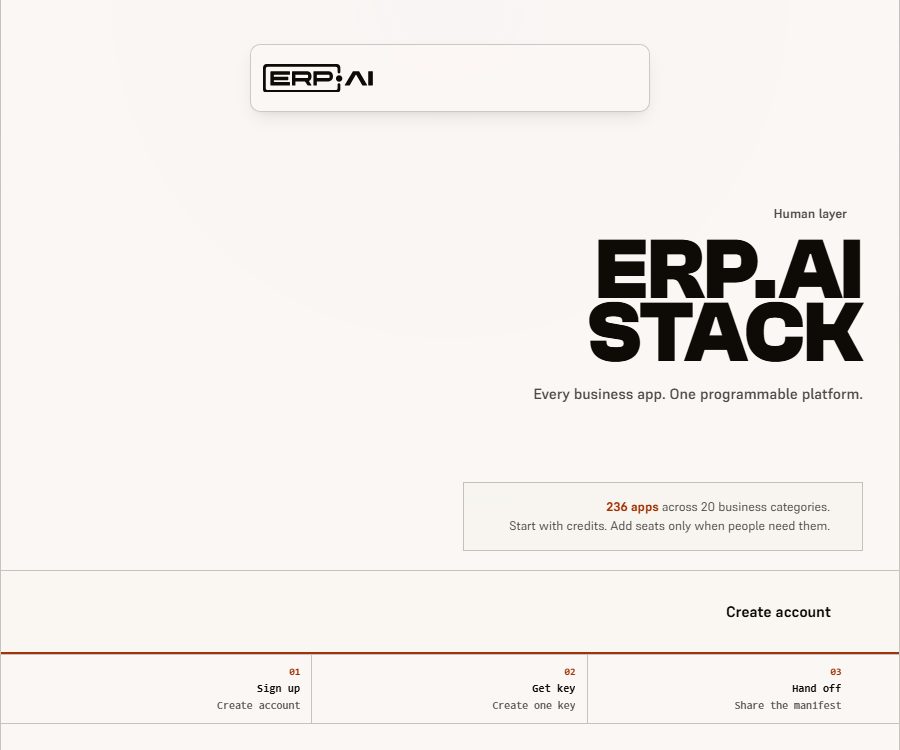
What is ERP.AI?
ERP.AI, also written as ERP•AI, is a platform for developing business applications based on artificial agents, operated by ERP.AI US Inc.; its team is located in San Francisco, United States. The current purpose of this product is not merely to add analytical functions to traditional ERP systems, but rather to enable companies to create, run, and connect business applications using web interfaces or artificial agents.
The platform integrates data tables, records, forms, views, workflows, reports, documents, pages, permissions, and audit functions within the same service set. Users can carry out operations via the web interface, while Proto desktop agents, external applications, and other authorized agents can also perform tasks within the same permission boundaries.
Current product structure
| Hierarchy or product | Main function | Suitable for users |
|---|---|---|
| ERP.AI web platform | Build applications, manage records, forms, reports, workflows, and permissions | Sales staff, administrators, development team |
| Application directory | Provides installable business applications for ERP, sales, human resources, manufacturing, and more. | Teams that wish to establish business systems quickly |
| Proto Desktop Agent | Operate ERP.AI resources through natural language and controlled actions. | Users who need local workflows and agent entry points |
| Headless SaaS services | Enable web pages, agents, pages, portals, and integrations to reuse the same backend. | Developers and system integration teams |
| Workflows | Combining triggers, conditions, approvals, and application serta plugin actions | Operations, finance, HR, and IT teams |
| Enterprise | Extended identity, deployment, networking, auditing, support, and contract management | Organizations with requirements regarding isolation and compliance |
Development of business applications
ERP.AI’s App Builder is used to define typed data tables, fields, reference relationships, and business records, as well as to create various views, forms, and pages for the same data. Users can install applications from a catalog, or they can describe their requirements so that the AI can develop customized applications for them.
- Data model: Create tables, columns, formulas, relationships, and validation rules to establish the connections between business objects.
- Recording operations: Creating, querying, updating, and deleting data in tables, lists, dashboards, or custom views.
- Forms and layouts: Design interfaces for data entry and processing for employees, customers, or partners.
- Reports and dashboards: They enable the aggregation, filtering, and presentation of business data, facilitating routine operational reviews and management analysis.
- Documents and pages: Create templates, business documents, and custom pages, and publish them according to permissions for internal or external use.
- Hosting and Portals: Deploy pages, portals, and external applications on controlled identity and data services.
Application directories and coverage scope
The current directory lists 236 applications that fall into 20 different business categories; this number changes as new applications are added or removed. These applications represent installable work environments and data models for business use, and they should not be regarded as 236 separate desktop software programs, nor as all of them having undergone industry certification.
| Category | Example capabilities | Typical scenarios |
|---|---|---|
| ERP and Finance | Orders to receipt of payment, purchases to settlement, inventory, projects, expenses, and profits | Professional services, construction, retail, and comprehensive operations |
| Sales and CRM | Customers, leads, opportunities, quotes, campaigns, and forecasts | Sales operations and customer follow-up |
| Human Resources | Recruitment, onboarding, employees, scheduling, performance, and learning | Talent and employee lifecycle management |
| Supply Chain and Manufacturing | Bill of materials, work orders, warehouse, reordering, quality, and tracking | Manufacturing, food, chemicals, and distribution |
| Customer Service and IT | Tickets, incidents, knowledge, changes, and service levels | Support center and IT operations management |
| Industry applications | Healthcare, law, hospitality, insurance, non-profits, and beauty and wellness | Organizations that require dedicated fields and processes |
Even after installing industry templates, it is still necessary to check local regulations, accounting rules, currency types, tax systems, date formats, and the actual approval processes. The descriptions of functions provided in the catalog cannot replace a professional compliance assessment or formal implementation.
Workflow automation
Workflows combine ERP.AI records, memory, graph relationships, approval processes, and plugin actions to create executable procedures. Each execution retains the inputs, outputs, errors, and status of the nodes, and it is possible to pause, stop, or retry such executions at the supported nodes.
- Triggers: Processes are initiated by record status, scheduled tasks, Webhooks, or integration events.
- Conditional node: Determines the branch based on amount, role, policy, status, or other business fields.
- Application actions: Reading or updating tables, records, reports, and business objects in ERP.AI.
- Plugin actions: Access to emails, calendars, files, accounting tools, or communication apps within the authorized scope.
- Approval steps: Delegate high-risk decisions to managers, finance teams, compliance officers, or other responsible persons.
- Code node: Performs controlled computations or transformations; any additional computing time is charged based on usage.
- Execution evidence: It records the executor, rules, inputs, results, and subsequent actions, to facilitate auditing and troubleshooting.
Example of the expense reimbursement process
- Employees submit expense records and receipts, and changes in status trigger the workflow.
- The system checks the fee policies, amount limits, and reasons for exceptions, and reads the file evidence.
- Use the action to search for employees, managers, cost centers, and available budgets.
- The manager and the budget officer approve things in accordance with the rules; high-risk or exceptional projects are then submitted to finance for further review.
- After approval, an expense record is created; the accounting plugin is used to record the entries and employees are informed accordingly.
- Each node maintains a chain of results and responsibilities; in the event of a failure, authorized personnel will examine the situation and attempt to retry the operation.
Proto Desktop Agent
Proto is ERP.AI’s own interface for desktop agents; it can handle applications, tables, records, views, roles, workflows, reports, documents, pages, branches, deployments, and portals once authorized. Designed with local processing as a priority, it allows users to specify business tasks in natural language, which are then executed by the tool.
- You can log in using a supported model account or your own model API key.
- Google OAuth access tokens and refresh tokens are stored locally and are not synchronized to ERP.AI.
- The data returned by the plugin may remain in the local session, workspace, or exported files, and it is up to the user to remove it.
- Agent actions are still subject to checks regarding organization, application, roles, resources, and action permissions.
- For high-risk operations, manual approval and override mechanisms can be implemented to prevent complete lack of oversight.
“Local priority” does not mean that all data never leaves the device. When a user selects a cloud-based model or plugin, only the minimum amount of data necessary to carry out the requested action is sent to the corresponding provider, and that provider’s data policies apply.
Agents and corporate decision-making capabilities
ERP.AI classifies agents into categories such as process automation, data orchestration, and decision support. They can continuously monitor conditions, organize data from different systems, carry out pre-approved actions, and initiate the next step in accordance with business rules.
- Process agents: They enable end-to-end processes across records and integrations, rather than merely providing suggestions.
- Data Orchestration Agent: Moves, transforms, and aggregates data, as well as maintains reports and dashboards.
- Decision intelligence agent: Formulates or implements operational decisions by combining rules, context, and relational data.
- Knowledge graphs and graph models: they represent the relationships between business entities, processes, and systems, thereby helping to reduce isolated decisions.
- Explanation and auditing: Document what actions were taken, why they were carried out, and which data was used.
- Manual control: Provides approval processes and emergency shutdown options for payments, permissions, compliance, and key changes.
The descriptions on the official website regarding the \"continuous learning\" and autonomous optimization of agents should be understood in context with actual deployment practices. In a production environment, each automation process still needs to be verified using test sets, approval procedures, rollback mechanisms, minimal permissions, and performance monitoring.
Headless SaaS and APIs
Headless SaaS means that business functions are not confined to a web interface, yet the platform still offers complete web-based products. Web pages, prototypes, hosted pages, portals, external applications, and approved integrations all rely on the same service layer to handle identity management, permissions, and business rules.
| Services | Responsible for content | Key points of control |
|---|---|---|
| Gateway | Identity resolution, routing, and restrictions | Verify the caller and organizational context. |
| App Builder | Applications, architectures, records, workflows, reports, and pages | Data verification and resource ownership |
| Identity and Permission | Organizations, users, service accounts, roles, and invitations | Minimum permissions and member management |
| Agent API | Dialogue, knowledge, planning, searching, and approval | Agent actions and manual confirmation |
| Renderer | Managed pages and portals | Tenant isolation and access scope |
| Model proxy | Model routing and organization usage accounting | Providers, costs, and data boundaries |
Not all internal operations become public APIs automatically. External applications and service accounts require separate credentials and scopes, and developers should follow the actual paths, fields, and response structures specified in the deployment documentation.
Version control, auditing, and recovery
- Architecture branches, commits, and merges are used to document changes to the data model, thereby reducing the risk of making direct modifications to the production structure.
- Snapshots and recovery support allow returning to an earlier state within the supported functions, but the scope of recovery needs to be tested first.
- The workflow execution history saves the node status, outputs, and errors, which helps in identifying the reasons for automation failures.
- The recycle bin, page versions, and deployment records cover only the relevant aspects of a product; they do not mean that all data has an infinite history.
- The Business plan includes 90 days of audit logs; for other plans, the retention period is to be specified in the account agreement or contract.
Usage tutorial
- Create an organization and earn free points without the need to link a bank card first.
- Select the template that is most relevant to your business from the application catalog, or first list the entities, fields, roles, and processes that need to be managed.
- After installing the application, check the table structure, dates, currency, permissions, unique fields, and test data.
- Views, forms, reports, and workflows are created through a web interface, and they are first tested in an environment with low risk.
- When agent operation is required, a API key or service identity with restricted scope is created; thereafter, the corresponding Skills are installed and provided to the supported agents for use in the read list.
- When connecting to Google Workspace, accounting, communication, or database plugins, only the permissions necessary to complete the task are granted.
- Use sample records to verify triggering, conditions, approval processes, rollback, and auditing, and then gradually introduce real data.
- View the points ledger, model provider bills, and failure rate; set cost limits and threshold alerts.
Prices and packages
ERP.AI does not charge based on the number of user licenses; all tiers allow an unlimited number of users and agents. The platform uses points to measure activities such as reading/writing, importing data, managing workflows, triggering actions, handling files, performing calculations, and carrying out AI-related tasks, with one point being equivalent to 0.005 dollars at present.
| Package or version | Price | Billing cycle | Core benefits or quota | Suitable for users |
|---|---|---|---|---|
| Free | $ | One-time limit | 2 million points, valid indefinitely, 1 parallel automation task, 15 minutes of operation time, 10 requests per second, 1GB of storage space | Prototypes and small organizations |
| Starter | 20 dollars | Monthly | 5,000 points per month, 25 requests per second, 10GB of storage, email support | Continuous use by small teams |
| Team | 99 dollars | Monthly | 25,000 points per month, 2 parallel automations, 2 hours of operation time, 100 requests per second, 100GB of storage, and a 99.9% availability guarantee | Interdepartmental team |
| Business | 499 dollars | Monthly | 150,000 points per month, 5 parallel automations, 8 hours of operation, 250 requests per second, 500GB of storage, SSO, and 90 days of audit tracking | Large-scale business operations |
| Enterprise | Custom quote | Contractual agreement | Custom quotas and storage, 1,000 requests per second, 99.99% availability guarantee, SSO, SAML, SCIM, DPA, and dedicated support | Large or regulated organizations |
| Excess points | 0.005 US dollars per point | Monthly usage amount | The paid tiers are charged based on actual usage after the allocated quota is taken into account, with a default spending limit in place. | Team for Fluctuation Management |
The true meaning of the free quota
By organizing an event for free, one can earn 2 million points; the nominal value of these points, based on the established rate, is $10,000. However, these points are not in cash form, and they cannot be withdrawn or refunded. Once the free quota is reached, further activities stop, and no additional paid charges are generated automatically; users must choose a paid plan if they want to continue.
How do common operations consume points?
| Operation | Integration unit | Conversion notes |
|---|---|---|
| Read records | 1 point corresponds to 100 attempts. | Lists, retrieval, or filtering |
| Search and aggregation | 1 point corresponds to 20 attempts. | Charged based on calls, not on the number of results. |
| Write record | 1 point corresponds to 20 attempts. | Create, update, or delete |
| Batch import or synchronization | 1 point corresponds to 1,000 entries. | Suitable for data migration and scheduled synchronization. |
| Workflow execution | 1 point corresponds to 10 attempts. | It includes 5 seconds of computation per code node; data and AI processing steps are calculated separately. |
| Triggered, via Webhook, or through integration | 1 point corresponds to 100 attempts. | Process activation fee |
| AI request orchestration | 1 point corresponds to 10 attempts. | It includes only routing, context, and logs; model fees are not included. |
| File upload | 1 point corresponds to 10MB. | Storage is also charged at $0.20 per GB per month. |
The cost of AI models is separate from the platform points.
The Free, Starter, Team, and Business plans do not incur any costs for model inference; users log in to their model accounts via Proto or provide an API Key, and the model provider will charge fees according to its own pricing plans and token rules.
Enterprise can choose to pay a fee based on the ERP.AI hosting model; this fee is currently calculated by multiplying the provider’s cost by 1.087, and it is rounded up to the nearest integer as required. This fee is not deducted from the regular points included in the package, and it is necessary to estimate separately the costs associated with platform operations and model usage at the time of purchase.
Renewal, Overage, and Refunds
- The paid plan is charged automatically on a monthly basis; by continuing to use it, you agree to the new price specified in the notification.
- Users can cancel within their account, and the cancellation usually takes effect at the end of the current payment cycle.
- The terms do not allow for a proportional refund; the fees that have already been paid are generally not refunded.
- The paid tiers have a monthly spending limit enabled by default, with alerts issued when that limit is reached at 80%, 90%, and 100%.
- Once the limit is reached, paid operations are suspended, but reading and deletion for cleanup purposes remain available, until the limit is increased or the next month begins.
Platforms and integration
| Entrance | Status | Explanation |
|---|---|---|
| Web application | Available now | The main interface through which business professionals build and run applications |
| Proto Desktop Version | Available now | A locally-focused agent client that supports controlled ERP.AI actions. |
| REST and platform services | Available now | Each application can create a surface for programmed operations; the actual range of access is determined by the documents and permissions in place. |
| Skills | Available now | For reading and execution by Claude Code, ChatGPT, and compatible agents |
| Google Workspace Plugins | Already disclosed | It can handle authorized actions for Gmail, Calendar, Drive, Docs, and Sheets. |
| Hosting pages and portals | Available now | Use business data and identity rules on external pages |
| Native mobile apps | Not confirmed yet | No official app store page was found this time. |
Enterprise deployment and governance
The standard mode is a multi-tenant shared SaaS service provided by ERP.AI; enterprise clients can agree, through the contract, on isolated operating environments or single-tenant instances. Network isolation, regions, keys, release controls, service levels, recovery objectives, and support response times all need to be specified in the order or service documentation.
- User and service accounts are first mapped to an organization, after which their role, application, and resource permissions are checked.
- Critical actions can require manual approval; unauthorized changes will not be carried out.
- Audit records include the caller, policy decision, changes, results, and deployment target.
- The platform’s website states that all packages meet the requirements of SOC 2 Type II, HIPAA, GDPR, and ISO 27001; however, the purchaser should verify the relevant certificates, the reporting intervals, and the scope of services provided.
- Dedicated networks, single-tenant architecture, regional control, SCIM, and custom retention periods are part of the contractual capabilities; it should not be assumed that they are available in the free version automatically.
Privacy and data processing
ERP.AI handles data related to device access information, account details, business information, platform records, and data provided by users when they initiate connections. The privacy policy states that personal and business information will not be sold or leased to data brokers or marketing companies; however, it may be shared as necessary for the provision of services, compliance with laws, security reasons, or to associated companies and suppliers.
- The Google plugin requests only the permissions necessary for carrying out the desired actions, and the scope of these permissions is displayed on the consent screen.
- Google data is not used for advertising or for training general AI models; manual access is permitted only with explicit consent, for security investigations, as required by law, or in cases of anonymous aggregation.
- When AI processing is required, only the most relevant content may be sent to the model provider chosen by the user.
- Disconnecting from the Google account will remove the local OAuth tokens, but the saved local sessions, workspaces, and exported files still need to be deleted by the user.
- The data in managed applications is subject to the ERP.AI policies and the retention settings of those applications; local files and their cloud counterparts must be managed separately.
- Companies should complete the review of DPA, sub-processors, cross-border data transfer, model training, as well as retention and deletion procedures before going live.
GitHub, Skills, and open-source status
ERP.AI has an official and verified GitHub organization, which publishes repositories for Skills, skillcheck, MCP recording and playback, graph query frontend, command-line tools, and research projects. Several of these repositories are licensed under the MIT license, but it is necessary to check the license file for each individual repository.
- Skills is publicly available, offering descriptions of the capabilities of agents in areas such as accounting, human resources, procurement, support, and operations.
- Skillcheck is used to detect conflicts in Skill lists, references, and triggers.
- mcprec is used for recording and deterministic replay of MCP servers, and is suitable for tool testing.
- The command-line and runtime repositories may only release binaries, installers, or partial interface code.
- The official statement is that the engine is open while the platform remains proprietary; a public repository cannot be considered to represent the complete source code of an ERP or AI SaaS system.
- The third-party open-source project sharing the same name as ERP-AI is not an official product of this company; therefore, its license and functional capabilities cannot be mixed together.
Suitable for users
- Small and medium-sized enterprises that wish to quickly implement ERP, CRM, HR, inventory, or industry-specific business applications.
- Operations teams that need to have agents carry out actual business tasks under unified permissions and audit controls.
- Development teams that wish to reuse the same business data model via APIs, portals, or external applications.
- Financial and IT departments that require complex approval processes, cross-system synchronization, as well as records of operations and recovery capabilities.
- Growing organizations that do not want to pay per user, but still need to manage the volume of operations and the associated costs related to models.
Main advantages
- Websites and agents share the same business services and permissions, which reduces the issue of inconsistencies between two sets of rules.
- The application catalog covers multiple business categories; it is possible to start with templates and then modify the data and processes.
- There is no charge based on the number of seats, which allows more employees and service accounts to participate in the same workspace.
- The operation score table is made public, allowing for the estimation of platform costs based on reading/writing, synchronization, workflows, and computations.
- Branches, snapshots, execution history, and auditing provide traceable evidence for automated changes.
- Making Skills and some basic tools available publicly facilitates developers’ task of inspection, expansion, and testing.
Capacity limits and risks
- The maturity levels, regional regulations, and industry certifications of these 236 directory applications vary; further actions are still required after installation.
- The fact that there is no charge based on the number of seats does not mean that the total cost remains constant; extensive reading/writing operations, synchronization processes, workflows, storage needs, and model calls are all subject to separate charging.
- The model account and the billing for the ERP.AI platform are separate from each other; failing to include the costs associated with the models in the budget can lead to an underestimation of the actual expenses.
- Agents can write, send, and initiate real-world actions; excessive permissions may lead to data or business losses.
- Local priority only applies to some clients and token storage; plugins and cloud models may still handle related tasks.
- Public warehouses are only part of the platform ecosystem; the core hosting services are not fully open sourced.
- Old product descriptions, prices, and promotions related to traditional ERP connections should not replace the current catalog and deployment verification.
Go-live checklist
- Choose a low-risk process, and set up a testing organization, a minimal data model, as well as limited permissions.
- Verify records, forms, reports, triggers, approvals, and recoveries using real but anonymized examples.
- Separate the permissions for administrators, business users, service accounts, and agents, and rotate API keys.
- Record the points consumed, model costs, storage requirements, and time required for manual review throughout the entire process.
- Check the audit retention period, availability commitments, DPA, plugin permissions, and model data policies.
- Set up manual confirmation and rollback procedures for payment, deletion, email sending, permissions, and production deployment.
Frequently Asked Questions
Is ERP.AI a traditional ERP software?
It includes ERP applications, but it is more akin to programmable business applications and agent platforms at present. Companies can install ready-made applications, create custom data models, and enable websites, workflows, and agents to work together.
Does the free version really include a credit worth $10,000?
Organizations that sign up for free receive 2 million platform points at once; each point is worth 0.005 dollars, which translates to a nominal value of 10,000 dollars. These points are not cash and cannot be withdrawn or refunded, and the service will stop operating once the maximum limit is reached.
Does ERP.AI charge based on the number of users?
The current plan does not charge a seat fee, and it allows an unlimited number of users and agents. The actual costs consist of the monthly subscription fee, any additional points used, as well as fees related to storage and model providers.
Do platform points include the costs associated with the GPT or Claude models?
Free, Starter, Team, and Business plans do not include costs for models; users must log in using their own models or API keys. Enterprise plans offer the option of using hosted models, but these are charged at the provider’s rate plus a service surcharge.
Can ERP.AI be connected to Google Workspace?
Users can access Gmail, Calendar, Drive, Docs, and Sheets through plugins, with permissions determined by the plugins that are enabled; when AI is involved, only the minimum necessary data is sent to the selected model service.
Is ERP.AI an open-source product?
It is not a fully open-source SaaS solution. The company has made several MIT-licensed repositories and skills available publicly, but the core platform remains private; each component must be evaluated according to its own licensing terms.
Can a paid subscription be refunded?
According to the terms, no proportional refund is provided upon cancellation; the subscription fees that have already been paid are generally not refunded. Users should disable automatic renewal in their accounts and check the details of the service and any applicable exceptions before making a purchase.
Is private or isolated deployment supported?
The enterprise page lists shared SaaS services, isolated execution environments as specified in the contract, and single-tenant instances. The specific network settings, regions, keys, service levels, and boundaries of responsibilities must be determined through the order or contract.
Tools similar to ERP.AI





 Guigong Network Security Registration No. 45132202000164