






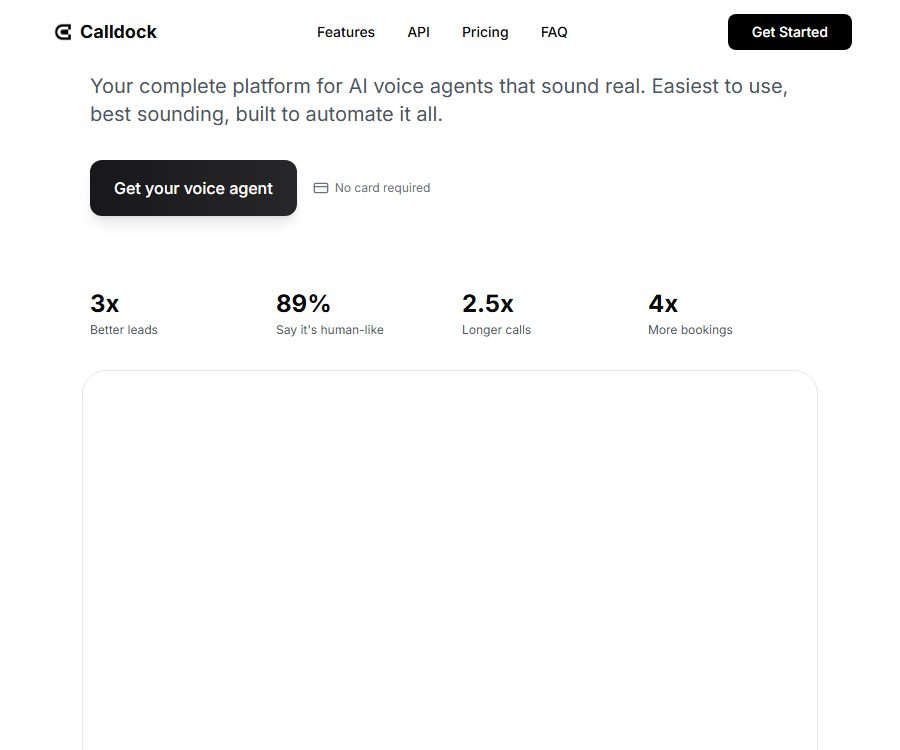
What is Calldock?
Calldock is an AI voice agent platform developed by Enrich Labs, designed to address issues such as the lack of timely responses after leads are submitted, repeated qualification checks, and the need for follow-up appointments. Companies can set up a voice agent that automatically dials calls, understands the responses given and takes appropriate actions accordingly.
The product is designed more for responding to incoming leads and automating business processes, rather than being a tool for recording personal phone calls. It can be configured through a web-based dashboard, and it also offers development interfaces as well as Webhooks after calls take place.
Main functions
Quick redialing and lead filtering
Calldock can automatically dial specified numbers after a form is filled out or a business event occurs, and it collects information such as requirements, budget, timeline, and intentions based on the conversation. The results of this filtering can be used to decide whether to schedule a call back, transfer the request to a human agent, or proceed with another workflow.
Appointments synchronized with calendar
The agent can connect to Google Calendar, view available times during calls, and create appointments. It is suitable for dental practices, cosmetic surgery clinics, real estate agencies, sales presentations, and other businesses that rely on appointments.
Text messages, emails, and manual transfer
- Text messages and emails: Used to send documents, confirm information, provide summaries, or arrange follow-up actions during calls.
- Manual routing: Use natural language to specify when to transfer high-value or complex conversations to a human agent.
- Smart callback: Set a subsequent call time and reminders for unfinished tasks.
- Notifications and summaries: Send the results of calls to the team to reduce manual processing.
Recording, transcription, and intent classification
The platform retains call-related information such as recordings, transcriptions, duration, time stamps, summaries, and intent. Teams can use this information to assess the quality of leads, evaluate the performance of agents, and take appropriate actions accordingly.
Custom actions and pre-call data
Developers can configure custom actions for the agent, and obtain customer or order context via Webhook before a call starts. This allows the agent to adjust the opening remarks, questions, and handling procedures based on real-time data.
Input, output, and working results
| Phase | Enter | Output | Uses |
|---|---|---|---|
| Initiate an outbound call | Phone numbers with country codes; names, email addresses, and custom data can also be provided. | Outbound call tasks and call identifiers | Form callbacks, campaign follow-ups, and customer notifications |
| Dialogue execution | Proxy instructions, knowledge materials, customer responses, and real-time business information | Voice response, scheduling, text messages, emails, or manual transfer | Qualification screening, support, and booking |
| Call ended | Full conversation and collected fields | Status, intent, summary, transcription, recording, duration, and structured data | CRM updates, analysis, and automation |
The underlying speech models, as well as the complete list of languages and accents, are not yet available to the public. Before the official launch, testing should be carried out using real phone numbers, industry-specific terminology, and accents from the target regions.
Code-free usage process
- Register an account and select an agent template suitable for your industry or use case.
- Fill in the company information, scope of services, approach to getting started, list of issues, and prohibited items.
- Upload or paste the business documents required for the proxy, and check whether they contain any sensitive information.
- Connect to calendars, email, Slack, Zapier, or other business systems as needed.
- Set call-out triggers, conditions for manual transfer, callback rules, and notification recipients.
- Perform multiple rounds of calls using test numbers to check voice quality, transcription, scheduling, and abnormal scenarios.
- Launch on a small scale and continuously review the results regarding missed calls, misclassifications, complaints, and transfers.
Developing interfaces and Webhooks
Calldock makes available APIs for outbound calls, an online testing environment, as well as code examples. To authenticate access to these interfaces, both an API key and a proxy ID are required; once a key is generated, it is not displayed again in its full form.
- In the API Keys section of the workstation, keys are generated for the specified proxy and saved immediately to the server-side key management system.
- To call the outbound interface, at least a phone number including the country code must be provided; names, email addresses, and custom data can also be included.
- Enter the end-user’s network address or fingerprint as needed, for use in the rate-limiting mechanisms within the proxy settings.
- Configure a webhook for calls to receive status, intent, summary, transcription, recording location, and collection fields.
- Use the Webhook key to verify the HMAC signature before processing the data or updating the customer relationship system.
- Retries and alerts are implemented respectively for authentication failures, parameter errors, frequency limits, and service abnormalities.
The API keys specified in the public documentation allow for 100 requests per hour; restrictions on things such as phone numbers are also influenced by the proxy settings. These keys must not be placed in browser code, public repositories, or downloadable files.
Integration capability
| Integration | Tasks that can be completed | Precautions |
|---|---|---|
| Google Calendar | Check available times and create an appointment | Only authorize the necessary calendars, and regularly revoke unused connections. |
| Gmail | Send emails according to the rules set by the user. | The policy specifies that the inbox should not be read or saved; this functionality can be disabled. |
| Slack | Send call summaries, results, and reminders | Avoid sending sensitive transcripts to overly broad channels. |
| Zapier | Connects multi-step automation with a large number of third-party applications | It is necessary to examine both the data policies and error handling mechanisms of the automated workflow. |
| Typeform | A callback is triggered after the form is submitted. | The form must obtain consent for the correct phone number to be used. |
| HubSpot | Score based on clues, or initiate calls at specific stages of the business opportunity and record the results. | Field mapping and override rules should be tested first. |
| Custom Webhook | Connects to business systems that support Webhooks | Verify signatures, prevent replay attacks, and protect endpoints. |
Suitable for users and scenarios
- Sales team: Quickly return calls, screen leads with high interest, and schedule meetings after they are submitted.
- Dentistry and clinics: They handle consultations, appointments, and reminders, but medical decisions still need to be made by a human professional.
- Real estate team: Reach out to potential clients interested in viewing properties, gather their preferences, and arrange for agents to follow up with them.
- Service companies: Answer common questions and forward complex or sensitive requests to customer service.
- Growth Team: Integrates forms, advertisements, and CRM events into a unified outbound calling process.
- Development team: Initiates calls through interfaces and writes the structured results back to its own system.
Price packages
Calldock uses a billing system that combines a subscription fee with call credits; the subscription includes a certain amount of credits, and additional charges are applied based on the destination and the volume of calls made.
| Package or version | Monthly price | The average monthly price shown for the annual option | Core benefits or quota | Suitable for users |
|---|---|---|---|---|
| Hobby | 49 dollars per month | 39 dollars per month | 25 dollars in credits, 1 agent; 20MB per agent, basic integration, recording, transcription, notifications, and API access | Single-scenario trial and small teams |
| Pro | $ | 103 dollars per month | 75 dollars in credits, 3 agents, a proprietary number, full integration, and priority support | Teams that require multiple agents and full integration |
| Agency | $ | $ | 200 dollar credits, 5 agents, and large-scale processes | Agents and multiple business process teams |
The annual page shows only the average monthly price after conversion; the total amount due, taxes, and the deduction cycle are determined according to the actual settlement page. It is possible to start using the platform without a credit card. The promotional page indicated a $1 credit as a gift, but this does not mean that it is a permanently free plan.
Call rate per minute
The rate page shows the maximum price for 99 destinations; the actual cost may be lower depending on the complexity of the conversation and the level of utilization of the model. Telephone operators charge by full minutes, while other costs are calculated on a per-second basis. After the call ends, any overcharged amount is automatically refunded to the account balance.
| Destination | Maximum rate | Billing instructions |
|---|---|---|
| The United States and Canada | $ | Maximum capacity rate |
| Britain and France | $ | Maximum capacity rate |
| India | $ | Maximum capacity rate |
| Japan | $ | Maximum capacity rate |
The rates vary depending on the country, the phone service provider, and the platform settings; it is necessary to check the real-time settlement page before deploying services across different regions. The credits page indicates that the balance does not expire, but it is still important to stay aware of any account termination procedures or policy changes.
Refunds and cancellations
According to the refund policy, subscriptions and pay-as-you-go purchases are generally non-refundable; credits cannot be exchanged or refunded due to misunderstandings regarding features, non-use, partial use, inactivity, or dissatisfaction. If you suspect an incorrect charge, you can contact the support team for investigation.
The excess balance that is returned automatically after the call ends is part of the real-time usage settlement, and it is not a refund for the subscription. The homepage states that there is no long-term contract associated with the package and that it can be canceled at any time; however, the effective date of cancellation as well as the remaining benefits must still be checked on the account settlement page.
Privacy and data security
- The platform handles phone numbers, account details, recordings, transcriptions, call summaries, duration, intent, as well as device and usage data.
- The proxy training materials uploaded by users may include web content and text documents; irrelevant and sensitive information should be removed before uploading.
- Call data such as recordings, transcriptions, summaries, and intent are stored with the voice infrastructure providers.
- Google Calendar is used for scheduling; Gmail permissions allow sending emails only when they are enabled, and it does not read or save emails from the inbox.
- Google Workspace data is not used to train general AI or machine learning models, and personal information is not sold.
- Users can request access to, correction of, deletion of, restriction on processing, objection to processing, or a copy of the data.
- The public policy does not specify a uniform retention period for all call data, nor does it disclose the details regarding encryption and the storage of such data.
Compliance, Copyright, and Usage Restrictions
- Users must comply with the rules regarding telemarketing, recording, privacy, quiet hours, and do-not-call lists in the target area.
- It is forbidden to use the platform to harass others, send spam calls, mislead people, commit fraud, or violate the rights of third parties.
- Users retain ownership of the data they upload, while granting the platform a limited license necessary for providing and improving the services.
- Platform software, trademarks, and non-user content belong to Calldock or its licensors; they do not grant the user access to the source code or the right to resell them.
- Voice agents may mishear names, times, amounts, or approval statuses; manual confirmation should be required for high-risk actions.
API, SDK, and open-source status
| Project | Current status | Explanation |
|---|---|---|
| Public API | Support | It allows for making outbound calls, and provides authentication, error codes, and an online testing area. |
| Webhook | Support | After the call, a structured result is returned, along with an HMAC signature for verification. |
| Code example | Support | Provides command-line, Node.js, and Python examples |
| Official SDK | Not confirmed yet | Code examples are not equivalent to the SDKs that are under maintenance. |
| Official GitHub | Not confirmed yet | No public code organization with a verifiable ownership was found. |
| Open-source product | No | The product’s source code and open-source license are not made public; the availability of public interfaces does not mean that the product is open source. |
Summary
Calldock is suitable for teams that want to set up processes for calling back leads, scheduling appointments, and following up within a few minutes. Its advantages include code-free configuration, manual call routing, business integration, and programmable outbound calls. Before going live, it is important to assess both the costs associated with subscriptions and calls, to test the desired accents and complex dialogue scenarios, and to include elements such as obtaining consent for contact, providing audio recordings, saving data, and having a human backup in the operational process.
Tools similar to Calldock





 Guigong Network Security Registration No. 45132202000164