






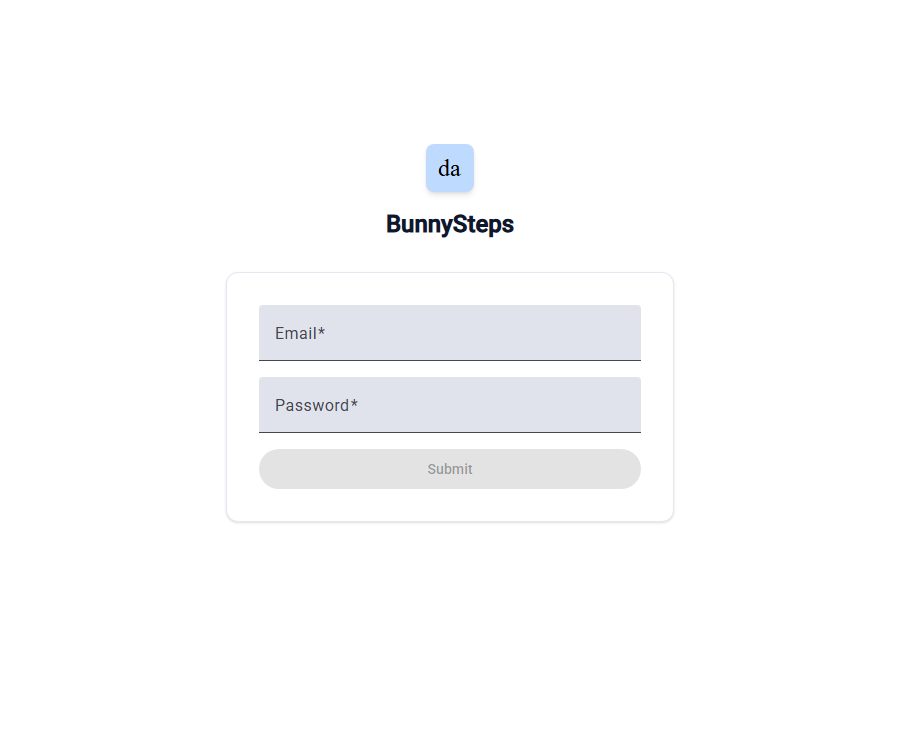
What is BunnySteps.Admin currently?
BunnySteps.Admin is currently a web management interface with restricted access; the page’s brand is shown as BunnySteps. The public version of this page includes only fields for email and password along with a submit button, and it does not display any specific business functions or AI capabilities.
The available information is not sufficient to determine its operating company, target users, and the full scope of its functions. It should not be regarded as a general AI tool open for public registration.
Functions that can be confirmed on the current page
- Email login: Users need to enter the registered email address.
- Password verification: Users must provide a password that matches their account.
- Submit for authentication: A login request can be submitted only after both required fields are filled in.
- Restricted backend: Unlogged-in visitors cannot access the dashboard, data modules, or management functions.
The public page does not offer options for self-registration, password recovery, product demonstrations, a help center, or a way to contact support. The functions available after logging in to the backend, as well as the input/output options and permission levels, cannot be determined from the public information available.
Current status of product identity and domain names
This entry was once linked to the public content of the Mesha brand, but the main page is now BunnySteps.Admin. Some of the Mesha-related marketing and pricing pages still exist, but these cannot be used to determine the functions or pricing of BunnySteps.
| Page type | Currently displayed identity | Confirmable content | Judgment |
|---|---|---|---|
| Main entrance | BunnySteps.Admin | Email address, password, and submit button | Currently valid restricted login page |
| Legacy Marketing Subpage | Mesha | Marketing automation features and older brand packages | It conflicts with the identity of the current main entrance, and therefore is not taken into account in terms of BunnySteps features and pricing. |
| Privacy, Terms, and Security Links | BunnySteps.Admin | Returning to the login page does not display the text of the relevant policy. | The current public policy has not yet been confirmed. |
How to access it if you already have an account
- First, confirm with the person who sent the invitation or the organization’s administrator that this backend indeed belongs to the business system in use.
- Verify the account email, role permissions, data scope, and support contacts; do not use credentials of unknown origin.
- On the login page, enter the email address and password registered for the organization, then submit the authentication.
- After accessing the backend, verify the brand name, organization name, and authorized modules to prevent uploading data to the wrong system.
- If login fails, contact the account administrator to address issues related to activation, reset, or permissions; there is no self-service recovery option on the public page.
Which users are it suitable for
- Internal employees whose accounts have been created by the organization’s administrator.
- Customers or partners who have received a clear invitation and are aware of the purpose of the system.
- The administrator in charge of accounts, permissions, and backend configurations.
Visitors who do not have an account, are not familiar with the person who sent the invitation, or wish to try the service publicly are not suitable for direct use. The current page also does not provide a way to register as an individual user for verification purposes.
Platform and openness capabilities
| Project | Current status | Explanation |
|---|---|---|
| Web backend | The login page is accessible. | An email address and password are required; the module is not yet available once logged in. |
| Self-registration | Not provided | There is no registration link on the public page. |
| Password recovery | Not provided | It is necessary to contact the person who issued the invitation or the organization’s administrator. |
| Mobile apps | Not confirmed yet | No official applications assigned to this backend have been identified. |
| Browser extensions | Not confirmed yet | No verifiable official extensions were found. |
| Publicly available development interfaces | Not yet made public | There are no public documents, authentication methods, or call quotas. |
| Official SDK | Not confirmed yet | There is no verifiable official development package available. |
| Official GitHub | Not confirmed yet | No public code organization with verifiable ownership was found. |
| Open-source status | Not yet made public | It is not possible to determine whether a product is open source based on its web technology stack. |
Prices, trials, and refunds
BunnySteps.Admin does not provide any information regarding available packages, free quotas, trial periods, usage limits, or corporate pricing. The pricing details from Mesha are related to a different brand’s page, and therefore cannot be used as a basis for calculations in this backend system.
| Package or version | Price | Billing cycle | Core benefits or quota | Suitable for users |
|---|---|---|---|---|
| BunnySteps.Admin | Not yet made public | Not yet made public | The features and limits available after logging in are not yet publicly disclosed. | Account users authorized by the organization |
There is no public information available regarding refunds, cancellations, renewals, service levels, or contract durations. When purchasing or making payments, it is necessary to obtain the order details, service terms, and refund policies from the party with which the contract is signed.
Privacy and security considerations
The current public entry does not display the privacy policy, data storage rules, or security guidelines that can be attributed to BunnySteps.Admin. The use of password authentication on this page does not mean that the data is encrypted, isolated, backed up, or compliant with relevant standards.
- Before logging in, verify the operating entity, the person who invited you, and the organizational authorization, to prevent submitting credentials to an unidentified backend.
- Use a strong, unique password for this system; do not reuse it for your email, financial, or other management systems.
- Ask the administrator whether multi-factor authentication, single sign-on, login logs, and anomaly alerts are supported.
- Before uploading personal information, customer data, or business documents, confirm the purpose of processing, the retention period, and the method of deletion.
- Verify whether the administrator can restrict role permissions, as well as permissions for exporting, downloading, and performing batch operations.
- In the event of leaving a job, ending a partnership, or losing equipment, accounts and active sessions should be revoked promptly.
Use boundaries
- It is not possible to determine whether the backend includes AI-generated, analytical, automated, or proxy functions when not logged in.
- It is not possible to determine the supported file formats, languages, models, integrations, or output types.
- There are no public help documents, and the actual procedures may vary depending on the account role.
- The main entrance coexists with the pages for legacy brands, requiring users to verify the product identity separately.
- In the absence of explicit copyright and commercial licensing, resale, redistribution, or processing of third-party data cannot be assumed to be permitted.
Pre-visit checklist
- Verify the legitimacy of the system operator and the invitation email.
- Confirm the account role, accessible data, and allowed actions.
- Access the current privacy policy, terms of service, and support options.
- If payment is involved, verify the price, duration, quota, renewal, and refund options.
- In the case of sensitive data, verify the location of storage, the retention period, as well as the mechanisms for deletion and incident notification.
Summary
BunnySteps.Admin can currently be described as a web-based administration panel that requires an existing account; the available public information is not sufficient to assess its specific AI capabilities or business value. Existing users should obtain accounts and policy documents through the organization’s administrators, while regular visitors should wait for more information to be made available regarding the product’s features, pricing, and security aspects.
A tool similar to BunnySteps.Admin





 Guigong Network Security Registration No. 45132202000164