






Tool Introduction
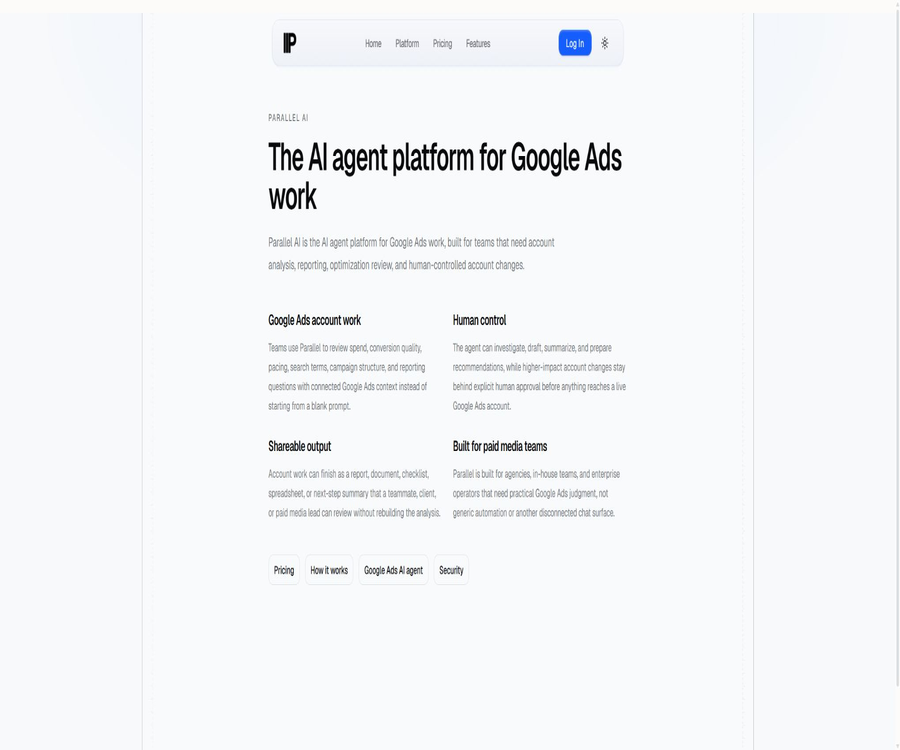
Parallel AI is an AI platform designed for use with Google Ads; its target users include advertising agencies, in-house marketing teams, and organizations that need to manage multiple advertising accounts.
It conducts analysis, generates reports, and performs optimization reviews based on the actual context of the connected accounts, reserving high-impact changes such as budgets, bids, targeting strategies, and account structure for manual approval.
Main functions
Account analysis and issue diagnosis
Users can describe specific tasks in natural language, allowing the intelligent agent to examine the performance of campaigns by taking into account the structure of the ad series, relevant metrics, and the account’s historical data.
- Review expenses, conversion quality, budget timing, search terms, and ad campaign structure.
- It is suitable for diagnosing the cost per conversion of the target, identifying reasons for declining performance, and conducting periodic account audits.
- The analysis results may still contain errors or omissions, and they cannot replace the independent judgment of those who carry out the deployment.
Reports and deliverables
Parallel AI not only provides responses to chats, but it can also organize work into reports, documents, lists, spreadsheets, or summaries of action items.
- Generate results that are easy to review and hand over for clients, team leaders, or colleagues in charge of deployment.
- Keep suggestions, evidence, and account context within the same workflow.
Account changes and manual approval
Agents can draft plans for account adjustments, but high-risk changes must be explicitly approved by a human before they can affect real accounts.
- Manual review is still required for changes to budgets, bids, target audience targeting, and account structure.
- The product is used in conjunction with Google Ads; it does not replace the bidding or setting systems of the advertising platform itself.
Shared workspaces and multi-account management
The team and agent packages offer shared workspaces, enabling members to collaborate within the same account, with shared history and approval context.
- Different plans impose limits on the number of connected accounts, the number of workspaces, the number of seats, and the daily message volume.
- Agents can divide work areas according to clients, thereby reducing the risk of information from different accounts getting mixed together.
Usage tutorial
- Create an account and select the plan suitable for individuals, teams, or agents; the individual plan offers a 5-day trial period.
- Connect to the Google Ads account that needs to be managed through Google’s official login and authorization process; do not provide your Google password directly to the platform.
- Select the appropriate account or workspace, and describe the task in natural language – for example, checking the budget progress, reviewing search terms, or preparing a weekly report.
- Read the account data, analysis logic, and recommendations provided by the reading intelligence agent, and verify the key metrics, policy requirements, and business objectives.
- Organize the results into reports, documents, lists, or tables to share with colleagues or clients for review.
- Each proposed budget, bid, positioning, or structural adjustment is examined in detail; only after verification is it approved manually.
Which users are it suitable for
- Agencies that need to manage multiple Google Ads accounts require a regular schedule for reviewing ads.
- Companies that wish to centralize account analysis, reporting, and approval processes within a shared environment for their marketing teams.
- There is a need for pitchers or consultants who can complete the verification of search terms, the analysis of budget trends, and the preparation of weekly client reports more quickly.
- Organizations that place emphasis on manual control and do not want tools to modify high-impact settings without human confirmation.
Prices and packages
The current self-service packages are billed on a monthly basis by default, with an option to purchase them on a quarterly basis; the average monthly cost of the quarterly plan is 20% lower than that of the monthly payment. The billing information provided does not always specify the annual cycle clearly, and the actual available cycles and costs should be checked on the account settlement page.
| Package or version | Price | Billing cycle | Core benefits or quota | Suitable for users |
|---|---|---|---|---|
| Individual Pro | 60 dollars | Monthly; there is also a quarterly option. | 2 accounts; 30 messages per day; Flash and Pro versions; 5-day trial period | Individuals who manage a small number of accounts |
| Individual Max | 200 dollars | Monthly; there is also a quarterly option. | 10 accounts; 100 messages per day; all models including Ultra; 5-day trial period | Personal advisors and multi-account traders |
| Team | 75 dollars per seat | Monthly; there is also a quarterly option. | 20 shared accounts; 40 messages per seat per day; Ultra is not included; no trial period | Teams that share the account context |
| Agency | $ | Monthly; there is also a quarterly option. | 50 shared accounts; 100 messages per seat per day; 10 customer workspaces; no trial period | Agents who manage multiple clients |
| Enterprise | Contact sales | Contractual agreement | The limits for accounts, messages, and models are determined through negotiation. | Organizations with at least 10 seats and procurement requirements |
Billing, cancellation, and refunds
- Subscriptions are automatically renewed, and users should cancel them before the renewal date; after cancellation, they can still be used until the end of the current payment cycle.
- For monthly subscriptions, no refund is given if the subscription period is less than one month; no refund is also provided for unused features or message quotas.
- Team and agent packages are billed per seat, with no free trial available; it is necessary to determine the actual number of members and accounts before activation.
- Packages, quotas, and prices may change; the details shown on the payment page should prevail at the time of purchase.
Product advantages
- Work with the connected advertising accounts, avoiding the need to start from blank prompts without any business context.
- It enables the conversion of analyses into shareable documents, tables, reports, and action item lists.
- Manual approval is required for changes to high-impact accounts, which facilitates the implementation of responsibility assignment and review processes within the team.
- There are appropriate account capacity plans available for individuals, multi-member teams, agents, and enterprises.
Usage restrictions and precautions
- The product is designed primarily for Google Ads; it is not a universal platform for advertising across all ad networks.
- The terms of service are intended for users in the United States; users in other regions must verify for themselves the availability of the service and any applicable local regulations.
- The suggestions, ad copy, and performance predictions generated by AI may be inaccurate, and they cannot guarantee specific results in terms of advertising returns, conversions, or revenue.
- Before approval, it is necessary to check the Google Ads policies, applicable laws, brand guidelines, and budget constraints.
- The product is still under active development, and its functions, stability, and usability may change; no specific uptime is guaranteed.
Platforms, connection methods, and permissions
| Project | Current instructions | Usage tips |
|---|---|---|
| Use the platform | Web account and shared workspace | Independent desktop or mobile clients are not yet available publicly. |
| Ad connection | Google OAuth and Google Ads API | Authorization is granted only to the accounts and workspaces that truly require management. |
| Revocation of permissions | It can be revoked through Google Account settings. | Check permissions promptly when members leave or a project comes to an end. |
| Change control | Changes to high-risk accounts require manual approval. | The approver still needs to understand the operation that is intended to be carried out. |
APIs, SDKs, and open-source status
The terms of service include the API as part of the services offered; the product also makes use of its interfaces when connected to Google Ads. However, there are currently no separate API documents available for regular developers, no process for requesting keys, and no public information regarding the pricing structure.
The SDK, GitHub repository, source code, or open-source license have not been made public yet; therefore, this product cannot be regarded as open-source software. It should also not be confused with API products that can be found on websites with the same name.
Safety and privacy
Account connections are established through Google’s authorization process; a workspace can only see the ad accounts that have been explicitly connected to it, and no other Google Ads permissions are made available to that workspace automatically.
- Connect to accounts in accordance with the principle of least privilege, and regularly review members, workspaces, and authorization levels.
- The report may contain information on advertising expenses, conversions, and customer transactions; it is necessary to verify the recipient’s permissions before sharing it.
- When dealing with personal information, client secrets, or regulated data, it is necessary to first review the current privacy policy and contract terms.
Frequently Asked Questions
Is Parallel AI free?
It is not a permanently free tool. Individual Pro and Individual Max offer a 5-day trial period; Team and Agency plans require payment immediately upon activation, while Enterprise plans need to be arranged through sales.
Will it automatically modify the Google Ads account?
Agents can analyze and draft modifications, but high-impact changes such as budgets, bids, positioning, and account structure require explicit human approval before they can be applied to actual accounts.
Is it the same product as the web search API with the same name?
No. This entry refers to Parallel AI, which is designed for the Google Ads team; it is a different product from the web search infrastructure product with the same name.
Tools similar to Parallel AI





 Guigong Network Security Registration No. 45132202000164