






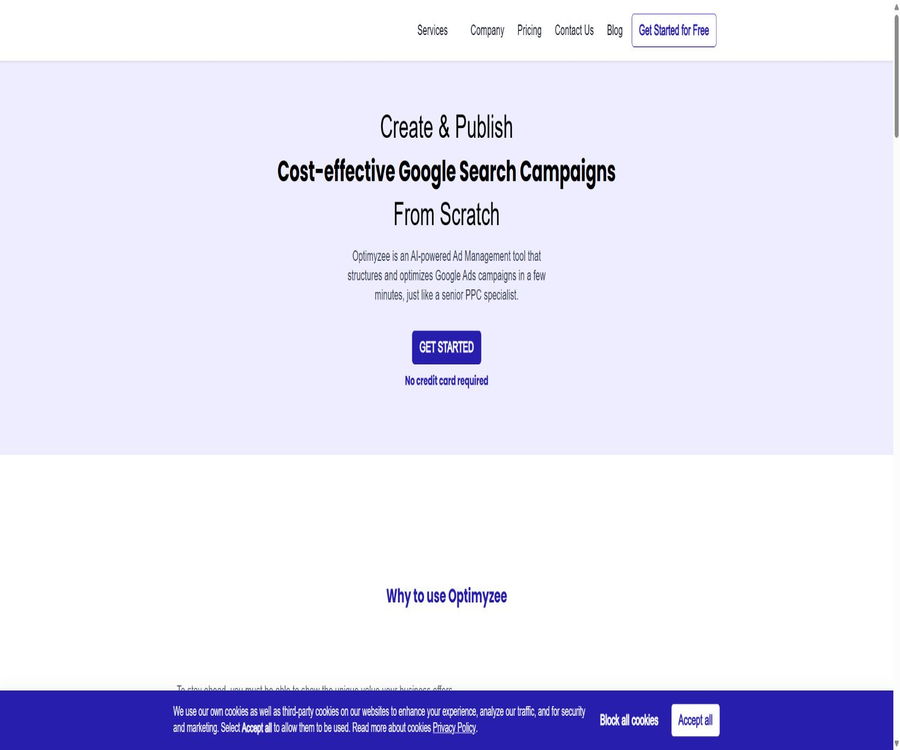
Tool Introduction
Optimyzee is a platform dedicated to the creation and optimization of ads for Google Ads; it makes use of automation and AI to assist with keyword management, ad copy preparation, account audits, and the deployment of search ads.
Currently, there is also a standalone Shopify app that allows the creation of Performance Max ad materials, product groups, and audience segments based on the product catalog.
Main functions
Search ad creation
The platform can generate a list of keywords, responsive search ads, and additional links, and it publishes the structured search ads to the connected Google Ads account.
- The free version allows unlimited use of the RSA tool, keyword list, additional links, and advertising audit tools.
- The number of search ad campaigns that can be launched each month increases as the package level rises.
- Before publishing, it is still necessary to check the matching method, region, budget, landing page, and conversion goals.
Smart Traffic Cleaner
Smart Traffic Cleaner is used to analyze search terms and identify irrelevant traffic that may result in wasted budget, thereby assisting in the creation of negative keywords.
- It is suitable for regularly cleaning up a large number of search terms, thereby reducing the need for manual checking of each one.
- Automated exclusion may inadvertently affect valuable queries; it is recommended to review them first before applying this feature.
- The number of runs per month is limited separately for the Free, Startup, and Business plans.
Account audit and optimization
Optimyzee offers advertising audits and structural recommendations to help identify issues related to tracking, keywords, copywriting, and account organization.
- The results depend on the Google Ads interface, account authorization, and the quality of the existing data.
- The platform does not guarantee click-through rates, conversion rates, revenue, or a return on advertising expenses.
Shopify Performance Max app
A standalone Shopify app can read the store’s product catalog and create titles, descriptions, asset groups, product groups, audience signals, and ad settings for Performance Max.
- It is necessary to connect Google Ads with Google Merchant Center.
- Users can check the generated assets and settings before publishing.
- The packages of this application and the subscriptions available via the web interface are separate from one another, and should not be priced identically.
Usage tutorial
- First, ensure that Google Ads conversion tracking is accurate, and prepare the advertising objectives, budget, location, and landing pages.
- Register for Optimyzee and connect your Google Ads account as needed; e-commerce users also need to link their store and Merchant Center.
- Enter business information to generate keywords, RSA copy, additional links, or Performance Max asset sets.
- Check for negative keywords, brand terms, budget, bids, audience signals, and advertising policy risks.
- First, launch a small number of campaigns with a limited budget to monitor search terms, conversion rates, and cost data.
- Regular traffic cleanup and account audits are carried out, and all significant changes are subject to manual approval along with corresponding rollback records.
Which users are it suitable for
- Small business owners and in-house marketing staff who need to set up Google search ads quickly.
- PPC specialists who manage a small number of advertising accounts and wish to reduce the repetitive work related to keywords and RSA.
- E-commerce merchants who sell through Shopify and are ready to use Performance Max.
- Agencies whose monthly advertising expenses exceed the limit set for the standard packages, or those that manage a large number of client accounts, should first consider alternative solutions.
Prices and packages on the web page
| Package | Monthly price | Core limit | Accounts and Support |
|---|---|---|---|
| Free | 0 dollars | Traffic cleanup is carried out once a month, and search ads are published once a month; the maximum monthly advertising expenditure is 2000 dollars. | A credit card is not required. |
| Startup | 29 dollars | 3 traffic cleanup sessions per month, 5 search ad placements per month; the maximum monthly advertising expenditure is 2500 dollars. | Connect to 1 Google Ads account; email support provides a response within 48 hours. |
| Business | 99 dollars | 10 traffic cleanups per month, 15 search ad placements per month; the maximum monthly advertising expenditure is 5,000 dollars. | Connect up to 3 accounts, 1 consultation per month, with 24/7 email support. |
The pricing page on the website offers the option to choose between monthly and annual payment; however, the only figure that is publicly available is the price for monthly payment, while the amount for annual payment shall be as indicated on the settlement screen.
Shopify app prices
| Package | Monthly payment | Annual payment | Explanation |
|---|---|---|---|
| Free | Free | Free | Provide basic application solutions. |
| Startup | 9 dollars | 90 dollars | Used in the Shopify Performance Max workflow |
| Business | 39 dollars | 390 dollars | For higher-level application requirements |
The costs associated with Shopify apps are shown separately in the app store; periodic fees are billed in dollars, and using Google Ads incurs additional advertising costs.
Product advantages
- Focusing on Google Ads, its workflow is more aligned with the actual operations of accounts compared to general marketing writing tools.
- The free version allows testing of the main creation and auditing tools, without the need to provide a credit card in advance.
- The web version and e-commerce applications cover the Performance Max use cases driven by search ads and product catalogs, respectively.
Usage restrictions and precautions
- Automation tools cannot replace accurate conversion tracking, business judgment, and the review of advertising platform policies.
- Connecting an advertising account grants access to sensitive business data and publishing rights; it is therefore necessary to apply the principle of least privilege and to regularly review these permissions.
- Incorrect negative keywords, budgets, or conversion goals can directly result in a loss of traffic and funds; it is advisable to conduct tests on a small scale before making changes on a large scale.
- Standard subscriptions come with a 30-day refund guarantee, after which refunds are generally not provided; agency agreements may have different refund terms.
Platforms, languages, and interfaces
- The main product is used via a web page and is connected to Google Ads; the Shopify version is installed as an app in the app store.
- The Shopify page lists English explicitly; the main platform does not provide a complete list of available languages.
- The authorities do not provide any public APIs or SDKs; account connection relies on the platform’s built-in integration.
Open-source status
No source code for the Optimyzee product nor any official open-source repository has been found; neither the web service nor the Shopify application should be considered open-source software.
Privacy and Responsibility
The platform handles account, payment, and advertising campaign information, stating that customer data is kept confidential; anonymous aggregated data can be used to improve the services.
Users remain responsible for setting up ad accounts, managing budgets, tracking performance, and ensuring compliance with policies; any significant changes to ads must be documented for review.
Frequently Asked Questions
Is Optimizee free?
The web version offers a permanently free option, and the Shopify app also has a free tier, but the limits and features of these two options differ.
Does the subscription fee include an advertising budget?
It is not included; the package fee covers only the right to use the tool, while the costs associated with advertising on Google must be covered separately.
Can it automatically ensure the effectiveness of advertisements?
No, market competition, website conversion rates, tracking quality, budget, and platform algorithms all influence the results.
Tools similar to Optimyzee





 Guigong Network Security Registration No. 45132202000164