






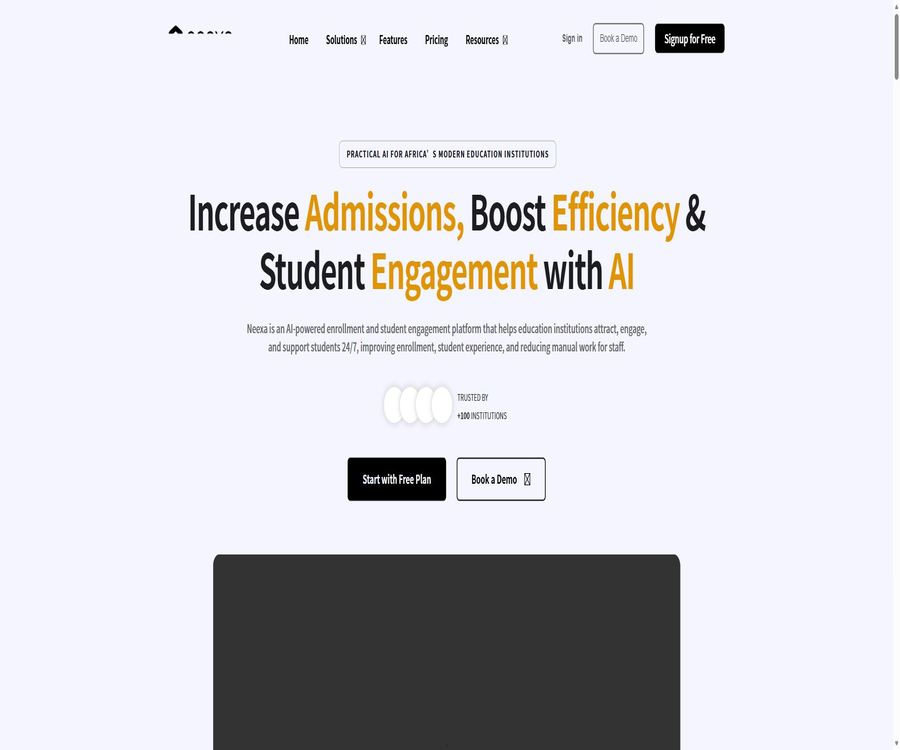
What is Neexa?
Neexa is an AI-based platform for recruitment, sales, and student support, operated by Campaignity Technologies Ltd in Uganda; it currently serves schools, educational institutions, as well as B2C teams that need to continuously develop new leads.
It brings together website chats, WhatsApp, Instagram, Facebook Messenger, and email conversations in one workspace, allowing AI to automatically respond, collect information, identify intentions, and carry out follow-up actions; it can also hand over tasks to human agents when necessary.
Main functions
Multi-channel AI conversations and Unibox
- AI Agents can answer questions regarding courses, fees, applications, as well as products and services around the clock, based on information provided by schools or companies, and they respond in accordance with the designated roles, tones, and instructions.
- Unibox aggregates conversations from websites, WhatsApp, Instagram, Facebook, and email, allowing you to view active, completed, pending, and upgraded sessions.
- Human Takeover allows the AI to be paused so that employees can respond directly, after which control is handed back to the AI; this approach is suitable for complex inquiries, complaints, and high-value leads.
- Sentiment analysis and conversation tagging help teams identify interactions that are positive, negative, or require further attention, but the outcomes of such assessments can still be influenced by language, irony, and context.
Knowledge training and web intelligence
- It allows the agent to learn from website pages, upload documents, or enter text manually; it is suitable for importing course information, admission rules, frequently asked questions, product descriptions, and service procedures.
- The content of the knowledge base can be edited, and new materials are usually processed within a few minutes; however, complex websites, login pages, and outdated documents still require verification by administrators.
- Web intelligence is used to extract business information from public pages; the quality of the responses depends on the page structure, the completeness of the content, and the frequency of updates to the knowledge base.
- Premium allows unlimited document uploads, while the limits regarding documents and usage for other plans are as indicated in the account settings.
Automatic lead collection and autonomous CRM
- Dialog-based data collection can be triggered once a set number of messages from users or AI systems have been received, and it collects information such as name, phone number, email address, address, date, numbers, and custom options.
- Data First collects all the required information first before proceeding, while Smart Assist gathers that information gradually as it answers questions, which helps to reduce interruptions in form-based conversations.
- The built-in database stores information on contacts, channels, time of addition, and relevant session context, which helps the team determine where each lead originated from.
- An autonomous CRM can update the status of conversations to ‘following’, ‘pending’, ‘won’, ‘lost’, or request manual intervention, and it can schedule subsequent messages for potential leads.
Reaching out, following up, and reporting
- Outreach allows you to upload contact lists, create email and WhatsApp templates, and send campaigns, notifications, reminders, or recruitment messages.
- WhatsApp uses templates that require Meta’s approval, and it complies with user consent rules, unsubscribe procedures, message categories, and platform policies.
- Automatic follow-ups allow AI to continue the conversation based on the current stage of the lead, but each follow-up consumes more points than a regular response; it is necessary to define stop conditions before enabling this feature.
- The dashboard provides information on sessions, CRM data, activities, and statistical figures; the retention period for historical data and statistics varies depending on the package, ranging from 30 days, 3 months, 12 months to an unlimited period.
Channel deployment method
| Channels | Access method | Primary uses | Important restrictions |
|---|---|---|---|
| Website components | Embed a chat component or install a WordPress plugin | Answer visitors' questions, collect leads, and transfer to a human agent | Visitor conversations and related data are transmitted to the Neexa service. |
| Connect Meta Business Portfolio with WhatsApp Business Platform | Consultation handling, automatic follow-up, template-based outreach, and manual intervention | In some areas, it is not possible to have existing mobile apps coexist with cloud services; the cloud-based mode for new numbers cannot be used within mobile apps. | |
| Instagram and Facebook | Authorize homepage, business asset, and message permissions for enterprise owners | Process private messages and consolidate them in Unibox. | The connector must have full management rights over the corresponding Meta business assets. |
| Connect to inbox | Consultations on sending and receiving messages, email follow-ups, and events | A dedicated business email address should be used, along with proper control over member permissions. | |
| Android apps | Native Google Play apps | Move to view and manage sales sessions | No iOS native app has been confirmed at the moment. |
Setup and usage process
- Register for a free workspace, add information about your school or company, and define the agent’s tasks, tone of voice, boundaries, and the situations in which it should hand over the task to a human operator.
- Import website pages, documents, and manual knowledge; use actual recruitment or sales questions to test the answers; remove any conflicting or outdated information.
- Enable the database and interactive data collection, select either Data First or Smart Assist, and set the fields, validation rules, number of trigger messages, and required fields.
- First, deploy the website components; when using WordPress, install plugins, connect to a Neexa account, select an agent and adjust its location, theme, and mobile display settings.
- Connect to WhatsApp, Instagram, Facebook, or email, and use a test account to check permissions, message direction, manual intervention, and failure handling.
- Configure the CRM phases, follow-up schedules, notification and outreach templates, and establish manual review processes for approvals, cancellations, sensitive inquiries, and data related to minors.
- Observe the accuracy of responses, the rate of requests routed to human agents, the conversion rate of leads, and the amount of points consumed, before deciding whether to upgrade the package or integrate with the API.
API and Webhook
- The Integration API utilizes a Bearer token issued by the workspace to list connected channels, sessions, messages, and approved WhatsApp templates.
- External CRMs, help desks, or student information systems can read sessions and messages, reply to existing sessions, or send WhatsApp messages using templates.
- Webhooks can deliver new messages, update read status, and report other actions within the workspace, thereby avoiding the need for external systems to perform repeated polling.
- Each Webhook delivery is signed with HMAC-SHA256; the recipient should perform a constant-time comparison of the original request body and promptly return a success status.
- For failed deliveries, exponential backoff is employed with at least 24 hours of retry time; external systems should also implement idempotent processing, queue management, logging, and protection against duplicate events.
- The Premium category includes the use of custom data through APIs or MCP, while the Growth category refers to Custom API Access; the exact scope of the Integration API is specified in the account agreement or sales contract.
Price and points
| Package or version | Price | Billing cycle | Core benefits or quota | Suitable for users |
|---|---|---|---|---|
| Free | 0 dollars | Free for a long time | 50 points per month, 1 agent, website components, multi-channel integration, 3 months of chat history, manual assistance, and reports for 30 days | Teams that conduct limited-scale testing of knowledge and session workflows |
| Starter annual plan | That amounts to $199 per month, for a total of $2,388. | Prepayment on an annual basis | 42,000 points throughout the year, no limit on the number of agents, custom CRM system, email outreach, 5 team members, and records and statistics for 12 months | Small agencies that provide ongoing enrollment or sales consultation services |
| Starter monthly plan | $ | On a monthly basis | 3,500 points per month, with the same features as the Starter annual plan. | Teams that wish to maintain monthly flexibility |
| Premium annual payment | That amounts to $499 per month, for a total of $5,988. | Prepayment on an annual basis | 120,000 points throughout the year, unlimited chat history and documents, 10 members, priority support, a customer success manager, and the ability to customize data using API or MCP. | Institutions that require more knowledge, history, and integration |
| Premium monthly payment | $ | On a monthly basis | 10,000 points per month, with the same benefits as the Premium tier | Teams with high consultation volumes but that do not want to pay on an annual basis |
| Growth annual payment | That amounts to $999 per month, for a total of $11,988. | Prepayment on an annual basis | 300,000 points throughout the year, unlimited number of members, dedicated customer success manager, Custom API, removal of brand identifiers | Organizations with high usage levels and deep system integration |
| Growth Monthly Subscription | $ | On a monthly basis | 25,000 points per month, with the same benefits as the Growth tier | Organizations that require a higher monthly quota |
| Enterprise | Contact sales | Contractual agreement | High usage, single sign-on, and custom features | Large organizations that require procurement, security, and governance provisions |
How are points consumed?
- Each AI response costs 1 point, each AI Outreach message costs 1 point, while a simple Outreach message costs 0.1 point.
- Each automatic AI follow-up consumes 5 points, so frequent follow-ups will deplete the package quota more quickly than passive question-and-answer sessions.
- It is possible to purchase additional points before renewing: 5 points per dollar for the Free plan, 10 points for the Starter plan, 15 points for the Premium plan, and 20 points for the Growth plan.
- With the annual payment option, all points for the whole year are obtained at once, while the monthly payment option provides a set amount of points per month; promotions, manual allocation, or corporate contracts may result in different calculation methods.
- WhatsApp, email, or other third-party platforms may incur additional fees; the pricing page does not guarantee that all such external costs are included within the Neexa points.
Renewal, cancellation, and refunds
- A paid subscription will have charges deducted continuously until it is canceled; the price, features, and quotas can be adjusted in subsequent periods, with notifications sent via the service, email, or a webpage.
- Cancellation only prevents further renewals; it does not refund any fees that have already been paid or are due for the current billing period. Subscription fees, prepaid amounts, and points are generally non-refundable.
- If Campaignity terminates the paid service not due to customer breach of contract, illegal activities, or unpaid bills, or if the customer causes termination as a result of a serious breach that has not been remedied, the unused portion of the prepaid amount can be refunded in accordance with the relevant terms.
- Special circumstances such as repeated charging or billing errors may be subject to discretionary adjustment, but this does not constitute an obligation to issue a refund in future.
Suitable for users and use cases
- Admissions team: Answers questions regarding courses, application requirements, fees, and deadlines; collects applicant information and sends automatic reminders.
- Student Services: Handles common procedures and issues related to campus services, and forwards individual cases, complaints, or sensitive matters to the appropriate staff members.
- B2C sales: Identify potential customers through websites and social media messages, follow up with them consistently, and keep track of whether they were won or lost as leads.
- Marketing campaigns: Send emails or WhatsApp messages to the contacts who have given their consent, and monitor the performance of these campaigns in the dashboard.
- System integration: Synchronize sessions with CRM, help desks, or student information systems, and generate internal tickets via events.
Advantages and capabilities boundaries
- The advantage lies in bringing knowledge-based Q&A, clue collection, autonomous CRM, outreach, and manual intervention together in the same workspace, rather than offering just a single web-based chatbot.
- The responses provided by the Agent may be incorrect, incomplete, or inappropriate for specific situations; they cannot serve as the sole basis for decisions related to admissions, employment, credit, healthcare, or other high-stakes decisions without supervision.
- Automatic follow-ups and contacts must be based on valid consent and must provide an option to unsubscribe; improper configuration can lead to harassment, platform bans, additional costs, or compliance issues.
- Multiple channels are subject to the policies of Meta, email service providers, and third-party interfaces; external audits, permission restrictions, or regional limitations can affect deployment.
- The case data is provided by the operator, and it cannot guarantee that other schools or companies will achieve the same level of efficiency and revenue increases.
Open source, platform, and product status
- Neexa is a hosted business SaaS solution; the terms specify that the platform software, design, trademarks, and documentation are owned by Campaignity and its affiliates, and the license for the product’s source code is not made public.
- WordPress plugins are distributed in the plugin directory on an open-source basis, allowing people to view their code; however, this does not mean that cloud agents, CRM systems, APIs, and model services are all open source.
- The plugin is responsible only for connecting the components to Neexa; user interactions and sessions are sent to cloud services. Once the SaaS service is disabled, the plugin cannot provide AI functions on its own.
- Currently, the web version, Android app, WordPress plugin, and REST API have been confirmed; the iOS version, native desktop clients, or self-deployable versions have not yet been verified.
Privacy, security, and educational data
- The platform handles accounts, workspaces, contacts, sessions, follow-ups, file uploads, knowledge pages, Agent prompts, technical logs, and limited billing information.
- The customers are usually the ones in control of their leads, students, and end-user data, with Campaignity acting as the processor; tasks such as account management, billing, security, and compliance are under Campaignity’s independent control.
- The de-identified and anonymized data from the default Free workspace can be used for internal AI training and improvement, whereas data from paid, enterprise, invoicing, and similar plans is not intended for such internal use unless written permission is given.
- Third-party AI providers are subject to contractual restrictions that prohibit them from using customer data to train or improve their models, but customers should still review the DPA and the list of sub-processors.
- The main services are hosted in the AWS European region, with the primary servers located in Stockholm, Sweden; Campaignity’s headquarters is in Uganda, and some account and business operation data may be processed there.
- Security measures include access control, monitoring, logging, and encryption for transmissions where applicable; the customer is responsible for securing member permissions, credentials, interface keys, and integration endpoints.
- After an account is deleted, the related data is usually removed or anonymized within 90 days, with exceptions for data required for legal, tax, dispute resolution, security purposes, and limited backups.
- Inactive workspaces may be disabled or deleted after 12 months, and personal accounts with no logins may be deleted after 24 months; notifications may be provided in advance where applicable.
- When dealing with minors, schools are responsible for providing notifications, obtaining consent from parents or guardians, and ensuring that AI does not make decisions that affect the rights of students on its own.
Summary
Neexa is suitable for organizations that need to handle admissions, sales, or student support across multiple communication channels, and that wish to convert conversations directly into contacts, follow-ups, and system events.
During the trial period, it is important to measure the accuracy of knowledge responses, the experience when switching to human assistance, the points consumed per clue, the costs associated with various channels, and the compliance procedures. Based on these metrics, as well as the requirements related to APIs, historical data, members, and data training, the appropriate package can be selected.
Tools similar to Neexa





 Guigong Network Security Registration No. 45132202000164