






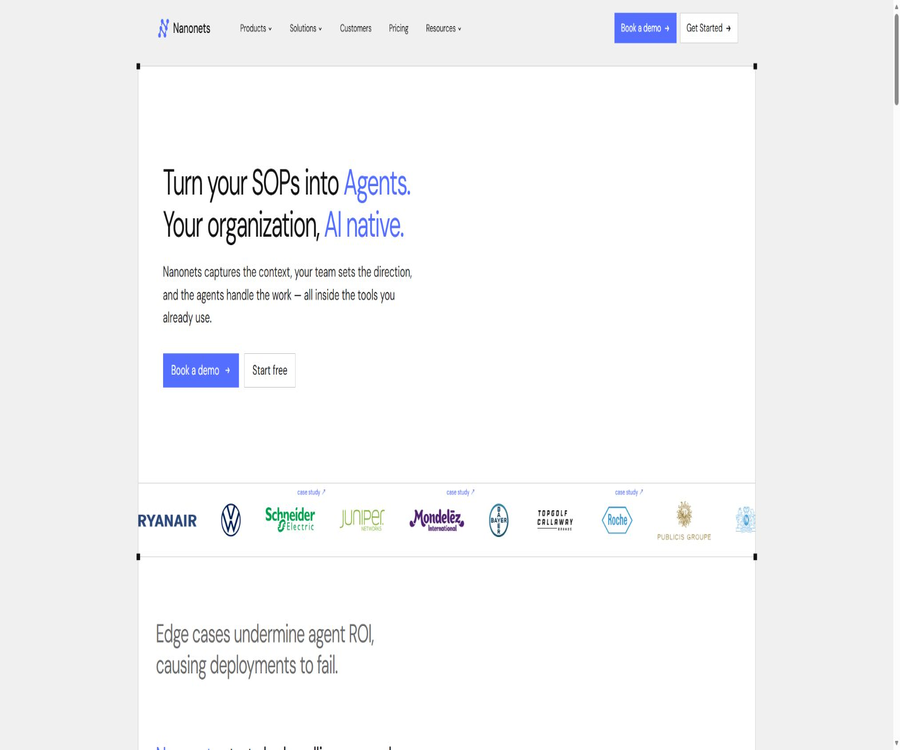
What is Nanonets?
Nanonets is an intelligent document processing and workflow automation platform operated by Nano Net Technologies Inc. It integrates OCR, data extraction, classification, verification, manual approval, and data synchronization with business systems into a single workflow, enabling the processing of invoices, receipts, purchase orders, bank statements, logistics documents, and other unstructured files.
The current product is evolving from a simple OCR tool into an AI Agent platform designed for financial and operational processes. Users can create code-free workflows via the web interface, or they can integrate with existing systems using APIs, Python scripts, and enterprise connectors.
Main functions
- Document import: Receive files automatically from web pages, emails, Dropbox, Google Drive, OneDrive, Amazon S3, Zapier, or APIs.
- OCR and structured data extraction: It identifies the text, fields, tables, and row items, converting documents in various formats into structured data that can be verified and exported.
- Document classification: Files are sorted according to invoices, orders, receipts, contracts, or custom categories; Classification AI is available as part of the Growth plan and higher.
- Data validation: Check dates, amounts, formats, database consistency, and business rules, marking those with low confidence or abnormal results.
- Two-way and three-way matching: Match invoices with purchase orders and receipt records to identify discrepancies in quantity, price, and supplier.
- Duplicate and fraud checks: Identify potential duplicate payments or abnormal documents by examining the supplier, invoice number, amount, and historical data.
- GL coding and cost centers: Based on the company’s rules and historical data, suggestions are made regarding the general ledger accounts, tax codes, and cost centers; however, these need to be verified before the actual posting.
- Multi-stage approval: Reviewers are assigned based on amount thresholds, field validity, supplier, or exception type; it supports mandatory approval as well as approval only for exceptions.
- Data processing block: Format dates, perform searches, apply conditions, select fields, and use custom Python code to process and extract results.
- System write-back: Sends the approved data to Google Sheets, QuickBooks, Xero, SAP, NetSuite, Oracle, Dynamics 365, or relational databases.
- Audit trail: It records the original documents, extraction results, rules, manual actions, and responses from external systems, facilitating the tracking of anomalies and transactions.
- Document-based Agent: It can read process manuals, supplier terms, and approval matrices, convert rules into auditable process stages, and hand over cases involving exceptions to human operators.
Supported inputs and outputs
| Category | Supported content | Main results | Suitable for tasks |
|---|---|---|---|
| Documents and images | PDF, PNG, JPG, TIFF, DOCX, TXT | Fields, tables, row items, and text | Invoices, receipts, documents, and scanned copies |
| Table file | CSV, XLS, XLSX | Normalized fields and data validation results | Supplier table, order, and reconciliation data |
| Process context | Business rules, approval matrices, supplier terms | Matching, routing, approval, and Agent decision-making | Accounts payable and operational automation |
| Export results | Structured data, original files, and approval status | Tables, database records, ERP documents, or API responses | System write-back and auditing |
The specific file size, number of pages, synchronization frequency, and API rate limits vary depending on the entry point, model, and account settings. It is necessary to consult the current workspace or interface documentation before conducting tests; the limitations associated with a single OCR example cannot be applied to the entire process.
Standard workflow
- Select the scenario of invoices, orders, documents, or custom files, and prepare a set of realistic but anonymized representative samples.
- Configure import via upload, email, cloud storage, S3, or API, and first verify the permission scope and trigger conditions.
- Define the fields, tables, and row items that need to be extracted, and then use samples to check for layout differences, handwritten content, and low-quality scans.
- Add formatting, searching, conditional, sorting, and validation sections to determine which errors are corrected automatically and which require manual handling.
- Set approval stages and rules to assign files with high amounts, low confidence levels, duplicates, matching failures, or that have expired to the appropriate personnel.
- For ERP, database, spreadsheet, or API exports, official data writing is allowed only when triggered by approved files.
- Run the end-to-end process using test files to verify the number of times each block is processed, the associated costs, field mappings, and retry mechanisms in case of failures.
- After going live, sample checks are conducted to assess accuracy, error rates, the need for manual adjustments, and system response; rules are adjusted continuously rather than relying entirely on automation.
Typical scenarios
- Accounts Payable: Receive invoices from suppliers’ emails, extract line items, carry out duplicate checks, triple verification, approval processes, and ERP posting.
- Order management: Reads purchase orders or sales orders, verifies the product details, quantities, and customer information, and then synchronizes them with the operational system.
- Charges and receipts: Verify that the reimbursement documents comply with the policies, and submit any abnormalities along with the relevant rules violations to the approver.
- Logistics and supply chain: Handle bills of lading, packing lists, delivery notes, and customs documents; after standardizing the data fields, they are sent to the business system.
- Healthcare and insurance: Retrieving forms, claims, or patient documents; however, when regulated data is involved, enterprise configurations that meet contractual requirements must be used.
- LLM and RAG data preparation: Convert complex PDFs, tables, formulas, and image content into structured Markdown or JSON for subsequent retrieval and question answering.
Advantages and capabilities boundaries
Actual advantages
- It covers import, extraction, processing, approval, and export, eliminating the need to manually transfer OCR results to multiple systems.
- It supports code-free configuration as well as API and Python extensions, enabling business teams and developers to work together within the same workflow.
- Manual review via alternative routes is appropriate when it is necessary to maintain financial control, rather than relying on fully automated processing.
- The current billing is based on blocks, allowing the team to estimate costs separately for extraction, classification, formatting, and export.
- The enterprise solution offers SSO, SCIM, role-based permissions, audit logs, data residency options, as well as the possibility of deployment in a private cloud or on-premises.
Capacity boundaries
- Low-resolution scans, handwritten text, complex tables, non-standard layouts, and mixed languages can still lead to errors in fields or row items.
- AI Agents may fail to account for exceptional conditions when interpreting process documents; the rules generated automatically must be approved by the business manager.
- Each file can trigger multiple blocks, and processes with the same number of pages and files may incur different fees due to variations in complexity.
- The Growth version includes generative AI, classification, barcode signature detection, custom Python scripts, and integration with enterprise databases; the Starter version does not offer a complete set of functions for testing.
- The use of 4 to 6 blocks in the typical invoices shown as examples of public prices is merely an estimate; it cannot be guaranteed that every organization will incur a lower cost.
Price and quota
| Package or version | Price | Billing cycle | Core benefits or quota | Suitable for users |
|---|---|---|---|---|
| Starter trial | 0 dollars | One-time trial quota | 50 US dollars worth of credits, no bank card required; access to AI, API, email, cloud storage, for up to 3 people | Verify single-document process |
| Starter paid version | 100 dollars | Monthly | 100 Credits; consumption depends on the actual number of blocks processed, community support available | Small teams and stable basic processes |
| Growth | Contact sales | Pay-as-you-go pricing | Shared Credits, Premium AI modules, analytics, generative AI, Python, ERP, and custom integrations; up to 40% discount on volume and price. | Business teams for batch processing |
| Enterprise | Custom quote | Contractual agreement | SSO, SCIM, RBAC, compliance, private or on-premises deployment, data residency, SLA, and SIEM | Regulated or large organizations |
Unit price per block operation
| Block complexity | Price | Billing cycle | Core benefits or quota | Suitable for users |
|---|---|---|---|---|
| Simple | 0.02 dollars per time | Each time it is run | Simple operations such as formatting, routing, and exporting | Basic data processing |
| Standard AI | 0.10 US dollars per time | Each time it is run | Standards for AI operations such as classification and verification | Separation of rules and documents |
| Complex AI | $ | Each time it is run | Complex operations such as data extraction and generative AI | Field and content understanding |
Credits are prepaid amounts that can be used across different workflow stages; they can be shared among team members, and the page indicates that they do not expire. Existing customers may still be subject to the old pricing structure, based on pages or specific packages, and the historical price per page for Starter plans cannot be used as the sole basis for billing new accounts.
Renewal and Refunds
- The order is automatically renewed at the end of the contract period, unless one party provides written notice in advance, as required by the order, to refrain from renewal.
- The terms of service state that fees are non-refundable and users have no right to request a refund for the services received; taxes may be charged separately.
- A trial quota does not require a bank card, but before upgrading to a paid plan, it is still necessary to understand the rules regarding blocks, Credits, excess usage, and suspension.
- The minimum commitment levels, payment cycles, service credits, and termination conditions for Growth and Enterprise are determined in accordance with the order and sales contract.
API, Integration, and Deployment
- The Starter version includes API access, allowing developers to upload documents using account keys, invoke models, and receive structured results.
- The official documentation provides information on authentication, workflows, models, as well as settings for import and export; GitHub also offers Python OCR examples and pre-written code.
- Import is supported from email addresses, major cloud storage services, S3, Zapier, and APIs; export can be done to spreadsheets, accounting systems, ERP platforms, databases, FTP servers, or custom scripts.
- Enterprise connectors support systems such as SAP, Oracle, and Salesforce; the specific versions, field objects, and read/write capabilities must be determined during implementation.
- Standard cloud services make use of the AWS and GCP infrastructure; for Enterprise versions, private clouds, on-premises deployment, as well as data storage options in the United States, the European Union, and the Asia-Pacific region are available upon request.
- There are no official iOS or Android native applications designed for end-users; the main ways in which these services are utilized are through web pages, APIs, and system integrations.
Open-source models and the open-source status of products
- Nanonets has an officially recognized GitHub organization with domain verification, and it makes available examples of OCR technologies, as well as tools such as Docstrange, Docext, NanoIndex, n8n nodes, and other projects.
- The weights of Nanonets-OCR-s are made public and licensed under Apache 2.0, allowing for deployment in accordance with this license; nevertheless, it is still necessary to check the rights related to the underlying model, dependencies, and input data when using it.
- The weights and usage examples for Nanonets-OCR2-3B are available, but the license is not clearly stated on the model’s page; some people in the discussion forums have requested that this information be provided, so unrestricted commercial use cannot be assumed as permissible.
- Projects such as Docstrange, Docext, and NanoIndex come with their own separate licenses, either MIT or Apache 2.0, and these licenses apply only to the respective repositories.
- The SaaS services, hosted workflows, connectors, and management interfaces offered by Nanonets are not made fully open source just because some of their models or SDKs are open source.
Privacy, Security, and Compliance
- The customer retains ownership of the data uploaded, and authorizes Nanonets to process, transmit, and use such data solely for the purpose of providing services.
- The terms allow Nanonets to use derived data for improving, testing, operating, promoting, and marketing its products; the company must specify the boundaries regarding derived data and training in the DPA and order documents.
- The privacy policy specifies that the data from Google Workspace API will not be used to develop, enhance, or train AI and machine learning models; however, this does not mean that all other types of data are automatically excluded from any improvements to these models.
- The standard security policy states that customer data is stored in multi-tenant data stores located in the United States; the pricing page for businesses shows options for storage in the United States, the European Union, and the Asia-Pacific region, with the actual location depending on the package and contract settings.
- 256-bit encryption is used for transmitting data, while AES-256 is employed for static data. The platform offers network isolation, backup, auditing, and event response capabilities.
- Nanonets claims to hold SOC 2 Type I and Type II certifications as well as ISO 27001 certification, and it offers HIPAA and SOC 2 compliance support for enterprise clients; requests for reports must be submitted through the appropriate process.
- Customer data is retained for as long as the subscription is active or the account is in use; it can be requested to be deleted in writing. The terms allow for the data to be kept for up to 30 days after the order is terminated, and companies can establish their own policies regarding data retention.
- Companies can apply for DPA and NDA, and should implement minimum permissions, two-factor authentication, role separation, audit logs, as well as the masking of sensitive fields.
Summary
Nanonets is suitable for teams that need to turn document receipt, extraction, rule-based processing, manual approval, and ERP data writing into an auditable process, rather than for individual users who only want to identify images occasionally. During the trial period, it is necessary to assess factors such as field accuracy, error handling, the number of blocks triggered per document, the range of connectors, and data contracts; open-source OCR models should also be evaluated separately from the features, pricing, and licensing options of commercial SaaS solutions.
Tools similar to Nanonets





 Guigong Network Security Registration No. 45132202000164