






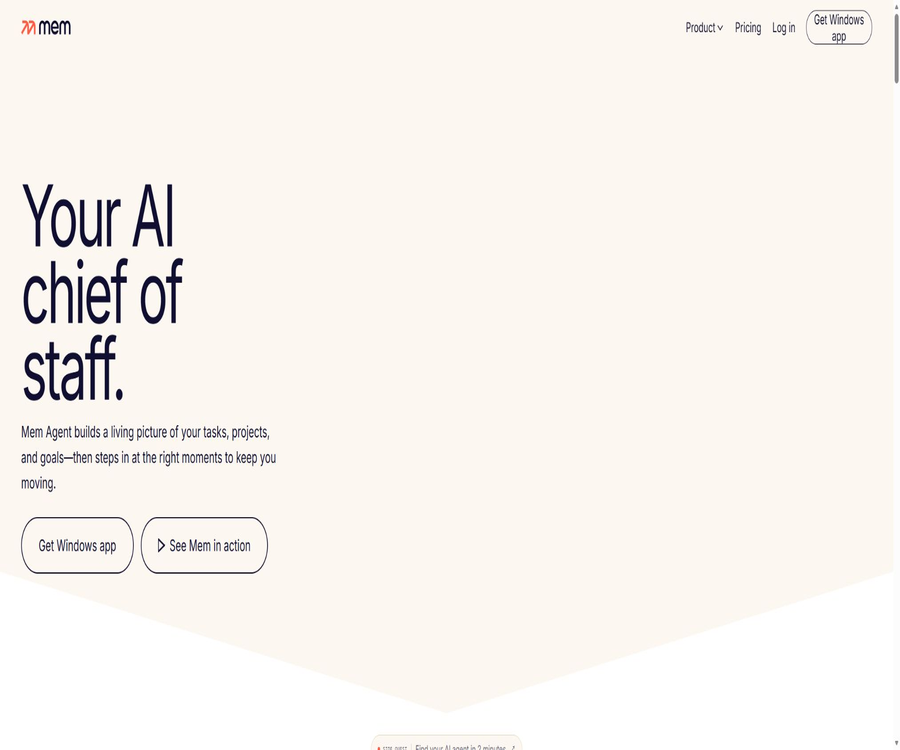
What is Mem AI?
Mem AI is an intelligent note-taking, meeting recording, and personal knowledge management platform developed by Mem Labs, Inc. It stores text, web pages, files, emails, calendars, and audio content in a single workspace, and uses AI to help organize, search for, summarize, and retrieve relevant context.
The current product is divided into two components: Mem Workspace and Mem Agent. The Workspace is responsible for capturing, organizing, and retrieving knowledge, while the Agent uses this information to keep track of decisions, commitments, deadlines, and pending tasks. It is suitable for those who wish to reduce manual sorting, but it is not a local offline model nor an end-to-end encrypted note database.
Main functions
- Quick notes: Use the editor to record ideas, research findings, meeting details, and project information; structured text can be inserted, and versions can be saved. Notes are private by default, but users can share them with collaborators as needed.
- Voice Mode: By giving commands to generate ideas, plan tasks, or make modifications, Mem will save the recordings and transcriptions, and organize the content into structured notes. The Mac and Windows desktop versions can capture both the microphone audio and system audio on supported devices, while web versions and iOS versions mainly capture microphone audio.
- Meeting minutes: After recording meetings via Zoom, Google Meet, Microsoft Teams, or in person, transcripts, summaries, decisions, and action items are generated. Users should first obtain the consent of the participants and carefully review names, numbers, commitments, and technical terms.
- Clean Up: Organizes scattered drafts, speech transcriptions, or temporary lists into clearer headings, paragraphs, and bullet points. Users can provide further instructions to simplify the content, add action items, or change the format.
- Deep Search: Allows searching through all notes by topic, description, or vague memories; there is no need to remember exact keywords or the location of folders. The quality of the search depends on the completeness of the saved content, the language used, and the context.
- Chat and model selection: It allows for asking questions related to notes, collections, meetings, and PDF files, with the ability to generate summaries, agendas, project updates, or comprehensive results that combine information from various notes. The Pro version offers unlimited options for Chat and model selection; however, the generated content still needs to be checked against the original notes.
- Collections: A single note can belong to multiple collections, which eliminates the limitations imposed by a single folder structure. Manual organization, AI-driven automation, and team-based sharing of collections are all supported.
- Headings Up: It displays relevant notes, past decisions, and timeline context automatically while writing, in meetings, or while working on projects, thereby reducing the need to search repeatedly. It makes recommendations based on relevance, but it does not guarantee that the most important information will be shown each time.
- Templates: They create reusable structures for meetings, weekly plans, project summaries, interviews, sales calls, and logs, using variables such as dates and names. Templates can be linked to collections or shared with other users.
- PDF Understanding: It allows for searching and asking questions about uploaded PDF files. The free version has a limit on the number of pages per month, while the Pro version offers unlimited access. The quality of recognition in scanned documents depends on the clarity of the images and text.
- Web and email capture: Use browser extensions, system sharing menus, dedicated email addresses, and connected email accounts to save links, web pages, emails, or attachments as notes. Connected email accounts are part of the Pro features; it is necessary to determine which sensitive emails should be imported beforehand.
- Mem Agent: It analyzes the items that are important to users based on notes, messages, and the calendar, and proactively sends pre-meeting briefings, reminders, and tasks that need follow-up. It does not replace formal task management systems or manual confirmation of responsibilities; tasks that have been completed must be indicated to the Agent so that it stops tracking them.
Input, processing, and output
| Enter | Handling method | Main output | Precautions |
|---|---|---|---|
| Text and Markdown | Editing, organizing, linking, and searching | Notes, collections, templates, and summaries | Import supports Markdown and plain text. |
| Voice and conference audio | Transcription, structuring, and summarization | Recording, full-text transcription, meeting minutes | The system audio capabilities differ between the desktop version and the web version. |
| Content understanding, search, and Q&A | Answers, summaries, and related paragraphs | The free version can process 25 pages per month. | |
| Websites, links, and files | Save the context and generate notes. | Searchable materials and organized results | A copy saved after a web page is updated may not be synchronized automatically. |
| Email and calendar | Connect accounts, extract events, and provide context. | Meeting summaries, reminders, and related notes | The scope of authorization should be limited, and connections should be checked regularly. |
| Natural language commands | Execution via Chat, Agent, API, or MCP | Query results, note modifications, and proactive reminders | External AI platforms are also subject to their own privacy rules. |
Complete usage process
- Register using a Google or Apple account, select a web version, a Mac app, a Windows app, or an iOS app, and check the synchronization and notification permissions.
- Create the first note, or drag Markdown or plain text exported from other applications onto the import page.
- Create a small number of collections and templates to organize content by project, client, topic, or type of meeting, avoiding overly detailed categorization from the outset.
- Install browser extensions or connect dedicated email accounts and calendars to continuously bring web pages, emails, meetings, and files into your workspace.
- On the desktop version, enable Voice Mode to record online meetings, grant permissions for the microphone and system audio, and check the transcriptions and summaries before saving.
- Use Deep Search and Chat to find decisions, compare multiple meetings, or determine the next steps; add specific notes or collections as needed to narrow down the options.
- When automatic integration is required, create an API key in the settings, or use MCP to integrate the authorized Mem content into third-party AI clients.
- Before starting to use Mem Agent, organize your calendar and key notes, test the reminder messages, and then decide whether to subscribe to Proactive.
- Regularly export Markdown backups, remove unused connections, rotate API keys, and check the permissions for shared notes.
Suitable for users and scenarios
- Founders, managers, and consultants: Save meetings, client details, decisions, and commitments, and access relevant historical information before meetings.
- Researchers and content creators: Collect web pages, PDFs, interview transcripts, and writing ideas, combining various notes through searching and chatting.
- Product and project teams: Use shared collections to store requirements, weekly meetings, project updates, and action items, thereby reducing the dispersion of relevant information.
- Powerful meeting users: Record and transcribe video meetings on the desktop, and automatically generate summaries and action items.
- Individual knowledge management users: Those who do not want to manage complex folders and prefer to find information through searching, relevant notes, and AI-driven organization.
- It is not suitable for users who require fully local operation, end-to-end encryption, no cloud-based AI processing, or strict deterministic task management.
Differences in platforms and features
| Platform | Key capabilities | Features of voice and meetings | Restrictions |
|---|---|---|---|
| Web version | Notes, Search, Chat, Collections, Import | Recordable microphone; does not capture audio from within the computer. | Depends on modern browsers and the internet. |
| Mac desktop version | Complete workspace, synchronous and offline editing | Apple chip devices can capture microphone and system audio. | The system audio capabilities of Intel Macs are limited. |
| Windows desktop version | Complete workspace, synchronous and offline editing | It can capture the microphone audio and system audio. | Permission for recording and system audio must be granted. |
| iPhone and iPad | Move records, share, chat, and sync | Suitable for brainstorming and in-person meetings; primarily records the microphone audio. | The current app requires iOS or iPadOS 18 or later. |
| Browser extensions | Save web pages, links, and context | No audio recording of the meeting system is provided. | Page access permissions should be enabled as needed. |
The interface language listed in the app store is English. The information regarding language support for Voice Mode varies between the help documents and the descriptions of recent versions; before using languages other than English such as Chinese, it is necessary to test the transcription functionality on one’s own device and account.
Prices and packages
| Package or version | Price | Billing cycle | Core benefits or quota | Suitable for users |
|---|---|---|---|---|
| Mem Free | Free | Long-term free tier | 25 notes per month, 25 chat messages, and search serta Q&A across 25 PDF pages | Users who have tried the core recording feature and AI retrieval. |
| Mem Pro | $ | Monthly payment | Unlimited notes, collections, templates, Chat, advanced search, and PDF understanding; includes email integration, APIs, meeting summaries, and model selection. | Use Mem as a personal workspace for everyday knowledge work. |
| Mem Proactive | 7 days of trial, then $99 per month | Monthly payment | Includes Pro, with added Mem Agent, proactive briefings, reminders, and task tracking. | Managers and professionals who need to take proactive action. |
| Team | Contact sales | Customization | Sharing of knowledge, collaborative AI, and centralized settlement; specific seats and management capabilities need to be confirmed. | Teams and organizations |
Proactive is currently available at a preview price; the page states that early members can lock in this price, though it may change in the future along with the associated benefits. There are other amounts associated with Proactive within the in-app purchases, and these might vary depending on the region, any promotions in effect, or previous versions of the product – it is necessary to refer to the actual account details and the payment page in the app store.
The public pages do not specify a clear, uniform deadline for refunds. Cancellation of subscriptions, deductions after the end of a trial period, refunds through app stores, and purchases via websites may all involve different procedures; it is therefore necessary to determine in advance the date when the trial will end, the date of subscription renewal, and the relevant rules regarding refunds.
API, MCP, and open-source status
- The Mem API relies on keys generated from account settings along with Bearer authentication; this documentation provides interfaces for creating, reading, updating, deleting, and searching for notes, as well as for managing collections and finding related notes.
- API keys should be stored in server environment variables or key management systems; they must not be included in browser code, public repositories, or shared documents. The Pro package includes API access, and the specific rate limits are specified in the development documentation and response headers.
- The MCP integration enables third-party AI platforms to search for or manage Mem’s notes and collections using natural language. When enabled, queries are sent to Mem, and third-party clients handle the interactions in accordance with their own policies.
- Mem’s web pages, desktop applications, mobile apps, and cloud-based AI services are proprietary products; no complete open-source repository or unified open-source license released by Mem Labs has been identified.
- The GitHub organizations with similar names – Mem0, Memori, and MemLab – are not part of this product; they cannot be regarded as the official code or local version of Mem AI.
Privacy, security, copyright, and commercial use
- Mem handles names, email addresses, contacts, notes, calendar events, device information, logs, and search serta usage patterns; connection services may also provide messages, files, documents, spreadsheets, tasks, and account metadata.
- The content is encrypted both during transmission and when stored statically, but it is not subject to end-to-end encryption. To enable AI-based organization and retrieval, the content is decrypted by trusted third-party AI providers.
- The privacy policy states that no data is sold, no third-party advertisements are displayed, and personal information, notes, or content from third-party accounts are not used to train general AI models. A list of third-party processors can be found on their Trust Center.
- Mem has announced that it has passed SOC 2 Type II certification and completed gray-box penetration testing. Risks still exist with any cloud service, and organizations that handle sensitive data should verify the latest audit scope, data locations, access controls, and contractual obligations.
- Data is typically retained until the purpose for which it was processed has been fulfilled or until the account ceases to exist; it is deleted or anonymized when no further processing is needed. Data that cannot be deleted immediately from backups is stored separately. Users can request access to, modification of, or deletion of their account data.
- The one-click export feature allows notes and collections to be saved in Markdown format; it is recommended to back them up regularly. The exported files may not include all recordings, connection data, application settings, or AI history, so it is necessary to check the actual files before performing a migration.
- Meeting recordings, contacts, emails, and calendars may involve others’ privacy, thus requiring compliance with confidentiality obligations and consent for recording. Commercial users must obtain authorization and manually review any AI-generated summaries, reminders, or updates.
Advantages and usage limitations
- Advantages: The capture methods include text, voice, meetings, web pages, PDFs, emails, and calendars, making it suitable for gathering scattered knowledge in one place.
- Advantages: Deep Search, Chat, Heads Up, and Agent address proactive searching, Q&A, contextual information display, and proactive reminders respectively.
- Advantages: It offers Markdown import/export capabilities, as well as API and MCP support, which reduces the barriers to connecting with and migrating to other tools.
- Limitations: The free version allows only 25 notes, 25 chat sessions, and 25 PDF pages per month; using it as a long-term knowledge repository will quickly reach these limits.
- Limitations: The price of Mem Agent is significantly higher than that of regular note subscriptions, and it is still in the preview phase; it is necessary to first verify whether it indeed reduces the workload.
- Limitations: AI-based searching, transcription, and summarization may miss context or produce errors; therefore, they should not be used as a basis for legal, medical, financial, or HR decisions.
- Limitations: Cloud-based processing and end-to-end encryption are not suitable for some highly sensitive scenarios; local offline editing does not equate to AI functions running on the local device.
Summary
Mem AI is suitable for turning notes, meetings, documents, and calendars into a searchable, conversational personal knowledge workspace; Pro is ideal for those who take notes frequently, while Proactive is meant for people who need proactive updates and reminders. Before making a choice, it is important to test the differences in the voice platforms, the quality of the alerts provided by the Agents, the free usage limits, as well as the policies regarding cloud data and the integrity of exported data.
Tools similar to mem





 Guigong Network Security Registration No. 45132202000164