






A one-sentence summary
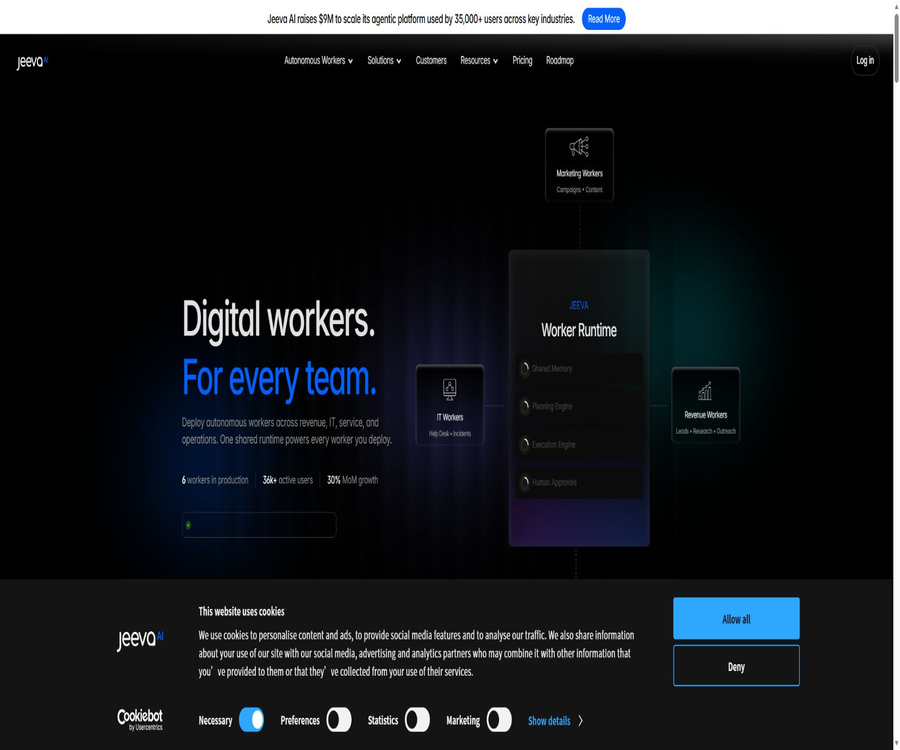
Jeeva AI is a platform that enables the deployment of digital employees using natural language, allowing AI to carry out real business tasks across sales, customer service, IT, security, finance, and operational systems.
What is Jeeva AI?
Jeeva AI is operated by the American company Jeeva AI, Inc. Initially, it focused on AI-powered sales assistants and automated SDR solutions, but it has since evolved into a platform of autonomous digital employees that can be used in various departments. Lead management, data analysis, outreach functions, and CRM tools remain its most developed and widely available features.
Digital employees can not only generate suggestions, but also detect events, determine actions to take, invoke connectors, retain context, and carry out operations. Sensitive actions can be subject to manual approval, while execution records are used for auditing and issue tracking.
Change in product positioning
| Phase or product line | Main positioning | Current status |
|---|---|---|
| AI Sales Agent | Finding potential clients, completing data, personalized outreach, and follow-up | It remains the core of the self-service package. |
| Revenue Worker | Handling changes in the sales phase, research, routing, and follow-up | Production scenario |
| Digital Workers | Execute tasks across customer service, IT, security, finance, and operations | Current location of the main station |
| Enterprise Runtime | Unified memory, permissions, approval, and auditing | Customized for enterprises |
The category classification should not be limited to AI SDR alone, nor should mature sales capabilities be ignored. A more accurate classification would be AI digital employees, sales automation, and enterprise agent platforms.
Six types of digital employees
| Digital employees | Main tasks | Typical system |
|---|---|---|
| Support Resolution Worker | Route, investigate, and resolve first- and second-level customer service tickets | Customer service system, knowledge base, and CRM |
| IT Operations Worker | Enable permissions, respond to events, and carry out onboarding procedures | Identity, ticketing, and operations systems |
| Revenue Worker | Abundant opportunities, routing, follow-up, and account research | CRM, email, and sales tools |
| GTM Engineer Worker | Build marketing automation, inbound enrichment, and A/B routing. | Marketing and Data Systems |
| Security Ops Worker | Investigate anomalies and follow the preliminary response procedures. | Logging, identity, and security platform |
| Finance Worker | Read invoices, match them with purchase orders, and submit them for approval. | Financial, procurement, and accounting systems |
Five-layer operation architecture
Each digital employee operates within a framework that comprises five layers: perception, cognition, action, memory, and governance. The platform aims to combine long-term memory, planning, execution capabilities, and human approval into sustainable working units.
| Hierarchy | Ability | Function |
|---|---|---|
| Perception | Identify Webhooks, tickets, alerts, and scheduled events | Determine when to start a task |
| Cognition | Planning steps, branching, and error recovery | Decide on the next steps to take. |
| Action | Calling connectors and automating browsers | Execute in a real system |
| Memory | Save session state and persistent knowledge | Maintain context across tasks |
| Governance | Identity, permissions, approval, and auditing | Restrict high-risk actions |
Natural language deployment
Administrators can directly describe the tasks that digital employees need to carry out, without the need to create complex node diagrams first. Jeeva breaks down the goals into steps and creates an execution process by integrating the connected systems.
- Choose from customer service, sales, IT, finance, or other business areas.
- Describe the trigger conditions, objectives, and completion criteria in natural language.
- Connects to business systems that require reading from or writing to.
- Limits the accounts, fields, actions, and range of data that can be processed.
- Set approvals for actions such as sending messages, changing permissions, and making payments.
- Run it with test data and check the records of each execution step.
- Once approved, it goes live, with continuous monitoring of failure and exception costs.
Identifying potential sales leads
Find Leads allows users to filter potential customers by location, industry, company size, and job title; it also enables the use of external data services to obtain additional information about contacts and companies. Too narrow or conflicting criteria may result in no results, so it is generally better to start with broader criteria and then narrow them down.
- Narrow down the list of companies by target region and industry.
- Identify decision-makers based on their positions and experience.
- First, load 100 small samples to check the matching quality.
- Load 500 or 1,000 more items as needed.
- Add the results to data-enrichment or outreach processes.
- The discrepancy between the estimated quantity and the actual pagination remains as expected.
Lead import and deduplication
The team can upload CSV, JSON, or XML files, and map fields such as names, companies, domain names, and LinkedIn profiles to the Jeeva fields. While not all fields are required, the company domain name and a complete personal profile link help improve the matching accuracy.
Duplicate removal is performed by default based on the email address or LinkedIn profile information, and it can override duplicate contacts in the current campaign. This helps to avoid duplicate charges and repeated attempts to reach those contacts; however, when testing special processes, it is necessary to first understand the organization-level rules for duplicate removal.
| Import items | Suggestions | Frequently Asked Questions |
|---|---|---|
| File format | CSV, JSON, or XML in UTF-8 format | Garbled characters and parsing failure |
| Table header | Use clear and consistent field names. | The field cannot be mapped. |
| Company information | Provide the company name and domain name. | The company matching is incomplete. |
| Personal information | Provide name, email address, or LinkedIn profile. | The contact cannot be identified. |
| Small-scale testing | First, import a small number of records. | Excessive consumption of quota due to large numbers of errors |
| Remove duplicates | Confirm the workspace and team scope | Normal contacts are mistakenly identified as duplicates. |
Abundant data
Jeeva employs a multi-service, waterfall-based querying approach to add information such as work email addresses, phone numbers, job titles, experience, industry sector, company size, and financing details to contacts. Users can adjust the priority of these services, and they can also use custom AI prompts to obtain additional insights.
- First, clean up the names, domain names, and resource links.
- Only the core fields required for the current decision are added.
- Handle the email first, and then decide whether to purchase phone data.
- Conduct sample checks to verify the accuracy of positions, companies, and numbers.
- Handle missing data, queued items, and invalid inputs separately.
- Isolate failed transactions to prevent repeated charges.
Signals: Intentions and changes in positions
Signals is used to keep track of changes in contacts’ roles, promotions, and any changes within the company; it then updates the list of potential clients or the CRM system. The team needs to connect to LinkedIn, define the groups of contacts to monitor, enable data enrichment, and map the fields in the CRM system.
A change in job position can only serve as an indicator of the appropriate time to reach out; it does not constitute direct evidence of intent to make a purchase. When using LinkedIn for further contact, it is still necessary to comply with account restrictions, platform rules, and local marketing laws.
Personalized outreach
The Scale package offers a multi-channel messaging approach that includes emails, LinkedIn messages, and AI-driven follow-ups; it supports large-scale personalization, A/B testing, and automation across different email accounts. The system also allows for scheduling of deliveries according to time zones and enables management of multiple sending accounts.
| Outreach phase | Jeeva capabilities | Human liability |
|---|---|---|
| Audience filtering | Create a list based on profiles and signals. | Confirm the basis for legitimate contact |
| Content generation | Write messages by combining company and contact information. | Verify facts and tone |
| Sending rhythm | Automated follow-up based on time zone and sequence | Limit on frequency and working hours |
| Multiple channels | Email, LinkedIn, and AI follow-up | Comply with the rules of each channel. |
| Experiment | A/B testing copy and steps | Use real evaluation metrics. |
| Unsubscribe | Provides mechanisms for cancellation and automatic exit. | Maintain the suppression list in a timely manner. |
Quota consumption rules
| Operation | Credit consumption | Explanation |
|---|---|---|
| Abundant email addresses | One quota per potential customer | Add or verify the work email address |
| Mobile phones are abundant. | 2 credits per potential customer | Add verified phone numbers |
| Email and phone number | 3 credits per potential customer | Treat both simultaneously |
| Participate in outreach activities | 6 credits per potential customer | Suitable for LinkedIn or email campaigns |
The quota is deducted immediately after the operation is completed; occasional short-term synchronization delays may occur. The monthly package quota is usually reset at the start of a new cycle and is not carried over, while promotional or reward quotas may have different expiration dates.
CRM synchronization
Jeeva enables the mapping of contacts, companies, events, and custom fields between its own workspace and CRMs such as HubSpot, and it supports pushing updates outward as well as pulling updates from CRMs. Matching rules are typically based on email address or phone number to prevent duplicate records.
- Connect to CRM as an administrator and restrict the scope of permissions.
- Maps contact, company, owner, and phase fields.
- Choose which activities or processes can be written to the CRM.
- Set matching rules for email addresses or other unique fields.
- Use test contacts to verify new and updated behaviors.
- Check the synchronization logs, failed backups, and interface limits.
- Handle errors on a weekly basis and audit changes in abnormal fields.
Meeting minutes and agenda
AI Notetaker allows users to join online meetings based on their calendar, and it can record, transcribe these meetings while identifying decisions, action items, and next steps. Meeting Prep also gathers information about participants, companies, and relevant details prior to the meeting.
| Meeting capabilities | Working method | Restrict or control |
|---|---|---|
| Auto-join | Access via the calendar meeting link. | You can select all, external, or self-hosted meetings. |
| Recording and transcription | Record the full conversation. | Participants need to be informed. |
| Abstract | Extract decisions and action items | Manual verification of key content |
| Preparations before the meeting | Send participant and company information | The information may be incomplete. |
| Delivery time | Usually a few minutes; during busy periods, 10 to 15 minutes. | Long meetings may be delayed. |
| Retention period | Recordings and transcriptions are retained for 1 week. | Check and export in a timely manner |
Customer service and ticket-based digital employees
The Support Resolution Worker can receive tickets, search the knowledge base, examine account history, draft solutions, and send responses. Policy thresholds allow high-risk or uncertain issues to be escalated to human agents.
- Automated classification and assignment of first- and second-level tickets.
- Read customer context from the knowledge base and CRM.
- Handle common billing, account, and product issues.
- Request manual approval when the policy threshold is triggered.
- Record the solution steps and trigger a satisfaction survey.
- Leave failures and exceptions for the agent to review.
IT, security, and financial automation
The IT Worker is responsible for enabling permissions, handling onboarding tasks, and responding to incidents; the Security Worker is used to investigate anomalies and take initial action to address them; the Finance Worker reads invoices, matches them with purchase orders, and forwards the relevant documents to those authorized to approve them.
These tasks can alter the status of real accounts, the system, and the funds involved, posing a higher level of risk than content creation. Companies should start with read-only inquiries, gradually granting write permissions, and implement mandatory approval processes for deletion, suspension, transfers, and contract modifications.
Connector ecosystem
The unified operation architecture claims to offer more than 400 connectors, covering CRM, email, calendar, customer service, identity management, security, finance, search, and web data services. Whether direct connection is possible actually depends on the account version and the enterprise’s configuration.
| Connection category | Example | Primary uses |
|---|---|---|
| CRM | Salesforce, HubSpot | Synchronization of contacts, opportunities, and events |
| Customer service | Zendesk | Reading and processing tickets |
| Gmail, Outlook, Zoho | Send, follow up, and consolidate inbox | |
| Calendar and meetings | Google Calendar and online meetings | Preparation and recording before the meeting |
| Search and Research | Search results and RSS services | Company Research and Signals |
| Web page data | Apify, Bright Data, and others | Collect and enrich public business information |
| Browser automation | Phantombuster and others | Perform actions across web pages |
Chrome extensions
The Jeeva AI Agent extension integrates a sales assistant into the browser, enabling the identification and further development of potential customers, as well as providing connectivity to the Jeeva workspace. The current version of this tool is 2.3.0; it was last updated in August 2025. There are around 325 users using it, and no ratings have yet been assigned.
| Expansion projects | Current information |
|---|---|
| Version | 2.3.0 |
| Recent updates | August 4, 2025 |
| Number of users | About 325 |
| Rating | No rating available yet. |
| Language | English |
| Size | Approximately 1.88 MiB |
| Developer | Jeeva AI |
| Store disclosure | It is stated that no extended data is collected or used. |
The disclosure requirements related to data collection in extended stores and the platform’s privacy policies do not exactly coincide regarding the way in which email addresses, potential customers, and usage data are handled. Before installing such extensions, businesses should assess their own permissions as well as the way in which the platform processes data once logging in is done.
Price of self-service packages
The price information was verified on August 23, 2026; the actual amounts, taxes, exchange rates, and discounts may vary, and the final figures will be those displayed on the settlement page.
| Package | Average monthly amount for annual payment | Seats | Key capabilities | Suitable for users |
|---|---|---|---|---|
| Free | $ | 1 | Email lookup and verification, basic search, advanced functions, and templates; payment based on usage volume | Trial and light research |
| Essential | The current price card is missing. | Not clearly specified | This category is available in the function comparison table. | Purchase with pre-sales confirmation |
| Growth | 95 dollars | 1 | Advanced filtering, automatic updates, CRM call records, multiple email accounts, and scheduling across time zones | Individual sales staff |
| Scale | 239 dollars | 1 | Multi-channel outreach, AI-driven follow-up, personalization, A/B testing, and automation | High-intensity outreach team |
| Enterprise | Custom quote | More than 10 | Flexible quotas, SSO, governance, private deployment, and dedicated services | Large organizations |
$
Anomaly on the price page
The price chart lists the Free plan alongside higher volumes of emails and messages, indicating that payment is based on usage volume; the feature comparison table shows the Essential plan, but no corresponding entry appears in the price chart. The description of the Enterprise plan references the Performance plan, which is not displayed, suggesting there are issues with the template or version synchronization on this page.
| Abnormal items | Page performance | Handling suggestions |
|---|---|---|
| Number of Free items | There are 10,000 emails and 1,250 mobile phones. | Do not treat it as a free quota outright. |
| Essential | The comparison table has a name but no price column. | Confirm to the account or sales team |
| Enterprise inheritance items | Write Everything in Performance | Confirm the actual preliminary package |
| Annual savings | Free and Enterprise also show the amount saved. | Treated as a layout error on the page |
| Monthly payment amount | The switch exists, but the capture results are incomplete. | The settlement page shall prevail. |
Free version and trial
The pricing page clearly lists a $0 Free plan, which can be used for identifying potential customers, enriching that information, and conducting individual research. The documentation provides conflicting information regarding the full trial period: the quota guidelines state 14 days and 100 units, while the package change guidelines mention 5 days for new accounts.
At the bottom of the page, various texts such as 1 day, 5 days, and 14 days can be found. The menu may list options like a free plan or a limited-time trial; however, the duration of the trial and the associated limits must be confirmed on the account page after registration.
Upgrading, downgrading, and quotas
- Upgrades usually take effect immediately and are charged proportionally.
- The remaining credit from the old plan will be added to the credit after the upgrade.
- The downgrade usually takes effect in the next billing cycle.
- The monthly quota is usually reset and not carried over automatically.
- The trial quota expires upon its expiration, but an early upgrade may allow it to be retained.
- The promotion reward amount remains valid regardless of package changes.
- Before cancellation, stop the activities and disconnect the integration to prevent the process from getting stuck.
Renewal and Refunds
Subscriptions are prepaid on a monthly basis with automatic renewal, and cancellation must be done before the start of the next cycle. Cancellation or downgrading midway generally does not result in a refund for the unused portion of the current cycle.
The terms state on one hand that no refunds will be given for any fees, while on the other hand it says that a refund can be requested for the first subscription period, provided that the request is made at least 30 days in advance; these two provisions are contradictory. It is necessary to obtain written information regarding the refund conditions applicable to the current package before making a purchase.
Privacy and data processing
Jeeva AI, Inc. lists its address in Santa Monica, California, in its privacy policy; it handles tasks related to registration, transactions, devices, website usage, potential customers, email addresses, and integrated data. Users can request access to, correction of, or deletion of their personal information.
| Data type | Purpose or method of handling | Risk control |
|---|---|---|
| Accounts and Devices | Logging in, support, security, and analysis | Enable SSO and minimum privileges |
| Email and sessions | Reply, outreach, and service functions | Connect to a dedicated email address and set limits on its usage. |
| Lead information | Research, enrichment, and reaching out through activities | Establish a legal basis for handling. |
| CRM data | Two-way synchronization and process execution | Restrict fields and write actions |
| Meeting recording | Transcription, summarization, and pre-session preparation | Inform the participants and export the data in a timely manner. |
| Transaction information | Subscription and payment processing | Check the bill and retention period |
| Google Workspace data | Provides connection functionality. | The statement is not intended for training general-purpose models. |
The privacy policy states in one place that communications between users and external parties are not stored, while in another part it says that emails sent and received through the platform are kept – these statements are inconsistent. Companies need to define specific fields, retention periods, locations, and deletion procedures through data processing agreements.
Meeting data and retention period
The meeting help documentation states that recordings and transcriptions are retained for only 1 week, and reports are usually generated within a few minutes after the meeting ends. Users should view or export them within this time frame, and avoid mistaking the temporary storage provided by the platform for a backup of corporate documents.
Before automatically joining a meeting, it is necessary to select rules such as \"all\", \"external\" or \"hosted by me\“. A default scope that is too broad may allow robots to enter meetings that should not be recorded; therefore, administrators should set the scope to the smallest possible level.
Anti-spam and external compliance
Jeeva prohibits unsolicited commercial emails that violate the law, and requires that each marketing email include a mechanism for unsubscribing as well as necessary information. Customers remain responsible for the sales and marketing communications they send.
- Only contact target audiences that have a legitimate business basis.
- Clearly state the sender’s identity and the reason for contacting them.
- Provide clear and accessible ways to unsubscribe.
- The address is added to the suppression list immediately upon receiving the cancellation request.
- Limit the frequency of sending messages to the same contact and domain name.
- Do not use fake identities, topics, or a sense of urgency.
- Comply with the rules regarding email, LinkedIn, and local privacy marketing.
Security and Governance
The enterprise package includes options such as SSO, role-based permissions, compliance controls, private data storage, as well as the possibility of deployment on a private cloud or on-site. The main platform also emphasizes digital employee identities, permissions, approval processes, and comprehensive auditing.
The pricing page mentions corporate certifications such as SOC 2, HIPAA, and ISO 27001, but the specific scope of these certifications and the products to which they apply need to be confirmed by the sales team. Departments with high risk levels should request current audit reports, a list of subcontractors, recovery objectives, and procedures for handling security incidents.
API, GitHub, and open-source status
No Jeeva API, SDKs, official GitHub repository, or open-source license available for public use was identified. The existence of over 400 connectors indicates that the platform can interact with external systems, but this does not mean that customers can control Jeeva through public APIs.
The core digital workforce platform, sales database, and automation platform are all closed-source commercial services. The fact that Enterprise offers an option for local deployment does not mean that the source code is available.
Supported platforms
| Platform | Current status | Explanation |
|---|---|---|
| Web applications | Support | The main entry point for configuring sales and digital employees |
| Chrome extensions | Support | Lead discovery and enrichment within the browser |
| Email connection | Support | Gmail, Outlook, Zoho, and others |
| CRM connection | Support | HubSpot, Salesforce, and others |
| Mobile apps | Not confirmed | No official iOS or Android versions have been identified. |
| Native desktop applications | Not confirmed | It mainly uses Web SaaS. |
| Public APIs and SDKs | Not confirmed | There are no developer documents. |
| Private cloud or on-premises deployment | A quote can be requested for Enterprise. | A contract and a technical assessment are required. |
Which users are it suitable for
- Sales teams that need to automatically identify, enrich, and reach B2B prospects.
- Revenue operations teams that wish to reduce the workload associated with CRM data entry and follow-up tasks.
- Founders who need to run outreach campaigns across email addresses and LinkedIn.
- Service teams that wish to have AI handle routine customer service requests.
- IT departments that need to handle account activation and event response automatically.
- Companies that intend to test financial and security agents within an approval framework.
- Large organizations that require private data storage, SSO, and governance capabilities.
Product advantages
- From sales assistants to cross-departmental digital employee operations.
- Integrated lead discovery, data enrichment, outreach, and CRM synchronization.
- The five-layer architecture includes memory, planning, execution, and governance.
- Natural language description tasks lower the barriers to workflow configuration.
- Supports manual approval and complete execution records.
- The enterprise version offers options for private cloud or on-premises deployment.
- The free plan makes it easy to test the basic sales functions first.
- Meeting minutes, Signals, and multiple email addresses create a complete sales cycle.
Main limitations
- The new positioning of digital employees has not been fully aligned with the pricing for the sales version.
- The price page contains duplicates, missing entries, and abnormal amount descriptions.
- The public prices for Growth and Scale are based on an annual payment divided by months, rather than a regular monthly payment.
- The trial period varies between 5 days, 14 days, and other values as stated in the text.
- The quota is consumed based on the variety of activities and actions carried out, and the costs associated with large-scale outreach increase rapidly.
- Contact and job title data may be missing or outdated.
- Automatic outreach can easily trigger platform restrictions and pose spam risks.
- The privacy policy contains contradictions regarding whether external emails are stored.
- The user base for Chrome extensions is small, and there are no ratings available yet.
- No public APIs, SDKs, or open-source code have been confirmed.
Pre-launch checklist
- Define the specific tasks assigned to digital employees and the criteria for success.
- Check the current plan, the actual monthly price, as well as the seats and quotas.
- Use a small number of masked leads for testing in order to improve accuracy.
- Configure cancellation, blocklists, and sending frequency.
- Restrict permissions for CRM, email, and LinkedIn connections.
- Set approvals for external shipments, permission changes, refunds, and financial transactions.
- Verify data storage, deletion, retention, and subcontractor arrangements.
- Expand the scale after evaluating through logs, costs, and error rates.
Frequently Asked Questions
Is Jeeva AI just a sales tool?
It is no longer just a sales tool. Its current role is that of a digital employee platform that integrates functions related to customer service, IT, revenue management, security, finance, and operations; however, sales automation remains the most developed aspect of this platform, with well-established documentation and self-service options available.
Is Jeeva AI free?
A free plan available at 0 dollars offers basic lead discovery, email search, as well as various templates. The duration for trying out all the features varies according to the official documentation; it is necessary to register in order to find out exactly how long this trial period lasts.
How much is Jeeva AI?
The current average monthly price for annual billing is $95 for Growth, $239 for Scale; quotes are available upon request for Enterprise. Essential is only listed in the feature comparison table, and no specific price is indicated on the current price sheet.
How is the limit calculated?
Emails grant 1 credit per lead, while mobile messages grant 2 credits; together they provide 3 credits. Adding a lead to an email or LinkedIn campaign usually consumes 6 credits.
Can it automatically send emails and LinkedIn messages?
Scale supports multi-channel campaigns that combine emails, LinkedIn messages, and AI-driven follow-ups. Users must comply with requirements regarding cancellation options, sending frequency, account limitations, and local marketing regulations.
Can Jeeva sync with CRM?
It can be connected to systems such as HubSpot and Salesforce, allowing for the mapping of fields as well as two-way synchronization of contacts, activities, and status changes. It is necessary to test the rules for eliminating duplicates and performing writes before going live.
How long are meeting records kept?
The documentation on recording and transcription provided by AI Notetaker states that the files should be retained for 1 week, and users should view or export them within that time frame.
Is Jeeva AI open source?
No. No official open-source repository or license was found; the core runtime and sales platform are closed-source commercial services.
Summary
Jeeva AI expands upon its advanced capabilities in lead identification, data management, multi-channel outreach, CRM synchronization, and meeting recording to create a digital employee platform that can operate across different departments. Its features for memory, planning, execution, approval, and auditing are suitable for teams that need true business automation.
The biggest challenge in procurement is the rapid updates to product specifications, which outpace changes to pricing and documentation, resulting in conflicts between package offerings, free usage quotas, and trial periods. Companies should first test the accuracy of functions and the appropriate permissions through small-scale read-only tasks, and then establish clear terms regarding pricing, refunds, data processing, and management of high-risk actions via written contracts.
Tools similar to Jeeva AI





 Guigong Network Security Registration No. 45132202000164