






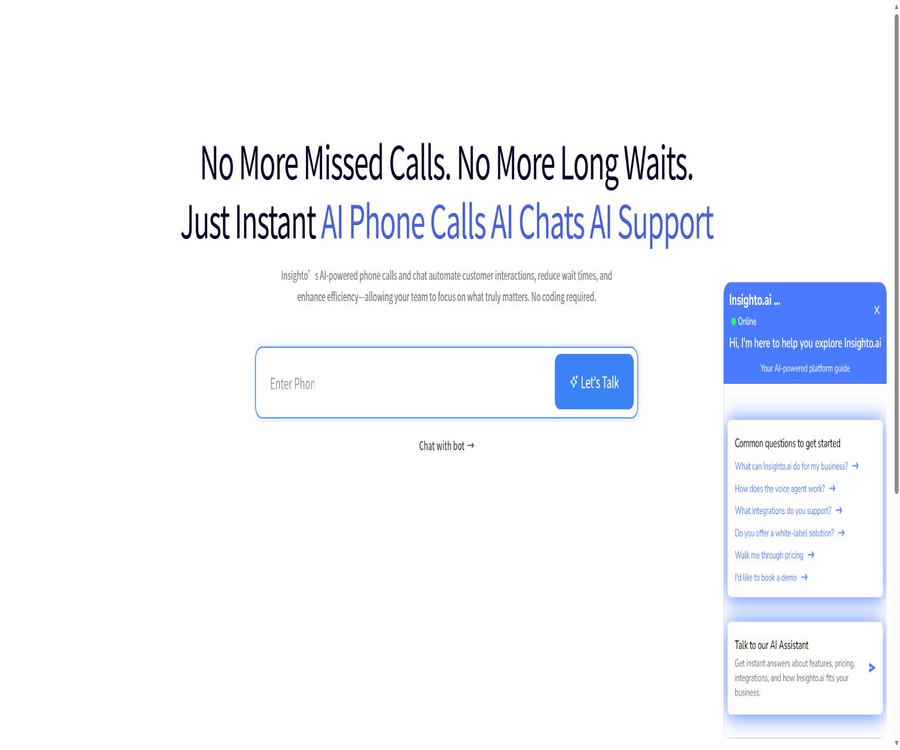
What is Insighto.ai?
Insighto.ai is a code-free AI voice and chat agent platform designed for businesses and agencies. Teams can use existing customer data, FAQs, and knowledge bases to create 24/7 phone assistants, website bots, and customer service agents for messaging channels.
These agents can answer questions, filter leads, make appointments, conduct outbound calls, send messages, run various tools, and transfer calls to human agents when necessary. The platform also offers custom domain names, sub-accounts, and the ability to charge clients separately, making it suitable for service providers to use.
A one-sentence summary
Insighto.ai brings together knowledge base Q&A, voice calls, chat components, multi-channel messaging, business workflows, and agent whitelisting under a single AI agent platform.
Main functions
Code-free AI assistant
Users can create assistants in the backend, write instructions, select models, and connect one or more knowledge bases. After testing is completed, the assistant can be linked to phone apps, web pages, or messaging components.
Phone AI agent
The phone assistant supports natural voice conversations, handling of incoming calls, outbound calling tasks, detection of voicemails, and recording of calls. It can determine, based on instructions, when to use a call transfer tool in order to connect the customer with a human agent.
Knowledge base chatbot
Chat assistants can answer questions based on websites, PDFs, Word documents, help centers, and text snippets, and they can also display citation markers. Multiple knowledge bases can be linked to the same assistant at the same time.
Multi-channel messaging
The platform supports various communication channels such as website chats, phone calls, text messages, emails, and WhatsApp, and can be expanded through additional components and integrations. WhatsApp makes use of the Meta Cloud API directly, rather than the WhatsApp interface provided by Twilio.
Business tools and workflows
Assistants can utilize SMS, calendars, APIs, Webhooks, and other tools to transform conversations into appointments, notifications, data synchronization, or business actions. Steps that fail within a workflow are not automatically retried; it is necessary to implement idempotency and compensation mechanisms manually during the design process.
Manual transfer
Phone conversations can be transferred to a human operator at any point, and chats can also be handled by live agents. When upgrading, it is necessary to provide a summary of the conversation, the user’s details, and the actions that have been taken, so as to avoid the customer having to repeat information.
Voice libraries and voice cloning
The voice library includes Azure Speech, Cartesia, ElevenLabs, PlayHT, as well as custom cloned voices; it is possible to filter and listen to these voices by language, provider, and gender. Custom cloning requires access to the appropriate subscription plan and high-quality, authorized audio files.
Session and usage analysis
The management backend stores chat records, phone call recordings, transcriptions, information on tool usage, and billing details, which facilitates the assessment of quality and costs. The team should establish access permissions, retention periods, and rules regarding notification for recordings.
Which types of assistants are supported?
| Assistant type | Primary uses | Input output | Suitable scenarios |
|---|---|---|---|
| Chat | Website and message Q&A | Input of text, images, or files; output of text and components | Customer service, product inquiries, and lead collection |
| Phone | Voice agents in traditional telephone lines | Phone audio, transcription, model responses, and synthesized speech | Appointments, reception, follow-ups, and outbound calls |
| Realtime OpenAI | Low-latency real-time voice interaction | A single linear model is used to handle listening, speaking, and responding. | Pay attention to natural interruptions and rapid-paced phone calls. |
| Voice Widget | Voice conversations within web pages | Browser microphone and voice playback | Website voice customer service and demonstrations |
| Collaborator Agent | Division of labor and collaboration on complex tasks | Call other agents or capabilities based on intent. | Services across multiple departments and knowledge domains |
Knowledge base and response control
The knowledge base is the foundation for ensuring the accuracy of responses; the information contained within it must be accurate, accessible, clearly labeled as to its version, and continuously updated. Enabling citations allows visitors to view the corporate materials related to a particular response, but it does not guarantee that the model fully understands the content.
| Data type | Uses | Management recommendations |
|---|---|---|
| Website page | Import products, services, policies, and help content | Exclude the login page, duplicate pages, and expired promotions. |
| PDF and Word | Include manuals, price lists, procedures, and instructions | Remove sensitive information and check the scan quality. |
| Help Center | Supports high-frequency customer service and operational inquiries | Synchronously update the release date and applicable version. |
| Text fragment | Quick Q&A and special rules | Specify the responsible person and expiration date. |
| Multiple knowledge bases | Allow one assistant to serve multiple knowledge domains. | Define priorities and resolve conflicting content. |
| Customer data | Enable personalized responses and business actions | Minimize fields and perform identity verification. |
Voice processing chain
Traditional phone assistants combine speech recognition, language models, and speech synthesis separately, with the platform handling the scheduling of calls. The real-time OpenAI assistant integrates listening, thinking, and speaking into a single sequential process, resulting in lower latency; however, its cost is higher and the available voice options are limited.
| Stage | Optional suppliers or methods | Base cost | Select the key points |
|---|---|---|---|
| Speech recognition | Azure Speech, Deepgram, ElevenLabs | $ | Language coverage, phone quality, and latency |
| Language models | Available models in OpenAI, Azure OpenAI, and Groq | The standard 1x model starts at $0.01 per minute. | Reasoning quality, speed, and multiplicity |
| Speech synthesis | Azure, Cartesia, ElevenLabs, and PlayHT | Azure costs $0.02 per minute. | Naturalness, first-word delay, language, and brand |
| Platform orchestration | Insighto for session management | $ | Tools, logs, routing, and workflows |
| Real-time voice | OpenAI Realtime | $ | Low latency, built-in voice, and budget-friendly |
| Telecommunication lines | Twilio, Plivo, or Telnyx | At the operator’s rate | Number, country, call direction, and compliance |
Model selection
The cost of models is calculated on a multiplicative basis; it is generally advisable to start with the model that offers the lowest cost while still being capable of completing the task. More advanced models should only be used when actual testing shows that the basic model is not sufficient.
| Model category | Chat price | Model multiplier in speech | Suitable for tasks |
|---|---|---|---|
| 1x model | $ | 1 time | Standard customer service, scheduling, and simple tool calls |
| o3-mini | $ | 2 times | Multi-step logic, comparisons, and complex workflows |
| GPT-4o | $ | 10 times | Tasks that require a high level of attention to subtle semantics |
| Older versions of GPT-4 or other high-performance models | $ | 20 times | Use it only when the compatibility requirements are clear. |
| Realtime Mini | Charged by voice time | Integrated rate of $0.12 per minute | Low-latency natural dialogue |
| Realtime Premium | Charged by voice time | Integrated rate of $0.48 per minute | High-value brand voice experience |
In the current model dropdown list, the main options are OpenAI, Azure OpenAI, and Groq; the documentation specifies that there is no Claude option available for now. The available models may change, so it is necessary to check them in the account before deployment.
Steps to create a chat agent
- Register an account and define the objectives for customer service, sales, scheduling, or internal Q&A.
- Create a knowledge base by importing websites, documents, FAQs, and the data that can be used.
- Create a new Chat assistant and define the roles, tasks, response boundaries, and conditions for transferring to a human agent.
- Select a model and compare the quality and cost of basic and advanced models in relation to the actual problem at hand.
- Connect to forms, SMS, calendars, CRM, Webhooks, or custom tools.
- Configure the colors, brand, welcome message, quotes, and privacy notices for the chat component.
- Tested error data, unauthorized requests, prompt injection, identity confusion, and tool failures.
- Publish to a website or messaging channel, and continuously monitor session details and cost breakdowns.
Steps to create a phone agent
- Clarify the processes for incoming calls, outbound calls, appointments, reminders, or lead filtering.
- Create a Phone or Realtime assistant and select the working language.
- Configure speech recognition, language models, speech synthesis, and voice characters.
- Set the welcome message, interruptions, silence period, voice mail, and termination conditions.
- Connects phone numbers, calendars, CRM systems, text messages, and call forwarding tools.
- Tests accent, background noise, numbers, names, interruptions, and line latency.
- Explain AI, recording, and data processing to the caller, and comply with local consent rules.
- Launch in small batches, and monitor calls connected, transfers, reservations, errors, as well as the cost per minute.
Supported business channels
| Channels | Key capabilities | Key constraints |
|---|---|---|
| Website components | Text or voice chat, forms, and brand appearance | It is necessary to embed and configure the privacy notice correctly. |
| Phone | Incoming calls, outgoing calls, forwarding, recording, and voicemail | Carrier fees, number regulations, and recording consent |
| Process inquiries and messages that arrive at the company’s account. | Approved templates must be used outside the 24-hour window. | |
| SMS | Notifications, follow-ups, and tool triggers | U.S. numbers require A2P 10DLC registration. |
| Cross-channel communication and automated follow-up | Sender reputation, unsubscribe options, and template compliance | |
| Telegram | Receive robot conversations initiated by users. | Robots cannot send private messages to users on their own. |
| GHL | Synchronize contacts, calendars, calls, and automations | Field mapping, duplicate contacts, and permissions |
Voice and language
Insighto’s annotation feature supports over 50 languages; ordinary phone assistants can be configured to use multiple working languages, with automatic detection of these languages. The actual quality depends on the speech recognition provider, the language models, the voice databases, the communication lines, and local accents.
| Voice scheme | Synthesis cost | Features | Suitable situations |
|---|---|---|---|
| Azure Speech | $ | Wide range of language options, low default cost | Most multilingual phone assistants |
| Cartesia | $ | Lower delay for the first character | Pay attention to the pace of the conversation. |
| ElevenLabs | $ | Rich in expressiveness and vocal style | Brand experience and high-value services |
| PlayHT | $ | Provides different voice options for sessions | Applications that require specific sounds |
| Custom Clone | $ | Use authorized samples to create a brand voice. | Obtain clear permission for both personal and commercial use. |
| BYOK voice | The Insighto voice value is 0. | Use the corporate supplier account directly. | Companies that already have voice contracts or operate in compliant areas |
Requirements for voice cloning
For custom cloning, ElevenLabs is used; the audio required has a duration of at least 30 seconds, a sample rate of 16kHz, and must be monophonic with no background music. Companies must obtain explicit consent from the speaker, and impersonation, fraud, or unauthorized replication of voices are prohibited.
Business tools and integrations
- Calendar appointments and the GHL Calendar tool;
- SMS notifications and customer follow-up;
- Phone transfer and human takeover;
- Webhooks and custom API actions;
- WhatsApp Business, web page, and message components;
- GHL contacts and business automation;
- Forms, intents, and collaborative agents;
- Outbound campaigns, call records, and session analysis.
Workflow reliability
Failed workflow steps are not automatically retried, nor are Webhooks sent again if they fail. The receiving system should queue requests quickly; business actions require the use of idempotent keys, status checks, and manual compensation mechanisms.
Which users is it suitable for?
- Local businesses that require round-the-clock telephone support, appointment scheduling, and lead screening;
- Small and medium-sized companies that wish to offer both telephone and website-based AI customer service;
- Marketing teams that use GHL to manage clients and calendars;
- Multinational companies that need multilingual call and messaging services;
- Digital marketing agencies that build and manage AI agents on behalf of clients;
- Service providers who wish to use white-label domain names, sub-accounts, and refill services;
- Development teams that need APIs, Webhooks, BYOK, and custom tools.
In what situations is it not very suitable?
- Individual users who require permanent free access with no limits on the number of calls or messages sent;
- Organizations that require all components to be open source and deployed in a completely offline environment;
- Critical financial processes that require native Webhook signing and automatic retry.
- Organizations with high security requirements that do not currently offer two-factor authentication cannot be accepted;
- Outbound calling activities that lack legitimate consent for recording and permission for telemarketing;
- It is hoped that AI can handle independently scenarios involving medical, legal, financial matters, or urgent decisions.
Product advantages
- Telephones, web chats, and messaging platforms can share the same AI agents and knowledge base;
- Code-free configuration reduces the barriers to getting started for ordinary business teams;
- Models, speech recognition, and speech synthesis can be combined based on quality and cost;
- Multiple languages, voice mail, call forwarding, and recording are suitable for telephone reception;
- BYOK allows companies to keep certain models and voice billing details in their own accounts;
- The package plus wallet option facilitates continued service once the limit is exceeded;
- The agent plans to offer white-labeling, sub-accounts, customer domain names, and rebilling;
- APIs, workflows, and tools enable connectivity to business systems.
Usage restrictions
- The current account does not have two-factor authentication, so the administrator should implement additional security measures;
- To delete an account, you need to contact support – it cannot be done directly through the backend.
- Webhooks lack HMAC signatures, and they do not attempt to retry in the event of a failure;
- Steps that fail in a workflow are not automatically retried, and compensation logic is required for critical actions.
- API keys are authenticated using query parameters, and it is necessary to prevent them from being written to logs or analysis systems;
- The interface for automatic wallet top-ups is not yet available; top-ups usually have to be done manually.
- The total cost of models, voice services, telecommunications, and messaging can be higher than the advertised basic price.
- Calls, text messages, and WhatsApp are subject to regional, carrier, and platform rules.
Price of individual packages
Insighto offers two billing options: monthly plans and a prepaid wallet, with the quota for these plans being reset at the end of each billing cycle. Once the limits on queries, voice usage time, interactions with robots, or storage space are exceeded, charges are deducted from the wallet based on the actual amount used. New accounts receive a $10 trial balance.
| Package or version | Price | Billing cycle | Core benefits or quota | Suitable for users |
|---|---|---|---|---|
| Free trial balance | 10 dollars | One-time use | Used to experience the actual usage of voice and chat functions. | First-time registered users |
| Power | $ | Monthly payment | 10 robots, 15 simultaneous calls, email support, and basic channel capabilities | Small businesses and pilot operations |
| Turbo | $ | Monthly payment | 50 robots, 30 concurrent connections, 3 collaborative agents, voice cloning, advanced integration, and setup support | Growth Team |
| Ultra | $ | Monthly payment | No restrictions on robots, 50 concurrent connections, 5 collaborative agents, custom channels, advanced intent recognition, and premium support | Enterprises with high consumption levels |
| Wallet | The minimum deposit is $5. | Prepaid pay-as-you-go | Once the quota of the package is used up, charges will be applied for queries, voice services, storage, and other resources. | All accounts that require flexible usage amounts |
The package page and the user documentation present the details of the included quota in different ways; before making a purchase, it is necessary to check on the settlement page the number of seconds for voice usage, the number of text queries that can be performed, the amount of storage available, as well as the status of various robots and functions. Discounts applied to annual subscriptions from previous years cannot replace the current monthly pricing.
Agent and white-label prices
| Package or version | Price | Billing cycle | Core benefits or quota | Suitable for users |
|---|---|---|---|---|
| Agency Starter | $ | Monthly payment | 1000 voice minutes, 5000 text queries, 10 sub-accounts, 50 concurrent connections, 10 campaigns, white-labeling and basic support | Agencies that provide hosting services |
| Agency Pro | $ | Monthly payment | 3000 voice minutes, 10,000 text queries, 50 sub-accounts, 100 concurrent connections, 50 campaigns, implementation support and white labeling | Large-scale reselling team |
| Enterprise Agency | Custom quote | contract | Larger sub-accounts, volume of usage, scope of governance and support | Organizations that exceed the capacity of standard agents |
| Recharging for customers | Set by the agent | Follow a custom plan and wallet | Customer prices and multipliers can be set on top of the base cost. | Service providers that need to charge customers in a uniform manner |
White-label solutions allow the use of one’s own applications, interfaces, and chat domain names. However, once the DNS settings are saved, they cannot be changed manually in the background; external assistance is required. Before final configuration, it is necessary to carefully verify the domain names, certificates, branding elements, as well as the plan for customer migration.
Pay-as-you-go details
| Quantity items | Base price | Factors that may increase costs |
|---|---|---|
| Regular chatting | $ | Inference models, advanced GPTs, or other high-performance models |
| Regular phone | $ | Advanced models, TTS providers, voice cloning, and voice lines |
| Realtime Mini | $ | Utilize OpenAI’s real-time voice integration capabilities |
| Realtime Premium | $ | High-quality real-time model |
| Send SMS externally | The U.S. benchmark is 0.015 dollars per unit. | Receiving country, operator, and registration fees |
| Telephone line | Paid through the operator | Country, number, inbound, outbound, and duration |
| Storage word count | The package includes this amount; any excess is charged at 100,000 words per month. | Size of knowledge base and repetitive content |
In principle, no refunds are provided for any subscriptions or add-ons; a downgrade takes effect during the next renewal. The wallet does not offer an automatic top-up feature for regular users, and insufficient balance may affect the continuity of services; companies should implement external monitoring systems.
How does BYOK work?
BYOK allows users to connect their own OpenAI, ElevenLabs, and Azure Speech keys; the costs associated with those models or services are charged directly to the user’s account. This feature is subject to the settings of the subscription plan, and telecommunications providers, certain voice service providers, and platform orchestration services may still charge additional fees.
| BYOK slot | Covered content | Do not cover the content |
|---|---|---|
| OpenAI | Chat, Embedding, and Realtime API | Groq, Anthropic, and other models that do not provide slots |
| ElevenLabs | Speech synthesis and custom cloning | Cartesia and PlayHT |
| Azure Speech | Azure speech recognition and speech synthesis | Deepgram |
| Platform | Reduces charges to the corresponding wallet when using one’s own private key. | Orchestration, package features, and certain platform costs |
| Telecommunications | Not applicable | Twilio, Plivo, and Telnyx charge based on the number of lines used. |
Keys are stored in an encrypted form and are not included in the interface responses; however, no automatic verification is carried out when they are saved. Users should proactively conduct status checks, restrict the permissions of keys, rotate them regularly, and avoid assigning keys to sub-accounts.
API and Webhook
Insighto provides API keys, interface references, and Webhooks, which enable the management of assistants, sessions, voice functions, tools, as well as agent capabilities. The API key is displayed only once when it is created, and it follows a specific format with a fixed prefix.
| Technical projects | Current implementation | Important note |
|---|---|---|
| API authentication | Use the API key from the query parameters. | Avoid recording the full address in proxy, analysis, and error logs. |
| API throttling | Limited by package tier | A response of 429 is returned when the limit is exceeded; backoff and queuing should be implemented. |
| Webhook signature | HMAC is not provided. | Use an export IP allowlist and random reception paths. |
| Webhook retry | Not available | The receiver should confirm promptly and write to the internal queue first. |
| Workflow retry | Failed steps are not automatically retried. | Design idempotency and manual compensation for external actions. |
| Session data | It allows for the playback of recordings, transcription, and viewing of billing details. | Apply role-based restrictions and set retention. |
Privacy and security
The platform handles account information, knowledge bases, visitor conversations, phone audio, transcriptions, tool outputs, and usage data. Customers own and control the data that is collected, and they are responsible for providing notifications, obtaining consent, ensuring lawful use of that data, and responding to requests from data subjects.
| Matters | Current capabilities or rules | User notes |
|---|---|---|
| Account deletion | It is necessary to contact support. | Export data and sessions in advance and confirm the scope of deletion. |
| Record deletion | Some records can be deleted from the backend; permanent deletion may take up to 90 days. | Confirm the backup and recovery windows |
| Two-factor authentication | Not supported at the moment. | Use unique, strong passwords, apply the principle of least privilege, and make use of identity providers. |
| Call recording | Audio conversations are automatically saved as recordings. | Send recording notifications and obtain consent by region |
| Key | BYOK keys encrypt the data without transmitting the plaintext. | Rotate and restrict supplier permissions |
| GDPR | The platform states that it meets the relevant requirements. | Companies still need to complete the DPA, retention, and cross-border assessment. |
| Medical data | Some solutions are marketed as supporting HIPAA scenarios. | It is necessary to confirm the BAA, the applicable deployment, and all sub-processors. |
Communications regarding safety and compliance cannot replace a thorough procurement review. Before launching sensitive services, it is necessary to examine the existing trust credentials, penetration tests, sub-processors, data locations, incident response plans, and contractual responsibilities.
API, GitHub, and open-source status
Insighto has made its development documentation and APIs available, but no official core GitHub repository or complete platform code could be found. The projects with the same name that were discovered, as well as third-party connectors, cannot serve as a basis for considering this product as open source.
| Technical projects | Current status | Explanation |
|---|---|---|
| Public API documentation | Yes | Covers API keys, assistants, sessions, and other platform capabilities |
| Webhook | Yes | Currently, there are no signatures and no failed retries. |
| BYOK | Yes, the packages are limited. | Supports OpenAI, ElevenLabs, and Azure Speech slots |
| Official SDK | The complete language SDK has not been confirmed. | It is primarily accessed through APIs and integrations. |
| Official GitHub | Not confirmed | Third-party automation projects are not part of the core code. |
| Open-source platform | No | AI agents, white-label consoles, and runtime services are commercial hosting products. |
| Local deployment | No standard self-service solution was found. | When there are strict requirements regarding data retention, it is necessary to confirm this with the sales team. |
Go-live checklist
- Verify that the knowledge base is accurate, accessible, and free of any information that should not be made public;
- Testing all workflows for failures, timeouts, repetitions, and manual compensations;
- Obtain the necessary consent for phone recordings, text messages, WhatsApp, and outbound calls;
- Restrict the permissions of API keys, BYOK keys, and agent sub-accounts;
- Use an export IP allowlist and random paths to protect Webhooks;
- Set alerts for wallet balance, usage, concurrency, and carrier billing;
- Compare the quality of voice, latency, and actual cost across different models;
- Assign human agents to handle sensitive issues, complaints, refunds, and emergencies;
- Regularly conduct random checks on recordings, incorrect answers, transfers, and customer feedback.
Basic information
| Project | Content |
|---|---|
| Tool name | Insighto.ai |
| Tool type | AI voice agents, chatbots, and automated multi-channel customer service |
| Supported languages | Over 50 kinds |
| Primary channels | Telephones, web pages, WhatsApp, text messages, and emails, etc. |
| Basic voice rate | $ |
| Basic chat rate | $ |
| Minimum monthly plan | $ |
| White-label agents | Supported, 299 dollars per month |
| API | Yes |
| Core open source | No |
Frequently Asked Questions
Can Insighto.ai be tried out for free?
New accounts receive a $10 free credit to test voice and chat functions. To continue using these services, it is necessary to choose a subscription plan or top up the prepaid wallet.
Is the cost for basic voice services really only 0.06 dollars per minute?
$
Can I be connected to a live person?
Yes. The phone assistant can use transfer tools, and in chat or agent-based interactions it is possible to switch to a human agent; however, it is necessary to set the conditions, numbers, and context in advance.
Is voice cloning supported?
It is possible to create custom voices using ElevenLabs, but this requires the corresponding plan benefits as well as a sample of at least 30 seconds in length that meets the requirements. It is necessary to obtain the speaker’s permission and to comply with local laws.
Is WhatsApp supported?
Support is provided for direct use of the Meta Cloud API. When sending messages outside of the 24/7 customer service hours, approved templates must be used.
Is it suitable for reselling by agents?
There are Agency Starter and Agency Pro options, which offer white-label domain names, sub-accounts, concurrency limits, as well as features for managing campaigns and recurring billing. The number of customers and the amount of usage allowed are restricted by the plan chosen.
Are APIs provided?
APIs and Webhooks are provided, but there are specific restrictions on authentication, signing, and retry mechanisms. For critical processes, it is necessary to implement key protection, queue management, and compensation logic in accordance with the documentation.
Is Insighto.ai open source?
It is not open source. It is a commercial hosting platform; the availability of public development documentation does not mean that the core proxy operation system or the white-label control panel are open-source.
Summary
Insighto.ai is suitable for companies that wish to quickly set up AI agents for phone calls, web pages, and messaging; it also offers agents the options of white labeling, sub-accounts, and revenue sharing. Models, voices, workflows, GHL, and BYOK enhance the platform’s configurability.
Before use, the total cost should be calculated based on the actual model, audio, telecommunications, and messaging channels; special attention must be paid to current limitations such as two-factor authentication, Webhook signing, and retry mechanisms. Knowledge governance, consent for recording, key security, and manual upgrades determine the reliability of the system in production.
Tools similar to Insighto.ai





 Guigong Network Security Registration No. 45132202000164